Transcript
Student Orientation Letter
Welcome to your online course! This page will provide you with information about how to access your distance
learning course. You may want to save this letter for future reference.
You will use FDU’s Webcampus for your online course throughout the semester to access course material, receive
and submit assignments, and engage in exchanges with classmates and your instructor.
Getting Help
If you need assistance in using Webcampus, you may:
• Contact the Fairleigh Dickinson University Technical Assistance Center (FDUTAC)
NOW AVAILABLE 24 HOURS A DAY!
Phone: 973-443-8822
Email: [email protected]
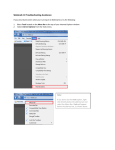
• Access the Student Manual from within your course by clicking on Tools (located on the left
panel of the screen) and selecting User Manual.
Accessing Your Course:
•
•
•
•
In order to access your course, you must have an FDU Webmail account. You can apply for an
FDU Webmail account online at http://webmail.fdu.edu. Once you have a Webmail address,
your account for your course will automatically be created. This process may take up to 36
hours to be completed.
Point your browser to http://webcampus.fdu.edu.
Enter your FDU Webmail username (e.g. [email protected]) and your FDU Webmail
password and click Login.
All of the courses that you are registered will be available in the box titled My Courses, click on
the appropriate course link.
Checking Your Webmail:
Please be aware that all email communication for your class is sent using your Webmail address.
There are limitations to the amount of email that can be stored in your account. Therefore, it is
important that you regularly check your email and delete any unnecessary email.
Changing Your Password:
You can change your password only by changing it in your Webmail account.
Changing Your Email Address:
You cannot change your email address. However, if you would like, you can forward your Webmail
email to a different email address. Directions are available from the How Tos link at
http://webmail.fdu.edu. Click on the Mail Forwarding link.
Course Information & Course Material
You will access the course syllabus, readings, assignments, and links and requirements by clicking on
the buttons or text links (such as Course Information, Course Documents, etc.) located on the left
panel. Be sure to check the Announcements section, shown on the very first page when you enter
the course, for recent and important information from your instructor.
Please Note: You may not be able to access your course
until classes officially begin.