1
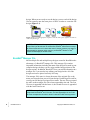
like BuzzEdit® to reduce the number of hoop sections to a minimum. In
some cases, this will result in unsatisfactory results. If you use this
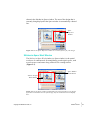
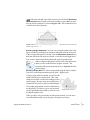
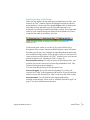
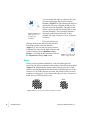
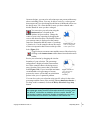
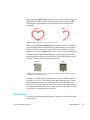
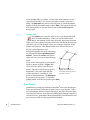
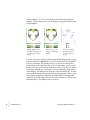
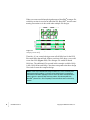
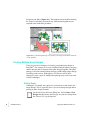
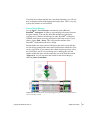
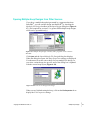
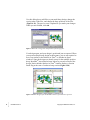
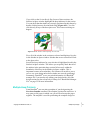
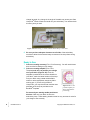
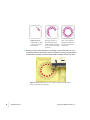
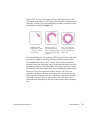
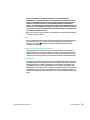
option, please check your design carefully (Figure 6-10).
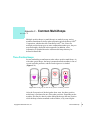
Figure 6-10 The stitches in the right hoop have been selected in order to show how
the design was split by the Auto Split for Multi-hoop tool.
Check the Design
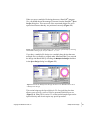
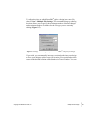
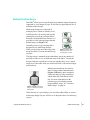
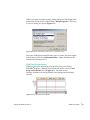
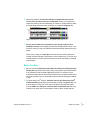
Run the Sew Simulator (BuzzTools > Sew Simulator…) before you stitch
your design. Using this tool, you can often identify problems with a
multiple-hoop design before you invest the time to sew it.
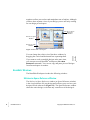
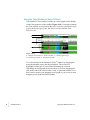
Managing Hoop Sections
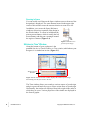
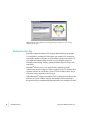
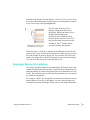
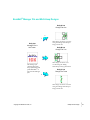
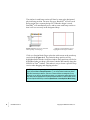
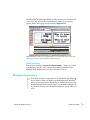
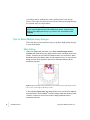
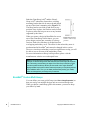
Each hoop section is composed of a Section Break flag followed
by its stitches. When you define a multi-hoop design, BuzzEdit®
always inserts one Section Break flag for each hoop position. By
manipulating the Section Break flags, you can create a design with
any number of hoop sections and have them sew in any order you
wish.
Copyright © 2003 Buzz Tools, Inc.
Multiple-Hoop Designs
•
•
• 71
•
•
•