1
22
REMOTE CONTROL
ENGLISH
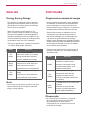
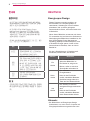
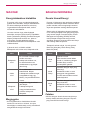
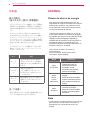
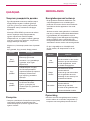
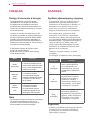
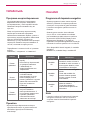
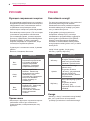
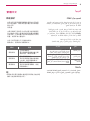
Using Picture ID
NOTE
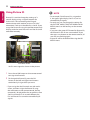
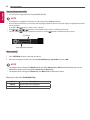
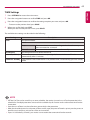
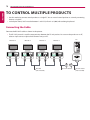
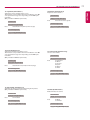
Picture ID is used to change the settings of a
specific display using a single IR receiver for
multi-vision. The set receiving the IR signal
communicates with another set via an RS-232C
connection. Each set is identified by a Set ID. If you
assign the Picture ID using the remote control, only
displays with the same Picture ID and Set ID can be
controlled remotely.
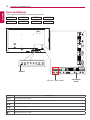
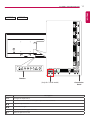
AUDIO
(RGB/DVI)
RS-232C OUT
RS-232C OUT
RS-232C OUT
RS-232C IN
RS-232C IN
RS-232C IN
REMOTE
CONTROL IN
IR Receiver
RS-232C
Picture ID
Off
Close
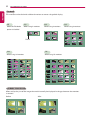
2X2 Multi-Vision
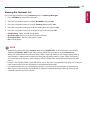
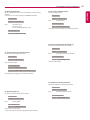
Set IDs are assigned as shown in the picture.
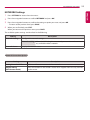
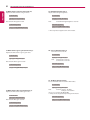
1Press the red ON button on the remote control
to assign the Picture ID.
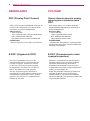
2
To change the Picture ID, press the ON
button, or the left and right arrow buttons
continuously. Assign the ID you want.
•• If you assign the Set ID to each set with multivision, and then assign the Picture ID using
the red button on the remote control, the key
command is displayed for the set with the same
Set ID and Picture ID. A set with different Set
IDs and Picture IDs cannot be controlled by IR
signals.
•• For example, if the Picture ID is assigned to
2, the upper right display (Set ID: 2) can be
controlled by IR signals.
•• For each set, you can change the settings for
the PICTURE, AUDIO, TIME, NETWORK and MY
MEDIA menus or the hot keys on the remote
control.
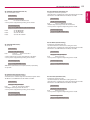
•• If you press the green OFF button for Picture IDs,
the Picture IDs for all sets are turned off. If you
then press any button on the remote control, all
sets will start working again.
•• Picture ID will be disabled while using the MY
MEDIA menu.