1
Unloading
Unloading the Foundation
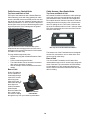
Unloading a Foundation MCR (HD/RD)
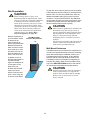
1. Using a pallet jack,
move the Foundation
MCR near the desired
location. Cut the shipping bands with a utility
knife and remove all
cardboard and plastic.
2. Remove the two 2x4s
from the sides of the
unit. Remove the 2x6
from the rear of the unit.
3. Using a ratchet or
wrench, remove the four
lag bolts from the front of
the skid.
4. Remove the 2x6 from
the front of the unit.
5. Slide the 4x4 runner
from under the front of
the skid.
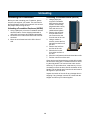
6. Move the unit forward until the skid and the unit tilt.
7. Roll the unit off front of the skid.
Before you start unloading your Foundation, please
note the unit weight of your model. This can found in
the Specifications section of this manual. Use at least
two people when moving the unit.
Unloading a Foundation Enclosure (HK/RK)
1. Using a pallet jack, move the Foundation near the
desired location. Cut the shipping bands with a
utility knife and remove all cardboard and plastic.
2. Remove the four 2x2s nailed around the Foundation base.
3. Move the unit forward and roll it off the front of
skid.
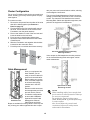
Open the door and locate the keys, which will be inside
the enclosure along with a T-handle wrench for removing the side panels. The front and rear locks use the
same key. To open either door, rotate the key 1/4 turn
clockwise to unlock the door, then lift the bottom of the
handle. Pull the handle away from the unit and rotate it
90 degrees to open the door.
Inspect the interior of the unit for any damage done in
shipping. If any damage is noted, file a claim with the
shipper and inform your Liebert supplier.
12