1
VIZIO SV421XVT & SV471XVT User Manual
Chapter 6 Connecting Equipment
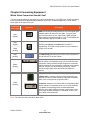
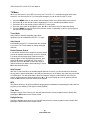
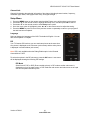
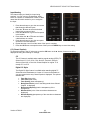
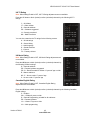
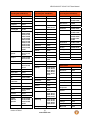
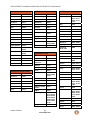
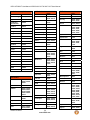
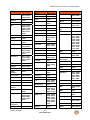
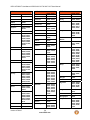
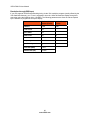
Which Video Connection Should I Use?
You have several options for connecting your video equipment box to your HDTV from a basic connection
to the most advanced for digital displays. Based on your Home Theater configuration, you can decide
which option is the right one for you.
Connection
Quality (type)
Best
(digital)
Connector
Description
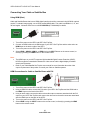
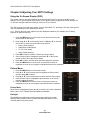
HDMI delivers the best image quality of any of the signal types
available and it’s all done over one cable. You get a great
picture and cut down on your cable clutter. HDMI provides
digital quality and amazing sound so if your TV has HDMI, this
is the connection type you should be using.
Best
(digital)
----------Good
(analog)
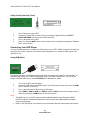
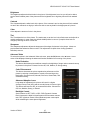
Connect your antenna or coaxial cable to watch TV
programming. This cable usually comes from your cable box
or right out of the wall.
Best
(analog)
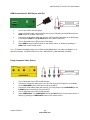
The RGB (VGA) port allows you to connect your computer so
you can use the TV as your monitor.
Better
(analog)
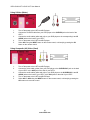
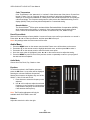
Component consists of three cables for transmitting video
and two cables for transmitting audio: one red and one white.
Component video provides a sharper image than Composite
video and should be used instead of composite when possible.
However, because it is still an analog connection, it won’t
provide the high-quality video and audio that HDMI can
produce.
S-Video (AV1) - Combining the three video signals into two
channels, S-Video provides a sharper image than Composite
video, but is not as good as Component video.
Good
(analog)
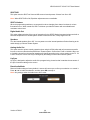
Composite consists of one yellow cable for transmitting video
and two cables for transmitting audio: one red and one white.
It is capable of transmitting stereo sound and standard
definition video (480i). While it provides a good image, it has
lower image quality than HDMI or Component. So try to use
one of those connections first.
Note: For more info refer to the Quick Start Guide
Version 4/7/2010
21
www.VIZIO.com