1
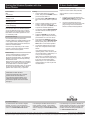
Pairing the Wireless Speaker with the
Base Station
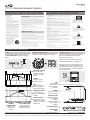
Link Indicators
Pairing
Off
Powered off.
1.
Plug the base station into a power
source, and press the POWER button to
power the base station on.
2.
The base station LINK INDICATOR will
flash when the base station is powered
on.
3.
Plug the wireless speaker into a power
source or insert 6 D batteries, not
included, and press the POWER button
to power the wireless speaker on.
4.
The wireless speaker LINK INDICATOR
will flash when the wireless speaker is
powered on.
5.
Adjust the VOLUME on the wireless
speaker to approximately the half-way
point between min. and max volume.
6.
Press & Hold the PAIR button on the
base station until the LINK INDICATOR
flashes quickly, then press & hold the
PAIR button on the wireless speaker.
7.
The wireless speaker will emit a long
beep when it is paired with the base
station.
Slow Flashes
Standby mode.
Quick Flashes
Attempting to pair.
Solid Light
Paired and playing.
If the base station is not playing audio, then
both the base station and wireless speakers
will go into Standby mode. Once you begin
playing audio from the base station, both the
base station and wireless speaker will come
out of Standby mode.
Transmission Range
Once the base station is paired with a
wireless speaker, the wireless speaker can be
moved approximately 200ft (line-of-sight) or
approximately 90ft (indoors) and still receive
audio from the base station.
Results will vary depending on the number
and size of obstructions between the base
station and the wireless speaker.
Before Pairing
The two wireless speakers included in the
same box as the base station are prepaired with that base station. Any additional
speakers will need to be paired by following
the directions below.
When pairing the base station with a wireless
speaker you will need to press the Pair button
on the base station and wireless speaker
simultaneously. Because of this, you will need
to have both the base station and wireless
speaker within reach when you pair them.
3.5mm Audio Input
Using the 3.5mm Audio Input
Requires a 3.5mm audio cable (included)
Also included is a 3.5mm to stereo RCA
adapter.
1.
Connect a 3.5mm audio cable to the
3.5MM AUDIO INPUT on the side of the
base station and the audio source.
2.
Use the connected audio source’s
native controls to play and control music
played through the connected base
station and linked wireless speakers.
If the wireless speaker emits short
repeating beeps, it was not able to pair
with the base station. Repeat steps 1-4
until you hear the long beep.
After pairing, the wireless speaker may
take up to 30 seconds to begin playing
audio from the paired base station.
Repeat steps 1-4 for each additional
wireless speaker you want to pair with
the base station.
What does it mean to Pair?
Pairing the base station with a wireless
speaker allows the base station to
recognize that wireless speaker. Once
paired, the base station will remember
that wireless speaker and transmit audio
through it.
International Support
To download this User’s Guide in English,
Spanish, or French, or to get answers to
frequently asked questions, visit the support
section at: www.iLiveElectronics.com
Para descargar este Manual del Usuario en
inglés, español y francés, o para obtener
respuestas a preguntas frecuentes, visite la
sección de apoyo en www.iLiveElectronics.
com
For Warranty Information and the most up-to-date version of this User’s Guide, go to www.iLiveElectronics.com
Email Support: [email protected], Email Parts: [email protected]
Pour télécharger ce guide de l’utilisateur en
anglais, espagnol ou français, ou pour obtenir
des réponses à des questions fréquemment
posées, consultez la rubrique d’assistance
sur www.iLiveElectronics.com
Customer Service: 1-888-999-4215
Copyright © 2012 Digital Products International (DPI, Inc.) All other trademarks appearing herein are the property of their respective owners. Specifications are subject to change without notice.