1
KG-545 User Manual
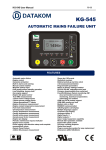
KG-545 AUTOMATIC MAINS FAILURE UNIT
FEATURES
Automatic mains failure
Engine control
Generator protection
Built in alarms and warning
Manual control enabled
Magnetic pickup input
Dual genset mutual standby operation
Load shedding, dummy load
Gas engine support
Engine idle speed control
3 phase mains voltage inputs
3 phase genset voltage inputs
3 phase genset CT inputs
Engine oil pressure measurement
Engine coolant temperature measurement
Fuel level measurement
Oil temperature measurement
Canopy temperature measurement
Genset active power measurement
Genset power factor measurement
Engine rpm display
Periodic maintenance request indicator
Engine hours counter
Event logging with date-time stamp and complete
measurement values
Stores last 100 events
Statistical counters
Battery backed-up real time clock
password protection
Programmable parameters
RS-232/ RS-485 selectable serial port
Firmware downloadable from serial port
MS-Windows Remote monitoring SW:
-local and GSM connection
-monitoring,
GSM and PSTN modem support
GSM-SMS sending on fault
Modem calls on fault
MODBUS communication
128x64 graphic LCD display
KOEL logo display
Analogue inputs: 5
Digital inputs: 9
Digital outputs: 7
Input / output expansion capability
Remote Start operation available
Survives cranking dropouts
Sealed front panel
Plug-in connection system for easy replacement
KG-545 User Manual
TABLE OF CONTENTS
Section
1. INSTALLATION
1.1. Introduction to the Control Panel
1.2. Mounting the Unit
1.3. Wiring the Unit
2. CONNECTOR DETAILS
3. DISPLAYS
3.1. Led Displays
3.2. Digital Displays
4. ALARMS AND WARNINGS
5. MODES OF OPERATION
6. OTHER FEATURES
6.1. Remote start operation
6.2. Engine heating operation
6.3. Engine Idle Speed Operation
6.4. Engine Block Heater
6.5. Fuel Pump Control
6.6. Mains Simulation (Disable Start)
6.7. Delayed Mains Simulation, Battery Charging
6.8. Dual Genset Mutual Standby Operation
6.9. Service Request Display
6.10. Modem connection
6.11. SMS message sending
6.12. Remote Monitoring
6.13. RS-485 port
6.14. External Control of the Unit
6.15. Automatic Exerciser
6.16. Gas engine fuel solenoid control
6.17. Load Shedding / Dummy Load
6.18. Fuel Theft / Fuelling Messages
6.19. Firmware Update
7. MODBUS COMMUNICATION
8. PROGRAMMING
9. TROUBLESHOOTING
10. DECLARATION OF CONFORMITY
11. TECHNICAL SPECIFICATIONS
12. CONNECTION DIAGRAM
-2-
KG-545 User Manual
1. INSTALLATION
1.1 Introduction to the Control Panel
The unit is a control and protection panel used in gensets. It shows the measured values on its
displays. The unit is designed to provide user friendliness for both the installer and the user.
Programming is usually unnecessary, as the factory settings have been carefully selected to fit most
applications. However programmable parameters allow the complete control over the generating set.
Programmed parameters are stored in a Non Volatile Memory and thus all information is retained even
in the event of complete loss of power.
The measured parameters are:
Engine Parameters:
Engine speed (rpm)
Battery voltage,
Coolant temperature
Oil pressure
Fuel level
Oil temperature
Canopy temperature
Engine run hours
Genset Parameters:
Gen voltage phase L1 to neutral
Gen voltage phase L2 to neutral
Gen voltage phase L3 to neutral
Gen voltage phase L1-L2
Gen voltage phase L2-L3
Gen voltage phase L3-L1
Gen current phase L1
Gen current phase L2
Gen current phase L3
Gen frequency
Gen KW phase L1
Gen KW phase L2
Gen KW phase L3
Gen total KW
Gen KVA phase L1
Gen KVA phase L2
Gen KVA phase L3
Gen KVAr phase L1
Gen KVAr phase L2
Gen KVAr phase L3
Earth Fault Current
Gen pf phase L1
Gen pf phase L2
Gen pf phase L3
Gen total pf
Mains Parameters:
Mains voltage phase L1 to neutral
Mains voltage phase L2 to neutral
Mains voltage phase L3 to neutral
Mains voltage phase L1-L2
Mains voltage phase L2-L3
Mains voltage phase L3-L1
Mains frequency
-3-
KG-545 User Manual
1.2 Mounting the Unit
The unit is designed for panel mounting. The user should not be able to access parts of the
unit other than the front panel.Mount the unit on a flat, vertical surface. Before mounting, remove the
mounting brackets and connectors from the unit, then pass the unit through the mounting opening.
The unit will be maintained in its position by the mounting brackets spring.
Do not tighten brackets excessively. This may brake the unit.
Engine body must be grounded for correct operation of the unit,
otherwise incorrect measurements may occur.
The output of the current transformers shall be 5 Amperes. The input current rating of the current
transformers may be selected as needed (between 10/5 and 9000/5 amps). Current transformer outputs
shall be connected by separate cable pairs from each transformer, to related inputs. Never use common
terminals or grounding. The power rating of the transformer should be at least 5 VA. It is recommended to
use 1% precision transformers.
If analogue senders (e.g. temperature, oil pressure or fuel level) are connected to the unit, it is not
possible to use auxiliary displays, otherwise the unit may be damaged. If temperature or oil pressure or
fuel level displays are already present on the generator control panel, do not connect the senders to the
unit. The unit is factory programmed for VDO type senders. However different types of senders are
selectable via programming menu. Please check the programming section.
The programmable digital inputs are compatible with both „normally open‟ and „normally
closed‟ contacts, switching either to BAT- or BAT+.
The charge alternator connection terminal provides also the excitation current, thus it is not
necessary to use an external charge lamp.
1.3 Wiring the Unit
WARNING: THE UNIT IS NOT FUSED.
Use external fuses for Mains phases: R,Y,B, Generator
phase: R,Y,B, Battery positive: BAT(+).
Install the fuses as nearly as possible to the unit in a place
easily accessible for the user.
The fuse rating should be 6 Amps.
WARNING: ELECTRICITY CAN KILL
ALWAYS disconnect the power BEFORE connecting the
unit.
1) ALWAYS remove the plug connectors when inserting
wires with a screwdriver.
2) An appropriate and readily accessible set of
disconnection devices (e.g. automatic fuses) MUST be
provided as part of the installation.
3) The building mains supply MUST incorporate
appropriate short-circuit backup protection (e.g. a fuse
or circuit breaker) of High Breaking Capacity (HBC, at
least 1500A).
4) Use cables of adequate current carrying capacity (at
least 0.75mm2) and temperature range.
-4-
KG-545 User Manual
2. CONNECTOR DETAILS
RS-232 SERIAL PORT: This connector provides serial data input and output for various purposes like
remote monitoring and remote programming.
EXTENSION CONNECTOR: This connector is intended for the connection to input / output extension
modules. Each optional extension module provides 8 programmable inputs or outputs. The unit allows the
use of up to 2 input and 2 output extension modules.
Term Function
01
BATTERY NEGATIVE
02
BATTERY POSITIVE
Technical data
0VDC
+12 or 24VDC
Description
Power supply negative connection.
The positive DC Supply terminal for both 12V
and 24V battery systems.
Term
03
04
05
Function
RL-01: CRANK OUTPUT
RL-02: FUEL OUTPUT
CHARGER WL
Technical data
Output 1A/28VDC
Output 1A/28VDC
Input and output
06
07
08
RL-03: IDLE OUTPUT
RL-04: STOP OUTPUT
RL-05: ALARM OUTPUT
Output 1A/28VDC
Output 1A/28VDC
Output 1A/28VDC
Description
This output controls the engine cranking.
Fuel solenoid output.
Connect the charge alternator‟s D+ terminal to
this terminal. This terminal will supply the
excitation current and measure the voltage of
the charge alternator.
This output controls the idle speed operation.
This output controls the engine stop solenoid.
This output controls the audible alarm (hooter)
Term Function
Technical data
09
RL-06: MAINS CONTACTOR Output 1A/28VDC
10
RL-07: GENSET
CONTACTOR
Output 1A/28VDC
11
COOLANT TEMP. SENDER
Input, 0-5000 ohms
12
OIL PRESSURE SENDER
Input, 0-5000 ohms
13
FUEL LEVEL SENDER
Input, 0-5000 ohms
14
CANOPY TEMPERATURE
SENDER
Input, 0-5000 ohms
15
OIL TEMPERATURE
SENDER
Input, 0-5000 ohms
16
17
SPARE ANALOG INPUT -1
SPARE ANALOG INPUT -2
Input, 0-5000 ohms
Input, 0-5000 ohms
Description
This output controls the mains contactor. If the
mains phase voltages and frequency are not
within limits, the mains contactor will be deenergized.
This output controls the mains contactor. If the
mains phase voltages and frequency are not
within limits, the mains contactor will be deenergized.
Analogue temperature sender connection. Do
not connect the sender to other devices. The
input has programmable characteristics.
Analogue oil pressure sender connection. Do
not connect the sender to other devices. The
input has programmable characteristics.
Analogue fuel level sender connection. Do not
connect the sender to other devices. The input
has programmable ohm value.
Analogue canopy temperature sender
connection. Do not connect the sender to
other devices.
Analogue oil temperature sender connection.
Do not connect the sender to other devices.
The input has programmable characteristics.
This input is reserved for future use.
This input is reserved for future use.
-5-
KG-545 User Manual
Term Function
18
COOLANT LEVEL
Technical data
Digital input
19
20
21
22
23
24
25
26
27
28
IN-0: HIGH TEMP
IN-1: LOW OIL PRESSURE
IN-2: EMERGENCY STOP
IN-3: AUTO START
IN-4: FUEL LEVEL
IN-5: SPARE-1
IN-6: SPARE-2
IN-7: SPARE-3
MAGNETIC PICKUP +
MAGNETIC PICKUP -
Digital inputs
Term
29
30
31
32
Function
MR-MAINS-R PHASE
MY-MAINS-Y PHASE
MB-MAINS-B PHASE
MN-MAINS NEUTRAL
Technical data
Mains phase inputs,
0-300V-AC
Term Function
33
I Earth +
Input, 0-300V-AC
Description
This terminal drives the coolant level sensor
with AC signal and senses the coolant liquid
level.
These inputs have programmable
characteristics selected via the program
menu. Each input may be driven by a
„normally closed‟ or „normally open‟ contact,
switching either to battery+ or battery-. The
effect of the switch is also selectable from a
list. See PROGRAMMING section for more
details.
Description
Connect the mains phases to these inputs.
The mains voltages upper and lower limits are
programmable.
Neutral terminal for the mains phases.
Technical data
Description
Current transformer Connect the earth current transformer
inputs, 5A-AC
terminals to these inputs.
34
I Earth -
35
BS 2
36
BS 1
37
YS 2
38
YS 1
39
RS 2
40
RS 1
Term
41
42
43
44
Function
GN-GENERATOR NEUTRAL
GR-GEN-R PHASE
GY-GEN-Y PHASE
GB-GEN-B PHASE
Technical data
Input, 0-300V-AC
Generator phase
inputs, 0-300V-AC
Description
Neutral terminal for the generator phases.
Connect the generator phases to these inputs.
The generator phase voltages upper and
lower limits are programmable.
Term
45
45
45
Function
RS-485-H
RS-485-L
RS-485-GND
Technical data
Input / output
Input / output
Output
Description
This is + terminal of the RS-485 port.
This is - terminal of the RS-485 port.
This terminal is internally connected to battery
negative. Connect the shield of the RS-485
cable to this terminal, from one end only.
Current transformer Connect the load current transformer
terminals to these inputs. Do not connect the
inputs, 5A-AC
same current transformer to other instruments
otherwise a unit fault will occur. Connect each
terminal of the transformer to the unit‟s related
terminal. Do not use common terminals. Do
not use grounding. Correct polarity of
connection is vital. If the measured power is
negative, then change the polarity of each 3
current transformers. The rating of the
transformers should be the same for each of
the 3 phases. The secondary winding rating
shall be 5 Amperes. (For ex. 200/5 Amps).
-6-
KG-545 User Manual
3. DISPLAYS
3.1 LED Displays
The unit has16 LEDs, divided in 3 groups:
-Group_1: Operating mode: This group indicates the genset function.
-Group_2: Mimic diagram: This group indicates the current status of the mains and genset
voltages and contactors.
-Group_3: Warnings and alarms: This group indicates the existence of abnormal conditions
encountered during operation.
Function
MAINS ON
Color
Green
MAINS OFF
Red
LOAD MAINS
LOAD GENERATOR
GENERATOR
Green
Yellow
Yellow
TEST
Yellow
STOP
Yellow
AUTO
Green
MANUAL
Yellow
ALARM
Red
LOW OIL PRESSURE
Red
HIGH ENGINE TEMP
Red
BATTERY VOLTAGE
Red
UNDER/OVER SPEED
Red
LOW FUEL LEVEL
Red
OVERLOAD
Red
Description
The LED will turn on when all 3 mains phase voltages
are within the limits.
The LED will turn on when at least one of the mains
phase voltages is outside limits.
It turns on when the mains contactor is activated.
It turns on when the generator contactor is activated.
The LED will flash when the engine is running. It will
turn on steadily when all 3 generator phase voltages
are within the programmed limits.
It turns on when the related operation mode is
selected. One of these LEDs is always on and
indicates which operation mode is selected.
If the operation of the genset is disabled by the
weekly operation schedule, then the AUTO led will
flash.
If a fault condition resulting to the engine shutdown
has occurred, the alarm led turns on steadily. If a
warning condition occurs, this led will flash. Alarms
work on a first occurring basis. The occurrence of a
fault will disable other faults of lower or equal priority.
Turns on when a low oil pressure condition is
detected either from the sender or switch input.
Turns on when a high coolant temperature condition
is detected either from the sender or switch input.
Turns on when a low or high battery voltage condition
is detected.
Turns on when a low or high speed condition is
detected.
Turns on when a low fuel level condition is detected
either from the sender or switch input.
Turns on when overcurrent or excess load condition
is detected.
-7-
KG-545 User Manual
3.2 Digital Display
The unit has a graphical 128x64 pixel LCD display. It shows:
-Measured parameters,
-The company logo,
-The alarm list,
-Software version and date-time information,
-Statistical counters,
-Event records,
-Program parameters.
Navigation between different screen groups is done with the
the ► button switches the display to the next screen group.
► button. Each depression of
Navigation within a group is done with with the ▼ button. Each depression of the
switches the display to the next screen in the same group.
▼ button
During operation, the unit will scroll automatically between different screens, displaying always
the most important parameters for the current operating status.
AUTO SCROLL may be stopped by long-pressing the ► button
If an alarm or warning occurs during operation, in other then programming mode, the display
will automatically switch to ALARM LIST position. The ▼ or ► buttons will not function. To enable
display navigation and mute the internal buzzer, press ACK/RESET button first. If there is more than
one alarm, the next alarm is displayed by pressing the ▼ button. Thus all existing alarms can be
scanned. „END OF ALARM LIST‟ will be displayed when there is no more alarm to display.
Group
GENSET
PARAMETERS
Screen Contents
1
Genset Phase voltages,
phase-to-neutral and
phase-to-phase
2
Genset Phase Currents
and Genset frequency
3
Genset Phase kW and
power factor
4
Genset Phase kVA and
kVAr values
5
Genset average current
and voltage, genset
frequency, total kW and
PF
6
Genset R Current
7
Genset Y Current
8
Genset B Current
9
Genset Frequency
10
Genset Active Power
11
Genset Average Voltage
12
Genset kW-hours
13
Earth Leakage Current
Description
Presented as a table.
Presented as a table.
Presented as a table.
Presented as a table.
Presented as a table.
Genset Phase R Current, large characters
Genset Phase Y Current, large characters
Genset Phase B Current, large characters
with large size characters
with large size characters
with large size characters
8 digit counter
in Amps and % of CT ratio, large characters
-8-
KG-545 User Manual
Group
ENGINE
PARAMETERS
Group
MAINS
PARAMETERS
Screen Contents
1
Oil Pressure
2
Engine Temperature
3
Fuel Status
4
5
Engine Speed
Battery Voltage,
Minimum battery voltage
6
Oil Temperature
7
Canopy Temperature
8
Engine Hours,
Total Starts
Screen Contents
1
Mains Phase voltages,
phase-to-neutral and
phase-to-phase
2
Mains Phase Currents
3
Group
ALARM LIST
Mains Frequency and
Average Voltage
Description
Displayed in bars and kPa, large characters
If PSİ display is enabled by program
parameter, then displayed in bars and psi.
Displayed in degrees C and degrees F,
large characters
Displayed in % of full tank capacity.
If Fuel Consumption/ Hour parameter is
not zero,then also displayed in engine hrs.
If Fuel Tank Capacity parameter is not
zero, then also displaed in liters.
Displayed in RPMs
Displayed in Volts DC. The Minimum
Battery Voltage is reset before each engine
crank cycle. Thus the displayed value
reflects the most recent status.
Displayed in degrees C and degrees F.
This screen is displayed only if the Oil Temp
analog input is enabled.
Displayed in degrees C and degrees F.
This screen is displayed only if the Canopy
Temp analog input is enabled.
The engine hours is displayed up to
999‟999.9 hours.
Total start count is displayed up to 9999.
Description
Presented as a table.
Presented as a table.
Frequency in Hertz.
The voltage is the average of both phase
voltages.
Screen Description
1
If no alarm exists, then END OF ALARM LIST is displayed.
Otherwise the first alarm is displayed.
Each depression of the ▼ button will cause the screen to switch to the
next alarm.
Group
Screen Description
COMMUNICATION
1
This screen shows the modem parameters.
STATUS
It is displayed only if the modem is enabled.
Group
GENSET
STATUS
Screen
1
2
3
4
Contents
Genset Status
Logo
Date & time
Site Id
5
Serial Number
6
Software Version
7
Maintenance
Counters
Description
Ascii explanation of the current status.
Company logo, Kirloskar Green Power Ideas.
Current date and time, displayed in large characters.
The generator site id string, displayed in large
characters.
The generator serial number string, displayed in large
characters.
The unit firmware version number displayed in large
characters.
Time to maintenance (days) and engine hours to
maintenance.
-9-
KG-545 User Manual
4. ALARMS AND WARNINGS
Alarms indicate an abnormal situation in the generating set are divided into 3 priority levels:
1- SHUTDOWN ALARMS: These are the most important fault conditions and cause:
- The ALARM led to be on steadily,
- The genset contactor to be released immediately,
- The engine to be stopped immediately,
- The Horn, Alarm, Alarm+Load_dump and Alarm+Load_dump+Warning digital
outputs to operate, (if selected via programming menu)
2- LOAD_DUMPS: These fault conditions cause:
- The ALARM led to be on steadily,
- The genset contactor to be released immediately,
- The engine to be stopped after Cooldown period,
- The Horn, Alarm+Load_dump and Alarm+Load_dump+Warning digital outputs to
operate, (if selected via programming menu)
3- WARNINGS: These conditions cause:
- The ALARM led to flash,
- The Horn and Alarm+Load_dump+Warning digital outputs to operate, (if selected
via programming menu)
If the ACK/RESET button is pressed, the Horn output will be deactivated; however the
existing alarms will persist and disable the operation of the genset.
A second press on ACK/RESET button will clear existing alarms.
Alarms operate in a first occurring basis:
-If a shutdown alarm is present, following alarms, load_dumps and warnings will not be accepted,
-If a load_dump is present, following load_dumps and warnings will not be accepted,
-If a warning is present, following warnings will not be accepted.
Alarms may be of LATCHING type following programming. For latching alarms, even if the alarm
condition is removed, the alarms will stay on and disable the operation of the genset. The existing alarms
may be cancelled by pressing one of the operating mode buttons ( TEST / OFF / AUTO/MANUAL).
Most of the alarms have programmable trip levels. See the programming chapter for adjustable
alarm limits.
- 10 -
KG-545 User Manual
LOW OIL PRESSURE: Set if a signal is detected at the Low Oil Pressure Switch input or the oil
pressure value measured from the sender is below the programmed limit. Warning and alarm limits are
separately programmable for the oil pressure sender input. This fault will be monitored with Holdoff
Timer delay after the engine is running. Also if the oil pressure switch is open at the beginning of a start
attempt, then the engine will not be started and “Oil Pressure Exists!” information is displayed. When
the oil pressure switch closes, normal operation will be resumed.
HIGH TEMPERATURE: Set if a signal is detected at the High Temperature Switch input or the coolant
temperature value measured from the sender is above the programmed limit. Warning and alarm limits
are separately programmable for the temperature sender input.
LOW TEMPERATURE (warning) : Set if the coolant temperature value measured from the sender is
below the Engine Heating Temperature limit.
LOW FUEL: Set if a signal is detected at the low fuel level input or the the fuel level measured from the
sender is below the programmed limit. Warning and alarm limits are separately programmable for the
fuel level sender input.
HIGH OIL TEMPERATURE: Set if the oil temperature value measured from the sender is above the
programmed limit. Warning and alarm limits are separately programmable for the temperature sender
input.
HIGH CANOPY TEMPERATURE: Set if the canopy temperature value measured from the sender is
above the programmed limit. Warning and alarm limits are separately programmable for the temperature
sender input.
LOW COOLANT LEVEL: Set if a signal is detected at the low coolant level input.
EMERGENCY STOP: Set if a signal is detected at the emergency stop input.
SPARE-1 / SPARE-2 / SPARE-3: Set if a signal is detected from the related spare fault input.
LOW SPEED / HIGH SPEED: Set if the generator frequency is outside programmed limits. These faults
will be monitored with Holdoff Timer delay after the engine is running. Low and high limits for warning
and alarm are separately programmable. Another high frequency shutdown limit which is 12% above the
high limit is always monitored and stops the engine immediately.
If engine rpm limits are programmed, these faults will be equally set using engine rpm limits.
START FAIL (alarm): Set if the engine is not running after programmed number of start attempts.
STOP FAIL (warning): Set if the engine has not stopped before the expiration of the Stop Timer.
OVERLOAD (load_dump): Set if one of the genset phase currents goes over the Overcurrent Limit for
Overload Timer. If currents goes below the limit before expiration of the timer then no alarm will be set.
EXCESS POWER (load_dump): Set if the genset power (KW) supplied to the load goes over the
Excess Power limit for Overload Timer. If the power goes below the limit before expiration of the timer
then no alarm will be set.
REVERSE POWER (load_dump): Set if the genset power (KW) supplied to the load is negative and
goes over the Reverse Power limit for Overload Timer. If the power goes below the limit before
expiration of the timer then no alarm will be set.
HIGH EARTH CURRENT: Set if the earth current goes over the Earth Current Warning or Loaddump
Limit for Overload Timer. If the current goes below the limit before expiration of the timer then no alarm
will be set. Separate loaddump and warning limits are available through program menu.
GENSET LOW VOLTAGE: Set if any of the generator phase voltages goes outside programmed limits
for Overload Timer. This fault will be monitored with holdoff timer delay after the engine is running.
GENSET HIGH VOLTAGE: Set if any of the generator phase voltages goes outside programmed limits
for Overload Timer. This fault will be monitored with holdoff timer delay after the engine is running.
GENSET PHASE ORDER FAIL (load dump): Set if the genset phase order checking is enabled, genset
phases are present and genset phase order is reversed.
LOW BATTERY VOLTAGE (warning): Set if the battery voltage goes below the programmed limit.
During engine cranking this fault is not monitored.
HIGH BATTERY VOLTAGE: Set if the battery voltage goes above programmed limits. Both warning and
alarm levels for high battery voltage are programmable.
CHARGE: Set if a charge alternator failure (or broken belt) occurs. This fault condition may result to a
warning or alarm following programming.
MAINS PHASE ORDER FAIL (warning): Set if the mains phase order checking is enabled, mains
phases are present and mains phase order is reversed. This fault prevents the Mains Contactor to close.
SERVICE REQUEST (warning): Set if either time to service or engine hours to service timer is expired.
- 11 -
KG-545 User Manual
5. MODES OF OPERATION
The modes of operation are selected by pushing the front panel keys. Changing the operation
mode while the genset is running will result into a behavior suitable for the new operating mode. For
example, if the AUTO mode is selected when genset is running at TEST mode, and mains phases are
present then the genset will stop after cooldown.
OFF: In this mode, the mains contactor will be energized if mains phase voltages are within the
programmed limits. The engine will be stopped.
AUTO: It is used for genset and mains automatic transfer. If at least one of the mains phase voltages is
outside limits, the mains contactor will be deactivated.
The diesel will be started for programmed times after the preheat timer. When the engine runs, the crank
relay will be immediately deactivated. The engine will run without load during engine heating period. After
this, if alternator phase voltages and frequency are within limits, then the unit will wait for the generator
contactor period and the generator contactor will be energized.
When all the mains phase voltages are within the limits, the engine will continue to run for the mains
waiting period. At the end of this period the generator contactor is deactivated and the mains contactor will
be energized. If a cooldown period is given, the generator will continue to run during cooldown period. At
the end of the period, the fuel solenoid will be de-energized and the diesel will stop. The unit will be ready
for the next mains failure.
TEST: It is used to test the generator when the mains are on, or keep the generator running in the
emergency backup mode. The operation of the generator is similar to the AUTO mode, but the mains
contactor will not be deactivated if the mains are not off. If the mains are off, mains contactor will be
deactivated and the generator contactor will be activated. When the mains are on again, a changeover to
the mains will be made, but the engine will be kept running unless another mode is selected. To stop the
engine, select AUTO or OFF mode.
MANUAL: It is used to run and stop then engine and operate contactors manually. Separate pushbuttons
for each operation are provided.
- 12 -
KG-545 User Manual
6. OTHER FEATURES
6.1 Remote Start Operation
The unit offers the possibility of REMOTE START mode of operation. Any digital input may be
assigned as Remote Start Input using Input Function Select program parameters.
AMF/REMOTE Dev parameter should be set to „1‟ in Controller Configuration.
The REMOTE START signal should be set to NO contact, switching to battery negative. These
selections are made using programming menu.
It is also necessary to set the ACTION program parameter of the related input to 3 in order to
prevent any alarm from this input.
In this mode the mains phases are not monitored. If the REMOTE START signal is present
then the mains will be supposed to fail, inversely if the REMOTE START signal is absent, then mains
voltages will be supposed to be present. The front panels mimic diagram‟s mains LEDs will reflect the
status of the REMOTE START input.
Note: For AMF Application AMF/REMOTE Dev parameter should be set to „0‟ and Input
Function IN-04 should be other than Remote Start Input.
6.2 Engine Heating Operation
Especially on engines without a body heater, or with a failing one, it may be desired that the
genset should not take the load before reaching a suitable temperature. The unit offers 2 different
ways of engine heating.
1. Timer controlled heating:
This operation mode is selected when the Engine Heating Method parameter is set to 0. In this
mode, the engine will run during parameter Engine Heating Timer, and then the genset will take the
load.
2. Timer and temperature controlled heating:
This operation mode is selected when the Engine Heating Method parameter is set to 1. In this
mode, at first the engine will run during parameter Engine Heating Timer, then it will continue to run
until the measured coolant temperature reaches the limit defined in parameter Engine Heating
Temperature. When the requested temperature is reached, the load will be transferred to the genset.
This operation mode may be used as a backup to the engine body heater. If the engine body is warm
the heating will be skipped.
6.3 Engine Idle Speed Operation
It may be required that the engine runs at the idle speed for a programmed duration for engine
heating. The idle operation duration is adjusted with the parameter Idle Speed Timer. The idle speed
will be set by the governor control unit of the engine.
Any of the spare relay outputs may be assigned as IDLE output using Relay Definition
program parameters. Also relays on an extension module may be assigned to this function.
The Idle speed operation is performed both in engine start-up and cool-down sequences.
Speed and voltage protections are disabled during idle speed operation.
- 13 -
KG-545 User Manual
6.4 Engine Block Heater
The unit is able to provide a relay output in order to drive the block heater resistor. The
temperature reference is the coolant temperature measured from the the analog sender input.
The block heater relay function may be assigned to spare relays using Relay Definition
program parameters. Also relays on an extension module may be assigned to this function.
The engine body temperature limit is adjusted using the parameter Engine Heating
Temperature. The same parameter is used for engine heating operation.
The relay will become active if the body temperature falls to 4 degrees below the limit set by
Engine Heating Temperature. It turns off when the body temperature exceeds Engine Heating
Temperature.
6.5 Fuel Pump Control
The unit is able to provide a relay output in order to drive the fuel pump motor. The fuel pump
is used in order to transfer fuel from the large capacity main tank (if exists) to the genset daily tank
which is generally integrated in the chassis and has a limited capacity.
The fuel level reference is measured through the analog fuel level sender. When the
measured fuel level falls below Fuel Pump Low Limit parameter, the fuel pump relay output will
operate. When the fuel level reaches Fuel Pump High Limit parameter, the relay will turn off. Thus
the chassis fuel tank level will be always kept between Fuel Pump Low Limit and Fuel Pump High
Limit parameters.
Note: Settable only through PC software.
6.6 Mains Simulation (Disable Start)
The unit offers an optional SIMULATE MAINS signal input. Any digital input may be assigned
as Simulate Mains using Input Function Select program parameters.
It is also necessary to set the ACTION program parameter of the related input to 3 in order to
prevent any alarms generated from this input.
The SIMULATE MAINS signal may be a NO or NC contact, switching to either battery positive or
battery negative. These selections are made using the programming menu.
If the Simulate Mains input is defined and the input signal is active, the mains phases are not
monitored and supposed to be inside limits. This will prevent the genset from starting even in case of a
mains failure. If the genset is running when the signal is applied, then usual Mains Waiting and
Cooldown cycles will be performed before engine stop. When the SIMULATE MAINS signal is present,
the front panels mimic diagram‟s mains LEDs will reflect the mains voltages as present.
When the signal is passive, the unit will revert to normal operation and monitor the mains
voltage status.
The REMOTE START operation overrides SIMULATE MAINS and FORCE
TO START operations.
- 14 -
KG-545 User Manual
6.7 Delayed Mains Simulation, Battery Charging
The Delayed Mains Simulation feature is used in battery backed up telecom systems where
batteries are able to supply the load during a certain period. The genset is requested to run only when
battery voltage drops below the critical level. Once the engine runs, the rectifier system starts charging
the batteries and the battery voltage goes up immediately. Thus the engine should continue to run a
programmed period for effective charging. The critical battery voltage level will be detected by an
external unit which provides the digital Simulate Mains signal for the genset control unit.
The unit offers an optional SIMULATE MAINS signal input. Any digital input may be assigned
as Simulate Mains using Input Function Select program parameters.
It is also necessary to set the ACTION program parameter of the related input to 3 in order to
prevent any alarms generated from this input.
The SIMULATE MAINS signal may be a NO or NC contact, switching to either battery positive or
battery negative. These selections are made using the programming menu.
If the Delayed Simulate Mains program parameter is set to 1 and the input signal is active
when the genset is not feeding the load, the mains phases are not monitored and supposed to be
inside limits. This will prevent the genset from starting when the simulate mains signal is present
(batteries charged). The genset will start when mains voltages are out of limits and the simulate mains
signal not present.
If the genset is running when the signal is applied, then MAINS SIMULATION will be
prevented during Flashing Relay Timer program parameter. After this, usual Mains Waiting and
Cooldown cycles will be performed before engine stop. When the SIMULATE MAINS signal is present,
the front panels mimic diagram‟s mains LEDs will reflect the mains voltages as present.
When the signal is passive, the unit will revert to normal operation and monitor the mains
voltage status.
The REMOTE START operation overrides DELAYED SIMULATE MAINS
operation. When both parameters “Remote Start Operation” and
“Delayed Simulate Mains” are set then REMOTE START operation mode
is performed.
- 15 -
KG-545 User Manual
6.8 Dual Genset Mutual Standby Operation
Dual genset intermittent operation consists of regular switching of the load between 2 gensets.
The use of 2 gensets instead of one is due either to safety purposes in case of a genset failure or to a
continuous operation requesting service stops.
The running period for each genset is adjustable using Flashing Relay Timer program
parameter. If the time is adjusted as 0 hours, it will be actually set to 2 minutes for faster testing
purposes.
A flashing relay output function is provided, based on the parameter Flashing Relay Timer.
Each time the period programmed using Flashing Relay Timer elapses, the relay output will change
position.
The flashing relay function may be assigned to spare relays using Relay Definition program
parameters. Also relays on an extension module may be assigned to this function.
The dual genset intermittent operation uses also the Mains Simulation feature. Please review
chapter 6.7 for a detailed explanation of this feature.
Priority In Dual Genset Mutual Standby Operation:
It may be required that the dual genset system starts the same genset at every mains failure.
This is achieved using the PRIORITY input.
Any digital input may be assigned as Priority using Input Function Select program
parameters.
It is also necessary to set the ACTION program parameter of the related input to 3 in order to
prevent any alarms generated from this input.
The Priority signal may be a NO or NC contact, switching to either battery positive or battery
negative. These selections are made using the programming menu.
If a Priority input is defined, then the system will work in priority mode. If the priority signal is
applied, the unit will become master after each mains failure. If the priority signal is not applied, then
the unit will become the slave one and the other genset will start.
Please contact KOEL for a complete application manual.
6.9 Service Request Warning
The periodic maintenance is basically carried out after a given engine hours (for example 200
hours), but even if this amount of engine hours is not fulfilled, it is performed after a given time limit (for
example 12 months).
The SERVICE REQUEST warning has no effect on the genset
operation.
The unit has both programmable engine hours and maintenance time limit. The engine hours is
programmable with 50-hour steps, the time limit is programmable with 1 month steps. If any of the
programmed values is zero, this means that the parameter will not be used. For example a maintenance
period of 0 months indicates that the unit will request maintenance only based on engine hours, there will
be no time limit. If the engine hours is also selected as 0 hours this will mean that the SERVICE
REQUEST display will be inoperative.
When the engine hours OR the time limit is over, the SERVICE REQUEST warning will occur. In
such case contct KOEL engineer to service the engine.
- 16 -
KG-545 User Manual
6.10 Modem Connection
The unit is capable of making modem calls in case of alarm, as well as answering modem
calls made from a remote location. GSM modems and classic cable network (PSTN) modems are
acceptable.
If the modem is connected to the unit, the Modem Enable program parameter should be set
to 1, otherwise faulty operation may occur.
A maximum of 2 telephone numbers can be defined for outgoing modem calls. In case of
alarm, the unit will attempt to reach control centers associated with each number. In case of modem
connection failure, the call will be repeated up to 30 times with 2 minute intervals.
When the modem call is in progress, a telephone icon (
) will appear at the upper right
corner of the screen.
If Modem Enable or SMS Enable or MODBUS Address or RS-485 Enable
parameters are different from zero, the local PC connection will not work.
Advised modems are KOEL types which are powered up from the same DC battery voltage
than the unit. Most of other desktop modems with standard AT commands are also usable, but it is the
user‟s responsibility to provide an uninterrupted AC supply source to the modem. The necessary
modem cable will be supplied by KOEL.
Modem calls are always terminated by the central PC software. However the unit does not
allow connection durations exceeding 2 minutes, and hangs up the modem when this period expires.
The PC program used for remote monitoring and programming is the same PC software used
for RS-232 connection.
Please note that the modem operation is also compatible with the MODBUS communication.
Thus the unit can iniate and receive calls to/from a MODBUS master station. Please review chapter_8
for more details on MODBUS communication.
- 17 -
KG-545 User Manual
6.11 SMS Message Sending
The GSM SMS sending is activated by setting the SMS Enable program parameter to 1.
If Modem Enable or SMS Enable or MODBUS Address or RS-485 Enable
parameters are different from zero, the local PC connection will not work.
When a fault condition occurs, the unit will compose an SMS message and will send it to up to 6
phone numbers. If modem is enabled, only 4 telephone numbers are available for SMS sending.
The unit is also able to send SMS messages in below conditions, without creating a visible alarm
or warning:
Mains Fail, Mains Restored (enabled via SMS on Mains Change program parameter)
Fuel Theft, Fuelling (enabled by setting the Fuel Consumption / Hour parameter to other than 0)
If both modem and SMS are enabled, the unit will send SMS messages first and attempt modem
connection afterwards.
When SMS sending is in progress, an (SMS) icon will appear at the upper right corner of the
screen.
The maximum number of alarms transmitted in a SMS message is 4. This limitation is due to the
maximum length of an SMS message which is 160 characters.
A sample GSM SMS message is given below:
KOEL <SITE-ID>
STOP :LOW OIL PRESSURE SW.
END OF ALARM LIST
The first line of the message carries information about the unit type and the site identity string.
This line is intended for the identification of the genset sending the SMS message.
Each following line will give one fault information. The message will always be terminated by the
“END OF ALARM LIST” string.
When the message is sent, the existing alarms will be masked, causing the audible alarm relay to
release and preventing consecutive GSM SMS messages. Any new upcoming alarm will result in a new
GSM SMS message. The new message will indicate all existing alarms, even masked ones.
The necessary GSM modem cable will be supplied by KOEL. This is the same cable as PSTN
(land) modems.
- 18 -
KG-545 User Manual
6.12 Remote Monitoring
Thanks to its standard serial RS-232 port, the unit offers the remote monitoring.
The modem, SMS and Modbus modes are not compatible with the local PC connection. Modem
Enable, SMS Enable and MODBUS Address program parameters should be set to 0 before
connection.
The PC software allows the visualization and recording of all measured parameters. The
recorded parameters may then be analyzed graphically and printed.
6.13 RS-485 Port
The unit offers an RS-485 port as a standard feature. Together with the MODBUS communication
protocol, this offers a convenient way to connect the unit to external automation and management
systems.
The RS-485 port is not isolated, it references to the battery negative connection of the unit.
The external MODBUS device communicating with the unit should use the
same potential as ground reference.
6.14 External Control of the Unit
The unit offers total external control through programmable digital inputs. Each digital input may
be programmed for below functions:
- Force OFF mode
- Force AUTO mode
- Force TEST mode
- Disable Auto Start
- Force to Start
- Fault Reset
- Alarm Mute
- Panel Lock
External mode select signals have priority on mode buttons of the unit. If the mode is selected by
external signal, it is impossible to change this mode with front panel keys. However if the external mode
select signal is removed, the unit will revert to the last selected mode via pushbuttons.
It is also possible to lock the front panel completely for remote command.
- 19 -
KG-545 User Manual
6.15 Exerciser
The unit offers automatic exerciser operation. The exercise operation may be done on a daily,
weekly or monthly basis.
The start day and time of the exercise is programmable as well as its duration. The exercise
may be done with or without load following programming.
Program parameters related to the exerciser are:
Exercise start day and hour
Exercise duration
Exerciser Period (Daily / Weekly / Monthly)
Exerciser can only be enabled through PC. It cannot be programmed from front panel.
When the start day and hour of exercise has come, the unit will automatically switch TEST
mode and the engine will run.
If a mains failure occurs during exercise, the load will not be transferred to the genset unless
the Emergency Backup Operation is allowed by setting the related program parameter to 1. Thus it
is highly recommended that the Emergency Backup mode enabled with the exerciser.
At the end of the exercise duration, the unit will switch back to the initial mode of operation.
If any of the mode selection keys are pressed during exercise, then the exercise will be
terminated.
Using the daily exercise mode, the unit may feed the load from the genset during predefined
hours of the day. This operation may be used in high tariff periods of the day.
6.16. Gas Engine Fuel Solenoid Control
The unit provides a special function for the fuel solenoid control of a gas engine.
The fuel solenoid of a gas engine is different from a diesel engine. It should be opened after
the cranking has been started and should be closed between crank cycles. The delay between the
crank start and solenoid opening is adjusted using the Gas Solenoid Delay program parameter.
The gas engine fuel solenoid relay function may be assigned to spare relays using Relay
Definition program parameters. Also relays on an extension module may be assigned to this function.
6.17. Load Shedding / Dummy Load
The load shedding feature consists on the disconnection of the least crucial loads when the
genset power approaches to its limits. These loads will be supplied again when the genset power falls
below the programmed limit. The internal Load Shedding function is always active. Any of the auxiliary
relays may be used as the load shedding output.
The dummy load function consists on the connection of a dummy load if the total genset load
is below a limit and to disconnection of the dummy load when the total power exceeds another limit.
The dummy load function is the inverse of the load shedding function, thus the same output may be
used for both purposes.
The parameters used in Load Shedding feature are in the Electrical Parameters Group:
Load Shedding Low Limit: If the genset active power output goes below this limit, then the Load
Shedding relay will be deactivated.
Load Shedding High Limit: If the genset active power output goes above this limit, then the Load
Shedding relay will be activated.
Note: Settable only through PC software.
- 20 -
KG-545 User Manual
6.18. Fuel Theft / Fuelling Messages
The unit is able to send SMS messages in fuel theft or fuelling conditions.
These SMS messages are sent without creating visible fault condition.
These features are enabled by setting the program parameter Engine Parameters > Fuel
Consumption / Hour to a value other than 0%.
The Fuel Consumption / Hour parameter should be set to a value clearly greater than the
maximum fuel consumption of the engine.
If the fuel level measured from the sender input is decreased more than twice this parameter
in 1 hour period, then a FUEL THEFT sms message is sent to programmed telephone numbers.
If the fuel level measured from the sender input is increased more than this parameter in 1
hour period, then a FUELLING sms message is sent to programmed telephone numbers.
6.19. Firmware Update
The unit offers possibility of updating the firmware in the field. The firmware is updated through
the RS-232 serial port using PC software or a special DOS program.
7. MODBUS COMMUNICATION
The unit offers the possibility of MODBUS communication via its RS232 serial port.
The connection to the MODBUS master may be done in 3 ways:
1) RS232 connection using directly the RS232 port provided.
2) RS422/485 connection using external RS422/485 converter.
3) Modem connection using external modem.
The MODBUS mode is activated by assigning a controller address to the unit using MODBUS
Address program parameter. The possible address range is 1 to 144. Setting the address to 0 will
disable the MODBUS mode and allow communication under PC software protocol.
- 21 -
KG-545 User Manual
8. PROGRAMMING
The program mode is used to program timers, operational limits and the configuration of the unit.
To enter the program mode, press together ►and
▼buttons together for 5 seconds.
When the program mode is entered, below password entry screen will be displayed.
A 4 digit password must be entered using ACK/RESET, ▼ and ►buttons.
The unit stores 2 different passwords. Each password allows access to a different level of
program parameters.
The password level-1 allows access to field adjusted parameters. The level-2 allows access to
factory setup.
The password level-1 is factory set to „1234‟ .
The program mode will not affect the operation of the unit. Thus programs may be modified
anytime, even while the genset is running.
The program mode is driven with a two level menu system. The top menu consists on program
groups and each group consists of various program parameters.
When program mode is entered, a list of available groups will be displayed. Navigation
between different groups are made with ACK/RESET and ▼ buttons. A “>” character will appear at
the first column of the selected group.
In order to enter inside a group, please press
main list please press 0 (STOP) button.
► button. In order to exit from the group to the
Navigation inside a group is made also with ▼and ACK/RESET buttons. A list of available
parameters will be displayed. Selected parameter is shown with a “>” character at the first column. In
order to display/change the value of this parameter, please press ►button. Parameter value may be
increased and decreased with ▼and ACK/RESET buttons. If these keys are hold pressed, the
program value will be increased/decreased by steps of 10. When a program parameter is modified, it is
automatically saved in memory. If ►button is pressed, next parameter will be displayed. If 0 (STOP)
button is pressed, then the list of parameters in this group will be displayed.
Program parameters are kept in a non-volatile memory and are not affected from power
failures.
If no button is pressed during 1 minute the program mode will be cancelled automatically.
- 22 -
KG-545 User Manual
Program Group: EVENT LOGGING
The unit keeps record of the last 100 events in order to supply information for the service
personal.
The date-time, genset status information and a comprehensive set of measured values are
stored within the event memory. The events are recorded with a time stamp which comes from the
internal real time clock circuit of the unit.
The events are stored in a circular memory. This means that a new coming event will erase
the oldest recorded event. The events are always displayed starting from the most recent one.
Events are kept in a non-volatile memory and are not affected from power failures.
The event record is reached through programming menu.
Switching to the previous event is made with ►button.
To exit event record pages press 0 (STOP) button.
Each event is displayed in 4 pages. Event and page numbers are shown at the top right corner
of the display. Events are numbered starting from 1, number 1 being the latest one. Pages are listed
from A to D. Navigation between different pages of the same event is done with ▼button.
Event sources are:
-Shutdown alarms, Load dump alarms, Warnings
-Operating mode change (OFF, AUTO, etc…)
-Periodic records.
Event record contents are:
Event type (alarms, mode change, periodic, etc…)
Date and time
Genset operating mode (AUTO, MANUAL,OFF,TEST)
Genset operation status (mains ok, running, cooldown etc…)
Genset phase voltages L1-L2-L3
Genset phase currents L1-L2-L3
Genset frequency
Genset active power (KW)
Genset power factor
Engine rpm
Oil pressure
Coolant temperature
Fuel level
Battery voltage
Mains phase voltages L1-L2-L3
Mains frequency
Digital input voltages
Charge input voltage
- 23 -
KG-545 User Manual
Program Group: Controller Configuration
Parameter Definition
LCD Contrast
Alarm Relay Timer
Exercise Day and Time
Exercise Duration
Unit
sec
-
min
Exercise Off/On Load
-
Exercise Period
-
AMF / Remote Start Device
-
Modem Enable
-
SMS Enable
-
GPRS Call Enable
-
RS-485 Enable
-
MODBUS Address
-
Real Time Clock Adjust
-
Factory Description
Set
This parameter is used to set LCD contrast. Adjust for
35
the best viewing angle.
This is the period during which the ALARM relay is
60
active. If the period is set to 0, this will mean that the
period is unlimited.
This parameter defines the start day and hour of the
exerciser.
Values higher or equal to 168 mean that the exerciser
is off.
The exercise may be selected to start at the
beginning of the any hour of the week. The parameter
value is the hour count of the start time.
Examples:
0 = exercise starts at Monday 00:00
168
8 = exercise starts at Monday 08:00
24 = exercise starts at Tuesday 00:00
167 = exercise starts at Sunday 23:00
168 = exerciser off
If a daily exercise is selected, then the day
information is don‟t care and the exercise will be
performed every day regardless of the day selection.
If the monthly exerciser is selected, then the exercise
will be performed during the first 7 days of each
month at the programmed day and hour.
This parameter defines the exercise duration and
10
programmed in 10 minute steps up to 24 hours.
0: Exercise at TEST mode
0
1: Exercise at LOAD TEST mode
0: exercise every day (the exercise will be performed
every day regardless of the day selection of Exercise
Dat and Time parameter).
1: exercise once per week
1
2: exercise once per month (the exercise will be
performed during the first 7 days of each month at
the programmed day and hour).
0: AMF unit (Note:For this function set IN-04 to any
input other than remote start input)
0
1: Remote Start Unit. (Note: Set IN-04 to Remote
start input and set it‟s Action-03)
0: The serial port is connected to PC
0
1: Modem connected.
0: SMS not enabled
0
1: SMS enabled
0: standard modem calls
0
1: GPRS modem calls
0: RS-232 comm port enabled
0
1: RS-485 comm port enabled
0: PC software communication protocol.
1-144: MODBUS communication. This parameter is
0
also the MODBUS controller address of the unit.
This parameter trims precisely the real time clock
circuit. Values from 0 to 63 speed up the clock with
117
0.25sec/day steps.
Values from 127 to 64 slow down the clock with
0.25sec/day steps.
- 24 -
KG-545 User Manual
Program Group: Controller Configuration (continued)
Parameter Definition
Unit
Factory
Set
SMS on Mains Change
-
0
Fuel Level Sender Enable
-
1
Canopy Temp Sender
Enable
-
0
Description
This parameter controls SMS sending when mains
voltages status is changed. No warnings generated.
0: no SMS when mains failed or restored
1: SMS sent when mains failed or restored
0: Fuel level sender not connected
1: Low fuel level warning and alarm enabled.
0: Canopy temp sender not connected
1: High canopy temp warning and alarm enabled.
Program Group: Electrical Parameters
Parameter Definition
Unit
Current Transformer Ratio
A
Earth Fault Current
Transformer Ratio
A
Overcurrent Limit
A
Excess Power Limit
KW
Mains Voltage Low Limit
V
Mains Voltage High Limit
V
Mains Frequency Low Limit
Hz
Mains Frequency High Limit
Hz
Genset Low Voltage
Shutdown Limit
V
Genset Low Voltage
Warning Limit
V
Genset High Voltage
Warning Limit
V
Genset High Voltage
Shutdown Limit
V
Factory Description
Set
This is the rated value of current transformers.
500
All transformers must have the same rating.
The secondary of the transformer will be 5 Amps.
This is the rated value of earth current transformer.
500
The secondary of the transformer will be 5 Amps.
If the current goes above this limit, during the period
defined in Overload Timeout then a Overcurrent
Load Dump alarm will be generated.
700
If this parameter is 0 then Overcurrent check is
disabled.
If the active power goes above this limit, during the
period defined in Overload Timeout then an Excess
Power Load Dump alarm will be generated.
440
If this parameter is 0 then Excess Power check is
disabled.
If one of the mains phases goes under this limit, it
180
means that the mains are off and it starts the transfer
to the genset in AUTO mode.
If one of the mains phases goes over this limit, it
260
means that the mains are off and it starts the transfer
to the genset in AUTO mode.
If the mains frequency goes under this limit, it means
45
that the mains are off and it starts the transfer to the
genset in AUTO mode.
If the mains frequency goes above this limit, it means
55
that the mains are off and it starts the transfer to the
genset in AUTO mode.
If one of the generator phase voltages goes under this
limit when feeding the load, this will generate a
190
GENSET LOW VOLTAGE shutdown alarm and the
engine will stop.
If one of the generator phase voltages goes under this
200
limit when feeding the load, this will generate a
GENSET LOW VOLTAGE warning.
If one of the generator phase voltages goes above this
250
limit when feeding the load, this will generate a
GENSET HIGH VOLTAGE warning.
If one of the generator phase voltages goes over this
limit when feeding the load, this will generate a
260
GENSET HIGH VOLTAGE alarm and the engine will
stop.
- 25 -
KG-545 User Manual
Program Group: Electrical Parameters (continued)
Parameter Definition
Low Battery Voltage
Warning
High Battery Voltage
Warning
Unit
Factory
Set
V
19.0
V
29.0
min
0.5
Mains Phase Order Enable
-
0
Reverse power warning limit
KW
0
Reverse power loaddumpg
limit
KW
0
Genset Phase Order
Loaddump
-
0
Earth Fault Current Warning
Limit
%
0
Earth Fault Current
Loaddump Limit
%
0
Mains Waiting Timer
Description
If the battery voltage falls below this limit, this will
generate a LOW BATTERY warning.
If the battery voltage goes over this limit, this will
generate a HIGH BATTERY warning.
This is the time between the mains voltages entered
within the limits and the generator contactor is
deactivated.
0: mains phase order checking disabled
1: if mains phase order is faulty, then a warning is
given and mains contactor deenergized.
If the genset power is negative and goes above this
limit then a REVERSE POWER warning will be
generated.
If the genset power is negative and goes above this
limit then a REVERSE POWER loaddump will be
generated.
0: genset phase order checking disabled
1: if genset phase order is faulty, then a loaddump is
generated and the genset stops after cooldown.
If the earth current goes above this limit for overload
timeout, then a warning will be generated. The value
is defined as a percentage of genset CT rating.
If the earth current goes above this limit for overload
timeout, then a loaddump alarm will be generated.
The value is defined as a percentage of genset CT
rating.
Program Group: Engine Parameters
Parameter Definition
Unit
Factory
Set
Low Frequency Shutdown
Hz
47
Low Frequency Warning
Hz
48
High Frequency Warning
Hz
54
High Frequency Shutdown
Hz
55
Engine Heating
Temperature
°C
0
Engine Start Delay
sec
0
Preheat Timer
sec
0
Description
If the genset frequency goes under this limit, a
GENSET LOW SPEED alarm is generated and the
engine stops.
If the genset frequency goes under this limit, a
GENSET LOW SPEED warning is generated.
If the genset frequency goes over this limit, a GENSET
HIGH SPEED warning is generated.
If the genset frequency goes over this limit, a GENSET
HIGH SPEED alarm is generated and the engine
stops.
If it is requested that the engine runs without load
until reaching a certain temperature, this parameter
defines the temperature.
If the coolant temperature falls below this parameter,
an Engine Low Temperature warning will occur.
This is the time between the mains fails and the fuel
solenoid turns on before starting the genset. It
prevents unwanted genset operation in battery
backed-up loads.
This is the time after the fuel solenoid is energized
and before the genset is started. During this period
the PREHEAT relay output is energized (if assigned
by Relay Definitions)
- 26 -
KG-545 User Manual
Program Group: Engine Parameters (continued)
Parameter Definition
Unit
Factory
Set
Crank Timer
sec
10
Wait Between Starts
sec
10
Cooldown Timer
min
1.0
Idle Speed Timer
sec
10
Low Fuel Warning
%
20
Low Fuel Shutdown
%
10
Fuel Consumption per Hour
%
0
Fuel Tank Capacity
Lts
0
High Canopy Temperature
Warning
°C
80
High Canopy Temperature
Shutdown
°C
90
Description
This is the maximum start period. Starting will be
automatically cancelled if the genset fires before the
timer.
This is the waiting period between two start attempts.
This is the period that the generator runs for cooling
purpose after the load is transferred to mains.
When the engine runs, the Idle output relay function
will be active during this timer.
If the fuel level measured from the analog input falls
below this limit, a LOW FUEL LEVEL SENDER
warning is generated.
the fuel level measured from the analog input falls
below this limit, a LOW FUEL LEVEL SENDER
shutdown alarm is generated and the engine stops.
This parameter is used to calculate the fuel quantity
in the fuel tank in engine-hours.
This is also the threshold for sending FUEL THEFT
and FUELLING sms messages.
If this parameter is set to 0, then no Fuel Theft and
Fuelling sms messages will be sent. Check chapter
6.19 for details of fuel theft SMS messages.
This parameter is used to calculate the fuel quantity
in the fuel tank. If this parameter is set to zero then
the fuel quantity in liters will not be displayed.
If the canopy temperature measured from the analog
input goes over this limit, this will generate a HIGH
CANOPYTEMPERATURE SENDER warning.
f the oil temperature measured from the analog input
goes over this limit, this will generate a HIGH OIL
TEMPERATURE SENDER alarm and the engine will
stop.
Program Group: Adjust Date and Time (password level-2)
Parameter Definition
Date
Month
Year
Hours
Minutes
Seconds
Unit
-
Factory
Set
01-31
01-12
00-99
00-23
00-59
00-59
Description
Current day of the month.
Current month.
Last two digits of the current year.
Current hour of the day.
Current minute of the hour.
Current second of the minute.
- 27 -
KG-545 User Manual
Program Group: Input Configuration-01 (High Temperature Switch)
Parameter Definition
Unit
Action
Fac.Set Description
0: Shutdown (the engine stops immediately)
0
1
1
0
0
0
Sampling
Latching
Contact type
Switching
Response delay
1: After holdoff timer
1: Latching
0: Normally open
0: Battery negative (Note: Alaways Set to Zero)
0: No delay
Program Group: Input Configuration-02 (Low Oil Pressure Switch)
Parameter Definition
Unit
Action
Sampling
Latching
Contact type
Switching
Response delay
Fac.Set Description
0: Shutdown (the engine stops immediately)
1
1: Load Dump (the engine stops after cooldown)
1: After holdoff timer
1
1: Latching
1
0: Normally open
0
0: Battery negative(Note: Alaways Set to Zero)
0
1: Delayed (4sec)
1
Program Group: Input Configuration-03 (Emergency Stop)
Parameter Definition
Action
Sampling
Latching
Contact type
Switching
Response delay
Unit
Fac.Set
0
0
0
0
0
0
Description
0: Shutdown (the engine stops immediately)
0: Always
0: Non latching
0: Normally open
0: Battery negative(Note: Alaways Set to Zero)
0: No delay
Program Group: Input Configuration-04 (Remote Start Input)
Parameter Definition
Action
Sampling
Latching
Unit
Fac.Set
3
0
0
Contact type
0
Switching
Response delay
0
1
Description
3: No alarm/warning
0: Always
0: Non latching
0: Normally open
1: Normally closed
0: Battery negative(Note: Alaways Set to Zero)
1: Delayed (4sec)
Program Group: Input Configuration-05 (Low Fuel Switch Input)
Parameter Definition
Action
Sampling
Latching
Unit
Fac.Set
0
0
1
Contact type
0
Switching
0
Response delay
1
Description
0: Shutdown (the engine stops immediately)
0: Always
1: Latching
0: Normally open
1: Normally closed
0: Battery negative(Note: Alaways Set to Zero)
0: No delay
1: Delayed (4sec)
- 28 -
KG-545 User Manual
Program Group: Input Configuration-06 (Spare–1 Input)
Parameter Definition
Action
Sampling
Latching
Unit
Fac.Set
0
0
1
Contact type
0
Switching
0
Response delay
0
Description
0: Shutdown (the engine stops immediately)
0: Always
1: Latching
0: Normally open
1: Normally closed
0: Battery negative(Note: Alaways Set to Zero)
0: No delay
1: Delayed (4sec)
Program Group: Input Configuration-07 (Spare-2 Input)
Parameter Definition
Action
Sampling
Latching
Unit
Fac.Set
0
0
1
Contact type
0
Switching
0
Response delay
0
Description
0: Shutdown (the engine stops immediately)
0: Always
1: Latching
0: Normally open
1: Normally closed
0: Battery negative(Note: Alaways Set to Zero)
0: No delay
1: Delayed (4sec)
Program Group: Input Configuration-08 (Low Coolant Level Switch)
Parameter Definition
Action
Sampling
Latching
Contact type
Switching
Response delay
Unit
Fac.Set
0
0
1
1
0
0
Description
0: Shutdown (the engine stops immediately)
0: Always
1: Latching
1: Normally closed
0: Battery negative(Note: Alaways Set to Zero)
0: No delay
The below parameters defines the functions of digital outputs. The unit has 7
digital outputs. All outputs have programmable functions, selected from a list.
The relays may be extended up to 23 using Relay Extension Modules.
Program Group: Relay Definitions
Parameter Def.
Relay 01
Relay 02
Relay 03
Relay 04
Relay 05
Relay 06
Relay 07
Factory Set
02: CRANK
00: FUEL
26: IDLE
03: STOP
01: ALARM
05: MAINS C.
04: GEN C.
Description
RELAY-1 function selected from list
RELAY-2 function selected from list
RELAY-3 function selected from list
RELAY-4 function selected from list
RELAY-5 function selected from list
RELAY-6 function selected from list
RELAY-7 function selected from list
The function of a programmable relay output may be selected from the below list.
00
01
02
03
04
05
Fuel
Alarm
Start
Stop
Gen. Contactor
Mains Contactor
32
33
34
35
36
37
Temp switch alarm
Oil switch alarm
Emerg.Stop alarm
Fuel Level switch alarm
Spare-1 Alarm
80
81
82
83
84
Temp switch warning
Oil switch warn.
Emerg Stop warning
Low Fuel Level
switch warning
- 29 -
KG-545 User Manual
06
07
08
09
10
11
12
13
14
15
16
17
18
19
20
21
22
23
24
25
26
27
28
29
30
31
Choke
Preheat
Shutdown alarm
Shutdown or
load_dump alarm
Shutdown or
load_dump or warning
Automatic ready
Week. on time
Exerciser on
Load_dump alarm
Mains Fail
Block Heater
Service Request
Load Shedding Relay
Flashing Relay
Gas Solenoid
Fuel Pump
Mains Phase Order
Fail
Genset Phase Order
Fail
Idle Speed
Cooler Fan
-
38
39
40
41
42
43
44
45
46
47
48
49
50
51
52
53
54
55
56
57
58
59
60
61
62
63
64
65
66
67
68
69
70
71
72
73
74
75
76
77
78
79
Spare-2 Alarm
Spare-3 Alarm
Oil sender alarm
Temp sender alarm
Low speed alarm
High speed alarm
Low voltage alarm
High voltagealarm
Fail to start alarm
Low fuel sender alarm
Oil Temp sender alarm
Canopy Temp sender
alarm
High battery voltage
alarm
Charge fail alarm
Coolant Level AC switch
alarm
Temp sw. load_dump
Oil switch load_dump
Emerg.Stop load_dump
Low Fuel Level switch
load_dump
Spare-1 load_dump
Spare-2 load_dump
Spare-3 load_dump
Oil sender fail ldd
Temp sender fail ldd
Fuel Lev sender fail ldd
Oil Temp snd fail ldd
Canopy Temp snd fail
ldd
Spare-1 sender fail ldd
Spare-2 sender fail ldd
Overcurrent load_dump
Excess power ldd
Reverse power ldd
High Earth current ldd
Genset Phase Order Fail
Loaddump
85
86
87
88
89
90
91
92
93
94
95
96
97
98
99
100
101
102
103
104
105
106
107
108
109
110
111
112
113
114
115
116
117
118
119
Spare-1 warning
Spare-2 warning
Spare-3 warning
Oil sender warning
Temp sender warn.
Low speed warning
High speed warning
Low Temp snd warn.
Fail to stop warning
Low fuel sender
warn.
Service request
warn.
Mains Phase Order
Fail warning
Low battery warning
High battery warning
Charge fail warning
High Earth Current
warning
Gen Low voltge
warn.
Gen High voltge
warn.
Reverse Power warn.
High oil temp warn.
High canopy temp
warning
Low coolant level AC
switch warning
Oil sender fail warn
Temp sender fail
warn
Fuel sender fail warn
Oil temp snd fail
warn
Canopy temp snd fail
warning
Spare-1 sender fail
warning
Spare-2 sender fail
warning
-
The parameters below define the functions of digital inputs, selected from a list.
Functions from 12 to 23 activate also the related operating sequence.
The related input configuration parameters apply for each input, thus any signal can be
programmed for NO or NC contact, closing to BAT+ or BAT-.
- 30 -
KG-545 User Manual
Program Group: Input Function Select
Parameter Definition
Input 01 Function Select
Input 02 Function Select
Input 03 Function Select
Input 04 Function Select
Input 05 Function Select
Input 06 Function Select
Input 07 Function Select
Input 08 Function Select
Fact.
Set
1
0
4
18
7
11
10
2
Description
High Temp. Switch
Oil Pressure Switch
Emergency Stop
Remote Start Input
Low Fuel Level Switch
Spare-1 Input
Spare-2 Input
Low Coolant Level switch
Input Function Select List
Number
0
1
2
3
4
5
6
7
8
9
10
11
12
13
14
15
16
17
18
19
20
21
22
23
Description
Oil Pressure Switch
High Temp. Switch
Low Coolant Level switch
Rectifier Fail
Emergency Stop
Alternator High Temp.
Door Open
Low Fuel Level Switch
Earthquake Detector
Spare-3 Input
Spare-2 Input
Spare-1 Input
Force AUTO Mode
Force OFF Mode
Force TEST Mode
Overload Input
By-pass I/P input
Priority Input
Remote Start Input
Disable Auto Start
Force to Start
Fault Reset
Alarm Mute
Panel Lock
Program Group: Site Id
Parameter Definition
Site Id String
Factory Set
Description
This is the site Id string sent at the beginning of an
SMS message for the identification of the genset
------------------------sending the SMS message. Any 20 character long
string may be entered.
- 31 -
KG-545 User Manual
Program Group: Modem-1/SMS-1 Telephone Number
Parameter Definition
Modem-1 / SMS-1
telephone number
Factory Set
----------------
Description
This telephone number buffer accepts up to 16
digits, including the wait charater (“,”) in order to
enable dialing through a pabx.
If Modem Enabled: This is the first telephone
number used for modem calls.
If Modem Disabled: This is the first SMS telephone
number.
Program Group: Modem-2 / SMS-2 Telephone Number
Parameter Definition
Modem-2 / SMS-2
telephone number
Factory Set
----------------
Description
This telephone number buffer accepts up to 16
digits, including the wait charater (“,”) in order to
enable dialing through a pabx.
If Modem Enabled: This is the second telephone
number used for modem calls.
If Modem Disabled: This is the second SMS
telephone number.
Program Group: SMS-3 Telephone Number
Parameter Definition
SMS-3 telephone number
Factory Set
----------------
Description
This SMS telephone number accepts up to 16 digits.
Program Group: SMS-4 Telephone Number
Parameter Definition
SMS-3 telephone number
Factory Set
----------------
Description
This SMS telephone number accepts up to 16 digits.
Program Group: SMS-5 Telephone Number
Parameter Definition
SMS-3 telephone number
Factory Set
----------------
Description
This SMS telephone number accepts up to 16 digits.
Program Group: SMS-6 Telephone Number
Parameter Definition
SMS-3 telephone number
Factory Set
----------------
Description
This SMS telephone number accepts up to 16 digits.
- 32 -
KG-545 User Manual
9. TROUBLESHOOTING
The genset operates while AC mains are OK or continues to operate after AC mains are OK:
-Check engine body grounding.
-AC mains voltages may be outside programmed limits, measure the phase voltages.
-Check the AC voltage readings on the screen.
-Upper and lower limits of the mains voltages may be too tight. Check the parameters Mains Voltage
Low Limit and Mains Voltage High Limit. Standard values are 170/270 volts.
-Check AC mains frequency.
-The hysteresis voltage may be given to excessive. The standard value is 8 volts.
AC voltages or frequency displayed on the unit are not correct:
-Check engine body grounding, it is necessary.
-The error margin of the unit is +/- 3 volts.
-If there are faulty measurements only when the engine is running, there may be a faulty charging
alternator or voltage regulator on the engine. Disconnect the charging alternator connection of the
engine and check if the error is removed.
-If there are faulty measurements only when mains are present, then the battery charger may be
failed. Turn off the rectifier fuse and check again.
KW and cosΦ readings are faulty although the Amp readings are correct:
-Current transformers are not connected to the correct inputs or some of the CTs are connected with
reverse polarity. Determine the correct connections of each individual CT in order to obtain correct KW
and cosΦ for the related phase, and then connect all CTs.
Short circuit the outputs of unused Current Transformers.
When the AC mains fails the unit energizes the fuel solenoid, but does not start and OIL
PRESSURE EXISTS ! message is displayed:
The unit is not supplied with battery (-) voltage at the oil pressure input.
-Oil pressure switch not connected.
-Oil pressure switch connection wire cut.
-Oil pressure switch faulty.
-Oil pressure switch closes too lately. If oil pressure switch closes, the unit will start. Optionally oil
pressure switch may be replaced.
The engine does not run after the first start attempt, then the unit does not start again and OIL
PRESSURE EXISTS ! message is displayed:
-The oil pressure switch closes very lately. As the unit senses an oil pressure, it does not start. When
oil pressure switch closes the unit will start. Optionally the oil pressure switch may be replaced.
- 33 -
KG-545 User Manual
When the AC mains fails, the engine starts to run but the unit gives START FAIL alarm and
then the engine stops:
-The generator phase voltages are not connected to the unit. Measure the AC voltage between
terminals GEN L1-L2-L3 and Generator Neutral at the rear of the unit while the engine is running. A
fuse protecting the generator phases may be failed. A misconnection may be occurred. If everything
is OK, turn all the fuses off, and then turn all the fuses on, starting from the DC supply fuse. Then test
the unit again.
The unit is late to remove engine cranking:
-The generator voltage rises lately. Also the generator remnant voltage is below 20 volts. The unit
removes starting with the generator frequency, and needs at least 20 volts to measure the frequency.
If this situation is to be avoided, the only solution is to add an auxiliary relay. The coil of the relay will
be between BATTERY (-) and charging alternator D+ terminal. The normally closed contact of the
relay will be connected serially to the unit's START output. So the starting will also be removed when
the D+ pulls to battery positive.
The unit is inoperative:
Measure the DC-supply voltage between terminals 19 and 22 at the rear of the unit. If OK, turn all the
fuses off, then turn all the fuses on, starting from the DC supply fuse. Then test the unit again.
AUTO led flashes and the genset does not run when mains fail:
The unit is in Weekly Schedule OFF time. Please check date and time setting of the unit. Please
check also Weekly Schedule program parameters.
10. DECLARATION OF CONFORMITY
The unit conforms to the EU directives
-2006/95/EC (low voltage)
-2004/108/EC (electro-magnetic compatibility)
Norms of reference:
EN 61010 (safety requirements)
EN 61326 (EMC requirements)
The CE mark indicates that this product complies with the European requirements for safety,
health environmental and customer protection.
11. TECHNICAL SPECIFICATIONS
Alternator voltage: 0 to 300 V-AC Phase to Neutral (0 to 520 V-AC Phase to Phase)
Alternator frequency: 0-100 Hz.
Mains voltage: 0 to 300 V-AC Phase to Neutral (0 to 520 V-AC Phase to Phase)
Mains frequency: 0-100 Hz.
DC Supply range: 8.0 VDC to 36.0 VDC
Communication port: RS-232/RS-485. 9600 bauds, no parity, 1 stop bit.
Operating temperature range: -20 C to +70 C (-4 ºF to +158 ºF)
Maximum humidity: 95%, non-condensing
Dimensions: 202x148x48mm (WxHxD)
Panel Cut-out dimensions: 183 x 134mm minimum.
Weight: 400 g (approx.)
Case material: High temperature, self extinguishing ABS/PC (UL94-V0)
IP protection: IP65 from front panel, IP30 from the rear
- 34 -
KG-545 User Manual
12. CONNECTION DIAGRAM
KOEL PART NO.DV2.852.05.0.00
- 35 -