Transcript
Asynchronous Data transceiver N552 model, User Manual
INITIAL INSPECTION
Please, check that the contents of the consignment are
correct and verify that no element has been damaged
during the transport. In case of mistaken or damaged
material, please state an immediate claim to the transport
carrier and notify it immediately to the manufacturer or
distributor, either for a new remittance or for the repair or
replacement of the damaged material.
SAFETY CONSIDERATIONS
All the devices described in this manual have been
designed to be properly performed by qualified technical
personnel only. Personnel skilled enough to foresee the
possible consequences of inadequate handling, must carry
out the installation, setting, maintenance or repair of this
equipment.
For a correct and safe use of the provided equipment and
in order to achieve the best possible security conditions, it
is essential to follow not only general security procedures
but also the special ones described in this manual.
DESCRIPTION
EQUITEL N552 has been designed for long distance fibreoptic transmission of one data channel with the following
possible line interfaces: RS-232, RS-485 (2 wires), RS-485
(4 wires) and RS-422.
The communication is carried out by means of two optical
fibres, which allows a full duplex communication between
the two ends, with all the advantages associated to fibre
optic transmission: immunity to external electromagnetic
interference, elimination of the problems related to the
existence of earth loops, etc.
N552 has been designed for singlemode or multimode
optical fibre links. The light emitter which is employed is
either a LED diode (in multimode fibre) or a Laser (in
singlemode fibre) and a PIN photodiode is the light
receiver. As regards format, it is a stand-alone box for DIN
rail fixation. It requires 12 Vdc external power supply.
Never switch on the systems in case there is the
smallest suspicion of bad functioning.
EQUITEL model N552 is configured as DCE. In
consequence, the equivalent electrical connection between
the units located at both ends of the link is the usual one in
XON/XOFF protocol communications
For instance, in case of detecting apparent damages which
could be consequence of transport or storage, etc.
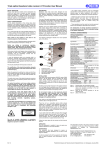
The following photograph shows the most important parts
of this device:
Optical connectors
Indicators and power supply terminals (CM version)
Power supply (A version) and data terminals
The earth circuit cover of the electrical external connectors
must not be used as protective general earth contact for
the equipment.
The optical transmitters could cause safety problems
to the personnel in charge of the installation, test,
service or maintenance of the equipment. This is due
to the high level of optical power in some fibre-optic
installations and to the fact that light radiation is
infrared type (not visible for the human eye).
Terminals 9, 10 and 11 are used for RS-422 or RS-485
interface selection. If terminals 9 and 10 are shortcircuited, RS-422 is selected. If terminals 10 and 11 are
short-circuited, RS-485 is selected. In case you want to
use RS-485 (2w), you have to join TxA with RxA and TxB
with RxB.
In consequence, never look directly either at the
optical output of an optical transmitter, or at the end of
an optical fibre connected to an active optical
transmitter. This situation will be especially dangerous
when the inspection takes place with the assistance of
light focusing elements, magnifying glasses,
microscopes, etc.
In RS-485 interface, the correct operation of a bus system
with several devices in parallel is guaranteed by employing
pull-up, pull-down and line termination resistors in the
system. EQUITEL N552 is provided with terminals 3 and 5
(+5V and RxB) for pull-up resistors, and terminals 4 and 6
(GND and RxA) for pull-down.
Typical pull-up and pull-down resistance values are as
follows: 4.7 kΩ if line termination resistors are not
employed and 1.5 kΩ if 120 Ω line termination resistors are
employed. For further information please see TIA / EIA –
485 norms.
INSTALLATION
First, fix the N552 unit in a DIN 50022-35 rail. The singlefibre cables must be connected to the optical input and
output connectors (1 in the picture) after removing the
protective cover of the connectors. For the optical
interconnection of two N552 units, the optical output of one
of them must be connected to the optical input of the other
one, and vice-versa. Remember to replace the protector in
case the cable is temporally disconnected.
OPTICAL PARAMETERS
Optical emitter
Optical receiver
Wavelength (note 1)
LED / Laser (CM / A vers.)
PIN
850 nm (CM vers.)
1,310 nm (A vers.)
Type of fibre
Multimode (CM vers.)
Singlemode (A vers.)
Optical power (peak) (note 2) ≥ -11 dBm (10/125 μm)
≥ -19 dBm (50/125 μm)
≥ -16 dBm (62.5/125 μm)
Sensitivity (notes 2 and 3)
≤ -36 dBm
ELECTRICAL PARAMETERS
Electrical interface
RS-232, RS-422 & RS-485
Maximum binary rate
64 kbit/s asynchronous
Operation mode
Full duplex, half duplex
Equivalent electr.connection Configured as DCE
POWER PARAMETERS
Power requirements
12 Vdc
Consumption (note 1)
<1W
MECHANICAL PARAMETERS
Format
Box for DIN rail
Dimensions
72 x 103 x 72 mm.
Optical connector
ST, FC/PC (CM , A vers.)
Electrical connector
Screw-in terminal
ENVIRONMENTAL CONDITIONS
Temperature range
-40 ºC to +74 ºC
Humidity range
0 to 95% without condensat.
INDICATORS
Unit in operation
Green ON
Transmitted data
Green TX
Received data
Green RX
Note 1.Note 2.-
Note 3.Do not connect unless you have previously cleaned
the single-fibre cable connector with a soft paper
dampened with alcohol. Introduce the connector
carefully in the optical sign input in order to avoid
damages in the polished surface.
Then, screw in the data terminal (3 in the picture) the data
cables that are required for the application and the pull-up
and pull-down resistors that may be necessary. Finally,
connect the external power supply between +12 Vdc and
GND (CM version 20 and 19 terminals, A version 12 and
13 terminals). The ON indicator (2 in the picture) will turn
on.
If the above mentioned steps have been properly followed
and the attenuation and type of fibre specifications for the
Ed. 2.0
MAINTENANCE
This equipment has been designed to require no
maintenance periodical operations and to keep a good
long-term stability.
TECHNICAL CHARACTERISTICS
1
2
3
In N552 equipment, terminals 1, 2 and 4 correspond to the
output, input and ground electrical signal (Rx, Tx and
GND) of RS-232 interface. When RS-422 or RS-485 (4w)
electrical interface is employed, terminals 5 and 6
correspond to output signal (RxB and RxA), terminal 7 and
8 to input signal (TxB and TxA) and terminal 4 to signal
ground (GND).
The use of controls, adjustments or procedures
different from the ones specified here, could cause a
dangerous exposure to radiation.
b) Rx channel reception (2 in the picture). If it is
activated, it means that a data signal is being
transmitted at the electrical connector. This signal
has been retrieved from the optical signal received at
the optical input connector.
The introduction of strange mechanical elements in
the optical connector may result in irreparable damage
in the optical components.
The security classification of this product is Class III.
LASER RADIATION
DO NOT STARE INTOBEAM OR VIEW
DIRECTLY WITH OPTICAL
INSTRUMENTS
CLASS 3A LASER PRODUCT
a) Tx channel emission (2 in the picture). If it is
activated, it means that a data signal is being
received at the electrical connector. This signal is to
be transmitted by optical fibre through the optical
output connector.
- Protect the optical connector of the equipment with the
original protector cap every time it is going to be
disconnected for a long time. Excessive environmental
dust and humidity must be avoided during this
maintenance phase.
In case the equipment needs to be checked while it is
functioning, remember that maintenance operations can
only be carried out by qualified technical personnel who is
aware of the risks of the operation, both from the electrical
and optical point of view.
In case these recommendations are not followed, eyes
would be exposed to a level of light radiation that
would be higher than the maximum admissible level.
This could result in permanent and irreversible
damages in eyes.
For testing purposes, these two LED indicators are
provided:
- The optical output connectors must be thoroughly
cleaned before connecting the equipment. Use an opticalcleaning paper or gauze dampened with ethylic or
isopropilic alcohol. Dry carefully the connector afterwards.
Active power circuitry could appear when protecting lids or
coverings are taken away. Likewise, unplugged optical
connectors must be immediately covered with the
corresponding protecting caps.
Before the equipment is switched on, make sure that it has
been properly grounded (through the protective conductor
of the a.c. power cable) to a socket outlet provided with
protective earth contact.
OPERATION
Once the equipment is installed, it does not require any
additional attention for its correct operation.
In order to prolong the life of the equipment, the following
rules in optical connection and disconnection must be
observed:
Before any setting or maintenance operation,
disconnect the equipment from any power supply or
optical emitter. After electrical disconnection, inside
capacitors could remain loaded for one second.
The modification of the electrical protection elements
and the disconnection of the earth terminal may result
in personal injury.
optical-lying have been respected, the link will be ready to
work.
Typical values, as a production average
Actual values are given in the test sheet. These
values are measured according to the test
procedure for this device
Value guaranteed for a BER < 10-9 in all the
operating range.
The information included in this manual cannot be copied
or reproduced in any way without the previous written
authorisation
of
Equipos
de
Telecomunicación
Optoelectrónicos, S.A.
Equipos de Telecomunicación Optoelectrónicos, S.A.
Polígono de Malpica, c/ F oeste, G. Quejido, nave 74
50057 Zaragoza SPAIN
Tel. +34 976 570 353
Fax +34 976 571 383
E-mail: [email protected]
www.equitel.es
Published by Equipos de Telecomunicación Optoelectrónicos, S.A. (Zaragoza, May 2005)