1
PrintSir User’s Manual
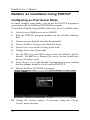
NetWare 4.x Installation Using PSETUP
Configuring as Print Server Mode
For more complex setup needs, you can use the PSETUP program in
conjunction with the NetWare PCONSOLE program.
To install the PrintSir using NetWare Directory Services (NDS) mode,
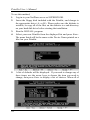
1.
Log in to your NetWare server as ADMIN.
2.
Run the PSETUP program included on the PrintSir Software
disk.
3.
Select your new PrintSir from the list provided.
4.
Choose NetWare Configuration from the menu.
5.
Select Print server in the Printing mode field.
6.
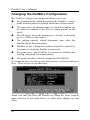
Change Alias name if you want.
7.
Set the NDS tree and NDS context where the PrintSir will be
located. Do NOT set a Primary file server, as that would force
the use of bindery mode.
8.
Press Escape to exit the PrintSir Configuration screen, confirm
that the changes should be saved, and exit PSETUP.
9.
Run the NetWare PCONSOLE program.
10. Change the current context, if necessary, using the Change
Context menu selection.
22