1
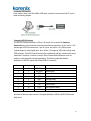
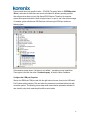
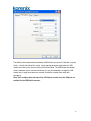
Note:1. Install hadware system, and connect the USB cable to USB/Serial converter first.
2. Install drive – you can install driver through the device manger interface, or
follow the hardware wizard to install each COM port.
3. The driver will install many times, if the converter supports multiple serial port
function. Each dreiver installation creat one logical COM port and mapping to the
physical serial port from first to last port.
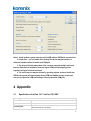
4. The serial com port may not release by operating system, and once install new
USB/serial conveter will cause system wrong COM port number occupy. In this case,
user can configure the COM port setting to recovery the serial COM port.
4 Appendix
4.1
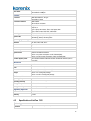
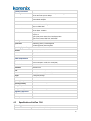
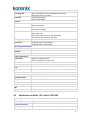
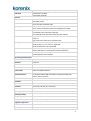
Specification of JetCon 1101 / JetCon 1101i-5KV
Technology
Standard
EIA/TIA-232, RS-232 (ITU-T v.28)
System performance
Forwarding Rate
USB 2.0 compatible with 12Mbps data throughput
RS-232 baud rate up to 921.6Kbps
17