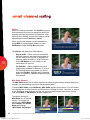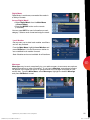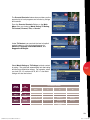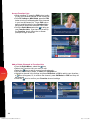
1
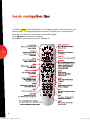
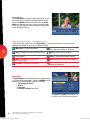
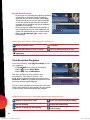
inside i-Guide TM user reference manual 09ROVI1204 User i-Guide Manual R16.indd 1 4/6/10 12:26:18 PM Copyright © 2010 Rovi Corporation. All rights reserved. Rovi and the Rovi logo are trademarks of Rovi Corporation and/or its subsidiaries. This document contains confidential information of Rovi Corporation. This document, and the software described in it, are furnished under license only and may only be used or copied in accordance with the terms of such license and applicable copyright laws. The information in this document is provided for informational use only and is subject to change without notice. Rovi assumes no responsibility or liability for any errors or inaccuracies that may appear in this document or for any omissions. Except as permitted by such license and applicable copyright laws, no part of this publication may be reproduced, stored in a retrieval system, transmitted, adapted, translated in any form or by any means without prior written authorization of Rovi. Rovi Corporation 2830 De La Cruz Boulevard Santa Clara, CA 95050 09ROVI1204 User i-Guide Manual R16.indd 2 4/6/10 12:26:18 PM e m o c l we e d i u to i-G Introducing the interactive program guide from Rovi and your cable system. i-Guide is intuitive, intelligent and inspiring. It unlocks a world of greater choice, convenience and control so you can fully enjoy your digital cable entertainment experience. With Digital Cable, you have more programming choices than ever before. And with i-Guide, `V\JHULMMVY[SLZZS`ÄUK`V\YMH]VYP[LZOV^ZHUKZ[HYZVU;=¶`V\»YLPUJVU[YVS >P[O TPU\[LZVMWYVNYHTSPZ[PUNZH[HNSHUJL`V\»SSÄUKi-Guide easy to use and navigate. The Quick Menu allows you to move easily to the programming and information you want. @V\»SSILHISL[VLHZPS`ZL[Recordings, Reminders, Favorites and Parental Controls. Use Mini Guide[VIYV^ZLM\[\YLSPZ[PUNZ^OPSL`V\JVU[PU\L[VLUQV`^H[JOPUN;= This manual provides you with the detailed information about important features in i-Guide so you can get started enjoying your digital cable experience. 1 09ROVI1204 User i-Guide Manual R16.indd 3 4/6/10 12:26:19 PM table of contents welcome to i-Guide table of contents basic navigation tips your access to digital cable Listings By Time Listings By Channel Navigate Program Listings Quick Menu Quick Menu Icons Main Menu Program Information Action Icons Reminders Setting Reminders Reminder Settings table of contents search Search Title Search Saving Searches 2–3 4 5–8 5 5 5 6 6 6 7 7 8 8 8 9 9 9 9 smart channel surfing Flip Bar Mini Guide (Browse) Digital Music Access Digital Music Local Weather Messages 10–11 10 10 11 11 11 11 parental controls Parental Controls Setup Parental Controls for On Demand =PL^3VJRLK7YVNYHTZ Bypass or Clear Locks Restore Locks 12–14 12 14 14 14 favorites Favorites Lists Setup Access Favorites Lists Add or Delete Channels to Favorites Lists 15–16 15 16 16 setup Guide Setup Cable Box Setup Audio Setup Text Language Setup Screen Saver Parental Controls and Purchase PINs Setup Guide Colors Screen Position Setup +=9:L[\W 17–19 17 17 18 18 19 19 19 19 digital pay-per-view 6YKLY7H`7LY=PL^ 77=0UMVYTH[PVU:JYLLUZ 6YKLY7H`7LY=PL^)`7OVUL 6YKLY7H`7LY=PL^7HJRHNLZ 20–22 2 1 09ROVI1204 User i-Guide Manual R16.indd 4 4/6/10 12:26:19 PM *HUJLSH7H`7LY=PL^6YKLY 7H`7LY=PL^5V[PJLZ 7H`7LY=PL^7YVNYHT:[HY[LK 7H`7LY=PL^6YKLY*VUÅPJ[ 7H`7LY=PL^7YVNYHT4PZZLK Adult Programming on demand Access On Demand On Demand Action Icons Watch On Demand Programs Order On Demand Programs Order From the On Demand Preview Banner Expiring Programs Display Status Bar On Demand Packages hdtv 09ROVI1204 User i-Guide Manual R16.indd 5 22 23–25 23 23 23 24 24 24 25 25 26 digital video recorder (dvr) Control Live TV Playback Controls Remote Control Arrow Buttons Status Bar Pause Rewind Fast Forward Slow Motion Instant Replay 9L[\YU[V3P]L;= SWAP Between Two Programs Recording Programs One-touch Recording From Program Information Manual Recording Record Two Programs at Once Two Recordings Are in Progress Overlay 4HUHNL:JOLK\SL*VUÅPJ[Z Search and Record Actor/Director Search Keyword Search Saving Searches Recording Series Modify Series Modify the Series Priority List Manage Series Priorities Manage Series Priority List View Recorded Programs Recorded Program Information Screens Future Recordings =PL^3PZ[VM:JOLK\SLK9LJVYKPUNZ Manage Your Recordings +=9:L[\W +=9-VSKLYZ 3P]L7YVNYHT5V[PJL¶+LMH\S[¸6U¹ +=9*SPWWPUN Manage Series Priorities +=9*SLHU\W +=9/PZ[VY` Modify Recording Options From Listings Recording Notices Recording Starting Notice Changing Channels While Recording Recording Low and Full Notices 27–38 27 27 27 27 28 28 28 28 29 29 29 29 30 30 30 31 31 31 32 32 32 33 33 34 34 34 34 35 35 36 37 38 39 39 39 39 frequently asked questions 40–48 table of contents 3 4/6/10 12:26:20 PM basic navigation tips In i-Guide, yellow is the highlight color. To navigate the guide, use the arrows on your remote control. The highlight appears on-screen to indicate your current selection. Pressbuttons on your remote to move the highlight. Press OK/Select[VJVUÄYT`V\YZLSLJ[PVU Press EXITVU`V\YYLTV[L[VYL[\YU[V^H[JOPUN;= basic navigation tips 4 09ROVI1204 User i-Guide Manual R16.indd 6 4/6/10 12:26:24 PM your access to digital cable Your remote control holds the key to navigating through the features of i-Guide. Words appearing in ALL CAPSYLMLY[VHZWLJPÄJI\[[VUVU[OLYLTV[L5V[L[OH[HSSYLTV[LZTH` not have all of the buttons. Listings By Time ;VÄUKV\[^OH[»ZVU;=YPNO[UV^WYLZZGUIDE on your remote to access Listings By Time. The listings grid provides a 90-minute view of programming for up to 5 channels per screen. The current program is highlighted in yellow. Use the andbuttons to navigate the listings grid. Instant program info appears in the upper left of the screen. Press OK/Select to tune to a program from the grid. Press INFO for additional information. Listings By Channel Press GUIDE two times to view Listings By Channel and use thebuttons to see listings for the next channel in the line-up. Usebuttons to navigate. your access to digital cable Navigate Program Listings You can use the andbuttons on your YLTV[L[VX\PJRS`UH]PNH[L[OLSPZ[PUNZZJYLLUZ¶ up to 14 days in advance. Press OK/Select to tune to that channel or INFO for more information. Listings are color-coded to identify types of programs. Blue – Regular programs Purple – Movies Green – Sports Light Blue – Kids’ programs For faster searching <ZL[OLPAGEbuttons to view listings a page at a time 7YLZZHUKOVSKorto rapidly move ahead in time or through the channel lineup 7YLZZ[OLDAY + - buttons to advance ahead a day at a time 5 09ROVI1204 User i-Guide Manual R16.indd 7 4/6/10 12:26:28 PM Quick Menu The Quick Menu* provides shortcuts directly to the key features of i-Guide and digital cable service. Press the MENU button one time and the Quick Menu will appear over any video or guide screen. Press thebuttons on the remote to continuously move through the icons. Guide Symbols to Know – Quick Menu Icons These icons may appear on your Quick Menu. Use thebuttons on your remote to highlight and select an icon for immediate access. your access to digital cable Main Menu¶NV[V[OL4HPU4LU\ Search ¶ZLHYJOWYVNYHTTPUNI`category or by Title, Actor/Director or Keyword DVR¶ZJOLK\SL]PL^HUKTHUHNLrecordings Movies¶SPZ[ZTV]PLZI`JH[LNVY` On Demand¶]PL^6U+LTHUKTLU\ and programs HDTV ¶]PL^SPZ[VM/+;=WYVNYHTZ by channel or time Favorites¶]PL^`V\Y-H]VYP[LZSPZ[Z Sports¶SPZ[ZZWVY[ZL]LU[ZI`JH[LNVY` Kids¶SPZ[ZRPKZWYVNYHTTPUNI`JH[LNVY` Parental Controls¶SVJRZOV^ZVYJOHUULSZ based on preferences Main Menu The Main Menu* provides access to all of the features of i-Guide and digital cable. Press the MENU button twice to view the available options, including: TV Listings By Time Ê UÊ-i>ÀV Ê UÊ>ÛÀÌiÃÊ Ê UÊ*>ÀiÌ>Ê ÌÀà and more The Picture in Guide feature allows you to watch a show while using the guide.** 6 * Menu selections vary depending on services offered by your cable provider. ** May not be supported by all set-top boxes. 09ROVI1204 User i-Guide Manual R16.indd 8 4/6/10 12:26:31 PM Program Information Instant Information is available when you highlight a program in the program listings, which includes program title, start and end time, a brief program description, and indicators to identify settings such as Reminders and Recordings. your access to digital cable ;VHJJLZZPUMVYTH[PVU^OPSL]PL^PUNSPZ[PUNZVY^H[JOPUN;=WYLZZ[OLINFO button. Press INFO a second time to see a longer description and additional details such as actor, rating, release year, category and run time. Action Icons From the program information screen use the Action Icons to set a Reminder or Recording, or designate a Favorite among other options. Usebuttons to highlight each icon and see the on-screen description. Guide Symbols to Know – Action Icons Go back to the previous screen Record/Change Recording Options* (DVR) Set or cancel a Reminder for this program See all the times the program will be airing *Menu selections vary depending on services offered by your cable provider. 09ROVI1204 User i-Guide Manual R16.indd 9 Watch this channel or program Save the channel in your Favorites list Place a lock on the program to restrict viewing Order PPV, On Demand and other pay services 7 4/6/10 12:26:35 PM Reminders You can set RemindersZV`V\KVU»[TPZZ shows you want to watch. Setting Reminders From the Program Info screen, highlight the icon and press OK/Select. Follow the on screen prompts to confirm the Reminder or Reminder Settings. your access to digital cable Reminder Settings Customize the frequency and timings for Reminders. <ZL[OLbuttons to set repeating Reminders +L[LYTPUL:[HY[HUK,UK[PTLMVY[OL Reminder[VHWWLHYVUZJYLLU¶\W[V 15 minutes prior to the program starting and up to two hours after the program is over When you set a Reminder, you have the option of bypassing Locks* if they are placed on the program, so you can tune directly to the program without having to enter your Locks PIN (see Parental Controls section for more information). *This option appears only if you have already set a Lock for that program. 8 09ROVI1204 User i-Guide Manual R16.indd 10 4/6/10 12:26:39 PM search Search P.\PKLWYV]PKLZ`V\THU`^H`Z[VÄUK`V\YMH]VYP[L shows. Select from the Quick Menu or Search from the Main Menu to begin. Quickly search programs by Title, or search by category like Movies, Sports or Kids programs or view HD and PPV channels. 0M`V\OH]LH+=9`V\JHUX\PJRS`ZLHYJOI` Keyword or Actor/Director. See Search and 9LJVYKPU[OL+=9ZLJ[PVUMVYTVYLPUMVYTH[PVU Title Search Title SearchHSSV^Z`V\[VÄUKHZWLJPÄJWYVNYHTI` LU[LYPUN[OLÄYZ[ML^SL[[LYZVM[OLWYVNYHTUHTL search Select Title from the Search menu and use the buttons to navigate the keyboard and spell out the program title. Continue entering letters until the show you are looking for appears on the right. 0M[OLWYVNYHTPZUV[HPYPUNPU[OLUL_[KH`ZP[^VU»[ appear on the list. Saving Searches Save your search by selecting Save Search. Saving searches can be helpful when you want to quickly ÄUKHWYVNYHT:PTWS`ZLSLJ[Saved Searches from the Search Menu to access your list of saved searches to restart or delete the search. You can save up to 16 searches at one time. 9 09ROVI1204 User i-Guide Manual R16.indd 11 4/6/10 12:26:41 PM smart channel surfing Flip Bar When you change channels, the Flip Bar appears and provides a brief two line description about the program and other information including title, start and end time, channel, current time, program rating and settings such as Favorites or Locks. >OLU`V\ÄUK[OLWYVNYHT`V\HYLPU[LYLZ[LKPU press INFO for more program details, or press OK/Select to make the Flip Bar disappear. The Flip Bar may also show other options: smart channel surfing Watch in HD*¶>OLU[\UPUN[VHZ[HUKHYK KLÄUP[PVUJOHUULS[OPZI\[[VUTH`HWWLHYVU the left side of the Flip Bar to indicate the JOHUULSPZHSZVH]HPSHISLPU/PNO+LMPUP[PVU Press OK/Select to tune directly to the HZZVJPH[LK/+JOHUULS On Demand*¶:VTLJOHUULSZTH`OH]L programming available On Demand. If so, the On Demand button may appear on the left side of the Flip Bar/PNOSPNO[[OL6U+LTHUK button to access On Demand programming for that network. Mini Guide (Browse) The Mini Guide allows you to watch television and view program listings without leaving the program you are watching or going to the full-screen guide. To access Mini Guide, press OK/Select. Mini Guide appears on the lower 1/3 of the screen and displays two or three channels and 90 minutes of listings at a time. Use thearrows to see listings on other channels and thearrows to see listings at other times. At any time, press INFO or OK/Select to access program info. The default setting for Mini Guide is a 2-channel display. To change the display, go to Main Menu, select Setup, then Guide Setup and change “Mini Guide Cell Height.” 10 9LX\PYLZ/+ZLY]PJLMYVT`V\YJHISLWYV]PKLY6U+LTHUKUV[H]HPSHISLPUHSSHYLHZ 09ROVI1204 User i-Guide Manual R16.indd 12 4/6/10 12:26:44 PM Digital Music Digital Music is continuous, commercial-free music in a variety of formats. Access Digital Music* :LSLJ[Digital Music from the Main Menu or Search Menu 7YLZZ[OLMUSIC button on the remote (if available) You can press INFO for more information on each category. Select a music format and enjoy the music. Local Weather Get accurate, up-to-date local weather conditions and a 3-day forecast. From the Main Menu, highlight Local Weather and press OK/Select. Use the down arrow button to see a detailed local weather forecast. Note: Weather service not available for all locations. Messages Messages may be sent occasionally by your cable company to announce new services, special promotions or other information. If you have a Message, an envelope indicator will appear in the upper left corner on guide screens and a red light will appear on your set-top box. From the Main Menu, select Messages, highlight the desired Message and press OK/Select to read. +PNP[HS4\ZPJTH`UV[ILH]HPSHISLVUHSSTLU\JVUÄN\YH[PVUZ 09ROVI1204 User i-Guide Manual R16.indd 13 smart channel surfing 11 4/6/10 12:26:47 PM parental controls i-Guide provides a Parental Controls feature, which allows you to restrict viewing and purchases VM;=WYVNYHTZHUKZLY]PJLZIHZLKVU`V\Y]PL^PUNWYLMLYLUJLZ;VHJ[P]H[LParental Controls set a personalized 4-digit PIN to place LocksI`TV]PLYH[PUNZ;=HUKJVU[LU[YH[PUNZJOHUULSZ or titles. You can also hide adult titles from being displayed on-screen. Parental Controls Setup 3VJRZJHUILZL[X\PJRS`PUH]HYPL[`VM^H`ZHU`[PTL^OPSL^H[JOPUN;=VY\ZPUN[OLN\PKL! 7YLZZ[OLLock button on your remote* :LSLJ[[OLMYVT[OLQuick Menu :LSLJ[[OLMYVTHU`WYVNYHTPUMVZJYLLU[VSVJRHZWLJPÄJWYVNYHT (JJLZZParental Controls from the Main Menu or Setup Menu to set up all Locks parental controls Quick Menu Program Info Main Menu With any of these actions, if you have not set up a PIN, you will be prompted to enter a 4-digit PIN to activate the Locks feature. If you have already set up a PIN, enter your number. (See Setup Section for more information on how to set up PINs). PIN Setup 12 Lock Options *Not supported on all remotes. 09ROVI1204 User i-Guide Manual R16.indd 14 4/6/10 12:26:53 PM The Parental Controls feature also provides you the opportunity to lock programs and movies by ratings and content. From the Parental Controls Button on the Main MenuÄS[LY`V\YSVJRZI`Movie Rating, TV Rating, TV Content, Channel, Title, or Service. Under TV Content, you can lock the level of explicit content based on your viewing preferences for Violence, Language, Sexual Situations, and Suggestive Dialogue. Select Movie Ratings or TV Ratings to block content by rating. The guide will automatically lock that rating and the more restrictive ratings. For example, when you lock PG-13, movies with R, NC-17 and Adult ratings will also be locked. parental controls TV CONTENT RATINGS MOVIE RATINGS TV RATINGS G PG PG-13 TV-Y TV-Y7 G Fantasy Violence R TV-PG NC-17 Adult Violence (FV, V) Language (L) Sexual Situations (S) Suggestive Dialogue (D) Moderate Violence Infrequent Coarse Some Sexual Situations Some Suggestive Dialogue TV-14 Intense Violence Strong Coarse Intense Sexual Situations Intensely Suggestive Dialogue TV-MA Graphic Violence Crude Indecent Explicit Sexual Activity 13 09ROVI1204 User i-Guide Manual R16.indd 15 4/6/10 12:26:54 PM Parental Controls for On Demand Parental Control settings include On Demand programming. To block all access to On Demand, select Service Locks from the Parental Controls Menu. View Locked Programs To view programs and channels you have locked, enter your PIN when prompted. Locks will automatically be restored when you tune away from the channel or turn your set-top box off. parental controls Bypass or Clear Locks Temporarily open or clear all Locks for easier viewing. Under Setup from the Main Menu, select Parental Controls Setup, then Master Locks, and change the options from No to Yes. Restore Locks Locks may be restored in any of the following ways: >OPSL^H[JOPUN;=WYLZZ[OLLOCK button anytime and enter your PIN :LSLJ[Parental Controls Setup from the Setup Menu, then under Master Locks change the options from Yes to No to turn Locks back on ;\YU[OLZL[[VWIV_VMMHUKIHJRVU 14 09ROVI1204 User i-Guide Manual R16.indd 16 4/6/10 12:26:58 PM favorites The Favorites feature allows you to quickly access channels you and your family have designated as Favorites. Favorites Lists Setup *YLH[LHUKTHUHNL\W[VÄ]LFavorites Lists. From the Main Menu, select Setup, then Favorites Lists Setup. Use your on screen keyboard to name your lists. favorites 15 09ROVI1204 User i-Guide Manual R16.indd 17 4/6/10 12:27:00 PM Access Favorites Lists >OPSL^H[JOPUN;=WYLZZ[OLFAV button to skip to your next Favorite channel on the current list -YVTTV Listings or Mini Guide, press the FAV I\[[VU[VIYPUN\WHÄS[LYLKN\PKLVM[OLJOHUULSZ in your last accessed list. Press FAV button again to scroll through all of your Favorites Lists¶ [OLN\PKL^PSSOH]LH[HI^P[OLHJOSPZ[»ZUHTL -YVT[OLQuick Menu select the to bring up your Favorites Lists. If you have not yet set up any Favorites, simply follow the on-screen prompts to begin a new list Add or Delete Channels to Favorites Lists -YVT[OLQuick Menu¶ZLSLJ[[OL0JVU :LSLJ[[OL-H]VYP[LZ3PZ[`V\^HU[[VLKP[ :LSLJ[[OL0JVU[VHKKVYYLTV]LMH]VYP[LJOHUULSZ @V\JHUHSZVYLUHTLKLSL[LVYLock your Favorites list /PNOSPNO[HJOHUULSPU[OLSPZ[PUNZHUKWYLZZ OK/Select or FAV[VHKK[V`V\YMH]VYP[LZ¶ a Icon will appear; Or, to remove the channel, press OK/Select or FAV and they will be removed 7YLZZ[OL0JVU[VJVUÄYT`V\YFavorites channel settings favorites 16 09ROVI1204 User i-Guide Manual R16.indd 18 4/6/10 12:27:05 PM setup From the Setup Menu, you can activate and customize certain i-Guide features such as the Flip Bar, Parental Control options, Cable Box settings, Audio settings, Languages and more. Guide Setup Flip Bar Position¶Flip Bar can appear on top VYIV[[VTVMZJYLLU¶KLMH\S[PZIV[[VT F lip Bar Timeout¶Flip Bar will stay on your ZJYLLUMYVT[VZLJVUKZ¶KLMH\S[PZZLJVUKZ Channel Entry: ·@LZ¶H\[VTH[PJHSS`[\ULZ[VHJOHUULSHM[LY 2 seconds when entering channel number MYVT`V\YYLTV[L¶KLMH\S[PZ@LZ ·5V¶you must enter 3 digits or press OK/Select when entering channel number from your remote Reminder Time¶(KQ\Z[[OLHTV\U[VM[PTL the Reminder Notice will appear before the start VMHWYVNYHTMYVT¶TPU\[LZ¶KLMH\S[PZ one minute Grid Cell Height¶(KQ\Z[[OLSPZ[PUNZNYPKMVY single- or double-height grid display Mini Guide Cell Height¶(KQ\Z[[OLSPZ[PUNZ display for single (3 channels) or double (2 channels) Message Indicator¶:LSLJ[6U[VTHRL[OL message envelope appear when a new message is received setup Cable Box Setup Front LED Display Current Channel¶KPZWSH`Z[OLJ\YYLU[S`[\ULK channel on the front of the cable box Current Time¶KPZWSH`Z[OLJ\YYLU[[PTLVU[OL front of the cable box AC Outlet Switched¶+L[LYTPULZ[OH[WV^LYPZH]HPSHISL only when the cable box is on Unswitched¶(SSV^Z[OLWV^LY[VYLTHPUJVUZ[HU[ to the outlet on the back of the cable box Configuration ¶/PNOSPNO[HUKWYLZZ OK/Select [VZOV^[OLJVUÄN\YH[PVUZJYLLU^OPJOPUJS\KLZ information your cable company may need in the event of a problem with your service. 17 09ROVI1204 User i-Guide Manual R16.indd 19 4/6/10 12:27:11 PM Audio Setup Default Audio Track Secondary digital audio can be changed on certain networks and programs. Note that the default audio [YHJR^PSSILZL[[V¸*OHUULS+LMH\S[¹VYWYPTHY` audio, which in most cases is English. You can change the default language to English, Spanish, French, or Portuguese. Descriptive Video Services (DVS)* +LZJYPW[P]L=PKLV:LY]PJL+=:PZHUHS[LYUH[P]L audio channel which makes television more accessible to the visually impaired by providing narrated descriptions of key visual elements within a program, such as actions, subtitles, scene changes, graphics, and body language. Default setting is Off. Audio Output¶*OVVZLPM[OLH\KPVV\[W\[NVLZ[V `V\Y;=VY[V`V\YZ[LYLV TV Speaker ¶KLMH\S[ZL[[PUN :LSLJ[Advanced to change the settings for Compression and Stereo Output Optimal Stereo No¶=VS\TLPZ\UJOHUNLKMYVT[OLJ\YYLU[ZL[[PUN Yes¶=VS\TLPZH\[VTH[PJHSS`HKQ\Z[LK[V[OLVW[PTHSSL]LS Text Language Setup Access the Text Language Setup from the Setup Menu to independently select language setting for the menu text. The default setting is English in most cases. Change the default language to English, Spanish, Canadian English or Canadian French. From the Setup Menu, select Text Language Setup. Choose the preferred language for the on-screen menus within i-Guide. Select Yes[VJVUÄYT setup Note: Changing the language can take several minutes. During this time, listings are not accessible. 18 *For Canadian cable providers only. 09ROVI1204 User i-Guide Manual R16.indd 20 4/6/10 12:27:12 PM Screen Saver A Screen SaverJHUILHJ[P]H[LKVU`V\Y;=ZJYLLU6UJL[OLScreen Saver is set to On it will automatically engage if a guide screen is displayed for longer than the set activation time. The default is set to On. From the Setup Menu select Screen Saver to change the settings The activation time is between 1-15 minutes Parental Controls and Purchase PINs Setup Your Parental Controls PIN allows you to restrict viewing of programs. Your Purchase PIN is used to restrict pay programming purchases. Once you have setup your PINs, you can return to Parental Controls Setup to set up your program Locks as reviewed in the Parental Controls section. Use thebuttons to make your selections, and then press OK/Select[VJVUÄYTLHJOZL[[PUN Guide Colors (if available) Select to change the color scheme of i-Guide. Screen Position Setup To alter your screen position: -YVT[OLSetup Menu, select Screen Position Setup to adjust the screen position <ZL[OLbuttons on your remote until the display arrows are centered on the screen setup DVR Setup Select DVR Setup to manage: +=9-VSKLYZ 3P]L7YVNYHT,_[LUZPVU +=9*SPWWPUNZ The default setting is On for these options. See the +=9ZLJ[PVUMVYJVTWSL[LPUMVYTH[PVUHIV\[[OLZL settings. 19 09ROVI1204 User i-Guide Manual R16.indd 21 4/6/10 12:27:13 PM digital pay-per-view i-Guide makes ordering and watching Pay-Per-View (PPV) programs easy. Order Pay-Per-View From the Main Menu and Quick Menu, select PPV to go to the PPV Menu. Then select any of the PPV options to see programs available in a variety of categories. >OLU`V\ÄUKHWYVNYHTVMPU[LYLZ[OPNOSPNO[[OL[P[SL and press OK/Select for the information screen. Guide Symbols to Know – PPV Information Screens Go back to the previous screen digital payper-view Order the program, or cancel an ordered program Set Recording Timers (Requires separate VCR Setup or use of Digital Video Recorder) Place a Lock on the program to restrict viewing See all the times the program will be airing Save this channel in your Favorites list Indicates the program is available as part of a package Set or cancel a Reminder 20 09ROVI1204 User i-Guide Manual R16.indd 22 4/6/10 12:27:16 PM Order Pay-Per-View By Phone If your cable provider offers phone ordering, the order instructions appear on-screen when you select . Simply call the number to place your order. Then select Continue to complete your order. Order Pay-Per-View Packages Your cable service may offer programs in a package by title, time block, etc. Select the title from the listings and a Icon will appear if the program is part of a package. Cancel a Pay-Per-View Order To cancel a PPV order before the program starts: :LSLJ[[OLVYKLYLKWYVNYHTPUHU`VM[OLSPZ[PUNZ menus (there will be a $ sign in the Instant Information) -YVT[OLPUMVYTH[PVUZJYLLUZLSLJ[[OL0JVU and follow the prompts to cancel the order digital payper-view Note: In some cable systems, your order will automatically be canceled if you do not tune to the program. In systems that use phone ordering, you will need to call in your cancellation. 7SLHZLJOLJR^P[O`V\YJHISLWYV]PKLYMVY[OLJVYYLJ[77=JHUJLSSH[PVUWYVJLK\YL 21 09ROVI1204 User i-Guide Manual R16.indd 23 4/6/10 12:27:20 PM Pay-Per-View Notices Notices associated with your PPV order appear at various times to alert you to the status of your ordered program. Pay-Per-View Program Started A Program Started overlay will appear if you try to order a PPV program that is in progress but is within the purchase window. You may proceed with the order, but you may miss a portion of the program. Note: The purchase window is established by your cable provider. Pay-Per-View Order Conflict When you order a PPV program that airs at the same time as an existing PPV order, you will be alerted on-screen with the option to cancel an order or keep both orders. Pay-Per-View Program Missed If you have ordered a PPVWYVNYHTI\[KPKU»[[\UL[V it, a Program Missed notice will appear asking if you would like to reschedule your order. Note: This screen will not appear in systems that use phone ordering. digital payper-view Adult Programming ;OL(K\S[JH[LNVY`HJJLZZLKMYVT[OL7H`7LY=PL^TLU\WYV]PKLZHJJLZZ[VSPZ[PUNZMVY adult-oriented programming. Adult programming may be purchased as a single program or HZH[PTLISVJRWHJRHNLKLWLUKPUNVU`V\YJHISLWYV]PKLY»ZZLY]PJL-VY`V\YJVU]LUPLUJL you may also restrict Adult titles from being viewed in the listings by setting Parental Controls. See Parental Controls section for more information. 22 09ROVI1204 User i-Guide Manual R16.indd 24 4/6/10 12:27:26 PM on demand ,UQV`TV]PLZ;=ZOV^ZT\ZPJ]PKLVZHUKTVYL^OLUL]LY`V\^HU[^P[OOn Demand*. Access On Demand You can access On Demand programs in several ways: -YVT[OLON DEMAND button on your remote -YVT[OL0JVUVU[OLQuick Menu -YVT[OLMain Menu -YVTHUOn Demand button on the Flip Bar -YVTHUOn DemandJOHUULSPU[OL;=3PZ[PUNZ Quick Menu Main Menu Flip Bar Guide Symbols to Know – On Demand Action Icons Go back to the previous screen Order the program, or cancel an ordered program Tune to a program (for free and subscription programming) Resume play of the video Restart the video from the beginning Delete the title from your rented titles list Watch a free preview Indicates the program is available as part of a package Place a Lock on the program to restrict viewing Cancel selection Use the PAGE UP and PAGE DOWN buttons to advance forward or backward 5 minutes. Times may vary. on demand Play / Pause Watch On Demand Programs Use your remote to pause, fast-forward, rewind, and Z[VW[OLWYVNYHT@V\TH`HSZV\ZL[OL+=9JVU[YVS buttons on your remote. Rewind Fast Forward Stop *On Demand not available in all areas. On Demand programs may not be recorded with DVR (if available). 09ROVI1204 User i-Guide Manual R16.indd 25 23 4/6/10 12:27:30 PM Order On Demand Programs The On Demand Menu displays a variety of programming categories. Use thebuttons on your remote to select a category and press OK/Select to access listings for the category, or press access sub-category menus.* Select a title by pressing OK/Select or INFO to access detailed information, including program length, cost, rating, and description. Order From the On Demand Preview Banner Use the Icon from the On Demand preview banner to easily purchase while watching the preview. :LSLJ[[OL0JVUHUKWYLZZOK/Select to order the On Demand program :LSLJ[[OL0JVUHUKWYLZZOK/Select to return to the On Demand information screen To buy the program, highlight the Icon, and follow the on-screen prompts to complete your order. If the program is available at no cost,** the Icon will appear instead of the Icon. Your selection will begin playing immediately and you can watch as often as you want during the rental period. on demand Expiring Programs Display On DemandWYVNYHTZ^P[OHZWLJPÄLKL_WPYH[PVU date in the list, e.g., Ends 8/12. Programs without HZWLJPÄJLUKKH[L^PSSILKLUV[LKHZLC or Last Chance. 24 * Menu label and categories vary by cable provider. ** May not be available in all areas. 09ROVI1204 User i-Guide Manual R16.indd 26 4/6/10 12:27:36 PM Status Bar The On Demand Status Bar displays when you press PLAY, PAUSE, REWIND, FAST FORWARD or STOP on your remote and indicates where you are in the program that is playing. If you have stopped a program and want to come back to it later, select My Rentals* from the On Demand Menu. /PNOSPNO[HUKZLSLJ[H[P[SL[VZLL[OLPUMVYTH[PVUZJYLLU[OH[KPZWSH`Z`V\YYLTHPUPUN rental time and other program details :LSLJ[[VZ[HY[^H[JOPUN^OLYL`V\SLM[VMMVYZLSLJ[[VZ[HY[[OLWYVNYHTMYVT the beginning >H[JOHZTHU`[PTLZHZ`V\^HU[^P[OPU[OLYLU[HSWLYPVK On Demand Packages Some programs may be available as part of a package. If a program is available in a package, or available with a subscription service, a notice will appear on your screen. You can select: Icon to continue with the purchase, Icon to learn more about the package or Icon to cancel. Note: Some On Demand programs that are free or part of a subscription may not appear on the My Rentals list. These programs can be accessed at any time from the On Demand listings. on demand *Menu label varies by cable system. 25 09ROVI1204 User i-Guide Manual R16.indd 27 4/6/10 12:27:39 PM hdtv 0M`V\OH]LHOPNOKLÄUP[PVU[LSL]PZPVU/+;=HUKZ\IZJYPIL[V/+ZLY]PJL[OYV\NO`V\YJHISL provider, then you have the opportunity to enjoy your favorite shows, sports, and events in a wide-screen, high-resolution format. ;VX\PJRS`HJJLZZ/+WYVNYHTTPUN! -YVTQuick Menu select to view shows by Time or Channel or to view a list of all /+JOHUULSZ :LSLJ[/+;=MYVT[OLMain Menu -YVT[OLFlip Bar^OLU[\ULK[VH:[HUKHYK+LÄUP[PVUJOHUULSHUK[OLYLPZ HU/+JOHUULSLX\P]HSLU[H¸>H[JOPU/+¹I\[[VU^PSSHWWLHYVU[OLFlip Bar. Simply press OK/Select[V[\ULKPYLJ[S`[V[OLHZZVJPH[LK/+JOHUULS hdtv 0M`V\KVU»[Z\IZJYPIL[V/+ZLY]PJLHUK`V\[\UL[VHU/+JOHUULS`V\^PSSILUV[PÄLK[OH[[OL JOHUULSPZUV[H]HPSHISL*VU[HJ[`V\YJHISLWYV]PKLYMVYPUMVYTH[PVUVU/+ZLY]PJL 26 @V\T\Z[OH]L/+LX\PWTLU[[V]PL^/+WYVNYHTTPUN 09ROVI1204 User i-Guide Manual R16.indd 28 4/6/10 12:27:41 PM digital video recorder (dvr) Pause live television! Rewind and replay programs so you don’t miss a beat. Imagine…coming home to your own personal library of television programs, movies and ZWVY[Z[OH[`V\JHU^H[JO^OLUL]LYP[»ZJVU]LUPLU[MVY`V\0[»Z;=VU`V\YZJOLK\SL Record up to 90 hours of your favorite programs and view them as many times as you want, whenever you want. Control Live TV With a Digital Video Recorder (DVR) from your cable provider, you have the opportunity to JVU[YVSSP]L;=>OLU`V\[\UL[VHJOHUULS[OL+=9H\[VTH[PJHSS`ILNPUZTHRPUNH[LTWVYHY` recording of the program. Once the temporary recording begins, you can Pause, Rewind and Fast Forward[OYV\NO[OLYLJVYKPUN@V\Y+=9^PSSYLJVYK\W[V[^VOV\YZVM3P]L;= ;OLSP]L;=YLJVYKPUNPZUV[WLYTHULU[\USLZZ`V\ZH]LP[[V[OL+=9»ZOHYKKYP]L -VYSP]L;=YLJVYKPUNZ[OL[LTWVYHY`YLJVYKPUN^PSSILLYHZLKPM`V\! ;\YUVMM[OL+=9 Change channels >H[JOTVYL[OHUOV\YZVM[OLZHTLJOHUULS¶HM[LYOV\YZ[OL+=9^PSSI\MMLYVUS`[OL most recent 2 hours Play Playback Controls You can play back your video recordings using the Video Control Buttons. Rewind ;OLZLI\[[VUZM\UJ[PVUSPRL=*9JVU[YVSZ Plus, you have new DVR control features, like Instant Replay and SWAP. Fast Forward Stop Record Replay Go back to Live TV Pause Go to DVR Menu Play / Pause Remote Control Arrow Buttons Thebuttonson your remote control will control playback when you are watching a recording in progress or while watching a recorded program. Rewind Slow Rewind From Pause Fast Forward Slow Forward From Pause Go to Live TV Status Bar The Status Bar appears whenever you Pause, Rewind or Fast Forward a live program. The Status Bar shows title, channel and duration of time. Green indicates the length of program PU[OLI\MMLY9LKPUKPJH[LZ`V\HYL^H[JOPUNH+=9YLJVYKPUNPUWYVNYLZZ>OP[LPUKPJH[LZ[OL length of multiple programs that have been recorded in the buffer.** * Recording capacity varies. ** Recording buffer (temporary storage) for each tuner will record as long as you stay tuned to the same channel. 09ROVI1204 User i-Guide Manual R16.indd 29 dvr 27 4/6/10 12:27:49 PM Pause @V\JHU7H\ZLSP]L;=HU`[PTLI`WYLZZPUNVU`V\Y YLTV[L-VYWYVNYHTZ`V\»YL^H[JOPUNSP]L`V\Y+=9 will remain in pause for up to 90 minutes.* Pressing more than once allows frame by frame Pause to resume the program. viewing. Press Play LIVE LIVE LIVE Rewind Press Rewind to rewind. Press it up to 4 times to increase Rewind speed. On the 5th press, the program resumes normal play. LIVE Fast Forward -VYSP]L;=Fast Forward can be activated if you have pressed Pause or Rewind. Press the to move forward. Press it up to 4 times to increase FF speed. On the 5th press, the program resumes normal play. You can only Fast Forward up to the point of live broadcast. LIVE Slow Motion <ZL:SV^4V[PVU[VHJJLZZ¸ZSV^MVY^HYK¹HUK ¸ZSV^YL^PUK¹¶WLYMLJ[^OLU^H[JOPUNZWVY[PUNL]LU[Z To activate, press Pause , then Fast Forward or Pause then Rewind . Press Play to resume regular program speed. dvr LIVE dvr LIVE LIVE LIVE LIVE 28 7H\ZLJHWHJP[`KLWLUKZVU]PKLVMVYTH["SLZZ[OHU[^VOV\YZMVY/+WYVNYHTTPUN 09ROVI1204 User i-Guide Manual R16.indd 30 4/6/10 12:28:03 PM Instant Replay With Instant Replay,* you can replay the last or Page 15 seconds of a program. Press Replay on the remote. Press repeatedly to continue skipping back in 15-second increments. LIVE Return to Live TV When you pause or rewind a live program, the program continues to broadcast in real time. To return to live or on your remote. show, press the Live* button LIVE SWAP Between Two Programs If your DVROHZ[^V[\ULYZP[JHUI\MMLY[LTWVYHYPS`YLJVYK[^VWYVNYHTZH[[OLZHTL[PTL¶ one on each tuner. The SWAP feature allows you toggle back and forth between two live shows while giving you control of both. If you change channels any other way than using the SWAP button, you will lose the buffer recording. 1. 2. 3. 4. While tuned to a program, press SWAP on your remote to change tuners Select a second program by changing channels or using the guide Press SWAP again to toggle between the two programs When recording two programs at the same time, on-screen prompts will ask if you wish to swap tuners. Select your desired recording preference Recording Programs i-Guide makes it easy to schedule recordings on your +=9HUKI\PSK`V\YV^UWLYZVUHSSPIYHY` You can record programs in several ways: 6UL[V\JOYPNO[MYVT[OLVU`V\YYLTV[L -YVTHU`Program Info screen :L[HTHU\HSYLJVYKPUN LIVE One-touch Recording Press the RECORD on your remote any time ^OPSL`V\»YL^H[JOPUNHWYVNYHT[VILNPUYLJVYKPUN From the Listings grid, just highlight the show you want to record and press the record button on your remote. LIVE dvr *Not all remotes have Replay and Live buttons. 09ROVI1204 User i-Guide Manual R16.indd 31 29 4/6/10 12:28:14 PM From Program Information From any Program Information screen, highlight the button and press OK/Select to schedule a recording. Follow the on-screen prompts for additional recording options. Manual Recording @V\JHUZL[H4HU\HS9LJVYKPUNMVYZWLJPÄJ[PTL or channel: Select DVR from the Quick Menu or Main Menu, or My DVR button on your remote Select Set a Recording Select start and end times and day, then WYLZZ*VUÄYT Select channel to record from channel list :LSLJ[9LJVYK[VJVUÄYTZL[[PUNZVYZLSLJ[ Recording Options for additional options Record Two Programs at Once (+\HS;\ULY+=9HSSV^Z`V\[VZL[YLJVYKPUNZMVY[^V different programs that air at the same time. While recording two programs, you can watch and control LP[OLYWYVNYHT\W[V[OLWVPU[VMSP]L;=I`\ZPUN[OL SWAP button on your remote. dvr While Watching a Show Currently Airing Press RECORD to record the program you are watching Press SWAP to switch to the other tuner HUKÄUK[OLZLJVUKWYVNYHT`V\^HU[ to record Press RECORD when you locate the second program you want to record From the Guide /PNOSPNO[HWYVNYHT`V\^HU[[VYLJVYKMYVT any listings screen Press RECORD[VZL[\W[OLÄYZ[YLJVYKPUN /PNOSPNO[[OLZLJVUKWYVNYHT Press RECORD to set up the second recording 30 09ROVI1204 User i-Guide Manual R16.indd 32 4/6/10 12:28:20 PM Two Recordings Are in Progress Overlay When two programs are recording simultaneously and you change channels, an overlay will appear. Follow the on screen prompts: Swap to view your other recording *VU[PU\LYLJVYKPUNKVU»[JOHUNLJOHUULS Stop recording change channel (this appears when 2 recordings in progress and want to tune to another channel) Manage Schedule Conflicts If you schedule more than two recordings for the same time, you will see a Scheduling Conflict screen that allows you to choose between a previously set recording and the new recording that is JVUÅPJ[PUN0UKP]PK\HSYLJVYKPUNZHS^H`Z[HRLWYPVYP[` over series recordings when there are scheduling JVUÅPJ[Z0UJHZLVMHZJOLK\SPUNJVUÅPJ[IL[^LLU two series programs, additional icons will appear at the bottom of the Scheduling Conflict screen to help you determine which program to record. Search and Record ,_WHUKLKZLHYJOHUKYLJVYKJHWHIPSP[PLZTHRLP[LHZ`[VÄUK`V\YMH]VYP[LZOV^ZJLSLIYP[PLZ VYL]LUZ\IQLJ[VU;=HUKZJOLK\SLH\[VYLJVYKPUNZIHZLKVU`V\YZLHYJOJYP[LYPH Actor/Director Search Actor/Director SearchHSSV^Z`V\[VÄUK`V\YMH]VYP[LJLSLIYP[PLZHWWLHYPUNVU;= Select Actor/Director from the Search Menu and use thebuttons to navigate the RL`IVHYK[VZWLSSV\[[OLJLSLIYP[`UHTL¶\W[VJOHYHJ[LYZ;OLSPZ[VMH]HPSHISLHJ[VYZ will begin to populate as soon you begin to enter letters, and the list will narrow as additional characters are entered. Once you see the celebrity you want, arrow right and press OK/Select to view programs that meet your search criteria. The list can be sorted by date or alphabetically by selecting the Sort Results I\[[VUVU[OLSLM[ZPKLVM[OLZJYLLU0M`V\KVU»[ZLL`V\Y celebrity on the list, that means that there are no upcoming programming available. Save this search for quick access later. 09ROVI1204 User i-Guide Manual R16.indd 33 dvr 31 4/6/10 12:28:24 PM Keyword Search Select Keyword from the Search Menu and use the buttons to navigate the keyboard to spell out your keyword. Select Search Now to begin the search and the list of matching results will appear. The Keyword Search is based on any word in the program title or description. The list can be sorted by date or alphabetically by selecting Sort Results. Save the search criteria or set up an auto-recording. Saving Searches Save your search by selecting Save Search on any results screen. Saving searches can be helpful ^OLU`V\^HU[[VX\PJRS`ÄUKHWYVNYHTZ\IQLJ[ or celebrity. Simply select Saved Searches from the Search Menu to access your list of saved searches to restart or delete the search. You can save up to 16 searches at one time. From any Search Results screen you can: Sort Results¶ZVY[YLZ\S[ZI`[P[SLVYKH[L UÊ->ÛiÊ-i>ÀV ¶ZH]L`V\YZLHYJOMVYM\[\YLYLMLYLUJL (save up to 16 searches) UÊÕÌ,iVÀ`¶ZL[H+=9H\[VYLJVYKPUNVM`V\Y search results Recording Series Your DVR allows you to record multiple episodes of a program (series) according to your preferences. To set up a Series Recording, begin by selecting the program from the Listings grid or from a Search results list: dvr 32 :LSLJ[9LJVYKMYVT[OLProgram Info screen :LSLJ[:L[<WH:LYPLZ9LJVYKPUN :LSLJ[[OL[`WLVMLWPZVKL[VYLJVYKZ\JOHZ First run only episodes :WLJPM`OV^THU`YLJVYKPUNZ[VZH]L :WLJPM`OV^SVUN[VZH]L[OLYLJVYKPUN ;VHJJLZZHK]HUJLKZLYPLZZL[\WMLH[\YLZ like add minutes to the start and end times and specify which channels to record, select the to review all options Recording Options 09ROVI1204 User i-Guide Manual R16.indd 34 4/6/10 12:28:25 PM Your Series Recordings will appear in the My Recordings list with the show title as its label. Multiple recordings of the same show will have the same label and will be listed beginning with the TVZ[YLJLU[YLJVYKPUNZÄYZ[HZKLMH\S[;VJOHUNL your view use thebuttons on your remote to =PL^)`+H[L=PL^)`*OHUULSVY=PL^)`;P[SL You may also modify the priority assigned to a series using the Series Priority List. Modify Series From the DVR Menu select Series Recordings for a list of scheduled Series or keyword Series. From here you can change the priority of your series, or modify Series recording. To modify: Use thearrows to highlight the series, press OK/Select to view a summary of recording settings for that series including the number of episodes scheduled to record in the next 14 days /PNOSPNO[[OL to modify settings. Select the again to view and modify all settings /PNOSPNO[[OL [VJVUÄYT Modify the Series Priority List 0M[OLYLHYLZJOLK\SPUNJVUÅPJ[ZPU`V\YZLYPLZ YLJVYKPUNZ`V\Y+=9H\[VTH[PJHSS`JYLH[LZH Series Priority List;OLÄYZ[ZLYPLZ`V\ZL[[V record has the highest priority and will be the VULYLJVYKLKPM[OLYLPZHJVUÅPJ[@V\JHULHZPS` change the recording priority of the series so that the series of your choice are YLJVYKLK^OLUHJVUÅPJ[L_PZ[Z :LSLJ[+=9MYVT[OLQuick Menu or Main Menu Choose Series Recordings /PNOSPNO[HWYVNYHTHUK\ZL[OLPage Arrows to modify priority Note: If you want to record two series recordings instead of an individual recording that airs at the same time, you must delete the individual recording from the Scheduled Recordings List:LL=PL^3PZ[VM:JOLK\SLK9LJVYKPUNZZLJ[PVU[VJHUJLSHYLJVYKPUN dvr 33 09ROVI1204 User i-Guide Manual R16.indd 35 4/6/10 12:28:29 PM Manage Series Priorities To give your new recording the highest scheduling priority and to capture the most number of episodes for your new recording, select High. The screen will show you how many episodes of the new series will be recorded and which episodes of the old series will not be recorded ILJH\ZLVM[OLJVUÅPJ[ ;VTV]L[OLUL^ZLYPLZIHJR[V[OLIV[[VTVM the scheduling priority list, select Low and the screen will refresh and give you revised results :LSLJ[[OLRecord Icon [VJVUÄYT`V\Y new settings LIVE Guide Symbols to Know – Manage Series Priority List Return to previous screen Show conflicts when the new series is a low priority Record new program or series as shown Don’t record new program or series Show conflicts when the new series is a high priority View Recorded Programs -YVT[OL+=9TLU\ZLSLJ[My Recordings to view your programs: Press My DVR on the remote (if available) Select from the Quick Menu Select DVR from the Main Menu Use thearrows on your remote to sort recordings by Title, Date or Channel. Use thearrows to scroll through the list and press OK/Select or INFO for program description and use the action icons to begin playback. You can control playback of a recording by using the video control buttons or arrow buttons on your remote to fast-forward, rewind and pause your program. Guide Symbols to Know – Recorded Program Information Screens dvr Go back to the previous screen Delete the program from My Recordings Play the recording Change the Delete Priority Start the recording from the beginning Place a Lock on the program to restrict viewing 34 09ROVI1204 User i-Guide Manual R16.indd 36 4/6/10 12:28:35 PM Future Recordings View List of Scheduled Recordings From the Main Menu or Quick Menu, Select DVR* Select Future Recordings See a list by day of all the programs you have scheduled to record; usearrows to advance by day :LSLJ[H[P[SL[VJHUJLS[OLScheduled Recording or modify Recording Options ;VNP]L`V\YUL^YLJVYKPUN[OLOPNOLZ[ZJOLK\SPUN priority and to capture the most number of episodes for your new recording, select High. The screen will show you how many episodes Manage Your Recordings A recorded program remains in your My Recordings list until you decide to delete it or have set it to delete when space is needed. Your DVR will record and store up to 90 hours VMZ[HUKHYKKLÄUP[PVUWYVNYHTTPUNHUK\W[VOV\YZVM/PNO+LÄUP[PVUWYVNYHTTPUN ;OLYLHYLZL]LYHSVW[PVUZ`V\JHUJOVVZL[VTHRL[OLTVZ[LMÄJPLU[\ZLVM`V\YZ[VYHNLZWHJL! i-Guide gives you easy ways to manage your recordings. DVR Setup From the Quick Menu or Main Menu, select DVR to access DVR Setup to manage: +=9-VSKLYZ 3P]L7YVNYHT5V[PJL +=9*SPWWPUN The default setting is On for these options. @V\JHUHSZVHJJLZZ+=9ZL[\WMYVT[OL:L[\W4LU\ dvr * Menu label may vary. 9LJVYKPUN/+WYVNYHTTPUNYLX\PYLZH+=9JVUULJ[PVU[VHU/+[LSL]PZPVU 09ROVI1204 User i-Guide Manual R16.indd 37 35 4/6/10 12:28:40 PM DVR Folders DVR Folders help you keep recorded series organized and help you scroll through your recordings quickly. DVR Folders automatically group like titles into MVSKLYZ/PNOSPNO[[OLDVR Folders to open and ZJYVSSKV^U[VZLSLJ[HZWLJPÄJLWPZVKL[V^H[JO Press LAST to return to your recordings list. Live Program Notice – Default “On” ;OLUV[PJLV]LYSH`^PSSHWWLHY^OLUH+=9YLJVYKPUN is scheduled for a live program, such as sports or awards shows. You can choose to extend the recording time of live programs in the event the program runs longer than scheduled. DVR Clipping i-Guide provides a feature to accommodate recording two overlapping programs. With DVR Clipping, i-Guide will automatically clip the beginning of a program if there is a recording overlap when both tuners are in use. For example, while watching live ;=HZJOLK\SLKYLJVYKLKWYVNYHTLUKZH[ ! but your second recorded program is scheduled to ILNPUH[ !"[OLZLJVUKWYVNYHT^PSSIL¸JSPWWLK¹ ZV[OH[`V\YÄYZ[WYVNYHTPZYLJVYKLKPUM\SS*SPWWPUN happens when both tuners are in use during the YLJVYKPUN[PTL0M[OPZVJJ\YZH¸JSPWWLK¹UV[PJL will appear next to those programs in the My Recordings listings. Manage Series Priorities From the DVR Menu select Series Recordings to view a list of Series and Keyword Series. Use the up/down arrowson your remote to highlight a series. If you want to change priority of a series, use the page up/down keys on your remote to move the series up or down your list. Select Confirm to JVUÄYTHUKHJJLW[`V\YJOHUNLZ;OLÄYZ[ZLYPLZ set to record has the highest priority and will be the VULYLJVYKLKPM[OLYLPZHJVUÅPJ[ dvr 36 09ROVI1204 User i-Guide Manual R16.indd 38 4/6/10 12:28:44 PM DVR Cleanup From the Main Menu, select DVR Menu to access DVR Cleanup. DVR Cleanup allows you to delete multiple recordings with a simple check box. When you select DVR Cleanup, a DVR Cleanup screen appears, with a list of all of your recordings. To check what recordings to delete, simply highlight the corresponding box(es), then arrow left to highlight the Delete button and press OK/SelectHUKJVUÄYT your deletion. DVR History +=9/PZ[VY`WYV]PKLZ`V\^P[OHSPZ[VMYLJLU[+=9KLSL[PVUZVYTPZZLKYLJVYKPUNZ0MH WYVNYHTKPKUV[YLJVYK+=9/PZ[VY`^PSSWYV]PKLHYLHZVU^O`[OLWYVNYHTKPKU»[YLJVYK or when a program was deleted. Modify Recording Options i-GuideNP]LZ`V\ÅL_PIPSP[`[VTHUHNL`V\YWLYZVUHS video library. You can modify your Recording Options at any time, as often as you like. From the Quick Menu or Main Menu (or from MY DVR on the remote), select DVR, then select Future Recordings[VZLLHSPZ[/PNOSPNO[H program title and press OK/Select or INFO. You can also select Series Recordings to see a list of just scheduled series. dvr 37 09ROVI1204 User i-Guide Manual R16.indd 39 4/6/10 12:28:47 PM Select from the Program Information Screen. Select to change the Recording Options or select to delete this program from your list of Future Recordings. Use the buttons on your remote to change the Recording Options: Change the frequency of the recording, such as every day or once a week Specify how many recordings to save Set a Save Until parameter, either until you delete or delete automatically when space is needed Change the start and end times in order to catch every minute of a program, even if it runs over From Listings Select your Scheduled Recording in the listings; it will be indicated by the red dot in the Instant Info. Press OK/Select or INFO and select to change your options or delete the Scheduled Recording. From here, select to cancel the recording, or select to see all the Recording Options. dvr 38 38 09ROVI1204 User i-Guide Manual R16.indd 40 4/6/10 12:28:50 PM Recording Notices Recording Starting Notice 0M`V\HYLJ\YYLU[S`^H[JOPUN;=ILMVYLH:JOLK\SLK Recording begins, a notice will appear giving you the VWWVY[\UP[`[VJVUÄYTVYJHUJLS[OLYLJVYKPUN0M`V\ KVU»[KVHU`[OPUN[OL+=9^PSSH\[VTH[PJHSS`[\UL[V [OLJOHUULSHUKILNPUYLJVYKPUN3P]L;=WYVNYHTTPUN that was temporarily recorded in the buffer will be erased. Changing Channels While Recording 0M[^VYLJVYKPUNZHYLPUWYVNYLZZK\HS[\ULY+=9Z only), and you attempt to change channels, a notice will appear. (Two Recordings in Progress screen) Select the to view the other recording Select the to continue recording as scheduled Select to cancel the current recording and change the channel Recording Low and Full Notices i-Guide will advise you with an on-screen notice ^OLUH]HPSHISLTLTVY`VU[OL+=9PZSV^VYM\SS If recording space becomes full during a recording, the recording will stop. When you schedule a recording and recording space is low, a notice ^PSSWYVTW[`V\[VYL]PL^`V\Y+=99LJVYKPUNZ[V delete recordings. dvr 39 09ROVI1204 User i-Guide Manual R16.indd 41 4/6/10 12:28:58 PM frequently asked questions Interactive Program Guide 1. Q. What are the icons (little pictures) at the bottom of the screen? A. 8\PJR4LU\0JVUZHYLH]HPSHISL[VOLSW`V\ÄUK^OH[`V\»YLSVVRPUNMVYMHZ[LY The Quick Menu lets you quickly go to other areas of the guide, such as Movies or Favorites Menus. Once you have selected a program title by highlighting it and pressing OK/SELECT or INFO, you can use the Action Icons on the information screens to set Reminders and Parental Controls, schedule Recordings, BUY programs and more. 2. Q.How do I tell what the icons mean? A. @V\^PSSÄUKKLZJYPW[P]L[L_[ILULH[O[OLYV^VMPJVUZ^OLU`V\OH]LHUPJVU highlighted. This information changes as you move the yellow highlight using the arrow I\[[VUZVU`V\YYLTV[L6U7YVNYHT0UMVYTH[PVUZJYLLUZ[OL(J[PVU0JVUZHYLZWLJPÄJ[V [OLWYVNYHT-VYL_HTWSLH)<@0JVU^PSSHWWLHYVUS`MVY6U+LTHUKHUK7H`7LY=PL^ programs. Playback Icons will appear only for recorded programs or On Demand titles. 3. Q. I can’t see the entire program title in the listings. A.:VTLWYVNYHT[P[SLZHYL[VVSVUN[VÄ[PU[OLZWHJLWYV]PKLKPU[OLNYPK@V\TPNO[ZLL ¸¯¹[VPUKPJH[L[OLYLPZTVYL[V[OL[P[SL-VYL_HTWSL!¸;OPYK9VJRMYVT[OL:\U¸TPNO[ SVVRSPRL¸;OPYK9VJR¯¹/PNOSPNO[[OLWYVNYHTHUKJOLJR[OL0UZ[HU[0UMVYTH[PVUHYLH at the top of the screen for program title and other valuable information, including rating, actors, start/end times, etc. 4. Q. What is the graphic bar that appears when I change channels? A.;OL-SPW)HYHWWLHYZMVYHML^ZLJVUKZHZ`V\»YLJOHUNPUNJOHUULSZ[VWYV]PKL PTWVY[HU[PUMVYTH[PVUHIV\[WYVNYHTZ@V\^PSSÄUK[OLUHTLVM[OLJ\YYLU[WYVNYHTZ[HY[ and end times, channel number, rating and current time. 5. Q. How do I get information on programs? A. i-Guide provides detailed information on programs, including movies and sporting events. While in a listings screen, you can access information by pressing the INFO button on your remote. While you are tuned to a program, press INFO once for Instant Information or twice for complete information. Information includes program details like actors, ratings and a brief program synopsis. You can also set Reminders, place Parental Controls, order On Demand movies and events and see other times a program is airing. To remove the information screen and return to watching television, press the EXIT button on the remote. 6. Q. What is the red light on the upper left front of my box and/or what is the envelope on the screen? A. Occasionally your cable provider may send message to let you know of new services and special promotions. To read the message, go to the Main Menu and select Messages. You can keep or delete the Message once you have opened it. frequently asked questions 40 09ROVI1204 User i-Guide Manual R16.indd 42 4/6/10 12:28:58 PM 7. Q. How do I set my digital audio language? A. Not only can you choose the language that displays on the screen buttons and descriptions, but you can also change the secondary digital audio that is available with certain networks and programs. Choose Audio Setup from the Setup Menu and change the default setting. Choose from English, Spanish, Portuguese or French. This feature is only supported on certain digital channels that provide secondary audio. If the chosen audio language is not available, the default audio language will be heard. 8. Q. What if I forget my Parental Controls/Purchase PINs? A. You must call your local cable company to have these PINs reset. All of the PINs will be cleared. Once reset, you will need to enter new PINs. 9. Q. Why can’t I purchase this Pay-Per-View (PPV) program? A.;OLYLHYLZL]LYHSYLHZVUZ[OH[JV\SKRLLW`V\MYVTVYKLYPUN77=L]LU[Z! `V\YWOVULSPULTPNO[UV[ILWS\NNLKPU `V\TH`OH]LPUHK]LY[LU[S`THKL[VVTHU`77=VYKLYZHUKTH`OH]L[VJHUJLSVUL before making another order `V\TH`OH]LYLHJOLK`V\YJYLKP[SPTP[*HSS`V\YJHISLJVTWHU`HUKOH]L[OLTJOLJR your account `V\YJHISLJVTWHU`TH`YLX\PYL`V\[VJHSS[OLT[VW\YJOHZLH77=L]LU[PUZ[LHKVM an automatic purchase through the set-top box 10. Q. What if I missed a Pay-Per-View(PPV)movie/event that I ordered? A.0M`V\YJHISLJVTWHU`WYV]PKLZPTW\SZLVYKLYPUN`V\^PSSUV[ILIPSSLKMVY77=VU JOHUULSZ[OH[HYLU»[[\ULK0UJP[PLZ[OH[YLX\PYLWOVULVYKLYPUN`V\ULLK[VJHSS`V\Y JHISLJVTWHU`[VJHUJLS77=VYKLYZ*OLJR^P[O`V\YJHISLJVTWHU`[VJVUÄYT canceling procedures. On Demand (Optional Feature) 11. Q. Do my Parental Controls & Purchase PIN settings stay the same for On Demand purchases as with regular programs? A. Yes.PINs and settings apply to On Demand ratings and purchases. 12. Q. What if I only watched 15 minutes of my On Demand program and didn’t get to watch the rest before it expired? A. You will have to order it again. Refer to the On Demand section in this manual for more information on remaining rental and viewing times. 13. Q. If I get to the end of an On Demand program and want to watch it again, can I restart at the beginning? A. Yes, as long as your viewing period has not expired, you may watch it as often as you like. 14. Q. How do I return to watching an On Demand program after I’ve tuned to another channel? A. Select My Rentals from the On Demand Menu and choose the program you want to continue watching. You can either begin watching where you left off by selecting Resume, or start over with the Restart. 15. Q. Some of the programs appear in the listings with a checkmark or a dollar sign next to the title. What does this mean? A. Depending on the services your cable provider offers, you may see a checkmark or a dollar sign to indicate a program you have ordered. frequently asked questions 41 09ROVI1204 User i-Guide Manual R16.indd 43 4/6/10 12:28:58 PM 16. Q. How many On Demand programs can I order at one time? A. Typically, there is no limit on purchases. Check with your cable operator for system ZWLJPÄJVYKLYPUNPUMVYTH[PVU 17. Q. I tried to order an On Demand program and received an error screen that said, “Unable to Process Request”. What does this mean? A. ;OL¸<UHISL[V7YVJLZZ9LX\LZ[¸TLZZHNLVJJ\YZ^OLU[OLZL[[VWIV_PZ\UHISL to communicate with the On Demand equipment at your cable company. Try turning your set-top box off and then on again. If the message appears again, note the time it appeared and the action you took and call your cable operator. 18. Q. When I selected a category from the On Demand Menu, I received message that said, “No Program Listings Available”. Why does this happen? A. If there are no programs available for this particular category, this message will HWWLHY!+=96]LY]PL^ DVR Overview 19. Q. I currently record programs on my VCR or DVD recorder. How is a DVR different? A. @V\Y+=9*HISL)V_[HRLZYLJVYKPUN[LJOUVSVN`[VHUL^SL]LSJHW[\YPUNWPJ[\YL and sound digitally (for a superior result to tape-based recording) and allowing greater ]PL^PUNÅL_PIPSP[`@V\JHUHSZVWYLZZ0UZ[HU[9LWSH`[VYL]PL^[OLSHZ[ZLJVUKZVY YL^PUK[VZLLHZJLULHNHPU@L[`V\^VU»[TPZZTVTLU[VM[OLWYVNYHTILJH\ZL[OL +=9RLLWZYLJVYKPUN[OLJ\YYLU[IYVHKJHZ[^OPSL`V\WH\ZLYL^PUKVYYLWSH`ZJLULZ 20. Q. How do I return to live TV when I’m watching recorded programming? A. :PTWS`WYLZZ[OL30=,VYI\[[VUVU`V\YYLTV[L 21. Q. How do I record a Pay-Per-View (PPV) broadcast? A. 7H`7LY=PL^IYVHKJHZ[ZT\Z[ILVYKLYLKILMVYL[OL`JHUILYLJVYKLK 0M`V\^HU[[VZJOLK\SLHYLJVYKPUNMVYH77=L]LU[[HRL[OLMVSSV^PUNZ[LWZ! a) From the Information screen, select the Record Icon (this will display the Order Program First overlay) b) Select the Buy Icon c) Select the Record This Program Icon K:LSLJ[[OL*VUÄYT0JVU This procedure orders the program and schedules the recording. If you change your mind you must cancel both the recording and order. 5V[L!@V\JHUHSZVZL[\W[OLYLJVYKPUNMYVT[OLSPZ[PUNZI`ZLSLJ[PUN[OL77=L]LU[HUK pressing the record button on the remote and following steps b through d. 22. Q. How does the Parental Controls feature work? A. Parental Controls allow you to block programs from being viewed. Locks are based VUHWYVNYHT»Z[P[SLYH[PUN;=JVU[LU[YH[PUNHUKJOHUULS:LL[OL7HYLU[HS*VU[YVSZ section in this manual. 23. Q. How can I find programs I want to record? A. Using i-Guide, you can search many ways: through the Main Menu, Quick Menu, Search Menu, by programming category, through the By Time or Channel Listings grid VY[OYV\NO[OL:LHYJO4LU\[VHSWOHIL[PJHSS`ZLHYJOI`;P[SL>OLU`V\ÄUKZVTL[OPUN [OH[ZV\UKZPU[LYLZ[PUNZPTWS`WYLZZ9LJVYK;OL+=9^PSSH\[VTH[PJHSS`YLJVYK[OH[ program for you. frequently asked questions 42 09ROVI1204 User i-Guide Manual R16.indd 44 4/6/10 12:28:58 PM 24. Q. What kind of programs can I record? A. @V\JHUYLJVYKIV[OZ[HUKHYKHUK/PNO+LÄUP[PVUWYVNYHTZ^OPJOHYLH\[VTH[PJHSS` PU[LYWYL[LKI`[OL+=99LJVYKPUN/+WYVNYHTZ^PSS[HRLTVYLZ[VYHNLZWHJLVU`V\Y +=9/V^L]LY`V\T\Z[OH]L/+LX\PWTLU[ 25. Q. I have a home theater system. Can I record a program in Dolby DigitalTM 5.1 on my DVR? A. (ZSVUNHZ[OLWYVNYHTPZILPUNIYVHKJHZ[PU+VSI`+PNP[HSH\KPV[OL+=9^PSSYLJVYK the digital audio. A Dolby Digital indicator will appear on the Flip Bar and Program Information screen for programs that provide it. 26. Q.What is the picture quality of recorded programs? A. ;OL+=9YLJVYKZWYVNYHTZPU[OLZHTLX\HSP[`PU^OPJO[OL`HYLIYVHKJHZ[-VY L_HTWSLWYVNYHTZIYVHKJHZ[PU/+;=MVYTH[HYLYLJVYKLKPU/+;=X\HSP[`PM`V\Y +=9PZJVUULJ[LK[VH/+;=)YVHKJHZ[X\HSP[`TH`]HY` 27. Q. Can I record Digital Music channels? A. @LZ@V\JHUYLJVYKHUKWSH`IHJR+PNP[HS4\ZPJ/V^L]LY[OLWSH`IHJRJVU[YVSZ (Pause, FF and REW) are not functional for recorded digital music. 28. Q. Can I record On Demand (OND) programs? A. 6U+LTHUKJHUUV[ILYLJVYKLK^P[O[OL+=9 29. Q. How much High Definition programming can I save versus standard definition programming? A. @V\JHUYLJVYK\W[V OV\YZVMZ[HUKHYKKPNP[HS;=VY\W[VOV\YZVM/+;= (depending on the transmission bit rate).Recording times may vary. 30. Q. Can I increase the rewind and fast forward speed? A. @LZ@V\Y+=9^PSSJVU[YVSYL^PUKHUKMHZ[MVY^HYKH[MV\YZWLLKZLHJO1\Z[WYLZZ the REW or FF buttons up to four times. The on-screen indicator will tell you at what speed you are controlling playback. 31. Q. Can I set the DVR to skip commercials as it is recording? A. 5V@V\JHUVUS`MHZ[MVY^HYK[OYV\NOJVTTLYJPHSZPM`V\»YL^H[JOPUNHYLJVYKLK program. 32. Q. Do Parental Controls work with DVR? A. Yes. Parental Controls restrict viewing of recorded programs. If you schedule a recording for a program you have Locked, the program will be recorded; however, audio is muted and no video will appear while the program is recording. A restricted notice remains on screen allowing you to enter your PIN to view the program during the recording. Once the program has been recorded, you can saccess it from My Recordings. 1\Z[LU[LY`V\Y705[V]PL^ Note: You can also set Parental Controls on recorded programs. Use the LOCK button on your remote or Lock Icon from My Recordings or from Recorded Program Information screen. 33. Q. How many hours of programming can I store on my DVR? What is the hard drive capacity? A. The recording capacity depends on the video format that is being recorded. Your +\HS;\ULY+=9JHUYLJVYK\W[V OV\YZVMZ[HUKHYKKLÄUP[PVUWYVNYHTTPUNVY\W[V OV\YZVMOPNOKLÄUP[PVUWYVNYHTTPUN;OLOHYKKYP]LJHWHJP[`VUTHU`+=9ZPZ.) :LL¸4HUHNL@V\Y7LYZVUHS=PKLV3PIYHY`¹ZLJ[PVUPU[OPZTHU\HSMVYTVYLPUMVYTH[PVU frequently asked questions 43 09ROVI1204 User i-Guide Manual R16.indd 45 4/6/10 12:28:59 PM 34. Q. Do I have to connect my DVR to a telephone or other data source? A. ;OL+=9NL[ZHSS[OLPUMVYTH[PVUP[ULLKZMYVT`V\YJHISLZPNUHSZV[OH[»Z[OLVUS` connection required. In some cable systems, a phone connection may be necessary. *OLJR^P[O`V\YSVJHSJHISLJVTWHU`[VJVUÄYT 35. Q. Can I adjust the quality of the video recording to conserve hard disk space? A. 5V;OL+=9YLJVYKZH[HWYLZL[SL]LS[VLUZ\YLJVUZPZ[LU[YLZ\S[Z 36. Q. Can my cable operator or another company track what I record with my DVR? A. 5V>OH[`V\JOVVZL[VYLJVYK^P[O[OL+=9PZJVUÄKLU[PHS Controlling Live TV 37. Q .How long can I pause live TV? A. @V\JHUWH\ZL\W[V TPU\[LZVMZ[HUKHYKWYVNYHTTPUN"SLZZ^P[O/+WYVNYHTTPUN 38. Q. How far back can I rewind live TV? A. @V\JHUYL^PUK\W[V[^VOV\YZVMZ[HUKHYK;=WYVNYHTTPUNHZSVUNHZ`V\^LYL tuned to the same channel. 39. Q. How do I use Instant Replay? A. If your remote control is equipped with a REPLAY button, press it to instantly replay the last 15 seconds of the program. If there is no REPLAY button, use the PAGE button on your remote. 40. Q. If I’m watching a program in progress and want to record it, can I record from the beginning? A. 0M`V\Q\Z[[\ULK[V[OLWYVNYHT[OL+=9ILNPUZYLJVYKPUNMYVT[OLWVPU[^OLYL you pressed record on your remote. If you have been watching the program from the ILNPUUPUNHUKOH]LUV[JOHUNLKJOHUULSZ^P[OV\[\ZPUN:>(7[OL+=9^PSSZH]LHSS [OL[LTWVYHY`YLJVYKPUNI\MMLY[V[OL/HYK+YP]LHUK`V\^PSSJHW[\YL[OLLU[PYLWYVNYHT 41. Q. How can I catch up to the live broadcast of a program after I’ve paused it? A. 7YLZZ[OL30=,I\[[VUPMH]HPSHISLVY[OLKV^UHYYV^VU[OLYLTV[L6Y`V\JHUMHZ[ MVY^HYK[V[OLWVPU[VMSP]L;=;OLVUZJYLLUPUKPJH[VY^PSSKPZWSH`¸30=,¹4HUHNPUN Your Recordings Managing Your Recordings 42. Q. How long can I keep My Recordings? A. @V\JHURLLW[OLTLZSVUNHZ`V\^HU[1\Z[YLTLTILY[OLYLJVYKPUNZWHJLPZ limited, so you may need to delete some recorded programs from time to time in order to make room for new ones. 43. Q. How will I know when I’m almost out of recording space? A. An on-screen notice will appear advising you when recording space is low (80% full) or full. Note: If you are recording a program and run out of recording space, the recording will stop. You can always see how much recording space is available from My Recordings. @V\JHUHSZVTHU\HSS`KLSL[LYLJVYKPUNZVYZL[`V\Y+=9[VH\[VTH[PJHSS`KLSL[L YLJVYKLKWYVNYHTZ^OLUZWHJLPZULLKLK:LL!¸4HUHNL@V\Y7LYZVUHS=PKLV3PIYHY`¹ section in this manual. frequently asked questions 44 09ROVI1204 User i-Guide Manual R16.indd 46 4/6/10 12:28:59 PM 44. Q. Does the DVR automatically delete programs when the record space is full? A. 6US`PM`V\ZL[P[\W[OH[^H`;OL+=9^PSSH\[VTH[PJHSS`KLSL[LWYVNYHTZPM`V\[LSS it to do so by setting the programs to be deleted when space is needed. When the record space is full, the oldest recordings that you have set to be deleted will be KLSL[LKÄYZ[0M`V\KVUV[^HU[[OL+=9[VH\[VTH[PJHSS`KLSL[LJLY[HPUYLJVYKPUNZ you can set them so that they are only deleted by you. 45. Q. How many recordings can I schedule for the future? A. There is no limit to the number of recordings you can schedule as long as you do not schedule more than two programs to record at the same time and you have available recording space. 46. Q. What if the program I want to record runs over its scheduled air time, such as when a football game goes into overtime? How can I make sure I record everything? A. For live programs, you will be provided with the opportunity to extend the recording. Follow the on-screen prompts to extend the program end time for your recording. 47. Q. Can I watch a show I am recording before the recording is completed? A. @LZ@V\JHULP[OLY^H[JOP[SP]LHZP[»ZILPUNYLJVYKLKVY`V\JHUYL^PUK[OLWYVNYHT you are currently recording and watch it from the beginning while the recording continues. 48. Q. Can I make a VHS tape or DVD of a recorded program? A. @V\JHUJVW`HYLJVYKLKWYVNYHT[VH=/:VY+=+[HWLI`WSH`PUNHYLJVYKPUNMYVT [OL+=9PUYLHS[PTL^OPSLZPT\S[HULV\ZS`YLJVYKPUNVU`V\Y=*9VY+=+ 49. Q. Can I set up my DVR to record every episode of a specific program title? A. @LZ@V\Y+=9SL[Z`V\YLJVYKT\S[PWSLLWPZVKLZVMHWYVNYHTHJJVYKPUN[V`V\Y preference by setting up a Series Recording. Select the episode type to record, such HZÄYZ[Y\UVUS`VYHSSLWPZVKLZ:WLJPM`OV^THU`YLJVYKPUNZ[VZH]LHUKOV^SVUN to save the recording - until you erase it or until space is needed. To access advanced series setup features like add minutes to the start and end times and specify which channels to record, select the Recording Options Icon to review all options. ;PW!<ZL;P[SL:LHYJO[VÄUKHSSHPY[PTLZMVYHWHY[PJ\SHY[P[SL@V\JHU[OLUZL[\W PUKP]PK\HSYLJVYKPUNZMVYHU`VYHSSLWPZVKLZUVTH[[LY^OH[[PTL[OL`»YLVU 50. Q. Can I “bookmark”a program I have recorded? A. Yes. When you stop playback of a recorded program, it will stop where you left it. To continue watching the program, select Resume or Restart from the Action Icons. 51. Q. On occasion, a recording starts a minute or two after the program has begun. Why? A. ;OL+=9[PTLYPZZ`UJOYVUPaLK^P[O[OLWYVNYHTN\PKL[PTL0MHIYVHKJHZ[LYZ[HY[Z [OLWYVNYHTTPU\[LLHYSPLY[OHU[OLÄYZ[TPU\[L@V\JHUWYVNYHT`V\Y+=9[VZ[HY[ LHYS`VYLUKSH[LI`HKQ\Z[PUN`V\»YL9LJVYKPUN6W[PVUZ 52. Q. Only part of my program recorded. Why? A. If the beginning of the program did not record, you might have tuned to the program after it started and then set it to record. If the end of the program did not record, [OL+=9TH`OH]LYLHJOLKP[ZZ[VYHNLJHWHJP[`ILMVYLP[^HZHISL[VYLJVYK[OLLU[PYL program. frequently asked questions 45 09ROVI1204 User i-Guide Manual R16.indd 47 4/6/10 12:28:59 PM DVR – Dual Tuner Recording Features 53. Q. How many tuners does my DVR have? A. 4VZ[+=9ZOH]L[^V[\ULYZ;OPZMLH[\YLHSSV^Z`V\[VYLJVYK[^VJOHUULSZH[[OL same time, record one channel while watching another or record two programs and ^H[JOHYKWYVNYHTMYVT`V\Y+=9YLJVYKPUNZSPIYHY` 5V[L!ZVTL+=9ZHYLLX\PWWLK^P[OVUS`HZPUNSL[\ULY:LL[OL:PUNSL;\ULY-(8 section for more information. 54. Q. What is DVR Clipping? A. If there is a recording overlap when both tuners are in use, i-Guide will clip the ILNPUUPUNVM[OLWYVNYHT:LL[OL+=9ZLJ[PVUPU[OPZTHU\HSMVYHYL]PL^VM+=9 Clipping. 55. Q. Can I record or watch two programs at the same time? A. Yes, you can use the SWAP button on your remote to change from one tuner to the other. 56. Q. Can the DVR play back a High Definition recording while another HD program is being recorded? A. Yes. In fact, you can record two programs at once while watching a previously YLJVYKLKWYVNYHTMYVT[OLOHYKKYP]LMVYIV[O/+HUKYLN\SHYWYVNYHTTPUN 57. Q. Are there separate buttons for each tuner? How do you make the Dual Tuner DVR record two programs at once? A. i-Guide can record two different programs listed with overlapping times by pressing the Record button, by manually scheduling the recordings, or by setting future recordings from Program Information screen. DVR – Single Tuner Recording Features Refer to this section regarding recording 58. Q. Can I watch another program while I’m recording? A. You can watch a previously recorded program while you are recording a live program I`HJJLZZPUN[OL+=9TLU\/V^L]LYPM`V\JOHUNLJOHUULSZ`V\^PSSZLLHZJYLLU HZRPUN`V\[VJVUÄYT`V\^HU[[VJOHUNL[OLJOHUULSHUKZ[VW[OLYLJVYKPUN 59. Q. Can I schedule a recording for two shows airing at the same time? A. *\YYLU[S``V\Y+=9JHUVUS`YLJVYKVULWYVNYHTH[H[PTL0M`V\[Y`[VZJOLK\SL a recording at the same time you have scheduled another, you will see a Scheduling *VUÅPJ[TLZZHNL[OH[NP]LZ`V\[OLVWWVY[\UP[`[VJOHUNL`V\Y9LJVYKPUN6W[PVUZ Troubleshooting 60. Q. Why doesn’t the set-top box respond when I press the keys on my remote? A. If power is on, make sure your remote is in the Cable mode. Press the CABLE button on the remote. 61. Q. If the power goes out, do I need to reset my Parental Controls and Purchase PINs, Favorites and Reminders? A. 5V;OLZLMLH[\YLZ^PSSUV[ILSVZ[PM[OL[LYTPUHSSVZLZP[ZWV^LY/V^L]LY[OLN\PKL information will need to reload into the box. frequently asked questions 46 09ROVI1204 User i-Guide Manual R16.indd 48 4/6/10 12:29:00 PM 62. Q. Nothing happens when the MENU button is pushed, but I can change the channel up and down. A. If the terminal was just installed, it takes approximately 5-15 minutes for i-Guide to be downloaded to the set-top. If after 5-15 minutes nothing happens, unplug the terminal, plug it back in and wait another 5-15 minutes. If the guide still does not appear, contact your cable company. 63. Q. I can’t see the edges of the i-Guide screens. A. Select the Adjust Screen Position option from the Setup screen. Press the buttons until the arrows on the screen are centered. If image is centered and still cut off, check `V\Y;=»Z\ZLYTHU\HS 64. Q. The guide has locked up. Neither the buttons on the remote, nor the buttons on the terminal itself work. A. Try unplugging the terminal and then plugging it back in. This will reset the terminal and allow for data to be downloaded. It will take some time for the information to appear. If there is still a problem after the information has appeared, call your cable company. 65. Q. I have no video, a snowy picture or I cannot tune to any of the digital channels. A. 4HRLZ\YL[OH[HSSVM[OLJHISLJVUULJ[PVUZHYLZLJ\YLHUK[OH[[OL;=PZ[\ULK[V[OL correct channel (3 or 4). Also, make sure you are actually controlling the cable terminal (press the CABLE button on the remote). 66. Q. Why won’t my remote control respond when I press a button? A. Go through this quick checklist to determine the problem: 1 Press the CABLE button on the remote to make sure it is in Cable mode. Try using the remote again. 0M[OLYLTV[LPZZ[PSSUV[M\UJ[PVUPUNJVYYLJ[S`WYLZZ[OL*/(5.,I\[[VUVU[OLMYVU[ of the terminal. If the channel changes, there is a problem with the remote control. The batteries or the remote control itself may need to be replaced. 3. Unplug the terminal and plug it back in. 4. Call your cable company. 67. Q. There are no listings in the guide, or the words “To Be Announced” appear in the listings screens. A. This can happen if there has been a power failure or if the terminal was unplugged. Make sure everything is plugged in and running. Wait 5-15 minutes for the channels and program data to load. 68. Q. I have a message on my screen that says “This feature is currently being restored”. What does this mean? A. This screen appears if you try to access a feature that is not available because the terminal has not received all the necessary data. This most commonly happens following a power loss. 69. Q. I have a message on the screen that says “This channel should be available shortly”. What does this mean? A. This screen will appear when you tune to a channel that is currently not available. If the channel is not available after 15-30 minutes, call your cable company. 70. Q. What do I do if I am stuck in a screen or menu I do not understand and want to get out? A. You can always press the EXIT button on the remote to immediately return to ^H[JOPUN;=@V\JHUHSZVWYLZZ[OL3(:;I\[[VU[VIHJR\WVULZJYLLUH[H[PTL frequently asked questions 47 09ROVI1204 User i-Guide Manual R16.indd 49 4/6/10 12:29:00 PM 71. Q. The displayed information is incorrect. A. Although i-Guide checks all data thoroughly before it is sent to your home, programmers do sometimes change their schedules at the last minute without UV[PÄJH[PVU7SLHZLYLWVY[LYYVULV\ZKH[H[V`V\YJHISLJVTWHU` 72. Q. What happens to my DVR recordings if my digital cable box temporarily loses power? A. All recordings that were saved prior to the power loss are preserved, as well as future recording schedules. You miss only the recordings in progress while the power was out. Note: If you experience continued problems with your cable box, remote control or interactive program guide, please contact your local cable company. frequently asked questions 48 09ROVI1204 User i-Guide Manual R16.indd 50 4/6/10 12:29:00 PM 09ROVI1204 User i-Guide Manual R16.indd 51 4/6/10 12:29:00 PM A28 09ROVI1204 User i-Guide Manual R16.indd 52 4/6/10 12:29:00 PM