1
6. MAINTENANCE
•
•
•
•
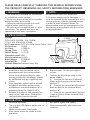
7. PACKING LIST
Periodic cleaning of the unit is
recommended.
Remove cover and clean dryer dust lint.
Wipe the cover with a damp cloth and
mild cleaning solution. Do not soak.
Never use abrasives to clean the cover.
Hand Dryer: 1PC
User Manual: 1PC
Installation Template: 1PC
Plug in Dia. 8x38mm: 4PCS
Screw in Dia. 5x36mm: 4PCS
Hex screwdriver: 1PC
8. DIAGNOSTICS & REMEDIES
SYMPTOM
CORRECTIVE ACTION
If the dryer will not
run
Ensure the breaker supplying the dryer is operational. If it is,
disconnect the power and remove the dryer cover.
Taking suitable precautions to avoid shock hazard, reconnect
the power and check for voltage at the terminal block.
If there is power and the dryer will not run, replace the Electric
Circuit Board (large one) and/or Microcomputer Board(Middle
one) and/or Sensor Board. Turn the blower wheel several times
by hand to establish if it is blocked
If the dryer cycles
by itself, runs all the
time,
or is not sensitive
enough
Ensure that there is no obstruction on or in front of the infrared
sensor. Clean any dirt off the sensor lens.
Try adjusting the sensitivity potentiometer on Microcomputer
Board (Blue knob). Turn anti-clockwise to decrease the sensor
range.
If the problem persists, replace the Microcomputer Board and/or
Sensor Board
If the heat element
gets hot but the fan
motor does not turn
Disconnect the power. Remove the dryer cover and check
for obstructions in the fan housing. Damaged fans must be
replaced. If there are no obstructions, replace the motor or
brushes
If the dryer runs but
makes a buzzing
sound
Disconnect the power. Remove the dryer cover and check the
fan for rubbing on the housing as its rotates. Replace fan if the
condition exists.
If the fan motor
runs but the heating
element does not
get hot (dryer blows
cold air)
Disconnect the power and remove the dryer cover. Check loose
and damaged wires. Remove the blower housing.
Check the heating element to see if it is burnt or damaged.
Damaged element must be replaced. If the element does not
appear damaged, disconnect it at the Electric Board and check
element wire continuity. Please check thermostat on the heating
element at the same time.
If the motor makes
a ticking/whining noise when it
rotates
Disconnect the power. Remove the dryer cover and check the
brushes for worn condition, replace them if necessary.