1
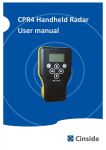
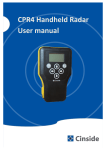
INSTRUCTION MANUAL GOODMAN BENTLEY ACUSTEK THROUGH WALL HUMAN RADAR DETECTOR CPR 4 (v1.1) This highly specialist detector unit has been developed to provide reliable detection of moving objects behind walls or similar obstacles, but will not operate through metal. It will detect a person hiding behind a wall of varying thicknesses and the operator will be alerted immediately. The unit has a proven record, and is used by trained operators to gain vital intelligence from within a stronghold, so that operational commanders of Rapid Intervention Teams or indeed Rescue units can identify where someone is secreted. The technology used in the CPR4 is highly sensitive and sophisticated, so it is extremely important that the operator holds the unit with a firm grip and lightly pressing it against the wall to be examined, with the ambient noise around him kept to a minimum. 1 Goodman Bentley Acustek Throughwall Handheld Radar Unit CPR4 1. INTRODUCTION.........................................................................................4 How the CPR4 works......................................................................................5 2. QUICK START GUIDE..................................................................................6 Product Description.......................................................................................6 Starting up the device....................................................................................6 Turning off the device....................................................................................6 The display.....................................................................................................7 How to use the standard view.......................................................................7 Indicators.......................................................................................................8 When movement occurs................................................................................8 Menu 1 – Everyday use................................................................................10 Menu 2 – Advanced Settings........................................................................11 Battery Change.............................................................................................12 Mounting Support........................................................................................13 CPR4 Hard Case............................................................................................13 3. USING THE SOFTWARE............................................................................14 See what your CPR4 is seeing – on your PC or Android Device...................14 Installation steps CPRMon for Windows.....................................................14 4. TECHNICAL SPECIFICATIONS...................................................................16 Display.........................................................................................................16 Communication...........................................................................................16 2 Goodman Bentley Acustek Throughwall Handheld Radar Unit CPR4 Power Management/Batteries...................................................................16 Environmental............................................................................................17 5. WARRANTY............................................................................................17 For your satisfaction – 1 Year Functional Warranty...................................17 3 Goodman Bentley Acustek Throughwall Handheld Radar Unit CPR4 1. INTRODUCTION Thank you and congratulations for purchasing CPR4! In this user manual you will find: A quick start guide (page 2) A guide how to use the appended software (page 8) Technical specifications (page 9) Warranty information (page 10) We advise you to read the whole manual carefully in order to use the equipment correctly and to learn about its functions. Look out for these symbols when you are reading: Pay attention Tips and information We also recommend you to store your user manual in the enclosed hard case or in a safe place. The power to sense through walls – in your hand CPR4 is a handheld easy-to-use device for detection of moving objects behind walls or other obstacles. A person hiding may be detected several meters behind a wall. If there are any moving objects, the operator will be alerted immediately. CPR4 can also be fixed mounted or simply put in a bag to observe an area of interest. 4 Goodman Bentley Acustek Throughwall Handheld Radar Unit CPR4 New features in CPR4: AEC – Automatic Environment Compensation The device automatically compensates for operator and environment motions Motion classification: place – direction – speed The operator can now receive a rough estimation of the detected motion visualised by graphical symbols How it works The CPR4 radar is primarily measuring motion compared to many other radar technologies that are measuring distance and from that may calculate a motion. The CPR4 radar transmits electromagnetic energy (radio waves) of a certain frequency, which is reflected in all surfaces it hits. The energy also penetrates all kind of materials except a homogenous metal plate. Eventually some of the energy returns back to the radar. The returned frequency is the same as the transmitted for static objects and for moving objects the returned frequency is different. The detection of the difference gives the alert. The measured level of motion is dependent on the size of the object, size of motion, speed of motion, distance to object and of course the obstacles in between. Main application: Military and police break in operations By at an early stage receiving information about movements within rooms and buildings, the risks can be reduced during a break in operation. This information is vital when decisions about safety precautions are made. 5 Goodman Bentley Acustek Throughwall Handheld Radar Unit CPR4 2. QUICK START GUIDE Product description You navigate in the CPR4 using six buttons: The LEFT (←) and the RIGHT (→) arrow are used for moving the cursor to the left and right to select a parameter The UP (↑) and the DOWN (↓) arrow are used for increasing or decreasing the value of a chosen parameter The POWER button is used for turning on and switching off the device The LAMP button us used for turning on and off the background lighting Starting up the device Turn on CPR4 by pressing the POWER button and holding it for a few seconds. If you don’t hold the button, the CPR4 will switch off automatically. This is to avoid unintentional start-up of the device, for example in a bag, which will drain the batteries. Turning off the device Press the power button and hold for two seconds until the display is cleared. 6 Goodman Bentley Acustek Throughwall Handheld Radar Unit CPR4 The display The upper part of the display shows results from the collected data. Here you receive information about movements in the room with the main indicator to the right, and a thin line to the left Standard view represents the last minute history of movements. The lower part of the display is used for specifying the movement (standard view) using symbols - it is also used for navigating in the menus. The menu automatically appears when pressing an arrow button. There are two menu pages in the CPR4. You navigate to and in-between them using the LEFT and RIGHT arrow. Menu 1, when you navigate to the left, is made for everyday use. Here you can manage settings for sensitivity level, sound level and background lighting. The Menu 2, when you navigate to the right, is used for advanced settings. When you are inactive in the menus for 5 seconds, the device will return to standard view. The left navigation menu for everyday use The right navigation menu for advanced settings How to use the standard view When the device is turned on, simply hold it still against the wall of a room you want to examine. Observe and analyse what happens on the display. 7 Goodman Bentley Acustek Throughwall Handheld Radar Unit CPR4 INDICATORS The main indicator is placed in the top right corner and contains three symbols: A blinking cross indicates self-motion of the radar or that the radar is calibrating. OK – indicates that the radar is active and that no movement has been detected The motion symbol indicates that movement has been detected When a movement occurs, the CPR4 may also show more detailed information about the motion itself – if possible. The information given is place – direction – speed. This is represented by three sets of symbols: Tree symbols – indicates whether the movement is detected close to the CPR4 or far away. The scale ranges from 1-4 trees. If one tree is shown, then the movement is close to the operator (typically less than 2m) and if four trees are shown, then the movement is far away from the operator (typically more than 5m). Arrows – an UP arrow indicates that the detected object is moving away from the operator and a DOWN arrow indicates object is moving towards the operator. Standing and walking man – indicates whether the detected object is standing relatively still or if it is moving. 8 Goodman Bentley Acustek Throughwall Handheld Radar Unit CPR4 PLACE DIRECTION BATTERY SPEED The two sets of numbers shown in the picture above (0 and 12 in this case – blue ellipse) are the measured movement value (0) and alert threshold value (12). The movement value is changing constantly when movement occurs and the threshold value is set up in menu 1. To the right in the lower part of the display you will find another indicator, the battery indicator. If the battery is fully charged, all ten bars will appear inside the battery symbol. Fully charged batteries should last for at least 12 hours when not using the display background light. If used - do so with as low intensity as possible to maximize operation time. The motion detection of CPR4 is highly sensitive. It is therefore very important that the CPR4 itself is fixed and the environment around the operator is as still as possible. When used as a handheld piece of equipment, it is very important that the operator is holding the CPR4 in a firm grip while lightly pressing it against the wall. It takes some practice. The movement level in the surroundings, including the operator, will decide how high sensitivity can be used. The new function AEC (Automatic Environment Compensation) will take care of the adjustment. The best way to familiarise yourself with CPR4 is to find a still environment with as little surrounding movements as possible. The goal of CPR4 is to not alert the operator when there is nothing 9 Goodman Bentley Acustek Throughwall Handheld Radar Unit CPR4 moving. Therefore, the most important factor is for the operator to understand what is required for the CPR4 alert not to go on. A very good aid in the learning process of the CPR4 is the CPRMon software. With a portable PC or Android device with Bluetooth, and the CPRMon software, it is easy to investigate and understand how CPR4 works. Put the CPR4 on one side of the wall and the operator can move around on the other side and at the same time view the results from CPR4. (see more on page 11) Menu 1 – Everyday use The first – and maybe most important setting to understand – is the sensitivity setting. There are five sensitivity levels and each level is connected to an alert threshold value (displayed in the standard view). If the measured movement exceeds the threshold value, the operator will be alerted. SENSITIVITY LEVEL Sensitivity level 1 2 3 4 5 Alert threshold value 250 120 60 30 12 VOLUME BACKGROUND LIGHTING Menu 1 – for everyday use To enter Menu 1 – press an arrow to activate the menu and navigate to the desired parameter. To change sensitivity level, mark “Sensitivity” and use the UP and DOWN arrow to change the value. The same procedure is used for volume and background light as well. The volume setting has 5 levels and a mute level (indicated by an X next to the speaker) The background lighting setting ranges from 1-100% in varying steps 10 Goodman Bentley Acustek Throughwall Handheld Radar Unit CPR4 A higher level of sensitivity requires a minimal amount of movement on the operator’s part. Do not use to high sensitivity setting unless necessary as it aggravates usability. Full backlighting will result in a high battery usage. Use the LIGHT button to quickly turn the background lighting on and off! Menu 2 – Advanced settings The advanced settings menu is accessed by pressing the RIGHT button repeatedly until 6 figures appear. The marked function name appears at the bottom of the display. To change a parameter, simply mark the function and then press UP arrow or DOWN arrow to choose the preferred setting Function (in order) Filter mode Display mode Interval 0-15 0-3 Default Setting 0 A higher value filters out fast motion 1 Extra information may be presented on the display Graph mode 0-5 1 0 = graph off 1-5 minutes to scroll graph Classification 0-2 2 0 = CPR3 style 1 = AEC active 2 = AEC + Classifications active Alert backlight 0-1 0 0 = normal mode 1 = backlight on when alert Unit still auto 0-1 1 0 = alert 1 = alert only when the unit is still 11 Goodman Bentley Acustek Throughwall Handheld Radar Unit CPR4 Battery change To open the battery compartment, simply unscrew the twist screw located on the backside of the CPR4. Four AA batteries are required and both rechargeable NiHM and disposable alkaline batteries can be used. Please note the symbols indicating the direction The battery compartment in which to insert the batteries. Rechargeable batteries are to be charged in separate external unit (included) If the equipment is not be used for a longer period of time, remove the batteries to avoid leakage. 12 Goodman Bentley Acustek Throughwall Handheld Radar Unit CPR4 ADDITIONAL INFORMATION: Mounting support There is support for a mono-pod (or tri-pod) with „" camera screw to ease the fix mounting of CPR4. Mono-pod connection CPR4 mounted on a tripod CPR4 hard case Your new CPR4 is delivered in a hard case for storage, transport and protection. The case content: The CPR4 device Extra batteries Battery charger Connection cables User manual CPR4 hard case 13 Goodman Bentley Acustek Throughwall Handheld Radar Unit CPR4 3. USING THE SOFTWARE See what your CPR4 is seeing – on your PC or Android device From a regular PC with Windows operating system (XP, Vista or Windows 7) or an Android device - and a Bluetooth adapter, you may remotely supervise and control up to four CPR4 units. The Bluetooth adapter may be internal (built-in) or an external USB adapter. An external USB adapter for Bluetooth Class 1 gives the longest range, up to 100 meters. Bluetooth Class 2, which is normally built into computers, gives a useful range of 5 to 20 meters depending on the environment. The CPR4 have Bluetooth Class 1 and a built-in antenna. Installation steps CPRMon for Windows There are some steps you have to walk through the first time you use the Bluetooth interface on your computer, and when you connect to a CPR4 for the first time. We have one description for all operating systems so some terms and procedures may be slightly different on your system. 1) Make sure you have Bluetooth hardware installed, may be internal or external adapter. 2) Make sure you have Bluetooth radio enabled. 3) In control panel, find Bluetooth or Devices 4) Select “Add Bluetooth device” 5) Power on the CPR4 and keep it within range 6) The CPR4 should turn up in the search window 7) Select the CPR4 8) If asked for type of pin code select “key from documentation” 9) Enter the pin code “0000” (four zeros) 10) Note the Com-port number. Each connected CPR4 will have a Comport number. 14 Goodman Bentley Acustek Throughwall Handheld Radar Unit CPR4 Set the Com-port number in the CPRMon program When the connection has been completed, ”BT” can be read next to the battery symbol on the CPR4 display. To find out the Com-port number afterwards go to the device manager and expand the “COM and LPT”. If several CPR4’s are running at the same time, it might be helpful to identify them with the serial number which is printed on the label on the front panel of the CPR4. 15 Goodman Bentley Acustek Throughwall Handheld Radar Unit CPR4 1. TECHNICAL SPECIFICATIONS Display Graphical 128x64 pixels, monochrome with transreflective background and adjustable LED backlight. Readable in sunlight and darkness. Communication Type: Bluetooth 2.0 Class 1, Fully Bluetooth pre-qualified Range: 100 m in open air, typically 10-30 m indoor Frequency: 2.400 – 2.485 GHz Max Transmit Power: +6dBm Min Transmit Power: -27dBm Antenna: Built in Server platform: Windows XP, Vista, 7 or Windows Mobile Approvals: Radio EN 300 328 V1.5.1 (2004 – 08) EN 301 489 – 1 V1.4.1 (2002 – 08) EN 301 489 – 17 V1.2.1 (2002 – 08) EMC Emissions FCC15B Class B EN55022 Class B EMC Immunity EN55024 Class Environmental EN300 019-2-4 v2.2.2 (2003-2004) Power management/batteries Type: Standard pen light size AA, rechargeable or alkaline Capacity: 2700 mAh (min 2500 mAh recommended) Number of cells: 4 16 Goodman Bentley Acustek Throughwall Handheld Radar Unit CPR4 Operating time: 8-16 hours depending on the use of display backlight External power: Yes, USB mini Environmental Size: 90/120 mm width, 220 mm height, 40 mm thick Weight operational: 600 grams Weight: 1600 grams (incl. accessories and box) Material: ABS Oper. temperature: -20 - +50 degrees Celsius Water resistance:IP67 (approval pending) 0.15 m depth and 30 minutes Dust resistance: IP67 (approval pending) Mechanical chock: TBD Air Pressure: Operational up to 4000 m height 1. WARRANTY For your satisfaction – 1 Year Functional Warranty The warranty is valid during one year after purchase and as long as the unit’s enclosure remains undamaged. CPR4 is a sensitive instrument. If attempts are made to open CPR4 the equipment it will be damaged and the guarantee is no longer valid. CPR4 contains no repairable parts. If any faults or errors are encountered, please contact Goodman Bentley to get an RMA-code before returning any goods. Faulty equipment is exchanged free of charge during the warrantee period, the sender pays the freight costs both ways. 17 Goodman Bentley Acustek Throughwall Handheld Radar Unit CPR4