1
AXIS M1025 Network Camera
Troubleshooting
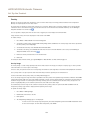
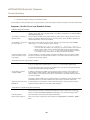
Motion Detection triggers unexpectedly
Changes in luminance
Motion detection is based on changes in luminance in the image. This means that if there are
sudden changes in the lighting, motion detection may trigger mistakenly. Lower the sensitivity
setting to avoid problems with luminance.
Storage and disk management problems
Storage disruption
A storage disruption alarm is sent if a storage device is unavailable, removed, full, locked or if other
read or write problems occur. To identify the source of the problem, check the System Log under
System Options > Support > Logs & Reports. Depending on the problem, it might be necessary to
re-mount the storage device.
For information on how to set up a storage disruption alarm, see Events on page 31.
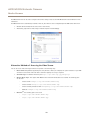
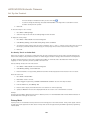
Video cannot be recorded
Check that the SD card is not write protected (that is, read only).
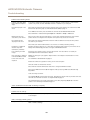
SD card cannot be mounted
Reformat the SD card and then click Mount.
NOTICE
TICE
NO
Formatting the card will remove all content, including all recordings, from the SD card.
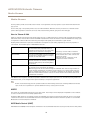
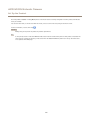
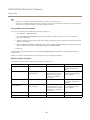
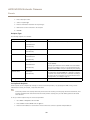
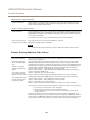
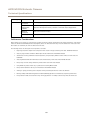
Problems Retrieving Additional Video Streams
‘Video Error’ displayed in
AXIS Camera Companion
‘503 service unavailable’
error in IE / AMC or Quick
Time
‘Camera not available’
displayed in AXIS Camera
Station
‘If no image is displayed,
there might be too many
viewers…’ in Firefox / Safari
‘Error reading video Stream’
message in browser when
using the Java applet
This camera is designed to deliver up to four different streams. If a fifth unique stream is requested
the camera will not deliver it and an error message is displayed. The error message depends on the
way the stream is requested.
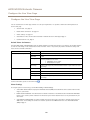
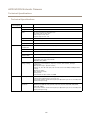
Stream 0 will only deliver the maximum resolution of the camera. Stream 3 is used if specific
ACAP (Axis Camera Application Platform) applications are installed. The capture mode which is
configured when the product is started the first time (or after a reset to factory default) determines
which streams are available. If you select the capture mode which activates the HDMI output you
will have 720p as maximum resolution and you will get the following stream configuration:
Stream 0: Fixed resolution - 1280 x 720, fixed, cannot be changed
Stream 1: Fixed resolution – 1280 x 720, Reserved for HDMI output, regardless of whether the
camera is connected to HDMI or not.
Stream 2: 1280 x 720, can use lower resolutions
Stream 3: 720 x 576, used for Axis Camera Application Platform, can use lower resolutions
If 1080p capture mode without HDMI support is selected the following streams are available:
Stream 0: Fixed resolution - 1920 x 1080, fixed, cannot be changed
Stream 1: Fixed resolution - 1920 x 1080, can use lower resolution.
Stream 2: 1280 x 720, can use lower resolutions
Stream 3: 720 x 576, used for Axis Camera Application Platform, can use lower resolutions
These streams are used on a first come-first served basis. Examples of instances using a stream are:
• Live viewing in a web browser or other application
• While recording - continuous or motion triggered recording
• An event using images on the camera, such as an event sending an email with an
image every hour
The camera can deliver more than four simultaneous streams provided the configuration of any
additional stream is identical to any of the four first streams. Except for the HDMI stream which can
only be used for the HDMI output, identical configuration implies exactly the same resolution, frame
rate, compression, video format, rotation etc. For more information see www.axis.com/techsup
50