1
5. OPERATIONS
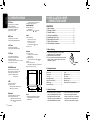
Handling Discs
Basic Operations
Handling
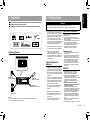
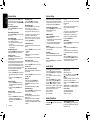
• New discs may have some roughness
around the edges. If such discs are used,
the player may not work or the sound may
skip. Use a pen or similar tool to remove
any roughness from the edge of the disc.
Ball-point pen
Roughness
Note:
Cleaning
• To remove fingermarks and dust, use a
soft cloth and wipe in a straight line from
the center of the disc to the outer edge.
• Do not use any solvents, such as
commercially available cleaners, antistatic spray, or thinner to clean discs.
• After using special disc cleaner, let the
disc dry off well before playing it.
On Discs
• Never turn off the power and remove the
unit from the car with a disc loaded.
CAUTION
• Never stick labels on the surface of the
disc or mark the surface with a pencil or
pen.
• Never play a disc with any cellophane
tape or other glue on it or with peeling off
marks. If you try to play such a disc, you
may not be able to get it back out of the
player or it may damage the player.
• Do not use discs that have large
scratches, are misshapen, cracked,
etc. Use of such discs may cause
misoperation or damage.
• To remove a disc from its storage case,
press down on the center of the case and
lift the disc out, holding it carefully by the
edges.
• Do not use commercially available disc
protection sheets or discs equipped with
stabilizers, etc. These may damage the
disc or cause breakdown of the internal
mechanism.
For your safety, the driver should not
insert or eject a disc while driving.
•Refer to the diagrams in “3. CONTROLS”
when reading this chapter.
English
4. CAUTIONS ON HANDLING
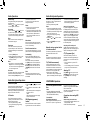
Volume adjustment
Turn the [VOLUME] knob on the front panel.
The adjustable range of volume is 0 to 40.
CAUTION
When the unit is turned on, starting and
stopping the engine with its volume
raised to the maximum level may harm
your hearing.
Be careful about adjusting the volume.
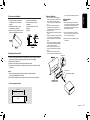
Power on / off
Notes:
• Start the engine before using this unit.
• Be careful about using this unit for a long
time without running the engine. If you
drain the car’s battery too far, you may not
be able to start the engine and this can
reduce the service life of the battery.
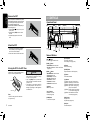
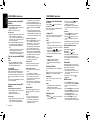
1. Start the engine. The power button / knob
illumination on the unit will light up.
Engine ON
position
CAUTION
While driving, keep the volume level at
which external sounds can still be heard.
Playing source selection
Press [SRC / ] button on the front panel
repeatedly to choose desired playing source.
Notes:
• Playing source selection means selecting
which mode, such as DISC mode, RADIO
mode, AUX mode and BT mode.
Display system time
Press the [ DISP ] button on the front panel
to switch the display information from clock,
station information (RADIO mode), or track
information (CD mode).
2. Press the [SRC / ] button on the front
panel to turn on the power under standby
mode. The unit goes back to the last
status after power on.
3. Press and hold the [SRC / ] button on
the front panel to turn off the power.
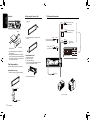
RESET
CT (Clock Time) display
Note:
• The displayed clock data is based on the
CT (clock time) data in the RDS signal.
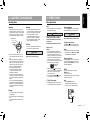
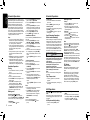
If you have below problems, pls press
[RESET] button.
• Unit can not power on
• Nothing happens when buttons are pressed
• Display is not accurate
* When the [RESET] button is
pressed,preset radio stations, audio
setting,etc. stored in memory are kept.
Storage
• Do not expose discs to direct sunlight or
any heat source.
• Do not expose discs to excess humidity or
dust.
• Do not expose discs to direct heat from
heaters.
RESET
CZ302E
4