1
Chapter 5: NetProbe Lite Web Manager
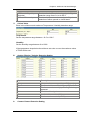
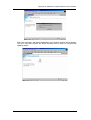
To enable this function, you will first have to register with either one of these three
service providers;
• None (Choose this only if you have a Static IP)
• 3322.org
• dhs.org
• DynDNS(Dynamic)
• DynDNS(Custom)
• Myddns.com
• Zive.org
Domain Name
Enter the Domain Name you have created from one of the three websites.
Login Name
Enter your login name for the above domain name.
you register with the above DDNS provider.
Login Password
Enter your password.
DDNS provider.
You should have this when
You should have this when you register with the above
Use external STUN server to get Public IP to register
Enable/disable using the external IP for DDNS server registration. If this function
is enabled, the NET101 will get the external IP by the help of STUN server, and
then use this IP to register the IP of the DDNS server.
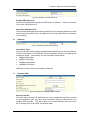
Primary STUN Server IP
Input the primary STUN server IP. The NET101 will use this server’s help to get
the external IP address. The default IP is 66.7.238.210.
Secondary STUN Server IP
Input the secondary STUN server IP. The NET101 will use this server’s help to get
the external IP address when the primary STUN server has no respond. The
default IP is 67.153.142.67.
v.
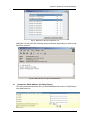
PPPoE
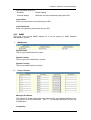
Use this option to allow NetProbe Lite to connect to the internet using your xDSL
modem. Once set-up, NetProbe Lite will be able connect to the Internet directly
without going thru a PC.
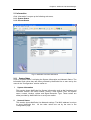
Fig.23 NetProbe Lite PPPoE setting
When Connection should be made
NetProbe Lite User ‘s Manual
-18-