1
NO
EN
•
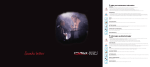
Pairing button 6 :
Sets the Audiostreamer to pairing mode.
F
•
D
Factory default settings button 7 :
Resets the Audiostreamer to factory default settings.
•
Alarm socket 8 : 8
Connection for the alerting system.
•
Radio socket 9 :
For the connection of stereo, radio or other audio equipment.
•
TV socket 10 :
For the connection of TV, tuner or other audio equipment.
•
AUX 2 socket 11 :
For the connection of audio equipment with phono jacks.
•
AUX 1 socket 12 :
For the connection of iPod/MP3 players or audio equipment with
3.5mm jacks.
•
Power socket 13 :
For the connection of accompanying power supply.
NL
ES
SE
DK
SU
The functions of the Audiostreamer
Sends wireless audio from TV/Radio, etc via the Audiostreamer to a
paired device, e.g. the Maestro. You can choose between 4 different
audio sources on the Audiostreamer. You can also receive an alert from
your alerting system if it has an audio outlet and is connected to the
Audiostreamer. The alert is given highest priority and will overrule all
other audio sources and telephone conversations.
NOTE:
You will not receive an alert as long as your Maestro has an audio
connection to a Liberto or Allegro (wireless microphone).
Install the Audiostreamer
Connect the accompanying power supply to the power socket 13 .
The Audiostreamer will switch itself on automatically.
You can see this by the socket lamps 1 illuminating solid green.
The Audiostreamer has no on/off button.
It will automatically go into standby mode when it is in use.
5
UsermanualAudiostreamer(NO_EN_F_D_NL_ES_SE_DK_SU)1m