1
1.
Overview
3.
Schematic
The RS-232 Fiber Optic Converter is used to extend serial
transmission distance up to 2 kilometers, and allows data
transmission at a speed of up to 115.2 Kbps.
2.
TCF-140-M RS-232 (DB25) Fiber Optic Converter
This User's Manual
•
Wear a grounding device to guard against bodily injury
caused by electrostatic discharge.
Turn off the power of the device/station to which the
fiber converter will be attached. Double check to make
sure the device/station is not active.
To save on cabling cost, the fiber converter can be
attached directly to the RS-232 (DB25) port without
using a cable. Fasten the screws after connecting the
Converter to the port.
Install the fiber cable. Connect the Tx (Rx) port of the
Converter to the Tx (Rx) port of the opposing device.
•
TCF-140-M
•
Notify your sales representative immediately if any of the
above items is missing or damaged.
NOTE:
1.
When using an RS-232 cable, shielded cables are
required at the DB25 side for EMC compliance.
2.
If your software uses flow control, you must ensure
that the RTS/CTS signals on the device end are
always on. This is due to the nature of fiber optic data
transmission.
5 Year Manufacturer’s Warranty
Moxa warrants that the Product(s) shall be free from
manufacturing defects in materials and workmanship for a
period of five (5) years from the date of delivery provided that
the Product was properly installed and used. Defects,
malfunctions or failures of the warranted Product caused by
damage resulting from acts of God (such as floods, fire, etc.),
environmental and atmospheric disturbances, other external
forces such as powerline disturbances, host computer
malfunction, plugging the board in under power, or incorrect
cabling and damage caused by misuse, abuse and
unauthorized alteration or repair are not warranted.
Installing the Fiber Optic Converter
•
Package Checklist
Before you install the Converter, verify that the package
contains the following items:
•
•
4.
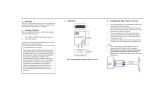
Fig. 1: RS-232 (DB25) Serial-Port Fiber Converter
RX
RS-232
(DB25)
RS-232 (DB25)
Fiber Converter
TX
Fiber Optic
RS-232
Straight Through Cable
5.
Technical Specifications
Model No.
TCF-140-M
Standards
TIA/EIA-574
Network Interface:
Multi-Mode Fiber
RS-232
Straight Through Cable
2
3
7
ST Fiber Transceiver
1
ST Fiber Port
Full duplex / Half duplex,
Multi-mode fiber optic wavelength of
820 nm
TCF-140-M RS-232 Fiber Converter
(DB25 to ST Multi-Mode)
User's Manual
Optical Loss Budget of 10 dB
TxD
GND
1
DB-25 (Female) for direct attachment
Signal
RxD
Port
RS-232 Port
Fig. 2: Network Connection
Pin No.
Configuration
RS-232 (DB25 Female)
Fiber Cable
25
24
23
22
21
20
19
18
17
16
15
14
Fig. 3: DB25 Port Pinouts
13
12
11
10
9
8
7
6
5
4
3
2
1
50/125, 62.5/125, or 100/140 µm
multi-mode up to 2 km
Data Transfer Rate
up to 115.2 Kbps
Ambient
Temperature
0 to 50°C
Humidity
5 to 90% RH
Dimensions
20.1(H) × 45.2(W) × 50.1(D) mm
Complies with FCC Part 15 Class A and CE Mark
Note:
For connecting this device to a Router, Bridge, or Switch,
please refer to the corresponding device's Technical Manual
for detailed technical information.
Moxa Technologies Co., Ltd.
Tel: +866-2-8919-1230
Fax: +886-2-8919-1231
www.moxa.com
[email protected]
2nd Edition
P/N: 18020014001