1
VQT4A80~Body2_eng.fm 21 ページ
2011年12月13日 火曜日 午後5時23分
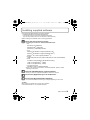
Installing supplied software
• The supplied CD-ROM includes the following software.
– PHOTOfunSTUDIO 8.0 SE (Windows XP/Vista/7)
– LoiLoScope 30 day full trial version (Windows XP/Vista/7)
(This will only install a shortcut to the trial version download site.)
• Before inserting the CD-ROM, close all running applications.
Check the environment of your PC.
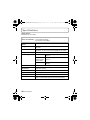
• Operating environment of “PHOTOfunSTUDIO 8.0 SE”
– OS:
WindowsR XP (32bit) SP3,
Windows VistaR (32bit) SP2,
WindowsR 7 (32bit/64bit) and SP1
– CPU:
PentiumR III 500 MHz or higher (WindowsR XP),
PentiumR III 800 MHz or higher (Windows VistaR),
PentiumR III 1 GHz or higher (WindowsR 7)
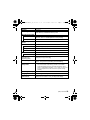
– Display:
1024k768 pixels or more (1920k1080 pixels or more recommended)
– RAM:
512 MB or more (WindowsR XP/Windows VistaR),
1 GB or more (WindowsR 7 32bit),
2 GB or more (WindowsR 7 64bit)
– Free hard disk space:
450 MB or more for installing software
• Refer to the operating instructions of “PHOTOfunSTUDIO” (PDF) for further
operating environment.
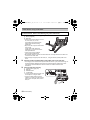
Insert the CD-ROM with the supplied software.
• When you insert the supplied CD-ROM, the install menu will start.
Click on the [Applications] on the install menu.
Click on the [Recommended Installation].
• Proceed with installation according to messages appearing on the screen.
Note
• The software compatible with your PC will be installed.
• “PHOTOfunSTUDIO” is not compatible with Mac.
(ENG) VQT4A80
21