1
Quad Phase HP
Quad Phase HP
Operation
Operation
Universal DMX Control: This function allows you to use a Elation®
2. To control your fixture in DMX mode, follow the set-up procedures
on pages 5-7 as well as the set-up specifications that are
included with your DMX controller.
2. On the Master unit find your desired show and set that show by pressiing the ENTER button.
3. Use the controller’s faders to control the various DMX fixture traits.
universal DMX-512 controller to control the patterns, rotation and
strobing. A DMX controller allows you to create unique programs tailored to your individual needs.
1. The Quad Phase HP is a four DMX channel DMX fixture. See page 14 for detailed description of the DMX values and traits.
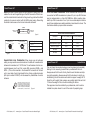
together via the XLR connector on the rear of the units. Remem-
ber the Male XLR connector is the input and the Female XLR connector is the output. The first unit in the chain (master) will use the female XLR connector only - The last unit in the chain will use the male XLR connector only. For longer cable runs we suggest a terminator at the last fixture.
3. On the slave units tap the MENU button until “SLND” is dis-
played, select your desired slave mode and Press ENTER.
4. This will allow you to create your own programs.
4. The slave units will now follow the Master unit.
5. Follow the instructions on page 8 to set the DMX address.
5. The optional UC3 Controller (not included) may be used to con-
trol different functions including blackout.
6. For longer cable runs (more than a 100 feet) use a terminator on the last fixture.
7. For help operating in DMX mode consult the manual included with your DMX controller.
Sound Active Mode: This mode allows a single unit or several units
linked together, to run to the beat of the music.
1. Tap the MENU button until “SOUN” is displayed, and press ENTER.
2. Press the UP or DOWN button so that “ON” is displayed. The unit will now run to the beat of the music.
3.
The sound sensitivity can be adjusted by pressing the MENU button until “SENS” is displayed, and then press ENTER. Use the UP or DOWN buttons to adjust the sound sensitivity, 1 being the least sensitive, and 100 being the most sensitive.
4. The optional UC3 Controller (not included) may be used to con-
trol different functions including blackout.
Quad Phase HP
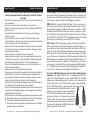
Power Cord Daisy Chain
With this feature you can connect the fixtures to one another
using the IEC input and output sockets. The quantity that can be
connected is 5 fixtures maximum. After 5 fixtures you will need
to use a new power outlet. They must be the same fixtures. DO
NOT mix fixtures.
Quad Phase HP
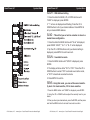
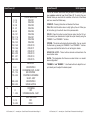
UC3 Control
Blackout Blackout the unit
1. Synchronous strobe.
Function 2. Two light strobe.
3. Sound control.
Mode
Strobe(LED OFF)
Rotation speed (1-8).
Chase(LED ON)
Master-Slave Operation (Sound Active): This function will allow
you to link up to 16 units together and operate without a controller. The
units will be sound activated. In Master-Slave operation one unit will
act as the controlling unit and the others will react to the controlling
units programs. Any unit can act as a Master or as a Slave.
1. Using standard XLR microphone cables, daisy chain your units ADJ Products, LLC - www.adj.com - Quad Phase HP Instruction Manual Page 12
ADJ Products, LLC - www.adj.com - Quad Phase HP Instruction Manual Page 13