1
2.6. Advanced Setting details
Relay Control Mode:
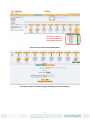
Configuration examples include:
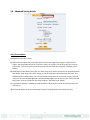
a) Manual Control allows you to manually control each of the eight relays using the “Relay Control”
option. You will be able control the cycle of the relay in an on-off-on or an off-on-off cycle. You can
also set the “Cycle Time” here in seconds and manually test each relay using the “Test Relay Cycle”
button.
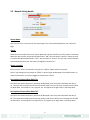
b) Notification Control allows you to link any of the relays to an action. The actions can be selected from
the “Action” drop-down menu after clicking on “To set notification controlled relay click here”. The
following actions can be chosen: Turn on until sensor normal; turn off until sensor normal; cycle the
relay; turn on until acknowledged; turn off until acknowledged. You can also turn the “Sensor Normal
Relay State” to on or off and test each relay using the “Test Relay Cycle” button.
c) Time Control: Displays a calendar to setup what days and times you want or do not want each relay
to be active.
d) Thermostat: Option to select a thermostat for ports 1 through 8 which will control the relay.
7