1
The recording on SB Live is similar to on-board chip. You can choose Wave and Music
as the additional recording source to record the played PCM and WaveTable signals.
USB Audio Devices
USB audio devices usually have a small number of mixer controls. Sometimes they
even have none at all. Most devices either have a Master or PCM control switch to
control the playback volume.
7.1.5 The Mixer for the Sound Chip Envy24
envy24control is a mixer application for sound cards using the Envy24 (ice1712) chip.
The flexibility of the Envy24 chip can result in varying functionalities in different sound
cards. The latest details on this sound chip are available in /usr/share/doc/
packages/alsa-tools/envy24control.
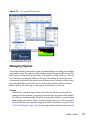
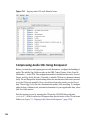
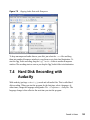
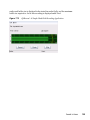
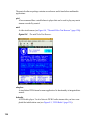
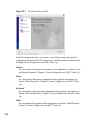
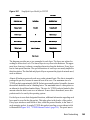
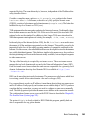
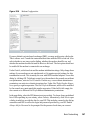
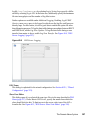
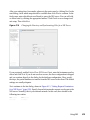
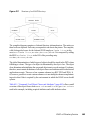
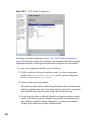
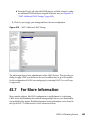
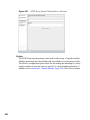
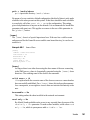
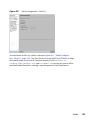
Figure 7.3
Monitor and Digital Mixer of envy24control
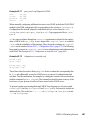
The Monitor Mixer of envy24control shows the signal levels that can be mixed digitally
in the sound card. The signals designated as PCM Out are generated by applications
that send PCM data to the sound card. The signals of the analog inputs are shown under
H/W In. The S/PDIF inputs are shown to the right. Set the input and output levels of
the analog channels under Analog Volume.
Use the Monitor Mixer sliders for digital mixing. The respective levels are displayed
in the Digital Mixer. For each output channel, the Patchbay contains a row of radio
buttons for selecting the desired channel source.
Sound in Linux
115