1
Installing Camera Bracket
Axis 231D/232D
Continued . . . . . .
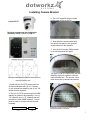
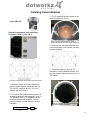
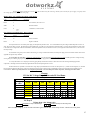
4. Now slide the D2 bracket into place
to line up with 4 screws holes from the
D2 Enclosure.
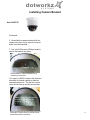
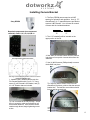
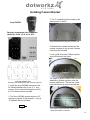
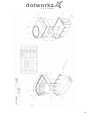
7. Now slide the Special Axis 231D/
232D bracket with camera into place to
line up with 4 standoffs from the D2
Bracket and tighten the (3)#8-32 screws
and then push down and tighten thumb
screw.
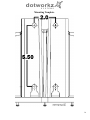
5. Use (4) .5" standoffs to secure the
bracket into place. See above picture.
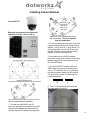
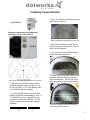
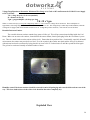
6. Now secure the special Axis 231D/
232D bracket to the camera itself.
Align the pattern and turn the bracket
clockwise to lock. Make sure to
connect the Cat5 and terminal block
connector before mounting the
bracket into the D2 bracket.
Unlock & aligned
*A new and improved Mounting
Bracket Design for the Axis 231D/
232D will be coming soon in Q1 of
2008.*
Contact Dotworkz at (619) 224-LIVE
(5483) for more details or visit us at
www.dotworkz.com
Locked
9