1
Preface
Copyright
This publication, including all photographs, illustrations and software, is protected
under international copyright laws, with all rights reserved. Neither this manual, nor
any of the material contained herein, may be reproduced without written consent of
the author.
Version 2.0
Disclaimer
The information in this document is subject to change without notice. The manufacturer makes no representations or warranties with respect to the contents hereof and
specifically disclaims any implied warranties of merchantability or fitness for any
particular purpose. The manufacturer reserves the right to revise this publication and
to make changes from time to time in the content hereof without obligation of the
manufacturer to notify any person of such revision or changes.
Trademark Recognition
Microsoft, MS-DOS and Windows are registered trademarks of Microsoft Corp.
MMX, Pentium, Pentium-II, Pentium-III, Celeron are registered trademarks of Intel
Corporation.
Other product names used in this manual are the properties of their respective
owners and are acknowledged.
Federal Communications Commission (FCC)
This equipment has been tested and found to comply with the limits for a Class B
digital device, pursuant to Part 15 of the FCC Rules. These limits are designed to
provide reasonable protection against harmful interference in a residential installation. This equipment generates, uses, and can radiate radio frequency energy and, if
not installed and used in accordance with the instructions, may cause harmful interference to radio communications. However, there is no guarantee that interference
will not occur in a particular installation. If this equipment does cause harmful
interference to radio or television reception, which can be determined by turning the
equipment off and on, the user is encouraged to try to correct the interference by one
or more of the following measures:
•
•
•
•
Reorient or relocate the receiving antenna
Increase the separation between the equipment and the receiver
Connect the equipment onto an outlet on a circuit different from that to
which the receiver is connected
Consult the dealer or an experienced radio/TV technician for help
Shielded interconnect cables and a shielded AC power cable must be employed with
this equipment to ensure compliance with the pertinent RF emission limits governing this device. Changes or modifications not expressly approved by the system ’ s
manufacturer could void the user’s authority to operate the equipment.
Preface
ii
Declaration of Conformity
This device complies with part 15 of the FCC rules. Operation is subject to the
following conditions:
•
•
This device may not cause harmful interference, and
This device must accept any interference received, including interference that may cause undesired operation
Canadian Department of Communications
This class B digital apparatus meets all requirements of the Canadian Interferencecausing Equipment Regulations.
Cet appareil numérique de la classe B respecte toutes les exigences du Réglement sur
le matériel brouilieur du Canada.
About the Manual
The manual consists of the following:
Describes features of the
motherboard.
Go to
H page 1
Chapter 1
Introducing the Motherboard
Chapter 2
Describes installation of
motherboard components.
Go to
H page 7
Installing the Motherboard
Chapter 3
Provides information on using the BIOS Setup Utility.
Using BIOS
Go to
Chapter 4
Using the Motherboard Software
Chapter 5
TM
ATI CrossfireX
Technology Support
Chapter 6
®
Intel Matrix Storage Manager
RAID Configurations
page 25
Describes the ATI
CrossfireXTM Technology
Go to
H
page 47
Describes the Intel ® Matrix
Storage Manager RAID Configurations
Go to
Chapter 7
H
Describes the motherboard
software
Go to
H page 43
H
page 51
Describes the eJIFFY
setting up
Go to
H page 57
Setting Up eJIFFY
Chapter 8
Trouble Shooting
Preface
Provides basic trouble shooting tips
Go to
H page 67
iii
TABLE OF CONTENTS
Preface
i
Chapter 1
1
Introducing the Motherboard
1
Introduction......................................................................................1
Feature ..............................................................................................2
Specifications...................................................................................4
Motherboard Components.............................................................5
Chapter 2
7
Installing the Motherboard
7
Safety Precautions...........................................................................7
Choosing a Computer Case............................................................7
Installing the Motherboard in a Case...........................................7
Checking Jumper Settings..............................................................8
Setting Jumpers....................................................................8
Checking Jumper Settings....................................................9
Jumper Settings....................................................................9
Installing Hardware.......................................................................10
Installing the Processor......................................................10
Installing Memory Modules...............................................12
Expansion Slots..................................................................14
Connecting Optional Devices.............................................16
Installing a Hard Disk Drive/CD-ROM/SATA Hard Drive...18
Installing a Floppy Diskette Drive.....................................19
Connecting I/O Devices...............................................................20
Connecting Case Components....................................................21
Front Panel Header...........................................................24
Chapter 3
25
Using BIOS
25
About the Setup Utility................................................................ 25
The Standard Configuration...............................................25
iv
Entering the Setup Utility....................................................25
Resetting the Default CMOS Values...................................26
Using BIOS.....................................................................................27
Standard CMOS Setup.......................................................28
Advanced Setup..................................................................30
Advanced Chipset Setup.....................................................32
Integrated Peripherals.......................................................33
Power Management Setup.................................................34
PCI/PNP Configuration.....................................................35
PC Health Status................................................................36
M.I.B. (MB Intelligent BIOS).............................................38
Load Default Settings........................................................40
Supervisor Password.........................................................40
User Password...................................................................41
Save & Exit Setup...............................................................41
Exit Without Saving............................................................41
Updating the BIOS.............................................................42
Chapter 4
43
Using the Motherboard Software
43
About the Software DVD-ROM/CD-ROM..................................43
Auto-installing under Windows XP/Vista/7...............................43
Running Setup....................................................................44
Manual Installation........................................................................46
Utility Software Reference............................................................46
Chapter 5
47
ATI CrossFireX™Technology Support
47
Requirements..................................................................................47
Installing a single graphics card..................................................47
Installing CrossFireX™ graphics cards......................................48
The Catalyst™ Control Center Dialog Box.................................50
View.....................................................................................50
To Enable CrossFireX™.....................................................50
v
Chapter 6
51
Intel®Matrix Storage Manager RAID Configurations
51
Before creating a RAID set...........................................................51
Entering Intel®Matrix Storage Manager RAID BIOS utility...52
Creating a RAID set.......................................................................53
Deleting a RAID set.......................................................................55
Resetting disks to Non-RAID......................................................56
Exiting Setup...................................................................................56
Chapter 7
57
Setting Up eJIFFY
57
Introduction................................................................................57
Installation and BIOS Setup.........................................................58
Entering eJIFFY.....................................................................................61
Features Icons.........................................................................................62
Usage FAQ..............................................................................................63
Chapter 8
67
Trouble Shooting
67
Start up problems during assembly.............................................67
Start up problems after prolong use............................................68
Maintenance and care tips...........................................................68
Basic Troubleshooting Flowchart..............................................69
vi
Memo
1
Chapter 1
Introducing the Motherboard
Introduction
Thank you for choosing the P45T-A motherboard. This motherboard is a high
performance, enhanced function motherboard designed to support the LGA775 socket
Intel® Yorkfield/Wolfdale/CoreTM 2 Duo processors for high-end business or personal
desktop markets.
The motherboard incorporates the Intel Eaglelake P45 Northbridge (NB) and Intel
ICH10R Southbridge (SB) chipsets. The Northbridge supports a Front Side Bus (FSB)
frequency of 1333/1066/800 MHz using a scalable FSB Vcc_CPU. The memory
controller supports DDR2 memory DIMM frequencies of 800/667. It supports four
DDR2 sockets with maximum memory size of 16 GB. High resolution graphics via
two PCI Express x16 slots, intended for Graphics Interface, are fully compliant to
the PCI Express Base Specification Revision 2.0. It supports the ATI CrossFireXTM
Technology that allows you to install GPU graphics cards.
The ICH10R Southbridge supports two PCI slots which are PCI v2.3 compliant. It
implements an EHCI compliant interface that provides 480 Mb/s bandwidth for
twelve USB 2.0 ports (six USB ports and three USB 2.0 headers support additional six
USB ports). One onboard IDE connector supports two IDE devices in Ultra ATA 133/
100/66/33 mode. The Southbridge supports six SATA ports with maximum transfer
rate up to 3.0 Gb/s each. It supports Intel® Matrix Storage Technology, providing
both AHCI and RAID 0, 1, 5 and 10 configuration.
There is an advanced full set of I/O ports in the rear panel, including PS/2 mouse and
keyboard connectors, one serial port, one eSATA port, six USB ports, one LAN port
and audio jacks for microphone, line-in and 8-ch line-out.
Introducing the Motherboard
2
Feature
Processor
This motherboard uses an LGA775 type of Intel® Yorkfield/Wolfdale/Core TM 2
Duo that carries the following features:
•
•
Accommodates Intel® Intel® Yorkfield/Wolfdale/CoreTM 2 Duo processors
Supports a system bus (FSB) of 1333/1066/800 MHz
Chipset
The P45 Northbridge (NB) and ICH10R Southbridge (SB) chipsets are based on an
innovative and scalable architecture with proven reliability and performance.
P45 (NB)
•
•
•
•
ICH10R (SB)
•
•
•
•
•
•
Supports 36-bit host bus addressing, allowing the
CPU to access the entire 64 GB of the memory address space.
2 GB/s point-to-point Direct Media Interface (DMI) to
ICH10 (1 GB/s each direction)
Two PCI Express x16 slots, intended for Graphics
Interface, are fully compliant to the PCI Express Base
Specification Revision 2.0.
Supports 512-Mb and 1-Gb DDR2 and 512-Mb, 1Gb,and 2-Gb DDR3 DRAM technologies for x8 and
x16 devices
Enhanced DMA Controller, interrupt controller, and timer
functions
Compliant with PCI Express Base Specification, revision 1.1
Compliant with PCI v2.3 specificaiton
Compliant with SATA 3.0 Gb/s Host Controller
Integrated USB 2.0 Host Controller supporting up to
twelve USB 2.0 ports
Supports Intel® Matrix Storage Technology, providing
both AHCI and RAID 0, 1, 5 and 10 configuration
Memory
•
•
•
Supports DDR2 800/667 DDR2 SDRAM with Dual-channel architecture
Accommodates four unbuffered DIMMs
Up to 4 GB per DIMM with maximum memory size up to 16 GB
Audio
•
RealTek ALC883 7.1ch High Definition audio CODEC
Onboard LAN
•
Gigabit LAN, Athlos L1 PCIe GigaLAN controller
Introducing the Motherboard
3
Expansion Options
The motherboard comes with the following expansion options:
•
Two PCI Express x16 slots for Graphics Interface
•
Two PCI Express x1 slots
•
Two 32-bit PCI v2.3 compliant slots
•
One IDE connector supporting up to two IDE devices
•
One floppy disk drive interface
•
Six 7-pin SATA connectors
This motherboard supports Ultra DMA bus mastering with transfer rates of 133/
100/66/33 Mb/s.
Integrated I/O
The motherboard has a full set of I/O ports and connectors:
•
Two PS/2 ports for mouse and keyboard
•
One Serial port
•
One eSATA port
•
Six USB ports
•
One LAN port
•
Audio jacks for microphone, line-in and 8-ch line-out
BIOS Firmware
The motherboard uses AMI BIOS that enables users to configure many system
features including the following:
•
•
•
•
•
Power management
Wake-up alarms
CPU parameters
CPU and memory timing
ECS M.I.B. BIOS
The firmware can also be used to set parameters for different processor clock
speeds.
1. Some hardware specifications and software items are subject to change
without prior notice.
2. Due to chipset limitation, we recommend that motherboard be operated in the ambiance between 0 and 50 ° C.
Introducing the Motherboard
4
Specifications
•
LGA775 socket for Intel® Yorkfield/Wolfdale/CoreTM 2 Duo
porcessors
FSB 1333/1066/800 MHz
Chipset
•
•
•
Intel Eaglelake P45 & ICH10R
North Bridge: Intel Eaglelake P45
South Bridge: Intel ICH10R
Memory
•
•
•
Dual-channel DDR2 memory architecture
4 x 240-pin DDR DIMM socket support up to 16 GB
Supports DDR2 800/667 DDRII SDRAM
Expansion
Slots
•
•
•
2 x PCI Express x16 slots
2 x PCI Express x1 slots
2 x PCI slots
Storage
•
•
•
•
•
•
•
Support by Intel ICH10R
6 x Serial ATAII devices
Supports RAID0, 1, 5, 10
Support by JMicron® JMB361
2 x Ultra DMA 133/100/66 device
4 x 240-pin DDR DIMM socket support up to 16 GB
1 x e-SATAII 3.0 Gb/s device
Audio
•
RealTek ALC883 7.1ch High Definition audio CODEC
LAN
•
Gigabit LAN, Athlos L1 PCIe GigaLAN controller
CPU
•
Rear Panel I/O •
•
•
•
•
•
1 x PS/2 keyboard & PS/2 mouse connectors
6 x USB ports
1 x e-SATA port
1 x COM port
1 x RJ 45 LAN connector
1 x Audio port (1x Line in, 4x Line out, 1x Optical SPDIF Out)
Internal I/O
•
Connectors &
Headers
•
•
•
•
•
•
•
•
•
•
1 x 24-pin ATX Power Supply connector & 8-pin 12V connector
1 x IDE connector
6 x Serial ATA connectors
3 x USB 2.0 headers support additional 6 USB ports
1 x Clear CMOS header
1 x Front panel header
1 x Front panel audio header
1 x CD_in header
CPUFAN/SYSFAN connectors
1 x Reset buttom
1 x Power on buttom
•
•
•
AMI BIOS with 8Mb SPI ROM
Supports Plug and Play, STR/STD, Hardware monitor, PCI
interrupt selection, ACPI & DMI, CPU FSB adjustment (increase of 1MHz)
Supports ACPI revision 1.0 specification
•
ATX Size, 305mm x 244mm
System BIOS
Form Factor
Introducing the Motherboard
5
Motherboard Components
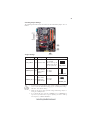
Table of Motherboard Components
LABEL
1. CPU Socket
C O MPO NENTS
LGA775 socket Intel® Yorkfield/Wolfdale/CoreTM 2
Duo processors
2. CPU_FAN1
CPU cooling fan connector
3. DDR2_DIMM1~4
240-pin DDR2 SDRAM slots
4. AT X_POWER
Standard 24-Pin AT X Power connector
5. SAT A1~6
Serial AT A connectors
6. RST _BOT
Reset button
7. PWR_BOT
Power on button
8. F_PANEL
Front Panel Switch/LED header
9. CASE_FAN
Case cooling fan connector
10. F_USB1~3
Front Panel USB headers
11. USBPWR_F1~2
Front Panel USB Power Select jumpers
12. SPK
Speaker header
13. CLR_CMOS
Clear CMOS jumper
14. IDE
Primary IDE connector
15. FDD
Floppy disk drive connector
16. F_AUDIO
Front Panel Audio header
17. CD_IN
Analog Audio Input connector
18. SPDIFO
SPDIF out header
19. PCI2~3
32-bit add-on card slots
20. PCIE16X_1~2
PCI Express x16 graphics card slots
21. PCIE1/3
PCI Express x1 slots
22. USBPWR_R1~2
Rear USB/PS2 Power Select jumpers
23. AT X12V
4-pin +12V power connector
24. SYS_FAN1
System cooling fan connector
This concludes Chapter 1. The next chapter explains how to install the motherboard.
Introducing the Motherboard
6
Memo
Introducing the Motherboard
7
Chapter 2
Installing the Motherboard
Safety Precautions
•
•
•
•
•
Follow these safety precautions when installing the motherboard
Wear a grounding strap attached to a grounded device to avoid damage from static electricity
Discharge static electricity by touching the metal case of a safely
grounded object before working on the motherboard
Leave components in the static-proof bags they came in
Hold all circuit boards by the edges. Do not bend circuit boards
Choosing a Computer Case
There are many types of computer cases on the market. The motherboard complies
with the specifications for the ATX system case. Firstly, some features on the
motherboard are implemented by cabling connectors on the motherboard to indicators and switches on the system case. Make sure that your case supports all the
features required. Secondly, this motherboard supports one floppy diskette drive and
two enhanced IDE drives. Make sure that your case has sufficient power and space for
all drives that you intend to install.
Most cases have a choice of I/O templates in the rear panel. Make sure that the I/O
template in the case matches the I/O ports installed on the rear edge of the
motherboard.
This motherboard carries an ATX form factor of 305 x 244 mm. Choose a case that
accommodates this form factor.
Installing the Motherboard in a Case
Refer to the following illustration and instructions for installing the motherboard in
a case.
Most system cases have mounting brackets installed in the case, which correspond
the holes in the motherboard. Place the motherboard over the mounting brackets
and secure the motherboard onto the mounting brackets with screws.
Ensure that your case has an I/O template that supports the I/O ports and expansion
slots on your motherboard.
Installing the Motherboard
8
Do not over-tighten the screws as this can stress the motherboard.
Checking Jumper Settings
This section explains how to set jumpers for correct configuration of the motherboard.
Setting Jumpers
Use the motherboard jumpers to set system configuration options. Jumpers with
more than one pin are numbered. When setting the jumpers, ensure that the jumper
caps are placed on the correct pins.
The illustrations show a 2-pin jumper. When
the jumper cap is placed on both pins, the
jumper is SHORT. If you remove the jumper
cap, or place the jumper cap on just one pin,
the jumper is OPEN.
SHORT
This illustration shows a 3-pin jumper. Pins
1 and 2 are SHORT
Installing the Motherboard
OPEN
9
Checking Jumper Settings
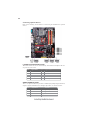
The following illustration shows the location of the motherboard jumpers. Pin 1 is
labeled.
Jumper Settings
Jumper
Type
Description
Setting (default)
CLR_CMOS 3-pin CLEAR CMOS
1-2: NORMAL
2-3: CLEAR
Before clearing the
1
CMOS, make sure to
turn the system off. CLR_CMOS
Rear USB/PS2
USBPWR_R1~2 3-pin Power Select
Jumper
1-2: VCC5
2-3: 5VSB
1
USBPWR_R1~2
Front Panel
USBPWR_F1~2 3-pin USB Power
Select Jumper
1-2: VCC5
2-3: 5VSB
1
USBPWR_F1~2
1. To avoid the system instability after clearing CMOS, we recommend
users to enter the main BIOS setting page to “Load Default Settings”
and then “Save & Exit Setup”.
2. Make sure the power supply provides enough 5VSB voltage before selecting the 5VSB function.
3. It is required that users place the USBPWR_F1~2 & USBPWR_R1~2
cap onto 2-3 pin rather than 1-2 pin as default if you want to wake up
the computer by USB/PS2 KB/Mouse.
Installing the Motherboard
10
Installing Hardware
Installing the Processor
Caution: When installing a CPU heatsink and cooling fan make sure that
you DO NOT scratch the motherboard or any of the surface-mount resistors with the clip of the cooling fan. If the clip of the cooling fan scrapes
across the motherboard, you may cause serious damage to the motherboard
or its components.
On most motherboards, there are small surface-mount resistors near the
processor socket, which may be damaged if the cooling fan is carelessly
installed.
Avoid using cooling fans with sharp edges on the fan casing and the clips.
Also, install the cooling fan in a well-lit work area so that you can clearly
see the motherboard and processor socket.
Before installing the Processor
This motherboard automatically determines the CPU clock frequency and system
bus frequency for the processor. You may be able to change the settings in the system
Setup Utility. We strongly recommend that you do not over-clock processors or
other components to run faster than their rated speed.
Warning:
1. Over-clocking components can adversely affect the reliability of the
system and introduce errors into your system. Over-clocking can permanently damage the motherboard by generating excess heat in components
that are run beyond the rated limits.
2. Always remove the AC power by unplugging the power cord from the
power outlet before installing or removing the motherboard or other hardware components.
This motherboard has an LGA775 socket. When choosing a processor, consider the
performance requirements of the system. Performance is based on the processor
design, the clock speed and system bus frequency of the processor, and the quantity
of internal cache memory and external cache memory.
Installing the Motherboard
11
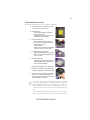
CPU Installation Procedure
The following illustration shows CPU installation components.
A. Read and follow the instructions shown
on the sticker on the CPU cap.
B. Unload the cap
· Use thumb & forefinger to hold the
lifting tab of the cap.
· Lift the cap up and remove the cap
completely from the socket.
C. Open the load plate
· Use thumb & forefinger to hold the
hook of the lever, pushing down and
pulling aside unlock it.
· Lift up the lever.
· Use thumb to open the load plate. Be
careful not to touch the contacts.
D. Install the CPU on the socket
· Orientate CPU package to the socket.
Make sure you match triangle marker
to pin 1 location.
E. Close the load plate
· Slightly push down the load plate onto
the tongue side, and hook the lever.
· CPU is locked completely.
F.
Apply thermal grease on top of the CPU.
G. Fasten the cooling fan supporting base
onto the CPU socket on the motherboard.
H. Make sure the CPU fan is plugged to the
CPU fan connector. Please refer to the
CPU cooling fan user’s manual for more
detail installation procedure.
1. To achieve better airflow rates and heat dissipation, we suggest
that you use a high quality fan with 3800 rpm at least. CPU fan and
heatsink installation procedures may vary with the type of CPU fan/
heatsink supplied. The form and size of fan/heatsink may also vary.
2. DO NOT remove the CPU cap from the socket before installing a
CPU.
3. Return Material Authorization (RMA) requests will be accepted
only if the motherboard comes with the cap on the LGA775 socket.
Installing the Motherboard
12
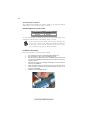
Installing Memory Modules
This motherboard accommodates four memory modules. It can support four 240-pin
DDR2 800/667. The total memory capacity is 16 GB.
DDR2 SDRAM memory module table
Memory module
Memory Bus
DDR2 667
333 MHz
DDR2 800
400 MHz
You must install at least one module in any of the four slots. Each module can be
installed with 4 GB of memory; total memory capacity is 16 GB.
Do not remove any memory module from its antistatic packaging until
you are ready to install it on the motherboard. Handle the modules only
by their edges. Do not touch the components or metal parts. Always
wear a grounding strap when you handle the modules.
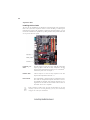
Installation Procedure
Refer to the following to install the memory modules.
1
2
3
4
5
6
This motherboard supports unbuffered DDR2 SDRAM only.
Push the latches on each side of the DIMM slot down.
Align the memory module with the slot. The DIMM slots are keyed with
notches and the DIMMs are keyed with cutouts so that they can only be
installed correctly.
Check that the cutouts on the DIMM module edge connector match the
notches in the DIMM slot.
Install the DIMM module into the slot and press it firmly down until it
seats correctly. The slot latches are levered upwards and latch on to
the edges of the DIMM.
Install any remaining DIMM modules.
Installing the Motherboard
13
Table A: DDR2 (memory module) QVL (Qualified Vendor List)
The following DDR2 800/667 memory modules have been tested and qualified for
use with this motherboard.
Ty pe
Size
Vend or
A -D A T A
5 12 M B
A p ac er
78. 91G 92. 9K5
A U 51 082-6 67P 005
Co rs air
64M 8C F E P S 1000 545
I nf init y
054 7W 64M 8 P C 53 00
M icr on
M T 4H T F 6464 A Y -6 67E 1
P SC
A L 6E 8E 63J -6E 1
S am s un g
K 4 T 5108 3Q C
A -D A T A
A p ac er
AP OGE E
1 GB
AD 29 608A 88-3 E G
M 2O A D5 G 3H 31 66I 1C 52
AP OGE E
T wi nm os
D DR 2 66 7
M o dule Na me
8D 23J K -T T
T M M 6208 G 8M 30 B
M 2O A D5 G 3I 417 6I 1C 52
7 8. 01G 9 O . 9K 5
E lpida 1 G B A M 4B 57 08G E W S 7E 0637 F
AU 1G 082-6 67P 005
I nf ineo n
HY B 18 T5 1280 0B F 3S
M icr on
M T8 HT F 128 64A Y -66 7E 1
A L7E 8E63 B -6E 1T
P SC
A L 7E 8E 63J -6E 1
A L7E 8F 73C -6E 1
2 GB
T wi nm os
8D 23 K K -T T
A ene on
A E T 860U D 00 -30D B 0 8X
A p ac er
78. A 1G 9O .9 K4
H y nix
H Y M P 1 25U 64A P 8-Y 5-A B -A
Le ad M ax
Lea d Ma x LD 5P S 1G 831
P SC
A L8E 8F 73C -6E 1
Q im on da
H Y S 6 4T 2560 20E U-3 S -C 2
A -D A T A
M 2O A D 6G 3H 31 60I 1E 53
I nf init y
5 12 M B
K ings t on
K V R 800D 2 N5 /51 2
M icr on
D DR 2 80 0
1 GB
MT 8H T F 646 4A Y -80E D4
U M AX
U 2 S 12D 30 TP -8E
A ene on
A E T7 60U D 00-2 5D C0 8X
A p ac er
78. 01 G A 0 .9K 5
I nf init y
0 4701 G 16C Z 5U 2G
K ings t on
2 GB
0475 1208 C Z5 U2 D
K H X 6400 D 2U LK2/ 1G
K H X 6400 D 2U LK2/ 2G
K V R8 00D 2N 5/ 1G
H e xon
N C P T 7A UD R -25 M4 8
A ene on
A E T8 60U D 00-2 5D C0 8X
A p ac er
7 8. A 1G A 0. 9K 4
M icr on
M T 16H T F 2566 4A Y -800E 1
P SC
A L8E 8F 73C -8E 1
Q im on da
HY S 64 T2 5602 0E U -25 F-C 2
Installing the Motherboard
14
Expansion Slots
Installing Add-on Cards
The slots on this motherboard are designed to hold expansion cards and connect
them to the system bus. Expansion slots are a means of adding or enhancing the
motherboard’s features and capabilities. With these efficient facilities, you can
increase the motherboard’s capabilities by adding hardware that performs tasks that
are not part of the basic system.
PCIE16X_1~2
Slots
The PCI Express x16 slots are used to install the external PCI
Express graphics cards that are fully compliant to the PCI
Express Base Specification Revision 2.0. For CrossFireX TM
information please refer to Chapter 5.
PCIE1/3 Slots
The PCI Express x1 slots are fully compliant to the PCI
Express Base Specification Revision 1.1.
PCI2~3 Slots
This motherboard is equipped with two standard PCI slots.
PCI stands for Peripheral Component Interconnect and is a
bus standard for expansion cards, which for the most part, is a
supplement of the older ISA bus standard. The PCI slots on
this board are PCI v2.3 compliant.
Before installing an add-on card, check the documentation for the card
carefully. If the card is not Plug and Play, you may have to manually
configure the card before installation.
Installing the Motherboard
15
Follow these instructions to install an add-on card:
1
2
3
Remove a blanking plate from the system case corresponding to the
slot you are going to use.
Install the edge connector of the add-on card into the expansion slot.
Ensure that the edge connector is correctly seated in the slot.
Secure the metal bracket of the card to the system case with a screw.
For some add-on cards, for example graphics adapters and network
adapters, you have to install drivers and software before you can begin
using the add-on card.
Installing the Motherboard
16
Connecting Optional Devices
Refer to the following for information on connecting the motherboard’s optional
devices:
F_AUDIO: Front Panel Audio header
This header allows the user to install auxiliary front-oriented microphone and lineout ports for easier access.
Pin
Pin
1
3
5
7
9
Signal Name
Signal Name
PORT 1L
2
Signal Name
Function
AUD_GND
PORT 1R
4
PRESENCE#
PORT 2R
6
SENSE1_RETURN
SENSE_SEND
8
10
SENSE2_RETURN
PORT 2L
Pin
KEY
SPDIFO: SPDIF out header
This is an optional header that provides an S/PDIF (Sony/Philips Digital Interface)
output to digital multimedia device through optical fiber or coaxial connector.
Pin
1
2
3
4
Signal Name
Function
SPDIF
SPDIF digital output
+5VA
5V analog Power
Key
No pin
GND
Ground
Installing the Motherboard
17
F_USB1~3: Front Panel USB headers
The motherboard has six USB ports installed on the rear edge I/O port array. Additionally, some computer cases have USB ports at the front of the case. If you have
this kind of case, use auxiliary USB connector to connect the front-mounted ports to
the motherboard.
Pin
1
2
3
4
5
6
7
8
9
10
Signal Name
Function
USBPWR
Front Panel USB Power
USBPWR
Front Panel USB Power
USB_FP_P0-
USB Port 0 Negative Signal
USB_FP_P1-
USB Port 1 Negative Signal
USB_FP_P0+
USB Port 0 Positive Signal
USB_FP_P1+
USB Port 1 Positive Signal
GND
Ground
GND
Ground
Key
No pin
NC
Not connected
Please make sure that the USB cable has the same pin assignment as
indicated above. A different pin assignment may cause damage or system
hang-up.
SATA1~6: Serial ATA connectors
These connectors are used to support the new Serial ATA devices for the highest date
transfer rates (3.0 Gb/s), simpler disk drive cabling and easier PC assembly. It eliminates limitations of the current Parallel ATA interface. But maintains register compatibility and software compatibility with Parallel ATA.
Pin
1
3
5
7
Signal Name
Ground
TXRXGround
Pin
2
4
6
-
Signal Name
TX+
Ground
RX+
-
CD_IN: Analog Audio Input connector
Pin
1
2
3
4
Signal Name
Function
CD_L
CD In left channel
GND
Ground
GND
CD_R
Ground
CD In right channel
Installing the Motherboard
18
Installing a Hard Disk Drive/CD-ROM/SATA Hard Drive
This section describes how to install IDE devices such as a hard disk drive and a CDROM drive.
About IDE Devices
Your motherboard has one IDE interface. An IDE ribbon cable supporting two IDE
devices is bundled with the motherboard.
You must orient the cable connector so that the pin1 (color) edge of the
cable corresponds to the pin 1 of the I/O port connector.
IDE: IDE Connector
This motherboard supports six high data transfer SATA ports with each runs up to 3.0
Gb/s. To get better system performance, we recommend users connect the CD-ROM
to the IDE channel, and set up the hard drives on the SATA ports.
IDE devices enclose jumpers or switches used to set the IDE device as MASTER or
SLAVE. Refer to the IDE device user’s manual. Installing two IDE devices on one
cable, ensure that one device is set to MASTER and the other device is set to SLAVE.
The documentation of your IDE device explains how to do this.
About SATA Connectors
Your motherboard features six SATA connectors supporting a total of six drives.
SATA refers to Serial ATA (Advanced Technology Attachment) is the standard interface for the IDE hard drives which are currently used in most PCs. These connectors
are well designed and will only fit in one orientation. Locate the SATA connectors on
the motherboard and follow the illustration below to install the SATA hard drives.
Installing Serial ATA Hard Drives
To install the Serial ATA (SATA) hard drives, use the SATA cable that supports the
Serial ATA protocol. This SATA cable comes with a SATA power cable. You can
connect either end of the SATA cable to the SATA hard drive or the connector on the
motherboard.
SATA cable
(optional)
SATA power cable
Installing the Motherboard
(optional)
19
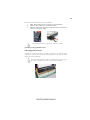
Refer to the illustration below for proper installation:
1
2
3
Attach either cable end to the connector on the motherboard.
Attach the other cable end to the SATA hard drive.
Attach the SATA power cable to the SATA hard drive and connect the
other end to the power supply.
This motherboard does not support the “Hot-Plug” function.
Installing a Floppy Diskette Drive
FDD: Floppy Disk Connector
Connect the single end of the of the floppy connector to the onboard floppy
connector firstly, and then connect the remaining plugs on the other end to the
floppy drives correspondingly.
You must orient the cable connector so that the pin 1 (color) edge of
the cable corresponds to the pin 1 of the I/O port connector.
Installing the Motherboard
20
Connecting I/O Devices
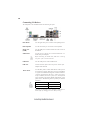
The backplane of the motherboard has the following I/O ports:
PS2 Mouse
Use the upper PS/2 port to connect a PS/2 pointing device.
PS2 Keyboard
Use the lower PS/2 port to connect a PS/2 keyboard.
Serial Port
(COM)
Use the COM port to connect serial devices such as mice or
fax/modems.
eSATA Port
Use this port to connect to an external SATA box or a
Serial ATA port multiplier.
Before connecting the eSATA cable, make sure to turn off
the power of the external enclosure.
USB Ports
Use the USB ports to connect USB devices.
LAN Port
Connect an RJ-45 jack to the LAN port to connect your
computer to the network.
Audio Ports
Use the audio jacks to connect audio devices. The D port is
for stereo line-in signal, while the F port is for microphone
in signal. This motherboard supports 8-channel audio devices that correspond to the A,B, C, and E port respectively. In addition, all of the 3 ports, B, C, and E provide
users with both right & left channels individually. Users
please refer to the following note for specific port function
definition.
A: Center & Woofer
D: Line-in
B: Back Surround
E: Front Out
C: Side Surround
F: Mic_in Rear
The above port definition can be changed to audio input or
audio output by changing the driver utility setting.
Installing the Motherboard
21
Connecting Case Components
After you have installed the motherboard into a case, you can begin connecting the
motherboard components. Refer to the following:
1
2
3
4
5
6
7
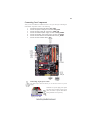
Connect the CPU cooling fan cable to CPU_FAN1.
Connect the system cooling fan connector to SYS_FAN1.
Connect the case cooling fan connector to CASE_FAN.
Connect the standard power supply connector to ATX_POWER.
Connect the auxiliary case power supply connector to ATX12V.
Connect the case switches and indicator LEDs to the F_PANEL.
Connect the case speaker cable to SPK.
Connecting 24-pin power cable
The ATX 24-pin connector allows you to connect to ATX v2.x power
supply.
With ATX v2.x power supply, users please
note that when installing 24-pin power
cable, the latches of power cable and the
ATX_POWER match perfectly.
24-pin power cable
Installing the Motherboard
22
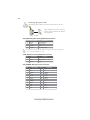
Connecting 4-pin power cable
The ATX12V power connector is used to provide power to the CPU.
When installing 4-pin power cable, the
latches of power cable and the ATX12V
match perfectly.
4-pin power cable
CPU_FAN1/SYS_FAN1: Cooling FAN Power Connector
Pin
1
2
3
4
Signal Name
Function
System Ground
Power +12V
Sensor
CPU FAN control
GND
+12V
Sense
Control
Users please note that the fan connector supports the CPU cooling fan of
1.1A ~ 2.2A (26.4W max) at +12V.
CASE_FAN: Case cooling FAN Power Connector
Pin
1
2
3
Signal Name
Function
System Ground
Power +12V
Sensor
GND
+12V
Sense
ATX_POWER: ATX 24-pin Power Connector
Pin
1
2
3
4
5
6
7
8
9
10
11
12
Signal Name
+3.3V
+3.3V
Ground
+5V
Ground
+5V
Ground
PWRGD
+5VSB
+12V
+12V
+3.3V
Pin
13
14
15
16
17
18
19
20
21
22
23
24
Signal Name
+3.3V
-12V
Ground
PS_ON
Ground
Ground
Ground
-5V
+5V
+5V
+5V
Ground
Installing the Motherboard
23
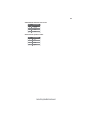
ATX12V: ATX 12V Power Connector
Pin
1
2
3
4
Signal Name
Ground
Ground
+12V
+12V
SPK: Internal speaker header
Pin
1
2
3
4
Signal Name
VCC
Key
GND
Signal
Installing the Motherboard
24
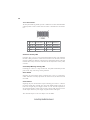
Front Panel Header
The front panel header (F_PANEL) provides a standard set of switch and LED headers
commonly found on ATX or Micro ATX cases. Refer to the table below for information:
Pin
Signal
Function
Pin
Signal
Function
1
HD_LED_P Hard disk LED (+) 2
FP PWR/SLP *MSG LED (+)
3
HD_LED_N Hard disk LED (-)
4
FP PWR/SLP *MSG LED (-)
5
RST_SW_N Reset Switch (-)
6
PWR_SW_P Power Switch (+)
7
RST_SW_P
Reset Switch (+)
8
PWR_SW_N Power Switch (-)
9
RSVD
Reserved
10 Key
No pin
* MSG LED (dual color or single color)
Hard Drive Activity LED
Connecting pins 1 and 3 to a front panel mounted LED provides visual indication
that data is being read from or written to the hard drive. For the LED to function
properly, an IDE drive should be connected to the onboard IDE interface. The LED
will also show activity for devices connected to the SCSI (hard drive activity LED)
connector.
Power/Sleep/Message waiting LED
Connecting pins 2 and 4 to a single or dual-color, front panel mounted LED provides
power on/off, sleep, and message waiting indication.
Reset Switch
Supporting the reset function requires connecting pins 5 and 7 to a momentarycontact switch that is normally open. When the switch is closed, the board resets and
runs POST.
Power Switch
Supporting the power on/off function requires connecting pins 6 and 8 to a momentary-contact switch that is normally open. The switch should maintain contact for at
least 50 ms to signal the power supply to switch on or off. The time requirement is
due to internal de-bounce circuitry. After receiving a power on/off signal, at least two
seconds elapses before the power supply recognizes another on/off signal.
This concludes Chapter 2. The next chapter covers the BIOS.
Installing the Motherboard
25
Chapter 3
Using BIOS
About the Setup Utility
The computer uses the latest “American Megatrends Inc. ” BIOS with support for
Windows Plug and Play. The CMOS chip on the motherboard contains the ROM
setup instructions for configuring the motherboard BIOS.
The BIOS (Basic Input and Output System) Setup Utility displays the system ’ s
configuration status and provides you with options to set system parameters. The
parameters are stored in battery-backed-up CMOS RAM that saves this information
when the power is turned off. When the system is turned back on, the system is
configured with the values you stored in CMOS.
The BIOS Setup Utility enables you to configure:
•
Hard drives, diskette drives and peripherals
•
Video display type and display options
•
Password protection from unauthorized use
•
Power Management features
The settings made in the Setup Utility affect how the computer performs. Before
using the Setup Utility, ensure that you understand the Setup Utility options.
This chapter provides explanations for Setup Utility options.
The Standard Configuration
A standard configuration has already been set in the Setup Utility. However, we
recommend that you read this chapter in case you need to make any changes in the
future.
This Setup Utility should be used:
•
when changing the system configuration
•
when a configuration error is detected and you are prompted to make
changes to the Setup Utility
•
when trying to resolve IRQ conflicts
•
when making changes to the Power Management configuration
•
when changing the password or making other changes to the Security
Setup
Entering the Setup Utility
When you power on the system, BIOS enters the Power-On Self Test (POST)
routines. POST is a series of built-in diagnostics performed by the BIOS. After the
POST routines are completed, the following message appears:
Press DEL to enter SETUP
Using BIOS
26
Press the delete key to access the BIOS Setup Utility.
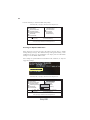
CMOS Setup Utility -- Copyright (C) 1985-2008, American Megatrends, Inc.
f Standard CMOS Setup
f Advanced Setup
f Advanced Chipset Setup
f Integrated Peripherals
f Power Management Setup
f PCI/PnP Setup
f PC Health Status
fM.I.B. (MB Intelligent BIOS)
Load Default Settings
fSupervisor Password
fUser Password
Save & Exit Setup
Exit Without Saving
mn < > : Move
Enter : Select
F1:General Help
+/-/: Value F10: Save ESC: Exit
F9: Load Default Settings
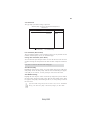
v02.61 (C)Copyright 1985-2008, American Mega trends, Inc.
Resetting the Default CMOS Values
When powering on for the first time, the POST screen may show a “CMOS
Settings Wrong” message. This standard message will appear following a clear
CMOS data at factory by the manufacturer. You simply need to Load Default
Settings to reset the default CMOS values.
Note: Changes to system hardware such as different CPU, memories, etc. may also
trigger this message.
CMOS Setup Utility -- Copyright (C) 1985-2008, American Megatrends, Inc.
f Standard CMOS Setup
f Advanced Setup
f Advanced Chipset Setup
f Integrated Peripherals
f Power Management Setup
f PCI/PnP Setup
f PC Health Status
mn < > : Move
fM.I.B. (MB Intelligent BIOS)
Load Default Settings
fSupervisor Password
fUser Password
Load Default Setting?
Save & Exit Setup
[OK]
Enter : Select
F1:General Help
Exit Without Saving
[Cancel]
+/-/: Value F10: Save ESC: Exit
F9: Load Default Settings
v02.61 (C)Copyright 1985-2008, American Mega trends, Inc.
Using BIOS
27
Using BIOS
When you start the Setup Utility, the main menu appears. The main menu of the
Setup Utility displays a list of the options that are available. A highlight indicates
which option is currently selected. Use the cursor arrow keys to move the highlight
to other options. When an option is highlighted, execute the option by pressing
<Enter>.
Some options lead to pop-up dialog boxes that prompt you to verify that you wish to
execute that option. Other options lead to dialog boxes that prompt you for information.
Some options (marked with a triangle f) lead to submenus that enable you to change
the values for the option. Use the cursor arrow keys to scroll through the items in the
submenu.
In this manual, default values are enclosed in parenthesis. Submenu items are denoted
by a triangle f .
The default BIOS setting for this motherboard applies for most conditions
with optimum performance. It is not suggested to change the default
values in the BIOS setup and the manufacture takes no responsibility to
any damage caused by changing the BIOS settings.
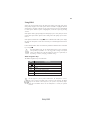
BIOS Navigation Keys
The BIOS navigation keys are listed below:
KEY
FUNCTION
ESC
Exits the current menu
mn < >
Scrolls through the items on a menu
+/-/
Enter
Modifies the selected field’s values
Select
F9
Load a default optimized setting
F10
Saves the current configuration and exits setup
F1
Displays a screen that describes all key functions
For the purpose of better product maintenance, the manufacture reserves
the right to change the BIOS items presented in this manual. The BIOS
setup screens shown in this chapter are for reference only and may differ
from the actual BIOS. Please visit the manufacture’s website for updated
manual.
Using BIOS
28
Standard CMOS Setup
This option displays basic information about your system.
CMOS Setup Utility -- Copyright (C) 1985-2008, American Megatrends, Inc.
Standard CMOS Setup
Date
Time Alarm (hh:mm:ss)
Tue 03/25/2008
00:02:19
f
f
f
f
f
f
Not Detected
Not Detected
Not Detected
Not Detected
Not Detected
Not Detected
SATA1
SATA2
SATA3
SATA4
SATA5
SATA6
IDE BusMaster
Enabled
Drive A:
1.44 MB 31/2”
mn < >
Help Item
Use [Enter], [TAB]
or [SHIFT-TAB] to
select a field.
Use [+] or [-] to
configure system Date.
: Move Enter : Select +/-/: Value F10: Save ESC: Exit
F1: General Help
F9: Load Default settings
Date & Time
The Date and Time items show the current date and time on the computer. If you are
running a Windows OS, these items are automatically updated whenever you make
changes to the Windows Date and Time Properties utility.
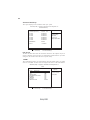
f SATA1
This motherboard supports six SATA channels and each channel allows one SATA
device to be installed. Use these items to configure each device on the SATA channel.
CMOS Setup Utility - - Copyright (C) 1985-2008, American Megatrends, Inc.
SATA1
SATA1
Device :
Help Item
Not Detected
Type
LBA/Large Mode
Block (Multi-Sector Transfer
PIO Mode
DMA Mode
S.M.A.R.T
32Bit Data Transfer
mn < >
Auto
Auto
Auto
Auto
Auto
Auto
Enabled
Select the type
of device connected
to the system.
: Move Enter : Select +/-/: Value F10: Save ESC: Exit
F1: General Help
F9: Load Default settings
Using BIOS
29
Type (Auto)
Use this item to configure the type of the IDE device that you specify. If the feature
is enabled, it will enhance hard disk performance by reading or writing more data
during each transfer.
LBA/Large Mode (Auto)
Use this item to set the LAB/Large mode to enhance hard disk performance by
optimizing the area the hard disk is visited each time.
Block (Multi-Sector Transfer (Auto)
If the feature is enabled, it will enhance hard disk performance by reading or writing
more data during each transfer.
PIO Mode (Auto)
Use this item to set the PIO mode to enhance hard disk performance by optimizing
the hard disk timing.
DMA Mode (Auto)
DMA capability allows user to improve the transfer-speed and data-integrity for
compatible IDE devices.
S.M.A.R.T. (Auto)
The S.M.A.R.T. (Self-Monitoring, Analysis and Reporting Technology) system is a
diagnostics technology that monitors and predicts device performance. S.M.A.R.T.
software resides on both the disk drive and the host computer.
32Bit Data Transfer (Enabled)
Use this item to enable or disable 32Bit Data Transfer.
Press <Esc> to return to the Standard CMOS Setup page.
IDE BusMaster (Enabled)
This item enables or disables the DMA under DOS mode. We recommend you to leave
this item at the default value.
Drive A: (1.44 MB 31/2”)
This item defines the characteristics of any diskette drive attached to the system.
Only one floppy diskette drive is supported.
Press <Esc> to return to the main menu setting page.
Using BIOS
30
Advanced Setup
This page sets up more advanced information about your system. Handle this page
with caution. Any changes can affect the operation of your computer.
CMOS Setup Utility - Copyright (C) 1985-2008, American Megatrends, Inc.
Advanced Setup
Thermal Management
TM Status
Limit CPUID MaxVal
Enhanced Halt (C1E)
Intel XD Bit
Intel EIST
Intel Virtualization Technol
Quick Power on Self Test
Boot Up Numlock Status
APIC Mode
1st Boot Device
2nd Boot Device
3rd Boot Device
f Removable Drives
Boot Other Device
ECS eJIFFY Function
mn < >
Enabled
TM1/TM2
Disabled
Enabled
Disabled
Enabled
Enabled
Enabled
ON
Enabled
Hard Drive
CD/DVD
1st FLOPPY DRIVE
Press Enter
Yes
Disabled
Help Item
For the processor its
CPUID belows 0F41h.
TM2 only can be enbale
under below setting.
1. Freq.>=3.6GHz FSB800
2. Freq.>=2.8GHz FSB533
: Move Enter : Select +/-/: Value F10: Save ESC: Exit
F1: General Help
F9: Load Default settings
Thermal Management (Enabled)
This item displays CPU’s temperature and enables you to set a safe temperature to
Prescott CPU.
TM Status (TM1/TM2)
This item displays CPU Monitor status.
Limit CPUID MaxVal (Disabled)
Use this item to enable or disable the Max CPU ID value limit. When suppports
Prescott and LGA775 CPUs, enables this to prevent the system from “rebooting”
when trying to install Windows NT 4.0.
Enhanced Halt (C1E)
This item enables or disables enhanced halt.
Intel XD Bit (Disabled)
This item enables or disables the Intel XD Bit technology.
Intel EIST (Enabled)
This item allows users to enable or disable the EIST (Enhanced Intel Speedstep
Technology) function. This item shows only if the CPU supports EIST.
Intel Virtualization Technol (Enabled)
When enabled, a VMM can utilize the additional hardware capabilities provided by
Vandor Pool Technology.
Quick Power on Self Test (Enabled)
Enable this item to shorten the power on testing (POST) and have your system start
up faster. You might like to enable this item after you are confident that your system
hardware is operating smoothly.
Using BIOS
31
Boot Up Numlock Status (ON)
This item defines if the keyboard Num Lock key is active when your system is
started.
APIC Mode (Enabled)
This item allows you to enable or disable the APCI (Advanced Programmable Interrupt Controller) mode. APIC provides symmetric multi-processing (SMP) for systems, allowing support for up to 60 processors.
1st/2nd/3rd Boot Device (Hard Drive/CD/DVD/1st FLOPPY DRIVE)
Use this item to determine the device order the computer used to look for an
operating system to load at start-up time. The devices showed here will be different
depending on the exact devices installed on your motherboard.
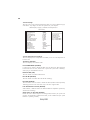
f Removable Drives (Press Enter)
Scroll to this item and press <Enter> to view the following screen:
CMOS Setup Utility - Copyright (C) 1985-2008, American Megatrends, Inc.
Removable Drives
Help Item
Removable Drives
1st Drive
mn < >
1st FLOPPY DRIVE
Specifies the boot
sequence from the
available devices.
: Move Enter : Select +/-/: Value F10: Save ESC: Exit
F1: General Help
F9: Load Default settings
Press <Esc> to return to the Advanced Setup page.
Boot Other Device (Yes)
When enabled, the system searches all other possible locations for an operating
system if it fails to find one in the devices specified under the First, Second and Third
boot devices.
ECS eJIFFY Function (Disabled)
Use this item to enable or disable the ECS eJIFFY Function. eJIFFY is ECS unique
software program for the quick access to the internet without entering O.S. Please
refer to Chapter 7 to know more about eJIFFY.
Press <Esc> to return to the main menu setting page.
Using BIOS
32
Advanced Chipset Setup
This page sets up more advanced information about your system. Handle this page
with caution. Any changes can affect the operation of your computer.
CMOS Setup Utility - Copyright (C) 1985-2008, American Megatrends, Inc.
Advanced Chipset Setup
Memory Remap Feature
HPET
Enabled
Enabled
Help Item
ENABLE: Allow
remapping of overlapped
PCI memory above the
total physical memory.
DISABLE: Do not allow
remapping of memory.
mn < >
: Move Enter : Select +/-/: Value F10: Save ESC: Exit
F1: General Help
F9: Load Default settings
Memory Remap Feature (Enabled)
This item allows users to enable or disable memory hole remapping.
HPET (Enabled)
This item enables or disables HPET (High Precision Event Timer) support.
Press <Esc> to return to the main menu setting page.
Using BIOS
33
Integrated Peripherals
This page sets up some parameters for peripheral devices connected to the system.
CMOS Setup Utility - Copyright (C) 1985-2008, American Megatrends, Inc.
Integrated Peripherals
Onboard SATA Mode
SATA Configuration
Onboard LAN Function
Onboard LAN Boot ROM
Onboard AUDIO Function
Serial Port1 Address
USB Functions
Legacy USB Support
On Chip SATA2 Controller
mn < >
Enhanced
IDE
Enabled
Disabled
Enabled
3F8/IRQ4
Enabled
Enabled
AHCI+IDE Mode
Help Item
Options
Disabled
Compatible
Enhanced
: Move Enter : Select +/-/: Value F10: Save ESC: Exit
F1: General Help
F9: Load Default settings
Onboard SATA Mode (Enhanced)
Use this item to select the mode of the Serial ATA.
SATA Configuration (IDE)
Use this item to show the Serial ATA Configuration options.
OnBoard LAN Function (Enabled)
Use this item to enable or disable the onboard LAN function.
OnBoard LAN Boot ROM (Disabled)
Use this item to enable or disable the booting from the onboard LAN or a network
add-in card with a remote boot ROM installed.
Onboard AUDIO Function (Enabled)
Use this item to enable or disable the onboard Audio function.
Serial Port1 Address (3F8/IRQ4)
Use this item to enable or disable the onboard COM1 serial port, and to assign a port
address.
USB Functions (Enabled)
Use this item to enable or disable the USB function.
Legacy USB Support (Enabled)
Use this item to enable or disable support for legacy USB devices.
On Chip SATA2 Controller (AHCI+IDE Mode)
This item allows you to enable or disable the onchip Serial ATA controller.
Press <Esc> to return to the main menu setting page.
Using BIOS
34
Power Management Setup
This page sets up some parameters for system power management operation.
CMOS Setup Utility - Copyright (C) 1985-2008, American Megatrends, Inc.
Power Management Setup
ACPI Suspend Type
Soft-off by PWR-BTTN
PWRON After PWR-Fail
Resume by Ring
Resume By PCI/PCI-E/Lan PME
Resume by USB (S3)
Resume By PS2 KB (S3)
Resume By PS2 MS (S3)
Resume on RTC Alarm
mn < >
S3 (STR)
Instant Off
Power Off
Disabled
Disabled
Disabled
Disabled
Disabled
Disabled
Help Item
Select the ACPI
state used for
System Suspend.
: Move Enter : Select +/-/: Value F10: Save ESC: Exit
F1: General Help
F9: Load Default settings
ACPI Suspend Type (S3)
Use this item to define how your system suspends. In the default, S3, the suspend
mode is a suspend to RAM, i.e, the system shuts down with the exception of a refresh
current to the system memory.
Soft-off by PWR-BTTN (Instant off)
Under ACPI (Advanced Configuration and Power management Interface) you can
create a software power down. In a software power down, the system can be resumed
by Wake Up Alarms. This item lets you install a software power down that is controlled by the power button on your system. If the item is set to Instant-Off, then the
power button causes a software power down. If the item is set to Delay 4 Sec, then
you have to hold the power button down for four seconds to cause a software power
down.
PWRON After PWR-Fail (Power Off)
This item enables your computer to power off, automatically restart or return to its
previous status after abnormal power lost.
Resume By Ring (Disabled)
The system can be turned off with a software command. If you enable this item, the
system can automatically resume if there is an incoming call on the Modem. You
must use an ATX power supply in order to use this feature.
Resume By PCI/PCI-E/Lan PME (Disabled)
The system can be turned off with a software command. If you enable this item, the
system can automatically resume if there is an incoming call on the PCI Modem or
PCI LAN card. You must use an ATX power supply in order to use this feature. Use
this item to do wake-up action if inserting the PCI card.
Resume By PS2 KB (S3) (Disabled)
This item enables or disables you to allow keyboard activity to awaken the system
from S3 mode.
Using BIOS
35
Resume By PS2 MS (S3) (Disabled)
This item enables or disables you to allow mouse activity to awaken the system from
S3 mode.
Resume By USB (S3) (Disabled)
This item allows you to enable/disable the USB device wakeup function from S3
mode.
Resume on RTC Alarm (Disabled)
The system can be turned off with a software command. If you enable this item, the
system can automatically resume at a fixed time based on the system’s RTC (realtime
clock). Use the items below this one to set the date and time of the wake-up alarm.
You must use an ATX power supply in order to use this feature.
Press <Esc> to return to the main menu setting page.
PCI / PnP Setup
This page sets up some parameters for devices installed on the PCI bus and those
utilizing the system plug and play capability.
CMOS Setup Utility - Copyright (C) 1985-2008, American Megatrends, Inc.
PCI / PnP Setup
Init Display First
Allocate IRQ to PCI VGA
mn < >
PCI
Yes
Help Item
Select which graphics
controller to use as the
primary boot device.
: Move Enter : Select +/-/: Value F10: Save ESC: Exit
F1: General Help
F9: Load Default settings
Init Display First (PCI)
Use this item to select which graphics controller to use as the primary boot devices.
Allocate IRQ to PCI VGA (Yes)
Press <Esc> to return to the main menu setting page.
Using BIOS
36
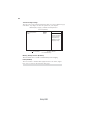
PC Health Status
On motherboards support hardware monitoring, this item lets you monitor the
parameters for critical voltages, temperatures and fan speeds.
CMOS Setup Utility - Copyright (C) 1985-2008, American Megatrends, Inc.
PC Health Status
-=- System Hardware Monitor -=f Smart Fan Function
Press Enter
: 32°C/89°F
System Temperature
CPU FAN Speed
: 2576 RPM
SYS FAN Speed
: N/A
CPU Core
: 1.040 V
VDIMM
: 1.792 V
-=- PECI Mode -=Offset to TCC Activation Temp.
: -70
mn < >
Help Item
: Move Enter : Select +/-/: Value F10: Save ESC: Exit
F1: General Help
F9: Load Default settings
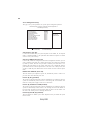
f Smart Fan Function
Scroll to this item and press <Enter> to view the following screen:
CMOS Setup Utility - Copyright (C) 1985-2008, American Megatrends, Inc.
Smart Fan Function
CPU SMART FAN Control
SYS SMART FAN Control
Disabled
Disabled
Help Item
Options
Disabled
Enabled
mn < >
: Move Enter : Select +/-/: Value F10: Save ESC: Exit
F1: General Help
F9: Load Default settings
CPU/SYS SMART FAN Control (Disabled)
These items enable you to define the CPU/System temperatur by smartly adjustingthe
CPU/System fan. When it is set at certain temperature, the CPU/SYS Fan PWM
value will change accordingly.
Press <Esc> to return to the PC Health Status page.
Using BIOS
37
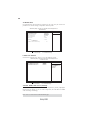
ECS supports the latest PECI host technology. While using Wolfdale or
Yorkfield CPU, the original images of the BIOS item “PC Health Status” and
“Smart FAN Function” will be replaced by PECI mode and negative number. (The max data from PECI is zero.)
CMOS Setup Utility - Copyright (C) 1985-2008, American Megatrends, Inc.
PC Health Status
Help Item
Hardware Health Event Monitoring
fSmart Fan Function
Press Enter
33°C/91°F
2537 RPM
0 RPM
1.280V
1.840V
System Temperature
CPU Fan Speed:
SYS FAN Speed:
CPU Vcore:
VDIMM:
-=- PECI Mode-=Offset to TCC Activation Temp.:
-20
mnlk : Move
Enter : Select +/-/: Value F10: Save ESC: Exit
F1:General Help
F9: Optimized Defaults
CMOS Setup Utility - Copyright (C) 1985-2008, American Megatrends, Inc.
Smart Fan Function
SMART Fan Control
SMART Fan start PWM value
SMART Fan start Offset (-)
CPU DeltaT
Fan1 Slope PWM value/1 Unit
Fan1 Full Speed Offset (-)
SMART Fan2 Control
Enabled
28
30
+3
5
10
Disabled
Help Item
Options
Disabled
Enabled
mnlk : Move
Enter : Select +/-/: Value F10: Save ESC: Exit
F1:General Help
F9: Optimized Defaults
Press <Esc> to return to the PC Health Status page.
System Component Characteristics
These items display the monitoring of the overall inboard hardware health events,
such as System & CPU temperature, CPU & DIMM voltage, CPU & system fan
speed,...etc.
•
System Temperature
•
CPU FAN Speed
•
SYS FAN Speed
•
CPU Core
•
VDIMM
•
Offset to TCC Activation Temp.
Press <Esc> to return to the main menu setting page.
Using BIOS
38
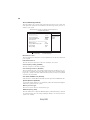
M.I.B. (MB Intelligent BIOS)
This page enables you to set the clock speed and system bus for your system. The
clock speed and system bus are determined by the kind of processor you have installed in your system.
CMOS Setup Utility - Copyright (C) 1985-2008, American Megatrends, Inc.
M.I.B. (MB Intelligent BIOS)
Manufacturer: Intel
Ratio Actual Value: 8
CPU Frequency Setting :
Over-clocking Function. :
Auto Detect DIMM/PCI CIK
Spread Spectrum
Help item
333MHz
Disabled
Enabled
Enabled
Options
Disabled
Enabled
Memory Current Type: CL5/Trcd5/Trp5/Tras16
DRAM Frequency
Auto
Configure DRAM Timing by SPD
Enabled
CPU VOLTAGE
Memory Voltage
mn < >
Normal
1.90V
: Move Enter : Select +/-/: Value F10: Save ESC: Exit
F1: General Help
F9: Load Default settings
Manufacturer: Intel
This item displays the information of current manufacturer of the CPU installed in
your computer.
Ratio Actual Value: 8
This item shows the actual ratio of the CPU installed in your system.
CPU Frequency Setting (333MHz)
This item is used to set the CPU Frequency.
Over-clocking Function. (Disabled)
This item decides the CPU over-clocking function/frequency installed in your system. If the over-clocking fails, please turn off the system power. And then, hold the
PageUp key ( similar to the Clear CMOS function) and turn on the power, the BIOS
will recover the safe default.
Auto Detect DIMM/PCI Clk (Enabled)
When this item is enabled, BIOS will disable the clock signal of free DIMM/PCI slots.
Spread Spectrum (Enabled)
If you enable spread spectrum, it can significantly reduce the EMI (Electro-Magnetic
Interference) generated by the system.
Memory Current Type
This item is used to show the current memory type.
DRAM Frequency (Auto)
This item enables users to adjust the DRAM frequency. The default setting is auto and
we recommend users leave the setting unchanged. Modify it at will may cause the
system to be unstable.
Using BIOS
39
Configure DRAM Timing by SPD (Enabled)
This item allows users to enable or disable the DRAM timing defined by the Serial
Presence Detect electrical. User please note that if setting this item to auto, the
following two items are not available.
CPU VOLTAGE (Normal)
This item allows users to adjust the CPU voltage.
Memory Voltage (1.90V)
This item allows users to adjust the DDR memory voltage.
Press <Esc> to return to the main menu setting page.
Using BIOS
40
Load Default Settings
This option opens a dialog box to ask if you are sure to install optimized defaults or
not. You select [OK], and then <Enter>, the Setup Utility loads all default values; or
select [Cancel], and then <Enter>, the Setup Utility does not load default values.
Supervisor Password
This page helps you install or change a password.
CMOS Setup Utility - Copyright (C) 1985-2008, American Megatrends, Inc.
Supervisor Password
Supervisor Password
Change Supervisor Password
mn < >
Help item
:Not Installed
Press Enter
Install or Change the
password.
: Move Enter : Select +/-/: Value F10: Save ESC: Exit
F1: General Help
F9: Load Default settings
Supervisor Password (Not Installed)
This item indicates whether a supervisor password has been set. If the password has
been installed, Installed displays. If not, Not Installed displays.
Change Supervisor Password (Press Enter)
You can select this option and press <Enter> to access the sub menu. You can use the
sub menu to change the supervisor password.
Press <Esc> to return to the main menu setting page.
Using BIOS
41
User Password
This page helps you install or change a password.
CMOS Setup Utility - Copyright (C) 1985-2008, American Megatrends, Inc.
User Password
User Password
: Not Installed
Change User Password
mn < >
Help item
Press Enter
Install or Change the
password.
: Move Enter : Select +/-/: Value F10: Save ESC: Exit
F1: General Help
F9: Load Default settings
User Password (Not Installed)
This item indicates whether a user password has been set. If the password has been
installed, Installed displays. If not, Not Installed displays.
Change User Password (Press Enter)
You can select this option and press <Enter> to access the sub menu. You can use the
sub menu to change the user password. This item will show if Supervisor Password is
set.
Press <Esc> to return to the main menu setting page.
Save & Exit Setup
Highlight this item and press <Enter> to save the changes that you have made in the
Setup Utility and exit the Setup Utility. When the Save and Exit dialog box appears,
select [OK] to save and exit, or select [Cancel] to return to the main menu.
Exit Without Saving
Highlight this item and press <Enter> to discard any changes that you have made in
the Setup Utility and exit the Setup Utility. When the Exit Without Saving dialog
box appears, select [OK] to discard changes and exit, or select [Cancel] to return to
the main menu.
If you have made settings that you do not want to save, use the “Exit Without
Saving” item and select [OK] to discard any changes you have made.
Using BIOS
42
Updating the BIOS
You can download and install updated BIOS for this motherboard from the
manufacturer’s Web site. New BIOS provides support for new peripherals, improvements in performance, or fixes for known bugs. Install new BIOS as follows:
1
If your motherboard has a BIOS protection jumper, change the setting to
allow BIOS flashing.
2
If your motherboard has an item called Firmware Write Protect in Advanced BIOS features, disable it. (Firmware Write Protect prevents
BIOS from being overwritten.)
3
Create a bootable system disk. (Refer to Windows online help for
information on creating a bootable system disk.)
4
Download the Flash Utility and new BIOS file from the manufacturer’s
Web site. Copy these files to the bootable device.
5
Turn off your computer and insert the bootable device in your computer. (You might need to run the Setup Utility and change the boot
priority items on the Advanced BIOS Features Setup page, to force
your computer to boot from the bootable device first.)
6
At the C:\ or A:\ prompt, type the Flash Utility program name and the file
name of the new bios and then press <Enter>. Example: AMINF340.EXE
040706.ROM
7
When the installation is complete, remove the bootable device from the
computer and restart your computer. If your motherboard has a Flash
BIOS jumper, reset the jumper to protect the newly installed BIOS from
being overwritten. The computer will restart automatically.
This concludes Chapter 3. Refer to the next chapter for information on the software
supplied with the motherboard.
Using BIOS
43
Chapter 4
Using the Motherboard Software
About the Software DVD-ROM/CD-ROM
The support software DVD-ROM/CD-ROM that is included in the motherboard package contains all the drivers and utility programs needed to properly run the bundled
products. Below you can find a brief description of each software program, and the
location for your motherboard version. More information on some programs is
available in a README file, located in the same directory as the software. Before
installing any software, always inspect the folder for files named README.TXT or
something similar. These files may contain important information that is not
included in this manual.
1. Never try to install all software from folder that is not specified for use with
your motherboard.
2. The notice of Intel HD audio installation (optional): The Intel High Definition audio functionality unexpectedly quits working in Windows Server
2003 Service Pack 1 or Windows XP Professional x64 Edition. Users need
to download and install the update packages from the Microsoft Download
Center “before” installing HD audio driver bundled in the Driver disk.
Please log on to http://support.microsoft.com/default.aspx?scid=kb;enus;901105#appliesto for more information.
Auto-installing under Windows XP/Vista/7
The Auto-install DVD-ROM/CD-ROM makes it easy for you to install the drivers and
software for your motherboard.
If the Auto-install DVD-ROM/CD-ROM does not work on your system,
you can still install drivers through the file manager for your OS (for
example, Windows Explorer). Refer to the Utility Folder Installation Notes
later in this chapter.
The support software DVD-ROM/CD-ROM disc loads automatically under Windows
XP/Vista/7. When you insert the DVD-ROM/CD-ROM disc in the DVD-ROM/CDROM drive, the autorun feature will automatically bring up the install screen. The
screen has three buttons on it, Setup, Browse CD and Exit.
If the opening screen does not appear; double-click the file “setup.exe” in
the root directory.
Using the Motherboard Software
44
Drivers Tab
Setup
Click the Setup button to run the software installation program.
Select from the menu which software you want to install.
Browse CD The Browse CD button is the standard Windows command that
allows you to open Windows Explorer and show the contents of
the support disk.
Before installing the software from Windows Explorer, look for
a file named README.TXT or something similar. This file may
contain important information to help you install the software
correctly.
Some software is installed in separate folders for different operating systems, such as Windows XP/Vista/7. Always go to the correct folder for the kind of OS you are using.
In install the software, execute a file named SETUP.EXE by
double-clicking the file and then following the instructions on the
screen.
Exit
The EXIT button closes the Auto Setup window.
Utilities Tab
Lists the software utilities that are available on the disk.
Information Tab
Displays the path for all software and drivers available on the disk.
Running Setup
Follow these instructions to install device drivers and software for the motherboard:
1.
Click Setup. The installation program begins:
The following screens are examples only. The screens and driver lists
will be different according to the motherboard you are installing.
The motherboard identification is located in the upper left-hand corner.
Using the Motherboard Software
45
2.
Click Next. The following screen appears:
3.
Check the box next to the items you want to install. The default options are recommended.
4.
Click Next run the Installation Wizard. An item installation screen appears:
5.
Follow the instructions on the screen to install the items.
Drivers and software are automatically installed in sequence. Follow the
onscreen instructions, confirm commands and allow the computer to
restart a few times to complete the installation.
Using the Motherboard Software
46
Windows Vista/7 will appear below UAC (User Account Control) message
after the system restart. You must select “Allow” to install the next driver.
Continue this process to complete the drivers installation.
Manual Installation
Insert the disk in the DVD-ROM/CD-ROM drive and locate the PATH.DOC file in the
root directory. This file contains the information needed to locate the drivers for
your motherboard.
Look for the chipset and motherboard model; then browse to the directory and path
to begin installing the drivers. Most drivers have a setup program (SETUP.EXE) that
automatically detects your operating system before installation. Other drivers have
the setup program located in the operating system subfolder.
If the driver you want to install does not have a setup program, browse to the
operating system subfolder and locate the readme text file (README.TXT or
README.DOC) for information on installing the driver or software for your operating system.
Utility Software Reference
All the utility software available from this page is Windows compliant. They are
provided only for the convenience of the customer. The following software is furnished under license and may only be used or copied in accordance with the terms of
the license.
These software(s) are subject to change at anytime without prior notice.
Please refer to the support disk for available software.
This concludes chapter 4.
Using the Motherboard Software
47
Chapter 5
ATI CrossFireXTM Technology Support
This motherboard supports the ATI CrossFireX TM Technology that allows you to
install multi-graphics processing units (GPU) graphics cards. Follow the installation
procedures in this section.
Requirements
1
2
3
4
You should have a CrossFireXTM Ready motherboard, a CrossFireXTM Edition graphics card and a CrossFireXTM ready graphics card.
Visit the ECS website (www.ecs.com.tw) for a list of qualified CrossFireXTM
ready graphics card for this motherboard.
Make sure that your graphics card driver supports the ATI CrossFireXTM
technology. Download the latest driver from the ATI website
(www.ati.com).
Make sure that your power supply unit (PSU) can provide at least the
minimum power required by your system.
Installing a single graphics card
1. Install a PCI Express x16 graphics card on the PCIE16X_1 slot.
2. Connect one end of the external cable to the graphics card.
3. Connect the loose end to the corresponding port on your monitor.
4. Connect an auxiliary power source from the power supply to the graphics card.
ATI CrossFireXTM Technology Support
48
Installing CrossFireXTM graphics cards
1. Insert the CrossFireXTM graphics cards into the PCIE16X_1 and PCIE16X_2 slots.
Make sure that the card is properly seated on the slot.
2. Connect an external cable to the CrossFireXTM ready graphics card installed on the
PCIE16X_2 slot.
External Cable
3. Connect the two CrossFireXTM Edition graphics cards installed on PCIE16X_1 and
PCIE16X_2 slots with the CrossFire Bridge.
4. Connect the external cable to the corresponding port on your monitor.
5. Connect an auxiliary power source from the power supply to the graphics cards.
ATI CrossFireXTM Technology Support
49
Table A: Supported PCI Express VGA Card List for CrossFireXTM Function
Vender
ATI
PCI-E Card
MSI RX1300 TD256E (256M)
ATI X1600XT (256M)
PowerColor X1900XTX (512M)
ASUS EAX1950PRO/HTDP/256M/A (256M)
MSI RX2600XT (256MB)
MSI RX3850-T2D256E-OC (256MB)
POWER Color AX3870 512MD-PH
Radeon X1300Pro
Radeon X1600XT
Radeon X1900XTX
Radeon X19500Pro
Radeon HD2600XT
Radeon HD3850
Radeon HD3870
ATI CrossFireXTM Technology Support
50
The CatalystTM Control Center Dialog Box
View
The CatalystTM Control Center provides two views; one is Standard view for beginners, the other is Advance view for advanced users to access and configure the
complete features of the software.
To enable CrossFireXTM:
•
•
•
•
Set the view to Advance.
Click the CrossFireXTM item in Graphics Settings.
In the CrossFireX TM Setting dialog, tick the box opposite Enable
CrossFireXTM.
Click OK to effect the setting.
Set to Advanced View to enable the CrossFireXTM function.
ATI CrossFireXTM Technology Support
51
Chapter 6
Intel®Matrix Storage Manager RAID Configurations
The Intel® Matrix Storage Manager allows you to configure RAID 0, and 1 sets on the
external Serial ATA hard disk drives.
Before creating a RAID set
Prepare the following items:
1.
2.
3.
4.
One SATA HDD.
A write-enabled floppy disk.
Microsoft ® Windows® OS installation disk (Windows XP/Vista).
Motherboard support CD with Intel® Matrix Storage Manager driver.
Complete the following steps before you create a RAID set:
1.
Install the external Serial ATA hard disk drive (HDD) on your system.
2.
Set the Onboard SATA Mode item in the BIOS to .RAID..
See section “Integrated Peripherals” for details.
3.
Enter the Intel ® Matrix Storage Manager option to set up your RAID
configuration.
4.
Create an Intel® Matrix Storage Manager driver disk for Windows ® OS
installation. See section “Creating a RAID driver disk” for details.
5.
Install the Intel® Matrix Storage Manager driver after the Windows® OS
had been installed.
Intel®Matrix Storage Manager RAID Configurations
52
Entering Intel®Matrix Storage Manager RAID BIOS utility
1.
During POST, press <Ctrl-I> to enter the Intel® Matrix Storage Manager
RAID BIOS menu.
2.
The main Intel® Matrix Storage Manager RAID BIOS menu appears.
3.
Use the arrow keys to move the color bar and navigate through the items.
Intel®Matrix Storage Manager RAID Configurations
53
Creating a RAID set
1.
In the main Intel® Matrix Storage Manager RAID BIOS menu, highlight
Create RAID Volume using the up/down arrow key then press <Enter>.
2.
When the RAID Level item is highlighted, use the up/down arrow key to
select the RAID set that you want to create.
When more than two HDDs are installed in your computer, the Disks item
will be selectable. Then users can select the HDD that you want to belong
to the RAID set. Please be noticed that selecting a wrong disk will result in
losing the original data of the HDD.
3.
Key in the RAID volume capacity. Use the up/down arrow to choose the
Capacity. The default value indicates the maximum capacity using the
selected disks. Entering a lower capacity allows you to create a second
volume on these disks.
Intel®Matrix Storage Manager RAID Configurations
54
4.
When done, press <Enter> to confirm the creation of the RAID set. A
dialogue box appears to confirm the action. Press <Y> to confirm; otherwise, press <N>.
Pressing <Y> deletes all the data in the HDDs.
5.
The following screen appears, displaying the relevant information about
the RAID set you created.
Users please be noted that RAID 0 (Stripe) is set to accelerate the data
access, and RAID 1 (Mirror) is set to provide the data backup. If you want
to set RAID 0, you need to set the 2nd Boot Device item in the BIOS to
Intel Volume0. See section “Advanced Setup” for details.
Intel®Matrix Storage Manager RAID Configurations
55
Deleting a RAID set
1.
In the main Intel® Matrix Storage Manager RAID BIOS menu, highlight
Delete RAID Volume using the up/down arrow key then press <Enter>.
2.
Use the space bar to select the RAID set you want to delete.
Press the <Del> key to delete the set.
3.
A dialogue box appears to confirm the action. Press <Y> to confirm;
otherwise, press <N>.
Pressing <Y> deletes all the data in the HDDs.
Intel®Matrix Storage Manager RAID Configurations
56
Resetting disks to Non-RAID
An HDD that has been previously configured as part of another RAID set
in another platform is called a broken RAID HDD. When you install a
broken RAID HDD, you cannot select this disk when configuring a RAID
set through the Intel® Matrix Storage Manager option. If you still want to
use this broken RAID HDD as part of the RAID set configured through
the Intel® Matrix Storage Manager, you may do so by resetting the disk to
Non-RAID. You will, however, lose all data and previous RAID configurations.
To reset disks to Non-RAID:
1.
In the main Intel® Matrix Storage Manager RAID BIOS menu, highlight
Reset Disks to Non-RAID using the up/down arrow key then press <Enter>.
2.
Use the space bar to select the HDD to reset to Non-RAID.
3.
A dialogue box appears to confirm the action. Press <Y> to confirm;
otherwise, press <N>.
Pressing <Y> deletes all the data in the HDDs.
Exiting Setup
When you have finished, highlight Exit using the up/down arrow key then press
<Enter> to exit the Intel® Matrix Storage Manager RAID BIOS utility.
A dialogue box appears to confirm the action. Press <Y> to confirm; otherwise, press
<N> to return to the Intel® Matrix Storage Manager RAID BIOS menu.
Intel®Matrix Storage Manager RAID Configurations
57
Chapter 7
Setting Up eJIFFY
Introduction
eJIFFY is a fast boot program under Linux. Instead of waiting Windows O.S to start
execution, eJIFFY is ready to provide users the instant enjoyment on web browsing,
photo review and online chat just within several seconds after boot up.
Note: eJIFFY is ECS optional feature utility corresponding to the DVD activation and
BIOS setup. Please check the hard copy user’s guide or product color-box to see
if the model has embodded eJIFFY feature. (eJIFFY icon on color-box
)
Version: 5.0
Setting Up eJIFFY
58
Installation and BIOS Setup
DVD Activation
Finish the DVD utility setup, and then set the BIOS to complete eJIFFY activation.
1. Insert ECS software utility DVD and enter below “Utilities” screen. Click eJIFFY
feature item to install.
2. Follow the onscreen instructions to finish eJIFFY setup.
Setting Up eJIFFY
59
3. After setting up eJIFFY under Windows, you can switch eJIFFY display/keyboard
language from English to your local language. The changes will be applied after
rebooting.
Note: The keyboard language selection list offers several more regional keyboard
setups to switch with the default English typing. Please refer to the usage FAQ for
more tips.
Setting Up eJIFFY
60
4. Restart your computer after eJIFFY installation. Press <DEL> or click the BIOS
Setup button on the post screen to enter the BIOS setup page after boot up.
5. And then enter the Advanced Setup page to enable the item ECS eJIFFY Function. Press F10 to save the configuration and exit. Restart your computer.
Note: 1. eJIFFY is available in SATA/IDE/AHCI mode. It does not support RAID
configuration and the onboard 34-pin floppy drives.
2. Please refer to ECS website for new eJIFFY application updates.
Setting Up eJIFFY
61
Entering eJIFFY
The post screen appears within several seconds after boot up and it has three buttons
on it, Operating system, eJIFFY and BIOS Setup.
Click to enter the normal
OS you have installed
such as Windows.
Click to enter eJIFFY OS.
Click to set the BIOS.
If you click eJIFFY, the following screen will appear. And If you make no choice it
will enter the normal OS automatically after ten seconds.
Setting Up eJIFFY
62
Feature Icons
The following illustration shows the main feature icons that eJIFFY provides on the
menu.
eWeb: Firefox for web browsing/webmail and watching flash video.
ePix: Photo viewing.
ePal: On-line chat tool to use the most popular IMs in the world. (MSN,
ICQ , AIM, etc.)
Shows ePal on-line connection status.
Shut Down/Restart: Ends your session and turns off the computer./Ends
your session and restart the computer..
Click once to connect the storage disk to your computer. Click for the second
time to remove your storage disk safely. (please refer to the FAQ for more
usage information.)
Shows the network connection status.
Language Control Panel
Switch Keyboard Languages
Setting Up eJIFFY
63
Usage FAQ
Language Control Panel: Besides setting English as the default interface,
eJIFFY offers multi-language displays and keyboard settings for languageswitch. Open the language control panel to select a preferable language setting.
Keyboard Language Setup
Step1. Click
to open the language control panel.
Step 2: Click “Keyboard Language” icon
to open the keyboard selection
list, which offers several regional keyboard settings besides default English keyboard.
Step 3: Click the selected keyboard language (e.g. French) and press “OK”.
Setting Up eJIFFY
64
Click
to enable all possible language inputs you want to apply, and click
“Apply”:
Move your mouse pointer on
the text box and press
Ctrl+Space. The language
bar will then appear as follows.
Click the language bar here.
Select your desired
language
Setting Up eJIFFY
65
How to change display language?
Open the Language Control Panel and click
to show the display language
list. Check your desired display language. Your selected display language will be
applied after rebooting.
Note: Details about eJIFFY please refer to eJIFFY in disk.
Setting Up eJIFFY
66
Memo
Setting Up eJIFFY
67
Chapter 8
Trouble Shooting
Start up problems during assembly
After assembling the PC for the first time you may experience some start up
problems. Before calling for technical support or returning for warranty, this chapter
may help to address some of the common questions using some basic troubleshooting
tips.
a) System does not power up and the fans are not running.
1.Disassemble the PC to remove the VGA adaptor card, DDR memory, LAN, USB
and other peripherals including keyboard and mouse. Leave only the motherboard,
CPU with CPU cooler and power supply connected. Turn on again to see if the
CPU and power supply fans are running.
2. Make sure to remove any unused screws or other metal objects such as screwdrivers
from the inside PC case. This is to prevent damage from short circuit.
3. Check the CPU FAN connector is connected to the motherboard.
4. For Intel platforms check the pins on the CPU socket for damage or bent. A bent
pin may cause failure to boot and sometimes permanent damage from short circuit.
5. Check the 12V power connector is connected to the motherboard.
6. Check that the 12V power & ATX connectors are fully inserted into the
motherboard connectors. Make sure the latches of the cable and connector are
locked into place.
b) Power is on, fans are running but there is no display
1. Make sure the monitor is turned on and the monitor cable is properly connected
to the PC.
2. Check the VGA adapter card (if applicable) is inserted properly.
3. Listen for beep sounds. If you are using internal PC speaker make sure it is
connected.
a. continuous 3 short beeps : memory not detected
b. 1 long beep and 8 short beeps : VGA not detected
Trouble Shooting
68
c) The PC suddenly shuts down while booting up.
1. The CPU may experience overheating so it will shutdown to protect itself.
Ensure the CPU fan is working properly.
2. From the BIOS setting, try to disable the Smartfan function to let the fan run at
default speed. Doing a Load Optimised Default will also disable the Smartfan.
Start up problems after prolong use
After a prolong period of use your PC may experience start up problems again.
This may be caused by breakdown of devices connected to the motherboard such as
HDD, CPU fan, etc. The following tips may help to revive the PC or identify the
cause of failure.
1. Clear the CMOS values using the CLR_CMOS jumper. Refer to CLR_CMOS
jumper in Chapter 2 for Checking Jumper Settings in this user manual. When
completed, follow up with a Load Optimised Default in the BIOS setup.
2. Check the CPU cooler fan for dust. Long term accumulation of dust will reduce
its effectiveness to cool the processor. Clean the cooler or replace a new one if
necessary.
3. Check that the 12V power & ATX connectors are fully inserted into the
motherboard connectors. Make sure the latches of the cable and connector are
locked into place.
4. Remove the hard drive, optical drive or DDR memory to determine which of
these component may be at fault.
Maintenance and care tips
Your computer, like any electrical appliance, requires proper care and maintenance.
Here are some basic PC care tips to help prolong the life of the motherboard and
keep it running as best as it can.
1. Keep your computer in a well ventilated area. Leave some space between
the PC and the wall for sufficient airflow.
2. Keep your computer in a cool dry place. Avoid dusty areas, direct sunlight
and areas of high moisture content.
3. Routinely clean the CPU cooler fan to remove dust and hair.
4. In places of hot and humid weather you should turn on your computer once
every other week to circulate the air and prevent damage from humidity.
5. Add more memory to your computer if possible. This not only speeds up the
system but also reduces the loading of your hard drive to prolong its life span.
6. If possible, ensure the power cord has an earth ground pin directly from the
wall outlet. This will reduce voltage fluctuation that may damage sensitive devices.
Trouble Shooting
If fail, contact RMA
CLR CMOS and restart.
Yes
Halt at POST screen?
Yes
Check if monitor has
display
Yes
Check if Power Supply
Unit (PSU) is working
Power Bu on is pressed
but PC fails to start.
CMOS setup error,
-
need to CLRCMOS.
HDD problem.
-
Peripheral device issue
No
No
No
VGA not detected
- If 1 long beep and 8 short beeps:
inserted or memory failure
DIMM memory not properly
- If 3 short beeps:
Yes
Any Beep sound?
No
Yes
Check if monitor
has display
Restart the PC
is connected
if CPU 12V power
CLR CMOS and check
Basic Troubleshooting Flowchart
Board problem
-> contact RMA
a er modify BIOS se ng.
System fail to start or unstable
No
If board problem -> contact RMA
Problem with PSU or board?
Yes
and PSU switch is turned on?
AC power cord is plugged
CLR CMOS and restart
and restart.
or connect to wall socket
Turn on PSU switch
No
69
70
Memo
Trouble Shooting