1
English
TOOTH
Bluetooth Headset for Motorcycle
Features
VOX Technology
Intercom Technology
Multi-Point Connection
Auto-Volume Level Adjusting
Stereo (A2DP)
Audio GPS
A. PRODUCT DESCRIPTION:
SHARKTOOTHSHARKisaBluetoothHeadsetdesigned
for motorcycle rider or passenger who wishes to have
reliablehands-free,wirelessandclearcommunications
whiledriving.Thisheadsetisequippedwithhi-techfeaturessuchas:VOXTechnology,RidertoPassengerormotorcycletomotorcycleIntercom,Multi-pointConnection,
andAuto-VolumeLevelAdjusting.Thisheadsetcanalso
streammusicfromyourphoneoverA2DP(AdvanceAudio
DistributionProfile)andcanbepairedtoBluetoothenabled GPS devices to hear navigation instructions.
B. PRODUCT OVERVIEW:
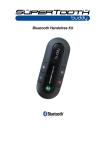
1. MFB or Multi-Function Button (power on & off /
pairing/answer/endacall/reject/voicedial/changing
profile / etc.)
2. Status Indicator
3. Volume Up
4. Volume Down
5. Microphone (On the flexible boom)
6. Charger Socket
7. Battery
8. Left/Right (L/R) Ear Speaker
Don’t forget: Drive safely and within the law.
Check if the national or local legislation in force in your
countrydoesnotlimittheuseofmobilephoneswhiledriving.Itisuptotheuserofthisproducttorespectthesaid
legislation in the area where he/she lives.
8
4
2
1
3
5
6
7
English
C. CHARGING:
D. POWER On/Off:
1. Connect the charger’s plug to the Charger Socket (6)
oftheSHARKTOOTHSHARK.Connectthechargertoan
external power source.
Power On: Press the MFB (1) until Status Indicator (2)
turnsblue.Orpressforapproximately3seconds,abeep
will be heard.
Power Off: Press the MFB (1) until Status Indicator (2)
turnsred.Orpressforapproximately5secondsuntil3rd
tone will be heard.
Charge Indicator (2) Status:
Steady Red:
Steady Orange:
Steady Green:
Battery Low
Charging
Battery Full
2. When fully charged, disconnect the charger.
E. PAIRING TO YOUR BLUETOOTH DEVICES:
SHARKTOOTH SHARKis a Bluetooth device that is compatiblewithTelephone,Intercom,Music(A2DP),andGPS
navigator profiles.
1) Pairing Procedure for Telephone
(Calls and Music):
Note:IfyourphonesupportsA2DP(AdvanceAudioDistributionProfile),youcanstreammusicfromyourphoneto
the SHARKTOOTH SHARK.
8
Charger Plug
SHARKTOOTH
Phone & GPS
Quick start guide
ON
Or
Pressandholdthemulti-functionbuttonuntilthestatus
indicator turns blinking red/blue.
PIN
0000
OK
Or
PIN 0000
OK
ON
Visible
Visible
ExecuteaBluetoothsearchandselectSHARKTOOTH.
Enter 0000 if the phone or GPS asks for a password
or a pin code.
OFF
TheSHARKTOOTHmustbeoff.TurnontheBluetoothfunction
of your phone or GPS in visible mode.
When the status indicatorturnsblinking
blue, the pairing is
successful!
Pressandholdthemulti-function
button until the status indicator
turns blinking red/blue on each
SHARKTOOTH.
SHARKTOOTH
Intercom
Quick start guide
Short press the multifunctionbuttonofoneof
the two SHARKTOOTH.
OFF
OFF
MakesuretoswitchoffthetwoSHARKTOOTHandthephones
paired to those two headsets.
When the status indicator of the
twoSHARKTOOTHissteadyblue,
the INTERCOM pairing is successful!
1. From OFF, press and hold the MFB (1) button until the
StatusIndicator(2)turnsblinkingred/blue.TheHeadset
is now in pairing mode.
2.While the headset is in pairing mode, access the Bluetoothmenuofyourphone.TurnontheBluetoothfunction
then execute a Bluetooth search.
(See your phone’s manual).
3.WhenthephonedisplaysthelistofBluetoothdevices,
select ST SHARK.
4. If the phone asks for the password/pin code,
enter 0000 and press OK.
5. The headset is now ready to use.
2) Pairing Procedure for Intercom
(between 2 SHARKTOOTH SHARK devices):
1.PreparetwoSHARKTOOTHSHARK.Note:Makesureto
switch off the phones paired to these two headsets.
2. Set the two units to pairing mode (from off, press and
hold the MFB (1) of the SHARKTOOTH SHARK until the
Status Indicator (2) turns blinking red/blue).
3.When the two are set to pairing mode, short press the
MFB (1) of one of the two units (this unit blinks now red/
blue fast). Pairing is successful if the Status Indicator (2)
of the two units is steady blue. Both headsets are now
connected. Full duplex conversations can be made.
3) Pairing Procedure for GPS Navigator:
1. From OFF, press and hold the MFB (1) button until the
StatusIndicator(2)turnsblinkingred/blue.TheHeadsetis
now in pairing mode.
2.While the headset is in pairing mode, access the Bluetooth menu of your GPS navigator device. Turn on the
BluetoothfunctionthenexecuteaBluetoothsearch.(See
yourGPSnavigator’smanualforfurtherinformationand
settings).
F. BASIC OPERATION:
1) Handsfree Phone Mode:
Answer a Call:
Assuming the VOX is activated: Accept a call by loudly
saying a word within 10 seconds. (Example: When you
receive the ring tone, Say loudly ”Ok!”)
English
The call will be answered. Audio will be on the headset.
(See VOX Activation / Deactivation on section H.)
You also have the option to answer the call normally by
pressing the MFB (1) for 1 second (1st beep).
End a Call:
Press the MFB (1) for 1 second to end the call (1st beep).
Voice Dial:
Note:Beforeusingthisfeature,makesurethatthevoice
dialingfunctionofyourphoneisactivated.Somephones
need to have at least one voice tag recorded in the phone’s memory, not on the SIM card! (Kindly refer to your
phone’s manual.)
1. Press the MFB (1) button for 1 second.
2. A beep will be heard on the headset prompting you
to say the voice tag of the contact to call and the Status
Indicator (2) will turn steady blue.
3. Say the voice tag exactly as how you recorded it.
4.The voice tag will be played back to you and then the
phone will dial the number automatically.
Reject a Call:
Assuming the VOX is activated: Reject a call by being
silentfor10seconds.Thecallwillautomaticallyberejected. (See VOX Activation / Deactivation on section H.)
Volume Setting:
Press theVolume Up (3) or Down (4) button repeatedly
untilthedesiredlevelisreached.Abeepwillbeheardas
lowest and highest levels are reached.
Reconnection to a paired device:
You can reconnect to the last used device by pressing
the MFB (1) button. If you want to reconnect to another
paired device, please use its Bluetooth menu.
2) Intercom Mode:
Start an Intercom Conversation:
Long press the MFB (1) for about 3 seconds until 2nd
beepwillbeheard.SHARKTOOTHSHARKwillconnectto
Intercom.Bothheadsetsarenowconnected.Fullduplex
conversations can be made.
End an Intercom Conversation:
Short press the MFB (1) of the unit, the Intercom call will
be ended.
Volume Setting:
Press theVolume Up (3) or Down (4) button repeatedly
untilthedesiredlevelisreached.Abeepwillbeheardas
lowest and highest levels are reached.
3) Music (A2DP) Mode:
IfyourphonesupportsA2DP(AdvanceAudioDistribution
Profile), you can stream music from your phone to the
SHARKTOOTH SHARK.
Stream Music, Play/Pause:
Go to your phone’s music player and play a track via A/V
bluetooth. (See your phone’s manual).
Or Double Short Press the MFB (1) to play/pause music
streaming.
Change Music File:
• Long press the Volume Up (3) button for 3 seconds,
music will go to the next music file.
• Long press theVolume Down (4) button for 3 seconds,
music will go back to the previous music file.
Stop Music Streaming:
Press theVolume Down (4) button for 5 seconds, music
willstopandautomaticallydisconnecttheA2DPconnection.
Volume Setting:
Press theVolume Up (3) or Down (4) button repeatedly
untilthedesiredlevelisreached.Abeepwillbeheardas
lowest and highest levels are reached.
4) Switching between Modes (Multi-Point):
The SHARKTOOTH SHARK can connect to 3 Bluetooth
profilessuchasIntercom,HandsfreeandA2DP(formusic,
phones calls or GPS navigators).You can choose any of
those profiles by using the key press actions.
Key Press Actions:
Short Press MFB (1): Handsfree Phone Mode Connect
Double Short Press MFB (1):
Music (A2DP) Mode Connect
Long Press MFB (1): Intercom Mode Connect
English
Receiving an Intercom call during
an ongoing phone call:
If you receive an intercom call when you already have
an ongoing phone call, you will hear a special ring tone
once(toindicatethatyourpassengerwantstoconnectto
intercom) while ongoing phone call will continue.
If you want to accept the intercom call, press MFB (1)
for 3 seconds (beep heard). SHARKTOOTH SHARK will
automaticallyendthephonecallandconnecttoIntercom.
Now full duplex conversations can be made.
Receiving a phone call during
an ongoing intercom conversation:
IfyoureceiveaphonecallwhenyouarehavinganIntercomconversation,Intercomwillautomaticallydisconnect
during ringing and the other Intercom party will have a
busy tone.
1. If you want to answer the phone call, answer using
VOX by loudly saying a word within 10 seconds or short
press MFB (1) button of the unit. The phone call is now
accepted; full duplex conversations can be made.
2. If you want to reject the phone call, reject using VOX
by being silent for 10 seconds. Incoming phone call is
now rejected.
Note: After the phone call ended or rejected the IntercomwillautomaticallyreconnectandIntercomfullduplex
conversations will continue.
Receiving a phone call while listening
to music (A2DP):
If you receive a phone call, the music (A2DP) streaming
will be automatically paused until you reject or end the
call.
1. If you want to answer the phone call, answer using
VOX by loudly saying a word within 10 seconds or short
press MFB (1) button of the unit. The phone call is now
accepted; full duplex conversations can be made.
2. If you want to reject the phone call, reject using VOX
by being silent for 10 seconds. Incoming phone call is
now rejected.
Receiving an intercom call while listening to music
(A2DP):
If you receive an intercom call, the music (A2DP) streamingwillbeautomaticallypausedandconnecttointercom.Riderandpassengerfullduplexintercomconversationscanbemade.Aftertheintercomconnectionended,
themusic(A2DP)streamingwillautomaticallyresume.
Connect to music (A2DP) streaming during an ongoing phone call / intercom:
Ifyouwantconnecttomusic(A2DP)whileongoingphone
callorongoingintercomconversation,justdoubleshort
press MFB (1) button to end the ongoing phone call or
ongoingintercomconversationandstartplayingmusic
(A2DP).
Note:Formusic(A2DP)streaming,onsomephonesyou
willneedtorestartthemusicplayermanually.(Seeyour
phone’s manual).
G. ADVANCED FUNCTIONS:
1. VOX Activation / Deactivation:
Whenactivated,youcanacceptacallbysayinganyword
within 10 seconds.You can also reject a call by being silent for 10 seconds.
When deactivated, use the MFB (1) to answer a call.
TheVoiceAnswerModecanbeenabledordisabledwhen
thekitisonstandbymode(noongoingcallandcloseany
multi media player).
Activation:
Fromstandby,pressandholdtheVolumeUp(3)button
until 3rd tone. Then release.
Deactivation:
From standby, press and hold the Volume Down (4)
button until 3rd tone. Then release.
2. Switching Connections between Paired Phones:
TheSHARKTOOTHSHARKalwaysmaintainsamaximum
of8 Bluetooth devices in its memory. An additional pairingwillautomaticallydeletethedevicethathasnotbeen
usedforthelongesttime.ThisBluetoothdeviceneedsto
be paired again before it can be used.
You can easily switch to any
of the paired devices by:
1. Disconnecting the currently used device by using its
Bluetooth menu. (See your phone’s manual).
English
2. Connect to the desired device by using its Bluetooth
menu too. (See your phone’s manual).
H. SHARKTOOTH SHARK SPECIFICATIONS:
Bluetooth Compliance: Bluetooth Version 2.1
Supported Bluetooth Profiles: A2DP Advance Audio
Distribution Profile / SBC Stereo Streaming
AVRCP Audio / Video Remote Control
Operating Range:
Up to 10 meters Phone range for Hands free/A2DP
Up to 400 meters Intercom
Frequency: 2.4GHz
Talk Time:
Up to 10 hours Mobile Phone
Up to 10 hours Intercom
Up to 10 hours Streaming A2DP Stereo music
Special Features:
• Paired devices maximum of 8
• Multipoint 3 profiles maximum
(1 Handsfree + 1 A2DP + 1 intercom)
• Incoming alert from connecting devices.
• Music (A2DP) streaming
• Next / Previous remote command for A2DP
(Music Player Mode)
• Full Duplex
• Full DSP noise cancellation / Echo cancellation
•AutomaticVolumeAdjustmentdependingonambient
noise and speed level
• Easy to find Volume / Multi-Point Functions
• Digital Volume Control
• Voice Recognition Dialing (If phone supports)
• VOX Command: Receive or reject incoming calls by
voice control
• Water Proof
• Aerodynamic and Compact Shape
Charging Time: 3 hours
Accessories:
• High Power ultra slim speaker with integrated microphone boom
• Wall Charger
Battery type: Rechargeable NiMH 600mAh
Dimensions (mm): 70x32.7x11.9
Standby Time: Up to 700 hours / 1 month
Weight (g): 15.2
Disclaimer
Greatest care has been taken to porvide accurate and complete
information in this manaual. The manufacturer is not liable for
errors and missing information.
The manufacturer reserves the right to change and improve
functions and specifications of the product without notice.
Duplication, transmission of part or all of this manual without
consent of the manufacturer is prohibited. All rights reserved.
The Bluetooth® word mark and logos are registered trademarks
owned by Bluetooth SIG, Inc. and any use of such marks by Euro-CB
is under license. Other trademarks and trade names are those of
their respective owners.
Correct Disposal of This Product
(Waste Electrical & Electronic Equipment)
(Applicable in the European Union and other European
countries with separate collection systems)
This marking shown on the product or its literature,
indicates that it should not be disposed with other
household wastes at the end of its working life. To
prevent possible harm to the environment or human
health from uncontrolled waste disposal, please separate this from
other types of wastes and recycle it responsibly to promote the
sustainable reuse of material resources.
Household users should contact either the retailer where they
purchased this product, or their local government office, for details
of where and how they can take this item for environmentally safe
recycling.
Business users should contact their supplier and check the terms
and conditions of the purchase contract. This product should not be
mixed with other commercial wastes for disposal.
This product has an embedded, non-replaceable battery, do not
attempt to open the product or remove the battery as this may
cause injury and damage the product. Please contact the local
recycling facility for removal of the battery. The embedded, nonreplaceable battery is designed to last the life time of the product.
Hereby, EURO COMMUNICATION EQUIPEMENTS, represented by
Michel MARCHANT, CEO, declares that the SHARK SHARKTOOTH
MODEL BTSHARK, is in compliance with the essential requirements
and other relevant provisions of Directive 1999/5/EC of the
European Parliament and of the Council of 9 March 1999 on radio
equipment and telecommunications terminal equipment and the
mutual recognition of their conformity.
For the whole declaration please visit :
http://www.supertooth.fr/download
Euro Communication Equipements Sas
Route de Foix D117
11 500 NEBIAS
FRANCE