Transcript
™
QUICK SET-UP
INSTRUCTIONS
Please keep these instructions for future reference as they contain important information.
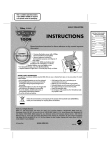
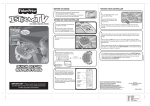
Setting up I CAN PLAY™ PIANO is as simple as 3 easy steps!
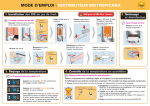
1. CONNECT IT
3. TURN IT ON
• Connect the 3 cables (red, white, and yellow) from
your I CAN PLAY™ PIANO keyboard to the
color-coded RCA inputs found on the front or back
of your TV or VCR.
AUDIO IN
(LEFT)
White
AUDIO IN
(RIGHT)
Red
• Turn on your TV.
• Set the channel using your remote control or the buttons on
your TV or VCR (whichever you used to connect the inputs)
to one of the following settings:
• AUX • LINE IN • INPUT • SOURCE
You can either use the menu system on your TV or VCR to
find the proper setting, or you can press the channel button
and check for the proper setting below channel 2.
• Make sure the TV/PIANO button on the keyboard is set to
the “TV” position.
• Make sure the ON/OFF switch on the bottom of the
keyboard is in the ON position.
• Make sure the software cartridge is fully inserted into the
keyboard. 1
VIDEO IN
Yellow
AUDIO
AUDIO
VIDEO
Insert
to here
Insert
to here
2
NOTE: For older TV models, a separate purchase of an
RF Modulator may be required.
• Plug the AC/DC adaptor into the keyboard.
• Plug the power cord from the AC/DC adaptor into an
electrical outlet in your wall.
NOTE: I CAN PLAY™ PIANO can also function using
batteries - see the USER’S MANUAL for details.
Fisher-Price, Inc., a subsidiary of Mattel, Inc., East Aurora, NY 14052 U.S.A.
PRINTED IN CHINA.
Manufactured for Fisher-Price. ©2006 Mattel, Inc. All Rights Reserved.
Fisher-Price and the Fisher-Price logo are U.S. trademarks of Mattel, Inc.
Packaging and address should be retained for future reference.
Mattel Canada Inc., Mississauga, Ontario L5R 3W2. You may call us free at 1-800-432-5437.
Mattel U.K. Ltd., Vanwall Business Park, Maidenhead SL6 4UB. Helpline 01628500303.
• Press and hold the ON/OFF button on the keyboard until the
button remains lit and the TV screen comes on.
That’s it – you’re ready to play!
Now just follow the instructions on the screen.
For a quick demonstration, choose HOW TO PLAY from the
MAIN MENU.
Mattel Australia Pty., Ltd., Richmond, Victoria. 3121. Consumer Advisory Service - 1300 135 312.
Mattel East Asia Ltd., Room 1106, South Tower, World Finance Centre, Harbour City,
Tsimshatsui, HK, China.
Diimport & Diedarkan Oleh: Mattel SEA Ptd Ltd.(993532-P) Lot 13.5, 13th Floor, Menara Lien Hoe,
Persiaran Tropicana Golf Country Resort, 47410 PJ. Tel:03-78803817, Fax:03-78803867.
Mattel, Inc., 333 Continental Blvd., El Segundo,
CA 90245 U.S.A. Consumer Affairs 1 (800) 524-Toys.
Questions?
J7522-0920A-G1
2. PLUG IT IN
service.fisher-price.com
In US and Canada
1-800-432-5437
J7522
Item No
Version
Size
Paper
Color
Date
: J7522
: English
: 8.5 x 11"
: Woodfree paper 80 gsm
: Black
: Mar 3, 2006 (AW)