1
User's Manual
CD259HD‐SDI
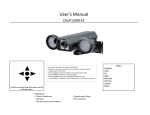
Press the center Button to Enter the OSD Menu.
Move Up or Down to move thru the menu options and left or right to change values on the menu, Press the center button again to get into sub menus.
Always remember to save before you exit.
When you Highlight the Return Option, press the right button to either exit , save and exit or just return.
These buttons are located at the cable right next to the BNC and DC power connectors.
Packing List:
‐ 1 Arlen Screwdriver ‐ 2 SDI‐BNC Connectors
‐ 1 kit with screws and anchors ‐ 1 Specification Sheet
‐ 1 mini flat screwdrive
‐ 1 DC connector MENU
LENS
EXPOSURE
WHITE BALANCE
DAY&NIGHT
IMAGE
SPECIAL
COMMUNICATIONS
SYSTEM
EXIT
1. LENS
MANUAL
DC
BRIGHT (0‐50)
BRIGHT (0‐50)
MANUAL Select Manual Lens
DC Select Auto Iris Lens
2. EXPOSURE
1. SHUTTER
2.AGC
3. SENSE‐UP
4.DEFOG
5.COLOR GAIN
6.RETURN
Auto, (1/30s),(1/60s),(1/120s),(1/200s),(1/400s),(1/1000s),(1/1500s),(1/3000s),(1/6000s)
HIGH / LOW
OFF / ON OFF / ON (0~8)
0~11
SHUTTER Select the shutter speed
AGC Increases Brightness , the higher the setting the more noise will get on the video
SENSE‐UP This provides higher sensitivity in low light conditions and may eliminate the need for artifical light.
DEFOG
This function works as a defogger, it clears and give more contrast to the image
3. WHITE BALANCE
NORMAL
OUTDOOR
INDOOR
AUTO
EXIT
This Function adjusts the White Balance of the camera according to the environment where the camera is located
4. DAY&NIGHT
AUTO
EX T
COLOR
B&W
1.C2B_TH:
2.C2B_DEL
3.B2C_TH:
4.B2C_DEL
EXT_DELAY
(always Color)
(always B&W)
0~99
0~11
0~99
0~11
0~11
( Color to Black and white: Adjust the brightness of the lighting where the mode switch occurs
( color to Black and white: trigger delay)
(Black and white to Color: Adjust the brightness of the lighting where the mode switch occurs
(Black and white to color: trigger delay)
(External Day&Night Delay )
RETURN
5. IMAGE
1.FREEZE
2.H.MIRROR
3.V.MIRROR
4.D.ZOOM
OFF/ON
OFF/ON
OFF/ON
OFF ON 5.SHARP(0~29)
6 PRIVACY ZONE
6.PRIVACY ZONE
OFF/ON
1 ZONE
1.ZONE
2.COLOR
SX(0‐240)
EX(0‐240)
SY(0‐135)
EY(0‐135)
1.ZN(0‐230)
2.MOVE
NO/YES
0~7
ON/OFF
WIDTH‐LEFT
WIDTH‐RIGHT
HEIGHT‐TOP
HEIGHT‐BOTTOM
7.RETURN
EXIT
IMAGE FREEZE
FREEZES THE IMAGE AND STAYS ON THAT PICTURE UNTIL TURNED OFF
PRIVACY ZONE Mask an area you want to hide on the screen.
PRIVACY COLOR Changes the Mask color
6. SPECIAL
1.SIMPLE WDR
2.ADVANCE WDR
OFF/LOW/MID/HIGH
ON/OFF
1.LEV(255)
2.COLOR SEL
3.WDR GSEL
4.WDR AREA
5.BRIGHT
3.BLC
4.3D_NR
5.MOTION
6.ECLIPSE
7.DIS
8.DPC
9.RETURN
OFF
ON
0~255
0~3
0~3
OFF
ON
SX(0‐240)
EX(0‐240)
SY(0‐135)
EY(0‐135)
WIDTH‐LEFT
WIDTH‐RIGHT
HEIGHT‐TOP
HEIGHT‐BOTTOM
0~9
1.LEVEL
2.AREA
LOW/MID/HIGH/ULTRA
OFF
ON
SX(0‐116)
EX(0‐116)
SY(0‐64)
EY(0‐64)
WIDTH‐LEFT
WIDTH‐RIGHT
HEIGHT‐TOP
HEIGHT‐BOTTOM
OFF / ON_L / ON_M / ON_H/ AUTO_L / AUTO_M / AUTO_H OFF ON
1.SENSITIVITY(0~99)
2.AREA SX(0‐9)
WIDTH‐LEFT
EX(0‐9)
WIDTH‐RIGHT
SY(0‐7)
HEIGHT‐TOP
EY(0‐7)
HEIGHT‐BOTTOM
OFF
ON
1.TH(0‐254)
2.Y(0‐250)
3.AREA SET
0
0
0
0
0
0
0
0
OFF/LOW/MID/HIGH
OFF/LOW/HIGH
0
0
0
0
0
0
0
0
WDR Digitally adjusts the exposure in areas of the frame to maintain optimum detail in both the shadows and highlights of the image.
BLC Enables a user to select a desired area on a picture and view that area more clearly.
3D‐NR This Feature reduces the background noise in a low light environment
MOTION This product has a feature that allows you to observe movement of objects in 1 area on the screen, and the word [MOTION] will appear on the screen
ECLIPSE If the scene contains extremely bright light areas such as; from car headlight, the light can mask out much of the on‐screen detail.
DIS Digital image stabilization (DIS) compares video data from recorded images to detect shaking camera movement, most often from wind. The camera creates a pixel buffer by recording extra pixels outside of the visible frame. When the camera vibrates or shakes, the camera shifts the visible frame to reduce the jarring effect on the video image.
DPS (Dead PIxel Compensation) camera will remove defective pixels from an image .
7. COMMUNICATIONS
1.CAMM TITLE
2.CAM ID
3.RS‐485
4.BAUDRATE
5.DISP CAM ID
ON/OFF
0~255
PELCO‐D/P
2400/9600/4800
ON/OFF
RETURN
8. SYSTEM
1.LANGUAGE
2.FORMAT
3.IRIS OFFSET
4.SW_VER
5.FACTORY ORG
6.RETURN
ENGLISH / CHINESE
1080P30 / 1080P25 ‐9 ~ +9