1
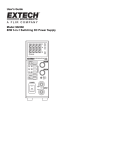
SSP-7080
80W Constant Power Switching Mode Power Supply
with
Master & Slave Remote Sensing
USER MANUAL
Rev.1.1 2007/04
7673-7080-0000
CONTENTS
Warning, Cautions and Operating Conditions
P.1
Introduction
P.2
Front Panel Controls and Indicators
P.2 - 3
Back Panel Terminals and Switch
P.2 - 3
Stand Alone Operation
P.4
Selection of Voltage and Current Range
P.4
The PREVIEW button
P.4
Selection of Voltage and Current Range at (8)
P.4
Setting the Current Limiting Value
P.4
UVL/VOLTAGE button(6) and UVL led (10)
P.5
Setting the Upper Voltage Limit UVL value
P.5
Master & Slave Operation
P.5 - 6
Remote Sensing Operation
P.7
Trouble Shooting
P.8
Specifications
P.9
Keep this manual in a safe place for quick reference at all times.
This manual contains important safety and operation instructions
for correct use of the power supply. Read through the manual and pay special
attention to the markings and labels of this unit and equipment to be connected.
Pay special attention to these two types of notices used in this manual
WARNING : Failure to observe this warning may cause injury to persons and
damage to power supply or connected equipment.
CAUTION : Failure to observe this warning may result in damage to equipment
and
Improper functioning of the power supply.
WARNING :
1.
2.
3.
4.
5.
6.
Do not use this power supply near water.
Do not operate or touch this power supply with wet hands.
Do not open the casing of the power supply when it is connected to ac mains.
Refer all servicing to qualified service personnel only.
Before replacing the AC fuse find out and clear up the cause first.
Replace the AC fuse with the same type and rating as the original fuse.
CAUTION :
1. Use a grounded 3 pin AC source .
2. This unit is for indoor use only .
3. Do not operate or place this unit in a humid, dusty, in direct sunlight location or near
any heat source.
4. Before plugging into local AC mains, check with the rating label at the back of the unit.
5. Do not block any ventilation openings of the unit.
6. This unit must be used within the specified rating, regular excessive continuous loading
may cause damage to the power supply.
7. The gauge size of input power cable must be at least 0.75mmsq and the total length of
power cable must not exceed 3m.
8. Input Fuse Recommended: T3AL250V (3A Time-Lag)
Operation environmental condition :
10-80% R.H.
Altitude up to 2000m
Installation category : CAT 2
Pollution degree : 2
Mains supply voltage fluctuation up to ±10% of the specified operating voltage.
P.1
Introduction
The 3 selective voltage and current ranges in this constant power switching mode
power supply is like having 3 power supplies in one. You can set the current
limiting value without any connected load or shorting the output terminal.
The modular design with additional rear output terminals and Master & Slave
control allow easy connections of additional Slave units. User preset upper voltage
limit to ensure complete protection to voltage sensitive load. Remote sensing and 4
digit LED meters to give precise voltage at the load point.
Front Panel Controls and Indicators
P.2
Front Panel Controls and Indicators
1. Power on off switch
2. Front Panel Output Terminal
3. Upper Voltage Limit
- Upper Voltage Limit adjustment screw
4. Current Volume
5. Voltage Volume
6. UVL/VOLTAGE
- Push Button to set and view Upper Voltage Limit
7. REVIEW
- Push Button to review the set voltage & current limit for present range
8. Push Buttons to select V I range & range LED
9. Output on-off button
LED Panel
10. UVL Upper Voltage Limit Indicator
11. C.V. Constant Voltage Indicator
12. C.C. Constant Current Indicator
13. ALM
- Alarm indicates output voltage is either over the set Upper Voltage Limit or
power supply is in over temperature protection.
14. SLAVE indicator power supply in Slave Mode
15. 4 Digit Ammeter
16. 4 Digit Voltmeter
Back Panel Connectors & Switch
17. Master and Slave Switch
- used in “master/slave control” parallel operation in Master/Slave
configuration.
- In normal operation, switch should be set to Master (default).
18. In /Out Terminal for Master /Slave operation :
- Control terminals for use in the Master/Slave control parallel operation mode.
19. RS+ and RS - Remote Sensing Terminal
20. OUT+ and OUT - Alternative Output Terminals
21. INPUT POWER SOCKET
P.3
Operation Procedure
1. Stand Alone Operation
Check the power supply is set as Stand Alone operation mode with the Master
& Slave switch (17) set to Master position. All controls function just like a
normal power supply.
Switch on the power supply without any load by pushing (1) and the LED
display should light up. There should not be any reading on the voltmeter and
the ammeter.
Press the Output On-Off button (9) and its green LED will light up, the
voltmeter should show the set output voltage.
Take note of the preset range and its LED, turn the voltage volume to check on
the voltmeter reading at the same time.
2. Selection of Voltage and Current Range at (8)
When change to other Voltage and Current range setting (8), take note of the
Voltmeter reading changing to zero voltage and LED of Output On-Off button
(9) going off.
The output terminal is off automatically when the VI range is changed, this is
to safeguard the connected load.
3. PREVIEW button
Press (7) to check the values of VI when output terminal is off.
Press and hold this button will show the output voltage and current limiting
values previously set at the selected range even the output terminal is off.
4. Setting the Current Limiting Value
You can set the current limiting value without connecting to the load or
shorting the output terminal. Press and hold the PREVIEW button (7) and turn
the current volume (5) to our desired value.
P.4
5. UVL/VOLTAGE button (6) and UVL led (10)
Press UVL/VOLTAGE button to see the default value of Upper Voltage Limit.
The led (10) also lights up during this operation.
6. Setting the Upper Voltage Limit UVL value
Press button (6) and insert a small screw driver less than 3mm diameter into
(3), slowly turn to clockwise to increase and anti-clockwise to decrease the
UVL value .
The UVL is an added protection for voltage sensitive load, only one UVL
value can be set for all three ranges. When the output voltage exceeds the set
UVL, the output terminal will be off automatically and the ALM (13) led is lit
up at the same time.
7. Master & Slave Operation
7.1 Introduction
Two or more units of SSP-7080 can be connected in parallel to increase output
current to the sum of connected power supplies. In this mode of operation, the
designated Master power supply will control all the settings in voltage and
current of the Slave power supplies.
7.2
Preparation and connecting the Control Terminals (19)
Make sure all the power supplies are set to the same UVL by(6) and the same
VI Range by (8).
Set the voltage and current limit of all the Slave units to maximum values.
Switch off all power supplies for connection.
Set the switch (17) to Slave position of all the Slave power supplies.
Connect the Master & Slave control circuit as shown in Fig 8.1 and Fig 8.2
7.3
Output terminal connection and operation
You can either use the Output Terminals at the front (2) or at the back (20) to
connect to the load as shown in Fig 8.3 depending on your application
condition and requirement.
For proper performance, all power cables should be of the same thickness and
length.
Double check the maximum voltage and current setting of the Slave units.
Switch on the Master unit first and set to desired voltage, then switch on the
Slave units.
P.5
The Slave indicator LED (14) should light up in the Slave units as a
confirmation of correct connections.
All the output voltages and currents of the Slave units are now controlled by
the Master Unit.
Remarks :
When the output current in the Master & Slave connection drops to zero
ampere, the output voltage will no longer be controlled by the Master unit.
Make sure to keep a minimum current flowing that is at least several percent of
the rated current at all times. This can be done by supplying a small removable
load.
Fig. 8.1
Fig. 8.2
Fig. 8.3
P.6
8. Remote Sensing Operation
When the output current is large or long connection to load , there is a voltage
drop across the connecting cable such that the voltage at load point is less than
at the output terminal of the power supply.
By making an extra connection from the remote sensing terminal (19) to the
load point ( Attention do not reverse polarity ) will make up for the load line
voltage drop and make the voltage at the load point and output terminal the
same. ( Make sure to disconnect the wiring to remote sensing first before
disconnecting the main output connection ).
P.7
9. Trouble Shooting
PROBLEM
INDICATIONS
POSSIBLE CAUSES
SUGGESTED
SOLUTIONS
Power supply not
working
panel display, LED
Indicators not on
1. AC power input not
connected
2. AC input fuse blown
check AC power
connection, contact
local agent.
No DC output power
voltage meter zero
indication.
ALM (13) Alarm led on
A. output on off button
not on .
A. check output LED (9)
is on or not, push (9) to
on.
B. check UVL set
voltage by pushing (6),
re-set UVL to applicable
limit, see section 5 and
6.
C. check vent holes at
top and bottom is clear,
ambient temperature
too high .
D. check and undo
short circuit of output
connection.
B. UVL (10 ) protection
triggered
ALM (13) Alarm led on
CC (12) led on
C. OTP protection
triggered
D. output short circuit
Voltage meter read outs
grossly inaccurate
actual output voltage is
grossly different from the
meter read outs
A. volt meter shows not
the output voltage.
A. check the LED
indicator of UVL on the
top right hand side of
the Volt meter, if it lights
up then the volt meter
only shows the set UVL
value. Push (6) to go
back to output voltage.
B. possible misalignment B. contact local agent or
in voltmeter calibration
send back to local
agent for recalibration
Ampere meter reading
grossly inaccurate
In CV mode , the actual
current measured is
grossly different from the
Amp meter reading
possible misalignment in
calibration .
contact local agent or
send back to local gent
for recalibration
The activated (autocross over ) current
limiting value is different
from the preset cc value
All indicators and display
are normal , only CC
mode has the problem
For stand alone unit,
Master & Slave Switch
(17) in wrong position
(Slave). Wrong setting or
connection in Master &
Slave or set up
procedure.
Check the Master &
Slave switch (17)
correct position. Use
stand alone mode to
check power supply
separately without any
connection to slave
units. Follow the
procedure in section 8
carefully and make sure
there is only one Master
unit.
P.8
10.Specifications
Input AC Voltage Range
No load Input Current at 230Vac
Full Load Input Current at 230Vac
AC Input Frequency
Efficiency
Power Factor
Constant Voltage and Current Range Selection:
0-16V / 5A selection I
0-27V / 3A selection II
0-36V / 2.2A selection III
Constant Voltage Characteristics :
Load Regulation (0-100%)
Line Regulation (±10%)
Ripple & Noise (peak to peak)
Constant Current Characteristics :
Load Regulation (0-100%)
Line Regulation (±10%)
Meter Accuracy :
Voltmeter Accuracy
Ammeter Accuracy
Protection
Output Terminals
Additional Function
CE Approvals
Cooling
Dimensions in mm (WxHxD)
Weight in Kg
P.9
90 - 264Vac
≤0.1A
≤0.5A
47 - 63Hz~
≥75%
≥0.9
0 - 16.4V
0 - 27.6V
0 - 36.8V
0 - 5.1A
0 - 3.1A
0 - 2.3A
≤20mV
≤4mV
≤30mV
≤10mA
≤10mA
±1% +2 counts
±1% +2 counts
Adjustable Upper Voltage Limit,
Current Limiting Protection,
Short Circuit, Overload,
Over Temperature Protection
Front and Back of housing
Remote Sensing
LVD : EN 61010 , EMC : EN 55011
Natural Convection
53.5 x 127 x 330mm / 2 x 5 x 13inch
Approx. 1.9Kgs / 4.2Lbs