1
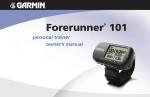
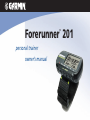
Forerunner 201
®
personal trainer
owner’s manual
© Copyright 2003-2006 Garmin Ltd. or its subsidiaries
Garmin International, Inc.
Garmin (Europe) Ltd.
1200 East 151st Street,
Unit 5, The Quadrangle, Abbey Park
Olathe, Kansas 66062, U.S.A.
Industrial Estate, Romsey, SO51 9DL,
Tel. 913/397.8200 or 800/800.1020
U.K.
Tel. 44/0870.8501241
Fax 913/397.8282
Fax 44/0870.8501251
Garmin Corporation
No. 68, Jangshu 2nd Road, Shijr, Taipei
County, Taiwan
Tel. 886/2.2642.9199
Fax 886/2.2642.9099
All rights reserved. Except as expressly provided herein, no part of this manual may be reproduced, copied, transmitted,
disseminated, downloaded or stored in any storage medium, for any purpose without the express prior written consent of
Garmin. Garmin hereby grants permission to download a single copy of this manual onto a hard drive or other electronic
storage medium to be viewed and to print one copy of this manual or of any revision hereto, provided that such electronic or
printed copy of this manual must contain the complete text of this copyright notice and provided further that any unauthorized commercial distribution of this manual or any revision hereto is strictly prohibited.
Information in this document is subject to change without notice. Garmin reserves the right to change or improve its products
and to make changes in the content without obligation to notify any person or organization of such changes or improvements.
Visit the Garmin Web site (www.garmin.com) for current updates and supplemental information concerning the use and
operation of this and other Garmin products.
Garmin®, Forerunner®, Auto Lap®, and Auto Pause® are registered trademarks and Virtual Partner™ and Garmin
Training Center™ are trademarks of Garmin Ltd. or its subsidiaries and may not be used without the express
permission of Garmin.
February 2006
Part Number 190-00318-00 Rev. F
Printed in Taiwan
PACE YOURSELF
Fun is now on the run! Strap this personal trainer to your wrist and let it do all the work,
except the running of course. Welcome to the world of the Forerunner 201; a compact,
lightweight, waterproof GPS sensor that provides you accurate pace/speed, distance, and time
data during your workout. Not only that, it provides a map of your travels and provides assistance in your training using the Virtual Partner’s pace to help achieve your goals. Take your
Forerunner 201 wherever you go in the great outdoors.
To get the most out of your new Forerunner 201, take the time to read through this
owner’s manual and the Quick Start Guide to understand the operating features of the unit.
Introduction
Product Registration
PRODUCT REGISTRATION
Help us better support you by completing your online registration today!
Connect to our Web site (www.garmin.com) and look for the Product Registration link
on the home page. Your unit’s serial number is on the back of the unit.
If you have any questions or comments regarding the use of the Forerunner 201 you can
visit our Web site or contact our Customer Service Department M-F, 8:00-5:00 CST (except
holidays) at 1-800-800-1020.
Serial Number
Use this area to record the serial number (8-digit number located on the back of your
unit, under the strap) in case it is lost, stolen, or needs service. Be sure to keep your original
sales receipt in a safe place or attach a photocopy inside the manual.
iii
Introduction
Table of Contents
INTRODUCTION .............................................I
Product Registration ....................................i
Table of Contents ...................................... ii
FCC Compliance ......................................iv
Software License Agreement ......................v
Warnings & Cautions ...............................vi
Maintenance ............................................vii
Unit Overview ........................................viii
Wrist Strap ...............................................ix
Charging the Battery ..................................x
GETTING STARTED ....................................... 1
What is GPS? .............................................1
Turning on your Forerunner ......................2
Main Modes ..............................................3
TIMER MODE ................................................ 3
Using Timer Mode .....................................3
Data Screens ..............................................4
MENU MODE ................................................ 5
iv
Using Menu Mode ......................................5
History: Last Run .......................................6
History: By Day ..........................................6
History: By Week .......................................7
History: History Totals & Delete ................8
Training Assistant: Auto Pause/Lap ............9
Training Assistant: Virtual Partner ...........10
Training Assistant: Interval Training ........13
Training Assistant: Pace Alert ...................15
Training Assistant: Time/Dist Alert ..........16
Navigation: Add/Remove Map Mode .......17
Navigation: Mark Location ......................18
Navigation: Find Location .......................19
Navigation: Back To Start ........................23
Navigation: Orient Map North/Ahead ......23
Settings: Set Time ....................................22
Settings: Set Units ...................................26
Settings: Set Custom Page ........................27
Settings: Set Profile ...................................28
Settings: Set Display ................................29
Settings: Set System .................................30
Settings: Restore Settings .........................31
Settings: About Forerunner .....................31
SOFTWARE ................................................. 32
SPECIFICATIONS ........................................ 33
INDEX ........................................................ 34
LIMITED WARRANTY
Introduction
This Garmin product is warranted to be free from defects in materials or workmanship for one
year from the date of purchase. Within this period, Garmin will at its sole option, repair or replace any
components that fail in normal use. Such repairs or replacement will be made at no charge to the customer for parts or labor, provided that the customer
shall be responsible for any transportation cost. This warranty does not cover failures due to abuse, misuse, accident or unauthorized alteration or repairs.
THE WARRANTIES AND REMEDIES CONTAINED HEREIN ARE EXCLUSIVE AND IN LIEU OF ALL OTHER WARRANTIES EXPRESS OR IMPLIED
OR STATUTORY, INCLUDING ANY LIABILITY ARISING UNDER ANY WARRANTY OF MERCHANTABILITY OR FITNESS FOR A PARTICULAR PURPOSE,
STATUTORY OR OTHERWISE. THIS WARRANTY GIVES YOU SPECIFIC LEGAL RIGHTS, WHICH MAY VARY FROM STATE TO STATE.
IN NO EVENT SHALL GARMIN BE LIABLE FOR ANY INCIDENTAL, SPECIAL, INDIRECT OR CONSEQUENTIAL DAMAGES, WHETHER RESULTING
FROM THE USE, MISUSE, OR INABILITY TO USE THIS PRODUCT OR FROM DEFECTS IN THE PRODUCT. Some states do not allow the exclusion of
incidental or consequential damages, so the above limitations may not apply to you.
Garmin retains the exclusive right to repair or replace the unit or software or offer a full refund of the purchase price at its sole discretion. SUCH REMEDY SHALL BE YOUR SOLE AND EXCLUSIVE REMEDY FOR ANY BREACH OF WARRANTY.
To obtain warranty service, call your local Garmin authorized dealer. Or call Garmin Customer Service at one of the numbers listed below for shipping
instructions and an RMA tracking number. The unit should be securely packed with the tracking number clearly written on the outside of the package. The
unit should be sent, freight charges prepaid, to any Garmin warranty service station. A copy of the original sales receipt is required as the proof of purchase
for warranty repairs.
Online auction confirmations are not accepted for warranty verification. To obtain warranty service, an original or copy of the sales receipt from the
original retailer is required. Garmin will not replace missing components from any package purchased through an online auction.
Garmin International, Inc.
1200 E. 151st Street
Olathe, KS 66062, U.S.A.
Tel. 913/397.8200
Fax. 913/397.8282
www.garmin.com
Garmin (Europe) Ltd.
Unit 5, The Quadrangle, Abbey Park Industrial Estate
Romsey, SO51 9DL, U.K.
Tel. 44/0870.8501241
Fax. 44/0870.8501251
v
Introduction
FCC Compliance
vi
The Forerunner 201 complies with Part 15 of the FCC interference limits for Class B
digital devices FOR HOME OR OFFICE USE. These limits are designed to provide more
reasonable protection against harmful interference in a residential installation, and are more
stringent than “outdoor” requirements.
Operation of this device is subject to the following conditions: (1) This device may not
cause harmful interference, and (2) this device must accept any interference received, including interference that may cause undesired operation.
This equipment generates, uses and can radiate radio frequency energy and, if not
installed and used in accordance with the instructions, may cause harmful interference to
radio communications. However, there is no guarantee that interference will not occur in a
particular installation. If this equipment does cause harmful interference to radio or television
reception, which can be determined by turning the equipment off and on, the user is encouraged to try to correct the interference by one of the following measures:
• Reorient or relocate the receiving antenna.
• Increase the separation between the equipment and the receiver.
• Connect the equipment into an outlet on a circuit different from that to which the
receiver is connected.
• Consult the dealer or an experienced radio/TV technician for help.
The Forerunner 201 does not contain any user-serviceable parts. Repairs should only be
made by an authorized Garmin service center. Unauthorized repairs or modifications could
result in permanent damage to the equipment, and void your warranty and your authority to
operate this device under Part 15 regulations.
SOFTWARE LICENSE AGREEMENT
BY USING THE FORERUNNER 201, YOU AGREE TO BE BOUND BY THE TERMS
AND CONDITIONS OF THE FOLLOWING SOFTWARE LICENSE AGREEMENT. PLEASE
READ THIS AGREEMENT CAREFULLY.
Garmin grants you a limited license to use the software embedded in this device (the
“Software) in binary executable form in the normal operation of the product. Title, ownership
rights and intellectual property rights in and to the Software remain in Garmin.
You acknowledge that the Software is the property of Garmin and is protected under the
United States of America copyright laws and international copyright treaties. You further
acknowledge that the structure, organization and code of the Software are valuable trade
secrets of Garmin and that the Software in source code form remains a valuable trade secret of
Garmin. You agree not to decompile, disassemble, modify, reverse assemble, reverse engineer
or reduce to human readable form the Software of any part thereof or create any derivative
works based on the Software. You agree not to export or re-export the Software to any country in violation of the export control laws of the United States of America.
Introduction
Software License
Agreement
vii
Introduction
Warnings & Cautions
WARNING.- This product, its packaging, and its components
contain chemicals known to the State of California to cause
cancer birth defects, or reproductive harm. This Notice is being
provided in accordance with California’s Proposition 55. If
you have any questions or would like additional information, please refer to our Web site at http:Ilwww.garmin.coml
prop65.
This unit contains a Lithium-Ion rechargeable battery. Please
dispose of properly.
viii
WARNING: The Global Positioning System (GPS) is operated by the United States
government, which is solely responsible for its accuracy and maintenance. The system is
subject to changes which could affect the accuracy and performance of all GPS equipment.
Although the Garmin GPS receiver is a precision electronic NAVigation AID (NAVAID), any
NAVAID can be misused or misinterpreted and, therefore, become unsafe.
WARNING: When on a bicycle, it the sole responsibility of the rider to operate the
bicycle in a safe manner, maintain full surveillance of all riding conditions at all times, and
not become distracted by the Forerunner 201 to the exclusion of safe practices. It is unsafe
to operate the controls of the Forerunner 201 while you are riding. Failure by the rider of a
bicycle equipped with a Forerunner 201 to pay full attention to operation of the bicycle and
road conditions while in motion could result in an accident or collision with property damage
and personal injury.
CAUTION: Use the Forerunner 201 at your own risk. To reduce the risk of unsafe operation, carefully review and understand all aspects of this Owner’s Manual. When in actual use,
carefully compare indications from the Forerunner 201 to all available navigation sources, including the information from other NAVAIDS, visual sightings, charts, etc. For safety, always
resolve any discrepancies before continuing navigation.
CAUTION: IT IS THE USER’S RESPONSIBILITY TO USE THIS PRODUCT PRUDENTLY.
THIS PRODUCT IS INTENDED TO BE USED ONLY AS A NAVIGATIONAL REFERENCE
AID AND MUST NOT BE USED FOR ANY PURPOSE REQUIRING PRECISE MEASUREMENT OF DIRECTION, DISTANCE, LOCATION OR TOPOGRAPHY. THIS PRODUCT
SHOULD NOT BE USED AS AN AID TO DETERMINE GROUND PROXIMITY FOR AIRCRAFT NAVIGATION. CONSULT A PHYSICIAN BEFORE STARTING A WORKOUT PLAN.
FORERUNNER AND WRIST STRAP CLEANING
The Forerunner 201 is constructed of high quality materials and does not require user
maintenance other than cleaning. Clean the unit using a cloth dampened with a mild
detergent solution and then wipe dry. Avoid chemical cleaners and solvents that may damage
plastic components. The wrist strap should be hand washed with mild detergent in warm or
hot water. Blot dry then air dry. Do not machine wash.
Introduction
Maintenance
STORAGE
Do not store the Forerunner 201 where prolonged exposure to temperature extremes may
occur (such as in the trunk of a car) as permanent damage may result. User information, such
as locations, tracks, and workout history is retained indefinitely in the units memory without
the need for external power. It is always a good practice to back up important user data by
manually recording it or downloading it to a PC. Free software is available for Forerunner
201 owners. Refer to our Web site on how to download the Garmin Training Center software
at: http://www.garmin.com/products/forerunner201.
WATER IMMERSION
The Forerunner 201 is waterproof to IEC Standard 60529 IPX7. It can withstand immersion in 1 meter of water for 30 minutes. Prolonged submersion can cause damage to the unit.
After submersion, be certain to wipe and air dry the unit before reuse or charging.
To resolve problems that cannot be remedied using this guide, contact Garmin Customer
Support in the U.S.A. at 800-800-1020 or Garmin Europe at 44-0870-8501241.
ix
Introduction
Unit Overview
Built-in GPS
Antenna
Back View (without strap)
Front View
mode
reset
lap
Power/Data
Contacts
x
Serial Number
Speaker
LCD Display
(with Backlight)
enter
start/stop
POWER MODE RESET ENTER DOWN UP
LAP START/STOP
BACKLIGHT
The Forerunner has been designed to comfortably fit your wrist. For best performance,
wear the Forerunner like a watch, with the top face of the unit oriented towards the sky. A
strap extension provides additional length and easily attaches to the existing strap.
To fasten the Forerunner to your wrist:
1. With the strap open, place the Forerunner on your wrist.
Introduction
Wrist Strap
2. Slide the end of the strap through the connector.
3. Adjust to fit comfortably and secure the strap. Do not adjust too tightly around your wrist as
this may cut off blood circulation.
To add the strap extension:
1. Slide the end of the existing strap through the connector on the extension oriented the
same direction on each strap.
2. Place on your wrist or arm.
3. Slide the end of the extension through the existing connector.
4. Adjust to fit comfortably and secure the strap. Do not adjust too tightly around your wrist/
arm as this may cut off blood circulation.
To remove the wrist strap from the Forerunner:
1. Place your Forerunner on a cloth or soft surface to avoid scratching the case.
2. While holding the Forerunner steady with one hand, use a jewelers band pin removing tool
or a very soft flat head screwdriver to catch the spring bar’s loaded stem and pull it back
enough for the band to clear the case’s edge.
3. To reinstall, insert the spring bar into the wristband and place one side of the spring bar
into one pinhole.
4. Compress the spring bar, and snap it into the other pinhole. Be sure that the spring bars are
secure in the pinholes before using your Forerunner.
xi
Introduction
Charging the Battery
CHARGING THE BATTERY
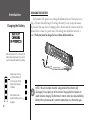
The Forerunner 201 operates on a rechargeable lithium-ion battery. This battery lasts as
long as 15 hours when fully charged. To recharge the battery, be sure to wipe the contacts
dry, if needed, then snap the AC recharging cradle to the unit with the 4-contact end in first
(shown below). Connect to a power source. Full recharge time should take between 1-3
hours. The battery must be charged at least 2 hours before initial use.
When the Forerunner 201 is connected to the
battery charger and powered off, you see this
screen to indicate that batteries are charging.
Battery usage icon shows
an estimate of battery life
left. Four squares with the
battery outline indicates a
full battery.
When external power is
applied, the battery outline
disappears..
xii
NOTE. If the unit has been stored for a long period of time (battery fully
discharged), it may require up to 30 minutes of charging before it powers on
and/or indicates charging. The Forerunner’s memory stores your data indefinitely.
Battery life may be decreased in extreme temperatures or as the battery ages.
WHAT IS GPS?
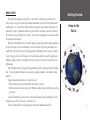
The Global Positioning System (GPS) is a system of 24 satellites that circle the earth
twice a day in a very precise orbit and transmit information to earth. The Forerunner must
continuously “see” at least three of these satellites to calculate your location and track your
movement. At times, additional satellites may be needed to determine a location. If some of
the satellites in view get blocked or “shaded,” the receiver can simply use an alternate satellite
to maintain the location fix.
Because the Forerunner relies on satellite signals to provide you with navigation guidance,
the receiver needs to have an unobstructed, clear view of the sky for best performance. In a
nutshell, the GPS receiver’s view of the sky generally determines how fast you get a location
fix, or if you get a fix at all. GPS signals are relatively weak and do not travel through rocks,
buildings, people or metal, so remember to keep a clear view of the sky at all times for best
performance.
Your Forerunner needs to be given the opportunity to find or Autolocate itself (“initialization”). Once you initialize the unit to a location, it typically computes a fix within a couple
minutes.
Longer initialization (Autolocate) is only necessary:
• The first time you use your Forerunner (new from the factory).
• After the receiver has been moved over 500 miles (with the power off from the last time
you used it.
Given GPS limitations, allow for some error in calculations. Train accordingly and with
common sense. GPS is to be used as a reference tool.
Visit the Garmin Web site at www.garmin.com for more information on GPS.
Getting Started
Down to the
Basics
1
Getting Started
Turning on your
Forerunner
STARTING UP THE FORERUNNER 201
After the Forerunner is completely charged, it is ready for use. Allow the Forerunner time
to track satellites and determine your position the first time you use it. Upon startup, the
GPS signal bar appears. As the Forerunner 201 locates more satellites and the signal strength
increases, the bar moves to the right. The window disappears after the Forerunner 201 has a
satellite lock. It is recommended not to start your workout until the Forerunner has a satellite
lock and knows your location. Remaining battery life displays underneath the GPS
signal bar. Turn to page x for information about recharging the Forerunner 201.
To turn on the Forerunner 201:
Welcome Screen
1. Press and hold the POWER button until the Welcome Page is displayed, then
release.
GPS Satellite
Indicator
2. After the Welcome Page disappears, the Timer Mode is displayed with the GPS Signal Bar.
The satellite dish icon on the left side of the screen flashes while the Forerunner determines
your location.
GPS Signal Bar
2
Autolocate Mode
3. Leave the Forerunner with a clear view of the sky for 15-30 minutes initially. If the Forerunner does not detect any satellites, a message appears asking if you are indoors. Selecting
‘Yes’ shuts off the GPS to conserve battery life for indoor practice. Selecting ‘No’ prompts
another question asking if the unit has been moved hundreds of miles. Choose ‘Yes’ to have
the unit Autolocate the satellite signals (Also use this option if you are having problems
receiving satellites the first time you use the Forerunner.) The word “Locating..” appears in
the signal bar area when in Autolocate mode. After the first use, it should only take less than
a couple minutes to acquire satellites.
4. When the Forerunner acquires enough satellite signals to determine your location, the satellite dish icon on the left side of the screen stops flashing and the GPS Signal Bar disappears.
MAIN MODES
All of the information needed to operate the Forerunner 201 is found on two main modes
(or display screens). These modes are the Timer Mode and Menu Mode. Press the MODE
Button to cycle through the 2 modes.
Timer Mode
Timer Mode
Using the Timer Mode
Menu Mode
Timer Indicator
Using the Timer Mode:
1. In the Timer Mode, press the START/STOP button to start timing and tracking distance.
2. Press the START/STOP button to stop timing and tracking distance data.
3. Press the LAP button to record when a lap is completed.
4. While in Timer Mode, the data you are recording is called your Current Run. When you reset
the Timer, the data is considered your Last Run. When the timer is stopped, press and hold
RESET for 3 seconds to reset all workout data. The unit automatically stores Last Run and
History information.
NOTE: A manual stop and restart of the Timer automatically starts a new lap.
You can also setup the Forerunner to automatically lap and/or pause at a
specific distance and/or speed (pg. 9-10).
Press the MODE, UP or DOWN buttons
to remove messages or alerts from the
display (or wait until they automatically
time out and disappear.)
3
Timer Mode
Data Screens
Timer Screen
Current Lap Screen
4
Custom Screen
Data Screens
During your workout there are 3 data screens you can access by pressing the DOWN or
UP buttons. These data screens are:
• Timer Screen - Time/Pace(Speed)/Distance
• Current Lap Screen - Lap Pace(Speed)/Lap Time/Lap Dist(ance)
• Custom Screen - Custom 1/Custom 2/Custom3
For information how to select the custom fields, see ’Set Custom Page’ on page 25. When
’Auto Pause’ is enabled a fourth screen, Rest Time/Rest Dist(ance)/Total Dist(ance), appears
(see page 9). You can also utilize the Timer (stop watch) in this mode. By using a combination of the GPS and the Timer, you can start running anywhere you want and let the Forerunner 201 track your speed, distance, and time.
Timer Mode Buttons
The MODE Button:
• Press to go to the next main mode
• Press and hold to change Pace to Speed. Repeat to return to Pace setting.
The RESET/LAP Button:
• Press while timer is running to lap.
• With timer stopped, press and hold for 3 seconds to reset the data fields.
The START/STOP Button:
• Press to start or stop the Timer.
The Up/DOWN buttons:
• Press to cycle through the data screens: Time/Pace(Speed)/Distance, Lap Pace(Speed)/Lap
Time/Lap Dist(ance), Custom 1/Custom 2/Custom 3, Rest Time/Rest Dist/Total Dist (if Auto
Pause enabled).
MENU NAVIGATION
Your Forerunner 201 allows you to navigate through menus quickly and efficiently using
a combination of the ENTER button, the UP and DOWN buttons, and the MODE button.
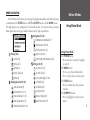
The diagram gives you a quick glance of all available options. To read more about a particular
menu option, turn to the page number indicated to the right in parentheses.
Menu Modes
Using Menu Mode
Navigation (17-24)
Add/Remove Map Mode (17)
Mark Location (18-20)
Find Location (20-22)
History (6-8)
Last Run (6)
By Day (6-7)
Back to Start (23)
Orient Map North/Ahead (23-24)
Settings (24-31)
By Week (7)
Set Time (22-25)
History Totals (8)
Set Units (26-27)
Delete (8)
Set Custom Page (27-28)
Training Assistant (9-16)
Set Profile (28)
Auto Pause/Lap (9)
Set Display (29)
Virtual Partner (10-11)
Set System (30)
Interval Training (12-13)
Restore Settings (31)
Pace (Speed) Alert (15)
About Forerunner (31)
Time/Dist(ance) Alert (16)
Using Menu Mode
The POWER Button:
• Press and release to turn the backlight
on and off
The MODE Button:
• Press to go to the next Main Mode
• Press to ‘undo’ the most recent action
The ENTER Button:
• Press to confirm data entry or menu
selection
The UP/DOWN buttons:
• Press to highlight the options on the
menu
5
Menu Mode
History: By Day
HISTORY
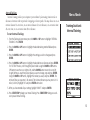
The Forerunner 201 stores up to 5000 laps in memory. A run may contain any number of
laps. The 10 most recent runs have a basic track log of up to 250 saved points. Your most recent run (one you have not reset) contains the most detailed track log with up to 3000 points.
If you wish to keep all your basic track data, be sure to upload the tracks to your computer
(see page 32) after every 10 runs. For the most detailed track log data, upload the tracks to
your computer after every run prior to performing a RESET (pg. 3) before your next run. The
Forerunner 201 stores up to 2 years worth of run information. This is based on running 48
laps of one mile each, every week, for two years
This History option organizes your workouts in a layered fashion. ‘History Totals’ gives a
total overview which is then broken down into weeks with ’By Week’ and into the seven days
of that week with ’By Day’. From the ‘History’ menu you can choose which information you
want to start reviewing first. You can review ‘Last Run’, ’By Day’, ‘By Week’, ‘History Totals’, or
you can choose to delete your workout history.
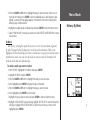
Last Run
Displays a summary of your last run data, after the current run Timer is RESET.
NOTE: If Pace/Speed Mode (pg. 26)
is set to ‘SPEED (BIKING), calories
are calculated for biking.
6
By Day
By selecting this option, you see a list of workout laps organized by day. The upper half
of the display is the list of days, times of your workout, and total laps run. With a day highlighted, the lower half of the display is an overview of the information of your workout that
day such as total time, total distance, average pace, and total calories burned (See side note).
To select a day you want to review:
1. With ‘HISTORY’ highlighted in the Menu Mode, press ENTER.
2. Highlight ’BY DAY’ and press ENTER.
3. Press the DOWN or UP button to highlight the day you want to review. If there are 2 or
more laps for that day, press ENTER to view the individual laps. As each day/lap is highlighted, a summary for that day/lap appears on the bottom of the screen showing time,
distance, pace, and total calories.
4. Highlight any single lap day or individual lap and press ENTER to view the Options menu.
Menu Mode
History: By Week
5. Select ’VIEW ON MAP’ to review your workout or select ’DELETE LAP/ENTIRE RUN’ to erase
that workout.
By Week
Like ‘By Day’, selecting this option allows you to see a list of your workouts organized
by week. The upper half of the display lists weeks that you had workouts. With a week
highlighted, the lower half displays total time, total distance, average speed, and total calories
burned for that week. Once you select the week you want to review, the Forerunner 201
breaks the week down into individual days.
To select a week you want to review:
1. With ‘HISTORY’ highlighted in the Menu Mode, press ENTER.
2. Highlight ‘BY WEEK’ and press ENTER.
3. Press the DOWN or UP button to highlight the week you want to review.
4. Once highlighted, press ENTER to display the days of that week.
5. Press the DOWN or UP button to highlight the day you want to review.
6. Once highlighted, press ENTER to view the laps.
7. Highlight the lap you want to review and press ENTER to review the Options menu.
8. Highlight ‘VIEW ON MAP’ to review the lap, highlight ‘DELETE LAP’ to remove the lap from
that day, or highlight ‘DELETE ENTIRE RUN’ to remove the run from your history. Once
highlighted, press ENTER.
7
Menu Mode
History:
History Totals and Delete
History Totals
Selecting this option allows you to see an overview of your total workouts combined.
To view the History Totals mode:
1. With ‘HISTORY’ highlighted in the Menu Mode, press ENTER.
2. Highlight ‘HISTORY TOTALS’ and press ENTER.
Delete
This option allows you to delete some or all of your workouts. You can delete ‘Older than
1 month’, ‘Older than 3 months’, ‘Older than 1 year’, or ‘Delete All’. Once you choose one of
the available options a window appears asking if you are sure you want to delete the lap or
workout.
To delete a workout record:
1. With ‘HISTORY’ highlighted in the Menu Mode, press the ENTER button.
2. Highlight ‘DELETE’ and press ENTER.
3. Press the DOWN or UP button to highlight your period of workouts you want to delete.
4. Once highlighted, press ENTER. A message appears “DO YOU REALLY WANT TO DELETE
THESE LAPS?”. If you do, highlight ‘YES’ and press ENTER. If you do not, highlight ‘NO’
and press ENTER.
8
TRAINING ASSISTANT
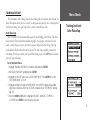
The Forerunner’s 201 Training Assistant has training tools to maximize your workout sessions. This option allows you to set (or use) an auto pause and auto lap, use a virtual partner,
use interval training, use a pace /speed alert, and use a time/distance alert.
Auto Pause/Lap
The Forerunner 201 can automatically pause the timer during your workout. The Auto
Pause works well if your workout includes stop lights or stop signs. Auto Pause does not
pause at exactly the pace you set, but when your pace drops below that setting. The stop
watch indicator flashes when the timer is paused. The Auto Lap is useful if you want the
Forerunner 201 to keep track of your laps without having to press the LAP button each time
you travel a given distance.
Menu Mode
Training Assistant:
Auto Pause/Lap
To set the Auto Pause:
1. Highlight’ TRAINING ASSISTANT’ in the Menu Mode and press ENTER.
2. With ‘AUTO PAUSE/LAP’ highlighted, press ENTER..
3. Highlight the ‘ON/OFF’ option next to ‘AUTO TIMER PAUSE:’. Press ENTER to turn the
‘AUTO TIMER PAUSE’ on or off.
4. Highlight the field to the right of ‘PAUSE WHEN:’. Press ENTER to display the available
option menu. Selections other than ‘CUSTOM’ are based off your ‘SET PROFILE’ settings
(pg. 28).
5. Press the DOWN or UP button to highlight ‘JOGGING’, ‘WALKING’, ‘STOPPED’ or
‘CUSTOM’. Press ENTER to select the option you want.
9
Menu Mode
Training Assistant:
Virtual Partner
To set the Auto Lap:
1. Highlight ‘TRAINING ASSISTANT’ in the Menu Mode and press ENTER.
2. Highlight ‘AUTO PAUSE/LAP’ and press ENTER.
3. Highlight the ‘ON/OFF’ option next to ‘AUTO LAP TRIGGER:’. Press ENTER to turn the
‘AUTO LAP TRIGGER:’ on or off.
4. Highlight the ‘DISTANCE’ option next to ‘LAP DISTANCE:’. Press ENTER to display the
available option menu.
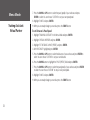
5. Press the DOWN or UP button to highlight ’1/2 MARATHON’, ’10 MILE’, ’10K’, ’5 MILE’,
‘5K’, ‘1 MILE’, or ‘CUSTOM’. Press ENTER to select the option you want.
10
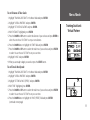
Virtual Partner
This is a unique feature of the Forerunner 201. You have the option to set up a Virtual
Partner to help you obtain your workout goals. The Virtual Partner always completes the
goal you set. Your job is to keep up with your Virtual Partner. Your Virtual Partner can help
you with ‘Distance & Time’, ‘Time & Pace(Speed)’, or ‘Distance & Pace(Speed)’. The Virtual
Partner mode displays after you enter your settings. In the Virtual Partner mode, the top
character is your Virtual Partner while you are represented on the bottom. As soon as you
press START, your workout begins and your Virtual Partner begins to run. As you move,
your digital self also moves. A message bar appears at the very bottom and shows how far
off you are from your Virtual Partner. Press the DOWN or UP button to view other data in
Virtual Partner Mode, such as distance and time to go. Press STOP to stop the timer after
your goals are complete or select ‘END PARTNER RUN’ from the Training Assistant menu and
a summary screen displays.
To set Distance & Time Goals:
1. Highlight ‘TRAINING ASSISTANT’ in the Menu Mode and press ENTER.
2. Highlight ‘VIRTUAL PARTNER’ and press ENTER.
3. Highlight ‘SET DISTANCE &TIME’ and press ENTER.
4. With ‘DISTANCE’ highlighted, press ENTER.
Menu Mode
Training Assistant:
Virtual Partner
5. Press the DOWN or UP button to select the distance of your workout and press ENTER to
select. You can choose ‘CUSTOM’ to set your own distance.
6. Press the DOWN button to highlight the ‘TIME’ field and press ENTER.
7. Press the DOWN or UP button to select the total time of your workout and press ENTER
to select. You can choose ‘CUSTOM’ to set your own time.
8. Highlight ‘DONE’ and press ENTER.
9. When you are ready to begin your workout press the START button.
To set Time & Pace/Speed:
1. Highlight ‘TRAINING ASSISTANT’ in the Menu Mode and press ENTER.
2. Highlight ‘VIRTUAL PARTNER’ and press ENTER.
3. Highlight ‘SET TIME & PACE (SPEED)’ and press ENTER.
4. With ‘TIME’ highlighted, press ENTER.
5. Press the DOWN or UP button to select the total time of your workout and press ENTER
to select. You can choose ‘CUSTOM’ to set your own time.
6. Press the DOWN button to highlight the ‘PACE (SPEED)’ field and press ENTER.
(continued on next page)
11
Menu Mode
Training Assistant:
Virtual Partner
7. Press the DOWN or UP button to select the pace (speed) of your workout and press
ENTER to select. You can choose ‘CUSTOM’ to set your own pace/speed.
8. Highlight ‘DONE’ and press ENTER.
9. When you are ready to begin your workout press the START button.
To set Distance & Pace/Speed:
1. Highlight ‘TRAINING ASSISTANT’ in the Menu Mode and press ENTER.
2. Highlight ‘VIRTUAL PARTNER’ and press ENTER.
3. Highlight ‘SET DISTANCE & PACE (SPEED)’ and press ENTER.
4. With ‘DISTANCE’ highlighted, press ENTER.
5. Press the DOWN or UP button to select the distance of your workout and press ENTER to
select. You can choose ‘CUSTOM’ to set your own distance.
6. Press the DOWN button to highlight the ‘PACE (SPEED)’ field and press ENTER.
7. Press the DOWN or UP button to select the pace(speed) of your workout and press ENTER
to select. You can choose ‘CUSTOM’ to set your own pace/speed.
8. Highlight ‘DONE’ and press ENTER.
9. When you are ready to begin your workout press the START button.
12
Interval Training
Interval Training enables you to improve your workout by alternating time intervals or
distances of exercise with rest periods of stopping or slower speeds. You may choose to set an
exercise distance & a rest time, set an exercise distance & a rest distance, set an exercise time
& a rest time, or set an exercise time & rest distance.
To start Interval Training:
Menu Mode
Training Assistant:
Interval Training
1. From the Training Assistant menu press the DOWN or UP button to highlight ‘INTERVAL
TRAINING’. Press ENTER.
2. Press the DOWN or UP button to highlight the desired training method field and press
ENTER.
3. Press the DOWN or UP button to highlight the setting you wish to change and press
ENTER.
4. Press the DOWN or UP button to highlight the desired time or distance and press ENTER.
For ‘CUSTOM’ choices, scroll through the place holders using the DOWN or UP buttons.
(UP button moves the cursor right to left, and the DOWN button moves the cursor left
to right). When you reach the position place you want to change, stop and press ENTER.
Using the DOWN or UP button, highlight the number you want, and press ENTER. The
minimum Time you may enter is 30 seconds. The minimum Distance you may enter is 0.12
miles (0.20 km). Highlight ‘OK’ and press ENTER when done
5. When you have entered all your settings, highlight ‘DONE?’ and press ENTER.
6. Press START/STOP to begin your Interval Training. Press START/STOP during your workout to pause Interval Training.
13
Menu Mode
Training Assistant:
Interval Training
14
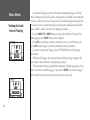
Once Interval Training has started, the Forerunner automatically changes to the Timer
Mode, showing your Lap Speed, Lap Time, and Lap Distance. An audible alarm sounds when
you have reached your rest time or distance period. A Rest Banner displays showing the time
or distance of your rest period. During the rest period, another audible alarm sounds when
you are within 5 seconds or 20 meters of resuming your workout.
Press the MODE, UP or DOWN buttons to remove the Rest Banner. To show the Rest
Banner again, press the MODE button until it is displayed.
Press LAP any time during a workout to immediately start a rest period. You may also
press LAP any time during a rest period to immediately resume your workout.
If you wish to stop Interval Training, choose ‘END TRAINING’ from the Training Assistant menu.
While Interval Training is activated, Auto Pause and Auto Lap settings are ignored. Distance and Pace Alerts still function, except during rest periods.
When the number of Reps you specified have completed, a Finished page displays. If you
wish to review the Last Run History (pg. 6), you must first RESET your current run (pg. 3).
By Day and By Week history totals only shows interval data, not rest data.
Pace/Speed Alert
Use the Pace/Speed Alert when you want to know when you have reached either your
fastest pace/speed or your slowest pace/speed. When you reach this preset speed during your
workout, an alarm sounds.
To set Fast Pace/Speed Alert:
1. Highlight ‘TRAINING ASSISTANT’ in the Menu Mode and press ENTER.
Menu Mode
Training Assistant:
Pace/Speed Alert
2. Highlight PACE (SPEED) ALERT’ and press ENTER.
3. With ‘FAST PACE (SPEED) ALERT’ highlighted, press ENTER and use the DOWN or UP
button to select ‘ON’ or ‘OFF’ from the menu and press ENTER.
4. Press the DOWN button to highlight the ‘ALERT AT:’ field and press ENTER.
5. Select from a quick option menu ‘SPRINT’, ‘RUN’, ‘JOG’, ‘SPEED WALK’, ’WALK’, or
‘CUSTOM’ and press ENTER.
6. Press the MODE button to return to the Training Assistant.
To set Slow Pace/Speed Alert:
1. Highlight ‘TRAINING ASSISTANT’ in the Menu Mode and press ENTER.
2. Highlight ‘PACE (SPEED) ALERT’ and press ENTER.
3. Press the DOWN or UP button to highlight the ‘SLOW PACE (SPEED) ALERT’ and press
ENTER. Press the DOWN or UP button to select ‘ON’ or ‘OFF’ from the menu and press
ENTER.
4. Press the DOWN button to highlight the ‘ALERT AT:’ field and press ENTER.
5. Select from a quick option menu ‘SPRINT’, ‘RUN’, ‘JOG’, ‘SPEED WALK’, ‘WALK’, or
‘CUSTOM’ and press ENTER.
6. Press the MODE button to return to the Training Assistant.
15
Menu Mode
Training Assistant:
Time/Distance Alert
Time/Distance Alert
Like the Pace/Speed Alert, you can set an alarm to sound when you reach a certain time
or a certain distance.
To set Time Alert:
1. Highlight ‘TRAINING ASSISTANT’ in the Menu Mode and press ENTER.
2. Highlight ‘TIME/DIST(ANCE) ALERT’ and press ENTER.
3. With ‘TIME ALERT’ highlighted, press ENTER to turn the alert ‘OFF’, alert ‘ONCE’, or
‘REPEAT’ the alert whenever the ‘ALERT AT:’ time is reached again.
4. With ‘TIME ALERT’ on, highlight the ‘ALERT AT:’ field and press ENTER.
5. Select from ‘2 HOURS’, ’1.5 HOURS’, ‘1 HOUR’, ’30 MINUTES’, or ‘CUSTOM’. Press the
DOWN or UP button to highlight your selection and press ENTER to select.
6. Press the MODE button to return to the Training Assistant mode.
To set Distance Alert:
1. Highlight ‘TRAINING ASSISTANT’ in the Menu Mode and press ENTER.
2. Highlight ‘TIME/DIST(ANCE) ALERT’ and press ENTER.
3. Use the DOWN or UP button to highlight the ‘DISTANCE ALERT’ field, press ENTER to
turn the alert ‘OFF’, alert ‘ONCE’, or ‘REPEAT’ the alert whenever the ‘ALERT AT:’ distance is
reached again.
4. With ‘DISTANCE ALERT’ on, highlight the ‘ALERT AT:’ field and press ENTER.
5. Select from ‘1/2 MARATHON’, ’10 MILE’, ’10K’, ’5 MILE’, ’5K’, ’1 MILE’ or ‘CUSTOM’. Press
the DOWN or UP buttons to highlight your selection and press ENTER to select.
16
6. Press the MODE button to return to the Training Assistant.
NAVIGATION
The Navigation Menu provides additional options for traveling with your Forerunner 201.
Refer to this menu option to add or remove the map mode, mark a location, find a location,
return back to your starting point, and orient the map mode by a north reference or ahead
(the direction you are moving).
Menu Mode
Navigation:
Add/Remove Map Mode
Add/Remove Map Mode
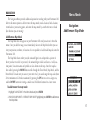
The Map Mode does not appear on your Forerunner 201 until you activate it from this
menu. Once you add the map, you are immediately taken to the Map Mode where you can
view your position, workout, or locations. It is not possible to load detailed map data into the
Forerunner 201.
The Map Mode shows where you (the animated figure) are and provides a picture of
where you have traveled. As you travel, the animated figure ‘walks’ and leaves a ‘trail’ (location points). Location names and symbols are also shown on the map. Once the map has
been added, pressing the MODE button scrolls through the Timer Mode, Map Mode, and the
Menu Mode. To make sure you can see your entire ‘trail’, you can change the map scale (from
20 feet minimum to 120 miles maximum) by pressing the UP button to view a larger area,
and the DOWN button for viewing a smaller area. Hold down buttons for a faster zoom.
To add/remove the map mode:
1. Highlight ‘NAVIGATION’ in the Menu Mode and press ENTER.
2. With ‘ADD MAP MODE’ or ‘REMOVE MAP MODE’ highlighted, press ENTER to add/remove
the Map Mode.
17
Menu Mode
Navigation:
Mark Location
Mark Location
The Forerunner 201 can remember a location (latitude/longitude) to which you want to
return later by using the ‘Mark Location’ option. The Forerunner 201 saves your location
using a default three-digit number beginning with 001 and increases by one thereafter. You
may mark and save up to 100 locations. You can change the location symbol, name, known
elevation, and location position (latitude and longitude) any time after the location has been
saved.
To change the location symbol:
1. Highlight ‘NAVIGATION’ in the Menu Mode and press ENTER.
2. Press the DOWN button to highlight the ‘MARK LOCATION’ option and press ENTER. The
Review Location appears. (Flag with symbol, name, and location)
3. Press the DOWN button to highlight the location symbol and press ENTER.
4. Scroll through the available location symbols using the DOWN or UP buttons. Press
ENTER when you find the location symbol of choice.
5. Press the DOWN or UP button to highlight the ‘OK’ field and press ENTER. Your location
with the new location symbol is now stored in memory.
To change the location name:
1. Highlight ‘NAVIGATION’ in the Menu Mode and press ENTER.
2. Press the DOWN button to highlight the ‘MARK LOCATION’ option and press ENTER. The
Review Location Mode appears. (Flag with symbol, name, and location)
3. Press the DOWN button to highlight the location name and press ENTER. (continued)
18
4. Scroll through the letters holders using the DOWN or UP buttons. (UP button moves the
cursor right to left, and the DOWN button moves the cursor left to right). When you reach
the position place you want to change, stop, and press ENTER. Using the DOWN or UP
button, scroll through the letter, number or symbol choices, highlight the one you want and
press ENTER. The position place is now changed. You can change the name of the location
up to 6 characters. Continue until all positions are changed.
Menu Mode
Navigation:
Mark Location
5. Press the DOWN or UP button to highlight the ‘OK’ field and press ENTER. The Location
Mode appears again with the corrected name.
6. Press the DOWN or UP button to highlight the ‘OK’ field and press ENTER. Your location
with the new location name is now stored in memory.
To change the elevation:
1. Highlight ‘NAVIGATION’ in the Menu Mode and press ENTER.
2. Press the DOWN button to highlight the ‘MARK LOCATION’ option and press ENTER. The
‘Review Location Mode appears. (Flag with symbol, name, and location)
3. Press the DOWN button to highlight the ‘ELEV(ATION):’ field and press ENTER.
4. Scroll through the elevation position places using the DOWN or UP buttons (UP button
moves the cursor right to left, and the DOWN button moves the cursor left to right). When
you reach the position you want to change, stop, and press ENTER. Using the DOWN or
UP button, scroll through the choices to highlight the one you want. Press ENTER. The
position place is now changed. Continue until all positions are changed.
5. Press the DOWN or UP button to highlight the ‘OK’ field and press ENTER. The Location
Mode appears again with the corrected elevation.
6. Press the DOWN or UP button to highlight the ‘OK’ field and press ENTER. Your location
with the new elevation is now stored in memory.
19
Menu Mode
Navigation:
Find Location
To change the location (latitude/longitude):
1. Highlight ‘NAVIGATION’ in the Menu Mode and press ENTER.
2. Press the DOWN button to highlight the ‘MARK LOCATION’ option and press ENTER. The
Review Location appears. (Flag with symbol and name)
3. Press the DOWN button to highlight the location field (latitude/longitude) and press
ENTER.
4. Scroll through the latitude and longitude position places using the DOWN or UP buttons
(UP button moves the cursor right to left, and the DOWN button moves the cursor left to
right). When you reach the position you want to change, stop, and press ENTER. Using
the DOWN or UP button, scroll through the choices to highlight the one you want. Press
ENTER. The position place is now changed.
5. Press the DOWN or UP button to highlight the ‘OK’ field and press ENTER. The Location
Mode appears again with the corrected location.
6. Press the DOWN or UP button to highlight the ‘OK’ field and press ENTER. Your location
with the new latitude/longitude is now stored in memory.
20
Find Location
The ‘FIND LOCATION’ mode organizes all of your locations in alphabetical order for
easy selection. After searching for your location through the saved alphabetical list, you can
view the location on the map or perform a ‘GOTO’. A ‘GOTO’ leads you from your current
position to the saved location. The Forerunner 201 creates a straight line (as the crow flies)
from your current position to the saved location. It may be necessary to go around obstacles
to arrive at the saved location. ‘Find Location’ has these available options: ‘LIST ALL’,
‘NEAREST’, or ‘DELETE ALL’.
To find and select a location:
1. Highlight ‘NAVIGATION’ in the Menu Mode and press ENTER.
2. Press the DOWN button, highlight the ‘FIND LOCATION’ option, and press ENTER.
3. With ‘LIST ALL’ highlighted, press ENTER. A locations list appears starting with numbers
(0-9) and moves into an alphabetical list .
Menu Mode
Navigation:
Find Location
4. Press the DOWN or UP button to highlight the alphabetical tab containing the desired
location. Press ENTER. Press the DOWN or UP button to select the desired location. Press
ENTER. The Review Location appears.
To delete a location:
1. In the Review Location mode, press the DOWN or UP button to highlight ‘DELETE’. Press
the ENTER button. A confirmation message box appears asking if you really want to delete
the location. If you do, press the DOWN or UP button, highlight ‘YES’ and press ENTER.
2. If you change your mind and do not want to delete the location, press the DOWN or UP
button, highlight ‘NO’, and press ENTER. The confirmation message box disappears and
the location remains in memory. You can also press the MODE button to exit.
To view the ‘NEAREST’ locations:
1. Highlight ‘NAVIGATION’ in the Menu Mode and press ENTER.
2. Press the DOWN button to highlight the ‘FIND LOCATION’ option and press ENTER.
3. Press the DOWN button to highlight the ‘NEAREST’ option and press ENTER.
4. The nine closest locations appear in a list showing their name and distance from your
location. You can select a location from this list by pressing the DOWN or UP button and
selecting the desired location. Once selected, press ENTER. The Review Location appears
allowing you to edit the location, if you desire.
21
Menu Mode
Navigation:
Find Location
To view the selected location on the Map Mode:
1. In the Review Location mode, press the DOWN or UP button to highlight ‘MAP’. Press the
ENTER button. The selected location is displayed on the map. You can use the DOWN/UP
buttons to zoom in and out on the map.
2. With ‘OK’ highlighted, press ENTER to switch back to the Review Location Mode.
To start a ‘GOTO’:
1. In the Review Location mode, press the DOWN or UP button to highlight ‘GOTO’. Press
ENTER. The ‘GOTO’ is activated with the selected location as the destination.
To stop a ‘GOTO’:
1. Highlight ‘NAVIGATION’ in the Menu Mode and press ENTER.
2. Press the DOWN or UP button to highlight the ‘STOP GOTO’ option and press ENTER.
To delete all locations:
1. In the ‘FIND LOCATION’ mode, press the DOWN or UP button to highlight ’DELETE ALL’.
Press the ENTER button. A confirmation message box appears asking if you really want
to delete all locations. If you do, press the DOWN or UP button to highlight ‘YES’. Press
ENTER.
2. If you change your mind and do not want to delete the location, press the DOWN or UP
button to highlight ‘NO’. Press ENTER. The confirmation message box disappears and all of
the locations remain in memory.
22
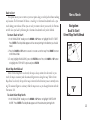
Back to Start
This option allows you to return to your start point along a traveled path without marking
any locations. The Forerunner 201 draws a ‘track log’ or ‘electronic breadcrumb trail’ as you
travel during your workout. When you are ready to return to where you started, the Forerunner 201 takes you back by following the ‘electronic breadcrumb trail’ you left behind.
To return ‘Back to Start’:
Menu Mode
Navigation:
Back To Start/
Orient Map North/Ahead
1. In the ‘NAVIGATION’ mode, press the DOWN or UP button to highlight ‘BACK TO START’.
Press ENTER. The Map Mode appears with an arrow pointing in the direction you should
travel.
2. Press the DOWN or UP button to zoom in or zoom out on the map. Press MODE to return
to the Menu Mode.
3. To stop, highlight ‘NAVIGATION’, press the ENTER button. Press the DOWN or UP button
to highlight the ‘STOP GOTO’ option and press ENTER.
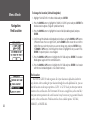
Orient Map North/Ahead
When ‘Orient Map North’ is selected, the map is always oriented to the north, As you
travel, the map is stationary and the animated figure moves along the map. When ‘Orient
Map Ahead’ is selected, the top of the map is oriented in the direction you are currently moving. The animated figure is stationary while the map rotates as you change direction with the
Forerunner 201.
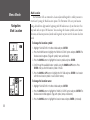
To select Orient Map North:
1. In the ‘NAVIGATION’ mode, press the DOWN or UP button to highlight ‘ORIENT MAP
NORTH’. Press ENTER. The Map Mode appears with the orientation pointing North.
23
Menu Mode
Settings:
Set Time
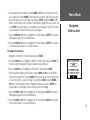
To select Orient Map Ahead:
1. In the ‘NAVIGATION’ mode, press the DOWN or UP button to highlight ‘ORIENT MAP
AHEAD’, Press ENTER. The Map Mode appears with the orientation pointing ahead.
SETTINGS
The ‘SETTINGS’ menu allows you to customize your Forerunner 201. You can set the
time, set the units, set the custom page, set your profile, set the display, set the system, restore
settings to the manufacturer’s default, and check the software version of the Forerunner 201.
SET TIME: Time Format
The ‘SET TIME’ menu allows you to select a 12-hour or 24-hour time format, enter the
proper time zone, and choose Daylight Savings Time. When you select 12-hour time formatting, the clock reads like a standard clock with 12-hour AM and 12-hour PM cycles. The
24-hour option sets the Forerunner 201 to display a 24-hour cycle (Military Time).
To change the time format:
1. Highlight ‘SETTINGS’ in the Menu Mode and press ENTER.
2. Press the DOWN or UP button to highlight ‘SET TIME’. Press ENTER.
3. Press the DOWN or UP button and select the ‘TIME FORMAT’ field and press ENTER.
4. Press the DOWN or UP button, select 12 or 24 hours and press ENTER. Press MODE to
get back to the mode of your choice.
24
SET TIME: Time Zone
The time zone can be set to any one of the pre-programmed zones, or by selecting
‘OTHER’ and then entering the UTC Time Offset value in the UTC offset field.
To change the Time Zone:
1. Highlight ‘SETTINGS’ in the Menu Mode and press ENTER.
2. Press the DOWN or UP button to highlight ‘SET TIME’. Press ENTER.
3. Press the DOWN or UP button to highlight the ‘TIME ZONE’ field and press ENTER.
4. Press the DOWN or UP button to scroll through the selections and press the ENTER
Button when you have found the correct Time Zone.
Menu Mode
Settings:
Set Time
5. Press the MODE Button to return to the mode of your choice.
NOTE. If you select ‘Other’ for the Time Zone choice, you must enter the UTC
offset for your location and the Daylight Savings time option is not available.
SET TIME: Daylight Savings
Daylight savings time can be set to ‘Automatic’, which automatically changes the clock
settings for daylight savings. You can choose ‘Yes’ to manually add daylight savings or ‘No’ to
remain on standard time.
To change the Daylight Savings Field:
1. Highlight ‘SETTINGS’ in the Menu Mode and press ENTER.
2. Press the DOWN or UP button to highlight ‘SET TIME’. Press ENTER.
3. Press the DOWN or UP button to highlight the ‘DAYLIGHT SAVING’ field and press ENTER.
4. Press the DOWN or UP button, highlight ‘AUTO’, ‘YES’, or ‘NO’ and press ENTER. Press the
MODE Button to return to the mode of your choice.
25
Menu Mode
Settings:
Set Units
Set Units
The Forerunner 201 allows you to select statute (feet, miles, and miles per hour) or metric
(meters, kilometers, and kilometers per hour) units of measure for all speed and distance
readouts. It also allows you to choose either your pace (running) or speed (biking) mode. Pace
Smoothing averages your pace over a certain amount of time to avoid errors in GPS position
and speed. You must have the unit in ‘PACE’ mode to use Pace Smoothing.
To change the units of measure:
1. Highlight ‘SETTINGS’ in the Menu Mode and press ENTER.
2. Press the DOWN or UP button to highlight ‘SET UNITS’. Press ENTER.
3. Press the DOWN or UP button to highlight the ‘UNITS’ field. Press ENTER.
You may also hold down the MODE button to
quickly switch between ‘PACE (RUNNING)’ and
‘SPEED (BIKING)’ from any screen. This setting
affects calorie calculations (pg. 6).
4. Press the DOWN or UP button, high light ‘STATUTE’ or ‘METRIC’ and press ENTER. Press
the MODE Button to return to the mode of your choice.
To change the pace/speed mode:
1. Highlight ‘SETTINGS’ in the Menu Mode and press ENTER.
2. Press the DOWN or UP button to highlight ‘SET UNITS’. Press ENTER.
3. Press the DOWN or UP button to highlight the ‘PACE/SPEED MODE’ field. Press ENTER.
4. Press the DOWN or UP button, highlight ‘PACE (RUNNING)’ or ‘SPEED (BIKING)’ and press
ENTER. Press the MODE Button to return to the mode of your choice.
To adjust Pace Smoothing:
1. Highlight ‘SETTINGS’ in the Menu Mode and press ENTER.
2. Press the DOWN or UP button to highlight ‘SET UNITS’. Press ENTER. (continued)
26
3. Press the DOWN or UP button to highlight the ‘PACE SMOOTHING’ field. Press ENTER.
4. Press the DOWN or UP button, highlight ‘MOST’, ‘MORE’, ’LESS’, or ‘LEAST’ and press
ENTER. ’MOST’ produces the maximum amount of smoothing. Press the MODE Button to
return to the mode of your choice.
Set Custom Page
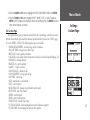
This option allows you to customize data fields on the Custom Page, which are accessed
from the Timer Mode. Speed and Pace choices depend whether you have the ‘UNITS’ (page
24) set to ‘SPEED’ or ‘PACE’. The following data types are available:
• AVERAGE PACE/SPEED - overall average speed of workout
• AVG LAP TIME -average time of all the laps
• BEST PACE - fastest speed of workout
• CALORIES - total calories burned since timer started (see also Pace/Speed Mode pg. 26)
• DISTANCE - training distance
• ELEVATION - current altitude
• GRADE - % slope of terrain
• LAP DISTANCE - distance in lap
• LAP PACE/SPEED - average pace of lap
• LAP TIME - time in lap
• LAPS - number of la s in workout
• PACE - current speed
• REST DISTANCE - distance traveled while Auto Paused
• REST TIME - time Auto Paused
• SPEED - current speed
• TIME - current training time
• TIME OF DAY -current time of day
• TOTAL DISTANCE - both training distance and rest distance together
• TOTAL TIME - both training time and rest time together
Menu Mode
Settings:
Custom Page
27
Menu Mode
Settings:
Set Profile
To customize the data screens:
1. Highlight ‘SETTINGS’ in the Menu Mode and press ENTER.
2. Press the DOWN or UP button to highlight ‘SET CUSTOM PAGE’. Press ENTER.
3. Press the DOWN or UP button to highlight the data field to change. Press ENTER.
4. Press the DOWN or UP button, highlight the desired data type and press ENTER. Press the
MODE Button to return to the mode of your choice.
Set Profile
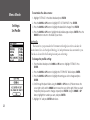
This feature lets you personalize the Forerunner with weight (in order to calculate the
calories burned. See also Pace/Speed Mode pg. 26) and performance data customized to you.
This data is also used for the Training Assistant pace and settings.
To change the profile setting:
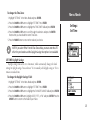
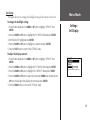
1. From the Menu Mode press the DOWN or UP button to highlight ‘SETTINGS’. Press
ENTER.
2. Press the DOWN or UP button to highlight the ‘SET PROFILE’ field and press ENTER.
3. Press the DOWN or UP button to highlight the setting you wish to change and press
ENTER.
4. Scroll through the place holders using the DOWN or UP buttons. (UP button moves the
cursor right to left, and the DOWN button moves the cursor left to right). When you reach
the position place you want to change, stop and press ENTER. Using the DOWN or UP
button, highlight the number you want, and press ENTER.
5. Highlight ‘OK’ and press ENTER when done.
28
Set Display
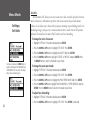
This option allows you to change the backlight setting and the contrast of the screen.
To change the backlight setting:
1. From the Menu Mode press the DOWN or UP button to highlight ‘SETTINGS’. Press
ENTER.
Menu Mode
Settings:
Set Display
2. Press the DOWN or UP button to highlight the ‘SET DISPLAY’ field and press ENTER.
3. With ‘BACKLIGHT’ highlighted, press ENTER.
4. Press the DOWN or UP button to highlight your selection and press ENTER.
5. Press the MODE Button to return to the ‘SETTINGS’ mode.
To adjust the display contrast:
1. From the Menu Mode press the DOWN or UP button to highlight ‘SETTINGS’. Press
ENTER.
2. Press the DOWN or UP button to highlight the ‘SET DISPLAY’ field and press ENTER.
3. Press the DOWN or UP button to highlight the ‘CONTRAST’ field and press ENTER.
4. Press the DOWN or UP button to adjust the contrast bar. DOWN moves the bar left and
UP moves the bar right. After adjusting the contrast bar, press ENTER.
5. Press the MODE Button to return to the ‘SETTINGS’ mode.
29
Menu Mode
Settings:
Set System
Set System
This option allows you to change the beeper setting and select the language of your
choice.
To change the beeper setting:
1. From the Menu Mode press the DOWN or UP button to highlight ‘SETTINGS’. Press
ENTER.
2. Press the DOWN or UP button to highlight the ‘SET SYSTEM ‘field and press ENTER.
3. With ‘BEEPER’ highlighted, press ENTER.
4. Press the DOWN or UP button to highlight your selection and press ENTER.
5. Press the MODE Button to return to the ‘SETTINGS’ mode.
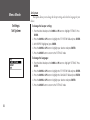
To change the language:
1. From the Menu Mode press the DOWN or UP button to high light ‘SETTINGS’. Press
ENTER.
2. Press the DOWN or UP button to highlight the ‘SET SYSTEM’ field and press ENTER.
3. Press the DOWN or UP button to highlight the ‘LANGUAGE’ field and press ENTER.
4. Press the DOWN or UP button to highlight your selection and press ENTER.
5. Press the MODE Button to return to the ‘SETTINGS’ mode.
30
Restore Settings
This option allows you to restore the factory settings to options in the SETTINGS menu
ONLY. Data and settings in other menus, such as HISTORY and TRAINING ASSISTANT, are
not affected.
To restore factory settings:
1. From the Menu Mode press the DOWN or UP button to highlight ‘SETTINGS’. Press ENTER.
Menu Mode
Settings:
Restore Settings/
About Forerunner
2. Press the DOWN or UP button to highlight the ‘RESTORE SETTINGS’ field and press ENTER.
3. Press the DOWN or UP button to highlight your selection and press ENTER.
About Forerunner
Displays the software version of your Forerunner.
To view the software version:
1. From the Menu Mode press the DOWN or UP button to highlight ‘SETTINGS’. Press ENTER.
2. Press the DOWN or UP button to highlight the ‘ABOUT FORERUNNER’ field and press
ENTER.
You may also visit the Garmin Web site to update you Forerunner 201 software.
http://www.garmin.com/products/forerunner201
31
Software
Garmin Training Center™
FORERUNNER SOFTWARE
Free computer software is available for Forerunner 201 owners. With Garmin Training
Center, you can download and view your run history, add notes to a run, and export your
run history into an XML data format. To download Garmin Training Center software, go to
the Garmin Web site: http://www.garmin.com/products/forerunner201.
Transferring Forerunner Data to Your Computer
You can send and receive data between your Forerunner and your computer using a serial
port connection and Garmin Training Center.
To transfer Forerunner data to your computer:
1. On the back of your Forerunner, wipe the contacts dry.
2. Snap the unit into the A/C recharging cradle with the 4-contact end in first (shown at left).
3. Connect the serial cable to a serial port on your computer.
4. Turn on your Forerunner.
5. Open Garmin Training Center. The Garmin Training Center welcome message appears.
6. Click OK. The New User dialog box appears.
7. Type a user name and click OK. In the future, when you connect this particular Forerunner
unit, Garmin Training Center will automatically associate the unit with this user name.
8. Click Receive History
to transfer Forerunner data to Garmin Training Center. The
Receiving history status window appears, and then the Transfer Complete dialog box
appears.
32
9. Click OK. Now you can begin using Garmin Training Center. For more instructions, click the
Help menu and select Contents, or press F1 on your keyboard.
SPECIFICATIONS
Specifications
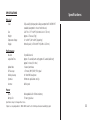
Physical
Case:
Size:
Weight:
Temperature Range:
Display:
Fully-sealed, high-impact plastic alloy, waterproof to IEC 60529 IPX7
standards (waterproof to 1 meter for 30 minutes)
3.26”W x 1.71 “H x.69”D (82.80 x 43.44 x 17.53 mm)
Approx. 2.75 ounces (78g)
-4° to 140°F (-20° to 60°C) (operating)
100 x 64 pixels, 1.44”W x 0.92”H (36.49 x 23.35 mm)
Performance
Receiver:
Acquisition Time
Update Rate:
GPS Accuracy:
Velocity Accuracy:
Dynamics:
Antenna:
12 parallel channel
Approx. 15 seconds (warm start); approx. 45 seconds (cold start);
approx. 5 minutes (first time)
1 /second, continuous
<15 meters (49 ft) RMS1, 95% typical
0. 1 knot RMS steady state
Performs to specifications to 6 g’s
Built-in patch
Power
Input:
Battery Life:
Rechargeable built-in lithium ion battery
15 hours, typical use
Specifications subject to change without notice.
1
Subject to accuracy degradation to 100m 2DRMS under the U.S. DOD-imposed Selective Availability program.
33
Index
A
About Forerunner 31
Add/remove map mode 17
Auto Lap 10, 14
Auto Pause 4, 9, 14
E
Elevation 19
B
F
Backlight 29
Back to Start 23
Battery xii
Beeper 30
G
C
Calories 6, 7, 27, 28
Caution viii
Charging the battery xii
Cleaning ix
Contrast 29
Current Lap Screen 4
Custom Page 27
Custom Screen 4
D
34
Display Contrast 29
Distance Alert 16
Distance Goals 11
Data Screens 4, 28
Daylight Savings 25
Delete, History 8
Delete Location 22
Factory Settings 31
FCC Compliance vi
Find Location 20, 21, 22
Garmin Training Center ix, 32
GOTO 22
GPS viii, 1, 2
H
History 6, 7, 8, 32
History: By Day 6
History: By Week 7
History: Delete 8
History: History Totals 8
History: Last Run 6, 14
I
Interval Training 13, 14
L
R
Language 30
Last Run 6, 14
Latitude/Longitude 20
Location 18, 19, 20, 21, 22
Registration iii
Restore Settings 31
M
Main Modes 3
Map Mode 17, 22, 23
Mark Location 18, 19
Memory xii, 6
Menu Mode 5
N
Navigation 17
Nearest Location 20, 21
O
Orient Map Ahead 23, 24
Orient Map North 23
P
Pace/Speed Alert 15
Pace Mode 26
Pace Smoothing 26
Product Registration iii
S
Serial Number iii
Serial Port 32
Set Display 29
Set Profile 28
Set System 30
Set Time 24, 25
Set Units 26
Software 32
Software License vii
Software Version 31
Specifications 33
Speed/Pace Alert 15
Speed Mode 26
Storage ix
Index
Time Goals 11
Time Zone 24, 25
Track Log 6, 23
Training Assistant 9, 10, 11, 12, 13, 14, 15, 16
U
Units 26
V
Virtual Partner 10, 11, 12
W
Warnings viii
Warranty v
Water Immersion ix
Wrist Strap ix, xi
T
Table of Contents iv
Time 25
Timer Mode 3, 4
Timer Screen 4
Time Alert 16
Time Format 24
35
For the latest free software updates (excluding map data)
throughout the life of your Garmin products, visit the Garmin
Web site at www.garmin.com.
© Copyright 2003-2006 Garmin Ltd. or its subsidiaries
Garmin International, Inc.
1200 East 151st Street, Olathe, Kansas 66062, U.S.A.
Garmin (Europe) Ltd.
Unit 5, The Quadrangle, Abbey Park Industrial Estate, Romsey, SO51 9DL, U.K.
Garmin Corporation
No. 68, Jangshu 2nd Road, Shijr, Taipei County, Taiwan
www.garmin.com
Part Number 190-00318-00 Rev. F