1
BIOS SETUP
Onboard Serial/Parallel Port
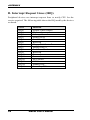
These fields allow you to select the onboard serial and parallel ports and
their addresses. The default values for these ports are:
Serial Port 1
3F8/IRQ4
Serial Port 2
2F8/IRQ3
Serial Port 3
Disabled /IRQ11
Serial Port 4
Disabled/IRQ10
Parallel Port
378H/IRQ7
UART Mode Select
This field determines the UART 2 mode in your computer. The default
value is Normal. Other options include IrDA and ASKIR.
Parallel Port Mode
This field allows you to determine parallel port mode function.
SPP
Standard Printer Port
EPP
Enhanced Parallel Port
ECP
Extended Capabilities Port
ECP+EPP
Combination of ECP and EPP capabilities
Normal
Normal function
USB 1.0 Controller
The options for this field are Enabled and Disabled. By default, this field
is set to Enabled.
USB 2.0 Controller
The options for this field are Enabled and Disabled. By default, this field
is set to Enabled. In order to use USB 2.0, necessary OS drivers must be
installed first. Please update your system to Windows 2000 SP4 or
Windows XP SP2.
USB Keyboard/Mouse/Storage Function
The options for this field are Enabled and Disabled. By default, this field
is set to Enabled.
MB945 User’s Manual
45