1
General Guidelines and Best Practices
Because the printer is an embedded system that does not support Microsoft .NET
Windows.Forms, you need to take certain considerations into account when
creating your application. This section lists guidelines for developing your printer
application, and includes suggestions for best practices.
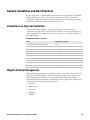
Limitations on Class Instantiation
Classes tied to physical printer components may be instantiated once per
component per application, as shown in the next table. A second instantiation of
these components in an application raises an exception, or results in undefined or
unstable behavior.
Maximum Instances of a Class
Class
Maximum Instances
Communication.BluetoothListener
One
Communication.IndustrialInterface
One
Communication.SerialPort
One per physical serial port
Communication.TcpListener
One per IP port
Communication.USBHost
One per physical USB port
Drawing
One
PrintControl
One
UI.Canvas
One
UI.Keypad
One
UI.LED
One per physical LED
Object Lifetime Management
Although common practice in C# applications is to create objects when you need
them, and then let the garbage collector clean them up after you no longer need
them, some Intermec.Printer classes should be handled differently. Intermec
recommends that you instantiate the following classes at application startup, and
explicitly dispose them as the application exits:
•
Drawing
•
PrintControl
•
UI.Canvas
•
UI.Keypad
•
UI.LED
IDL Smart Printing Resource Kit Developer Guide
15