1
Introduction
Welcome
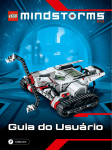
Welcome to the world of LEGO® MINDSTORMS®
In this LEGO® MINDSTORMS® EV3 robotics set you have all
the elements you need to create and command thousands of LEGO
robots.
If you have never built a LEGO MINDSTORMS robot before, we
recommend that you start by building one of the five cool robot
characters pictured on the EV3 packaging. In the Robot Missions
inside the EV3 programming software, you’ll find building instructions
and examples of how to program these robots. The robots have been
created by LEGO MINDSTORMS designers to demonstrate some of
the ways you can build and program with the LEGO MINDSTORMS
EV3 robotics system. Before you know it, you’ll turn your own LEGO
creations into live robots of every type and with many different kinds
of behavior!
With LEGO MINDSTORMS EV3, building and programming your
own robot has never been easier. Think of a robot and then build
it. Use the motors and sensors to add behavior and movement.
The software will guide you in bringing your robot to life.
Create: Build your robot using the LEGO elements, motors, and
intelligent sensors included in the set.
Command: Program your robot in the intuitive icon-based
programming interface. Drag and drop the actions that you want
into the programming window and adjust them to suit your robot’s
behavior.
Go! Once you have built and programmed your robot, it’s time to
play!
Visit LEGO.com/mindstorms to see what’s new and what others are
doing with their LEGO MINDSTORMS set. When you and other LEGO
MINDSTORMS fans share your creations and your experiences, we
all benefit.
See you there!
LEGO.com/mindstorms
LEGO, the LEGO logo, MINDSTORMS and the MINDSTORMS logo are trademarks of the/
sont des marques de commerce de/son marcas registradas de LEGO Group. ©2013 The LEGO Group. 041329.
p. 3