1
PRODUCT FEATURES
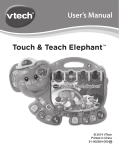
1.ON/OFF BUTTON
To turn the unit ON, press the ON/OFF
BUTTON. Press the ON/OFF BUTTON
again to turn the unit OFF.
Use the DRAWING PEN for tracing and
drawing.
3.ACTIVITY BUTTONS
Press any of the six ACTIVITY BUTTONS
to choose an activity to play.
4.LETTER BUTTONS
Press the 26 LETTER BUTTONS to learn
letters, objects, or letter strokes, depending
on the activity selected.
PRODUCT FEATURES
2.DRAWING PEN
5.OK BUTTON
Press the OK BUTTON to confirm the choice
or answer.
6.REPEAT BUTTON
Press the REPEAT BUTTON to hear or see
the current instruction or animation repeated.
5