1
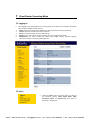
Security ¾ 802.11i WEP, WPA, WPA2 (Encryption support TKIP/AES) ¾ MAC address functions MAC address filter (AP mode) ¾ 802.1x IEEE802.1x Authentication ¾ Station isolation Management ¾ Firmware Upgrade Upgrading firmware via web browser, setting are kept after upgrade ¾ Reset & Backup Reset to factory default. User can export all setting into a file via WEB Interface. ¾ Ping & Trace Route Built‐in PING function & Trace Route function in Web GUI ¾ MIB MIB I, MIB II(RFC1213), Private MIB ¾ SNMP V1, V2c 1.2 Package Contents Open the package carefully, and make sure that none of the items listed below are missing. Do not discard the packing materials, in case of return; the unit must be shipped in its original package. h
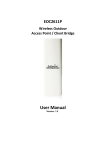
1* EOC2611P h
1* PoE injector (EPE‐1212) h
1* Power Adaptor (24V/0.6A) h
1* CD with User’s Manual h
1* Quick Installation Guide (QIG) h
1* Metal Strap h
2* Special Screw Set 1.3 System Requirements The following are the minimum system requirements in order to configure the device. h PC/AT compatible computer with an Ethernet interface. h Operating system that supports HTTP web‐browser 4Gon www.4Gon.co.uk [email protected] Tel: +44 (0)1245 808295 Fax: +44 (0)1245 808299