1
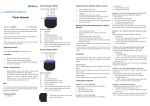
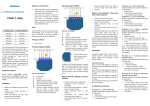
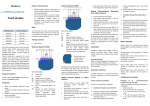
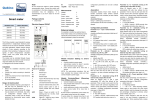
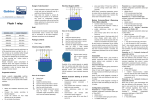
m .c o um or nf .e d ww w SchoolGISMobileapp User Manual For Department of School Education GoAP. 26/08/2015 Prepared by APOnline ww w .e d nf or um .c o m Download the app on your phone – School GIS from Google play store We will share a User name and Pass word. Please do not share this with anyone. Once you install the app you will get the following screen m Enter user name : school code Pass word as given to you Eg: User name: 28113601605 Password: admin@2811 ww w .e d nf or um .c o ww w .e d nf or um .c o m You will be directed to the following screen ww w .e d nf or um .c o m Please stand inside the school and enter your school code. Check the data that is filled in, for eg: Name of your school and address. Long/lat coordinates are captured automatically. In case there is no net connection at the place the data is entered, please click the submit button and use Upload button where there is connectivity. You will be prompted and asked if you are in the school, if you are standing in the school premises or click ww w .e d nf or um .c o m click Next capture pictures of School Building, Toilets both girls and boys and Kitchen Shed. Eg: School Building .c o m nf or um Kitchen Shed ww w .e d Toilet School Infrastructure Click on .c o Enter school code and pw where net connectivity is available. Close the app. Once you reach the school, enter school code again. Take pictures as shown above. m Offline Click ww w .e d nf or Once you upload you will get the following screen um Then when you come to a place where there is net connectivity please click on