1
Chapter 4: Maintenance
C168 Series User’s Manual
Chapter 4: Maintenance
Warnings:
(1) Make sure the printer is powered off before performing maintenance operations.
(2) The Printhead may be hot due to recent printing. Wait until the Printhead cools before performing maintenance.
(3) Use only anhydrous isopropyl alcohol to clean the print head.
Cleaning the Printhead
The Printhead is the mechanism that enables the ink to impact the label. Due to the Printheads precision construction and
necessary location in the printer, it comes into contact with consumables and therefore is susceptible to dirt accumulation. If
dirt is not removed, the Printhead may be damaged. To ensure longevity of the Printhead, follow the recommended
maintenance guidelines below:
Note: A Printhead damaged by misuse is not covered under warranty.
1.
2.
3.
4.
5.
6.
7.
Clean the Printhead
Clean the Printhead after every (1) roll of ribbon use or every (3) rolls of label media use. To clean the Printhead:
Turn printer power off
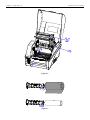
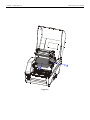
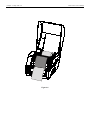
Open the top cover of C168 Series printer
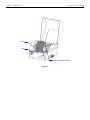
Turn the handle to open.
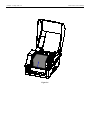
Remove the ribbon (if applicable) and media
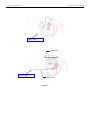
Use a cotton swab dipped in anhydrous isopropyl alcohol. Rub the swab along the Printhead until the swab no longer
accumulates ink
8. Let the Printhead dry before using the printer again