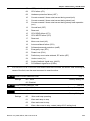
1
Chapter 7 Troubleshooting |VFD-B Series
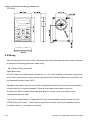
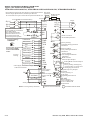
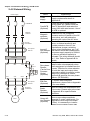
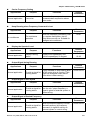
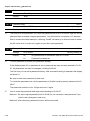
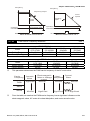
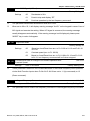
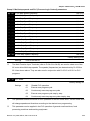
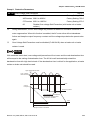
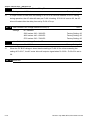
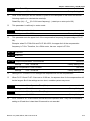
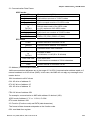
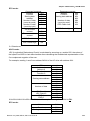
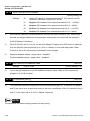
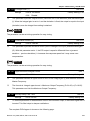
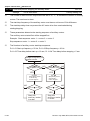
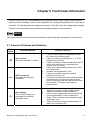
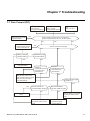
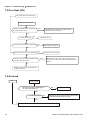
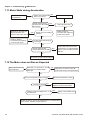
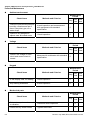
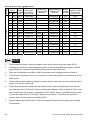
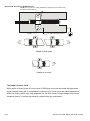
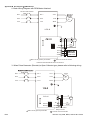
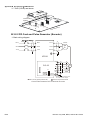
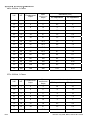
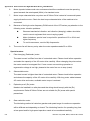
7.2 Ground Fault
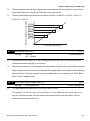
Is output circuit(cable or
motor) of AC motor drive
grounded?
GFF
Ground fault
Maybe AC motor drive has
malfunction or misoperation
due to noise. Please
contact DELTA.
No
Yes
Remove ground fault
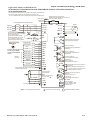
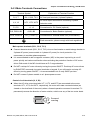
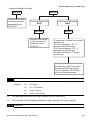
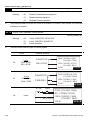
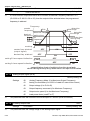
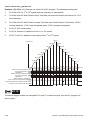
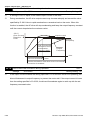
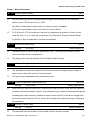
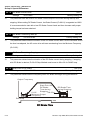
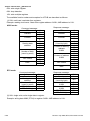
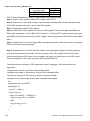
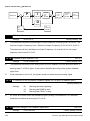
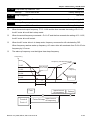
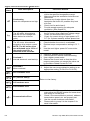
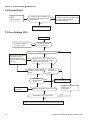
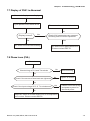
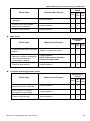
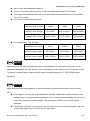
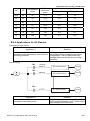
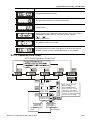
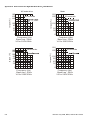
7.3 Over Voltage (OV)
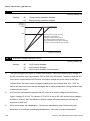
Over voltage
No
Reduce voltage to
be within spec.
Is voltage within
specification
Yes
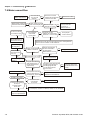
Has over-voltage occurred without load
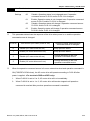
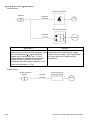
Maybe AC motor drive
has malfunction or
misoperation due to
noise. Please contact
DELTA.
Yes
No
No
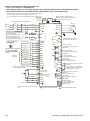
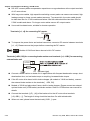
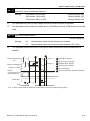
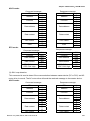
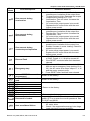
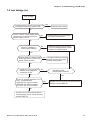
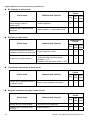
When OV occurs, check if the
voltage of DC BUS is greater
than protection value
Yes
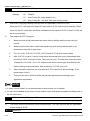
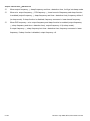
Yes
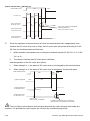
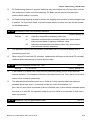
Increase
deceleration
time
No Dose OV occur when
sudden acceleration
stops
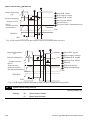
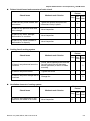
No
Yes
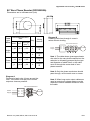
Increase
acceleration
time
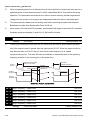
Yes
Yes
Increase setting time
No
Reduce moment
of inertia
No
Reduce moment of load inertia
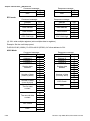
Need to consider using
brake unit or
DC brake
No
Use brake unit or DC brake
No
Yes
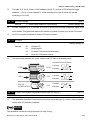
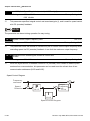
Need to check control method. Please contact DELTA.
7-2
Revision July 2008, BE16, SW V4.08 & V5.00