1
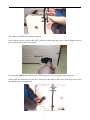
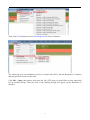
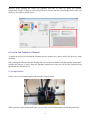
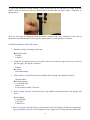
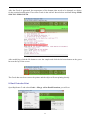
To heat the right extruder and feed material, click the right extruder on the upper right corner of the
control panel and manually modify the temperature in the right target of extruder temperature
control and change the temperature to 220 degrees. A red line will be plotted in the temperature map.
When the actual (Current) temperature reaches 220 degrees you can pull the filament out.
6.5 Setting Parameters
Before generating Gcode, specific parameters can be set up to customize various aspects of the print.
An explanation to each of the settings can be found in a previous section (page 10).
7. Initial Print
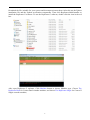
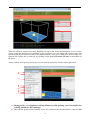
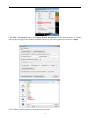
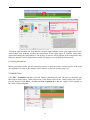
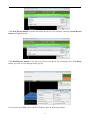
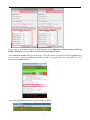
Click File > Examples and then select the 20mm_Calibration_Box.stl. The preview interface will
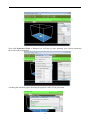
then appear along with a virtual impression of the 20mm cube on the virtual printer bed. On the
preview interface click Move > Centre and Put on platform so that the sample will be printed on
the centre of the build plate.
20