1
High sensitivity
GPS Tracker and GSM Bug Detector
User's Manual
Thank you for purchasing the GPS Tracker Detector. Please
first read over this manual for proper use, save this manual and
keep it handy.
GENERAL
This device is specially made for detecting GPS tracker, GSM
bug and GSM phone, no miss alarm by people using 2-way
radio, cordless phone or wireless camera around.
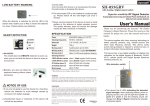
This device has 3 LEDs indicating the detected signal strength.
When detect GSM signal, the LED will light from Level 1 to
Level 2 to Level 3, and the beeping sound will change from
Slow to Rapid indicating the strength of detected signal.
This device also has VIBRATE mode for covert detection. Or
connect the earphone for silent detection without other’s aware.
1/6
HOW TO OPERATE
1. Slide and remove the battery lid, install two AAA/UM-4
batteries matching correct (+) and (-) poles as indicated, then
slide the battery lid back.
2. Pull out the antenna and turn on the switch to upper side
3. The power LED will go Green to confirm the detector is
operation correctly.
4. Before start to scan the vehicle for GPS tracker
or an environment for GSM bug, first set up the
sensitivity threshold. Turn the Sensitivity Tuner
to + (plus) side and let Level 1 ~ Level 3 all light
up, then turn the Tuner to – (minus) side to let
the 3 Level indication LEDs all off and leave
only Green power LED light up.
5. When you switch on this device and the Level 1 and Level 2
LED light up, it means the detecting threshold is too sensitive.
Turn the Sensitivity Tuner to - (minus) side to decreases the
sensitivity until only Green power LED light up.
6. Most GPS trackers have motion sensor to sense unusual
movement. Keep rocking the car and will activate the GPS
tracker to send signal which will help this device find and
locate the unauthorized GPS tracker.
7. When this device detects GSM phone signal, the strength
LED will light up, from Level 1 (Yellow) -> Level 2 (Yellow) ->
Level 3 (Red) indicating the strength of detected signals.
Meanwhile, the buzzer will be beeping.
2/6
SENSITIVITY ADJUSTMENT
Turn the Sensitivity Tuner to - (minus) side to
decrease the sensitivity and the detecting distance
will be shorter. Turn the Sensitivity Tuner to + (plus)
side to increase the sensitivity and the detecting
distance will be longer.
INTERFERENCE (BACKGROUND NOISE) ELIMINATION
1. The Sensitivity tuner is also used to eliminate the background
noise (interference).
2. If the scan environment has other noises that interfere with
your detector, the strength indication LED will light up.
3. If this condition appears, adjust the sensitivity by turning the
Sensitivity Tuner to - (minus) side to decrease the sensitivity
until only Green power LED light up.
4. In normal condition, when turn on the power, only the Power
LED goes Green to confirm the detector is in normal
condition.
LOW BATTERY WARNING
When the detector is switched on and the LED in
the bottom with a battery icon is Red, it means the
batteries run down. Please replace new batteries.
NOTICE OF USE
1. When this device is not use for a long time, remove the
batteries to avoid damage caused by corrosion from battery
leakage.
3/6
2. Unauthorized repair or disassembly of this device will void
all the warranties.
3. Avoid water.
4. Do not store this device in an excessively hot place.
5. Avoid knocks or dropping this device.
SPECIFICATION
Power
AAA/UM-4 battery x 2, 3V DC
Detecting frequencies
GSM phone signal
Dimension
L 87 x W 55 x H 24mm
Weight
70g
Warning mode 1
Audible alarm and 3 LEDs
Warning mode 2
Vibration and 3 LEDs
Warning mode 3
Silent, 3 LEDs and earphone hearing
up to 7 meters radius, depending on the
type and model of GSM phone
Detecting Distance
* Specification may change without notice.
Detecting Distance: * The signal of cellular phone sending and
receiving text message is shorter, so the detecting distance of sending and
receiving text message might be shorter than normal phone call. The
detecting distance will be varied depending on the type and model of signal
sources.
WARNING
Use this device as an auxiliary, supplemental help or aid to prevent the risks
caused by GPS Tracker or GSM bug. This device does not take the place of
all the supervisions. Performance of this Radio frequency (RF) product will
be affected by the circumstance of use. The producer and marketing group
accepts no liability for any loss or damage by malfunction or misuse.
©Copyright 2002-2012, All rights reserved
4/6
Made in Taiwan
Q: We do not know how to operate detector correctly, does the
detector has special operation method?
A: No. it does not need any special operation method, just
different definition on the warning.
It will verify received signal is GSM signal or not. If it is GSM
signal, the detector will beep or vibrate to notify the user. If it is
other wireless signal, the detector will beep in silent (only
showing light).
Q: It will beep and vibrate when scan the GSM bug, but when to
detect other wireless camera and wireless bug, the LEDs
lighting up, but neither beeping nor vibration.
A: Yes. it is a high sensitive detector, it surely can detect RF
(radio frequency) signal during 50 MHz ~ 6.0 GHz. The LEDs
lighting up indicates that there is wireless device operating
around. No beeping or no vibration means that the signal is not
a GSM signal.
Q: I used the GPS tracker detector to detect a GPS Navigator.
Why not working?
A: There are people confused with any GPS tracking device or
a GPS navigation device is a GPS tracker, which is incorrect.
A GPS detector will detect a GPS Tracker such as a Data
Pushers and Personal Tracking device ( not including a data
loggers) when the tracker is in active mode.
5/6
Please also be noted: There is no detector in the market be
able to detect a GPS tracker in a standby mode. For further
information about different GPS tracking units, please
read--> http://en.wikipedia.org/wiki/GPS_tracking_unit
Types of GPS tracking Unit can be detected by detector
Type of GPS
GPS navigator
Data Logger
Data Pusher
Personal Tracking
Asset Tracking
Data Puller
Note:
Does it have a built-in TX?
Majority has no TX; only RX
No TX; only RX
Yes
Yes
Yes
Yes
Can be detected?
No
No
Yes
Yes
Yes
Yes
TX stands for GPS transmitter; RX stands for GPS receiver
6/6