1
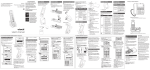
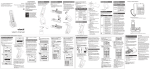
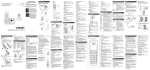
Pendant overview
• Answer or end a call.
Pendant status light
• Stays solid red when the pendant is
charging in the pendant charger.
• Flashes red when the pendant is in low
battery.
• Stays solid green when the pendant is fully
charged and placed in the pendant charger.
• Flashes red and green when the base is
paging the pendant.
• Flashes quickly in red and green during
pendant registration.
• Flashes orange three times when the pendant
is just switched on and not registered.
Pendant light (ring around )
• On steady when the pendant is in use.
• Flashes quickly when there is an
incoming call.
• Flashes twice every three seconds when
any other telephone system device is
in use.
1
• Call speed dial 1.
VOL- and VOL+
• Adjust the listening volume during a call or
message playback.
• Adjust the pendant ringer volume while in
idle mode.
2
• Call speed dial 2.
ON and OFF switch
• Switch to turn the pendant on or off.
VOICE
• Press to use the voice command feature.