1
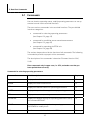
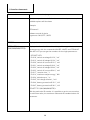
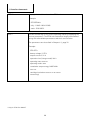
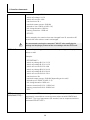
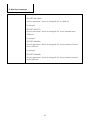
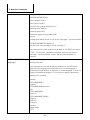
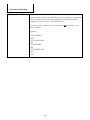
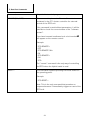
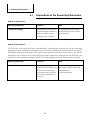
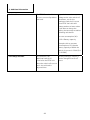
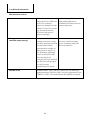
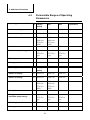
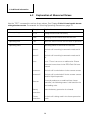
5. Data Port Commands 5. Data Port Commands 5.1 Commands You can view the operating status, modify operating parameters or set up external control via the terminal interface. There are various commands in the terminal interface. They are divided into three categories: commands for selecting operating parameters (see Chapter 5.2, page 19) commands for modifying preset operating parameters (see Chapter 5.3, page 25) commands for operating the EFOY unit (see Chapter 5.4, page 28) The various chapters describe the function of all commands. The following is intended to provide a synopsis of the commands. The description of the commands is based on Firmware Version 9.24 / 11.08 Enter commands only in upper case, i.e. SFC, and make sure that you have spelled them correctly. Commands for selecting operating parameters Command Brief description Chapter ? Displays all available commands. 5.2 ERROR Displays the most recent errors 5.2 GET Displays the feasible values for operating parameters 5.2 LIMITS Displays the permissible range for every operating parameter. 5.2 SFC Displays the current operating status. 5.2 STDVALUE Displays the default settings for operating parameters set by the command DEFAULT. 5.2 VALUE Displays the current settings for the operating parameters. Use CONFIG to modify them. 5.2 VER The firmware version installed on the EFOY unit. 5.2 17