1
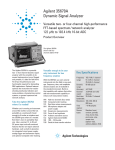
Agilent 35670A Dynamic Signal Analyzer Product Overview Versatile two- or four-channel high-performance FFT-based spectrum/network analyzer 122 µHz to 102.4 kHz 16-bit ADC Key Specifications Frequency Range: 102.4 kHz 1 channel 51.2 kHz 2 channel 25.6 kHz 4 channel Dynamic Range: 90 dB typical Accuracy: ±0.15 dB Channel Match: ±0.04 dB and ±0.5 degrees Real-time Bandwidth: 25.6 kHz/1 channel Resolution: 100, 200, 400 & 800 lines Time Capture: 0.8 to 5 Msamples (option UFC) Source Types: Random, Burst random, Periodic chirp, Burst chirp, Pink noise, Sine, Swept-Sine (option1D2), Arbitrary (option 1D4) The Agilent 35670A shown with four channels (option AY6) The Agilent 35670A is a portable two- or four-channel dynamic signal analyzer with the versatility to be several instruments at once. Rugged and portable, it’s ideal for field work. Yet it has the performance and functionality required for demanding R&D applications. Optional features optimize the instrument for troubleshooting mechanical vibration and noise problems, characterizing control systems, or general spectrum and network analysis. Take the Agilent 35670A where it’s needed! Whether you’re moving an instrument around the world or around the lab, portability is a real benefit. Small enough to fit under an airplane seat, the 35670A goes where it’s needed. But there’s more to portability than size. Like a nominal 12- to 28-volt dc power input and self-contained features that do not require external hardware, such as built-in piezoelectric integrated circuit power supply, analog trigger and tachometer inputs, and optional computed order tracking. Versatile enough to be your only instrument for low frequency analysis With the 35670A, you carry several instruments into the field in one package. Frequency, time, and amplitude domain analysis are all available in the standard instrument. Build on that capability with options that either add new measurement capability or enhance all measurement modes. AY6 Add Two Channels (Four Total) 1D0 Computed Order Tracking 1D1 Real-Time Octave Measurements UK4 Microphone Adapter and Power Supply 1D2 Swept-Sine Measurements 1D3 Curve Fit and Synthesis 1D4 Arbitrary Waveform Source 1C2 Agilent Instrument BASIC UFF Add 1 Mbyte NVRAM AN2 Add 4 Mbyte RAM (8 Mbytes Total) UFC Add 8 Mbyte RAM (12 Mbytes Total) 100 1D0 - 1D4/UFC bundle Agilent 35670A Dynamic Signal Analyzer • • Agilent Instrument BASIC (Option 1C2) Develop a custom user-interface, integrate several instruments and peripherals into a system using the 35670A as the system controller, or simply automate measurements. • • • • • Versatile Measurement Modes Standard and optional measurement modes include: FFT Analysis Real-Time Octave Analysis (option 1D1) Order Analysis (option 1D0) Swept-Sine (option 1D2) Correlation Analysis Histogram Analysis Time Capture All measurement options may be retrofitted. RPM Display Read RPM in any measurement mode • • • • • • • • • • Powerful Markers Extract information from measurement data with trace and special markers: Individual Trace Coupled Trace Absolute or Relative Peak Search Harmonic Band Sideband Power Waterfall Time Parameter Frequency and Damping Built-In 3.5 inch Flexible Disk Drive Store instrument states, programs, time captured data, waterfall data, trace data, limits, math functions, data tables, and curve fit/synthesis tables. Supported disk formats are HP-LIF and MS-DOS. Internal RAM may also be formatted as storage disk. Shown with option AY6 Add Two Channels • Online Help Applications oriented help is just a few keystrokes away. • • • Input Channels Analog A-weighted filters (switchable) Transducer sensitivity input Engineering units: g, m/s2, m/s, m, in/s2, in/s, in, mil, kg, dyn, lb, N, and pascals Built-in 4 mA constant current power supply Large 6.9 inch (17.5 cm) display Display area is not compromised by portability 2 • • • • • • • Precision Measurements 16-bit ADC ±0.15 dB spectrum ampltude accuracy ±0.04 dB, ±0.5 degrees channel match (full scale) 90 dB dynamic range (typical) 130 dB dynamic range with sweptsine (option 1D2) Up/Down autorange Up only autorange Math Functions Powerful math and data editing functions to quickly modify measurement results. (Curve fit and frequency response synthesis available with option 1D3.) Source Types • Random Noise • Burst Random Noise • Periodic Chirp • Burst Chirp • Pink Noise • Fixed Sine • Arbitrary Waveform Source (Option 1D4) • Swept-Sine Source (Option 1D2) Note: The source is located on the front panel of a standard two-channel 35670A. GPIB Connector Integrate the 35670A with other instruments and peripherals for system operation or printing/plotting. System controller for GPIB (IEEE-488.1 and 488.2) compatible instrumentation via Agilent Instrument BASIC (option 1C2). Provides direct control of GPIB printers, plotters, and HP SS80 disk drives. Serial Port Plot to HP-GL plotters or print to HP-GL and raster printers. External Trigger (42 Volt Peak Max) No external signal conditioning hardware required. Triggers on selected level between ±10 volts. Keyboard Use a standard PC keyboard to title data, edit Agilent Instrument BASIC programs, or to operate the instrument. Parallel Port Plot to HP-GL plotters or print to HP-GL and raster printers. DC Power Accepts 12 to 28 volts dc (nominal). Use the 35250A power cable for DC power source connection, or the 35251A power cable with cigarett-lighter adapter. Tachometer (42 Volt Peak Max) No external signal conditioning hardware required. Reads frequency (RPM) on selected levels between ±20 volts. Low Noise Fan Fan may be turned off for acoustic applications. Running speed depends on ambient temperature. Power Select Switch between ac and dc power sources without interrupting instrument operation. AC Power Universal power supply will operate with any combination of voltage between 100 and 240 VAC and line frequency between 47 and 440 Hz. The maximum power requirement is 350 VA. External Monitor Drive a multisync monitor for remote viewing by large groups. 3 Spectrum Analysis Laboratory-quality measurements in the field Obtain all of the performance of your bench-top analyzer in a portable instrument. Ease-of-use Portability, versatility, and performance are valued attributes, but to be really valuable an instrument must also be easy to use. The 35670A has a friendly front panel, plus online help that’s always available to answer your questions. An interactive measurement state lets you configure the instrument setup from a single display. FT-based spectrum analyzers, such as the 35670A, are ideal for measuring the spectra of low-frequency signals like speech or mechanical vibration. Transient components, usually missed with swept-frequency analyzers, are easily measured and displayed at speeds fast enough to follow trends. The 35670A has both the performance and features required to take full advantage of this technology. 16-Bits for High Performance With a 16-bit ADC (90 dB typical dynamic range) and a real-time bandwidth of 25.6 kHz, you can be sure nothing will be missed. Resolve signals using 100 to 1600 lines resolution, or for really close-in analysis, use frequency zoom to resolve signals with up to 61 µHz resolution. Use time or RPM arming to develop waterfalls of sequential vibration spectra for trend analysis or for an overview of device vibration. Power and Linear Spectrums Match your spectrum measurement mode to the signal being tested. Use linear spectrum analysis to measure both the amplitude and phase of periodic signals such as the spectra of rotating machinery. Power spectrum analysis is provided for averaging nonrepetitive signals. Two spectrums of road induced vibration measured at different speeds are compared using the front/back mode of the Agilent 35670A. 4 Averaging Various averaging modes let you further refine spectrum analysis measurements. Time averaging extracts repetitive signals out of the noise while rms averaging reduces the noise to its mean value. Exponential averaging, available for both time and rms averaging, is useful for reducing the noise while following changing signals—tracking the resonance shifts in a fatiguing structure for example. Simultaneous display of frequency and time domain data facilitates analysis of gear mesh vibration. Time Domain Use your spectrum analyzer as a low-frequency oscilloscope or view signals in the time and frequency domains simultaneously. (Note: anti-alias filters can be switched off.) Special markers for time-domain data facilitate extraction of key control system performance parameters: overshoot, rise time, setting time, and delay time. Data Table Markers Use a tabular format to keep track of key frequencies in the spectra of rotating machinery. The amplitude and frequency of the signal and a 16-character entry label field are listed for each selected point. Markers streamline analysis by helping you select and display specific data. Marker functions include marker to peak, next right peak, and coupled markers for selecting points in multiple data displays. Markers readouts are absolute or relative to your selected reference. Measurement results at key frequencies can be labeled and listed using data table. Special Markers Three special marker functions facilitate analysis of your spectral data. Sideband markers aid analysis of modulation signals. Use this function to quickly locate sidebands in the complicated spectra of rotating machines. A band-power marker reads the total power in a selected band of frequencies and a total harmonic distortion marker lets you calculate total harmonic distortion without including the effects of noise. Automatic Units Conversion Display vibration data in the units of your choice. Select g, m/sec2, in/sec2, m/s, in/s, m, mil, inch, Kg, lb, N, dyn, or pascals as appropriate for your application. The instrument automatically converts frequency-domain data from specified input transducer units to the units you select for display. For example, accelerometer data is automatically converted and displayed as mils when mils are selected. Of course, dB, dBV, dBm and volts are available for electrical applications. Harmonic markers are used to calculate the THD of a signal without including the effects of noise. 5 Frequency Response Measurements The 35670A has the flexibility to make measurements of both electrical networks and mechanical devices. FFT-based network analysis is fast enough to allow real-time adjustments of circuit parameters while the swept-sine option provides exacting measurements over more than six frequency decades, and a 130 dB dynamic range. Limits are used for go/no go testing in production. The response of an accelerometer is being checked in this example. Source Select the optimum stimulus for each application—random noise, periodic chirp, pink noise, fixed sine, burst random, and burst chirp. For zoomed network analysis measurements, the source is band-translated to match the zoom span at frequencies up to 51.2 kHz. An optional arbitrary source lets you test your product using real-world signals. A ±10 volt dc source offset facilitates tests of control systems. Impact Testing Force and exponential windows allow impact testing for modal and structural analysis. Quality measurements are ensured using preview and accept/reject during averaging. A 4 mA constant current transducer power supply is built-in for true portability. Limits Four Channels (option AY6) Test network measurements against preset limits. Up to 800 separate line segments are available for setting upper and lower limits. Limits are also used for testing spectrum measurements. Test up to three devices simultaneously with a four-channel 35670A. Channel one is the common reference channel and two, three, and four are the response channels. Alternatively, select channels one and three as reference channels for two totally independent network measurements. See option AY6 description for more information. Characteristics of a selected resonance are automatically calculated from an impact measurement using the frequency and damping marker. 6 Time Capture Markers A frequency and damping marker provides the resonant frequency and the damping ratio of single-degreeof-freedom frequency response measurements. Gain and phase margin markers extract key frequency-domain stability data from frequency response measurements of control systems. Signal Injection for Control Loops Capture transient events or time histories for complete analysis in any measurement mode (except sweptsine). Use either the entire timecapture record or a selected region of interest for repetitive analysis in the FFT, octave, order track, correlation or histogram instrument modes. Add an additional 4 Mbytes (option AN2) or 8 Mbytes (option UFC) of memory for really deep time-capture capability. Use one of three Agilent signal injection devices for testing control loops. The 35280A summing junction provides convenient dc to 1 MHz signal injection for most control loops. Use the 35281A clip-on transformer when it is not possible to temporarily open the loop, or use the 35282A signal injection transformer when secondary voltages are up to 600 Vpk. An interval of time-capture data has been selected for analysis in the octave mode. 7 Using Measurement Results Computed Order Tracking (Option 1D0) Taking the measurement is only half the job. Raw measurement data must be stored, recalled, printed, plotted, integrated with other data for analysis, and reported. The 35670A has a variety of tools to help you finish the job. Self-contained—no ratio synthesizer or tracking filter required Enhanced Data Transfer Utilities for PCs Track Up to Five Orders/Channel Standard Data Format (SDF) Utilities, provided with the 35670A, allow you to easily move data from the instrument to wherever it’s needed: ● ● ● ● ● ● For general digital signal processing and filtering , translate data files to formats compatible with MATLAB and MATRIXX, Data Set 58, or ASCII for use in popular spreadsheets. For specific applications, use application software that reads SDF files directly, such as STARModal and STARAcoustics from SMS and CADA-PC from LMS. Transfer data to and from the 35665A, 3566A, 3567A, 3562A, 3563A. Use the viewdata feature to display data on your PC or to convert to the HP-GL format for transfer to Microsoft’s Word for Windows or Lotus’ AMI PRO word processing software. Convert between HP-LIF and MS-DOS® formats. Read data files into a program. Because order tracking is implemented in the software, data is more precise and your job is easier. Compared to traditional analog order tracking techniques, computed order tracking offers: Order Maps Order Tracking RPM or Time Trigger Display RPM Profile ● Improved dynamic range at high orders ● More accurate tracking of rapidly changing shaft speeds RPM Measurements ● Accurate RPM labeled spectra with exact RPM trigger arm Order tracking facilitates evaluation of spectra from rotating machines by displaying vibration data as a function of orders (or harmonics) rather than frequency. All measurement spectra is normalized to the shaft RPM. ● Wide 64:1 ratio of start to stop RPMs Up to 200 Orders Composite Power Now you can have order tracking without compromising portability. Traditional analog order tracking techniques require external tracking filters and ratio synthesizers. With Agilent’s computed order tracking algorithm, external hardware is gone. Order Map Use order maps for an overview of vibration data versus RPM or time. Display the amplitude profile of individual orders and suborders using the slice marker function. Alternatively, use trace markers to select individual traces for display. Documented Results The 35670A supports a variety of GPIB, serial and parallel printers and plotters for direct hardcopy output. The internal 3.5 inch flexible disk drive stores data, instrument states, HP-GL plots and Agilent Instrument BASIC programs in HP-LIF or MS-DOS formats for future recall or use on HP workstations or a personal computer. Entire display screens can be imported directly into your word processing program by plotting HP-GL files to your named DOS file. HP-GL files are interpreted and displayed directly by Microsoft’s Word for Windows and AMI PRO from Lotus Development Corp. 8 The slice marker feature is used to select and display an order or suborder from an order map. MS-DOS and Microsoft are U.S. registered trademarks of Microsoft Corp. Order Tracking Measure only the data you need. Order tracking lets you measure the amplitude profile of up to five orders plus composite power simultaneously on each channel. Up to four orders or three orders and composite power can be displayed simultaneously. Oscilloscopequality orbit diagrams mean you carry only one instrument onto the shop floor. Orbits Obtain oscilloscope-quality orbit measurements with your 35670A. Unlike traditional FFT analyzers, the 35670A equipped with computed order tracking displays a selected number of loops (usually one) as the shaft RPM is varied. Order tracking is used to simultaneously display up to four orders or a combination of orders, composite power and RPM profile. RPM Profile Use RPM profile to monitor the variation of RPM with time during order tracking measurements. Composite Power Composite power provides the total signal power in a selected channel as a function of RPM. Run-Up and Run-Down Measurements Markers are used to annotate shaft speeds at selected points in a run-up measurement. Run-up and run-down measurements of any order are made using external trigger as the phase reference. Display the results as bode or polar plots; both are available. Markers allow convenient notation of important shaft speeds. 9 Real-Time Octave Measurements (Option 1D1) Microphone Adapter and Power Supply (Option UK4) Real-Time Third Octave to 40 kHz ANSI S1.11-1986 Filter Shapes Microphone Inputs and Power A-Weighted Overall SPL RPM or Time-Triggered Waterfalls Eliminate the expense and inconvenience of multiple instruments in the field. With optional real-time octave analysis, and the optional microphone adapter and power supply, you have a complete real-time octave analyzer added to your 35670A at a fraction of the cost of a second instrument. Now you can carry both your FFT and real-time octave analyzers to the job site in the same hand. Real-Time 1/3-Octave to 40 kHz on One Channel With two input channels of 1/3-octave real-time measurements at frequencies up to 20 kHz, you get all of the information you’ll ever need to understand the noise performance of your product. No misinterpreted measurements because transient components were missed. When the frequency range requirement is 10 kHz or less, use four channels to characterize spatial variations. For those exceptional circumstances, use 1/3-octave resolution at frequencies up to 40 kHz on a single channel. Resolutions of 1/1and 1/12-octave are also available. This waterfall display of a flyover test can be analyzed trace-by-trace or by selecting time slices along the z-axis. Overall sound pressure level and A-weighted sound pressure level can be displayed with the octave bands individually, together, or not at all. A fan-off mode lets you use the instrument in the sound field being measured. ANSI S1.11-1986 All octave filters comply with filter shape standards ANSI S1.11-1986 (Order 3, type 1-D), DIN 45651, and IEC 225-1966. An 80 dB dynamic range for the audio spectrum provides the performance required by acousticians. Switchable analog A-weighting filters in the input channels comply fully with both ANSI S1.4-1983 and IEC 651-1979 Type 0. Real-time 1/3-octave measurements at frequencies up to 40 kHz. 10 Advanced Analysis Use waterfall displays of octave data for an overview of device noise versus time or RPM. Display individual frequency bands as a function of RPM or time using the slice marker function. Alternatively, use trace markers to select individual traces for display. A pink noise source is available for testing electro-acoustic devices. Sound Level Meter Measurements Peak hold, impulse, fast, slow, and Leq are all provided with optional Real-time Octave Measurements. All measurements conform to IEC 651-1979 Type 0 - Impulse. Agilent 35670A with option UK4 microphone adapter and power supply. Swept-Sine Measurements (Option 1D2) 130 dB Dynamic Range Logarithmic or Linear Sweeps “Auto” Frequency Resolution While FFT-based network analysis is fast and accurate, swept-sine measurements are a better choice when the device under test has a wide dynamic range or covers several decades of frequency range. Use swept-sine measurements to extend the network measurement capabilities of the 35670A. Network Analysis Over a 130 dB Range With traditional swept-sine, the 35670A is optimally configured to measure each individual point in the frequency response. The result is a 130 dB dynamic range. With FFTbased network analysis, all frequency points are stimulated simultaneously and the instrument configures itself to measure the highest amplitude response—thereby limiting the dynamic range. Characterize Nonlinear Networks Automatic Frequency Resolution Use the auto-level feature to hold the input or output amplitude constant during a sweep. This provides the device response for a specific signal amplitude. With FFT-based network analysis using random noise, the random amplitudes of the stimulus tend to “average out” the non-linearities and therefore does not capture the dependency of the response on the stimulus amplitude. Use autoresolution to obtain the fastest sweep possible without sacrificing accuracy. With autoresolution, the 35670A automatically adjusts the frequency step according to the device response. High rates of amplitude and phase change are matched with small frequency steps. Low rate-of-change regions are quickly measured with larger frequency steps. Test Multiple Devices Simultaneously Logarithmic Sweep Test devices over more than six decades of frequency range using logarithmic sweep. In this mode, the frequency is automatically adjusted to provide the same resolution over each decade of frequency range. With FFT-network analysis, resolution is constant—not a problem when measuring over narrow frequency ranges. Flexible Make the measurement your way. Independently select logarithmic or linear sweep, sweep up or down, automatic or manual sweep, and autoresolution. Increase throughput in production. Swept-sine measurements up to 25.6 kHz can be made on three devices simultaneously using swept-sine on a four-channel 35670A. Channel one is the common reference channel for these measurements. Alternatively, channels one and three can be designated as independent reference channels for two totally independent swept-sine measurements. The stability of a control loop is quickly characterized using the gain and phase margin marker function. 11 Agilent Instrument BASIC (Option 1C2) ● ● ● ● Realize the advantages of using your instrument with a computer without sacrificing portability. Agilent Instrument BASIC provides the power of a computer inside your 35670A. Over 200 Agilent Instrument BASIC Commands Program debugging Trigonometric operations Create custom interfaces for simplified operation. Memory allocation String operations Relation operators Logical operators Use the 35670A as a system controller to integrate it with other instruments and peripherals. General math GPIB control Graphics control Mass storage Graphics plotting Event initiated branching Enhance functionality by creating custom measurements. Increase productivity with automated operation. Program entry and editing Graphics axes and labeling Program control Binary functions Clock and calendar General device I/O Array operations Agilent Instrument BASIC is a compatible subset of the Agilent BASIC used in HP 9000 series 200, 300, 400 and 700 computers. Easy Programming The Agilent Instrument BASIC program editor supports: ● Line-by-line syntax checking ● Pre-run program verification ● Single step and debug ● Automatic line numbering An optional PC-style 101-key keyboard facilitates program development and editing. Simple programs can be entered or edited using the front-panel keys. Large programs can be developed or edited in HP 9000 Series 200, 300, and 400 computers, or on a HP Vectra with Instrument BASIC for Windows, E2200A, and then transfered to the 35670A. Agilent Instrument BASIC can be used to display measurement results in a new format or to create a new operator interface. 12 Keystroke recording quickly creates the core of your Agilent Instrument BASIC program. Keystroke Recording Most program development begins with keystroke recording. Each keystroke is automatically saved as a program instruction as you set up your measurement using the front panel. The recorded sequence can be used as the core of a sophisticated program or run as an automatic sequence. Add Two Channels (Option AY6) Curve Fit and Synthesis (Option 1D3) 51.2 kHz Frequency Range On One and Two Channels 20 Poles/20 Zeros Curve Fitter 25.6 kHz Frequency Range On Four Channels Pole/Zero, Pole/Residue and Polynomial Format Frequency Response Synthesis One or Two Reference Channels Enhance your productivity by adding two additional input channels to your portable analyzer. Having four channels often means the difference between solving a problem in the field and having to schedule time in a test bay. Monitor four signals simultaneously or use channel one as the reference channel for up to three simultaneous cross-channel measurements. Two totally independent cross-channel measurements are made by selecting channels one and three as independent reference channels. All channels are sampled simultaneously. Use curve fit and synthesis in the 35670A to take the guesswork out of your design process. The 20-pole and 20-zero multiple-degree-of-freedom curve fitter calculates a mathematical model of your system or circuit from measured frequency response data. The model can be expressed in pole/zero, pole/residue, or polynomial format. Use triaxial measurements to simultaneously characterize the motion of mechanical devices in three axes. For control systems, simultaneously measure several points in a single loop. Curve fit provides an exact mathematical model of your circuit or device. Transfer the circuit model to the synthesis function to experiment with design modifications. Add and delete poles and zeros, change gain factors, time delays, or frequency scaling, then synthesize the frequency response from the modified model. Design modifications are tested without ever touching a soldering iron. 13 Arbitrary Waveform Source (Option 1D4) Add 8 Mbytes RAM (Option UFC) Add 4 Mbytes RAM (Option AN2) Expand the data storage and time-capture capacity of your 35670A. Expand the data storage and timecapture capacity of your 35670A. Number of Spectra Stored Per Channel Frequency or Time Domain Entry Data Edit FFT - 1 Channel 1 Store Up to Eight Arbitrary Waveforms Test your products using real-world signals. Measure a signal in either the time or frequency domain, then output it via the arbitrary waveform source. Use math functions and data edit to obtain precisely the output waveform you need. An arbitrary waveform may be output once or repeatedly. FFT- 2 Channels 2 FFT - 4 Channels 3 1/3-Octave Spectra Time Capture 1 4 Standard Add 4 Mbyte Add 8 Mbyte 130 600 1000 50 250 400 20 100 200 4000 18800 32000 550 KSamples 2.6 MSamples 4.7 MSamples 1 Conditions: Preset with instrument mode switched to 1 channel. 2 Conditions: Preset 3 Conditions: Preset with instrument mode switched to 4 channels. 4 Conditions: Preset with instrument mode switched to octave. Standard source types can be optimized for specific applications. For example, random noise can be shaped to improve the effective dynamic range of your measurement. Alternatively, you can use data edit and math functions to create an arbitrary waveform. Add 1 Mbyte Nonvolatile RAM (Option UFF) Use the 1 Mbyte nonvolatile RAM in environments too harsh for the 3.5 inch flexible disk drive. The memory functions as a high-speed disk for storage of the following information. Use time capture as a digital tape recorder, then playback captured signals through the arbitrary waveform source. ● Instrument Setup States ● Trace Data ● User Math Definitions ● Limit Data ● Time Capture Buffers ● Agilent Instrument BASIC Programs ● Waterfall Display Data ● Curve Fit/Synthesis Tables ● Data Tables Information stored in nonvolatile RAM is retained when the power is off. Math functions are used to optimize a burst chirp signal for a frequency response measurement. 14 Agilent 35670A Ordering Information Agilent 35670A Dynamic Signal Analyzer Standard Configuration: • 1.4 Mbyte, 3.5-in. flexible disk drive • 1.5 Mbytes user RAM • Impact Cover • Standard Data Format Utilities Summary of Features on Standard Instrument To Upgrade Your 35670A To add an option to your 35670A, order 35670U followed by the option number. Options AY6, AN2, UFC and UFF must be installed by Agilent Technologies. Option UE2 is available to upgrade instrument firmware to latest version, as appropriate. • AC Power Cord • Operating manual set including: Operator’s Guide Quick Start Guide Installation and Verification Guide GPIB Programming with the 35670A GPIB Commands: Quick Reference GPIB Programmer’s Guide Accessories DC Power Cables The 35250A is a three meter cable terminated with lugs for connecting to most dc power sources. The 35251A is a three meter cable terminated with an adaptor that plugs into a cigarette lighter. • Standard one-year warranty Options for the 35670A Opt. AY6 1D0 1D1 UK4 1D2 1D3 1D4 1C2 AN2 UFC UFF 1F0 1F1 1F2 1F3 1F4 1F5 1F6 AX4 100 UK5 0B1 0BU 0B3 1BP W30 Description Add Two Channels (four total) Computed Order Tracking Real-Time Octave Measurements Microphone Adapter and Power Supply Swept-Sine Measurements Curve Fit and Synthesis Arbitrary Waveform Source Agilent Instrument BASIC Add 4 Mbytes Memory Add 8 Mbytes Memory Note: Only one of option AN2 or UFC may be installed Add 1 Mbyte Nonvolatile RAM PC-style Keyboard German Keyboard Spanish Keyboard French Keyboard UK Keyboards Italian Keyboard Swedish Keyboard Rack Mount Without Handles Software Bundle 1D0-1D4, UFC Carrying Case (for shipping) Additional Manual Set Additional Agilent Instrument BASIC Manual Set Add Service Manual Military Calibration (meets MIL 45662A) Two Year Extended Service Contract For Testing Control Systems The 35280A summing junction provides convenient dc to 1 MHz signal injection for most control loops. Use the 35281A clip-on transformer when it is not possible to temporarily open the loop, or use the 35282A signal injection transformer when secondary voltages are up to 600 Vpk. Instrument Modes FFT Analysis Correlation Analysis Measurement Frequency Domain Frequency Response Linear Spectrum Cross Spectrum Histogram/Time Time Capture Power Spectrum Coherence Power Spectral Density Time Domain (oscilloscope mode) Time Waveform Autocorrelation Cross-Correlation Orbit Diagram Amplitude Domain Histogram, PDF, CDF Trace Coordinates Linear Magnitude Log Magnitude dB Magnitude Group Delay Phase Unwrapped Phase Real Part Imaginary Part Nyquist Diagram Polar Trace Units Y-axis Amplitude: combinations of units, unit value, calculated value, and unit format describe y-axis amplitude Units: volts, g, meters/sec2, inches/sec2, meters/sec, inches/sec, meters, mils, inches, pascals, Kg, N, dyn, lb, user-defined EUs Unit Value: rms, peak, peak-to-peak Calculated Value: V, V2, V2/Hz, V/√ Hz, V2s/Hz (ESD) Unit Format: linear, dB’s with user selectable dB reference, dBm with user selectable impedance. Y-Axis Phase: degrees, radians X-Axis: hz, cpm, order, seconds, user-defined Display Formats Single Quad Dual Upper/Lower Traces Small Upper and Large Lower Front/Back Overlay Traces Measurement State Bode Diagram Waterfall Display with Skew, -45 to 45 Degrees Trace Grids On/Off Display Blanking Screen Saver Display Scaling Autoscale Selectable Reference Manual Scale Linear or Log X-Axis Input Range Tracking Y-Axis Log X & Y Scale Markers with Expand and Scroll Marker Functions Individual Trace Markers Coupled Multi-Trace Markers Absolute or Relative Marker Peak Search Harmonic Markers Band Marker Sideband Power Markers Waterfall Markers Time Parameter Markers Frequency Response Markers 15 Signal Averaging (FFT Mode) Average Types (1 to 9,999,999 avgerages) RMS Time Exponential RMS Exponential Peak Hold Time Averaging Controls Overload Reject Fast Averaging On/Off Update Rate Select Select Overlap Process Percentage Preview Time Record Measurement Control Start Measurement Pause/Continue Measurement Triggering Continuous (Freerun) External (Analog or TTL Level) Internal Trigger from any Channel Source Synchronized Trigger GPIB Trigger Armed Triggers Automatic/Manual RPM Step Time Step Pre- and Post-Trigger Measurement Delay Tachometer Input: ±4V or ±20V range 40 mV or 200 mV resolution Up to 2048 pulses/rev Tach hold-off control Source Outputs Random Burst Random Periodic Chirp Burst Chirp Pink Noise Fixed Sine Note: Some source types are not available for use in optional modes. See option description for details. Input Channels Manual Range Up-Only Auto Range Up/Down Auto Range Anti-alias Filters On/Off AC or DC Coupling LED Half Range and Overload Indicators Floating or Grounded A-Weight Filters On/Off Transducer Power Supplies (4 ma constant current) Frequency 20 Spans from 195 mHz to 102.4 kHz (1 channel mode) 20 Spans from 98 mHz to 51.2 kHz (2 channel mode) Digital zoom with 244 mHz resolution throughout the 102.4 kHz frequency bands. Resolution 100, 200, 400, 800 and 1600 lines Windows Hann Flat Top Math +,-,*, / Magnitude Square Root LN *jω or /jω Differentiation Integration Uniform Force/Exponential Conjugate Real and Imaginary FFT, FFT-1 EXP PSD A, B, and C weighting Constants K1thru K5 Functions F1 thru F5 Analysis Limit Test with Pass/Fail Data Table with Tabular Readout Data Editing Time Capture Functions Capture transient events for repeated analysis in FFT, octave, order, histogram, or correlation modes (except swept-sine). Time-captured data may be saved to internal or external disk, or transferred over GPIB. Zoom on captured data for detailed narrowband analysis. Up to 750K samples of data can be saved in the standard unit. Data Storage Functions Built-in 3.5 in., 1.44 Mbyte flexible disk also supports 720 KByte disks, and 128 Kbyte NVRAM disk. Both MS-DOS and HP-LIF formats are available. Data can be formatted as either ASCII or Binary (SDF). The 35670A provides storage and recall from the internal disk, internal RAM disk, internal NVRAM disk, or external GPIB disk for any of the following information: Instrument Setup States User-Math Time Capture Buffers Waterfall Display Data Data Tables Trace Data Limit Data Agilent Instrument BASIC Programs Curve Fit/Synthesis Tables Interfaces GPIB (IEEE-488.1 and 488.2) Parallel RS-232C Serial Hard-Copy Output To Serial or Parallel HP-GL Plotters To Raster Printers To Serial or Parallel HP-GL Printers To Disk File (Supports Raster Printer, HP-GL Plotter, and HP-GL Printer) Time Stamp GPIB Capabilities Listener/Talker (Direct control of plotters, printers, disk drives) Conforms to IEEE 488.1/488.2 Conforms to SCPI 1992 Controller with Agilent Instrument Basic option Standard Data Format (SDF) Utilities Exchange data between virtually all Agilent Dynamic Signal Analyzers Easy data transfer to spreadsheets Data transfer to MATRIXX and Matlab Agilent Technologies' Test and Measurement Support, Services, and Assistance Agilent Technologies aims to maximize the value you receive, while minimizing your risk and problems. We strive to ensure that you get the test and measurement capabilities you paid for and obtain the support you need. Our extensive support resources and services can help you choose the right Agilent products for your applications and apply them successfully. Every instrument and system we sell has a global warranty. Support is available for at least five years beyond the production life of the product. Two concepts underlie Agilent's overall support policy: "Our Promise" and "Your Advantage." Our Promise Our Promise means your Agilent test and measurement equipment will meet its advertised performance and functionality. When you are choosing new equipment, we will help you with product information, including realistic performance specifications and practical recommendations from experienced test engineers. When you use Agilent equipment, we can verify that it works properly, help with product operation, and provide basic measurement assistance for the use of specified capabilities, at no extra cost upon request. Many self-help tools are available. Your Advantage Your Advantage means that Agilent offers a wide range of additional expert test and measurement services, which you can purchase according to your unique technical and business needs. Solve problems efficiently and gain a competitive edge by contracting with us for calibration, extra-cost upgrades, out-of-warranty repairs, and on-site education and training, as well as design, system integration, project management, and other professional engineering services. Experienced Agilent engineers and technicians worldwide can help you maximize your productivity, optimize the return on investment of your Agilent instruments and systems, and obtain dependable measurement accuracy for the life of those products. For More Assistance with Your Test & Measurement Needs go to www.agilent.com/find/assist Or contact the test and measurement experts at Agilent Technologies (During normal business hours) United States: (tel) 1 800 452 4844 Latin America: (tel) (305) 267 4245 (fax) (305) 267 4286 Canada: (tel) 1 877 894 4414 (fax) (905) 206 4120 Australia: (tel) 1 800 629 485 (fax) (61 3) 9272 0749 Europe: (tel) (31 20) 547 2323 (fax) (31 20) 547 2390 New Zealand: (tel) 0 800 738 378 (fax) 64 4 495 8950 Japan: (tel) (81) 426 56 7832 (fax) (81) 426 56 7840 Asia Pacific: (tel) (852) 3197 7777 (fax) (852) 2506 9284 SDF utilities run in an external PC Calibration & Memory Single or Automatic Calibration Built-In Diagnostics & Service Tests Nonvolatile Clock with Time/Date Time/Date Stamp on Plots and Saved Data Files Online Help Access to Topics via Keyboard or Index Fan On/Off Product specifications and descriptions in this document subject to change without notice. Copyright © 1997, 2000 Agilent Technologies Printed in U.S.A. 5/00 5966-3063E