1
Configured Options (Continued)
Drug Names and Safety Limits
A
If enabled in General Options, a drug can be configured in either Mass or Volume dosing mode. If this option is
disabled, all drugs and protocols are computed in dose units of mass.
On all drug parameter screens except DRUG name, press back to return to the previous parameter.
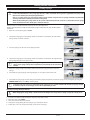
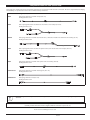
1.Turn LOCK 1 to SET position while pressing down H button.
2.
Enter the access code using the R
Q buttons.
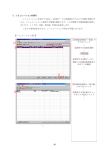
3.Select DRUG NAMES AND SAFETY LIMITS from the menu. Press ENTER.
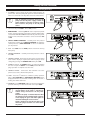
4. Press MODIFY DRUG to modify the drug summary. Use R
the selection.
Q buttons to select desired values. When field is correct press OK to store
Q buttons to set highlighted letter. Press NEXT for next character (up to twelve letters). Press OK when complete.
6. DOSE MODE: Use R Q buttons to change dose mode. Changing dose mode resets Drug parameters to defaults and also resets
5.
NAME: Use R
Protocols that use this drug. To change dose mode, press CONFIRM. Press OK when complete. Note: Dose Mode will not be
displayed if Mix Mass & Volume Modes is disabled in General Options.
7.
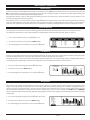
MIN DRUG CONC: Use R Q buttons to set minimum concentration. For volume mode, concentration can be set to OFF, the lowest
value. Press OK when complete.
8.
MAX DRUG CONC: Use R Q buttons to set maximum concentration. Press OK when complete. If min Drug conc is set to OFF, this
parameter does not appear.
Q buttons to set minimum lockout period. Press OK when complete.
10. MAX LOCKOUT PERIOD: Use R Q buttons to set maximum lockout period. Press OK when complete.
11.MIN PCA DOSE: Use R Q buttons to set minimum PCA dose. Press OK when complete.
12.MAX PCA DOSE: Use R Q buttons to set maximum PCA dose. Press OK when complete.
13. MAX CONTINUOUS: Use R Q buttons to set maximum continuous rate. Press OK when complete.
14. MAX LOADING DOSE: Use R Q buttons to set maximum loading dose. Press OK when complete.
15.MAX DOSE LIMIT: Use R Q buttons to set maximum dose limit. Press OK when complete.
16. MAX CLINICIAN BOLUS: Use R Q buttons to set the maximum clinician bolus. Press OK when complete.
9.
MIN LOCKOUT PERIOD: Use R
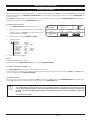
17. NEXT DRUG to display the next drug name and the safety limits. The ten pre-set drug protocols are identified as 1 to 10.
18.Press QUIT to exit and return to configuration menu.
19. When set-up is complete, turn LOCK 1 to OFF position to save selection and to turn pump off.
1000DF00451 Issue 4
20/34