1
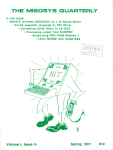
THE MISOSYS QUARTERLY
In this issue:
re HEADLINE Driver for Model I/Ill LDOS, by Hans de Wolf
XLR8er installation, patches to LS-DOS for MLT opcode
CTL255 Filter for PRO-WAM & SS, by Lynn R. Sherman
r-4, FIXBANKS for your XLR8er, by Rex A. Basham
4P boot ROM Disassembled, by Adam Rubin
' C Bit fields, by Ken Peck
re LS-DOS 6.3 site license
MISOSY
MISOSYS goes laser
S goes laser, ..MISOSYSgoe
S 1aser ... ?k[IsOSYS goes taser...MIS
OSYS goes laser. ..MISOSYS goes
Iaser ... MISOSYS goes laser.. .MIS
MISOSYS goes
OSYS goes laser
Iciser.11MISOSYS goes laser.
..MISOSYS goes laser ... MIS OS
9t5 goes Caser...MISOSYS goes lase
r. . DMISOSYS goes Iaser...MISOSYS
...
...
goes laser...MISOSYS goes laser..
Volume 11.111
$10
Winter 1988
THE MISOSYS QUARTERLY
Winter 1988
Volume ll.iii
Table of Contents
The Blurb ......................................2
Family Update ..................................6
Letters to the Editor .................................7
LDOS and Model 1/111 Information .......................15
LS-DOSTm and Model 4 Information ........................22
The LSI Column ................................30
MS-DOS
Information ..............................32
Applications for the User . .............................37
FIXBANKS, by Rex A. Basham .........................37
CTL255/FLT, by Lynn R. Sherman .......................40
HEADLINE driver, by Hans de Wolf ......................46
The Programmer's Corner .............................48
Bits and Pieces on C, by Ken Peck ........................48
4P boot ROM Disassembled, A. Rubin .....................52
MISOSYS Products' Tidbits ............................ 56
diskDISK .................................... 56
DSM4...................................... 57
DSMBLR/PRO-DUCE ............................. 58
EnhComp.................................... 58
LS-FED-11 ................................... 60
Little Brother Data Manager ........................... 61
MC C-compiler ................................. 63
MRAS assembler ................................ 65
PaDS...................................... 66
PRO-WAM Windows & Applications ...................... 66
TheHardware Corner ................................70
Notes on XLR8er ................................70
Using the 64180's MLT opcode ......................... 75
Hard disk interleave ...............................76
Printers.....................................78
Radio Shack Service Manuals ..........................80
Smartwatch...................................80
3.5" floppy drives ................................81
ThePatch Corner ..................................82
MISOSYS TRS-80 Catalog .........................Appendix
Copyright © 1988 by MISOSYS, Inc., All rights reserved
P0 Box 239, Sterling, VA 22170-0239
703-450-4181
Volume II.in
THE MISOSYS QUARTERLY-
TMQ's NEW look
Our cover tells it all. This is the first issue where we are
printing it via our relatively new laser printer, the NEC LC890. Actually, the LC-890 is not a laser printer per se; it is a
LED array printer. But most folks do not know the difference
between lasers and LED Arrays; they lump both laser and
LED array printers into the same category. Last year's PC
Magazine's issue on "printers" shed some light on the
differences; I commend that to your attention if you are
interested in the topic.
Since this issue is the first using these new facilities, let me
spend a little time to discuss what I did, and why. I kept the
original style of a 2-column format because I believe that it is
more readable than single column; three column is out of the
question. The main text is printed using a 10-point Times
Roman font. Titles were "set" in 18 point italic. I chose Times
Roman because it is the most compressed of the serif fonts at
our disposal. Previous Quarterlies were printed on our Daisywheel with a Prestige Elite 12 typewheel, which is 10 point. I
also had the originals shot at 90%; thus, the end result was
about a 9-point font. This TMQ is printed for 100% reproduction; left and right margins (including jog for binding) as
well as headers and footers were printed on our machine as
they will be photographed for offset printing. According to the
experts, a proportional font is always more readable than a
fixed-pitch font (like Courier, for instance, or previous
Quarterlies). I feel the Times-Roman font is quite readable.
The Blurb
Volume 11.111
The headers and footers are printed in a Bookman type face of
both 12 and 14 point ("THE MISOSYS QUARTERLY"
being 14-pt). Bookman characters are a little "wider" than
Times-Roman; have a slightly different "look" to them, and I
wanted something to set off the name of the publication. Personally, I doubt that "wider" is the term which the experts
would apply, but you get the idea. Note that I used a special
type face from our Merlin lettering machine for the publication name in previous issues. That happened to be "Eurostile/Microgramma Bold Extended". The chapter lead-ins (that
which is in the large box) are printed in 24-point Helvetica
Italic. The box is directly composed by Microsoft WORD
which was used to prepare the entire Quarterly. I thoroughly
agree with the experts that you should not mix too many different type faces on a page; thus, I limited the composition to
Times-Roman, special effects in Helvetica, headers in
Bookman.
The Blurb
by
Roy Soltoff
We are extremely pleased with the quality and flexibility of
this printer - not to mention the speed. Where it used to take a
full day to print off the 100-odd pages of an issue of TMQ,
this printer can produce the camera ready quality originals in
about 10-12 minutes. Not only that, Brenda usually had to
spend about a day pasting up the headlining previously
generated on our Merlin lettering machine. The only thing we
need to do now is paste on any advertising we are putting into
an issue. Hopefully this year, the acquisition of a scanner will
alleviate that requirement.
WINTER 1988
Where I needed to display a program listing, I chose to use a
Courier font which has a fixed pitch character set. That is
"typewriter style" and is what most folks would expect.
Usually such listings were printed in an 8-point font. This may
not be suitable for some folks, but we believe that it is
readable. Also, we really don't expect too many folks to be
typing in long programs from these listings but rather to
obtain the files on disk as part of DISK NOTES.
I would be most interested in reading your comments
concerning the new look of TMQ. Since this publication is
primarily for its readers, your opinions will weigh heavily on
the appearance of future issues.
Ramblings
If you have a strong interest in understanding the implications
of various disk allocation methods, you ought to read the
article by Gregg Weissman which appeared in BYTE 1987
Extra Edition, Inside the IBM PCs. One of the things most
users never knew about the version 3 release of MS-DOS was
that the method of allocating disk space was changed. As
stated in the article, "Previous versions of DOS use a first-fit
algorithm. Every time a new file is created or an existing file
is extended, DOS starts looking for unused space at the
beginning of the disk's FAT (file allocation table), scanning
forward until it finds a free cluster (the minimum unit of disk
space that can be allocated). Version 3.0 and higher use the
next-fit algorithm, in which DOS begins looking for a free
cluster at the point where it last left off searching in the FAT."
Without attempting to excerpt the "meat" of the article, suffice
it to say that the conclusion reached was that the efficiencies
gained by using the next-fit algorithm were so outstanding,
that hard disk users should upgrade to DOS 3.0 or higher.
Note that the discussions presented in that article provide a
rationale for a re-analysis of the disk allocation changes
introduced into release 6.1 TRSDOS and patched changes to
release 5.1.4 LDOS and carried forward to the current releases
of those two operating systems. If one would expect that more
releases would be considered, that would be justification for
such efforts. Food for thought...
-2-
The Blurb
THE MISOSYS QUARTERLY-
Volume 11.111
Turning to another front, I thought it interesting to note the
following reprinted from an article in DM News of October 1,
1987.
"Compaq has a circulation of 100,000,60 percent of which are
subscribers. The publisher has the cooperation and support of
the makers of the Compaq computer. A free, one-year
subscription card is attached to warranty cards included with
the hardware. Compaq created the last direct mail Compaq
magazine subscription brochure, dropping 200,000 mail
pieces for Redgate, at no cost to the publisher, according to
Sandy Van Salisbury, Redgate client services officer."
Now I just wonder where Tandy would be today if they
provided this kind of support to 80 Microcomputing back in
the "old" days. More food for thought...
Here's a new listing I thought appropriate for TMQ; it's the
MISOSYS hot list of products. This list represents what
products in our catalogs have been the most popular in terms
of sales units. The list excludes TMQ subscriptions and DISK
NOTES. Let me know if you find this useful. We may want to
explore another list based on dollar volume. Gee, once you
computerize your invoicing system, all kinds of summaries
can be easily obtained. The current month is January 1988;
prior 3 months is Oct-Dec 1987; and prior 12 months is JanDec 1987.
MISOSYS HOT List
Current Month
Prior 3 months
Prior 12 months
LDOS 5.3
RSHARD
diskDISK
PRO-WAM
Little Brother
Hrdwr Intfc Kit
LDOS 5.3
PRO-WAM
EnhComp
diskDISK
Little Brother
Hrdwr Intfc Kit
LDOS 5.3
PRO-WAM
Hrdwr Intfc Kit
PRO-CREATE
PRO-DUCE
Little Brother
Here's some news for those folks looking for news on their
TRS-80 computers. A new bi-monthly has commenced
publishing in an attempt to fill the void left by 80
Micromputing's desertion. It is called Computer News 80.
Contact the publisher at P.O. Box 680, Casper WY 826020680 or telephone 307-265-6483.
Let me close up this rambling session with some observations.
January was one of the worst months I have ever experienced
since starting this business ten years ago. Never have I had to
put up with so many folks who absolutely had no knowledge
of their computer system, had no idea who was/is responsible
for their installation, hadn't the foggiest notion as to the use or
concept of basic system commands like COPY, DIR, and
LIST, not to mention FREE and DEVICE, and plain out
refused to read even the first paragraph of provided
documentation which referenced a README/TXT file and
how to read it. Of course I'm talking about the bulk of the
folks calling about upgrading their DOS.
A good part of the frustration involved some simple concepts.
Tandy never contacted MISOSYS in any way prior to issuing
information to their Customer Support organization or their
stores concerning the DOS upgrades. My company was
The Blurb
WINTER 1988
Volume 11.111
inundated with calls during the early part of January. These
calls were directed to our 800 order line. Apparently because
Tandy's message was not clear, at least half of the calls were
from folks needing an upgrade to TRS DOS 6.2. Another third
were calls from their store personnel seeking information. Still
another group were requests for support on Deskmate, Profile,
and other Tandy products.
At first we tried to be nice and re-directed the TRSDOS 6.2
misdirected folks to LSI by providing LSI's phone number to
the caller. I soon became furious that we were unable to get
any of our work done just in dealing with those calls, not to
mention that they were to our 800 number and MISOSYS
was paying for the calls!
Even the calls which were correctly directed to us for the
LDOS upgrade presented more problems than what they were
worth. A little background is in order. A number of years ago,
Logical Systems Inc licensed to Tandy Corporation, a 5.1.3
version of LDOS with support of the Tandy 5 Megabyte hard
disk drive. This product was sold by Tandy as the Hard Disk
Operating System. It was later upgraded to a 5.1.4 release and
the hard disk driver was revised to support Tandy hard drives
up to 15 Megabytes. The HDOS product was totally
manufactured by Tandy; LSI received a small royalty per unit
in the neighborhood of $3-5.
It is folks who owned HDOS and were complaining to Tandy
about the lack of 1988 support who were referred by Tandy to
MISOSYS. These folks never were our customers, nor are we
able to provide them an upgraded copy of IIDOS. As far as
MISOSYS is concerned, we sell only a floppy-version of
LDOS 5.3; existing users have to add their existing hard disk
interface (driver). Our installation instructions are intended for
reasonably knowledgeable users. In a lot of the HDOS cases,
those folks never installed their system themselves; Tandy did.
They knew nothing about their "installation", knew nothing
about their system configuration, and expected us to give them
step by step details on how to "upgrade" their hard disk
system. As most of our knowledgeable readers know, it is
practically impossible for anyone to ascertain over the phone
in a reasonable period of time how someone else's system is
configured, yet these folks were insisting we do just that! We
were exposed to these folks repeatedly calling our 800 line,
attempting to tie us up for 15-30 minutes to explain
procedures, etc. When you sell a product for $35, that level of
support just can't get provided. Besides, we were asked to
support their hard disk driver which was not our product nor
was it a product we acquired from Logical Systems!
As far as I am concerned, if I had to do it over again, I would
never have provided updates to }IDOS customers. I would
have required submission of a proper LDOS 5.1 .4 master disk
before updating and would have expected Tandy to negotiate
the provision of upgrades to their HDOS customers. Well all
of that is water over the dam. The entire mess forced us to impose a new policy concerning LDOS upgrades. This policy
can be read in the section on LDOS in this issue of TMQ. We
also came close to (1) getting our 800 line disconnected, and
(2) eliminating our presence from the software marketplace.
At this point, I am not satisfied that this really is the best
business to be involved with. Suffice it to say that the excellent feedback we receive from most of our customers tends to
-3-
The Blurb
THE MISOSYS QUARTERLY-
Volume II.ili
make it worthwhile. It's always the 10% that irresponsibly
take the greater part of our time; that to me just isn't fair.
TMQ Schedule
Just the other day, we received a call from a TMQ subscriber
claiming non-receipt of his Fall 1987 issue (II.ii). This is the
issue we mailed right before Thanksgiving. Now I can understand how mail can get lost; I can also understand that we
could have had a problem here. But I cannot understand such a
long delay between our normal schedule for mailing and
complaint of non-receipt. Have we been that bad in adhering
to our schedule? Don't answer that.
Our target for mailing the THE MISOSYS QUARTERLY is the
last week of the respective month as follows: Winter issue in
February, Spring issue in May, Summer issue in August, and
Fall issue in November. This schedule may place your TMQ
late in the season based on the cover date; however, it follows
from the mailing of Issue Id on August 19th, 1986. We would
like to pull up the mailing date about one month to place it in
your hands closer to the first month of the season. But for
now, the above periods are when it gets mailed. Please, if you
have not received your issue by the last day of the following
month, contact us. Also contact us with a revised address if
you have moved - or are intending to move soon.
PD Software Librarian
A previous issue of THE MISOSYS QUARTERLY requested
contributions of public domain software so that some central
repository could be established. We have had only a few disks
sent to us. We have also heard from a dedicated TRS-80 user
who has offered to serve as the librarian for the collection of
public domain diskettes. We are forwarding what we have to
Vic and request that henceforth all requests and contributions
be directed directly to him. The TRS-80 PD disk librarian is:
Volume II.ffl
United States postage (or equivalent in international reply
coupons). Be sure to put your address on the envelope for
your free QRC. We will soon clean house and throw this stuff
out. If you want a set, get your request in.
LDOS Journals, Volume II
We still have many sets of the old LDOS QUARTERLYILSI
II (issues 1-6). A set goes for $9.95 +
$3.50 S&H (US). We will soon clean house and throw this
stuff out. If you want a set, get your request in.
JOURNAL, Volume
THE SOURCE, 3-volume set
We still have a few hundred sets of the complete commented
source code to ThSDOS 6.2 in book form excluding BASIC,
hard disk support, and HELP facility. Our current catalog
price is $74.95 + $5 S&H (anywhere, that's ground shipping
only). Here's our final closeout price: $40 delivered. We will
soon clean house and throw this stuff out. If you want a set,
get your request in. This offer is open to anyone; you do not
have to be a TMQ subscriber. You can also buy as many sets
as you want - until our supply is gone.
Notice of release 4.0 EDIASM-86
I had hoped that I would be able to report that release 4.0 of
ED/ASM-86 would be ready for shipping. Unfortunately, the
extent of the changes introduced into the assembler package
have delayed its introduction. I expect that it should be ready
sometime in March. Anyone registered with a current release
of ED/AS M-86 will get a free upgrade. Let me highlight some
of the enhancements that Phil has incorporated into this
integrated assembly language tool.
1. The most major new feature is the capability to output MSDOS
standard .OBJ files. The new assembly option '-OB' accomplishes
this. Such files must be linked by the MSDOS linker.
2. Monochrome mode is now supported, in the screen editor and
elsewhere. If a monochrome card or equivalent thereof is installed,
but is not the primary adaptor in use at the time of ED/ASM-86
invocation, you can re-direct the screen output to it with the /M
command line option.
Vic McClung
914 Crescent
Sikeston, MO 63801
USA
LDOS Manual TABSETs
We have lots of tab sets for your LDOS manuals stored in
boxes over at our warehouse. I recently bought 1000 of these
9-1/2 x 12-1/2 envelopes which the tab sets fit into and I want
to give the tab sets away for free. Send us a mailing label
with your address on it along with United States postage for
3 ounces (or equivalent in international reply coupons) and a
set is yours. We will soon clean house and throw this stuff out.
If you want a set, get your request in.
LDOS 5.1.4 Quick Reference Cards
We have thousands of them. They're not too useful any more
since 5.3 was released, but if you want a FREE 5.1.4 QRC,
send me a #10 envelope (or one at least 4 x 9) and 3 ounces of
The Blurb
WINTER 1988
-4-
3) Pressing <F9> in the debugger mode includes 8087 register
display; disassembled lines are displayed; the topmost stack contents
are displayed. When executing or tracing a program, a highlighted
bar will appear indicating the position of the next instruction to be
executed. Labels in the current symbol table will be displayed where
appropriate in the disassembled code. Stack activity and contents can
be monitored by the stack display window.
4. It is now possible to dynamically monitor the contents of a given
variable location with the debugger 'WATCH:expression" command.
More than one expression can be monitored.
5. Debug now supports the "TS" command. This allows CALLs and
INTs to be skipped rather than being forced to trace through
subroutines or interrupt procedures. You can now use the <P6>
function key to continue a "TS" trace. Also, <P5> function key is
identical to 'T"zretum>".
6. The '11" assembly option prints the current line being assembled
in both first and second passes.
7. A new editor-mode command has been added. "RESET:file" resets
the archive bit of a file.
The Blurb
Volume II.Iii
THE MISOSYS Q(i ARTERLY- WINTER 1988
8. A new feature accessible with "DO" batch files has been added to
provide a simple "MAKE' capability which uses the archive bit.
Volume II.iii
LI
A cc for MC; Add SETEOF to EnhComp;
Change baud rates with SETBAUD; unlock protected
BASIC programs; WinCaic: a PRO-WAM
application.
9. The "WE" assembly option, which waits for user input when an
assembly error is encountered, now allows an <E> to be pressed to
immediately screen edit the offending line. If the line is an
INCLUDE file, that file will be loaded. This increases the
interactivity of the system.
LII
BANKER - RAM bank control; BINHEX
revisited;; Expose on LDOS 5.3;, Fractals in
FORTRAN; Model 4P BOOT ROM exposed; Split
REL libraries with SPLITLIB.
10.The "7" in an assembly expression is now treated identically to
"0"; this avoids errors when assembling files designed for MASM.
1.111
Extended Memory access for LS-DOS;
Upgrading Little Brother to LS-DOS 6.3; Converting
Mail File Data to LB; a "CAT" for LDOS, "KILL"
for LS-DOS,
11. The "DET,B" editor instruction, which essentially clears the
editor buffer, normally asks for verification if the buffer has not been
saved to disk. This verification is now bypassed if 'DET,B" is
executed inside of a "DO" batch file.
12.It may be desirable to have a .EXE file load in high memory. This
may be accomplished by using the assembler MAXSEGS pseudo-op.
A parameter value of 0 instructs the DOS loader to load in high
memory.
Liv
UNDATE reverses DATECONV; 80x86
assembly language; Converting LDOS filters to LSDOS; Previewing output from SCRIPSIT; Learn
MORSE with CODE/BAS.
13. A semicolon, followed by any text, can be used in editor
command mode to specify a comment. This is useful during
execution of "DO" batch files.
ll.i
David Hall on the 64180; Gary Phillips on
XLR8 & 4P; Doug Tittle on sorting PRO-WAM data;
WORD with DW H.
14.You can invoke the COMMAND.COM MSDOS shell with the
"DOS:command" editor mode command, if there is sufficient
memory. You can change directories, erase files, invoke other
programs, etc., then return to ED/ASM-86 with the MSDOS EXIT
command.
ll.ii
Extended DATE$ of Model I LDOS 5.1.4;
Input SUBroutine for QuickBASIC; BASIC Interface
to @EXMEM; HIRES Graphics for MC; Focus on
speed.
15. To assemble the equivalent of a .EXE loaded program into
memory, use the "-liM-EX" assembly options. All appropriate
registers will be set up as it would with a normal .EXE load,
including the start address for the debugger.
DISK NOTES 2.3
16.The PURGE pseudo-op is no longer supported.
Each issue of THE MISOSYS QUARTERLY contains
program listings, patch listings, and other references to files
we have placed on DISK NOTES. DISK NOTES 2.3
corresponds to this issue of TMQ. If you want to obtain all of
the patches and all of the listings, you may conveniently
purchase a copy of DISK NOTES.
17.The debugger "LDX:file", which loads an executable (EXE) type
file into memory, now assumes an extension of .EXE if no extension
is given.
18.You may now use an asterisk (*) as the output file name in the
"A:" command. This generates a filename using the current source
filename and output type.
DISK NOTES is priced at $10 Plus S&H. The S&H charges
are $2 for US, Canada, and Mexico, $3 elsewhere. If you
purchase DISK NOTES with the coupon which accompanies
this TMQ issue, you can save $2.50; the cost then being only
$7.50 + S&H.
19.Several improvements have been made to the structured assembly
language constructs. You may now use the boolean parameters
"AND" and "OR" with any of the structured constructs.
20. Source files are no longer tokenized; thus, lower case source is
preserved as well as acceptable.
21. A "repeat last assembly command" and a "repeat last DO
command" have been added. This speeds the interaction of editassembly operations.
22. Finally, a MASM command line option is available to alter the
behavior of certain ED/ASM-86 operations so as to conform to
MASM's style. This includes acceptance of "B" vs "V' for indicating
a binary data operand, and free-field entry of labels versus pseudoops.
Out of print TMQ's available
We are providing back issues of THE MISOSYS QUARTERLY
via copier reprint. The price is $10 plus $2.50 S&H in the U.S.
and CANADA. For foreign zone D, the S&H rate is $3.75;
zone E is $5.00. That price will be in effect also for regular
back issues. Back issues will be available ad infinitum through
one means or another. That includes issue Li, I.ii, and I.iii as
well, which are currently Out of print. Here's a synopsis of
past issues:
The Blurb
-5-
The Blurb
Volume II.iii
THE MISOSYS QUARTERLY-
Volume II.iii
as the excitement which comes from knowing what's
happening around you. The important thing for me is to ensure
that I still maintain a healthy amount of family participation.
Family Update
Finally I get to the column which has inspired some
extremism. I know that a few readers want me to drop this
column; but it turns out that there are many more readers who
look forward to this section. There are various degrees of
family orientation in all of us. I'm happy to say that enough of
you share my beliefs, and I am glad to read of your family's
interests external (or internal) to computing.
As for us, we spent this past Christmas near Ashville, NC in a
little town called Edneyvile. Regular readers of this column
know that Brenda's parents have a cabin in the mountains
down there and this end of the year excursion has become an
annual event. This year, it turned out a little different.
Brenda's grandfather (her dad's father) passed away about a
week before Christmas; he was in his 80's and was quite ill.
Brenda flew down to Miami for the funeral and subsequently
drove back up to NC with her folks. I, in turn, drove down to
NC with Stacey and Stefanie. Brenda's parents thought I was
brave to take on the 10+ hour drive with the kids without her;
but I have never felt out of place taking my two girls on a trip
(short or long) without their mom. Well, I think I did feel
uncomfortable once when by myself, I took Stacey, who at the
time was about age 2 months, to the supermarket. Actually,
the trip south was about the most pleasant we have ever been
on to NC. Perhaps that was because I took more frequent rest
stops, and our dinner stop lasted for about two hours; the ice
cream and cake dessert didn't hurt either.
Let's now turn to Brenda. She's certainly handling the
pregnancy much better than the first few months. Brenda is
still driving the school bus (van) for the pm-school where both
Stacey and Stefanie go, and she hopes that she can continue
that job until the end of school (somewhere about the end of
May). The new baby is expected in early June. We are
scheduled for a sonogram (well, I'll be there but it will only be
performed on Brenda) the first part of next month. Then we
hope to get a good "picture" of the baby's growth and possibly
determine the sex. We were inclined to not know that bit of
information for the first two, but it appears more of interest for
this baby - our last. We'll let you know what turns up.
In early January, we took Stacey and Stefanie up to the
Baltimore Museum of Art to see the Dr Seuss exhibit. Now I
thought that I never grew up with Dr. Seuss; however, when I
learned that he was the original author of And to think that it
happened on Mulberry Street, as well as all of the "Quick
man, the flit" advertising which I recollect from my youth, it
turns out that Dr. Seuss was a part of my "culture". Of course,
Stacey and Stefanie have practically the entire set of Seuss
books: Green Eggs and Ham, There's a Wocket in my Pocket,
and of course the infamous Cat in the Hat, along with dozens
of others!
Near the end of January, the flu bug hit here. Both Stacey and
I were hit hard. I was really dragging one afternoon and
decided to call it quits. After discovering that I had a 102.5
fever, I soon came to realize what was wrong; haven't had
such a fever in years. This flu even caused MISOSYS to close
for two days due to sickness; did you hear our recording?
Stefanie picked up the bug as well. We were all hoping that
Brenda would not succumb since she is unwilling to take any
kind of medication during her pregnancy. As I write this,
we're still crossing our fingers, but the most she's gotten is an
occasional sniffle.
As for myself, I've gotten into a greater involvement with the
community organization here where we live (and work). I'm
on the Board of Directors and am the organization's
Treasurer. We live in what we call a "planned community"
which means that the developer has imposed a considerable
level of constraints by recording a set of Covenants onto the
deeds. We have a non-profit corporation to "run" the
community, much akin to any small town, and each
homeowner is a required member of the corporation; it's
official name is The Countryside Proprietary. Our community
encompasses approximately 2500 homes, has three swimming
pools, tennis courts, basketball courts, covers about 1200+
acres with about half open space, soccer fields, exercise trails,
etc. The primary function of the Proprietary is to maintain all
of the common facilities, and ensure architectural control of
exterior changes to all homes. It's a big job, but a valuable
one. We actually have an annual budget which exceeds that of
most towns in our County. But I love the involvement as well
The Blurb
WINTER 1988
We also have been getting together a good collection of
children's videos from cable TV - the Disney channel. Kudos
to our friends down under in Australia for providing such
interesting stories which merge animation and real-life
activities such as, Dot and the Bunny, Dot and the Whale, and
Toby and the Koala Bear - which has an adorable sketch with
a three-legged man. I even watch them...
The way Stefanie always wants to watch us (as well as help)
prepare meals, bake cakes and cookies, and put the food away
after a supermarket trip, I believe she is going to turn out to be
the cook as she gets a little older. At close to 3-1/2, she at least
gets the occasional job of putting the silverware away after the
dishwasher has run. Now if we can just get her to pick up her
toys...
Stacey is just as messy with her toys; however, when it comes
to clothes, my hunch is that she is going to cost us an arm and
a leg when she gets to be a teenager. That's because she
exhibits a desire to be a very "neat" dresser. She likes the
layered look, sometimes wearing three shirts. She also seems
to be out of tune with the season. It's not unusual to find her
occasionally wearing shorts and a tee shirt in winter, but a
sweat suit in summer. Ali youth...
-6-
The Blurb
THE MISOSYS QUARTERLY-
Volume 11.111
WINTER 1988
Volume 11.111
it copy limited. Nor is it restricted to single-machine use. The
statement in your newsletter has no basis of fact.
If your writer mentioned my name assuming that I had any
part in LS-DOS 6.3, a Model 4-mode DOS, then your writer is
totally in error. Neither Roy Soltoff nor MIS OSYS, Inc. had
anything to do with LS-DOS 6.3, 6.2, or 6.1. We were only
the principal designer of TRSDOS 6.0.0 over four years ago.
Thus the statement is wrong and should be retracted.
Letters
to the
Editor
TMQ swap offer
As a company, MISOSYS is virtually the only business left
still supporting the TRS-80 Model 1/111/4 market. We publish
the only magazine covering the TRS-80 (THE MISOSYS
QUARTERLY); we sponsor the only commercial bulletin
board covering the TRS-80 (CIS LDOS forum); and we
haven't deserted our customers as hundreds of other
companies have done in search of the big bucks in the MSDOS world. As a club of TRS-80 users, you people should be
ashamed for printing such erroneous statements about me 'or
my company. You are no better than 80 Micro who continues
to print such inaccurate drivel. Unfortunately, once in print,
it's hard to undo the damage you have done. A public apology
is the least I could expect."
Fm Paul Bradshaw To MISOSYS:
Fm Jim Gaffney To Roy Soltoff:
In the latest
TMQ, you mentioned a "swap" offer -- get a MISOSYS
product for half price with "someone else's" similar package
(i.e. swap ALDS for MRAS). Is this for real? Where do I go,
and what do I do? What exactly do you want to be sent (the
manual is in fairly bad shape...). More details will be
appreciated, and may result in a sale shortly after Christmas.
Fm MISOSYS, Inc: You heard it right. I don't care what
condition its in - could be falling apart and missing pages. Just
send back manual and disk(s) and get our package at 50% off.
About 8-10 folks have already taken us up on that trading in
such things as PFS-file for LB, Alcor
(randy's) for MC,
ALDS for MRAS. You can cut down on the cost of mailing a
bulky manual by either going UPS, or send the manual
separately via 4th class or equivalent. You can even fly in and
drop it off.
c
Greedy Vendor of the year award
Fm MISOSYS, Inc:
The following letter was submitted
to Mark Speer, President of The San Gabriel Valley Tandy
User's Group in San Dimas, CA.
"Dear Mr. Speer, One of my customers sent along a copy of
page 7 of your club's THE INTERFACE, Volume 8, Number
11. This page had what could be called an article entitled
'HOW TO BECOME A CRIMINAL'. The seventh paragraph
(THE VENDOR) attributed the 'Greedy Vendor of the Year
Award' to me for, 'he has copy-protected a DOS, and fixed
the date function on earlier versions so that you have a choice
of using a date-crippled DOS or a copy-protected-crippled
DOS.' I must vigorously protest this statement. If my name is
mentioned as the principal of MISOSYS, Inc., then the writer
is totally in error. MISOSYS, Inc. publishes LDOS, a Model
Ill-mode operating system. Our 5.3 release which extends date
stamping to 1999 and introduces time stamping as well as a
host of other features, is certainly NOT copy-protected. Nor is
Letters to the Editor
FYI, your letter to
Mark Speer and the SAGATUG Interface appears as page 3 of
the December issue of that newsletter. On the front cover is
the following banner: "-- VERY IMPORTANT NOTICE Everyone who reads the INTERFACE must read the response
by Roy Soltoff of Misosys (sic), Inc. to an article printed in
the November issue of the newsletter." Or perhaps they sent
you a copy?
Fm MISOSYS, Inc: Yes, John Phillipp sent me a copy of
that issue with his cover letter to me. I think they really wound
up with egg on their face for that one. Now if I can nail Karl
Mohr from Surrey, BC CANADA for giving away my PROWAM product on his club's public domain (!!!) software
disks, I'll have a better Christmas.
Updates/Patches
Fm Theodore Masterton To MISOSYS: Just
finished the Logical Systems area in TMQ and felt a cold
shudder as the writer predicted that LS will dump the Model 4
sometime in 1988. Leaves me with one fear. That MISOSYS
or LS will become unavailable before I have a chance to
correct my DOS's for the last time. Trouble for me is finding
out when a patch is needed. Sometimes I just happen to notice
an upgrade, like finding a JCL/patch file on GENIE that took
care of some things apparently wrong with 5.3. Or noticing
that a comment line in the back OF TMQ seems to refer to a
program I am using. But I also have trouble using these
sources since the language is often more technical that I read
easily, or the patching requirements use some undocumented
method (or not-understood method).
Is there a way a using non-programmer can be aware simply
that an update or patch to 6.3 or 5.3 is needed? I don't even
mind forgoing the patching technology and sending in the disk
for a refresh. I just don't want to do it monthly "just in case".
-7-
Letters to the Editor
Volume 11.111
THE MISOSYS QUARTERLY-
Fm MISOSYS, Inc:
I think that every user, especially
who reads TMQ, should get comfortable with the last section
in TMQ, The Patch Corner. As far as MISOSYS products go,
there will usually be a file on the disk named README/TXT
or similar. This file notes what has been done to that disk. It
really shouldn't be too difficult to scan TPC and note what
products the patches are for. They are always shown in the
same format. Check the patch name against the README and
you can tell. For those who are totally alien to this, then they
can always send their disk in for a refresh. We noted the
charge for that in TMQ as $10 + S&H per product. I don't
know what else I can do without getting totally redundant.
Space in TMQ can't be wasted.
Fm Theodore Masterton To MISOSYS: Quite good
enough. Just needed to know that I would always find 6.3/5.3
patches in a certain place and that I should not assume they
will be somewhere else or that I am going to get a personal
phone call when my versions need you. I suppose I can
overcome my fear that I might learn something about hex or
binary and get into The Patch Corner as well.
WINTER 1988
Volume II.ifi
price until the local warehouse's supply is exhausted. I forgot
that WIAI shows up in the sale listing too, though (I suppose)
these can't be ordered. I think the items not in the flyer or
surviving WIAI (i.e. on the spiff list) are the most fun, for
both salespeople and customers.
TMQ/LSI Corner
Fm Mark P. Fishman To William Schroeder: Bill,
thank you for your column in TMQ (as well as for your
past/present support of my TRS-80s). I would like to note,
however, that MISOSYS is doing MS-DOS stuff and Roy
doesn't hesitate to tell us about it. Some of us sigh have MSDOS machines as well as L(S)DOS ones, and like to know
about software from the programmers we have come to trust
and like.
Tandy Acronyms: SOWG et al
If LSI's new direction involves MS-DOS, or 0S12, or even
UNIX or XENIX, I (at least) would be interested in reading
about it in TMQ. A little pre-marketing isn't unheard of;
maybe you could even take your customers with you. Please
check with Roy, but a little less self-censorship may be in
order in the LSI column.
Fm Mark P. Fishman To Adam Rubin:
TRSDOS / TANDY SUPPORT
Adam, I'm
afraid SOWG is a new one on me. Could you expand that
acronym (short for A Convenient Reduction Of Nomenclature
Yielding Mnemonics) for me?
Fm --jjkd-- To Mark P. Fishman:
Sold Out When
Gone. It s a common RS acronym used to indicate a special
price or product that is available in limited supply, and when
available warehouse stocks are gone, that's it. WLAJ or Where
Is As Is is another category that generally indicates that there
are no more in the warehouse, and whatever you find in the
stores is it.
Fm Adam Rubin To Mark P. Fishman:
SOWG is
the Radio Shack acronym for "Sold Out When Gone." I think
its usage may have changed since jjkd's days there; in its current usage it means something like "This item is being discontinued, and will remain at the 'sale' price until the store runs
out of it. No rainchecks, since we can't expect any more in."
The only current use of "Where Is As Is" is the occasional
page or two in the sales flyer, which means the items there are
all SOWG.
Fm --jjkd-- To Adam Rubin: I don't think so. The
difference is that an SOWG item can appear anywhere in the
flyer, even as a, urn, what's it called, oh yeah, a BlockBuster,
and there can be/usually is tons in the warehouse. It goes
Where Is As Is sometime after the warehouse is empty, and
will only appear as such in the flyer if inventories at the stores
show a significant quantity available somewhere in the
country (not necessarily any where you might happen to be).
Things get complex if the item doesn't appear in the flyer, or
survives Where Is As Is. The inventory is written off and
devalued 25 percent at a time, quarterly (i.e. zero value after
one year). The sell price decreases at each devaluation. They
started SPIFFing these items shortly before I left.
Fm Adam Rubin To --jjkd--:
True; basically SOWG
means the item's being discontinued, and stays at the "sale"
Letters to the Editor
Fm James J. Wood To All:
This message is intended
for any owner of a Tandy machine or LDOS product that
feels, as I do, that there is something wrong with selling things
that do not tell the customer that they will die an un-natural
death at some specific time in the future. That plus a few other
points - not to be dumped here - causes me to wonder how
many people there are out there that feel they were not
provided the proper information at the time of purchase. If so,
there may be a remedy. The ideal remedy would be for a patch
at about $5.00 without any supposed super stuff added in; and
not protected in such a way that it could turn our unprotected
software into a monster.
I am aware of the need to turn talent and capital over into a
profit. Lawyers have that problem too. My suggestion is that
you consider the problems created for you by the mandate
they imposed by making you change your friendly DOS and
all your disks, and all else. All this nonsense when a simple
patch for the date problem would let us live on for about 10
years without this mess. They can TELL us NOW that this is
the last.
Fm MISOSYS, Inc:
I fall to understand your position.
The LDOS manual for 5.1.4 stated that the date was supported
in the range 01/01/80-12/31/87. M1SOSYS also does not have
copy protection or any other protection which can "turn your
unprotected software into a monster". Before you spout off,
you really ought to get your facts together. Profit? I sometimes
wonder why I still spend as much time as I do trying to
support folks like you. This TRS-80 business is certainly not
profitable. If it were, you'd find Tandy still pushing 8-but
Model 4's, you'd find the hundreds of companies who used to
be here still here instead of being long gone. Why not get off
your soapbox and come down to earth? I am proud of my
LDOS release. If you think that it is too much for you, then
you spend the time to patch your own system. Nothing lasts
forever without upgrades. Most users want, no most users
-8-
Letters to the Editor
Volume II.ili
THE MISOSYS QUARTERLY-
DEMAND improvements to their software. That's why they
get upset when the software publishers leave them high and
dry. MISOSYS has not done that to you.
Fm Joel Ordesky To All: The date on LDOS for the
Model 1 will not go past 1987. IS there a patch to fix this
problem. Also what happened to the company that supported
LDOS for the Model 171 am registered owner and have not
received anything for a year or so. Any help would be
appreciated.
Fm --jjkd-- To Joel Ordesky: MISOSYS and LSI have
had continuous representation here since this Forum was
opened, what say, maybe 1983 or so? Both have also been
advertising in 80 Micro fairly constantly since before that.
We've been discussing the Model 1 date options and problems
here for about two years. Information regarding this issue has
been published in The MISOSYS Quarterly (TMQ) for some
time, at least a year. Are you a subscriber? If not, you can
contact MISOSYS at (703) 450-4181 to subscribe.
I'll summarize the current situation for you. So few Model 1
owners have expressed an interest in buying an upgraded
version of LDOS (to match the LDOS 5.3.0 for the Model 3
and LS-DOS 6.3.0 for the Model 4), that no such version will
be produced. Patches have been produced that will turn off the
dating functions in the DOS if desired. They are present here
in DL 0, and instructions for their use and their effects are
discussed in the current TMQ.
Fm Joel Ordesky To --jjkd--: While I was aware that
the forum existed, due to cost I do not come here often. When
the question was raised I knew where to come to get the
answer I needed. I also no longer subscribe to 80 Micro since I
find little there to interest a Hard core Model I user. I thank
you for your reply.
problem that should be solved by the sellers - and your Mod 1
dilemma is no different from the Model 3 or the Model 4. It
seems the issue would be, in large part, what the customer was
told about the life of the software when it was purchased.
Were you told the software would die 12/31/87 when you
bought it - or the computer it came with? I was not. The Ads
did not say so. We need a group to assert the facts - TRUE
FACTS - that will be able to bring this point home to the seller
or manufacturer. I think they will do the right thing and
provide at least one patch when they know what is at stake.
Such
indignation! You are mixing your fruits. First of all your
records should show that I bought (from LSI) just about all of
your stuff for the Mod 1 and the Mod 4. I bought 2 sets of
LDOS for the Mod 1 as well as LDOS for Mod 3. I bought the
second set for the Mod 1 because I did not want to turn in the
earlier issue for the same reason that I do not want to
UPDATE all my disks. I also purchased LS-DOS 6.3 from
you - but have not put it to use. The "record" will show that I
am and have been willing to pay for what I want. Some of
your stuff, like little brother, I have never used but I bought it
knowing it would be a good item when needed. Spouting off?
That is a little harsh. Let's take a look at the way software is
Letters to the Editor
Volume II.iii
sold. You, and others, run an ad for an item and make no
comment as to it's life cycle. Then it is delivered in a sealed
package that says opening the package makes the deal final.
Now you say look somewhere in the manual and find the bad
news. I have found software to be protected or limited on
backups when not a word was mentioned in the ad. Have you
noticed this? I used the forum to reach YOU and others because I think it's an important topic for general discussion.
There is no doubt in my mind that all TRS80 owners appreciate your continued support; and look forward to it in the
future. That is not the point. Upgrades to software may be
"demanded" by your customers as you say and I am willing to
concede they are desired at the least. Why must an upgrade
require only one choice - YOUR MANUAL warns not to mix
the DOSes. Sell me a patch to retain TRSDOS 6.2.1 and all
my disks. I have purchased your 6.3 and I would have done so
even if I had the chance to purchase the patch. Why must I
risk writing to 62 when in 6.3 or vice versa and cause myself
problems? Your 6.3 sells for about $35.00 so sell the patch for
$50.00 if you want to; the point is to give us a choice, not a
directive. Thank you for your response; where's my patch?
Fm MISOSYS, Inc: Jim, You are totally wrong.
MISOSYS did not sell you LS-DOS 6.3; that's a Logical
System's product. We don't sell any patches for TRSDOS
6.2.1. We have no authority to deal with LS-DOS 6.3 on the
Model 4. If we wanted to do such a patch as you have requested, Iv11SOSYS would be no different than any other
software house. Why not take your demands elsewhere. We
have neither the time nor the desire to work up patches to 6.2 it wasn't our product. We have enough work to do in other
areas. Please understand who you are directing a message to
before you vent your spleen. If you have a complaint about
TRSDOS 6.2, direct it to Tandy. If you have a complaint
about LS-DOS 6.3, take it to Logical Systems. If you have a
complaint about a MISOSYS product, direct it to me.
Fm Pete Granzeau To James J. Wood: Call the
Fm James J. Wood To Joel Ordesky: There is a
Fm James J. Wood To Roy Soltoff:
WINTER 1988
Volksboard TBBS, (804) 220-0003, and join it. It's two of the
TRS-80 files there. (One permits you to use 1988-1989, and
the other will work from 1990 through 1997). Anyway, the
manufacturer of LDOS 5.x and of LS-DOS (TRSDOS 6) only
inherited the design deficiency involved in the date problem.
Blame Randy Cook, the original author of TRSDOS for the
Model I, not LSI and MISOSYS! I think you're giving these
good people an undeserved hard time.
Fm --jjkd-.. To James J. Wood: Let me review the
situation for you. (1) The accepted date range for LDOS and
TRSDOS 6 has been documented from their inception, no
matter what the computer model involved. (2) For the Models
3 and 4, enough people have expressed an interest in
purchasing an updated/upgraded version (including additional
benefits beyond the increased date range) that an
updated/upgraded version has been produced. This
updated/upgraded version is available for a reasonably
nominal fee. (3) You don't have to buy the update/upgrade if
you don't want to. Simply turn dating off, or lie to your
computer as to what year it is. (4) Both LSI and MISOSYS
felt that patching was an impractical way to deal with the
situation - a band-aid fix at best. Without a change to the
directory structure of the diskette, there are just three bits for
the year. Period. Them's the TRUE FACTS. The
-9-
Letters to the Editor
Volume II.iii
THE MISOSYS QUARTERLY-
updated/upgraded version does provide the additional space to
allow expanded date storage, along with a time stamp.
I don't understand what you want done differently. There isn't
any magic wand I can wave to "fix" the old version, or to
negate the costs associated with producing and distributing the
new versions.
You want a band-aid fix? Fine. Somebody has one. The suggested shareware contribution is something like $25. Compare
that to the cost of the recommended update/upgrade, and the
various features included. If you don't think that the upgrade
is worth the price, fine. Don't buy it. Nobody says you have
to. The DOS isn't going to "die an un-natural death". You can
continue to use it just fine, thank you, albeit without the correct day of the week. If having the year not match the current
calendar on your wall bothers you, then turn dating off.
BTW, the LDOS upgrade 5.3.0 supplied by MISOSYS never
has been copy-protected. If you have a problem with the statements and policies of LSI, I recommend that you contact LSI.
I think it very sad and short-sighted of you that you would
rather have a low-cost band-aid fix as opposed to 'doing it
right'. You are advocating penalizing the only folks still
around, who still support the machine that you seem to like
enough to suggest using "for about 10 years". Worse yet, you
are mad at them for doing the right thing, spending time and
money to get the job done right as opposed to taking the cheap
and dirty way out.
You want to blame somebody for the date limitation? Fine. Go
find Randy Cook and blame him. He abandoned his products
and customers years ago, leaving us with the architecture and
limitations to deal with.
Speaking of mixing one's fruits, I think that you need to get
your ducks in a row. First off, note that your message is
addressed to Roy Soltoff from MISOSYS. MISOSYS has
never sold any version of TRSDOS 6 or LS-DOS 6.3, the only
related product sold by MIS OSYS is a version of 6.2 for the
Model 2/12, with none of the 6.3 concerns you seem so upset
about. MISOSYS is the current distributor of LDOS for the
Models 1 and 3, along with the majority of what were LSI's
LDOS and TRSDOS 6 add-ons, in addition to all of
MISOSYS 's other products.
As far as I know, neither IMSOSYS nor LSI has distributed
any products in the fashion you mention, i.e. with an
externally visible shrink-wrap license. LSI and MISOSYS
have always tried to deal fairly with customers, and I know
that both have given refunds for returned products on
numerous occasions, even when the mistake was the
customer's, and many times without even a restocking fee.
If you have concerns regarding 6.3, address them to LSI, not
MISOSYS. If you have concerns about 5.3 (which I don't
recall you mentioning), address them to MISOSYS, not LSI.
Fm James J. Wood To Pete Granzeau:
Every one
seems to be quite sensitive about this item. That includes me.
Your assistance is appreciated.
Letters to the Editor
WINTER 1988
Volume 11.111
Fm Ray Peizer To James J. Wood:
Mr. Wood, I
agree that you DO sound a little tired - tired enough to be less
than coherent. If you are complaining about Tandy dropping
the Model 4 line, that has been a known goal of Tandy for the
last year or two. If you are complaining about LSI (NOT
LDOS) and/or Misosys notifying us that there is a protection
"scheme" in the operating system, You have the option of returning your software for refund if the idea of a protection
program scares you. The extent of the "monster" as you call it
has been outlined publicly: The DOS will NOT wipe any files:
It will only "punish" you at things like the "DOS Ready"
prompt.
Also in regard to that, I will quote some one here who once
said, "...we only have their [LSI's] word that the protection
scheme ACTUALLY exists!" Have you EVER found
ANYONE who has been "bitten" by the protection? If so,
PLEASE announce it here, so that we can find this person to
prove he actually exists! Also, if he DOES exist, I ask you to
check to see if he is the true OWNER of that copy of the DOS,
and not a "buddy" of someone who owns it.
Fm Ray Peizer To James J. Wood:
Let me ask you a
question: When Tandy came out with TRSDOS 6.2.0 and
6.2.1, you had to pay $20 or so to purchase the new version...
IT WAS NOT FREE! Also, Tandy - WITHOUT WARNING issued an announcement that they would no longer support
any version of TRSDOS earlier than 6.2.1. Did you pi$$ and
moan equally to Tandy at that time?
Fm James J. Wood To --jJJkd--:
Your comments are
appreciated. Item 2 = I bought LS-Dos 6.3 and will buy the
Mod 3 update. Item 3 = I plan to lie to the date prompt for a
short time but that prompt date is used in my stuff!! You may
not have seen my reply to Roy S.. If I knew how to write your
kind of media I would not hunt & peck this toy. The point is
getting lost here so I guess I am uniquely involved and others
are not. Tandy has been advised of my view. Enough already.
My main point is valid. Thank you all for your time and
attention.
Fm Bill Schaper To James J. Wood: Proper protocol
prevents me from using the actual verbiage to properly
express my displeasure with Mr. Woods contention.
If you have ever taken the time to develop a piece of software
that was as "intense" as a Disk Operating System, or the
excellent "add-ons" that Roy S. (MISOSYS) has, you would
realize that the cost of the update is minimal!!!
I can't believe that you have the NERVE to complain about
some date scheme that was never intended to last past 1987,
and for a SMALL price you are able to get not only a date past
1987, but a time stamp also that is transferable between both
LS-DOS (a non-MISOSYS product) and LDOS. Model I users
(such as myself) would love to have such a upgrade.
I have used LS-DOS and LDOS 5.3 and drivers AND the
various paçlqtg,q 9red by Roy ... and I'll tell you one thing
I have INbVt,K (if I had larger CAPS, I'd use 'em)
received better support and help than from MISOSYS and
Roy Soltoff. All you do is call the technical support line and
the BOSS himself is on the line, to help with your problem.
_10 -
Letters to the Editor
Volume II.!!!
THE MISOSYS QUARTERLY-
WINTER 1988
Volume 11.111
Perhaps you should subscribe to the TMQ to find out
where/why the Z-80 world is passing you by!
If you have a data disk that you expect to use in both 6.2 and
6.3, just DON"T DATECONV it.
Fm jeff brenton To --jjkd--: As far as "lying about the
I think that ties up the only loose ends I can find in this thread.
If not, if we are still missing your point, why not rephrase it
for us?
date" is concerned, remember that Microsoft and IBM have
immortalized January 1, 1980 as the day when more work was
done than any other day in the history of computing!
Fm Sam To Model 4 Users: Try this for a fix:
Just goes to show, VERY FEW PEOPLE really care about file
dating. those that do buy hardware clocks, but even sales of
HWC's are no indication of who really wants/needs the
correct time/date put on a file, since some people get them as
part of the package deal in their Kaypro, IMS, AST, whatever,
or they just got tired of answering the DOS prompts for date
and time at bootup!
Fm James J. Wood To Bill Schaper: GENTLEMEN.
The issue is being very, very confused. No one, least of all me,
ever complained about the COST of upgrades. I do not expect
any thing in life to be free - accurate yes. The view you all
express does not show you read my lines well. So be it. I have
deleted the original message. It is a TANDY problem now. To
reassure you I can agree with most of everything everyone has
been kind enough to so graciously tell me. Please do not waste
any more of your Forum time on it. I like LDOS - I like Roy and I like LS-DOS 6.3. I may buy some MORE copies to
prove it. Once things get this confused the POINT is lost and
words are wasted. Any way, I will be very busy trying to
UPDATE all of my old 6.2 disks.
Fm--jjkd-- To James J. Wood: Hmm. Now I am
confused. If cost is not the issue, what was the point?
Fm LSI To James J. Wood: Do you feel like you just
had a ton of bricks land on your head? Without apologizing
for any of the replies you have received (indeed, I thank all of
you that have replied to Jim), I would like to try to lighten the
load a bit. You have taken it pretty well and I hope that you
continue to participate in this forum.
Now, what is this point that we are all missing? I think we all
agree with you "that there is something wrong with selling
things that do not tell the customer that they (the product) will
die an un-natural death at some specific time in the future".
The point of disagreement is your implication that that
description applies in any way to either LDOS or TRSDOS 6.
Perhaps it may apply to TRSDOS 1.
Or is your point that "All this nonsense, (is unnecessary) when
a simple patch for the date problem would let us live on for
about 10 years without this mess"? Well, a simple patch
wouldn't! The patch I've seen was far from simple, and it still
was not a complete solution. Nor could it be considered the
SAFE or the EASY way to go.
Or is it "Why must I risk writing to 6.2 when in 6.3 or vice
versa and cause myself problems?"? What risk? Suppose you
have booted on 6.3 and then attempt to read and write files
that are on a disk that is still in 6.2 format. Is that a situation
that worries you? It is no problem at all. 6.3 can handle any
TRSDOS 6 disk. The only difference will be that 6.3 will not
maintain the date field in the directory, because it is too small;
and it will not maintain the time field, because there isn't one.
Letters to the Editor
SYSTEM
End your dating troubles. Really, what's the
great value of dates anyway? Put them in your program
documentation under comments (') if it's so important to you.
Put it in the open-file page of S-Scripsit.
(DATE'=NO).
If you need to keep a date in your directory, start lying to your
computer. NOBODY had a Model 4 in 1982, but it will accept
that as a valid date. Just start subtracting 5 years from your
date. (Unless that would make her jail-bait.)
Fm James J. Wood To Roy Soltoff: As might be
expected, you are right. All the loyalty displayed in the rather
un-nice comments of your fans brought that home to me along
the way. The original comment was TRSDOS / TANDY
SUPPORT. This was a general comment - plus a plea for a
patch - Upgrade too, please!! Your quick response made it
specific to your stuff, I did not try to do that, but as some fans
pointed out, I am a confused guy, ETC. Things did get a little
off the track. Some one accused me of wanting free
somethings or other and some others were not so kind. Well I
do hope everyone had a good time. I was impressed with how
far afield random access computer types can get. My point
remains of interest to me even if no one agrees there is one. If
I ever pose another question on this Forum it will be very
carefully limited. Can you call off the hounds now?
Fm MISOSYS, Inc: One just has to be cautious these
days as to who one is attacking. Big guys, like Tandy,
Microsoft, IBM, etc., are always subject to attack. Little guys
can be when they do wrong. Most folks agree that MISOSYS
has been trying to do their (our, my, ???) best to support a
community of users which just about every other company has
forgotten. For that, we generally deserve praise (hey, we still
foul up sometimes). Great to have all these folks come to my
rescue.
Fm James J. Wood To --jjkd--: Thank you for this
question jjkd. Hopefully this will end the topic in this Forum
because I'm beginning to wonder if so many people are
entitled to have so much fun at my expense. From my
standpoint cost is as relative as time. If I have been working
with a product and have various of my baby BASIC ideas in
storage for further efforts I then have a sizeable investment of
my time. The cost of the DOS becomes a nominal, or less,
consideration. When a new version comes out it is normally
purchased and implemented at leisure. This does not anticipate
an immediate change on everything in storage or in progress
at that time. The date problem with TRSDOS 62 changes all
of the usual methods of working upwards from a fixed
position. This is also of importance to people like me because
I use the prompt date in my humble efforts which means I lose
the programming effort as well as the DOS benefits that rely
upon the date input. The date problem, to me, seemed to be so
easy for professional to fix that I have been astounded that
TANDY would insist upon the new release without any
- 11 -
Letters to the Editor
Volume II.iii
THE MISOSYS QUARTERLY-
alternative - my original message was intended to sell that
point. I can afford to buy all the copies of the new release I
want, and I have one which should be enough. THIS will not
solve the problem which is the subject at issue, "The Point".
Fm James J. Wood To LSI: Hi LSI, You too Virgil.
The various comments were very informative, I simply delete
the unused lines. Your comments are also welcome. While I
was in the middle of this reply the first time I may have had a
DOS failure because things went Bye Bye. We may be done.
Your explanation is quite convincing. Who wrote the Limited
Warranty? The illusive point that I seem to be incapable of
putting into understandable symbols is the very one that you
discuss. Why should any person give up the directory date? Or
why should any DOS function that can take advantage of that
date be lost? Or why will the new MSDOS computer have a
longer life - just on the date battery backup - than the entire
DOS is capable of in TRSDOS 6.2? So we shall not belabor
the point. You have advised me that patches would not be
reliable. (I meant to say MY new MSDOS computer that will
not be TANDY). If it is your intention to tell me that a version
of TRSDOS 6.2.1 could not be with the extended date as the
sole and only modification - no matter how the price
compared to 6.3 then I must show my ignorance and advise it
is not conceived to me. The instructions that come with
programs are very important to people like me. Your
explanation is also important but you are satisfied with what
has been done. I have 6.3 and I have read the stuff enough to
know that past efforts could be effected if I am not careful and
we are back to base one. The new product will be fine - I'm
sure. It will give me some new tricks as well. It will NOT
provide direct and unhampered continuity and that is the point
- blunted as it is. TANDY, or whoever, has reason to provide
the alternative and NO ONE has said it should be free. Sell me
3 versions if you wish but please do not mandate that the
company will decide when I must change - just because they
created a date problem upon which the DOS is dependent.
Fm H. Brothers To Sam:
For some of us, the date
stamp, and indeed the time stamp, are vitally important. After
four or five versions of a new program are on a disk,
sometimes the only indication of which is the latest version
(especially if the file names become confused) is the date/time
stamp. IMIHO, that alone is enough reason to update to LSDOS 6.3 and LDOS 5.3
Fm Pete Granzeau To James J. Wood: You're by
no means the first person to have come up with the problem,
or to have left messages here outlining their feelings. As was
indicated earlier, the whole problem was created in the Model
I days, 1980. Who would have thought that 1988 would
appear so soon? But really, how many copies of the DOS do
you keep around? I'm using a hard drive, now, so I have three
copies of a boot disk and the HD itself. The change from
TRSDOS 6.2.1 to LS-DOS 6.3 took all of a free evening. If
I'd had a floppy-based system as I did previously, I kept the
DOS, once again, on three disks (and, of course, the master
and the master backup). And those three disks are just backups
of each other. You don't HAVE to use DATECONV on any
data disks unless you want to (and you don't seem to need to
date in the directory, just available to your BASIC programs,
right?). The real problem with the patches is that it takes the
existing date structure and offsets it by 8 years (until 1990-after that, by ten years). That means everything formerly dated
Letters to the Editor
WINTER 1988
Volume 11.111
1984 suddenly becomes dated 1992, and during and after
1990, will say 1994. Leap years will probably be wrong, too,
as I'm sure the patches don't allow for the change to them. If
you don't care about the date except in a program, you will
probably have to experiment with them after 1990 (I'd be
willing to bet they handle 1990 as a leap year).
If you knew what I was going to have to go through to install a
new release of a mainframe operating system where I work,
you'd fall down on your knees and bless LSI for making it
simple and easy to use! I'm planning on several weeks' work
just planning the change, allowing a week of midnight shifts
to make the change, and then unplug my telephone for the
enraged calls from the user community demanding I revert to
the previous release until they can get their software to work
according to the written documentation under the new release.
Fm Pete Granzeau To Sam: The real problem is if
dates are important to running software. Can you imagine
keeping a dayfile without a current date? I know, you reprogram to enter the date when you run the program. It still
requires work, allows for lots of mistakes to happen in
operation, and is inelegant.
Fm Robert G Strickland To James J. Wood:
Having sat here reading this thread for the better part of a half
an hour, I am impressed with your willingness to deal with so
many respondents who seemed upset with you. Would we all
had that kind of patience and persistence.
Fm Sam To H. Brothers:
I can appreciate the need for
dated files. I put this in the second line of code as a remark.
The first line is the name the file is saved under. Obviously, it
is easier to look at the DIRectory and get the date and this
could be important for someone who is as computer-intense as
you, but it doesn't seem to me that such a trivial (?) thing
should have everyone's bowels in such an uproar.
Fm James J. Wood To Pete Granzeau:
So - as the
world turns - so do the dates. It is too late to get off, or
possibly too early. I would like to meet you some day.
Fm James J. Wood To Robert G Strickland: It is
all in fun! I do not want to use up the Forum space but your
comment reminds of a tragedy in our neighborhood recently.
It seems that one of my neighbors had a problem with the
local pigeons, or thought he did, so he baked up a bunch of
BB loaded bagels for them. I assume they were local pigeons /
seen one YHSTA. One aggressive pigeon got a lot more than
his share and found he couldn't fly. A neighbors cat noticed
this and ate the neighborhood pigeon. The neighborhood cat
was a little heavy now and moved a little slower so he got
squashed by a passing car. This was a neighborhood tragedy in a way. The moral in this story is not that pigeons should not
eat bagels or that cats should not eat pigeons - it goes a little
deeper - you see, when that car squashed that cat most of the
neighborhood windows were broken with the flying BBs. The
neighbor has not made any friends with his efforts to correct
the pigeon problem and that is the way that sort of thing
works.
Fm James J. Wood To Roy Soltoff:
Comment noted.
Your original May Day call to the Clan worked - at least for
- 12 -
Letters to the Editor
Volume II.iii
THE MISOSYS QUARTERLY-
some added confusion. What did you folks do before my first
message appeared? NO answer is required. I may get a
MISOSYS KILT of my own. It has been educational, Thank
You.
Fm James J. Wood To --jjkd--:
You are right; again.
The problem as posed is not disputed. There are other ways to
reach the same supportive conclusions depending upon the
facts presented as the foundation for the supposition. I think
your Forum has exhausted its conception of the primary issue
and why my view is untenable. Possibly my contention was so
simple and elementary that hi tech progress falls to
acknowledge it. There is no apparent reason why the identical
DOS could not work with a date change and still permit me to
swap the DOS all I want - as long as I stay within the dates
allowed - and I otherwise use a DOS disk that is configured,
etc., the same as what I started with.
I have enjoyed and appreciate your help. I understand your
position, and the clans, better than you do mine. Let us be
done with it. I may really need your help some day!
Fm --jjkd-- To James J. Wood: The problem with any
change in the dating scheme making a new/different version
of DOS is as follows: Dates are referenced in many different
places in the system. Each place that references any of the
date structures (in memory or on disk) would have to be
changed. The problem is that once you change one byte in the
code, any/all internal address references can/will change. Lots
more than one byte in the code would have to change to
support an enhanced dating scheme, something like half the
system overlays and a good portion of the DOS core would be
affected. Now, you swap in a diskette as a system diskette that
expects to find something at a particular place in memory, and
it ain't there anymore.
I think that you'll find that all us folks are terribly opinionated
on everything, not just OS dating. Speaking of, did you see
that dog that MS-DOS was out with last night?
Fm Ronald Mattson To Roy Soltoff: As you know, I
purchased Disk Notes 22 with the TMQ. I should of realized
that it would be a DD Disk. As I have SD it was of no use to
me. However I am not asking for a refund, what I would like
as I understand that the programs are PD to donate the Disk to
my user group Micro Eighty Computer Club of Ottawa. I will
not donate it without your permission however, as I
understand the potential loss of revenue to Misosys. Do you
know if any of the old anthologies of the LDOS Journal are
still around. I would be interested in buying it if available.
You understand incorrectly. The
programs on Disk Notes 2.2 are not public domain. The fix
file may be freely disseminated. That is the only file which we
have placed in our forum files for download. We have tons of
the old LDOS QUARTERLIES/LSI Journals which are in the
Volume II set (issues 1-6). We currently sell them for
$9.95/set + appropriate S&H. The LSI Anthology is not
available.
Letters to the Editor
Volume 11.111
The troubles of January 4, 1988
Fm Lynn Sherman To Roy Soltoff:
I can imagine
that more than a few folks found out the hard way that the
DOS date was defunct. In fact, one friend of mine at the office
ran up against it. Since he is a USER and not into the inner
workings even a little bit, I just turned off the date prompt for
him. I don't think he ever looked at the date in the directory
listing anyway. He just couldn't get the "computer to work".
Well I hope you are selling tons and tons of LDOS 5.3.
Sounds like something TANDY would do - give your number
instead of Logical Systems for the 6.3 upgrade. Happy New
Year! From Fort Worth.
Fm MISOSYS, Inc:
I think a lot of Tandy folks are just
giving out both numbers. Now what do you think a person will
call? An 800 number, of course. We are extremely irritated
over this entire mess. And no, I don't think we will sell tons of
LDOS product - we'll probably pick up sales of maybe 300500 this month. That will bring us to about 2200 units if we
sell 500. But these are the folks who will call when they get
the update to ask how to install it! Believe me, there are many
frustrated and upset people around these days: here, at Tandy,
and users. Most of the upgrades we're getting orders for now
are from folks who bought Radio Shack's "Hard Disk
Operating System" which was manufactured by Tandy under
license from LSI. The way Tandy gave out our phone number,
we're even getting calls for customer support on Deskmate,
Profile, you name it. We gave up answering our 800 number
in the morning. The entire affair is definitely no "<grin>".
Fm Lynn Sherman To Roy Soltoff:
There's no doubt
that the folks that are just finding out that their systems won't
accept 1988 date are not the most "computer literate"
(whatever that means). Guess things will start to settle down
in a week or two. Meanwhile, there's nothing like an 800
number to bring in phone calls. I hope enough of them
generate sales to offset the phone bill.
Fm MISOSYS, Inc:
Disk Notes 2.2 - public domain?
Fm MISOSYS, Inc:
WINTER 1988
Unfortunately we are getting more
calls for Model 4 TRSDOS 6 upgrades, not to mention customer service requests for Deskmate, etc. I will defer my response to your specific query until I get my 800 bill. As an
aside, my guess is that 95% of the folks actually calling to get
an upgrade for their "LDOS", are folks who purchased
Tandy's "Hard Disk Operating System" which was a product
manufactured by Tandy under license from LSI. That was a
pure Tandy product and not an express order item nor an item
purchased for resale (like the floppy LDOS 513R product). In
my estimation, Tandy had an obligation to their HDOS
customers to inform them of their options prior to 1/4/88.
How Tandy sells computers, #1
Fm Michael Dauphin:
Well I took the plunge and put a
10% deposit on a 4D to be delivered next week. I ordered
from a RS store and not a computer center. The computer
center people did not seem at all interested in talking about the
4D. They said it was discontinued and insisted that I buy an
MS-Dos machine, "Your just wasting your money with a
model 4. Anybody who knows anything at all about computers
would not buy a model 4, you know that is the machine which
gave Tandy computers the reputation of having trash 80's."
- 13 -
Letters to the Editor
Volume 11.111
THE MISOSYS QUARTERLY-
No wonder the Trsdos world is shrinking so fast. These guys
(and gals) who work in the local computer centers not only
don't know anything about computers, they are also unwilling
to even attempt to find answers, and they know NOTHING
about customer relations. He even told me that the reason
Tandy stopped selling the 4D was because it is unusable after
12/31/87, and that it can't be fixed because it is a hardware
problem! I kept my cool and asked if the mod 4 will come
with LS-dos 6.3 He walked to the back of the store and
hollered thru a door, "Hey Marty, does that cheap model 4
come with something called dos six-three"? Marty answered,
"I don't think so." So the (so-called) salesman sauntered back
toward me and said, "It doesn't come with dos." I left and
made tracks to the local RS store (as opposed to the computer
center). I talked to the manager and he said,"gee, I didn't think
we sold those anymore, but I'll be glad to check." This I can
understand from a regular RS store. I asked him to check on
Is-dos 6.3 at the same time. He went to the phone and called
the computer center I just left. I guess he talked to the same
salesman I had talked to, because he told me I could order a
4D at the computer center and no, it doesn't come with dos! I
told him I had reason to believe that was wrong and asked him
if he could check with someone who might know more. He
called Ft. Worth! Yes the 4D comes with is-dos 6.3. He can
have one for me in two days, and, surprise, Ft. Worth said the
machine is not being discontinued, 'features' are being added.
The price will be more than $600 and less than $1200. I
wonder, rumor or fact?
How Tandy sells computers, #2
Fm Gary Phillips: Roy, the problem (as usual) is that
Fort Worth has one story in some offices, and another story in
other offices, and the retail stores don't know anything about
it so they are making up their own different story everywhere.
(Note messages above about being told that the model 4D
doesn't come with a DOS, and that the date problem is a
hardware problem that can't be fixed.) A friend of mine in
Seattle who bought a 4P on my recommendation when they
were on clearance has been hassled and hassled until she
refuses to talk to the RSCC personnel any more. Instead, she
calls me long distance whenever she has a question. When she
went to the store with her LS-DOS 6.3 upgrade letter (because
I told her they could express order 6.3 for her), the jerks sold
her 6.2 and told her it was the same thing. Guess who she
called on January 4? I gave her LSI's phone number and
suggested she take 6.2 back to the store and throw a screaming
fit. She reports that the store then told her 1) the 4 is obsolete
and discontinued, 2) the 4 is no longer supported by Tandy,
and 3) the date problem is a "hardware" problem that cannot
be fixed! They then tried to convince her she should buy an
MS-DOS machine. She walked out, fortunately. You certainly
have my sympathy in the frustrations of dealing with Tandy's
destructive marketing behavior. (If your 800 bill is greatly
enlarged by their stupidity, you might have grounds for a
lawsuit.) And thanks once again for your continued support of
us stubborn Z80 users even though the great powers have
decreed that we should all crawl in a hole and die.
WINTER 1988
Volume 11.111
How Tandy sells computers, #3
Fm Kent Fasick To --jjkd--: The whole Radio Shack
sales network seems to be screwed up whenever a nonMSDOS machine is involved. I ordered a Mod 3 to 4 upgrade
kit in September 87 from a local store. They passed the order
on to a computer center because "we aren't allowed to order
that through the store". They sat on the order till mid October
and then sent word that the upgrade had been discontinued and
there was NONE to be found. So a call to National Parts got
me the upgrade (FINALLY), but they shipped it with
TRSDOS 6.1.2. Calls to the local Computer center, ATSO,
and FT'.Worth helpline yielded "sorry, but that is the only dos
version available from Radio Shack for the Model 4". Good
thing I didn't have to ask a really tough question like "where
is the ON-Off switch", I probably would have been told Tandy
didn't supply it with one!
The SOURCE
Fm Glen A. Dobbs: Being a relative newcomer to the
TRS-80 world, it was more than a pleasant surprise when I
called your company approximately one year ago to order
THE SOURCE. I was prepared to pay $100.00, the advertised
price, but ended up getting the special deal of $49.95 for THE
SOURCE, a subscription to TMQ and PRO-DUCE, the
disassembler, for the same price. [note that THE SOURCE
was a TMQ coupon special at that time. -ed] It is no wonder
that I renewed my subscription to TMQ even though the
contents make it a worthwhile buy all on it's own. I have used
the information therein to troubleshoot a memdisk problem, to
reconfigure my old double/single density drives to the new
system and to assist a friend to upgrade his Tandy 100SX to
640K memory. I must admit 80 Micro was also helpful, but
now that they have ceased TRS-80 coverage yours is almost
the only game in town.
THE SOURCE is worth it's weight in any precious metal for
someone serious about learning low-level programming.
Coupled with The Programmer's Guide to LDOS/TRSDOS
Version 6, a TRS-80 Model 4 becomes a serious development
system capable of just about any task one wishes to undertake.
If I didn't have a Model 4 already I would certainly buy one
now that Tandy is closing them out at half price.
Well enough said about MISOSYS. I also want to send in the
following patches which free ALBUG/CM1), the debugger
provided with Tandy's ALDS for TRSDOS 6, to look at all of
memory instead of being restricted to X'3000' to X'DFOO':
PATCH ALBUG (D04,06=00:F04,06=30)
PATCH ALBUG (D04,OF=FF:F04,OFDF)
Fm MISOSYS, Inc: Perhaps a letter to Ft Worth noting
the facts along with the salesperson's name and store would at
least operate to get rid of one flunky. Methinks that turnover
in their stores is now becoming a great problem.
Letters to the Editor
-14-
Letters to the Editor
THE MISOSYS QUARTERLY-
Volume II.!!!
WINTER 1988
Volume IL!!!
receive, by mail, the following information along with
your payment of the $25 fee:
1. The printer listing generated from the command:
DEVICE (P)
2. The printer listing generated from the command -
LDOS
and
Model I/Ill Information
FREE (P)
3. A copy of your existing LDOS 5.1.x STARTUP
disk.
The $25 fee includes UPS ground shipment charges
within the Continental United States.
Patch for COBOL programs
Fm MISOSYS, Inc: Our thanks to Gregory Murrow for
providing us a set of disks which we were able to use to run
down a problem with using Tandy's COBOL under 5.3
LDOS. Here's the word we're now putting out with each
LDOS 5.3 shipped.
Customer Support
Limitations
of customer support
Fm MISOSYS, Inc:
The following notice was included
with our LDOS 5.3 shipments effective January 20, 1988.
Due to the totally excessive quantity of customer requests for
detailed assistance in installing the LDOS 5.3 Upgrade Kit
into Hard Disk drive environments neither provided by nor the
responsibility of MISOSYS, the following policy has been
instituted:
1.MISOSYS will, in general, provide no telephone assistance
covering the installation of any non-MISOSYS product
including but not limited to Radio Shack hard disk drivers,
Megadisk drivers, Software Support drivers, Aerocomp
drivers, or any other hard disk driver not sold by MESOSYS.
2. If you are unable to install our system with the instructions
provided with the upgrade, or are unable to locate someone
locally who has expertise sufficient to implement the upgrade,
we offer you two options.
Some of Radio Shack's software packages are compiled using
RS-COBOL. The RUNCOBOL/CMD program is coded to
test the operating system version number by comparing it
against "51". Since our LDOS 5.3 release establishes "53" as
the operating system version (OSVER), these COBOL
programs fail with usually a Runtime error 20 or GAT error.
To eliminate this problem, you can usually patch the
RUNCOBOLICMD file to compare against "53". This patch,
typed from LDOS Ready, is as follows:
PATCH RUNCOBOL (D65, 97=53:F65, 97=51)
Please make now that the newly patched RUNCOBOL cannot
be used in 5.1.4 after application of the above patch. As more
than one release of COBOL exists, this patch may not work
for you. Since we have not identified all of the versions of
COBOL which Radio Shack has released, the other alternative
is to patch LDOS to fool the world into thinking it is a 5.1
release. Thus, if application of the above patch does not take
effect, the alternative patch to LDOS on your startup floppy is
as follows:
PATCH SYSO/SYS.SYSTEM: # (D02, 87=51:P02, 87=53)
(a) You may return the upgrade kit within the 30-day
period of time which qualifies you for a refund of the
product's price (this excludes cost of shipping), or
(b) If you are using a Radio Shack hard drive system, you
may request detailed written assistance covering the
installation from us for a fee of $25 payable in advance. If
you choose to have us provide detailed assistance to you,
you will be sent, on disk, a copy of an installation Job
Control Language (JCL) file customized to your current
configuration along with very specific instructions
tailored to your needs and your particular configuration.
In order to provide you with this service, we need to
LDOS/Model I/Ill Information
where "#" is replaced by the disk drive designation which
contains your startup floppy disk.
Model III LDOS Upgrades
Fm Keith Davis To MISOSYS, Inc: A friend of mine
in Iowa tried to upgrade his hard drive (Model Ill-based) from
5.1.3 to 5.1.4 and had trouble. He also had trouble getting the
info explained over the phone (by you). I was putting off the
misery as long as possible. I'll do a careful backup and try the
upgrade as a Christmas project. Wish me luck!
- 15 -
LDOS/Model I/Ill Information
Volume II.iii
THE MISOSYS QUARTERLY-
Fm MISOSYS, Inc: We have been plagued by folks
totally unwilling to read even the first paragraph of our
documentation (which addresses the issue of the README
file and tells how to read it). These are the folks with a 5Meg
Radio Shack drive; we put a JCL file onto the disk and
covered it in the README file. When they call and ask how
to install it on their 5 Meg drive, and they tell me they haven't
read the documentation, I offer no sympathy. The $34.95 of
the package doesn't cover that kind of support. Perhaps
MISOSYS should start charging for telephone support like a
lot of other companies are these days.
Model I LDOS
Model 1 LDOS
Fm Jody Nelis To all: It has just come to my attention
that my Version 5.3 LDOS for my Model I is not going to
accept any dates after 12/31/87. Does anyone have a patch to
keep it going beyond that?
Fm MISOSYS, Inc: First, you don't have a 5.3 version of
LDOS for the Model I; you have either a 5.1.3 or 5.1.4
version. Second, Issue ll.ii of THE MISOSYS QUARTERLY
will have a set of patches to deal with extending DATE$
dating to 19999 (sic) and deactivating directory dating. The
patches are also available in DISK NOTES 2.2 and on this
forum [CompuServe PCS-49] in a file to be called
F1X22.TXT.
Fm Kevin R. Parris To MIS OSYS, Inc: Wait a
minute, Roy. Do you really mean that?? DATE$ to 19999 for
the Model One, but for the Model Three you only offer 1999?
I know, it was just one of those slipped fingers, right? I read
message number 87051 twice, and you really did say "19999"
in it (that's right -- until just before the year twenty
thousand!!). By the way, I hope this question is not a "sore
spot", or anything like that, but I only began frequenting this
forum just over a year ago (only got the 4/p in 1985, during
closeout, and it is my first home system)-- why does TRSDOS
6 or LDOS 5 need patching or revision for date handling
beyond 1987 in the first place? The real point of this question
is not "because there are not enough bits assigned for the year
in the directory", but rather "WHY are there not enough bits
assigned"; or, "What were the other considerations involved in
the decision to use 1980 as the system calendar base value,
and use only three bits in the disk directory date field?" Again,
I do not mean to stir up a big controversy, but I am curious as
to why the system was planned for a specific life expectancy
of only eight years. If this is too much to go into in a forum
message, perhaps a few pages in TMQ?? I recently renewed,
and am among the extremely fortunate ones who started with
the first issue.
Fm MISOSYS, Inc: A directory only has 32 bytes. The
entire set of directory bits (exclusive of the high order bits of
the filename/ext) have been assigned and in use at least 6
years ago. Only three bits were assigned for the year (probably
because the original designer felt that the DOS would not live
LDOS/Model I/Ill Information
WINTER 1988
Volume II.iii
past 1987?). And no, sometimes I have bouncy keys - the
Model I date is 1999.
Fm Kevin R. Parris To MISOSYS, Inc: "(probably
because the original designer..."? My copy of the LDOS 5.?
manual lists a "Roy Soltoff' as Systems Analyst on the "team
that made LDOS possible". I had expected a more precise
reply to my question. I thought you were one of those who
originally prepared the design, and would know EXACTLY
why only three bits were assigned for the year.
Fm MISOSYS, Inc: The design of the directory structure
predates LDOS. All systems which are DOS based (excludes
CPJM) for the 41111/I are derived from the design structure of
TRSDOS 2.x (or 1.x if you really get down to it). That's
because compatibility issues dictate that certain design
structures be adhered to (i.e. the directory structure). The
Model I DOS released by Tandy dictated every byte in the
directory except for the 2nd & 3rd. That came into being with
VTOS 3. Randy Cook was the original designer of TRSDOS;
his company put together VTOS when he and Tandy split
"friendships". TRSDOS has its roots in the architecture of a
Datapoint system which used a discrete logic CPU (in contrast
to a CPU chip a la the 8080 or Z80) which had an instruction
set surprisingly like the 8080. Thus, although I was part of the
original design team for LDOS, I nevertheless had to adhere to
historical standards for certain structures of the DOS. You
don't get this kind of information reading the drivel of what
was purported to be the history of the TRS-80 as spelled out
by 80 Micro.
Fm Adam Rubin To MISOSYS, Inc: Ali, so that's
what TRSDOS was originally based on! Were the features
offered by LDOS (e.g. device independence) inspired by any
existing systems?
Fm MISOSYS, Inc: The architecture forming the
foundation of device independence was part of TRSDOS
(Model 1). It just wasn't fully developed. What most folks
don't understand is the extreme similarity between Device
Control Blocks (for character devices) and File Control
Blocks (for disk "block" devices). As long as the DOS
provides a character I/O service call (@PUT, @GE'O which
works with either character devices or block devices, you can
easily have independence. You just have to add the rest of the
supporting modules. You also have to have no differentiation
between text and binary files - they all have to be treated the
same. This contrasts with CPIM and MS-DOS which have
differing file types. The "streams' in UNIX are better
correlated to character I/O under TRSDOStDOS/LS-DOS, et
al. The basis for device independence rests with the I/O
handler which operates off of the @PUT/@GET/@CTL
services. Tandy really screwed that up in the Model Ill and it
took LSI a lot of fancy footwork to circumvent the mistakes
which Tandy made in the Model Ill ROM. My hat is off to
Tim Mann who came up with the reasonable workaround
which we did in LDOS for the Model III to circumvent
Tandy's screwup in the ROM.
Fm Adam Rubin To MISOSYS, Inc: You mean the
NZ for successful device I/O, but Z for successful file I/O?
The Model III ROM, and Tandy's Model III DOS, are definitely among their less successful accomplishments. We can't
-16-
LDOS/Model I/Ill Information
Volume II.iii
THE MISOSYS QUARTERLY-
say they didn't learn anything, though, since they didn't make
the same mistake when they needed a DOS for the Model 4.
Were all of the "new" (non-TRSDOS) features in 5.x and 6.x
conceived by you and your colleagues? (For example, the subdirectories and I/O redirection in MS-DOS 2.0 were obviously
not an invention of Microsoft!).
Fm MISOSYS, Inc: Fm MISOSYS, Inc: No, Tandy
screwed up the I/O handler. Compare the code which deals
with @PUTI@GETI@CTL in the Model I ROM vs the Model
III ROM. Commenting on "all of the 'new' features" would be
tough since I would not know specifically what you would be
referring to. Perhaps one day the story will be told in its
entirety.
Model I LDOS 5.1.4 DATEFIX
Fm Ronald Mattson To Jody Nelis: Jodi, how did
you manage to get the datefix to work? I bought the disk notes
2.2 with TMQ that didn't work then DLed the file from the
SIG and used a text editor to separate the fixes, which in my
case is not easy as I recently had a stroke and find it hard to
type.That is why I bought the disk notes disk. Any help would
be very deeply appreciated.
Fm Ronald Mattson To --jjkd--: I am completely
baffled about DATEFIX for the Model I. Have typed in the
JCL from TMQ.Didn't work, next downloaded FIX 22 from
the DL. Edited it with LeScript, didn't work.The JCL aborts
and gives me the following /*f== job aborted. I have checked to make sure the correct values as entered in TMQ were in
the file. There was no typing error. Next tried to patch directly. I get a patch file input error. I wonder if my backup of
Master is at fault? I have not touched the Master which is an
LDOS 5.1.4. Is it possible to send in the Master and have the
patch applied by MISOSYS? In the mean time I shall continue
trying to apply the patch. I must admit that I am learning a
great deal about JCLs and patches. It is probably something
very stupid that I am doing or not doing.
WINTER 1988
Volume II.iii
Fm Ronald Mattson To Fm MISOSYS, Inc: I
finally managed to patch the date extender O.K. The problem I
was having was a space where it should not have been. It took
quite a while to spot it. Every thing is working O.K. Do you
still have any programs in stock for the Model I. I was mildly
surprised that a catalog was not included with my order. I
would be very interested in getting one, if available.
Fm MISOSYS, Inc: Just about anything we have in our
portfolio for the Model III will work on the Model I. We no
longer have a catalog for TRS-80 products. We have put
together a 6-page flyer for TRS-80 stuff. Neither our former
catalogs nor our current flyer will fit into the mailer we use
when we only have to send out a diskette (such as the Disk
Notes). If you had ordered anything else from us in the past
years, you would have had a catalog included with your order.
We will also be publishing the entire flyer in the next TMQ.
Fm Ronald Mattson To Jodi Nellis: Finally got the
patches applied O.K. Had a bit of a problem with a space
being where it shouldn't have been. I learned a lot in the
process and do not begrudge the time spent for that reason.
Fm Pete Granzeau To Ronald Mattson: You should
get a Doubler. Someone is still offering them, I think.
Model I speedups
Fm Richard Forbes: Can you provide patch to LDOS514 to alter SYSTEM (FAST) to issue an OUT PORT 254,5
or OUT PORT 254,12 command instead of an OUT PORT
254,1? Also, what would be the correct code to insert in the
configuration line of SU+3.2 to accomplish the same PORT
command? Also, is there a patch for LDOS-514 to update the
date prompt?
Fm MISOSYS, Inc: Those port speed patches were
printed in the LDOS QUARTERLY, Vol 2, #1 January 1, 1983.
Don't know abut SU+. Check F1X22.TXT for date patches to
Model 1514. That should be in DL5.
Fm MISOSYS, Inc: You should be somewhat familiar
with JCL FIX file construction. Those lines in the F1X22 file
starting "/*%" as well as the line which follows that line are
not to be typed into your FIX file if you are typing it from the
TMQ. They are there to permit automatic separation into
discrete files by a utility provided on the disk.
Fm Jody Nelis To Ronald Mattson: Here's the procedure I used to apply the DATEFIX Patches to LDOS 5.1.4.
Add the following MISOSYS files to a LDOS system disk
containing all of the LDOS SYS files and PATCH/CM]):
DATEFIX/JCL, SO/FIX, S3/FIX, S6/FIX, S7/FIX, and
BU/FIX Insert this disk in drive 0. Insert the LDOS system
disk that you want to patch in drive 1. From the LDOS
prompt, enter the command DO DATEFIX (DRIVE1).
Repeat the last two steps for each LDOS system disk that you
want to patch. Finally, to patch the disk in drive 0, enter the
command DO DATEFIX (DRIVE=O).
Fm Ronald Mattson To Jodi Nelson: Thanks Jodi,
will try that. The darn thing has been driving me nuts.
LDOS/Model I/Ill Information
Model III LDOS
TRSDOS 1.3 to LDOS 5.3
Fm Ernest Harris to MISOSYS, Inc: Recently, I
purchased LDOS 5.3 upgrade and I would like your assistance
in upgrading program disks, TRSDOS version 1.3. Fix Disk II
does not accommodate such programs as PROFILE III,
version 01.00.00, TIME MANAGER, PASCAL version
02.00.00, etc. Also, the KI/DVR patch gives the following
message: Must be installed via SET. I do not understand this
procedure. I have the Model IV with the right arrow cluster.
Fm MISOSYS, Inc to Ernest Harris: You are in
error: LDOS 5.3 is not an upgrade from TRSDOS 1.3; it is a
conversion - the difference is not semantics. You need to be
aware of the paragraphs noted at the beginning of the auxiliary
sheet entitled, Please READ this information.
- 17 -
LDOS/Model I/LI! Information
Volume 11.111
THE MISOSYS QUARTERLY-
PROFILE III does not work under LDOS; PROFILE ffl+HD
does. That version should be available from Radio Shack. I am
enclosing a copy of Radio Shack instructions referencing
PROFILE and Time Manager. Radio Shack released PASCAL
after 1982; I would assume it should function under LDOS.
The proper method of installing the KI/DVR keyboard driver
(it is not a patch; it is an enhanced keyboard driver) is noted in
our user manual. It is installed via a command such as:
SET *KI KI (TYPE, JIM)
The parameters, TYPE and JKL, are optional.
DA TEFIX/JCL and MOD flag
Fm Mark P. Fishman To Roy Soltoff:
An effect of
the patch to SYS3/SYS to disable the updating of the MOD
date on file close is that the updating of the MOD flag is also
disabled. Is there any danger to the directory structure or files
in not applying this particular patch? I have disabled the DIR
display of Mod Date, and so on, but would prefer to have
modified files marked as such. At the moment, I have applied
all the patches except the one to SYS3. The only side effect(s)
I have noticed is that the wrong date appears in the old date
field (when examined with an unpatched copy of LDOS
5.1.4), but as this is invisible normally I don't care. I'm just
worried about an overflow condition biting me someday.
What's your feeling about this approach?
Fm MISOSYS, Inc:
Since the year field is not ANDed
with 7, anything beyond 1987 would screw up the adjacent
field. Of course that field stores the day; it really is
inconsequential.
WINTER 1988
Volume II.iii
likewise, as folks now won't know what they've got
(especially if they are not technically inclined). How tough
would it be to do a 5.3.0 for the Model I? I'm of half a mind to
look into this. I have a 5.1.4 Max-80 and a 5.3.0. Pulling up
the differences, I should be able to incorporate the changes
into an existing Model I disk.
Fm MISOSYS, Inc:
The programs you refer to were
specific to the Model 4 which the MAX-80 is not. Were I to
consider that the Max was worth writing for, I would have
done a version for that.
Also, I know that the problem you related with DSMBLR was
fixed years ago. See NOTES FROM IvUSOSYS, Issue 2 dated
December 1, 1983 (!!!!!) on page 2-10 for the appropriate
patch. Come on now, your report is four years late. I will not
waste time with the version number of 5.1.4 Model I when
applying the patches. We stand by our statement as to the
reason for not doing a Model 15.3 release. Too ancient... Too
few. No return on our investment.
Fm Bryan Headley To MISOSYS, Inc:
Don't worry
about that - I got the code to work. It's just that the location of
the vectors are off, which causes problems. (And if, say,
XLR8 also had problems, a mutually beneficial vector might
be agreed on).
I thought that the "bug" in DSMBLR was old; to prove that, I
went off and ran my Model 4 version with no problems. Don't
worry, no one will make you sell the stuff. I'm just
considering the idea of doing it for myself. (But no, there
AREN'T too few Model Is - there are just too few Model I
guys who still keep their ears tuned to the LDOS SIG. In fact,
a recent survey on usenet [UNIX network) revealed 1,000
Model I owners on the net who use their boxes daily)
@EXMEM and MAX-80
BASIC
Fm Bryan Headley To MISOSYS, Inc:
I played
with @EXMEM on 5.3 (your Model 4 Interface Kit). Got it
working on the Max-80 okay, but found that all your memory
regions are already used. Which means rewriting
MEMDISK/DCT and BANKER. (I wish those programs
would check @EXMEM to see if it points to code preceded by
a high-memory driver header, instead of going to OPREG$,
flipping banks of RAM in, and determining from that whether
the machine has 128K or not! Why, because obviously those
routines don't work on the Max-80, and also these routines
may know that 128K is installed, but they don't know that
SET2RAM is loaded.) As a matter of fact, even the 3012 and
3015H vectors are verboten. What can I do? Obviously, I have
the ability to re-write SET2RAM, BANKER and MEMDISK
to reflect changes, but in so doing I lose portability to any
code that uses @EXMEM.
Also, did you know of a 'bug' in DSMBLR? When it tries to
do a: "M2033 EQU $-9", but M2033 turns out to be greater
than "9", the system spits out offsets that are punctuation
symbols (binary 10= ASCII "9"+1). I had a good laugh.
Applied the Model I 5.1.4 patches to my brother's system. It's
still 5.1.4, though! That's a problem; I went into SYSO and
changed the version number to 5.1.5. I strongly suggest doing
LDOS/Model I/Ill Information
INKEY and LBASIC
Fm John Shanafelt:
I have a question about the INKEY$
function with LBASIC 5.3. Most BASICs (including Model 3
ROM BASIC) seem to save the keyboard character so that the
INKEY$ function is executed as soon as one presses a key,
even if the program is in the midst of some other routine. With
LBASIC, this seems to be accomplished with KI/DVR.
Unfortunately, I have several programs which will not run
with KJJDVR. And without it, the INKEY$ function is very
sluggish. I assume there is some place in LBASIC which
sends any INKEY$ character to the KI/DVR buffer; does
anyone know a simple POKE I can add to my programs to
disengage this, so that the normal ROM BASIC INKEY$
buffer (or whatever it is) will be used instead? This seems
easier than trying to rewrite the offending programs.
Fm --jjkd-- To John Shanafelt:
You've got it
backwards, John. The type-ahead function of the KT/DVR is
what saves the keystroke for later interpretation the next time
that the INKEY$ function comes along. You might try putting
-18-
LDOS/Model I/Ill Information
Volume 11.11!
THE MISOSYS QUARTERLY-
the KI/DVR in, and then using SYSTEM (TYPE=N) or
RESET *M before those programs that don't like the
KIIDVR. SYSTEM (TYPE=Y) will reverse the equivalent
above, and SET *1(1 etc. will reverse the RESET (and should
reuse the old memory allocation. JCL should be helpful in
doing this kind of stuff automatically.
Fm John Shanafelt To --jjkd--: I asked a while ago
about disabling KI/DYR with LDOS BASIC, since some
programs I have don't work with K1/DVR activated, but the
INKEY$ function doesn't work very fast without it. I tried
your advice, but it doesn't work (the program simply hangs up
and the computer has to be rebooted to get it to do anything). I
guess what I need is some way to use the INKEY$ routines (or
the keyboard routines) built into the ROM. The programs
work fine with TRSDOS 1.3 (which I hate) and NEWDOS80
and Multidos. If you can't come up with anything else, thanks
in any case for your trouble and happy holidays!
Fm --jjkd-- To John Shanafelt: I really don't have any
other suggestions. The way that LBASIC handles the
keyboard is quite different from anybody else's TRS-80
BASIC, it was re-designed to work best with the rest of the
LDOS device structure. Well, I lied, I did just think of
something else. If you boot up with the <CLEAR> and the
<LEFT ARROW> I think (you can check it in your LDOS
manual), the RUM keyboard driver is left in place. You can
check the driver addresses reported by DEVICE to be sure you
got the right one. That might make a difference.
Fm MISOSYS, Inc: Let me see if I can clear this up since
the reason for the INKEY$ effect prevalent in the BASIC
supplied with LDOS being discussed pre-dates a lot of the
folks currently following the LDOS scene. The issue goes
back to the old Model I days and a DOS called VTOS. I
believe it was version 4.0 which introduced type-ahead. There
were many folks who were downright elated over the
improved keyboard response of the system when type-ahead
was used. They were so enthused, that they lodged complaints
over the fact that type-ahead was not functional while running
BASIC. Now BASIC at that time was not provided with
VTOS; It was necessary to obtain the BASIC from a TRSDOS
2.3 disk. VTOS provided a set of patches to improve some
aspects of BASIC; however, Randy Cook, the originator of
VTOS, never provided a means to overcome the problems
which prevented type-ahead to function while in BASIC.
If memory serves me correctly, it was Earle Robinson (who
remembers him?) who first discovered why BASIC defeated
type-ahead. He made his discovery public so we ailcould
benefit from his analysis. When LSI wrote their disk BASIC
extensions for LDOS, Earle's input was incorporated into the
scheme of things.
Now the reason why BASIC defeated type-ahead is the very
reason why INKEY$ operated as it did under TRSDOS,
Dosplus, MultiDO5, Newdos, and all the other DOS products.
The ability which BASIC has to interrupt or pause a running
BASIC program stems from its constant @KBD (keyboard
scan) performed at the conclusion of every BASIC statement
(this is not at every line, but at every line or colon terminator).
BASIC essentially scans for a key; if it is a BREAK, then it
halts the program. If it is a SHIFT-@, then it pauses. Anything
LDOS/Model I/Ill Information
WINTER 1988
Volume 11.111
else is ignored. However, if a key was fetched, it is stored in
the one-character buffer at address 409911.
An INKEY$ operation will check that location and return its
value if it finds a non-zero value stored. Otherwise, it scans
the keyboard to see if a key is pressed at that time. Some folks
even went so far as to write programs which peek that address.
Of course that would work with a "normal' BASIC.
The astute programmer should readily observe that BASIC's
action at each statement would certainly operate to flush out
any keystrokes typed ahead of any keyboard requests coming
from the program; no matter how fast you typed, you would
not be able to "pre-store" characters which were being "eaten
up" by BASIC's constant scanning.
The LDOS solution to this problem, and it was certainly
considered that the destruction of the type-ahead capability in
BASIC was far more severe than the reduction in INXEY$
operation, was to introduce an interrupt keyboard scanner
which would check for the presence of three functions:
BREAK key depressed, PAUSE key depressed, or ENTER
key depressed. The result of that scan was encoded into the
KFLAG$; the scanner became known as the KFLAG scanner.
Furthermore, any program provided with LDOS which needed
to check for a BREAK, PAUSE, or ENTER character, was
coded to check the appropriate bits in the KFLAG$. This was
documented years ago. Thus, LBASIC was written to trap the
ROM's constant scanning of the keyboard at the conclusion of
each statement and instead check the KFLAG$ bits for the
BREAK and PAUSE indicators. That, of course, meant that
the constant scan at each statement would not be checking for
the presence of any character to stuff into the INKEY$ buffer.
The end result is that under LDOS' BASIC, INKEY$ appears
sluggish because it only will return a key value if the keyboard
is operated at the time the INKEY$ is invoked. Any given
BASIC program must take this into account. Also, any BASIC
program which tries to peek 4099H for such an INKEY$ value
will not properly function.
Finally, it matters whether you have KI/DVR installed with or
without type-ahead. Since the INKEY$ routine will always
issue an @KBD call because LBASIC will never store a character in the INBUF$ (409911), by having the LDOS KVDVR
installed with type-ahead turned ON, INKEY$ will correctly
work (i.e. read immediately respond) because type-ahead will
have the character(s) stored. On the other hand, if you are not
using type-ahead, INKEY$ will be very "sluggish" and would
still not behave as it does under other systems because our
BASIC is written to use the KFLAG scanner to detect the
presence of BREAK or PAUSE. There is no way around that.
LBASIC 5.1 on 5.3
Fm MISOSYS, Inc: A few users have complained that
some of their programs which ran under LBASIC 5.1.4 will
not run under BASIC 5.3 because of memory constraints.
Seems their programs used every bit of available memory.
Now the features which have been added to BASIC 5.3
resulted it in being a little bigger, thereby taking up additional
memory. One solution is to reduce the memory usage requirements of the affected program by cutting back on array sizes.
_19 -
LDOS/Model I/Ill Information
Volume II.iii
THE MISOSYS QUARTERLY - WINTER 1988
For some, that solution may not be reasonable. An alternative
is to copy LBASIC 5.1.4 over to your LDOS 5.3 system.
Nothing prevents you from using the LBASIC under the new
system; unless you are going to try to use the new features!
Hard Drives
TRSHD3 and SET2RAM
Fm Gary Phillips To MISOSYS, Inc:
I just acquired
a RS 5M hard disk. It's working fine with LS-DOS, but I'm
having difficulty getting it to work with LDOS 5.3 and my 4P.
Is the SET2RAM/MEMDISK combination incompatible with
the TRSHD3 driver? The drive is partitioned into four logical
drives of one head each. Heads 1-3 are LS-DOS, with head 1
being a system disk (Adam Rubin's HDBOOT mod installed
and working). Head 4 is an LDOS system disk (5.3) using the
TRSHD3 driver. I have in high memory under LDOS only
TRSHDx, $K14, and $TA. I can boot the system from my
configuration floppy, which sets up the HI) as drive 0, and my
two floppies as 5 and 6. All other drives are disabled. This
configuration runs fine.
However, if I now install SET2RAM and MEMDISK from the
Model 4 Hardware Integration package, a crash will soon follow. One sure way to cause a lock-up is to do a BACKUP
SYS$/SYS:0 :1(S) from the ND to the MEMDISK. It will
crash when it starts to copy SYSO. Even if I do not try to build
a system disk on the MEMDISK, a similar crash will occur
within a few commands. COPY, KILL, TED, and DO have all
produced the crash (screen fills with garbage, keyboard locked
out, no disks active). Normally the crash occurs at the point
where the command has completed and would be returning to
DOS. The symptoms are similar to those that occur when
something returns to SYS 1 after SYS 1 has been replaced by
some other overlay.
I realize that the memory juggling that goes on between
SET2RAM and the HI) driver is very touchy. Could it be that
they simply can't coexist? Or is it a problem where TRSHD3
writes to what would normally be ROM addresses, thus
trashing the system? Or am I missing something obvious?
What would you need in order to diagnose this one? (I already
have RSHARD on order, so perhaps this is a moot question?)
Fm MISOSYS, Inc: Ali, Another case of not reading the
manual.-Page 4 (at the bottom) of the HIK manual gives you a
patch to TRSHD3/DCT within the paragraph titled
"CAUTION". We give you the information; you only have to
read it <grin>...
Fm Gary Phillips To MISOSYS, Inc:
In case you
are puzzling over my TRSHD3 and SET2RAM problem
report, let me add that RSHARD arrived today and after
reformatting and installing it the problem appears to have been
cleared up. Sure makes TRSJ{D3 look suspect, doesn't it. (I
had reformatted and retried a couple of times before writing
up the earlier report.) RSHARD has generated a new
question, though. I installed RSHARD6 and formatted the LSDOS partitions first, and apparently I inadvertently typed 154
LDOS/Model I/Ill Information
Volume 11.111
instead of 153 for the cylinder count. They all formatted and
pass through HDCIIECK6 with no problem (gee, an extra 24K
of space). However, when I went do LDOS to redo the fourth
head with RSHARD5, although I specified 154 cylinders, the
formatter and driver insisted on accessing only 153 (0-152 are
the actual numbers), but they access all 154 on the LS-DOS
partitions! Went back and reformatted the LDOS head with
RSFORM6 and got 154, and now LDOS/RSHARD5 seem
quite happy with it. Is there a discrepancy between the two
drivers in the way they determine the number of possible
cylinders? Aside to any casual readers: I strongly recommend
RSHARD over the TRSHDx drivers. You get smaller grans,
use less memory space for the resident driver, and everything
still works the same. For the price, it's a real gem!
Fm MISOSYS, Inc:
That's a curiosity. I would have to
examine the code to double check the possibility for your
experience. Since both sets of files are generated from the
same code (with conditionals heavily used), I can't speculate
on the reason.
After checking the code, I can find absolutely no reason for
the effect which you posed. The number of cylinders is
determined strictly by your response during the installation of
the driver - the first time. My hunch is that you entered 153
when you installed the LDOS driver. Without some more
concrete evidence, like copies of the DCT as well as the
initialization data stored in the driver, I can't speculate.
Fm Gary Phillips To MIS OSYS, Inc: Caught me
napping, didn't you? I prowled and prowled through everything I had on the ND drivers and installation, but it just didn't
occur to me that the problem would be so clearly stated in the
HIK documents (thought I knew everything there was to know
about that--and maybe I did, as long as I was running from
floppies!) Well, at least I diagnosed the symptoms correctly!
I retried the thing with the RSHARD5/RSFORM5 vs.
RSHARD6/RSFORM6 and found that it consistently repeats
itself, at least with my drive. Now perhaps other SM drives
won't format that extra track to begin with, in which case it
would sure be hard for you to duplicate. Certainly it isn't
exactly a bug, since the drive should really only have 153
cylinders to begin with. But in case you have time to waste
fiddling around, and a 5 meg drive that's empty (haha), here's
the sequence of events:
(1). LS-DOS' 6.3: SYSTEM (DRIVE=5, DISABLE,
DRIVER='RSI{ARD6" ... set up head 1 as a system drive,
and tell it 154 cylinders. (2). LS-DOS 63: RSFORM6 :5
this formatted and verified for cylinders 0 through 153. (3).
LS-DOS 6.3: SYSTEM (DRIVE=7, DISABLE,
DRIVER="RSHARD6" ... set up heads 2 and 3 as another
logical drive. (4). LS-DOS 6.3: RSFORM6 :7 ... again formats
and verifies for cylinders 0 through 153. (5). LDOS 5.3:
SYSTEM (DRIVE--5, DISABLE, DRIVER="RSHARDS"
set up head 4 as a system drive, and tell it 154 cylinders. (6).
LDOS 53: RSFORM5 :5 ... formats and verifies ONLY for
cylinders 0 through 152 even though RSHARD5 accepted 154
as total count. (7). LDOS 5.3: SYSTEM (DRIVE--7,
DISABLE, DRIVER="RSHARD5" ... will bring the LS-DOS
partition on line and FREE or DEVICE shows 154 tracks on
drive 7, but only 153 on drive 511
- 20 -
LDOS/Model I/Ill Information
Volume 11.111
THE MISOSYS QUARTERLY-
Fm MISOSYS, Inc: A lot of folks appear to be napping
these days. I should take a rest myself. I can just hear the
phone ringing on January 2nd.
RSHARD
Fm Dave Krebs To Misosys: The RSHARD package
just arrived and I spent the evening re-doing my 5 megger. I
have one small accountiflg package (GL) that I have to run on
LDOS 5.3 (the rest on LS-DOS). I originally purchased the
package 'cause it offered partitioning by head and/or cylinder.
I wanted to partition head 4 into 2 logical drives for LDOS. I
was really surprised when I finished the job with
RSHARD6/RSFORM6 and found out the gran size was 1 K.
That's smaller than a floppy! You returned about 40 K of disk
from my /JCL's alone! A rough estimate is that I gained 15%
of usable disk space because of the small gran size.
By the way, I didn't see your warning about re-formatting (pg
9) BEFORE using the DEVICE command until it was too late!
It's a habit, I guess, I want to see if the config I just set is
really what I want. That sure fixed things up and I spent about
an hour doing it over. I'm not blaming you for a lack of a
warning ... it was there. The procedure looked so much like
the ones I've done many times before with TRSHD6 that after
skimming thru the DOCS, I forged ahead. Maybe it would
help us "skimmers" if the warning was on pg 1, I doubt it.
Thanks for the extra disk space.
Fm MISOSYS, Inc: We'll consider that for a README
file. It reminds me of the classic test which was given in
school. The teacher handed out a sheet with about 20
instructions. The first was read the entire quiz before doing
anything else. Questions 2-19 asked you to do all sorts of
things ( like stand up, repeat out loud..., etc.). The last
question (statement) said, "now that you read the whole quiz,
turn the paper over and do nothing". You'd be amazed at how
many folks were doing all of the stupid things.
Fm Ray Peizer To Roy Soltoff:
I always wondered
about that... if you did #20, doesn't that mean you FAILED
parts 2-19 by NOT performing them first? After all, the way
that test was worded (somebody showed me a copy once), you
were to turn the paper over and do nothing AFTER all the
other parts were performed.
Fm MISOSYS, Inc: No, you were to turn the paper over
after completing the first question which said "READ the entire test before doing anything". The last question was something like, "Now that you have read the test, do nothing
further..."
PROFILE III+HD
WINTER 1988
Volume II.iii
under LDOS 5.1.4. Essentially, when he tried to access record
398 of his 500 record data base while in the Inquire/Update/Add module after accessing low-numbered records,
unpredictable behavior would result - primarily a program
crash of one form or another. Based on his report, I expected
to find an error in release 5.3 LDOS. Thus, I asked Bill to
forward a complete set of disks to us.
Sure enough, when I attempted to duplicate the exact sequence
of steps he reported, PROFILE crashed. Next, I decided to
confirm correct operation under release 5.1.4 of LDOS.
Fortunately for me, that crashed after the same sequence of
steps. By now, I was intrigued with the problem, even though
it did not appear to be caused by the DOS. I decided to spend
some time and root out the cause of the program crash.
I next copied his data files over to my hard drive and repeated
the test. This time, it worked correctly. Back to the floppies, I
soon discovered that because of the size of his data record and
number of records, the two data files making up his data base
each took five directory extents; thus, the files required an
extended directory record. Not only that, but the file position
of the fifth extent was exactly the location of record number
398! Now that was intriguing.
If you understand the file access system of the DOS, you will
know that the file control block for an open file holds
information on at most four directory extents. Furthermore,
LDOS must use SYS8/SYS to locate the information on a
directory extent not currently contained in the FCB. So in
order to access record 398, the DOS has to access SYS8.
The only thing left to do at this point was to disassemble
PROFILE's EFC9 module and trace through the access operation. It was at this point that the cause of the crash was
discovered. PROFILE's EFC9 module sets the stack pointer to
409FH! That region should not be used by application programs; it's in the area reserved for DOS! The stack usage of
the module coupled with the stack usage by the DOS with the
additional stack usage required to bring in SYS8 exceeded the
safe size of that DOS region; the result was a wipeout of a
critical area of the DOS. I confirmed this by revising my highmemory configuration reserving the top 256 bytes for a stack
area, patching an X'FFFF' into the EFC9 module at address
71175H. Sure enough, duplicating the reported sequence of
steps provided correct operation of the update module.
I provided Bill with my analysis and gave him a method to
temporarily deal with the problem by using the high memory
for a stack area. I also discussed my results with 5.1.4 and was
able to learn that the data files used therein were only four
extents; that's why he had no problem with 5.1.4 LDOS.
Armed with my results, I referred the problem with its cause
to Norma of the Small Computer Company at their technical
support number (914-769-2150). This was in mid-November
1987. I requested their resolution of the problem. As of this
writing (mid-February), I have had no response.
Bug in EFC9 module
Fm MISOSYS, Inc: Bill Peake brought to my attention a
problem he was having running PROFILE llI+HD under
LDOS 5.3. According to him, he did not have the problem
LDOS/Model I/Ill Information
- 21 -
LDOS/Model I/Ill Information
Volume ILiji
THE MISOSYS QUARTERLY-
WINTER 1988
Volume II.iii
LS-DOS 6.3
1
Model 4 DOS Date Command
LS-DOS
and
Model 4 Information
Fm Scott Burnham: I seem to be having some trouble
with my date command in my TRSDOS 6.2. It seems that 6.2
is only able to accept dates up to the end of 87, or at least that
is what the DOS manual says. I still need the date to keep all
of my files in order, so I can't just toggle the date prompt.
Also, putting the real date in after I do an '87 date doesn't
work. Is there some way that I can get it to accept dates after
'87? Or would that require something below the language
level? Your help on this would be appreciated.
Fm Jeff Brenton To Scott Burnham: I have to ask -
where have you been this last year? There was a limitation
built into the directory structure of all 'IRS-80 DOSes from
(almost) day one, when it was decided to encode the date into
3 bits. 3 bits give you a range of 8 years; starting with the base
year of 1980, that means 1988 can't be encoded using this
scheme. Changing the scheme means modifying the directory
structure.
Warnings
Warning on CRTSAV/FLT
Fm Jeffrey Kline: Warning! Do not use the program from
80 Micro here last month herein referred to as CRTSAV/FLT.
This appeared in the October 1987 issue of 80 Micro as source
code for a screen protection filter that would mute your screen
after 3 mm. of no activity. It appears that it does a lot more
than mute your screen! I lost a whole drive full of files because of it. Basically, when I did a backup of files from my
hard disk using the DOS's backup utility, it went through all
the motions. Then after I was finished, I didn't think to go
back and check to make sure the files got where they were
supposed to go, so I went ahead and formatted the hard disk
partition losing all those files. The program appears to screw
up not only backup, but also causes programs such as
LeScript, Allwrite, the entire ALDS package, XTerm4, FastTerm, and many others to not save files when performed, and
also manages to screw up your normal display of programs
after the 3 mm. timeout. This filter is bad for your system and
your health! I have not had time to look at the source code but
my copy was compiled from the listing in 80 Micro as it was!
So be warned. You can also find it on the Load 80 disk as
"CRTSAV/ASM" and "CRTSAV/FLT". I also find that it will
not SYSGEN correctly. In fact it corrupts the CONFIG/SYS
file that goes on your system disk. The next time you boot,
you get random garbage on the screen and any other filters or
drivers never reach their destinations and install.
If you need a filter, use one called SCREEN/FLT that I have
seen here in the DL. If it is not here, then I can upload it. I
have used it extensively for over 2 years now with no problems at all. It's only drawback is that it times out after 2 mm.
Late last year in 1986, both LSI and Misosys started
advertising the ".3" series operating systems, which takes
away one of the file passwords and replaces it not only with
the date through 1999, but also the modification TIME. LSI
sells LS-DOS 6.3, which replaces TRS-DOS 6.2, and
MISOSYS sells LDOS 5.3, which replaces 5.1.4 as the current
release of the model III operating system. Both have been
available since January '87, and Radio Shack even mailed out
notices of where to by LS-DOS back in mid-summer, to
registered owners of 6.1 and 6.2.
The changes made, and the added capabilities put into both
versions, have been a major topic here for over a year, and
there have been several articles in 80Micro about it.
Upgrading to 6.3.0
Fm LSI: You can upgrade directly from 6.1 to 6.3, but...
Because of the changes in the disk format between 6.1 and
6.2, there is a slight modification to the regular updating
procedures.
Actually, it is only a change to the unstated, but obvious, first
step of making a backup copy before beginning to update. The
new DISKCOPY command is very handy for making a
backup copy to update, but that is what should NOT be done
when going directly from pre-6.2 to 6.3. Instead, FORMAT a
fresh disk with 6.3's FORMAT/CMD and then use BACKUP
to move all of the files over to the new disk. Since this is the
natural thing to do anyway, no big deal is made about it.
6.3 handles pre-6.2 disks that have not been DATECONV'd
just fine. It does not maintain the date and time fields, though.
Fm Gary Phillips: Don't give up on LS-DOS 6.3. I'm
running it on a hard drive with no problems whatsoever, and
LS-DOS/Model 4 Information
-22-
IS-DOS/Model 4 Information
Volume II,iii
THE MISOSIS QUARTERLY- WINTER 1988
so are a lot of other folks. When setting up drivers and
devices, you need to be VERY meticulous. Plan out
everything you are going to do and WRITE it out in advance.
Go over it and make sure it matches the instructions and your
environment. Do NOT hurry (do NOT pass go, do NOT
collect $200) and instead be very sure that you understand
each step. Check them off as you perform them, starting with
a full backup of your drive. Giving the wrong reply to a
prompt can easily trigger the sort of disaster you described.
But there is nothing inherent in 6.3 that would make it "go
crazy" when 6.2 does not do the same thing. A lot of us here
can offer help if you have a problem, but we would need a
detailed step-by-step explanation of what you did and what the
results were before any understanding is possible.
6.3 Site license
Fm LSI: For REGISTERED owners of LS-DOS 6.3, we
have a reduced price for the "SITE" license of $60.00 U.S. It
does not matter whether you had bought ten copies at $39.95
each or only one at the introductory price of $29.95, the site
license is still 60 bucks. We did it this way because it would
be too much hassle to try to verify the actual amount paid in
all cases.
No, it doesn't do you any good to get a site license if you have
only two model 4s and already have two copies that are
"keyed" together. This is another reason for the above price
policy. If you are getting more model 4s, you probably would
rather get a site license rather than 2 or more additional copies
of LS-DOS 6.3.
Tandy bought 6.3 disks ONLY from us to put with the 4Ds.
They were allowed to use our documentation or write their
own, but they had to print it themselves. They just rewrote
ours. Why they did not include registration cards is a mystery
to me. Apparently, Tandy is not maintaining registration
records for LS-DOS 6.3, even though they DO support it, but
LSI is (as fast as I can type). I am happy to add those that got
6.3 from Tandy to our registration records. For that, I need a
letter, some form of proof-of-purchase, and the Customer
Service ID# (of course). I will also "key" copies of 6.3 that
you got from Tandy together with ones that you got from us,
for no charge. Just send all of the beige LSI master disks that
you want keyed together to LSI. Again, there is no charge for
"keying" your 6.3s together.
txp/cmd and ERROR 2b
Fm Joshua to --jjkd--: When entering using the TXP
with a filename, I get an error - it comes up with "Error 2b" -
is this normal?
Fm --jjkd-- To Joshua: Error 2BH is a SVC parameter
error. The most likely causes are that the system you booted
with is not 6.2 or newer, and TXP requires some of the SYCs
that were added with the 6.2 release. Note that if you buy the
upgrade to 6.3, one of the things that comes with it is a text
editor.
LS-DOS/Model 4 Information
Volume 11.111
Forgotten passwords
Fm Anthony Waits: Several years ago, I wrote some
BASIC programs, when I was in electronics technical school.
These were written on a Model 4 with TRSDOS 6.0 I think.
Anyway I used the ATFRIB function to protect the files with
passwords I could relate to then. Thanks to an unreliable
memory and the fact that I did not own a computer at that time
I can no longer remember the passwords. I would now like to
make some changes in these programs and am now restricted
from doing so. I remember when I was using an older Model 1
that there was a universal password that could unlock files
when a user forgot these passwords. Is there such a password
in TRSDOS 6.2 or even 6.0 (I still have a backup of the
SYSTEM disk that I made back then). Please reply in
confidence to my EMAIL address with the password, or here
with other possible help.
Fm MISOSYS, Inc: Enter the following command from
ThSDOS Ready:
MEMORY (A="N" B128)
,
Thereafter, you have full access to all files with total disregard
to passwords.
Running faster...
Fm Mark Mueller To MIS OSYS, Inc: After a week,
no further problems have developed now that I DATECONV
the RAMDISK after formatting. Gotta use the "CS" parameter
if no files have been put there, but since it's in a JCL it's no
problem.
I have run into an interesting phenomenon with my 4P running
full-tilt: the floppy drives (TEAC double-sided 1/2-height)
can't get running fast enough sometimes and a "file not found"
or "no disk" error message comes back. Turning on the delay
(1 sec) fixes it. I wonder if the fast speed is causing a timing
loop to not wait long enough for the drive to get up to speed.
Actually, since that is a LS-DOS question, LSI should have
gotten it, but maybe you would be interested.
Fm MISOSYS, Inc: The delay after motor on is
0.5
seconds (in OFF) based on the time delay introduced by an
@PAUSE svc call. Now if the machine speed was altered
from the expected, then @PAUSE would be incorrect. If, for
instance, you were running a speedup mod or an XLR8er, then
you may find that @PAUSE does not pause for as long as it
should. This could be the answer. Changing DELAY to 1.0
seconds could fix that up. If you are sure of your 4Ps speedup,
if any, you could probably twiddle the value of the delay in
the FDC driver to compensate for the speedup effect.
Fm Mark Mueller To MISOSYS, Inc: Thanks for
the info. I suspected it was a software loop. My 4P running an
XLR8er at full speed is too fast for the drives with the delay
off (sometimes it manages to write a duplicate file with the
same name on the same disk! Thank Ja for time stamps!!) and
usually returns a "drive not available" error. I set both floppies
to DELAY=ON and sysgened it and have had no further
-23-
LS-DOS/Model 4 Information
Volume 11.111
THE MISOSYS QUARTERLY-
problems. Since fiddling with the driver makes me nervous, I
think I'll just live with the system commands.
Fm MISOSYS, Inc: LS-DOS 6.3 (as well as 6.2) uses a
countdown timer in the @CKDRV routine which is thus
machine speed dependent. It used to use the interrupt timer
counter which was machine speed independent. I believe LSI
changed to the countdown loop because they wanted to avoid
problems with enabling interrupts in @CKDRV, although I
was not a part of that operation at the time it was done. You
may also want to adjust the counter values in SYS2. Perhaps
one day I'll get a chance to evaluate that. The next TMQ [this
one -ed] will have some DOS patches to enable use of the
64180's MLT routine for @MUL16, @MUL8, and a SVC call
in the video driver. That should speed up some more
activities. I also have a revised FIXBANKS module that was
submitted to me which uses only 185 bytes of LOMEM in lieu
of 246 as used by FIXBANKS. It separates out the
initialization stuff to IIIMEM and optimizes some of the
required LOMEM bank handling code.
sys617181sys libraries
Fm Kevin R. Parris To MISOSYS, Inc:
I started on
this subject several weeks ago. PRO-PaDS will not do
anything with SYS6/SYS. PRO-CESS docs say "no
maintenance can be performed" on the system libraries. What
is the program that DOES perform maintenance on the system
libraries? In particular, I am interested in making them
smaller, to leave more space available on some specialpurpose disks. I have PRO-MRAS; it has often been said that
LDOSITRSDOS6/LSDOS is assembled using PRO-CREATE
(I think), anyway, something that I am not familiar with. After
being assembled, what is used to put the libraries together (the
same thing that is the answer to my first question, probably!)?
Fm MISOSYS, Inc:
Nothing is available to perform
"maintenance" on the system libraries. The only thing you can
do with the tools which you have is to use PRO-CESS to
extract every library member then build your own PaDS
library of whatever members you want. Then PURGE the
system libraries. Since there is an extremely close relationship
between the library file construction and SYS1, it was never
deemed practical to offer users a method to organize their own
libraries. It was also considered that to do so would cause
further problems when patches to the libraries were issued.
We ourselves have only had a few requests for such a tool
over the years. Certainly never enough to justify the tool.
Internally, we use a special program to construct the system
libraries. The program is nothing special; most assemblyskilled folks could write one themselves. But one has to preconstruct the tables and correlate the table in SYS 1. That's not
as straightforward as it looks.
Real-Time Clock
Fm Jim Beard: How do I get to the 60 Hz clock in the
Model 4? The $TIME svc docs say nothing on this. I would
like to get at an assembly language routine that could be used
from RATFOR as a timer utility. This is a final touch to 2.0,
which has seven new keywords, command line parsing with
GETARG, a "profile" filespec specified on the command line,
etc.
LS-DOS/Model 4 Information
WINTER 1988
Volume II,iii
Fm MISOSYS, Inc: You could install your own task in
slot 12 to be the ticker. Slot 12 is the only one which is
strobed at the fast rate. That method would be the "cleanest"
as it is a documented interface. Anything else would require
you to be twiddling with the interrupt handler code which
would not be so elegant.
Background Task
Fm Kevin R. Parris To MISOSYS, Inc: Unless I
have overlooked it, "The Programmer's Guide" does not
explicitly address this issue: is a background task (that has
been identified to the system by the @ADTASK SVC)
permitted to execute the El instruction? Personally, I would
think not. Also, what is the state of the interrupts when the
task receives control? That is, if it has something to do that
must not be interrupted, does it need to execute the DI
instruction? One more thing: What range of RAM addresses
'disappear' when the 4/p boot ROM is switched in? The
memory map diagrams in the Tech Ref show the ROM as 1K,
and all RAM available in the rest of thb addressing range of
the machine. The reason I ask these questions is that I wanted
to make the SMARTWATCH update routine, by Duane
Saylor, reside in LOWCORE instead of above HIGH$, but it
just will not work down there; system either freezes or reboots itself every time. The original code disables, then
enables, interrupts during the time it is reading from the
SMARTWATCH. I have begun to suspect that maybe
everything below x'4300' "goes away" when the boot ROM
comes in, since that is the address the boot code uses to save
things. Thanks for your time and support.
Fm MISOSYS, Inc: Don't do an El in an interrupt loop.
The machine state is interrupts disabled during the entire time
within the task processor. That's the function of the interrupt
processing in the Z80 to begin with. I believe you are correct
about the 4P boot ROM; it is 1K, although the addresses don't
completely disappear - they can be written to which is how
low RAM is populated with data while the boot ROM is
engaged. See Adam Rubin's article in this issue of TMQ.
Without knowing exactly what and where you are trying to
load, I can't guess at what the crash is due to.
Drive "Sleeping"
Fm David Huelsmann: I think I may already know the
answer to this question but, there are a lot of hardware experts
here who may have an easy solution. On my 4d, physical drive
1 has started a trick lately of falling "asleep" during access.
That is, the drive will spin, the light is on, but no data transfer
is occurring. Opening and closing the drive door latch will
"fix" the problem for a very short time.
I suspect several things: (1). Drive cable connection "flakey".
(2). Alignment problem. (3). R/W head dirty or pads worn
down. This is a DSDD drive. Any guesses from the "experts"?
Fm MISOSYS, Inc: Suggest you try to use the SMOOTH
parm of the SYSTEM command. If you don't have SYSTEM
(SMOOTH) turned on and the drive speed is "precisely" 300
RPM, then it will exhibit that behavior. Solution is to use
SMOOTH or to adjust the drive speed to about 301 (if
adjustable).
- 24-
LS-DOS/Model 4 Information
Volume II.iii
THE MISOSYS QUARTERLY-
Fm --jjkd-- To David Huelsmann: Do you have
"smooth' on or off? If on, there is likely a problem with the
hub clamping mechanism or index pulse sensor/output. If off,
you need to adjust the speed of the drive slightly away from
300 RPM, like 301.5 or so. Spec is -1+ 4.5 RPM, so that is
well within normal tolerance. If you don't have a drive timing
program, try Jim Beard's handy trick of looking at the drive
spindle flywheel strobe disc under a fluorescent light, and
adjust so that the "image" makes a lazy rotation once per
minute (like a sweep second hand).
Fm David Huelsmann To MISOSYS, Inc: Hadn't
thought about that! Been in use for over a year without
SMOOTH (cause I like the type-ahead) and just assumed a
drive problem had recently occurred. Could have degenerated
speed adjust downward just enough I suppose. Will try
SMOOTH before I tear everything apart.
Fm MISOSYS, Inc: Adjustable speed drives do change
speed with the aging of the components. That's why they have
a drive adjustment screw. Some newer types have a phase
locked loop mechanism to internally keep their speed
constant.
Fm David Huelsmann To --jjkd--: Since I have been
operating without SMOOTH for over a year, I had forgotten
about it! Will try that first, if problem goes away, then, will
adjust RPM slightly off (fortunately, this is an inboard drive
and adjustable - outboard ones are not).
Fm David Huelsmann To MISOSYS, Inc:
SMOOTH solved the problem so the drive definitely "aged"
downward some. Will be readjusting in the next week so that I
can retain type-ahead.
Fm MISOSYS, Inc: Now if you had a hard drive,
SMOOTH wouldn't have been needed <grin>. Glad to help
out. Both LSI and MISOSYS took a lot of heat about the
issues of drive speed and our floppy driver performance.
That's why SMOOTH was added. But you see, you want to
turn it off so you could regain useful type-ahead. That's why
the floppy driver was designed as it was all along.
FORMAT/CMD of 6.3
Fm Alan Varga To LSI: I am running LS-DOS 6.3 and
have tried reformatting some old disks no longer being used
from 6.1 and 6.2.1. I am getting lots of bad cylinders when I
run FORMAT and the verification process begins. As I recall,
I had a problem with Format Gaps when I upgraded to 6.2.1. I
called LSI in Milwaukee at that time, and you said there was a
patch which Tandy requested be included, but which you
didn't think was particularly necessary. I was told to delete the
patch from the JCL upgrade file, and I had no trouble after
that. Am I having the same kind of problem again, or are my
drives out of alignment?
Fm LSI To Alan Varga: Yes, I am afraid that it
probably is the same kind of problem. It could be any of a
bunch of other thing, too. But if your computer had trouble
with the GAP of 6.2, it will be the same with 6.3.
Unfortunately, this time it is not as easy as just deleting a
patch. I would like to check with Bill before making any
LS-DOS/Model 4 Information
WINTER 1988
Volume 11.111
recommendations for the long term and he is not available for
a few days. Here is a kludge that should get you by for a
while. Use the 6.2 Format command that you were using
before, and then DATECONV. Let me know how that works.
If it doesn't help, we may be barking up the wrong tree.
Fm Bob Haynes To LSI: Huh, a quick look shows the
6.2.1 upgrade JCL does contain the new gap code; guess Alan
has already been exposed to it. Was your reply an indication
there might possibly be a problem with OLDER machines
under the NEW code? Guess we'll have to wait till Bill gets
back.
Fm LSI To Bob Haynes: Thanks for pointing me to
DSKFMT.TXT. I never was aware of those details before. Just
that some model 4's require a different GAP. Apparently, that
does not include very many that are still in service, or I would
have heard a lot more about by now. We are still waiting to
see if that is what Alan is running into or if it is something
else. Yes, the problem that Joe deals with in DSKFMT.TXT is
exactly what I was thinking about. I will lay all of this on Bill
tomorrow.
Do you need me to indicate that there might possibly be
problems with OLDER machines under ANY code? I have
suggested to Bill that we raise the price of LS-DOS 6.3 to
$149.95 and include a FREE disk drive, but he thinks I am
joking. It sure would cut down on the customer support calls
though -- he probably wouldn't even need me any more -FORGET IT. It was a bad idea. Never mind. Of course, all of
this may have nothing to do with Alan's problem. I wonder if
he has picked up my reply yet.
Fm ..-jjkd-- To LSI: All old machines should be able to
run the old and new gaps ok. All new machines (with 1773 vs.
1793) may be flakey with the old gap. All machines can have
a problem with the new gap if the drive speeds are off by too
much.
Fm Bob Haynes To Alan Varga: Not to belabor the
obvious, but is your format problem occurring with more than
one drive? If not, it's gotta be the drive itself. If so, with a
non-gate array M4 with a stock RS controller, your controller
board may need adjusting. Does the format tend to work OK
up to a certain cylinder # then fail miserably after that?
Marginal adjustments become more critical as the write head
moves closer to the center of the disk (higher cylinder #s).
Those 6.2.1 format patches have worked quite well for an
awful lot of non-gate array users, which makes it sound like
yours may be a previously marginal hardware problem that is
now starting to go critical. (I know, BIG help I am!) Food for
thought, though.
Fm Alan Varga To LSI: Virgil and Company, many
thanks for all of your messages. I read your original reply a
couple of days ago but didn't get a chance to try out your
suggestion until just now; I had to hunt for my copy of 6.2.1
and blow off the dust. That FORMAT program still works but
DATECONV didn't change BOOT/SYS and DIR/SYS -- I
guess I have to put some REAL files on the disk first. The disk
I used was not virgin and was not bulk-erased, but I didn't
come up with any bad cylinders, so I'm convinced that the
- 25-
LS-DOS/Model 4 Information
Volume 11.111
THE MISOSYS QUARTERLY-
problem wasn't due to bad media. I had a friend tear my
machine apart with me when I was looking into adding
another 64K memory chip from Jameco and he determined
that I have the non-gate array version of the Model 4. Any
suggestions for a permanent fix? Can I copy my existing disks
onto newly gapped disks once we get past the cylinder errors?
Fm LSI To Alan Varga:
Suggestions for a permanent
fix? How about getting a new drive? OK OK, forget it. Just
kidding. Seriously, the next step would be to check the speed
of your drive. If it is running a little fast, 304 RPM or so, and
with the GAP longer now than in 6. 1, the end of the track may
be too close to the beginning. That suggests two possible
solutions: slow down the drive or shorten the GAP.
If you slow the drive down, will you still be able to read your
disks? I don't know if that will be a problem or not. (I request
others to chime in on this point, please.) BTW, Radio Shack
used to recommend that the drive speed be set a little on the
high side to avoid an occasional long delay in drive access that
resulted from a near synchronization (sp) of an interrupt with
the disk. The SMOOTH option, that was added with 6.2 cor rected that problem by turning interrupts off during drive
access.
As for shortening the GAP, sure! Can do. But it will take some
time to get a patch and appropriate instructions for 'tuning" it
put together and tested. When we do get it ready, it will
probably come to you from --jjkd-- rather than from me or
LSI, directly. Otherwise I will be explaining for the next six
months that "yes, we did the patch but no, you don't need to
install it because it is just for a particular and unusual
hardware problem".
I will be gone for a few days and maybe someone else will
come up with a good idea in the meantime. Let me know if
you want us to get to work on that patch.
Fm Jim Beard To LSI:
Make a special tool with a few
parts from your Radio Shack store. A line cord, a NE-211 high
brightness neon bulb, and a 2.2K (red, red, red, gold) 1/2 watt
resistor are what is required; in any case, the best resistor
value is recommended on the back of the bubble pack
containing the NE-2H bulbs, if you get them from Radio
Shack.. Solder the resistor to one lead of the NE-2H and tape
it with plastic electricians' tape. Solder the line cord leads to
the remaining two leads (one to the NE-2H, one to the
resistor) and tape them. Your disk drive will have a strobe
disk on the bottom; plug in your new tool and hold the light up
to it. You can adjust the drive speed to exactly 300 RPM. If
the entire strobe disk seems to rotate about as fast as a clock
sweep hand in the direction of disk rotation, this is 301 RPM.
Fm Alan Varga To Jim Beard:
Jim - thanks for the tip
on building a drive-speed checker. I have to try another RS
store; the one near home is out of NE-211 bulbs. Since I am a
BASIC programmer and not a hardware hacker, how and
where do I hook up the line cord once I have my MOD4 box
apart? My machine has 2 drives. Are they both driven by the
same motor? How do I know when I have slowed them down
too much if they were initially set on the high side per
message 86804? I would like to be able to read all of my
current disks. If the two drives can be adjusted independently
LS-DOS/Model 4 Information
WINTER 1988
Volume 11.111
maybe I could fix one and copy disks one at a time from the
fast drive to the slow one and then fix the other one. Is this
feasible?
Fm MISOSYS, Inc: Another thing that can be used for a
drive speed checker which requires absolutely no construction
is a fluorescent light.
Fm Alan Varga To LSI:
If the problem is the drive
speed I would rather adjust it to conform to standard specs. I
don't want to own a one-of-a-kind computer that can't write
disks readable by other nominally affiliated machines. Thanks
for offering, but for now I'll pass on having a custom patch.
Fm Alan Varga To Bob Haynes:
You're not belaboring the obvious, but I may have overlooked the obvious.
So far I've only tried formatting a disk in drive 1; I will try
formatting one in drive 0 and let you know what happens.
Since I am a BASIC programmer and not a hardware hacker, I
need some help. How does one adjust the controller board?
Can I replace the 1770 chip with a 1773 or will I cause more
problems and render my current disks unreadable in the
bargain? I really want a "standard" M4 but I have quite a few
disks which I don't want to trash.
Fm Bob Haynes To Alan Varga:
Well, Alan, any
suggestions would be based on the results of a drive 0 format,
so I'll wait for that. If you have success, you can backup those
questionable drive 1 diskettes with DISKCOPY :1 :0
commands, then you can deal with the hardware problem
without worrying about losing anything.
Meanwhile, don't let my comments re "gate-array" vs "nongate array" bother you. It's just a matter of when your
machine was manufactured; the "mother board" was totally
redesigned, but the change was pretty much transparent to
users and programmers at all levels except maybe assembly on
occasion. As a matter of day-to-day use, they're virtually
identical.
If you do not maintain an intimate loving relationship with
silicon chips (as in hardware hacker - <<grin>>), do not even
think about fiddling with any chip replacement or controller
adjustments! That requires availability of and experience with
certain test equipment you likely don't have. Let me know
how drive 0 format goes first.
Model-4 <=> MS-DOS
Z80 emulator for PC
Fm Donald R. Arrowood:
I've picked up another
emulator over in the IBM area at IBMSW in DL 1 called
z80mu3.arc and I'm going to give it a try, the info on it is
mostly on CP/M.
-26-
LS-DOS/Model 4 Information
Volume II.iii
THE MISOSYS QUARTERLY-
TRSCROSS Question
Fm Sam: I have tons of data files that were created on my
Model 4 under TRSDOS 6.1 and 6.2 that I would like to get
into IBM-PC format. I am planning to use TRSCROSS for
this purpose, but have a couple of questions I'd like cleared up
before buying TRSCROSS. Although I've had no trouble in
transmitting any text files via modem to CompuServe or other
desktops, I have not been able to transfer these particular files.
They are simply data files, but the logical record length is 106
bytes in one and 9 in the other and I get a LRL error from both
DeskMate and Vidtex when trying to transfer these files. My
main question is, will I have a similar problem with
TRSCROSS? It sounds like the program is designed to do
exactly what I want, but I'd hate to spend 90 bucks to learn
otherwise.
Fm MISOSYS, Inc: You would have no problem as LRL
is irrelevant for PC. An intermediate solution would be to
change the LRL. You can use COPY to copy the file to a new
file; use CLONE=NO,LRL=256 as parameters. Or you can
zap the directory record with FED - providing the current
application using those files won't mind.
Fm Sam To MISOSYS, Inc: I'd have no trouble
making the records 256 bytes and changing my software, but
the file size would then be about 256K and I've got "stock"
184K drives.
Fm MISOSYS, Inc: That's not what happens. The file
size does not change. The LRL maintained in the directory has
nothing to do with altering a file's size. If your application
uses the directory's LRL for the data record length, then
zapping the DIR will make the data unusable in the
application. On the other hand, using COPY to create another
file with the same image of data at LRL=256 will permit you
to send that file. Clear?
Fm Les Mikesell To Sam: Using COPY (LRL=nn) will
not re-block your logical records to the new size, it just
changes the record length field in the directory entry on the
copied file. When a program OPENs a file, it must explicitly
request the LRL anyway. If a file is OPENed with a different
LRL than what is specified in the directory, an error is
generated (under 6.x, not 5.x) but it may be ignored and
everything will work fine. Many programs (and languages) do
not bother to check why the OPEN returned an error and just
give up.
LS-DOS/Model 4 Information
Volume 11.111
Fm --jjkd-- To Sam: If you use COPY to change the
LRL, the same number of bytes will be used total. You
specifically do not want to pad each logical record to 256,
merely change the LRL so that the terminal program doesn't
bail.
Fm Sam To MISOSYS, Inc: It's painfully clear now,
as you are the 3rd to kindly reply with the same explanation.
I'll definitely try it. Not that I want to deprive you vendors of
any well-deserved money, but If I can xmit the files as they
are, it will be free. I appreciate all the help! If I don't go MSDOS, I'll also be calling to subscribe to your QUARTERLY, to
keep me straight.
Fm MISOSYS, Inc: Don't forget, we also carry MS-DOS
products. Will have an Accounting package available soon Bedford Integrated.
My second question is, the ad from Powersoft mentions "PC"
and other ads for TRSCROSS mention the 1000's, but my
"easiest access" is to an IBM PC-XT. I don't expect any
problems, but would appreciate knowing before trying to use
this machine if it will not work.
While I'm at it, does anyone have any comments or
suggestions regarding the LRL problem I have when trying to
transfer these files with my present software? I've also tried to
upload the files to CompuServe, acting as a terminal to their
mega-computer and get the same LRL error. Some of the files
I need to copy exceed lOOK, so I can not re-field the records
and copy to a file with LRL of 256 as it would exceed my
Model 4's capacity.
WINTER 1988
BASIC
BASIC & Attrib
Fm Dave Spiceland: Is there a way to change the name
on a disk from BASIC? I tried: SYSTEW'ATTRIB
(NAME= "NEWNAME ") and it aborted. Any way to do it?
Fm Stephen Sutherland To Dave Spiceland: The
problem is that your system command sees the quote just
before the NEWNAIvIE as the end. This line will solve your
problem.
10 A$="ATTRIB :0 (NAME=" + CHR$(34) +
"NEWNANE" + CHR$ (34)
20 SYSTEM A$
+ 11) it
The C}IR$(34) will insert the two quotes around the needed
name change. Also, you can substitute variables for the drive
number and the new disk name.
Mod 3 to 4 conversion
Fm Louis Self: I need to convert BASIC programs from
Model 3 mode to Model 4 mode. I have heard of software out
there to do it. Where can I find the best program?
Fm --jjkd-- To Louis Self: You are referring to
converting the code itself, such things as PRINT@ to
LOCATE, etc., right? If so, the best I know of is (strangely
enough) Roy's combo of BSORT/M0D324. That gets you a
general purpose sort routine plus the conversion program for
BASIC. A bargain at $25 or so. There are a few shareware/PD
programs for this floating around, but I haven't seen one yet
that I would trust my programs to for the difference between
downloading time and a paltry $25.
Fm MISOSYS, Inc: BSORT/M0D324 has been reintroduced at the unbelievably LOW PRICE of $14.95 +
S&H.
-27 -
LS-DOS/Model 4 Information
Volume II.iii
THE MISOSYS QUARTERLY-
WINTER 1988
Volume 11.111
Late delivery
Fm Kevin R. Parris To LSI: I delayed until 21
December sending my order for LS-DOS 6.3, and was worried
that I might have to put up with running back-dated for a few
weeks waiting for it to arrive, but you have delighted me
greatly. The package arrived ten days later, on 31 December,
just in time to allow me to keep everything on "current dates".
I have a question about the "question and answer" section,
page nine, on the question "Why can't I edit out. . . . ". The
answer starts with 'Or you may be getting "EDIT" or... ';my
question is: What was supposed to be in front of the "OR"?? It
sounds like a sentence was left out, that should have been the
"object" that the 'or' refers back to?? Just now, as I was typing
this, and looking back at the page again, it occurred to me that
perhaps the "LIST OCATE" in the question is the antecedent
for the 'Or' that starts the answer. Please clarify. Also, it has
just dawned on me what the "problem" is that provoked that
question, but your answer does not point it out (at least not
bluntly)-- the user has attempted to load a program written for
PC/MS/DOS (with the LOCATE keyword) into the LS-DOS
BASIC system. I had been wondering what in the world is
"LIST OCATE", and why is it in that guy's program?? but just
now figured that out, too. Funny how explaining your
problems to someone else frequently gives out the solution;
the real problem is failing to analyze things fully, and
explaining it forces a full analysis. One more thing- does my
CS# necessarily indicate how many copies of LS-DOS 6.3
have been shipped to date?, and does the Serial Number
displayed during BOOT bear any hidden bits of information??
Thanks for your time and attention.
Fm LSI To Kevin R. Parris: You've got the basic idea.
The "LIST OCATE" is an example of the way that the first
letter command expansion system will expand that letter to the
specified command if what follows it does not create a valid
model-4 keyword. as "LOCATE" is not in the model-4 basics'
keyword table, the "L" will be expanded to "LIST". The CS#
is created to tell us several things about the disk and does not
have a ONE to ONE relationship to units shipped, however
there are no two CS# that are the same. Yes the Serial # at
boot contains a whole bunch of info. The actual production
unit number is encrypted in there as well as several other
things. DO NOT tamper with these numbers!!! Your system
will fail if you do!!!
BASIC Files= default
Fm Kerry Wilson: Anybody know the location to patch
in BASIC to default the number of files to 5 instead of 3?
Fm Adam Rubin To Kerry Wilson: I haven't tested
it exhaustively, but for the BASIC with LS-DOS 6.3, changing
X'84 IA' from 03 to 05 seems to do the trick.
Fm Kerry Wilson To Adam Rubin: Adam, I
apparently forgot to thank you for the 'zap' you gave me to
change the BASIC defaults. It seems to work fine. I tested it
by checking the memory size after loading BASIC and the
BASIC (F=5) and just plain BASIC (after the zap) had
identical memory sizes.
IS-DOS/Model 4 Information
Model 4P
MODELA/Ill strikes again
Fm Tom Maurina: I am having a problem with a client
using a Model 4 and Videotex software. The software will
boot up fine using the Model 4 but when we try to get it to
boot up on a Model 4P we get an error message saying "ROM
image is not found on Drive 0". I was told that the Model 4
has some basic information in the machine the Model 4P does
not. I assume copying a certain file from TRSDOS onto the
program disk will allow one to use that same disk for a Model
4P.
The problem is that I don't know what file to copy or for that
matter the syntax to use to copy it. Does this make any sense?
If so, I would be grateful for an idea how to fix this.
Fm MISOSYS, Inc: The ROM Image is in a file of the
name, "MODELA/ifi". This file must be present on the Model
III DOS BOOT disk in order to be able to boot it on a Model
4P. That file is supplied on the DOS disk of every TRSDOS
6.2 and above. Just copy it from the DOS 6 disk to the Model
III disk in use for the VIDTEXT. I have to assume that it is on
a Mod III system disk because that's the only time the 4P
needs to load the ROM Image file.
Fm --jjkd-- To Tom Maurina: Roy has got you
covered, the MODELA/Ill file is the missing critter. You will
find this file on an original TRSDOS 6.2 diskette, and note
that the file is probably invisible, but can be moved via a
simple COPY MODELA/ iii : 0 : 1 or equivalent, depending
on which drives the diskettes are in.
Memory Usage
pfs:FILE and PRO-WAM
Fm R. H. Hollenbeck to MISOSYS, Inc: After
using PRO-WAM for the past few months, I thought it was
time to let you know of a small aggravation I have
encountered. This is by no means a "trouble-report"; just a
short informal report that may help you in the event that
someone else reports a "problem" in the same area.
I have been using pfs:FILE as a data base ever since I got my
Model 4 in early 1984. You may/may not be aware that as
supplied, this application is "backup limited" to five copies.
Because of various reasons (none of which is even remotely
involved in piracy), I chose to zap this feature. I can now put
FILE any place I desire.
I'm running a 5 meg hard drive and PRO-WAM is invoked
from a start-up JCL, along with three diskDISK files and some
other goodies. When I call FILE, it loads and runs but the
prompts it shows are incorrectly displayed (all over the
- 28-
IS-DOS/Model 4 Information
Volume II.iii
THE MISOSYS QUARTERLY-
screen). In order to use FILE, I must go through the following
sequence: (1) Normal boot-up to include the start-up JCL. (2)
Remove PRO-WAM. (3) Call FILE.
If I forget to remove PRO-WAM before invoking FILE, and
remove it after calling FILE (memory is freed up ok), FILE
still will not display its prompts correctly. I have to re-boot
and follow the sequence just described. This is only an
aggravation - most likely caused by me when I fiddled FILE's
limited copy scheme (or by FILE's untidy use of RAM) - and
I can live with it! Just thought it appropriate to let you know
so that if some other PRO-WAM user reported a similar
situation, you'd be aware that it was not unique.
Sure wish Little Brother had been available sooner! Keep up
the good work.
Fm MISOSYS, Inc: Concerning PRO-WAM and PFSFile interference, you may want to re-evaluate your operation.
I did a quick test here and had no problem invoking FILE with
PRO-WAM installed. I also had SYS1 resident. PFS-File is
big; it loads to X'BlEl'. Double check that HIGH$ wasn't
near that value. I don't know what you diddled to circumvent
the "file protection scheme"; perhaps you can go back to the
master disk (write protected) and try that. I just didn't get any
strange behavior when I invoked FILE; everything was
normal.
By the way, don't forget that you can trade in that old
pfs:FILE for a 50% credit towards the purchase of a Little
Brother.
Fm Dick Hollenbeck To MISOSYS, Inc:
Your
reply led me to look a bit deeper into my operating procedures
- you were absolutely right - I am to blame! I've got so much
stuff crammed into upper memory that when PRO-WAM
loaded, there wasn't enough room for FILE to load properly.
EXMEM
I've been
fiddling around with EXMEM and am incorporating it into a
couple of BASIC programs I use (and wrote) at work. They
use extensive string arrays read in from disk at a LRL of 32
bytes. In order to keep the overhead down I patched the
EXMEM driver to work with 32-byte transfers (rather than
256) by changing the 01 00 01 byte sequence at 95H, BBH,
and CAH relative in file record #2 to 0120 00. It all seems to
work fine, but being a novice assembly programmer, I wanted
to check it out before I committed a 300K+ database file to
this new program. Am I kidding myself here, or have I really
stumbled onto something? If I'm OK, I'll write up the whole
thing for TMQ, with about 10 different ways to use EXMEM
from BASIC. It's really nice being able to store 25K of data
inside a 18K program! Roy, you have made my Model 4 and
4P new again!
LS-DOS/Model 4 Information
Volume II.iii
Fm MISOSYS, Inc:
You can patch EXMEM to transfer
less than 256 for the "block transfer"; but you cannot patch it
to transfer MORE than 256. The Fall TMQ (ll.ii) had an
article by Ed Ketola on using EXMEM from BASIC. More
are acceptable as the techniques are important. We're really
striving for application-oriented articles - that's what's being
requested.
Fm Mark Mueller To MISOSYS, Inc: I am working
on a database that uses extended memory exclusively (no
arrays for storage, just pointers. I wanted to make sure that I
wasn't going down a blind alley, which I guess I'm not. As
soon as I get it whipped into shape, I'll submit it for TMQ. I
saw Ed's article, and while it was interesting, it was more
demo-oriented than anything else. Guess I experimented along
his lines all along. The program I'm working on uses a MID$
mask to do field substitutions on the data in bank 1 without
loading it all into a basic array. It may be generic enough to
adapt to all sorts of things. I have it in a rough form using only
30 lines of code and the usri 1 function. Anyway, thanks for
the (usual) prompt answer. One other thing: Is it possible to
make EXMEM sysgen-able? I drove myself nuts today trying
to figure out why "$XM shows up on a "MEMDIR" display as
being in low core, but it doesn't work and won't reuse it's old
slot on a reload (after being SYSGENED and rebooting.) Not
a biggie, just wondering.
Fm MISOSYS, Inc:
It's possible to SYSGEN it - with
some DOS tinkering. I have an article which was submitted
some time ago that depicted a method and some patches to
enable @EXMEM's sysgen. I feel that it is better installed via
a command line invocation (could be JCL). I may still
consider the article; depends on its importance compared to
others. Your article on the access of @EXMEM would
certainly be desirable.
Questions on @EXMEM
Fm Stan Slater to MISOSYS, Inc: Just received
Volume II, issue i of the QUARTERLY, and I have a question.
Is @EXMEM a program that is available from you? I assume
that your use of "@ ' before denotes program names.
@EXMEM revisited
Fm Mark Mueller To MISOSYS, Inc:
WINTER 1988
I would like to be able to use the extra RAM memory, and
spool, without using Memdisk, because the spooler is
interrupted when using Superscripsit, or rather when
read/write to disk while spooling to printer, and then the data
and printer does not record data properly. If @EXMEM solves
this problem, is it available and how much?
Fm MISOSYS to Stan Slater:
@EXMEM was an
added Operating System supervisor call (SVC) presented in
THE MISOSYS QUARTERLY Issue I.iii; thus it is available by
getting that back issue or the corresponding DISK NOTES.
This was a facility whereby programmers could gain access to
extended memory addressing from languages which
inherently prohibited access to extended memory because of
the location of the language program stack. This may sound
Greek to you since I don't expect that you are a programmer.
On the other hand, @EXMEM will not eliminate your
problem, which I am uncertain as to its exact nature.
- 29-
LS-DOS/Model 4 Information
Volume II.iii
THE MISOSYS QUARTERLY-
Superscripsit is fraught with problems; I would not personally
use it or allow it to be used in this shop. I gather that you are
unable to utilize SS with the DOS spooler. If that is a correct
assumption, address that issue to Ft Worth. The DOS provides
two facilities for using extra memory: the spooler and
memDISK. Other programs may make direct use of extra
memory, such as our PRO-WAM memory resident desk top
manager and our SAID text editor. ALLWRITE lets you use
the extra memory for additional editing buffers. Multiplan
gives you a larger buffer area for spreadsheet use.
Lastly, our use of the "@" sign indicated nothing unusual. It is
common practice to utilize the "@" sign as the first character
of special labels; and the name of an SYC is something
special.
Volume II.iii
operating system (nor do they care to be told). They have
never read the manuals that came with their machines (and
don't intend to). They most frequently give you an accurate
description of their machine by telling you what color it is "I
have a Radio shack 'WHITE' computer". This caused some
Model- 12/6000/2000/1000 owners to get LS-DOS 6.3 for their
machines... not Good.
These creatures are unable to install 6.3 correctly upon receipt,
often destroying valuable disks they had. Our customer
service line has never carried such unbelievable activity. We
even had many users try to install 6.3 on the computers I
mentioned above.
Well this should not be too bad, one might think, we have the
"help" of the 7000 Radio Shack stores to corral these creatures
and provide them with the "hand holding" that they need,
right? WRONG. We have had RS store managers tell people
that 6.3 will make their Model-4 MSDOS compatible or the
LS-DOS 6.3 is the latest thing for you MODEL-1000, and will
make it Model-4 compatible. One customer was so taken by
the new power of his Model-4 he bought $600 worth of MSDOS software to use on his Model-4... now that LS-DOS 6.3
was MSDOS compatible. Our customer service department is
not staffed with persons selected for their ability to teach
computer literacy. We are technically astute about our product
and find we have a very hard job even talking with these
"users".
The LSI Column
by Bill Schroeder
General Information
The current production level of LS-DOS 6.3 is "Level-L+"
with file dates of 07/01/87. If you are using a version earlier
then "L" you should send in for an update, (send your master
disk and $5). The "+" designation is a very small change that
alters the "Stack-Split" during interrupt activity in the resident
interrupt handler and in the SPOOLER in SYS8. This would
be of little concern to most users, unless you run programs
that stay resident in memory and are able to be activated from
within other programs. It involves two ONE byte patches.
We have a couple of important items to mention this time, not
the least of which is that LS-DOS 6.3 is now available as a
"SITE LICENSED" product. This is a unprotected version of
the same product that is provided as a single user product. The
price of the LS-DOS 6.3 Site license is $99.95 and is available
for immediate shipment. Users that are already registered as
holding one (or more) single user licenses will receive a credit
of $39.95 (full original cost of one copy). This allows a
registered owner with several machines to obtain a Site license
for just $60. Note that we will only allow ONE credit to be
applied to each Site License.
We have been swamped with a new kind of customer, one that
we have never encountered before. When the system became
unable to take an '88 date at boot (the first week of January)
the "Tandy USER" hit us... like a ton of bricks. These are
creatures (users) that we had heard about... but believed their
existence to be mere myth. They exhibit a remarkable set of
characteristics. They seem to be illiterate; they have not, do
not, and will not, read any form of documentation,
instructions, or other printed matter that references anything
more technically advanced then a two "D" cell flashlight. Over
90% of these creature do not know that a computer has an
LS-DOS/Model 4 Information
WINTER 1988
Without some form of common terminology what are we to
do? How do you handle a person who answers the question
"Well, what was on that disk before you began the update
procedure?" with the answer, "A green label". Or how about
"Did you format that disk?" with the answer, "Why should I
have to, it was brand new". Or a common one like "Now do a
directory of drive 0" eliciting the response, "I have two drives
not zero drives and they are the 'TOP' and the 'BOTTOM'
drives; what's a directory".
We have come to very much appreciate or "old" style regular
customers. Most of you reading this fall into that group.
Thank you for being willing to learn about the technology
around you. The creatures I have described are a sad part of
society.
BASIC Printer Driver
A customer was having a problem sending a character set to
his printer using BASIC. At first I thought this should be no
problem because the printer driver in LS-DOS is a straight
PRINT THROUGH type, any character 0 to 255 will be sent
out the port unaltered. Filters on the *PR device would most
likely change the character stream, but characters are not
changed by the driver itself. But the customer's program did
not work. It was easy to find the problem, Microsoft's BASIC
was the culprit, the LPRINT routine handled every character
correctly and transparently when doing a LPRINT CHR$(b);
except one that was the ASCII 9 (TAB). The LPRINT routine
in BASIC expands this character with spaces to the next TAB
zone (multiples of 8).
The solutions would be to patch BASIC to turn this feature off
or find another way to send the characters to the printer port.
-30-
IS-DOS/Model 4 Information
Volume II.iii
THE MISOSYS QUARTERLY-
What I did was create a small BASIC subroutine that would
be a printer driver. This same routine will work in a MODEL
III or IV. Here it is:
5530 'PRINTER DRIVER SUBROUTINE FOR TRS-80 MODEL-4/3
5550 ' Send value to print in PR% variable
5570 ' Status will return in OK% variable
5580 '
O=ERROR - Printer not ready
l=NO ERROR - Character sent
5585 '
5590 'Driver will wait for 5 to 10 seconds for
printer
5595 ' to become ready before erroring out.
Actual Driver
5600 FOR L=l to 1000
PRPORT% = INP(&HF8)
5610
5620
STRIP% = PRPORT% AND &HFO
5630
IF STRIP% = &H30 THEN OUT &HF8,PR% OK%=1
:RETURN
5640 NEXT L
5650 OK%=0 :RETURN
For those of you who are into real 'Tight BASIC", this one
line will do the same thing:
5000 FOR L=lTO1000:IF INP(248) AND 240=48 THEN OUT
248,PR%:OK%=1 :RETURN ELSE NEXT L:OK%=0 :RETURN
Well that does it a simple printer driver written in completely
in BASIC and it even has a time out feature. This illustrates
that there is not much you can not do in any language if you
just figure it out. Drivers for other devices can also be done in
BASIC with the one problem being speed. BASIC just is not
fast enough for certain tasks and that can NOT be worked
around.
MS-DOS matters...
In my last article I mentioned the new TANDY 1400LT
MSDOS laptop machines that we were getting. Well I have
been using one now for about two months, and so has my
wife. We are both pleased with the machines, but for different
reasons. Sue, my wife, was far from what could have been
called a computer enthusiast; now Sue has become a serious
user. It seems that the small un-intimidating style of the 1400
is acceptable to her. I got her PFS:WRITE and away she went.
The fact that the machine may get the wife (girlfriend) or
other previously uninterested person into computing alone
justifies owning one of these handy boxes.
From the standpoint of a serious user I love it, I have gotten
more use out of the machine then I thought I would. The LCD
screen is of the Super-Twist design and is backlit. The display
mode is a cross between MDA (mono) and CGA (color
graphic) in the same vain as the first machines from
COMPAC. The colors are represented by 8 shades of
gray/blue and it seems to work out real nice. The keyboard is
sort of "full sized" and works out well. The only fault I can
find with the machine is the lack of a way to charge your extra
batteries. The batteries must be in the computer to be charged.
As of now, you can not even get an optional external charger
from Radio Shack. All in all the 1400LT should be seriously
considered by anyone wanting a machine of this "form factor".
Also consider the AMSTRAD portable before deciding.
LS-DOS/Model 4 Information
WINTER 1988
Volume II.iii
I have obtained the latest thing in spread sheets, Microsoft's
EXCEL. This is without a doubt the most powerful application
that I have ever worked with. Don't let that scare you though,
it also has the best user interface I've seen. Most of the rest of
your applications can be replaced by this one product (except
for word processing). This product is going to change the way
people use their MSDOS machines.
You might think these are strong words for what is basically a
sophisticated spreadsheet program, but before you do, check it
out. If you are willing to learn it completely you will find it to
be a high level computer language. it in fact is probably the
first of a new generation of applications generation languages.
EXCEL is not cheap but weighing it against what you get,
they are giving it away. Check it out. One last thing about
EXCEL, you MUST HAVE, a 286 or 386 machine, 2 Meg or
more of ram, a very fast hard drive, 5 plus meg of spare hard
drive space, EGA or VGA video, a good high resolution
printer(preferably 24 pin and color).
One more hardware thing I now have is a MAGNAVOX
Multiscan monitor and a SONY Multiscan monitor. From the
for-what-it's-worth department, the SONY is my choice for all
around performance.
Now on to other things. I have installed the new MSDOS 3.3
from AST on my AST PREMIUM/286 and am very pleased
with the new features and the internal enhancements. No
apparent problems with AST's implementation. I really like
the new Fastopen utility; works very well. The update was
$88 dollars and worth every cent of it. Seems strange that LSDOS 6.3 has many more changes and enhancements then MSDOS 3.3 and costs less then half as much. Why do our
customers complain about paying for the 6.3 update??
On the subject of updates, it is well known that the reason for
6.3 to come when it did was the design limit that kept the
directory from handling any date after 1987. In January LSI
had so many customers complaining that this update was
planned obsolescence that I began to check a few things out.
I looked through all of the software LSI and I personally own
and found NOT ONE product, running under any DOS that
supported the year 2000. The only operating system that
supports the year 2000 and beyond is UNIX and it stops in
2038. MS-DOS, the worlds most prolific operating system
ever deals with a date in the format mm/dd/yy (or foreign
derivatives). Try putting 00 in for the "yy" part; no go. All of
the applications I could find that made any use of the date,
also only deal with a two digit representation of same.
This is going to cause a great deal of problems in less than 12
years. Think about the consequences when most of the
companies who wrote the products aren't even around to get
an update from...
Thank you all for your continued support.
- 31 -
LS-DOS/Model 4 Information
Volume 11.111
THE MISOSYS QUARTERLY-
WINTER 1988
Volume 11.1!!
functions, %, handles Algebraic or RPN, a tape which holds
up to 100 numbers, 10 memories, change-sign, and accepts
parentheses in Algebraic mode.
Accounting Package
Fm MISOSYS, Inc: We are now selling the Bedford
Integrated Accounting Software for Small Business. This
package has been designed specifically for the needs of small
business. It delivers on the promise of simplicity and
responsiveness, without the struggles of sophisticated extras
you don't really need.
MS-DOS
Information
Bedford comes with two manuals. The comprehensive User's
Guide explains program operation in simple terms while the
Accounting Manual outlines bookkeeping fundamentals in
plain English.
The entire program is contained in one file. Payroll formulas
for all states are built right in. With no complicated tables to
maintain you have more time to spend with the business of
doing business.
MS-DOS Software
HQ Availability
Fm MISOSYS, Inc: Okay you MS-DOS folks,
MISOSYS now has in stock HQ, a super memory-resident
productivity package for PCs and compatibles. What you get
is a very easy to use package containing: an Appointment
book (calendar & scheduler), Calculator (with tape and 10
memories, algebraic or RPN), Disk manager (access DOS
commands, easily manipulate files), Note pad (mini-editor &
printer), Organizer (free-form card files), phone book (address
& dialer), QuickKey (context sensitive keyboard macros).
Configuration module lets you configure each module independently (for color on CGA/EGA). Export/import across
modules and external applications (123, etc.). Full context
sensitive HELP facility. NOT COPY PROTECTED. Needs
92K. Modules use moving bar command entry. Infoworld
rated at 7.5 (very good all categories) and gave it the edge
over Metro. Government Computer News says relating to
desktop accessories, "it is the current leader in that category of
software." Software Digest rated it NUMBER 1 (7.8) above
Partner PC (7.1), Lotus Metro (7.1), Pop-Up Deskset Plus
(6.9), PolyWindows DeskPlus (6.7), PC-Desk (6.5), Homebase (6.1), GetOrganized (6.0), SIDEKICK (5.6), and PCDeskTeam (4.9). I'm talking about HQ, from TEK Microsystems. We got it for $75 + $4S&H. Forget the others, HQ is it!
I'll stake my reputation on it. We'll even give our 30-day
moneyback guarantee on the product price if it does not meet
with your needs.
Fm Bill Evans To MISOSYS, Inc: It sounds good,
Roy. I have two questions. (1) Does it have an ASCII table as
does SIDEKICK? (2) Does the calculator have Binary and
HEX operations. Both of these tools are very handy when
programming.
To simplify learning, Bedford includes tutorial and sample
company data which clearly illustrate how easy it is to install
your own data. Other services include nominally priced
telephone support and program updates direct from Bedford.
This package was the PC Magazine's choice for accounting
packages in its price range as noted in their 1987 review of
accounting packages [PC Magazine, September 1987].
Without going into details here, the package covers the
following modules: General Ledger, Payables, Receivables,
Payroll, Inventory, and Jobcost. All modules are integrated,
which means that entries made in one of the modules flows
through the integration accounts to other pertinent modules.
For instance, when you enter the data for a paycheck in the
payroll module, the General Ledger accounts covering
salaries, taxes, and benefits are automatically updated.
We have switched over to this package starting with our 1987
fiscal year which began in October 1987. I must say that it has
certainly improved the data flow here. One important
consideration to note is that most reports can be exported for
downstream use in other data management programs such as
spreadsheets, charting programs, etc.
Our catalog number for this product is R-86-135 with a price
of $245 + $5 S&H (US).
Lair
of the Dragon
Fm MISOSYS, Inc: Just a brief reminder that our Lair of
the Dragon MegAdventure is now available for MS-DOS
machines. This product was detailed in our previous TMQ.
Order M-86-021 for $29.95 + $2 S&H (US). Specify disk size.
Fm MISOSYS, Inc: There is an ASCII table in the
context-sensitive HELP facility - it's not a separate pop-up
module per Se. No, the calculator does not have binary/hex - it
is not a programmer's calculator, it is a business calc. Does 4
MS-DOS Information
-32-
MS-DOS Information
Volume II.lii
THE MISOSYS QUARTERLY-
Volume 11.111
incompletely) into the CPU? Also, exactly why can't the
interpreter exceed 64K? I don't quite grasp that.
Which PC?
Fm Jeff Brenton To Jim O'Reilly: If your friend was
Machine recommendations
Fm Sam To MISOSYS, Inc: A friend who belongs to
PC-SIG (not a CIS forum) said their magazine is getting more
and more letters about problems with Tandy 1000 compatibility problems and advised I consider going "mainstream" with
a different manufacturer. NOT THAT I'M IN THE MARKET
but, any comments? My "dream on" choice at the moment
would have been the 1000TX.
Fm MISOSYS, Inc: I recommend an AST Premium/286.
You can get a base machine (sans hard drive) for a reasonable
price mail order and it is fast and well built. Check PC Pros;
they advertise in Infoworld.
Tandy 1000
typing in a program that someone else wrote, it s quite likely
that it requires one of the BASIC compilers out there, such as
QuickBASIC or Turbo BASIC. The interpreter is too lame for
comment, although it does OK for small, quick'n'dirty
programs.
Fm Jim O'Reilly To Jeff Brenton: My friend is
learning about programming the hard way. I'd best liken it to
driving a car until you hit something, and then reading the
manual. Although he has consulted me several times, I am
only a one-eyed man in the world of computerized binocular
vision. In other words, I have only a vague idea of what you
were saying in your message. I really need a 'listen, stupid...'
kind of answer, because you can't assume that I know anything beyond byte and CPU. The program being input is original, and it is only his ignorance of the complexity of the
problem of data input that explains my friend's failure to be
intimidated. I shudder when I think of the bugs it's going to
have. In fact, I think I'll get out of the 'programming as a second career' business altogether.
Fm Jeff Brenton To Jim O'Reilly: Well, the problem
'Out of memory' cue
Fm Jim O'Reilly To All: A friend has encountered a
problem with his new Tandy. He was entering his first program (over a considerable period of time) and in his most
recent session got the 'Out of memory' statement during entry.
He tried to 'save' the program, but it wouldn't take, so he
deleted enough lines so that the 'save' would work. His problem is that he can't load the 'saved' file now, and although he
has 'saved his entries along the way, the difference is about
four hours of data entry. Whenever he tries the 'load' command, he gets an 'out of memory' statement, and nothing gets
loaded into memory.
I believe that if there is any way to save the work done so far,
CompuServe (and Tandynet) will have another convert. As a
note, the program is not integral, since the majority of entry is
data, and can be broken out into a sub-program.
Fm --jjkd-- To Jim O'Reilly: Can you give us a few
more details, like which Tandy computer is involved, what
language, which interpreter or compiler, how much memory is
installed in the computer, and so on.
The 1000SX comes with 384K of memory, so lack of memory
isn't it. The problem is likely that the BASIC interpreter's
limit on program/data space has been exceeded. That limit is
just under 64K. I can't imagine typing in that much stuff as
data into the interpreter. How big is the file on disk?
Fm Jim O'Reilly To--jjkd--: I've learned that the file
on disk is "over 60K", which is apparently the problem. The
reason there's so much data is that the program is designed to
do hydraulic analysis of sprinkler systems. The question
remaining is whether this massive file already on disk can be
accessed and somehow salvaged, without tossing off hours of
data entry. Is there some trick to get the file loaded (even
MS-DOS Information
WINTER 1988
is two-fold, as far as the BASIC interpreter is concerned. The
8088 CPU is really an 8-bit processor with a form of memory
management built in to allow it to address more than 64K.
However, it can only look at memory in terms of 64K chunks,
called "segments". There are 4 segment registers in the CPU
that allow it to look at 4 different 64K chunks at a time; one
for the "code" (which is the executing machine language
program, in this case the BASIC interpreter itself), one for the
"stack" (which keeps track of things like return addresses for
calls, and sometimes data), one for the program's data (in this
case, the BASIC "program" your friend wants to run), and an
"extra" segment, that can also be used for data, if you know
how.
Addressing more than 64K of data or even machine code requires manipulation of not just the address registers, but also
of those segment registers. However, in the 8088, there is no
indication that you have crossed the border between one 64K
chunk and the next, so you have to constantly check yourself
as you go along.
Now, GW-BASIC is really a poor translation of the original 8bit BASIC for CP/M and TRSDOS, with support for graphics
and sound added, since the hardware supports both. In the
translation, Microsoft decided NOT to add the code necessary
to check for crossing a segment border.
Your BASIC program is really data that the interpreter uses to
tell it what to do. Therefore, it is kept in the "data segment"
assigned to the program, which, as we have seen, is limited to
64K. The variables that you define in the program are also
kept there; as you can see, that limits how much "program"
you can type in.
Now, a BASIC compiler, on the other hand, converts your
BASIC program into machine code, so the interpreter is not
necessary. Also, the modem compilers I mentioned, Quick-
-33-
MS-DOS Information
Volume II.iii
THE MISOSYS QUARTERLY-
BASIC by Microsoft and Turbo BASIC by Borland, will generate the necessary code to detect segment crossings, so they
allow you to build much larger programs.
Compilers also eliminate "dead stuff', like comments, from
the final program. You keep the REMarks in the source file(s),
so you can maintain the program, but the actual running program has none of them in it, taking up space. In the interpreter, all your remarks are still there, and the space they use
is the same space you have for the running parts of the program, so you can't get as much in.
The PROBLEM with compilers is that you don't get the
"instant feedback" that the interpreter gives you. I.e., you can't
type a line in and run it immediately to see what the result is;
you have to run it through the compiler first. Both QuickBASIC and Turbo BASIC allow you to run the program under
development through the compiler without leaving the editor,
however, and both are fast enough to ALMOST make up for
the added step of compilation.
Now, if you REALLY want a "listen, stupid" type explanation, we can get into the bloody details of why the 8088 is a
brain-dead chip, and why IBM's adoption of it, at the insistence of Microsoft, put the computer industry back nearly
FIVE YEARS, and all sorts of nasty stuff like that. What I
have just given you really should be common knowledge, but
is rarely talked about. Usually, by the time anyone attempts a
program big enough to tax the BASIC interpreter, they have
been around MS-DOS long enough to have heard all this, and
bought either (or both) of QB or TB tong ago, because of the
speed increase available through compilation.
Fm Jim O'Reilly To Jeff Brenton: Thanks for the
speed and great detail of your response. I really appreciate the
time you've taken to answer my questions, and I think I can
advise my friend as to his next step. I've just told him about
"FOR..NEXT" commands. Like I said, my friend has more
chutzpah than I when it comes to attempting programs. But,
he's interested, and if a simple 'GOSUB' explanation can
keep him going, what the heck? I hope he'll understand what
you've just explained.
WINTER 1988
Volume II.iii
least chance of problems with the Tandy 1000. The mall order
folks might have a further discount. <<short pause>> Ft.
Worth Computers is quoting a price of $248 for this item, currently out of stock but expected late in the week. That's 1800-433-SAVE.
Fm Jim Beard To --jjkd--: I asked my local CC about a
Tandy 286 card, and they haven't heard of one. The manager
that was so good has been transferred to Pasadena; he probably was shot out the roof by the October 1 earthquake and now
works for Sears in Atlanta. Does this card have a cache and a
287 socket? What clock rate does it run at?
Fm --jjkd-- To Jim Beard: It's an 80286 running at 7.2
Mhz. Wait state(s) not specified, but does have an 8K cache,
and supports the (not included) 80287. Clock rate for the
80287 not specified, but is probably either 7.2 Mhz or 4.8
Mhz. $250 isn't at all bad, especially since it is one of the only
boards specified and guaranteed for operation in a Tandy
1000A. Somebody said that you need to leave your 8087 in
place to use the 80287, which means you can't use it to partially finance the 80287, but I can't verify that myself.
Fm Jim Beard To --jjkd--: I would want to leave it in
place anyway in case I had a compatibility problem someday.
The 287 is probably about $200, not having dropped to its true
value of $42.23 yet.
Fm --jjkcl-- To Jim Beard: A 5 Mhz version is about
$200, an 8 Mhz version of the 80287 is around $275. The
scary thing is that the 10 Mhz version is around $450.
Fm Phil Oliver To --jjkd--: Those prices are pretty
high when you consider that a 16 Mhz 80387 goes for around
$500 now.
Fm --jjkd-- To Phil Oliver: That's for sure. The differ-
ence in throughput between a 10 Mhz 80287 and a 16 Mhz
80387 is astronomical compared to the nominal (around $50)
price difference. Too bad that many (cheap) 80386 machines
come with 80287 sockets rather than 80387 sockets. Sigh.
Fm Phil Oliver To --jjkd--: I've installed an
T1000 Accelerators
Fm Jim Beard To --jjkd--: What do you have on Tandy
1000 A accelerator boards? Egghead sells an "Orchid" 8 Mhz
286 board with onboard cache and 287 socket for about $350.
It's no good for me unless it will take a 287 and actually
achieve 4X speed increases with Word Perfect, Fortran compilation and execution, and number crunching.
Fm MISOSYS, Inc: I'm using an AST Hotshot/286 in my
IBM PC. It runs at 10 Mhz and has an onboard 16K.cache as
well as 287 socket. It's a half card so it should fit into the
T1000. Although its list price is about $595, it is street priced
at a few sources for $339 (I got mine from Moneysworth). If
you look at the speed statistics in the last TMQ, you can see
the results. Flip the last entry in columns 6 and 7. The 16-second figure belongs to the PC e/w Hotshot.
Fm --jjkd-- To Jim Beard: Tandy's sale price on their
INBOARD 386/PC into my PC clone. It has an 80387 socket
(in use). I've yet to come across anything more inexpensive
than this $800 board (sans coprocessor).
Fm--jjkd-- To Phil Oliver: I'm supposed to be getting
one of those for an XT here at work tomorrow. Do you have
the memory piggyback board, or are you running with the
base 1 meg only? Any lips on configuring it?
Fm Phil Oliver To --jjkd--: I was told that the piggyback board wasn't quite available yet so I didn't order one. I
expect I will in the future; I don't really need it at the moment.
(Std configuration is 1 meg).
I was told by the company I got the board from that Intel
wasn't promising compatibility with any computer except true
blue IBM PCs/XTs, Tandy 1200s, and Compaqs (PC versions). I have a "no name" Taiwan Turbo XT clone, which
according to Intel is entirely non-compatible. Since it can run
286 card of $299 seems reasonable, and likely to have the
MS-DOS Information
-34-
MS-DOS Information
Volume II.ih
THE MISOSYS QUARTERLY-
in 4.77 Mhz mode, though, I was willing to take the chance
since the board was so reasonably priced. I have encountered
two problems, both related to the non-IBM aspects of my
computer, and both solved. The first was the fact that memory
addressing is evidently not affected by DIP switches on the
motherboard, as it appears to be the case with true IBM. This
resulted in a conventional memory conflict with the RAM on
the 386/PC, since I had 640k installed already. (The entire address space is mapped to the 32 bit wide RAM on the 386/PC
after initialization). Basically what I did was to remove all but
the first 256k of RAM from the motherboard, which solved
the conflict. (Evidently the Intel board plays games and maps
its RAM addressing for that region only after boot up). The
other problem was the turbo (8 Mhz) mode. The 386/PC locks
up instantaneously in anything but 4.77 Mhz mode. Although
I set the board up to power up to 4.77 Mhz mode, evidently
there was enough randomness in the electronics immediately
after power up to cause a problem with 8 Mhz mode being enabled for a few milliseconds (or something to that effect) before being switched to the proper mode by BIOS software.
This resulted in initial lockups about 50% of the time after
booting. I solved this by putting a wire from the 8255 output
pin which controlled turbo mode, to ground, based on the
system does. This solved the problem and I've not had any
noticeable problems since. My system feels as fast as any
dedicated 386 system I've used. Norton SI is 18.7.
I expect a true blue system would be a lot easier, but you'll
probably need a bigger power supply.
Fm Bob Haynes:
Can anyone tell me whether the RGB
output of the 1000EX (or ANY CGA board) can drive a standard flL monochrome monitor? I'm considering recommending this combination for a friend on a very tight budget.
He bought a Franklin (Ace?) and a 40 column composite color
monitor for Christmas at his kid's prodding... $750! What a
fiasco that turned out to be! He managed to return the Franklin
but got stuck with the monitor (bought elsewhere, $225).
I and another buddy have finally convinced him to go
MSDOS; he loves my Samsung amber monitor, and my
buddy's EX. Smart shopping can get him those pieces for
about $514, which will stretch his wallet to the limits. (The
change buys a trip to Big-Mac Land to explain to the kid what
he's doing!)
This is strictly an 'at home' application, for the kids' education and maybe the household budget, a few recipes, etc, etc.
Daddy's new toy, you know.
Needs to make a decision pretty quick; what d'ya think, will
this work? If so, I assume any CGA program (including Personal Deskmate) would run normally, but with shades of
amber. Any comments, folks?
No, it can't. The RGB
output of the EX requires a RGB Color monitor with different
scan rates and pinouts as compared to TTL monochrome
monitors. The EX does have a composite video output, but
you will find that 99% of all available (useful) software will
not handle color 40 column mode on PCs very well at all. If
MS-DOS Information
Volume II.iii
you get a composite monochrome monitor (cheaper than TTL
mono), that will work in 80 column mode with better results
as you describe (shades of amber or green).
Fm Mark P. Fishman To Bob Haynes: JJKD has
said it all (as usual). The scan rate of a PClone MDA
(monochrome display adapter) is about 18 kHz, whereas the
CGA uses 15.75 kHz (like a TV). The connector pinouts are
different, too, and there is no grayscaling on the MDA (or
Hercules Graphics Card -- HGC -either).
If you go the composite monochrome monitor route, there is
supposedly some resistor that can be lifted to remove the 3.58
Mhz color subcarrier and clean up the grayscaling. The original IBM CGA composite output used what is called "artifact
color", in which the subcarrier was supposed to act like the
NTSC color encoding. It was never very good, but the presence of the carrier puts a tweed-like pattern in areas that are
supposed to be colored (you see the tweed because the mono
monitor doesn't filter out the carrier).
MS-DOS
MS-DOS and number of drives
Fm Stephen Sutherland To Hardin Brothers: I
1000EX Monitors
Fm --jjkd-- To Bob Haynes:
WINTER 1988
am assuming that MS-DOS is limited to drives A, B, and C.
By your question, and knowing that you work with MS-DOS,
I am obviously wrong. Please set me straight.
Fm Jeff Brenton To Stephen Sutherland: MS-DOS
is now limited to drives A: through Z:. The original versions
supported 64 logical drives, but the identifiers for those after
Z: got a bit weird. Many network systems define drives out
past E: (DOS's default "last drive"), often with the net server's
drive being called N:.
Fm Hardin Brothers To Stephen Sutherland: MSDOS can handle an almost unlimited number of physical and
logical drives. I believe that version 2.x could handle 64
drives; 3.x is limited to 26, but that is surely sufficient? Right
now I have drives A through G active on my AST: 2 floppies,
4 partitions on my hard drive, and a large RAM disk. I can
also assign a logical drive number to any hard disk subdirectory.
The limiting factor is the hardware on most machines. My
Zenith 150's floppy-disk controller can handle 4 drives; the
hard disk controller can handle two hard drives and two such
controllers can be placed in the machine (4 floppies AND 4
hard drives, maximum). The AST has, I believe, a controller
which can run 2 floppies and 2 hard drives. There are (or
were, before hard drives became so inexpensive), add-on
boards for PC & XT clones which, along with support drivers,
could add up to 4 more floppies and/or 8-inch floppy drives.
The DOS has no problem with any of this, but sometimes the
installed hardware is a limiting factor.
- 35-
MS-DOS Information
THE MISOSYS QUARTERLY-
Volume 11.111
Of course, all drives under MS-DOS (2.0 and later) have
directories and subdirectory trees (optional) which gives each
a larger "feeling" than TRSDOS/LS-DOS drives. On the other
hand, MS-DOS does NOT search through all active drives for
a file, like TRSDOS does, which is both bad and good.
WINTER 1988
Volume 11.111
BASIC routines into ROM, which I think PCDOS BASIC
requires.
My general feeling is that low-level programming under MSDOS is MUCH more clumsy than under TRSDOS/LS-DOS
6.x. The DOS user interfaces are different, but each has
advantages and disadvantages.
Shucks, I thought this thing was supposed to be 99.44% pure
(compatible)! 1000EX MSDOS won't even boot, PCDOS is
questionable, can't get a Tandy 1200 MS-DOS anymore, don't
even want to THINK generic clone MS-DOS (what would I be
getting?) Now what? I wouldn't mind buying DOS 3.x, but
which one works? Can anybody confirm for me? Sure would
appreciate any help.
Fm Ray Reyes To Stephen Sutherland:
Fm Hardin Brothers To Bob Haynes:
26 drives, A
through Z, configurable as either physical devices or logical
drives. I'm using A through T on my 3000HD, with drives
from G on up referencing various subdirectories on the hard
disks (so I don't have to type long path names). D: is my secondary HD, E: is a 1.5meg ramdisk, F: is a 9-meg partition on
the 40-Meg primary HI).
Fm --jjkd-- To Stephen Sutherland:
In addition to
Hardin's coverage, let me note that the use of drive letters
higher than E: is controlled by the LASTDRIVE parameter
within CONFIG.SYS in the latest releases of MS-DOS.
Printer redirection
Fm MISOSYS, Inc:
In a recent issue of TMQ, the
question was raised as to how one can go about redirecting the
MS-DOS printer device to a disk file. That convenient
capability is something most LDOS and LS-DOS folks have
been enjoying for years. Unfortunately, it wasn't something
too easily implemented under MS-DOS.
Along comes PC Magazine dated December 22, 1987 with a
free terminate and stay resident utility called PRN2FILE.
This little gem solves the problem. It operates by buffering the
BIOS printer output function into a user-sized memory region.
It then periodically checks the status of DOS to determine
when it is safe to use a DOS function to write the buffer. I
downloaded the PRN2FILE program from the PC-IRS bulletin
board [212-696-0360]. If you need this capability, go for it.
First, no clone
will run the Basic supplied with PC-DOS (any version),
because it does, indeed, require routines in ROM. However,
all clones that I am aware of will run the Basic supplied with
"generic" MS-DOS.
There are a few things in Tandy 1000 Basic which are not
generic: the sound chip and the video are the most obvious
examples. In the older T1K's, those things are PCjr - compatible (although you couldn't use PCjr Basic because, once
again, IBM put Basic in ROM). The newer T1K's have advanced capabilities that are not compatible with any other machine. The sound routines in the Basic that Tandy supplies
with the T1K use, I believe, the special sound chip in the
computer. Which explains why they won't work on the 1200,
which is a true PC-compatible.
Get yourself any full generic MS-DOS with Basic (the 3.2
package was going for around $40 at the local computer swap
meet last weekend) and you should be in business. It's a good
idea to use the Basic that is supplied with a particular DOS
version if possible.
Fm --jjkd-- To Bob Haynes: Hardin's got you clued.
The 1200 was as IBM compatible as you could get, boot and
run everything except ROM BASIC, which is exclusive to
IBM. Get Tandy's MS-DOS 3.2 as Hardin indicates.
Tandy 1200
M1200/DOS help
Fm Bob Haynes:
Ok, folks, can anybody set me straight
on my "new/used" 1200 system? This thing came with Tandy
MSDOS 2.11.41 (w/o BASIC) on the hard drive, but no docs
of any kind. It contains ROM version 2.5. I bought the service
and user manual from RS National Parts, so I'm set there. I do
have a couple of BASIC programs I'd like to run. So, I borrow
a copy of BASIC from my buddy's 1000EX. Seems to run OK
on my DOS, but the sound routines don't work, and that's a
big part of the program. Hmmm. I have a full IBM PC-DOS
2.10 package sitting on the shelf, so I try that. It boots, but
BASIC won't load; gives me a "division by zero" error, or
something like that. Then I think, maybe Tandy didn't put any
MS-DOS Information
-36-
MS-DOS Information
Volume 11.111
THE MISOSYS QUARTERLY-
WINTER 1988
***** *** * * * * **************
Volume 11.111
****** ** *** ******
HIBANKS/CMD - Major overhaul of FIXBANKS.
Major mods:
1)
2)
3)
4)
Applications
for the
User
Split the driver between high and low memory.
Crank the HD64180 into overdrive at boot.
Decrease execution time for bank 0 switch.
All redundant code in the initialization and
driver routines has been deleted or replaced
with something more efficient.
Rewrite by PFM Software from JBSoft. This program
is freely donated to the Public Domain.
Commercial use is strictly prohibited.
CR
ETX
LE
The following programs, although shown in their
respective source code language, are nevertheless
applications which may be directly usable by the
non-programming user. All you need do is obtain
the assembled/compiled program from the DISK
NOTES 2.3 diskette which is associated with this
issue of THE MISOSYS QUARTERLY.
EQU
EQU
EQU
ODH
0311
OAH
;Carriage return
;End of text
;Line feed
;Address from 'THE SOURCE'
202H
LBANK$ EQU
;MMU Common/Bank Area Register
CBAR
3AH
EQU
;MMU Common Base Register
CBR
3811
EQU
;DMA/WAIT Control Register
DCNTL
EQU
3211
;Refresh Control Register
RCR
3611
EQU
SVC
MACRO
LD
RST
ENDM
#ADDR
A,#ADDR
28H
;Supervisor call
SVC equates
@ABORT
@BANK
@CKBRKC
@DSPLY
@ERROR
@EXIT
@FLAGS
@GTDCB
@GTMOD
@HIGH$
@VDCTL
FIXBANKS
by Rex A. Basham
The following is applicable to folks using the H. I.
Tech XLR8er board in a Model 4 environment.
I have rewritten the FIXBANKS utility to split the
initialization routine Out of the actual driver module (also out
of low memory). The link into @ICNFG is totally resident in
high memory. In addition, the actual bank switching code in
the driver has been optimized for size and execution speed.
Finally, I added 9 bytes of code to the beginning of the mit
routine to crank the HD64 180 into overdrive at boot time
without resorting to using either FAST or SET180.
The changes made to the original code are significant enough
that there should not be any problems with Michael Carter's
copyright on FIXBANKS. The program is called HIBANKS
and the source code for it follows. Note that both /ASM source
and /CMD files are on DISK NOTES 2.3.
Rex A. Basham
706 MMK Memorial Drive
Bellevue, NE 68005
Applications for the User
EQU
EQU
EQU
EQU
EQU
EQU
EQU
EQU
EQU
EQU
EQU
15H
66H
6AH
OAR
1AH
16H
65H
52H
53H
64H
OFH
ORG
3000H
BEGIN
SVC
@FLAGS
;If it's set, we're executing from...
;...SET or SYSTEM (DRIVER= commands
3, (IY+2)
BIT
NZ,NOSET
JR
LD
DE,HBNAME
SVC
@GTMOD
;If we got a Z return, the driver is...
;...already resident so don't try to...
;...install it again
JR
NZ,GO
LD
HL,NOINST$
JR
ABORT
;If we get here, there's no room in LoMem
NOMEM
LD
HL,NOMEM$
JR
ABORT
;Can't install via SET or SYSTEM (DRIVER=
NOSET
LD
HL,NOSET$
ABORT
SVC
@DSPLY
SVC
@ABORT
;If we get here, we got a bad return code...
;...from the @HIGH$ SYC
BADHIGH AND
7FH
- 37 -
Applications for the User
Volume II.iii
THE MISOSYS QUARTERLY-
LD
C,A
SVC
@ERROR
;Let us know the HIGH mem is bad...
• . and abort to DOS
LD
HL,CORRUPT
SVC
@DSPLY
SVC
@ABORT
OR
JR
PUSH
LD
INC
LD
EX
ADD
EX
POP
LD
INC
LD
INC
INC
JR
P/U the addresses for HBINIT
LD
B4 O
LO
HL,0
;Get current HIGH$
SVC
@HIGH$
;Last address used by HEINIT
LD
(HIBYTE2),HL
;Bad return code
JR
NZ..RADHIGH
GO
LD
BC,INITEND
SBC
HL,BC
INC
HL
;Starting address for HEINIT
LD
(LOWSAVE),HL
DEC
HL
LD
3,0
SVC
@HIGH$
;We don't need a hosed low memory
JR
NZ,BADHIGH
A
Z,INSTALL
HL
E, (HL)
HL
D, (HL)
DE,HL
HL,BC
DE,HL
HL
(HL),E
HL
(HL),D
IX
IX
AGAIN
Volume II.iii
;We hit the end
; of the table
;Else back for
the next
; address
Move the DRIVER to LoMem
INSTALL
POP
LD
LD
LDIR
DE
HL,DRIVER
BC,DVREND
Inititialize the DRIVER and hook into ICNFG
;Save new HIGH$
P/U the addresses for the driver
;
LD
DE,'IK'
;LoMem pointer
SVC
@GTDCB
; is stored
DEC
HL
; behind the *KI
LD
D, (HL)
; driver DCE
DEC
HL
LD
E, (HL)
;DE has address of first free byte in LoMem
;HL has the LoMem pointer behind *KI
PUSH
DE
PUSH
HL
LD
HL,DVREND
ADD
HL,DE
PUSH
HL
DEC
HL
LD
(HIBYTE1),HL
;Last address
POP
HL
; used by $HB
PUSH
HL
LD
BC,1300H
;Last free
OR
A
; address in
SBC
HL,BC
; LoMem
POP
;Can't install,
HL
JR
NC,NOMEM
; no room in
POP
DE
; LoMem
;Next free byte
EX
DE,HL
LD
(HL),E
; in LoMem
INC
HL
; goes to
LD
(HL),D
; LoMem pointer
LD
A,@BANK
; behind *1(1
;Word boundaries
ADD
A,A
LD
L,A
; are 2 * length
LD
H, (IY+1AH)
;SVCTABPTR$ from
LD
(BANKSVC),HL; system flag table
LD
A,@VDCTL
;Word boundaries
ADD
A,A
LD
L,A
; are 2 * length
LD
(VIDSVC),HL
POP
HL
PUSH
HL
LD
BC,DRIVER
OR
A
SBC
HL,BC
LD
C,L
LD
B,H
IX,RELTAB
LD
Fix the call and load addresses
in $HB and $HBI
L, (IX+0)
AGAIN
LD
H, (IX+l)
LD
LD
A,H
Applications for the User
WINTER 1988
CALL
LD
LD
LD
LD
LD
LD
LD
LD
LD
HBINIT
A, (IY+1CH)
(INITRET),A
L, (IY+1DH)
H, (IY+1EH)
(ICNFG),HL
HL,(LOWSAVE)
(IY+1DH),L
(IY+1EH),H
(IY+1CH),OC3H
LD
LD
OR
SEC
LD
ADD
LD
HL,BANKSVC
BC,HBINIT
A
HL,BC
DE, (LOWSAVE)
HL,DE
(LOADHI),HL
;init routine
;@ICNFG vector
; goes to
; HBINIT routine
;HEINIT routine
; goes back to
; @ICNFG
;Need to fix one
; address in
; HBINIT
; at LOADHI
Move the HBINIT routine to HiMem
DONE
LD
LD
LD
LDIR
DE, (LOWSAVE)
HL,HBINIT
BC,INITEND
LD
SVC
LD
SVC
HL,SUCCESS
@DSPLY
HL,0
@EXIT
;
EXIT
;
Low memory routine for handling the @BANKSVC
DRIVER
HIBYTE1
JR
DVRBGN
OW
0
DB
3,'$HB'
DC
4,0
;BUR for the extended banks
HIBUR
DB
0
;Standard memory
; module header
DVRBGN
;Strip high bit
;Banks 0-10 only
; else an error
;If its a low
; (0-2) bank,
; switch in 0
(38H),A
;OUTO
(3AH),A
;OUTO
- 38 -
AND
CP
JR
SUE
JR
XOR
RB
DB
LD
AND
CP
7FH
OBH
NC,BADBANK
3
NC,BANKGO
A
OEDH,39H,CER
OEDH,39H,CBAR
A,C
7FH
3
;Banks 0-2 are
Applications for the User
THE MISOSYS QUARTERLY-
Volume 11.111
LOWBANK
BANKGO
BANKSET
GOTBANK
JP
EQU
0
$-2
; sent to the
; system handler
PUSH
LD
LD
INC
DEC
JR
RLCA
JR
BC
B,A
A,l
B
B
Z,GOTBANK
;We need to know
; which bank
; we're dealing
; with to adjust
; the bit flags
; in HIBUR
BANKSAV
BANKSET
WINTER 1988
LD
AND
OR
EQU
LD
BIT
LD
RET
EX
CP
RET
A,C
80H
0
$-i
C,A
7,C
B4 O
Z
(SP),HL
A
Volume II.m
;Merge in new
; bank number
;Swap new bank?
;No. We're done.
;Yes. Transfer
; to new bank
; address
***************************************************
;Bit set in A
POP
BC
corresponds to
INC
B
bank requested
DEC
B
Select Bank and make it addressable
JR
Z,SELECT
;We only need
PUSH
HL
; HIBUR if we're
LD
HL,HIBUR
; altering or
EQU
$-2
; testing it
DEC
B
Reset BUR for Bank not in use
JR
Z,RSETBUR
DEC
B
Test BUR for Bank in use
JR
Z;TESTBUR
DEC
B
Set BUR to show Bank in use
JR
Z,SETBUR
POP
HL
DEC
B
JR
NZ,BADBANK
;
Switch in bank 0 for system tasks. Since this is
executed everytime an access is made to the system
video and it's dealing with memory swapping, it
has to reside in LoMem. This routine could
probably be installed as a background task running
off a high priority interrupt. That seemed like a
lot of extra work to me, but if someone else wants
to try it... Knock yourself out.
;
;B=0 -
HBREL1
;B=1 ;B=2 ;B=3 -
Note: The EX AF,AF' and EXX instructions are used
to save the register contents of AF & BC. Since
this routine is executed so frequently, any
machine cycle savings are very significant. The
EXX instruction only uses one machine cycle and
the EX AF,AF' only uses 2. On the other hand a
PUSH instruction uses 5 machine cycles and a POP
uses 3. Replacing the 4 PUSH & 4 POP instructions
saves 20 machine cycles on every pass through
here. However, since there is no assurance that
some other program won't be using the prime
registers, we have to kill the interrupts long
enough for the switch to take place. Since El &
DI both use 1 machine cycle, the total savings in
machine cycles is reduced to 16 which is still a
substantial value.
;B=4 - Return Bank # currently selected
GETBANK LD
A, (LBANK$)
CP
A
RET
EADBANK
LD
OR
RET
A,2BH
A
;Anything else
; is bad data
INUSE
OR
POP
RET
OFFH
HL
;Requested bank
; is in use
SETBUR
DB
OEDH,34H
JR
NZ,INUSE
;Set HIBUR to show bank in use
OR
(HL)
;TST
RETURN
(HL),A
A
HL
;Save HIBUR
;Return code
;Fix stack
; and go home
CPL
AND
JR
(HL)
RETURN
;Reset HIBUR to
; show bank
; available
AND
LD
POP
RET
(HL)
A,4
HL
;Is requested
; bank
; available?
RSETBUR
TESTBUR
LD
XOR
POP
RET
SELECT
(HL)
LD
;Get current
A, (LBANK$)
LD
(BANKSAV),A
bank; Save i t
HBREL2
EQU
;Get the new
$-2
LD
A,C
; requested ba nk
AND
7FH
;Kill high bit
LD
(LBANK$),A
SUB
3
;Adjust bank
RLCA
; number by
RLCA
; shifting bit
RLCA
; 0-2 -> 3-5
;Common is offset 3000H from Bank at 8000H
;Starting at address 128K
ADD
A,38H
LD
B,80H
DB
OEDH,1,CBAR
;OUTO
(3AH) ,B
DB
OEDH..39H,CBR
;OUTO
(38H) ,A
;
Applications for the User
BANKSW DI
EX
EXX
DB
DB
LD
HBREL3 EQU
XOR
DB
DB
EXX
RE
El
CALL
VIDEO
EQU
DI
EX
EXX
LD
MMUSAVE EQU
DB
DB
EXX
EX
El
RET
DVREND EQU
AF,AF'
OEDH,0,CBR
OEDH,8,CBAR
(MMUSAVE),BC
$-2
A
OEDH,39H,CBR
OEDH,39H,CBAR
;Don't hose the
; registers
AF,AF'
;INO
B, (38H)
C, (3AH)
;INO
;Save current
; MMU config
;Pull in bank 0
;OUTO
(38H),A
;OUTO
(3AH),A
;Restore the
; regs and turn
; the interrupts
; back on for
; system tasks
;Don't hose
; the regs
BC,0
$-2
OEDH,1,CBR
OEDH,9,CBAR
;Restore prey; bus config
;OUTO
(38H),B
;OUTO
(3AH),C
AF,AF'
0
$-2
AF,AF'
;interrupts on
; and back
S-DRIVER
This is the high memory driver mit routine.
;
HBINIT JR
HIBYTE2 DW
DB
DC
- 39 -
INITGO
0
4,'$HBI'
4,0
;Standard memory
; module header
Applications for the User
THE MISOSYS QUARTERLY - WINTER 1988
Volume 11.111
Volume II.ffl
DB
DB
DB
DB
DB
DB
DB
DB
DB
DB
''SET *NN HIBANKS'' commands',CR
LF,'HIBANKS is already resident.'
Installation aborted.',CR
LF,'HIBANKS successfully'
installed.',LF,'Issue a SYSGEN'
command to permanently save the'
configuration.'CR
LF,'High memory may be'
corrupted. Proceed with'
caution or reboot.',CR
HBNAME
LOWSAVE
DB
DW
'$HB',ETX
0
RELTAB
DW
DW
END
HBREL1, HBREL2, HBREL3, HBREL4
HBREL5, HBREL6, HBREL7, 0
BEGIN
***************************************************
NOINST$
Since this routine is only executed during system
reset and initial installation of the driver, I
stuffed an extra 9 bytes in here (beginning with
XOR A) to crank the HD64180 into overdrive
(M=0,I=l,R=80). If you own a Maserati, why drive
it like a VW? If you really wanted to, you could
always slow it down with SLOW or SET180.
Note: Bits 0-3 of the DMA/WAIT Control Register at
32H are reset during a system reset so there is no
need to poll the port prior to turning all the
bits off.
SUCCESS
CORRUPT
XOR
A
;Waits: 0 Mem, 1 I/O
DB
;OUTU
(32H),A
OEDH,39H,DCNTL
;Enable refresh at 80 timing cycles
LD
A,OBFH
DB
OEDH,39H,RCR
(36H),A
;OUTO
'
'
'
'
'
'
'
INITGO
BANKSVC
HBREL4
LD
EQU
LD
EQU
PUSH
OR
SBC
POP
JR
HL, (0)
$-2
DE,DRIVER
$-2
HL
A
HL,DE
HL
Z,INITRET
;HL gets the
; @BANK address
;We're testing
; the jump
; address of the
; @BANK SVC
; against the
; DRIVER address
;If we got a zero, it's already hooked in;
else re place the first instruction in
the system bank handler with a JP to the
new bank handler address at DRIVER
INITRET
ICNFG
LD
INC
LD
INC
LD
INC
INC
LD
EOU
LD
EQU
LD
INC
LD
LD
EQU
INC
LD
INC
LD
LD
EQU
LD
EQU
LD
DEC
LD
RET
DW
(HL),OC3H
HL
(HL),E
HL
(HL),D
;Re-entry point
HL
; into the
HL
(LOWBANK),HL; system bank handler
$-2
;Replace the
HL, (BANKSVC)
; @BANK SVC
$-2
; address with
(HL),E
; the DRIVER
HL
; address
(HL),D
;Switch in bank
HL, (0)
; 0 everytime we
$-2
; access the
HL
; system VIDEO
E, (HL)
; handler
HL
D, (HL)
; routine and
; make a CALL to
(VIDEO),DE
the video
$-2
DE,BANKSW
routine
$-2
effectively
; makes the bank
(HL),D
switch routine
HL
(HL),E
a background
; task
0
INITEND
EQU
$-HBINIT
HBREL5
LOADHI
VIDSVC
HBREL6
HBREL7
;
;
NOSET$
DB
DB
DB
DB
DB
This filter is applicable to anyone using
SuperScripsit on a Model 4 with our PRO-W"
Release 2 window and application manager.
Lynn R. Sherman
384 Blythedale Road
Port Deposit, MD 21904
I cut my wordprocessing teeth on STJPERSCRJPSIT. Despite
the many complaints of problems and bugs that have been
lavished on that piece of software, it has always managed to
fulfill my wordprocessing requirements. The greatest
drawback I encountered with SS was its inability to work with
the PRO-WAM windows program.
PRO-WAM, as most of you probably know, is a pop-up
window program that can be called from any well-mannered
application program. It allows you to perform a calculation,
grab some data, list a directory, you name it, and return to
where you were in the original program. In fact, it can even
transfer data back to the original program by its EXPORT
function.
;
;
;
Working storage and messages section
NOMEM$
CTL25S/FLT
by Lynn R. Sherman
LF,'Insufficient room in low'
memory for installation 'Operation aborted.',CR
LF,'Can''t install via ''SYSTEM'
(DRIVE=d,DRIVER="HIBANKS")'' or'
'
Unfortunately, SS is about as well-mannered as a Bactrian
camel in rut, i.e. it bites, kicks, spits and regurgitates. For
PRO-WAM, theprimary problem is that SS does not use the
DOS keyboard driver in a normal manner. PRO-WAM
operates by hooking into the DOS keyboard driver in the
manner of a filter. When a key request, such as a @KBD call,
is answered by the PRO-WAM activation code, PRO-WAM
activates. SS does not make standard calls to the keyboard.
Instead it uses a special, undocumented call, the @CTL 255
call. This call causes the DOS to return a bit image of the
keyboard matrix in eight bytes beginning at the location
specified in the if register pair. SS uses its own scheme to
interpret the returned matrix. Since SS doesn't make standard
keyboard calls, PRO-WAM never sees its activation code.
'
Applications for the User
- 40-
Applications for the User
Volume II.ill
WINTER 1988
THE MISOSYS QUARTERLY-
I was so annoyed by the inability to access PRO-WAM from
SS that I determined to find a way to do it. My first approach
was to develop a patch to SS that would at least allow me to
activate PRO-WAM. This, by the way, was my first ever
attempt to understand assembly language. In retrospect, I have
no doubt that there must be a gentler way to ease into the
subject. With the passage of time and the removal of
numerous handfuls of hair from my head, a patch evolved.
That patch worked by intercepting the SS error message
routine and performing a @KBD call when an invalid
keystroke combination was entered in SS. The patch worked it allowed access to PRO-WAM. Still, there were two major
drawbacks. For one thing, the patch would not necessarily
work with future versions of SS. Even worse however, was the
fact that PRO-WAM's EXPORT function remained useless
withSS.
255 call and noted the resulting values from pressing each
key. I then converted this data into a table of which bit of
which byte corresponded to each key. The resulting table is
provided below. Now I at least knew what to load into the
keyboard matrix to simulate each keypress.
1Y+ 1011121314 1 51617
BIT I
About the time the latest version of PRO-WAM was being
developed, Roy came up with a better approach. He suggested
that a filter could be written to trap the @CTL 255 call and
then do a regular GET function. It might even be possible to
catch EXPORTed data and load it into the keyboard matrix so
that SS could "see" it. This sounded great to me. I sat back and
waited for someone with filter and/or programming
experience to implement it. Eventually it became apparent that
the job was mine.
The first step was to see if I could write a filter to just trap the
@CTL 255 call and GET into PRO-WAM. That turned out to
be relatively easy. Then I started the real project implementing EXPORT to SS.
I developed a set of requirements that the filter must meet.
These included:
1.
The filter must pass the PRO-WAM activation
code to @KBD.
2.
It must not interfere with normal @KBD calls.
3.
It must hot interfere with the @CTL 255 call
except for the PRO-WAM activation code or
when EXPORT is active.
4.
It must recognize when EXPORT is active.
5.
It must encode EXPORTed bytes into the
keyboard matrix
6.
It must fit into high memory above F000H
along with PRO-WAM (and any other high
memory modules you may use).
7.
It must be creatable by an assembly language
idiot, i.e. me.
First I had to figure out what bit in the keyboard matrix
corresponded to what key. I wrote a small program to display
the eight bytes of the keyboard matrix returned by the @CTh
Applications for the User
Volume 11.111
I
I
I
I
I
I
I
I
0
I 8 I H I P I X I 0 I 8 IENTILSHI
1
I A I I I 0 I Y I 1 I 9 ICLRIRSHI
2
I B I J I R I Z I 2 I
3
I C I K I S I
I 3 I ; ItJPAICAPI
4
IDILITI
14I,IDNAIF1I
5
IEIMIUI
15I — ILAIF2I
6
IFINIVI
I6I.IRAIF3I
7
I G I 0 I W I
I 7 I I ISPAI
IBRKICTLI
I
Before attempting to implement the filter, I wanted to make
sure I was on the right track. I wrote another program that
would input a key via the KBD call and encode it into eight
bytes simulating the keyboard matrix. The program displayed
the resulting eight bytes. When I was sure that each keystroke
produced the correct matrix, I knew that I had a workable,
albeit clumsy, encoding scheme.
Now, I thought, the rest will be easy. All that remained was to
tie together the existing activation filter and the keyboard
matrix encoding program. This, of course, turned out to be a
major difficulty. After much assistance and
telecommunicative handholding from Roy and others, a
working filter was finally produced.
The program listing given here represents the present version
of the CTL255 filter. This version includes some special
character handling that allows access to some of SS's
combination keystrokes through the use of certain characters
in your EXPORTed data. I'll explain this in more detail later.
For now, let's discuss the program listing. Lines 100-770
contain the loader routine that stuffs the filter code into HIGH
memory. Although the code is somewhat specific to this filter,
filter loading is discussed in detail in both the RS Technical
Reference Manual and The Programmer's Guide to
LDOS/TRSDOS and I will not go into it here.
The actual filter code begins at line 860. We don't want to
filter anything except @CTL 255 calls, so we check to see if
register B contains 4 (true for a @CTL call) and if C contains
255 (true for a @CTL 255 call). Unless both are true, we
- 41 -
Applications for the User
Volume II.iii
THE MISOSYS QUARTERLY-
simply chain back to *J(J and exit the filter. If both are true,
we chain to *K1. This returns the keyboard matrix to the
location specified in IY.
Now we check to see if the EXPORT flag is set. If EXPORT
is active, we return a series of zeroed keyboard matrices to SS.
This simulates time between physical key presses. Without
this, EXPORT can overrun the SS keyboard buffer and
characters are lost. Then we jump to the routine that inputs an
EXPORTed byte and encodes it into the keyboard matrix.
If EXPORT is not active, we check to see if the CTRL key is
being pressed by checking its bit in the keyboard matrix. If the
CTRL key is not pressed, we return to SS. If the CTRL key
was pressed, we perform a @KBD call. This allows PROWAM to activate if the CTRL press was part of the PROWAM activation code.
Now we check again for the state of the EXPORT flag, since
if we had entered PRO-WAM, it might be EXPORTing on
return. If EXPORT is active, we zero out the keyboard matrix
to prevent an error and return to SS (the next @CTL 255 call
will enter the filter with the EXPORT flag set).
If EXPORT is not active we return to SS with the keyboard
matrix intact. This could result in a SS error message if we
had entered PRO-WAM, but it is necessary if we are to return
CTRL key combinations to SS.
The code to pick up an EXPORTed byte and encode it into the
keyboard matrix beginsat line 1320 labeled EXPIT. The first
step is to perform a @KBD call. This should pick up the next
byte to be EXPORTed. We check for an error condition and
try again if an error is found. If no error is found, we jump to
the matrix encoding routine.
If the no key press condition is detected, we perform a second
@KBD. (The second @KBD is needed because, on occasion,
a no key press condition results from the first @KBD even
though EXPORT is not complete. Since we are using the no
key press condition to indicate the completion of EXPORT,
this would result in a premature end to the filter mediated
EXPORT to SS. The inclusion of the second @KBI) seems to
solve this difficulty. However, an exact understanding of the
problem has eluded me.) If the second @KBD returns with no
error, we jump to the encoding routine. If an error occurs, we
assume that EXPORT is complete and reset the EXPORT flag.
The encoding routine is prefaced by a test for unacceptable
values. If the EXPORTed byte has a value below 20H (except
for ODH - the carriage return), we return to SS without loading
the keyboard matrix. Otherwise, we set the EXPORT flag (this
is my kludge to overcome the fact that PRO-WAM must reset
the EXPORT flag prior to EXPORTing the final byte) and
continue.
Next we reset the keyboard matrix by loading it with zeros. At
this point I have added some code to check for special
characters. These include backslash, caret, and left and right
braces. When used in EXPORTed text, they behave as TAB,
CTRL, and LEVI' and RIGHT ARROW, respectively. Since
CTRL and the ARROW keys are most useful as combination
keystrokes, I wrote the code to input a second byte and load
Applications for the User
WINTER 1988
Volume II.iii
the matrix as if both keys were pressed at once. This allows
you to include things like text insertion, text searches, SS user
defined keys, and more in the EXPORTed text. I'll have more
to say about this at the end, along with some
practical/impractical examples.
At this point we translate a few characters that are not
accepted by SS into somewhat similar looking characters that
are accepted. This allows you to EXPORT something like a
month display from the CAL application without it turning
into pure garbage (otherwise every vertical line character
would be dropped).
If the EXPORTed value is less than 40H, we jump to the nonalpha encoding sequence. Otherwise we check for
upper/lowercase by comparing to 61H. If the value is less than
61H, we assume uppercase and load a SHIFT key press into
the keyboard matrix. Now we force the value to a lowercase
value and look for a match with a-z. If the value were not less
than 61H, we just bypass the SHIFT key press and the force to
lowercase. The proper bit is set in the keyboard matrix for
whatever letter was EXPORTed, and we return to SS.
For values less than 40H we use the non-alpha encoding
sequence. First we look for unshifted number or punctuation
codes, followed by carriage return and space. We check for
values requiring special treatment and jump to the encoding
routine for those characters. Otherwise we check for the
shifted number and punctuation codes if no matches were
found in the unshifted values. We load the keyboard matrix
with a SHIFT key press, force the codes to lowercase values,
do a validity check and jump back to the unshifted non-alpha
encoding routine.
The final encoding sequence covers just a few characters that
did not fit into the other encoding sequences. It starts with a
validity check, and a return to SS if not valid. If valid, we
check for the few remaining characters, load the matrix
appropriately and return to SS.
The last few lines contain the relocation table which is used by
the loader routine.
For any SUPERSCRIPSIT users who may decide to use this
new version of the CTL255 filter, here are a few additional
bits of information. As a last minute addition, I have added
some code to enable the BREAK key from within the filter.
This is necessary because SS disables the BREAK key. With
BREAK disabled you can get into PRO-WAM, but you can't
get out. In previous versions I had included a patch to SS that
eliminated the BREAK key disabling. It just dawned on me
that this could be accomplished easily from within the filter
and eliminate the need to make any patches to SS.
For proper functioning of this filter and SS, you must choose a
PRO-WAM activation code from one of the CTRL key
combinations not used by SS. I would recommend CTRL + L
as a usable combo.
Finally, let's go over the possible uses of the new special
character feature. I would envision that this feature would be
used primarily in conjunction with the PHRASE application.
If you are not familiar with PHRASE, it is an application that
-42-
Applications for the User
Volume 11.111
THE MISOSYS QUARTERLY-
allows you to EXPORT a string of up to 78 characters back to
the calling program. The data strings are stored in a simple
ASCII text file that you must create, ideally with a text editor
like SAID or even the TED application. See your PRO-WAM
manual for details on how to create a text file for PHRASE.
You can use PHRASE in the standard manner to store all sorts
of boilerplating and frequently used strings of text. However,
through the special character feature of CTL255/FLT you can
now include the use of SS functions like text search, new
page, programmed user keys, almost any function
implemented through a CTRL key combination or ARROW
key combination. The special codes are as follows:
backslash
causes SS to insert a tab
causes SS to treat next character
as if pressed in combo with
CTRL key
{ left brace
causes SS to treat next character
as if pressed in combo with
LEFT ARROW
} right brace
causes SS to treat next character
as if pressed in combo with
RIGHT ARROW
This string would cause SS to move forward through 18 video
pages. Again this is not extremely useful, but illustrates the
idea.
I have no doubt that a more experienced programmer could
have produced a more efficient and effective filter. Perhaps
this may stimulate someone to do so. At any rate I learned a
lot in the process of developing the filter and finally can enjoy
the luxury of PRO-WAM EXPORT to SuperScripsit.
Now here's a few examples of these codes used in PHRASE
strings and explanations of what the results would be in SS.
RLOOP
sb"5LYNN R. SHERMAN±'5CHEMICAL
ENGINEER±'5Water Quality Engineering
Division±
This string produces my signature block. The "A5" causes SS
to implement programmed user key number 5 (CTRL 5). I
have previously programmed that key in SS to produce five
tabs. The "±" is the logical ENTER character for PHRASE so
it comes out as a carriage return. I could have used five
backslashes instead of programming the SS user key but I
would have run out of room in the 78 characters allowed by
PHRASE.
RXEND
bp"x1IIIIIIIIIIIIIIIIIIIIIIIIIITI-IIS
PAGE INTENTIONALLY LEFT BLANK"c±'n
This string would cause SS to force a new page and then skip
29 lines, enter the message, center it, and force a new page.
This rather worthless string illustrates a couple points. It
causes SS to move the cursor 4 spaces to the right and then
seven spaces to the left. The left and right braces act as
ARROW key presses, but they aren't accepted without a
following character. The" - is not a valid character for the
CTL255 filter and thus just serves to "activate" the preceding
ARROW.
VIASET
NOMEM
EREXIT
VME S S
MESS
Applications for the User
Volume II.iii
vp } v } v } v } v } v } v } v } v } v } V } v } v } v } V } v } V I V
BEGIN
A caret
WINTER 1988
- 43 -
ORG
PUSH
POP
LD
LD
LD
RST
LD
RST
BIT
JP
LD
LD
LD
RST
JR
LD
LD
LD
OR
SBC
LD
LD
LD
LD
LD
OR
JR
LD
INC
LD
EX
ADD
EX
LD
DEC
LD
INC
INC
JR
LD
LD
LD
LDDR
EX
LD
RST
INC
LD
LD
LD
LD
RET
LD
LD
RST
JR
LD
LD
RST
LD
RET
DEEM
DEEM
3000H
DE
IX
;LINE 100
;Start of
module loader
(MDDCB),DE
HL,MESS
A,OAH
28H
A,65H
28H
3,(IY+'C'-'A')
Z,VIASET
HL,O
B,L
A,64H
28H
NZ..NOMEM
(OLDI-JI),HL
IY,RELTAB
DE,MDEND
A
HL,DE
B,H
C,L
L, (IY)
H, (IY+l)
A,H
L
Z,RXEND
5, (HL)
HL
D, (HL)
DE,HL
HL,BC
DE,HL
(HL),D
HL
(HL),E
IY
IY
RLOOP
DE, (OLDHI)
HL,MDEND
BC, LENGTH
DE,HL
A,64H
28H
I-IL
(IX-fO),47H
(IX+l),L
(IX+2),H
HL,O
HL,VMESS
A,OAH
28H
EREXIT
HL,NMESS
A,OAH
28H
HL,-1
'Must install via SET!',ODH
'CTL 255 Filter, Version 2.1'
Applications for the User
THE MISOSYS QUARTERLY-
Volume II.iii
DEFB
by L. Sherman'ODH
DEFM
'No high memory available!',ODH
JR
START
;LINE 780
DEFW
;Start of filter
$-s
DEFB
; module
3
DEFM
'CTL'
MDDCB
DEFW
$-5
DEEW
0
COUNT
DEFB
$-$
DEFW
0
;LINE 860 Beginning of filter code, save AF
START
PUSH
AF
;Check if
LD
A,B
CTL byte
CP
4
;Chain and
NZ,GOUT
JR
; return if not
LD
A,C
;Check if CTL
CP
255
; 255 call
GOUT
JP
NZ,CKIT
;Chain and
RX01
; return if no
EQU
$-2
POP
;Recover AT
AF
PUSH
IX
;Chain to grab
LD
IX, (MDDCB)
; keyboard
RX02
; matrix
LOU
$-2
LD
A,l4H
RST
28H
POP
IX
PUSH
;save IY
IY
A,65H
LD
;Get flags5
RST
; and check
28H
4, (IY+lO)
; EXPORT flag
BIT
;Enable BREAK
RES
4, (IY+18)
; key
POP
IY
Z,GOON
;jump if EXPORT
JR
flag not set
If EXPORT flag is set then start count of
zeroed keyboard matrices to be sent
to simulate time between keystrokes
LD
A, (COUNT)
RX03
EQU
$-2
SUB
1
LD
(COUNT)
RX04
EQU
$-2
LD
A,0
;Jump to send
JR
NZ,PUTIT
; zeroed matrix
LD
A,20H
; until count is
LD
(COUNT),A
; zero, then
; reload count
RX05
EQU
$-2
;Now look for
JR
EXPIT
; EXPORTED byte
GOON
DEC
IY
;Check for CTRL
2, (IY+0)
BIT
; key press
INC
IY
;Back if not
RET
Z
Perform @KBD
PRO-WAN activates here if
activation code was pressed.
A,8
LD
RST
28H
;Check for
PUSH
IY
; EXPORT set on
LD
A, 6511
; return from
RST
28H
; PRO-WAN.
4, (IY+l0)
BIT
POP
IY
If EXPORT is active, zero the keyboard
matrix to avoid SS error message.
Otherwise return with matrix intact
LD
A,0
NZ,PUTIT
JR
RET
;Access @KBD to
EXPIT
PUSH
DL
A,8
; pick up
LD
EXPORTED byte
RST
2811
;If no error, go
POP
DE
; to encode seq.
Z,EXACT
JR
Check for no key press condition.
If error try again, if no key press, check
a second time (for some reason this is
necessary to prevent premature end of
EXPORTing - In some cases no key press
is detected even though EXPORT isn't
finished) If no error go to encode,
else assume end of EXPORT sequence
0
CP
'
NMESS
CTL2
OLDHI
;
-
;
Applications for the User
WINTER 1988
Volume II.ffl
NZ,EXPIT
JR
PUSH
DE
LD
A,8
RST
2811
DE
POP
Z,EXACT
JR
PUSH
AT
PUSH
IY
LD
A,65H
RST
2811
;Reset EXPORT
RES
4, (IY+l0)
flag, and
POP
IY
return
POP
AF
RET
;Start of encode sequence
EXACT
CP
ODH
;Check for CR
Z,EXON
JR
2011
;Values <2011 are
CP
C
RET
unacceptable
EXON
PUSH
AF
;Make sure
PUSH
IY
EXPORT flag is
LD
A,65H
set (needed
RST
2811
because flag
SET
4, (IY+l0)
is reset by
POP
IY
PRO-WAN before
POP
AT
the last byte
PUSH
AT
is EXPORTED.)
PUTIT
A,8
;Load zeros into
LD
DEC
IY
;keyboard matrix
LDIY
LD
(IY+0),0
SUB
1
JR
NZ,LDIY
POP
AT
OR
A
;Back if A conZ
tained zero
RET
Start of special character check
5CH
CP
;Check for
JR
NZ,NTB
backslash
Load matrix for SHIFT RIGHT ARROW key combo
SET
0, (IY+7)
SET
6, (IY4-6)
;(SS tab)
RET
Check for " (used to indicate
CTRL combo with next byte)
5E11
NTB
CP
NZ,NTCT
JR
Load matrix for CTRL key press then
go for second byte of key combo
2, (IY+7)
SET
JR
NXT1
Check for { (used to indicate LEFT ARROW).
7DH
NTCT
CF
JR
NZ,NLA
Set matrix for LEFT ARROW and
go for next byte of combo
6, (IY+6)
SET
NXT1
JR
;Check for } (used to indicate RIGHT ARROW)
7B11
NLA
CF
Set matrix for RIGHT ARROW or
not a special character
NZ,NSPEC
JR
5, (IY+6)
SET
Get next EXPORTed byte for key combo simulations.
PUSH
DE
NXT1
A,l
LD
RST
28H
DE
POP
;This section translates some characters
not accepted by SS.
CP
7C11
NSPEC
JR
NZ, NV
LD
A,21H
;convert I to I
CP
5BH
NV
NZ,NLB
JR
A,3CH
;convert { to <
LD
5DH
CP
NLB
NZ,NRB
JR
;convert I to >
A,3EH
LD
5TH
CP
NRB
NZ,NUN
JR
-44-
;
Applications for the User
Volume II.iii
THE MISOSYS QUARTERLY-
LD
A,2DH
;Start of main encode sequence
1@1
NUN
CP
JP
C,NONA
RX06
EQU
$-2
GiN
CP
JR
NC,LAT
SET
0, (IY+7)
OR
20H
LAT
CP
60H
JR
NZ,LA
0, (IY+4)
SET
at
LA
CP
NZ,LB
JR
1, (IY+0)
SET
LB
CP
'b'
JR
NZ,LC
SET
2, (IY+0)
LC
'c'
CP
JR
W I LD
SET
3, (IY+O)
LD
CP
'd'
JR
NZ,LE
SET
4, (IY+O)
LE
CP
'e'
JR
NZ,LF
5, (IY+0)
SET
LF
'f'
CP
JR
NZ,LG
SET
6, (IY+O)
LG
CP
'g'
JR
NZ,LH
SET
7, (IY+0)
LH
CP
'h'
NZ,LI
JR
SET
0, (IY+l)
LI
CP
'i'
JR
NZ,LJ
SET
1, (IY+l)
LJ
CP
'j'
JR
NZ,LK
SET
2, (IY+l)
UK
CP
'k'
JR
NZ,LL
SET
3, (IY+i)
LL
CP
'1'
JR
NZ,LM
SET
4, (IY+l)
LM
CP
'm'
JR
NZ,LN
SET
5, (IY+l)
UN
CP
'n'
JR
NZ,LO
SET
6, (IY+l)
LO
CP
'o'
JR
NZ,LP
SET
7, (IY+l)
LP
CP
'p'
JR
NZ,LQ
SET
0, (IY+2)
CP
LQ
'q'
JR
NZ,LR
SET
1, (IY+2)
LR
CP
'r'
JR
NZ,LS
SET
2, (IY+2)
LS
CP
'5'
JR
NZ,LT
SET
3, (1Y4-2)
LT
CP
't'
JR
NZ,LU
SET
4,(IY+2)
LU
CP
ou t
JR
NZ,LV
SET
5, (IY+2)
LV
CP
'v'
JR
NZ,LW
SET
6,(IY-f2)
LW
CL'
two
JR
NZ,LX
SET
7, (IY+2)
Applications for the User
;convert
-
to -
Volume II.iii
oxf
CP
JR
NZ,LY
0, (IY+3)
SET
LY
CP
'y'
NZ,LZ
JR
1, (IY+3)
SET
lZI
LZ
CP
JR
Z,SZ
; Matrix is already loaded for any letter but z,
; set flags and return.
CP
A
RET
; If the letter is z,
; then load matrix for z and return
2, (IY+3)
SZ
SET
RET
NONA
CP
'0'
;Start of nonNZ,L1
; alpha compares
JR
SET
0, (IY+4)
;Check for 0
; through 9
Ll
CP
'1'
JR
NZ,L2
1, (IY+4)
SET
1 2'
L2
CP
JR
NZ,L3
2, (IY+4)
SET
1 3'
CP
L3
NZ,L4
JR
SET
3, (IY+4)
CP
L4
'4'
NZ,L5
JR
SET
4, (IY-I-4)
L5
CP
1 5'
JR
NZ,L6
5, (IY+4)
SET
L6
CP
'6'
JR
NZ,L7
6, (IY-I-4)
SET
1 7'
L7
CP
NZ,L8
JR
SET
7, (IY+4)
1
L8
CP
8'
NZ,L9
JR
0, (IY+5)
SET
L9
CP
'9'
NZ,LPC
JR
1, (IY+5)
SET
LPC
CP
':'
;check for
NZ,LPS
; punctuation
JR
2, (IY+5)
SET
; codes
LPS
CP
';'
JR
NZ,LPCM
SET
3, (IY-f-5)
LPCM
CP
JR
NZ,LPM
4, (IYi-5)
SET
LPM
CP
JR
NZ,LPP
SET
5, (IY+5)
LPP
CP
'.'
JR
NZ,LPSL
6, (IY+5)
SET
LPSL
CP
JR
NZ,ENT
7, (IY+5)
SET
ENT
CP
;check for CR
0DM
JR
NZ,SPA
0, (IY+6)
SET
RET
SPA
CP
;check for SPACE
JR
NZ,EXCL
SET
7, (IY+6)
RET
; Check for other symbols
EXCL
CP
2CM
;if => 2CM,
JR
NC,LBR
; go on
0, (IY+7)
SET
;Set SHIFT
RET
Z
;Back if = 2CM
OR
10H
;force to 1/c
CL'
30H
;Back if invalid
RET
C
; else encode as
NONA
; unshifted
JP
LX
;Check for non;alpha character
;Uppercase? If
; not go ck 1/c
;Set SHIFT key
;force to i/c
;check for @
WINTER 1988
;
;Start checking
; for letters
'
- 45 -
'
Applications for the User
THE MISOSYS QUARTERLY-
Volume 11.11!
RX07
EQU
$-2
; non-alpha
Check for various symbols
LBR
'<'
CP
;Back if not in
RET
C
; this sequence
SET
0, (IY+7)
;Set SHIFT key
JR
NZ,RBR
;skip if not <
SET
4, (IY+5)
;Set "<" key
'>'
RBR
CP
JR
NZ,EQL
;skip if not 11 > 11
SET
6, (IY+5)
;Set ">" key
CP
EQL
''
JR
NZ,QUE
;skip if not ='
SET
5, (IY+5)
;Set '= key
CP
QUE
'?'
JR
Z,SQ
If not "?", then matrix is loaded
CP
A
;Set flags
RET
; and return
SET
7, (IY+5)
SQ
;Set for "?"
RET
; and return
CKIT
POP
AF
;Recover AT
KIT
PUSH
IX
;Chain to *KI
LD
IX, (MDDCB)
RX08
EQU
$-2
LD
A,14H
RST
28H
POP
IX
MDEND
RET
;Return
LENGTH
EQU
$-CTL2
RELTAB
DEFW
RX01,RX02,RX03,RX04
DREW
RX05,RX06,RX07,RX08,0
END
BEGIN
HEADLINE/DVR
byHans de Wolf
;***
;***
;***
;***
HEADLINE DEVICE DRIVER
(C) 26 Jul 1987 by Hans de Wolf
Version 5.Oa
Install: SET *HL HEADLINE (DELAY=nnnn)
TITLE
COM
de Wolf>'
ENDOFLN EQU
@PAUSE
EQU
VIDLEN
EQU
VIDEO
EQU
@ABORT
EQU
@DSPLY
EQU
@EXIT
EQU
TYPE
EQU
7
; Bit
6
; Bit
5
; Bit
4
; Bit
3
; Bit
2
; Bit
1
; Bit
0
; Bit
I use this driver sometimes for prompts or debugging purposes
- you can route the printer to the HEADLINE device.
Combined with other filters it can be used to monitor what is
send to the printer without disturbing the normal display
(which a simple LINK *PR 9)0 would do).
A parameter (DELAY=nnnnn) can be used to slow down the
driver.
Wolf
0
Slauerhoffstraat3-I
')f'T1T
i
hvLJs.JjJuLem
the Netherlands
0040H
0060H
03FFH
3COOH
4030H
4467H
402DM
00000010B
;Device Type:
DCB is a File Control Block
Reserved
Reserved
Device is routed
NIL device
Capable of handling @CTL requests
Capable of handling @PUT requests
Capable of handling @GET requests
ORG 5200H
PUSH
DE
PUSH
ML
LD
HL,SIGNON
CALL
@DSPLY
;****
;save DCB
;save parameters
Mod I or III determination
LD
A, (125H)
;Mod I or III?
CP
49H
;III=49h
JR
Z,M3
;***
MODEL III ADJUSTMENTS
M3
LDHIGH
CKREL
LD
LD
LD
LD
LD
HL,NOD3EQU
IX,PARMREL
D, (IX+l)
E, (IX)
A,
JR
LD
Z,SCRLPRT
(DE) , A
C
INC
LD
LD
INC
INC
INC
JR
DR
A, (HL)
(DE) ,A
IX
IX
ML
CKREL
Set MODEL III scroll-protect:
SCRLPRT
.****
DUNREL
PARM
,
<HEADLINE VERSION 5.OA>
'<HEADLINE 5.Oa (C) 1987 by Hans
;
I have submitted a device driver HEADLIN5 for LDOS 5.x
which produces a scrolling 'headline' on the VDU. You may
use this driver for publication in THE MISOSYS QUARTERLY
or public domain disks - if it is interesting enough.
IW
Volume 11.11!
.
This filter is applicable to Model I and Model III
LDOS users.
u
WINTER 1988
;
;ARG1
LD
ML, 16916
(HL),l
LD
Pick up parameters
;recover command
POP
ML
LD
DE,PARMTBL
; line pointer
;@param call
CALL
0000H
NZ,PERROR
JP
Use the following code if entering a
parameter is mandatory!
BC,0000H
LD
;Argument
LD
A,C
; entered?
OR
B
;must have arg
Z,PERROR
JR
;install in code
(BYTE+l),A
LD
;****
ok to filter device
;get dcb
POP
IX
The next few lines are not necessary
for a device driver
;Get old address
LD
L, (IX-f-l)
H, (IX+2)
;Install in
LD
Applications for the User
-46-
Applications for the User
THE MISOSYS QUARTERLY-
Volume 11.111
LD
PUSH
(OUTP1+1),HL
IX
; filter code
;Put on stack
START
;****
install new HIGH$ and move filter code
;get current HIGH$ and put in filter header
HL, (0000H)
MHI
LD
(OLDHI),HL
LD
;len of filter
LD
BC,LENGTH
;figure new
XOR
A
HIGH$
SBC
HL,BC
;store HIGH$
SHI
LD
(0000H),HL
;filter relo
INC
HL
; adress
PUSH
HL
;Store length
PUSH
BC
;Actual filter
LD
BC,OUTDVR
OR
A
; start
;Calc reloc.
SBC
HL,BC
LD
C,L
; offset
LD
B,H
;Offset into BC
;Table of labels
LD
IX,RELTBL
RELNXT
;Original adress
LD
L, (IX)
LD
H, (IX+l)
;Zero indicates
LD
A,H
OR
A
;end
JR
Z,DUNTBL
;Loc of addr
PUSH
HL
;Get LSB of addr
LD
E, (HL)
INC
HL
LD
;Get MSB of addr
D, (HL)
EX
DE,HL
ADD
;Add move offset
HL,BC
;New addr in DE
EX
DE,HL
POP
HL
;Get bc of addr
LD
(HL),E
;Zap LSB of addr
INC
HL
LD
;Patch MSB
(HL),D
INC
IX
;Point to next
INC
IX
; addr in tables
JR
RELNXT
;
DELAY
EXIT
LENGTH
WINTER 1988
RET
RET
PUSH
PUSH
PUSH
PUSH
LD
CP
JR
LD
LD
LD
LD
LDIR
LD
LD
CALL
POP
POP
POP
POP
RET
EQU
END
C
NE
AF
HL
BC
DE
A, C
32
C, EXIT
A, C
DE, 3COOH
HL, 3C0111
BC, 63
Volume 11.111
;Back if @GET
;Back if @CTL
;Save regs...
Displayable
character?
;RETURN if not
;Get character
(3C3FH) ,A
BC, 1000
@PAUSE
DE
BC
HL
AF
$-OUTDVR
520DH
Addresses are now patched
DUNTBL
PERROR
ERROR
SIGNON
PARMSG
PARMTBL
POP
POP
POP
LD
LD
EX
LD
LDIR
LD
JP
BC
HL
IX
(IX+l),L
(IX+2),H
DE,HL
HL,OUTDVR
LD
JR
CALL
JP
HL,PARMSG
ERROR
0000H
@ABORT
DB
DB
DB
DB
DB
31, 1 HEADLINE Device Driver -,
version 5.0a',OAH
'Copyright (C) 29 July 1987'
by Hans de Wolf',ODH
'Parameter error',ODH
DB
OW
DB
OW
DW
'DELAY '
DELAY+1
'D
DELAY+1
0000H
(IX),TYPE
@EXIT
;Get byte count
;Get reboc addr
;Recall DCB
;install addr
; into dcb
;DE to new addr
;HL to flt code
;relocate filter
;Store type byte
;all done
;call @LOGOT
'
'
;Delay loop
; counter
;End of parm tbl
;Model dependent adresses: HIGH$, HIGH$, @LOGOT, @PARAM
MOD1EQU
MOD3EQU
PARMREL
RELTBL
OUTDVR
OLDHI
FNAME
DW
DW
DW
DW
Standard
JR
DW
DB
DB
4049H,4049H,447BH,4476H,0000H
4411H,4411H,428AH,4454H,0000H
MHI+l, SHI+l,ERROR+l,PARM+l
0000H
;END OF TABLE
HIGH$ module header:
START
0000H
;Old HIGH$
START-FNAME
'HEADLINE'
;Name of module
Applications for the User
- 47 -
Applications for the User
THE MISOSYS QUARTERLY-
Volume 11.111
WINTER 1988
Volume 11.111
Suppose I am writing a program that uses 16 flags For some
perfectly good reason I don't want to use 16 integers or an
array of 16 integers for the purpose. First I define my flags in
a header.
#define
#define
#define
#define
The
Programmer's
Corner
FLAG - 0
FLAG_i
FLAG -2
FLAG - 3
i
2
4
8
#define FLAG- 15 0x8000
Of course, I would use more meaningful names in a real
program.
Now the actual flag storage is declared as
unsigned flags;
The flags can be initialized simply by
unsigned flags = 0;
Bits and Pieces on C
unsigned flags = Oxffff;
unsigned flags = FLAG - 1 I FLAG-5;
by Ken Peck
I can set a flag with a simple OR statement.
flags 1= FLAG—n; / set a flag bit */
This information is applicable to anyone interested
in the C programming language
I can toggle it with XOR.
flags ^= FLAG —n; /*toggle a flag bit */
I can reset set it buy ANDing the complement.
Ken Peck
400 W. Johnson, #202
McGregor, TX 76657
flags &= -FLAG—n; /*reset a flag bit *1
I can test it with AND.
BIT FIELDS
/ is flag FALSE? *1
if ( ( flags & FLAG_n ) == 0
This is an article on bit fields that was inspired by the
discussion in TMQ II.. I should have sent it earlier, but I
wanted to verify some things, which is what TESTn/xxx files
are all about. Both programs are trivial. Someone who hasn't
figured Out "enum" and bit fields might find TEST1/CCC of
some help. The important files are the TESTn/ASM files
which are MC output and illustrate clearly (1) why bit fields
should be avoided and (2) why expressions such as -1 or
CONSTANT 1 I CONSTANT 2 should be avoided with MC
where speed and memory are issues.
In the TMQ II.i, the question of initializing bit fields in C
came up. Experienced C programmers rarely use bit fields. I
will demonstrate what they do instead, why using bit fields is
not a particularly good idea, and when it might be appropriate
to use bit fields.
The Programmer's Corner
/ is flag TRUE?
*1
if ( ( flags & FLAG_n )
!= 0
The flags can also be initialized by simple assignment
statements.
flags = 0;
flags = Oxffff;
But
-48-
flags = FLAG_i I FLAG 5;
The Programmer's Corner
Volume 11.111
THE MISOSYS QUARTERLY-
isn't a real good idea. The compiler may generate code to load
FLAG-1 into a register, push it on the stack, load FLAG-5
into a register and then call @OR. (In fact, that is exactly what
MC does!) It's better if you figure out the bit pattern and use it
(possibly defined) as a constant rather than indicating an
operation to be performed. The same can be said for the "flags
&= —FLAG—n" expression.
All of these operations are extremely efficient and generate
very compact, fast code. Bit fields look like they are suited to
flag operations but they do quite a bit more and, consequently,
tend to generate bulky, slow code. If you go back and read K
& R carefully, you will notice that a bit field can be more than
one bit wide. With bit fields and the enum extension, we can
come up with something in a personnel structure like this.
enum ACTIVE { INACTIVE, ACTIVE };
enum SEX { MALE=1, FEMALE I;
enum ETHNIC { ASIAN=1, BLACK, HISPANIC,
INDIAN, WHITE };
enum TYPE { PIECE-1, WAGE, SALARY };
St ruct EMPLOY STATUStg
active
sex
ethnic
type
Volume 11.111
What I just said relates to another discussion in TMQ II.i. C
data should be stored as integers, longs or doubles unless it is
a STRING in which case it should be stored as char. In other
words store strings in character storage, and characters in
integer storage. Storing stuff in a character or reals in float
tends to slow things down and generate extra code in C. I
know that goes against the grain for those of us who did
assembly language in the dark ages with machines with only a
few hundred bytes of memory. I too, have a guilty conscience
when it comes to storing a flag in a sixteen bit integer
knowing full well only one bit is ever going to be used. But
folks, memory is cheap; time is not. I just bought 64K of 150
nanosecond RAM for $25 .. . and my technician friend tells
me I was robbed. At any rate, if I spend an hour trying to save
a few bytes of storage, I'm loosing money.
1* testl.ccc *1
#include <stdio.h>
#define A FLAG 1
#define B FLAG 2
void statusO;
void actionO;
main()
:1;
:2;
:3;
:2;
mt 1;
unsigned flags = A FLAG
I
B_FLAG;
flags = A FLAG I B_FLAG;
status( flags );
I;
Now we have something like a flag (active, inactive), sex field
with 2 bits, an ethnic field with 3 bits, and a type field with 2
bits (8 bits in all).
action ("Resetting flag");
flags &= -A FLAG;
status( flags );
action ("Setting flag");
flags 1= AFLAG;
status( fl_ags );
The allowed values for the active field are 0 and 1; sex 0, 1,
and 2; ethnic 0, 1, 2, 3, 4, and 5; and type 0, 1, 2, 3.
Determining the value of any given field can not be done
simply by ANDing; assignment can not be a simple OR.
Toggling is impossible.
In order to assign to a field the compiler must first generate
code to ZERO out the field. The compiler must also generate
code to SHIFT the value to the appropriate bit position in the
structure. This involves initializing a loop and shifting the
value a bit at a time (in our example, six times for type). Only
then can assignment by OR be performed.
In order to ascertain the value of the field the compiler must
generate code to ZERO out everything except the field and
then code to SHIFT it so that its least significant bit becomes
bit 0. This is true whether the field is one bit wide or 16,
whether it occupies position 0 or position 16 or whatever.
When should bit fields be used? If you are storing a lot of
information in a limited amount of external storage space and
you really need to pack the data tightly, bit fields in the data
record make sense. In the processing phases of the program,
flags and enumerated data (as in the employee example)
would be handled as integers. Just before the data was written
to the file it would be packed into bit fields. Then just after the
data was read it would be unpacked into the processing
integers.
The Programmer's Corner
WINTER 1988
for
C i = 0; i < 2; i++
action ("Toggling flag");
flags '= A_FLAG;
status( flags );
void status( flags
unsigned flags;
printf( "A _FLAG is %s.\n", ( flags & A_FLAG ) ?
"set" : "reset" );
void action( msg
char *msg;
printf( "%s\n", msg
1*
test2.ccc
);
*1
include <stdio.h>
enum STATUS { INACTIVE, ACTIVE };
enum SEX I MALE=l, FEMALE };
enum ETHNIC { ASIAN=l, BLACK, HISPANIC, INDIAN,
WHITE };
enum PAY —TYPE { PIECE=l, WAGE, SALARY );
char *UNKNOWN = "not known";
char *status[] = { "inactive", "active" };
char *sex[] = { UNKNOWN, "male", "female" };
- 49 -
The Programmer's Corner
Volume II.!ii
THE MISOSYS QUARTERLY-
WINTER 1988
Volume 11.111
while (
( retcod = tolower(
tolower( *str2
1*
if ( *strl++ )
at the end of the strings *1
str2++;
/*
for next round
else
break;
1*
else
of one or more NULL pointers *1
retcod = stri — str2;
char *ethnic[] = { UNKNOWN, "asian", "black",
"hispanic", "indian", "white"};
char *pay type[] = { UNKNOWN, "piece", "wage",
"salaried'1 };
main()
struct EMPLOYEE STATUStg
unsigned active
1;
unsigned sex
: 2;
unsigned ethnic
: 3;
unsigned pay_type
: 2;
employee_status;
*strl
)
-
if we are not
bump pointers
process case
1* force -1, 0
1 on return *1
return ( retcod ? retcod / abs( retcod
retcod );
employee status.active = ACTIVE;
employee status.sex = MALE;
employeestatus.ethnic = WHITE;
employeestatus.pay type = SALARY;
/* Example program illustrating strnicmp *1
#include <stdio.h>
#include <ctype.h>
#include <string.h>
#include <stdlib.h>
printf( "Employee is %s.\n",
status[employeestatus.active] );
printf( "Employee is %s.\n",
sex[employeestatus.sex] );
printf( "Employee is %s.\n",
ethnic[employee status.ethnic );
printf( "Employee is %s worker.\n",
paytype[employeestatus.paytype );
char
char
char
char
*50 = "This is a string.";
*sl = "This is also a string.";
*s2 = "THIS IS ANOTHER STRING.";
*format = n%_** %_**s %d\n";
main()
mt
String compare functions
f or (i
STRICMP/CCC and STRNICMP/CCC are patterned after
those functions in the MSC library. They work like strcmp()
and strncmpO except that case is ignored. I've been writing a
BBS in C for the Model 4 and I needed those functions to
check out user names and passwords. Again, nothing elegant,
but they work exactly like MSC. You or Rick could probably
make them smaller/faster. Maybe someone out there might
want to stick them in their library too.
* mt stricmp( strl, str2 )
* char *strl, *str2;
*
* Compares two strings disegarding
* upper and lower case
*
* Returns 0 if strl == str2
* Returns -1 if strl is lexically before str2
* or if strl is a null string.
* Returns 1 if strl is lexically after str2
* or if str2 is a null string.
* Returns 0 if passed two NULL pointers.
* Returns -1 if strl is a NULL pointer
* and str2 is not.
* Returns 1 if str2 is a NULL pointer
* and strl is not.
*
* Note that alphabetic charaâters are considered
* "lexically after" the special characters
* 'l', '\', 'I', 'n',
', and ''', but
* before '{', 'I', '}','-', and '±'
*
• Note that the behavior of this function is
• identical to the same function
• in the MSC v 4 library.
mt stricmp( strl, str2 )
char *strl, *str2;
mt retcod;
/* weed out null pointers *1
if ( strl && str2
The Programmer's Corner
i;
= 8
i < 12;
printf( format, i, i, so, i, i, sl,
strnicmp ( so, sl, i ) );
printf( format, i, i, sl, i, i, s2,
strnicmp( sl, s2, i ) );
/
*
*
*
*
*
*
*
*
*
*
*
*
*
*
*
*/
mt strnicmp ( *s1], *str2, n
char *strl, *str2;
mt n;
Compares at most n characters of two strings
disregarding case.
Returns 0 if first n characters of strl == str2.
Returns -1 if first n characters of strl < str2.
Returns 1 if first n characters of strl > str2.
Returns 0 if n == 0 or both strl and str2 are
NULL pointers.
Returns -1 if strl is a NULL pointer.
Returns 1 if str2 is a NULL pointer.
mt strnicmp( strl,
char *strl, *str2;
mt n;
str2, n
mt retcod = 0;
if ( n
if ( strl && str2
retcod = tolower(
while ( n-- && 1
*strl
— tolower( *str2
if ( *strl++
str2++;
else
break;
else
retced = strl - str2;
return ( retcd
retod / àb( retcod
retcod );
)
- 50 —
The Programmer's Corner
Volume II,ill
THE MISOSYS QUARTERLY-
WINTER 1988
Volume II.ffl
Date conversion functions
static unsigned day_t{] =
0,31,59, 90,120,151,181,212,243,273,304,334,365
DATE/H and DATECV/CCC are a couple of date functions I
wrote a long time ago for our database. We maintain hundreds
of records on students, each with over 2 dozen dates which
must be manipulated in various ways. MdytocdO creates a
"computational date" from month, day and year integers,
which can be stored in a word, compared, used to compute
days between dates, etc. dtomdyO reverses the process and
also (while it is at it) returns day of week, day of year, and
pointers to day and month name strings. They communicate
via a structure defined in DATE/11 along with NO—DATE and
111—DATE definitions. As written the functions have a useful
range from 1921 to 2099, which is adequate for all of our
employees and students unto my great grandchildren.
unsigned mdytocd( inp
1* compute computational date *1
struct date *inp;
1* date.h - header for date library header routines
*1
/* by Kenneth Peck - last modification 29-Mar-1986
*1
#define BAD_DATE 0
#define BIG DATE OxFF63
struct date
unsigned day;
unsigned month;
unsigned year;
unsigned day_of_week;
unsigned day_number;
char *day name;
char *month name;
1* datecv - date conversion library routines
* by Kenneth Peck */
/* last modification 29 Mar 1986 */
1*
• unsigned mdytocd( date_struct
• unsigned date *datestruct;
*
converts month, day, and year of date
* structure to an unsigned integer
*
zero is returned if parameters are invalid
*
*
*
*
*
*
*
*
*
*
•
•
•
•
cdtomdy( comp date , date_struct
unsigned comp date;
struct date *atestruct;
converts comp date obtained from mdytocd()
to a structure defined in the
library header
file. The structure contains the day, month,
year, day of week, and day number in year as
unsigned integers and pointers to day
and
month name strings
WARNING: There is no checking for invalid
computational dates (i.e., 0 and OxFF64 to
OxFFFF. If passed these values,
the function will return garbage.
1*
•
•
•
•
•
•
•
*
*
*
*
*
*
•
•
unsigned comp—date, leap, y;
static unsigned days in month[) =
{0,31,29,31,30,31,30,3l,31,30,31,30,3l};
leap = inp->year % 4 == 0;
if ( / validate input *1
inp->year < BASE —YEAR 11 inp->year >
MAX YEAR
II inp->month<l II inp->rnonth>12
II inp->day < 1 II inp->day >
days_in_month[ inp->month ]
II ( inp->month == 2 && inp->day == 29 &&
!leap
return( BAD DATE );
y = inp->year - BASE YEAR;
comp date = y * 365 + y / 4 + day_t[ inp->month
- 1 ] + inp->day;
return( ( leap && inp->month > 2 ) ? ++comp date
comp_date );
void cdtomdy( comp_date, outp)
unsigned comp_date;
struct date *outp;
static char *day name[] =
"Monday",
"Tuesday",
"Wednesday",
"Thursday",
"Friday",
"Saturday",
"Sunday"
static char *month name[! =
"January",
"February",
"March",
"April",
"May",
"June",
"July",
"August",
"September",
"October",
"November",
"December"
#include "stdio.h"
#include "math.h"
#include "date.h"
1*
BASE _YEAR must be > 1900 and < 1922 and the year
following 1900 or a leap
year IMPORTANT !!! - Whenever BASE —YEAR is
changed computation of the day
must be changed accordingly.
*1
#define BASE YEAR 1921
1*
*
*
*
*
*
*
WARNING I!! - The constant 178 must NOT be
changed! Computational dates for a 178 year
period range from Ox0001 to OxFF63, which is
stored in an unsigned integer. Increasing this
constant will result in overflow
in the excess year(s) with no trapping.
*1
#define MAX YEAR BASE —YEAR + 178
The Programmer's Corner
If BASE YEAR is 1921, the computational date is
the day offset from 12-31-1920. It has a valid
range from 1-1-1921 to 12-31-2099. Input is
validated for range, valid month, and valid day
for month and year. If function returns 0,
input was invalid. The computational date is
computed by:
subtracting BASE _YEAR from the year,
multiplying the remainder by 365,
adding the number of leap years ( y / 4 ),
adding the number of days in preceding
months stored, in dayt[], and
adding the day of the month.
If it is leap year and after February the
computational date is incremented by one.
*1
*1
•
•
*
*
*
};
unsigned y, m, d, n, leap;
double d temp;
1*
* The year is extracted from the computational date
by:
*
dividing by 1461 (i.e., 365 + 365 +
365 + 366 ),
*
subtracting the quotient from the
computational date,
-51-
The Programmer's Corner
Volume 11.111
THE MISOSYS QUARTERLY-
*
dividing the remainder by 365, and*
adding BASE YEAR.
*
An adjustment is made for 12-31 of leap year
comp date % 1461
0
* by decrementing year.
*1
d_temp = (double)comp — date;
365.0 ); y = (unsigned) ( (d temp - d temp / 1461.0 ) /
y = ( comp_date % 1461 ) ? y :
outp->year = y + BASE YEAR;
leap = ( outp->year %_4 ) 7 FALSE : TRUE;
1*
WINTER 1988
Volume 11.111
ROM is provided. However, due to the length of
these comments, we will print herein only an
excerpt of the comments, and an introduction of the
methods employed so as to provide you with the
flavor of the techniques used and the results you
can achieve on your machine. The entire set of files
associated with the article is included on DISK
NOTES 2.3.
* The day number is computed from the computational
date by:
*
multiplying the year by 365,
*
adding the number of leap years ( y /
4 ), and
*
subtracting the result from the
computational date.
Adam Rubin
14 Michael Drive
Wappingers Falls, NY 12590
*1
outp->day_number = n = comp_date - ( y * 365
+ y / 4 );
1*
* The month is extracted from the day number by:
*
if leap year and the day number is >
31 + 28
*
day number is decremented to
account for 2-29;
*
the month is searched in the day
table.
*1
d = ( leap && n > 59 ) ? n - 1 :
for ( m= 1; d > day —t[ m ); m++
outp->month = m;
1* Set pointer to month string *1
outp->month name = month name[ m - 1
1*
If you use a ThS-80 Model 4P, or even if you don't, you've
probably heard about its mysterious boot ROM. While the
Models III, 4, and 4D have 14K of ROM to hold cassette
BASIC, its operating system, and a short routine to boot from
a floppy disk, the 4P's boot ROM is only 4K. However, the 4P
doesn't have BASIC in ROM, so there's room for routines to
allow the 4P to boot from several devices, and a short memory
test as well.
The time-honored method for finding out exactly what's going
on has been to disassemble the program in question, and that's
exactly what's been done here. Of course, the 4P boot ROM
itself is copyrighted by Tandy Corporation, so we're not able
to include the actual code from the ROM. However, with the
GETROM program (included here), your own 4P, and a
disassembler (such as DSMBLR or PRO-DUCE), that's a
fairly straightforward matter for you. The challenge of a
disassembly is figuring out what's going on at every point,
and the function of each line of code. That's the part we've
already done for you, by providing the line-by-line comments
for the disassembled code.
];
* The day of month is computed by:
*
subtracting from the day number
obtained from outp->day number the days
*
in previous months from day table.
* If the month is > 2 and it's leap year, the day
is decremented.
*1
d = n - day _t[ m - 1 J;
outp->day = ( leap && m > 2 ) 7 --d : d;
1*
* Set day_of_week (Mon=0, Tue=l,..., Sat=5, Sun=6)
from comp_date % 7 (Fri=0,
* Sat=l, Sun=2, Mon=3, ..., Thu=6) and set pointer
to day of week string
*1
n = comp _date % 7;
outp->day name = day name[ outp->day_of_week
=(n<3)?n+4:n-3];
Unfortunately, there's only enough room in this magazine for
a few of the more interesting sections of the disassembly.
You'll find the comments for the entire disassembly, and
some related items, in this issue's corresponding DISK
NOTES.
Boot Methods Available
When the 4P is booted, various keys can be pressed to force a
particular boot method: from the hard disk, the floppy disk, a
Model III boot (loading the ROM image if necessary), or from
the RS-232 port. If no keys are pressed, it first tries to boot
from the ARCNET board, then from the hard disk, floppy
disk, and Model III boot, in that order. (Although the 4P is
able to boot directly from the hard disk, I gather Radio Shack
never asked Logical Systems, Inc., author of the Radio Shack
hard disk drivers, to include this capability.)
4P Boot ROM Disassembled
by Adam Rubin
This article concerns itself with the contents of the
Model 4P boot ROM. In essence, a complete set of
comments to be merged with a disassembly of your
The Programmer's Corner
The RS-232 boot feature is presumably for Radio Shack's
Network III system, which connects up to 16 non-disk student
stations (in Model Ill mode) to the host (teacher's) system
over the RS-232 port. The ARCNET boot feature, for
Datapoint's local area network, is even more obscure, as
- 52 -
The Programmer's Corner
Volume II,iii
THE MISOSYS QUARTERLY- WINTER 1988
neither the ARCNET board nor the special boot ROM was
ever available for the 4P.
The official documentation for the Model 4P boot ROM is in
the 4P Service Manual, and its "Theory of Operation" section
is reprinted in the "Model 4/4P Technical Reference Manual".
If you have either of those books, you'll probably find it
helpful to read that section before studying the disassembly.
Hardware Configuration
When the Model 4P is first powered up, or when the reset
switch is pressed, the 4P is set to the Model Ill memory map
and video display, the boot ROM is switched in, and execution
starts at address 0000H in the boot ROM.
The DOS's BOOT command, however, requires some of this
work to be done by the DOS itself. DOS 6.x must first set the
hardware to the Model III configuration, and then both 5.x and
6.x jump to location 0000H. In the Model III ROM image for
the 4P, and in TRSDOS 6.1.1 and later, the instructions
through address 0004H switch in the boot ROM, and when the
Z80 gets around to reading the instruction from address
000511, the boot ROM has been switched into place. For this
reason, the boot ROM was intentionally written to have no
code of importance until 000511.
If the hardware is in memory mode 0 or 1, an output to port
9CH switches the boot ROM into (if bit 0 is set) or out of (bit
0 reset) the address space from 000011 to OFFFH. Note that if
the hardware is in mode 1 with the boot ROM in, any accesses
to memory from 0000H to OFFFH are read from the boot
ROM, but written into RAM. This allows the 4P to execute
the program in the ROM while it loads the Model III ROM
image file into RAM at the same address space.
Incidentally, the special characters available in the 4P (and
used in the error messages) are not necessarily the same ones
available in a Model 4, as two different character generator
ROMs have been used. The first, I believe, is found in early
Model 4s, and the special characters 0 to 31 of that set are
shown in older DOS manuals and both Technical Reference
Manuals. The newer characters are in newer Model 4s and all
4Ps, and are shown in the manual for TRSDOS 6.2.0.
The Boot ROM
To determine whether the Model III ROM image needs to be
loaded, the boot ROM looks for a call to page zero (CALL
OOxxH) in the disk's boot sector. Nearly all Model III disks
use one or more of the ROM routines there, and that tells the
4P it's a Model III disk. If the boot sector happens to be 512
bytes in length, the boot ROM assumes it's a Model III disk,
regardless of the contents of the boot sector.
Since the boot ROM can't be changed as easily as, say, the
operating system, it's important that it work correctly. The
only evident problem occurs in the memory test. (To run this
test, hold down the <.> key and press the reset switch.) The
value displayed for 'Mask' appears to cycle only up to OFH,
even though it actually goes up to OFFH before starting again
at OOH.
The Programmer's Corner
Volume II.iii
The vast majority of 41?s I've seen have boot ROM version
1(16), dated 18-Oct-83. The early machines, however, have
version 1(15), dated 11-Oct-83. (I'm not aware of any other
versions, but would be interested in hearing about them.) The
only difference between these is the message displayed (and
transmitted) while the RS-232 boot is receiving the file, from
'Loading ROM Image' in the older version to merely
'Loading' in the newer. I'm not familiar enough with Network
III to know why this was changed; perhaps it had to do with
the software for the host station. To find out which version is
in your machine, hold down the <V> key while pressing the
reset switch.
Excerpts from the Disassembly
As mentioned before, the comments for the disassembly of the
entire Model 4P boot ROM are included in this issue's DISK
NOTES, along with the screening files, the GETROM
program (with source code), a utility to combine the
disassembly with the comments, and a more comprehensive
version of this introduction.
Since we can't include the source code for the ROM, you'll
need to copy your 4P's boot ROM into a disk file, and run that
through your disassembler. First, use BUILD GETROM/CMD
(HEX) to type in Roy Soltoff's program (from issue I.ii) to
copy the boot ROM into "regular" memory:
01240026F33E65EFFD7E0E08AFD3
843E01D39C210000110080010010
EDB008D384AFD39CF3C902020026
Next, with your 4P running under TRSDOS/LS-DOS 6.x, run
GETROM, and immediately (before doing anything else that
could change memory) use
DUMP ROM (START=X'8000 1 , END=X'8FFF')
to store an image of the boot ROM as a disk file. Use
PRO-CESS (or CMDFILE in Model III mode) to read in
ROMILMF, and write it out as ROM4P/LMF with a starting
address of 0000H and a transfer address of 000011. Finally,
use PRO-DUCE, DSMBLR (Model III mode), or another
disassembler to disassemble the appropriate sections of the
ROM4P/LMF file, and all that's left is to match up the
comments with your disassembly. (These three excerpts
should be disassembled entirely as instructions, so yoU won't
need a screening file for them.)
All three excerpts from the disassembly have line-by-line
comments, so there's no need to describe them in detail here.
In the first excerpt, 0OF5H to 0150H, the 4P scans the
keyboard to see what boot method, if any, was specified by
the user. It then attempts to boot from this device, or jumps (at
01 113H) to "no method specified." If you look closely, you'll
also notice that the ROM restores up to four floppy drives
when booting, and uses the undocumented <V> key for the
"display the ROM version" option.
- 53 -
The Programmer's Corner
Volume 11.111
THE MISOSYS QUARTERLY-
The second excerpt covers 0163H to 01BFH. It starts with the
"no boot method specified" routine, which tries to boot first
from the ARCNET board (displaying "Arcnet boot is not
available"), then from the hard disk, floppy disk, and Model
III boot, in that order. The section from O1B6H to 01BFH is
used by all of the boot methods; the Model Ill configuration
and 2 MHz clock speed are established, and control goes to a
short routine in RAM (which had been copied from ROM)
that switches the boot ROM out, and begins executing the
boot sector that was read.
The third excerpt (01COH to 01EAH) shows how the 4P
attempts to read the boot sector from either a hard disk (entry
at 01C011) or a floppy disk (entry at 01CAH). If no problems
are encountered, this leads to the routine (at O1B6H)
mentioned above.
Radio Shack, TRS-80, and TRSDOS are registered
trademarks of Tandy Corporation.
LS-DOS is a trademark of Logical Systems, Inc.
ARCNET is a trademark of Datapoint Corporation.
Z80 is a registered trademark of Zilog, Inc.
Disassembly of x 1 00F5' through x 1 0150'
;Point to boot ROM's data area in RAM...
;and clear it.
;Number of bytes to clear, minus one
;Number of times to scan keyboard...
;so scan the keyboard.
;Save the result
;Floppy disk drive
;Restore -- drive 0
;Do disk I/O
;Jump if no errors...
;else store error code.
;Was the error "Floppy not available"?
;If yes, then skip next three lines
;Restore drives 1,2,3 (if possible)
;Floppy disk drive
;Do disk I/O
;Retrieve result of keyboard scan
;If no keys pressed, then try everything
;Get value stored by kbd scan
;Was it either <Fl> or <1>?
;If not, then jump...
;else try HD boot -- returns only if...
;unsuccessful, so jump (error no. in A)
;Was either <F2> or <2> pressed?
;If not, skip next few lines
;Try floppy boot (returns only if error)
;Error in HD or floppy boot
;If error 0 (Mod III disk), then jump...
;else display fatal error and halt.
;Was either <F3> or <3> pressed?
;If yes, then try Model III boot
The Programmer's Corner
WINTER 1988
Volume 11.111
;Was <V> (display ROM version) pressed?
;If not, then skip next few lines
;Display at top of screen
;'Boot ROM Version Is
;Display it
;Point to boot ROM version...
;and display it...
;and halt.
;Was <Right Shift> pressed?
;If yes, then jump to RS-232 boot...
;else clear data, scan kbd, repeat.
Disassembly of x'Oi.63' through x'OlBF'
;No keys were pressed during keyb oa rd
scan:
;Take a 'U'...
;send it out, and see if there's an...
;Arcnet board to e cho it.
;Is an Arcnet boar d attached?
;If it is, try Arcnet boot
;Try hard drive boot (no return if
success)
;Ignore error 0 (M3 disk or 512- byte
sector)
;If other error, try floppy boot
;Model III boot:
;Was <L> pressed?
;If it was, skip next two lines
;Is ROM image already loaded?
;If it is, then skip next section
;Error code from restore cmd on floppy
;Was there an erro r?
;If so, display error message and halt
;Write-enable 0000H-37FFH
;Read boot ROM, but write to RAM
;Display message at top of screen
;'Loading ROM Image...'
;Display it
;Load ROM image from floppy disk
;Save registers...
;clear screen (erase 'Loading...' nisg)
;restore registers.
;If error loading image, display m i]
halt
;Indicate ROM image was just loaded
;Store it
;Put transfer addr for ROM image...
;into last part of boot routine.
If <P> was NOT pressed, skip next few
lines
;'ROM image loaded -- press ENTER or
BREAK'
;Display it
;Keyboard matrix - - column 6
;Loop until <ENTER> or <BREAK>...
;the ROM image will check for <BREAK>.
;Set 0000H-37FFH back to read-only...
;still using Model III memory map.
;2 MHz clock, I/O bus enabled
- 54-
The Programmer's Corner
Volume II.ii!
THE MISOSYS QUARTERLY-
WINTER 1988
Volume II.iii
;Jump to last portion of boot code
Disassembly of x'OlCO' through x'OlEA'
;Hard Drive Boot:
;Initialize & restore
;Do disk I/O
;Return if any errors...
;else indicate HD...
;and attempt to boot.
;Error code from floppy restore cmd
;If there had been any errors, then
return...
;A=1 indicates floppy I/O
;OCH=Read, 01H=sector to read
;Store boot type (1 for floppy, 2 for HD)
;Cylinder to read
;Address of buffer for sector
;Do disk I/O
;Return if any errors
;Length of sector that was read...
;l for 256 bytes, 2 for 512 -- store it.
;Was it a 256-byte sector?
;If so, see if it needs ROM image
;If ROM image NOT needed, then jump &
boot...
;else 'ROM Image Not Found'
;and return (NZ set).
SOFTWARE TO STRETCH
YOUR TRS MODEL 4
MISOSYS
PRO-WAMTM Release 2
,n.s%
Window and Application Manager
Our applications turn your 128K Model 4
into a sophisticated business or personal machine rivaling the best of them.
Because easily installed PRO-WAM
comes with many useful and powerful
menu-driven time savers and work
organizers. PRO-WAM is accessed with
a single keystroke; its EXPORT/IMPORT
functions allow you to move data across
windows between programs.
• Address CARDS, LABELS, and new
HEADINGS for display and export
• Improved BRINGUP tickler file; new
PRINTING and sorting
• Improved CALENDAR flags BRINGUP
items visually on screen
• Ten 3 x 5 CARD files with FORMS and
FIELDS using reverse video
• New virtual PHRASE access for export
• New TODO list manager with 'who does it"
PRO.WAM[M-51-025] .....$74.95 + $5S&H
Upgrade your old PRO-NTO/PRO-WAM to release 2;
return your master disk with $24.95 + $5 S&H
The Programmer's Corner
LB —A flexible data manager
Easily used by anyone for managing their
data. It's menu driven for ease of use;
absolutely no programming needed.
Requires a Model 4 with 128K or a hard
drive. LB86,TMan MS-DOS version is also
available.
MISOSYS has been supplying the
TRS-80 community with professional
quality software since 1978; that's
over eight years of experience
captured in a host of other software
products ranging from language
compilers and assemblers, fine
crafted utilities, other applications
software, and operating systems. We
also publish a magazine, THE
MISOSYS QUARTERLY, which is
available on a subscription basis. Call
or write us for a complete catalog of
our product line.
• Store up to 65534 records per data base
• Up to 1024 characters per record
• Up to 64 fields per record
• Nine field types for flexibility
• Select and sort on up to 8 fields
• Keep 5 different indexes for data access
• 10 input/update screens per database
• 10 printout formats per database
• Extensive on-tine help always available
LB[L-50-510] ............. $74.95 + $5S&H
A
MISOSYS Inc.,
P.O. Oux 239
Sterling, VA 221100239
703-450-4181
VA RESIDENTS ADD SALES TAX,
SSH: CANADA ADD $1; FOREIGN USE S&H '3
- 55 -
II
II
I
ORDER NOW
800-MISOSYS
800-647-6797
The Programmer's Corner
Volume II.iii
THE MISOSYS QUARTERLY- WINTER 1988
Volume II.ffl
the 20 Meg versions working. it is working now fine for both
LDOS and TRSDOS. John Long did at least try to assist me. I
don't think that he understands that the problem is on his end.
Jesse Bob Overholt, who is their programmer for the drivers,
at least knew it was Mlvi problem although he blamed it
(incorrectly in my opinion) on the structure
of
LDOS[FRSDOS. Perhaps if you send a letter to Mlvi with an
ATFN: to him, he will look at it. I would hope they would
correct any known software bugs. If not, I will certainly not
recommend them to anyone. I have had no problems with the
drive itself. If I can be of any assistance, let me know.
(?)
MISOS vs
Products'
Tidbits
Fm Carl Berger To MISOSYS, Inc: Here is the
screen print you requested to determine if "diskDISK" can be
made to work on the Aerocomp 40 Meg with Shugart Controller. The drive is configured with 5 partitions. I formatted
the drive with TRSDOS 6.2.1 and then upgraded it to LS-DOS
6.3.1 then disabled logical drive 4 and switched to LDOS 5.3
and formatted drive 4 and made it the Model III system disk
and disabled the hard drive disk 0.
I swapped the drives around so that when in either mode Model 4 or Model III, the floppy drives are 5 and 6 (to avoid
confusion). I'm flexible and can make the floppies 6 and 7 or
whatever I have to do to get more file names on the HD!
DiskDISK
Aerocomp HD Drivers
Fm John Tollini: For those of you that object to long
messages I apologize but I feel the following must be said.
After some phone discussions I thought it would be appropriate to leave a message outlining my recent experiences with
Aerocomp/Montezuma Micro. I ordered a 5m HE) from them
the first week of September. After a month or so of having the
unit on backorder I received it. To date I have had no problems at all with the hardware, however the software is another
story. When I tried to use diskDISK with the drive I discovered that the same type problem that existed in their 20 meg
drivers also was in the 5 meg. I called MM at that point and
was instructed to send the drivers and a description of the
problem back. I sent them back and after about three weeks
received replacement drivers. The only problem was that the
replacement drivers were worse than the original. The original
drivers at least worked properly if configured one head per
logical drive. At this point I called MM again and got to listen
to a tirade from John Long saying that they were really not
interested in fixing the drivers because they worked fine as
long as you didn't use diskDISK and that Roy should "fix"
diskDISK to work with their driver. If I wanted to I could send
the driver back again and see what happens but they really
were not interested in fixing it. Maybe someday we can convince Roy to write drivers that work right, although I can understand Roy's hesitation to put out software that he can't test.
(I actually wonder if MM tested the replacement driver they
sent!) If I've learned anything from all this it would be an
appreciation of the support supplied by Roy and also LSI.
Fm Ron Ungashick To John Tollini: John, I can
sympathize with you. I had the same problem with their 20
Meg driver. Or at least a related problem. I never tried setting
up a drive using two partitions. It took them three tries to get
MISOSYS Products' Tidbits
I am also enclosing free space maps to help you see how this
drive is configured. By the way, let me know as soon as you
have an answer, as I am sending this drive back to Aerocomp
because it has two bad cylinders, and if I can't get diskDISK
for it, I may tell them to keep it!
0470 => C3 F4 OF OC 91 08 7A 3F FF 3D
Drive :0 ... Free Space = 5192.00K! 7872.00K
:0 [LDOS63 ] 5" Rigid #1, Cyls=123, Fixed
Fm MISOSYS, Inc To Carl Berger: Concerning your
Aerocomp 40Meg drive and its applicability for diskDISK. I
am sorry to report that the data which you supplied showing
the Drive Control Table (DCT) for the partitions is in error;
thus, diskDISK will not work for that drive. Specifically, the
DCT shows (for a partition) 2 heads, 32 sectors per track
(SF1'), 8 granules per cylinder (GPC), and 32 sectors per
granule (SPG). This calculates out to:
8 GPC * 32 SPG = 256 Sectors Per Cylinder
2 heads * 32 SF1' = 64 Sectors Per Cylinder
DiskDISK uses the second method to calculate the number of
sectors per cylinder. This doesn't agree with the first method.
Chalk up another failure for Aerocomp. With their persistent
failure to properly write a hard disk driver, we may have to
consider re-writing diskDISK so that we can support our customers who realize the value of diskDISK in their hard drive
environments. If we do make that decision, it will be
announced in a THE MISOSYS QUARTERLY issue.
Help with Aerocomp drives
Fm MISOSYS, Inc: Here's some hope to those folks who
want to use our diskDISK package but they already own one
- 56-
MISOSYS Products' Tidbits
Volume 11.111
THE MISOSYS QUARTERLY-
WINTER 1988
Volume II.!ft
of the Aerocomp hard disk drives which do not properly set up
the Drive Control Table. Because Aerocomp is adamantly disregarding the documented structure of the DCT, as evidenced
by their new 40 Meg driver which has appeared well after the
point has been placed on record, I have developed a patch to
diskDISK which alters its method of calculating the number of
sectors per logical cylinder. The patch to DD/CMD of LSdiskDISK (Model 4 version) is DD6AEROIFIX in The Patch
Corner. The patch for Model III diskDISK is identical except
for the patch location; use "D06,82=" and 'P06,82=" for that
release. I would appreciate those who may already have
diskDISK and an Aerocomp drive to install this patch and
report their findings to MISOSYS.
diskDISK and DATECONV
Fm Ron Ungashick To MISOSYS, Inc: I applied
which appeared in THE MISOSYS QUARTERLY Issue II.i,
your newly DDFORM'd disks won't have to be
DATECONV'd. If you are dealing with old /DSKs, then
DATECONV as long as the /DSK is not a pre-5.3 system disk
(can't have SYS 1/SYS on it). The patches are also in a fix file
(probably FIX211TXT) in DL2, I think. To get files back to
TRSDOS 1.3, FORMAT a 35T-SDEN disk to use for the intermediate. Copy files to that, then boot up 1.3 and use
CONVERT.
your fixes to diskDISK for the Mods 4 and III. Both versions
worked correctly. I am running a Model 4 with a 20 Meg
Aerocomp drive using LS-DOS 6.3 and LDOS 5.3. My drivers
from Montezuma Micro "DID" work correctly before the fix.
(It took MM three attempts before they got it working correctly and it appears that I have one of the few working copies
in existence.) If I find any problems with your fix, I will let
you know. Thank you for fixing a problem which was not
your responsibility to fix.
Fm MISOSYS, Inc: Well if you are using the drivers
which already worked, then that is not so much the "acid" test.
If you have their old drivers which didn't work, then try them
out again. I don't think their old drivers allocated their drive
differently; they just didn't set up the DCT correctly.
diskDISK configurations
Fm Theodore Masterton: Ok now I understand why I
want this program. One question; can you configure your
drives so that one logical drive is, let's say, head two, and another logical drive is a diskdisk file on that very logical drive?
Or must you lose the drive that the diskdisk "drives" are on?
Fm Gary Phillips To Theodore Masterton: You
can assign a logical drive partition to one logical drive, and
another logical drive can be a diskDISK file which is
contained in the first logical drive. In fact, you have to keep
the hard disk partition containing the diskDISK files
accessible through a logical drive number that is separate from
the one the actual diskDISK is "mounted" on. (Otherwise,
how could you access the diskDISK file ... or rather, how could
the driver access it, since access is transparent to the user)
This may sound confusing, but it works beautifully. I use a
two-head partition to keep diskDISK files on. This partition is
assigned to logical drive :7 in my SYSGEN. I can mount as
many as three diskDISK pseudo-floppies at once on drives :2,
:3, and :4. (:0 is a RAMDISK, :1 is the hard disk system
partition, and :5 and :6 are the floppy drives on the 4P).
Fm--jjkd-- To Theodore Masterton: That works
fine, and indeed is the primary diskDISK operating mode.
Smatter'fact, you must keep the diskDISK "host" physical
drive in the system as having an active DCT.
Fm Jeff Schock: Can anyone tell me the proper way to
use DATECONV with DISKDISK. If I use it right after I create the DISKDISK then it seems to be OK, but if I copy files
to the new disk I sometimes get an error that says I must use a
LDOS 5.3 or 6.0 system disk. This seems to happen if I format
the new DISKDISK to more than 40 cylinders. Also could you
give me the message again about how to convert LDOS 5.3
files back to TRSDOS 1.3. I'm sorry I thought I saved it and
when I went to try it, it was gone. Thanks for all your help.
Fm MISOSYS, Inc: If you use the patches to diskDISK
Fm --jjkd-- To Jeff Schock: (1) DATECONV should
be used immediately after DDFORM and DD. Otherwise, the
unusual gran structure of cylinder zero can fool DATECONV
into thinking that this is a system disk. If so, you can override
DATECONV by using
DATECONV :n (CS)
The CS parameter is valid only under LS-DOS 6.3. (2) To
move files back to TRSDOS 1.3, format a diskette as thirtyfive track, single density, single sided under LDOS/LSDOS,TRSDOS 6. Then, copy files to this disk. Reboot under
TRSDOS 1.3, and use the TRSDOS 1.3 CONVERT utility to
read this as if it were a Model 1 TRSDOS 2.3 disk.
DSM4
Eliminating SORT from DSM4
Fm Charles Ainsworth: I am using DSM4 for searching
through rather extensive files for certain strings. The way I
search involves the use of the DSM4 "?" wildcard character,
so a search might be for something like "A???FE??T'". Now,
DSM4, once all parameters have been entered, goes through
its routines and then calls DSORT and both selects the
matching strings and sorts them. But, I don't need the strings
to be sorted, and in fact the sorting time, relatively short as it
is, does add substantially to the total processing time. I only
want the strings that agree with my search string, so in the
aggregate, considerable time is wasted waiting for something I
don't actually need.
Obviously, I don't expect anyone to custom-write software for
me, but it would be a great help, if it's no trouble to you, to
have some sort of patch that would arrange matters so DSM4
and DSORT skip the actual sort and only give me the strings
MISOSYS Products' Tidbits
- 57 -
MISOSYS Products' Tidbits
Volume II.iii
THE MISOSYS QUARTERLY-
that comply with my search parameters, in whatever order
such strings may be.
Fm MISOSYS, Inc: Try this patch to DSM4/CMD:
WINTER 1988
Volume 11.11!
start of a printout so that it is in synchronization with any program (such as PRODUCE) which maintains its own counter.
The assembler also sends a form feed to perform its
pagination.
If these answers do not satisfy you, please return the
merchandise per our 30-day terms.
DiE, 65=4E
F1E, 65=44
D20,33=4E 3E 6F 20 73 6F 72 74
F20,33=44 3E 65 73 65 6E 64
Fm Arthur B. Davenport To MISOSYS, Inc:
Thereafter, the "sort <A>scending or <D>escending?"
message prompt will be "<A>scending or <N>osort". An "N"
response will suppress the sorting after selection. Actually, it's
kind of funny. LSI coded the DSORT routine to check on "A",
"D", or "N" for ascending, descending, or no sorting. But the
DSM4 module only allows you to enter the "A" or "D".
Obviously a more involved patch to DSM4 could be worked
up to support all three entries; but my quick solution was just
that - quick.
DSMBLR
Your answer explained the use of the FORMS filter, and did
not address the BASIC problem. Both PRO-CREATE and
PRO-DUCE, when outputting to the Tandy DWP-510 printer,
send a hard form feed, I guess. Anyway, each program spills
17" of paper between pages. That result is without any special
filters or such; just the bare programs. I was surprised to have
that result, since SCRIPSIT, LeScript, EDTASM Series I, and
MISOSYS Disassembler Version II, have no problems with
that to either the MX-80 or DWP-510 printers.
I tried a BASIC program to output a few LPRINTS
CHR$(13), to the DWP-510, then a CHR$(12). I got 17" of
paper. The DWP-510 Instruction Manual does not mention
FORM FEED, but when it gets one, it spills 17" of paper!!
So I read up on FORMS, then put in a JCL the following:
Paging with DWP-510
SET *FE FORMS
FILTER *PR *FF
Fm Arthur B. Davenport To MISOSYS, Inc:
Concerning PRO-DUCE and PRO-CREATE, I ran into a
problem with output to the Tandy DWP-5 10 printer. After
printing the first page, and subsequent pages, the paper feeds
17 inches - that is, there is 17 inches of blank paper between
pages!!! The problem is present with both programs.
And it works. When that is installed, both PRO-CREATE and
PRO-DUCE page OK, in the DWP-510. The FORMS defaults
include "FFHARD=OFF". I changed it to "ON", and the 17"
of paper was back between each page!! So, the
"FFHARD=OFF" is what makes it work. The problem is
solved. I, of course, will NOT return the programs
Another problem with the assembler, it prints the first page
too near the top of the paper and leaves too much at the
bottom; after that it is not in sync with the paper fold. Maybe
when the basic problem is cured, that will be also.
The printer has no "form feed" control code. I tried FORMS
with Lines = 56, and FFHARD=OFF, but it made no difference. I am running the programs in a Tandy Model 4D with
128K RAM, using TRSDOS 6.2. I have LS-DOS 6.3, but did
not try the programs with it; that should make no difference.
In case this problem cannot be resolved to my satisfaction, I
will have to return the programs. In view of the 30 days from
invoice date, I wonder if the matter can be resolved in the
reSPmaining time. What do you recommend?
Fm MISOSYS, Inc To Arthur B. Davenport:
Your use of the FORMS filter is the primary reason you are
having difficulty with the pagination of these programs. Page
12 of the DSMBLR manual advises you to start your paper at
line 5 since it prints 56 lines then a form feed. Since you have
to install the forms filter to get a soft form feed, you have to
make sure that the forms filter will not be generating a form
feed as well. Setting FORMS to 56 lines will do that causing
you to skip lots of paper for every printed page. Use
lines=66 which is the default. You also have to ensure that
the internal line counter of the FORMS filter is zeroed at the
MISOSYS Products' Tidbits
EnhComp
SIN, RANDOM, PRINT USING
Fm David Arcand: Now about EnhComp, three bugs to
bring up. (1) Documentation is missing its main description of
the SIN(x) command after page 4-116. It is mentioned
elsewhere though. (2) Using the RANDOM command.
Doesn't seem to work and causes errors on compile. RANDOM
I : RANDOM 23 : RANDOM (I) : RANDOM (23).
What is the proper syntax for the RANDOM command? (3)
Having some problems with the PRINT USING command.
PRINT USING "(###.## , ###.## )";Double,
Double gets screwed up. Splitting the statement on a
separate line does solve the problem though.
Fm MISOSYS, Inc To David Arcand: I took a look
at your report of problems with EnhComp and could not
reproduce your problems except the fact that the SIN function
was not documented on a separate page but only in the
appendix (not too terrible an omission). RANDOM worked
fine for me. I tried RANDOM; I tried RANDOM 13; and I tried
- 58-
MISOSYS Products' Tidbits
Volume II,ill
THE MISOSYS QUARTERLY-
I = 13: RANDOM I; which all worked (the semicolons are
only here for separation. Example:
I = 13
RANDOM I
FOR I = 1 TO 10
PRINT RND(I)
NEXT
PRINT USING ( ###.## , ###.## ) 11 ;123.456#,999.999#
and produced correct results (the second number overflowed
and properly printed the "%lOOO.00" result. So, you need to
provide a complete concrete example which doesn't work.
No OUT with OUT
Fm Mike Harrow To Roy Soltoff:
Hope this note
doesn't turn Out to be dumb letter number 1 for 1988. I'm
having a problem with the OUT command in EnhComp. To
put it bluntly it doesn't work. In the Z80-MODE it works great
but in HIGH-MODE nothing happens.
Tagged onto the end of this note is a kludge that enables the
Radio Shack Hi-BBS board (Mod III) and then grays the
whole screen. In LBASIC the program works fine. In the
meantime the Z80-MODE does the job but I hope you can
shed some light on this problem for me.
10 GOSUB 10000
20 OUT 131,115
30 FOR X=0 TO 79:OUT 128,X:OUT 129,0
50 FOR Y=0 TO 239:OUT 130,170:NEXT Y
60 NEXT X 70 OUT 131,252
100 END
10000 'Initialize CRTC chip for 80 by 24
10010 OUT 236,16
10020 FOR X=0 TO 15
10030 OUT 136,X
10040 READ N
10050 OUT 137,N
10060 NEXT X
10065 RETURN
10070 DATA
153,128,133,8,37,4,36,36,0,9,0,0,0,0,0,0
able to check into these other things with EnhComp (well
OUT has been identified). Actually, I could probably come up
with a patch to convert WPOKE to a workable OUT. Trouble
with OUT is that there is not enough space to patch the correct
code into the module.
I can get by
with the Z80-MODE for OUT. It sounds like Murphy got into
the works! This started as an innocent conversion of a
QuickBASIC program. The QuickBASIC program took about
7 minutes and the same program in LDOS Basic took 1HR 20
mm. EnhComp seemed like a great way to speed things up.
(Anything is better than 1HR plus). Looks like my adventure
turned into your Nightmare! Sorry about that Roy. Look
forward to checking out the New Improved SUPPORT/DAT!!
If you see Murphy kick his butt!
Fm MISOSYS, Inc: Well, wasn't actually a nightmare for
me. We take things in stride. It was fairly easy to find. But the
source code for the entire EnhComp package is about 4 inches
thick. The problem is that the particular problem requires a reassembly of the SUPPORT/DAT library. We have a few more
little problems to check out and I want to do that just once.
Since these LDOS 5.3 upgrades have us totally bogged down
here, it will be a little while before I can get to it. I may just
make a little mod and send you a disk with the OUT corrected
in the interim.
Fm Mike Harrow To MISOSYS, Inc:
A patched
version of SUPPORT/DAT would be great. I don't expect it
though. It's up to you. How many copies of EnhComp have
you sold anyway? Does the number sold justify more time put
into SUPPORT/DAT? I'm not a professional programmer but
if I can help with any problems let me know.
Fm MISOSYS, Inc: We have shipped probably about 100
copies of EnhComp. It's not a question of whether the number
sold justifies the time to fix a bug. Bugs must be fixed. We
won't spend the time to add features. Also, I can't patch
SUPPORT/DAT in this case, it needs to be re-assembled.
EnhComp Manual Deficiencies
Fm Robert B. Lockhart:
The routine at 10000 configures the 6845 chip. Line 20 turns
on the Graphics display. Line 50 - OUT 130,170 - the value
170 sets alternate points. Line 70 changes to the Text display.
Line 20-60 are taken from the Micro-Labs GBasic 3.0
Manual. The configure routine is from the RS BasicG Manual.
I investigated
your "OUT" problem with EnhComp. It's definitely a bug in
the SUPPORT/DAT routine which handles the high-level
OUT statement. It's just coded wrong. It also is not patchable.
If you can use a Z8000DE routine and a user command to
perform the output until I get the chance to re-assemble the
SUPPORT/DAT library. There are a few other things I need to
investigate. Re-doing the library is a critical job; thus, I don't
want to have to do that again real soon. Patience. As soon as
we get the LDOS folks settled into their 5.3 release, I'll be
MISOSYS Products' Tidbits
Volume 11.111
Fm Mike Harrow To MISOSYS, Inc:
That compiled and ran correctly. If you have a problem, get
me a specific case which fails. I also had no problem with the
USING function. The following worked for me.
Fm MISOSYS, Inc To Mike Harrow:
WINTER 1988
Your documentation is
curiously well-organized. I have never seen a document
without an index that didn't need one. However you don't
cover LOP, or LOC functions in the alphabetical listings of
the BASIC commands. This was most irritating and required
that I experiment to see what was allowed for LOF and LOC
functions. It also leaves me wondering what else you left out
of your manual. One other point that so many high powered
expert writers forget is to use examples most liberally. I don't
know of a case where anybody ever wrote too many examples
to show what was being written about. Indeed one fellow
wrote his documentation with problems which he solved in
addition to his liberal use of examples. Now that was one
documentation that I understood. Your documentation is most
sadly lacking in a liberal use of examples along with your
written instructions. True there are examples, but not a liberal
amount of them. This is also a great irritation. Indeed some of
the examples leave much to be desired. For example, you
really describe in glowing terms the wonders of the OPEN
"X", blknuxn, "filename$", reclen statement. But
- 59-
MISOSYS Products' Tidbits
Volume 11.111
THE MISOSYS QUARTERLY-
alas so poor are the examples of this glowing wonder that I
still don't know what it is that you so glowingly talk about
here. Now I know what this makes me. What the actual words
you would use I can imagine as I have run into letters like this
on your side of it. It is when I wrote a letter like ones that I
received to handle that I realized that the problem extends
beyond the scope of the writer's native intelligence level.
Namely it is the writing technique de-emphasizing examples
and emphasizing the descriptions. Descriptions without an
adequate amount of examples are miserable to decipher no
matter how well written. But a document with lots of
examples need not be the best written document in the world
to be a joy to decipher. With examples and written text, I find
it enjoyable to decipher the code of some program so that I
can use it.
WINTER 1988
Volume ILffl
why there are tons of books on the subject of programming to
be found in just about any store which sells books.
The utility for the "X" mode of file access is that it enables the
direct use of logical records of greater than 256 characters.
Microsoft BASIC random access files are limited to at most
an LRL of 256. For some folks, that has been a constraining
limit (such as the one on strings of at most 255 characters
where EnhComp supports 32767). Although X-mode is a
feature distinct to EnhComp, the previous paragraph provides
the reason for the scope of the material documenting this
feature. But an XFIELD is used quite similarly to a FIELD
statement; and access of X-fielded files is the same as normal
FIELDed files (via the GET and PUT commands). Certainly
many examples would be more illustrative of this fact.
is a good place for expanding on
the uses of our products. Although I cannot guarantee that
EnhComp will be covered to the extent you may desire, TMQ
nevertheless serves a good many folks by containing a
storehouse of information on the use of our products.
THE MISOSYS QUARTERLY
I am most enthused with your programs for generating /CMD
stand-alone programs from BASIC programs and find your
program most interesting to follow through on. I just wish the
irritations were not there. I like your program however and I
will keep working on the irritations and the bugs until I run
out any more moves to make or I have gotten it to work as a
stand-alone /CMD program. My comments are from an appreciating heart and I hope you, the reader of this letter, can
believe that.
I still think that I have gotten the documentation for the Model
4 in the Model 3 mode. If I am wrong then I apologize but
nothing that I read here says this documentation covers both
Model 4 in the Model 3 mode and the Model 4 in the Model 4
mode. If I have gotten the Model 3 instructions and there are
Model 4 instructions then I would appreciate getting the
Model 4 instructions.
Fm MISOSYS, Inc To Robert B. Lockhart: To
begin with, there is only one EnhComp manual and it is used
for both Model Ill EnhComp and Model 4 PRO-EnhComp.
The compiler package works identical on either machine OS
environment as does every statement and function; thus there
is no need to have a separate manual. There is no statement in
the manual specific to this. The only clue is the statement
made about distribution disks; it refers to both TRSDOS 6
(Model 4) and Model III mode as two discrete distribution
disks.
Both the format and depth of the manual are due to a product
which came to market too late to make any significant
penetration. The author, Phil Oliver, developed a product
which had many unique and useful facets (i.e. the integrated
editor-compiler program development, multi-lined functions,
user commands, in-line assembly code, etc). His was a Model
ifi mode package. I felt that the user community should have
an opportunity to explore these features. I also had to finish up
the package, port it to the Model 4, and redo the rough-draft
user manual. Because of the limited sales potential (again due
to the timing of the product), some compromises had to be
made. There was no justification for writing a more in-depth
manual. As you already noted, some things were omitted albeit inadvertently. LOF and LOC are in the appendix. Since
they behave identically (or should) to their interpretive BASIC
counterparts, that should not present you with any problems.
No user manual can be considered to be the ultimate; that's
MISOSYS Products' Tidbits
Problem with INPUT#
Fm MISOSYS, Inc: Phyllis Williams reported a problem
when using EnhComp to read an input list generated from
interpretive BASIC. Seems that certain numbers in the input
were skipped. Here's my solution to Phyllis.
I have traced down the problem which you reported using
EnhComp's INPUT# statement. The problem was prevalent
when the input of variable data was from a file which used
space-terminated fields rather than comma-terminated fields.
The actual culprit was an incorrect algorithm in the singlebyte backspace routine.
I have applied the fix to your program disk's SUPPORT/DAT
file and have also included a copy of the fix for you
(SDAT63/FIX). Please apply the fix to any other disk with the
SUPPORT/DAT ifie or copy the SUPPORT/DAT file from
this program disk.
Thank you for taking the time to give us an adequate
description of the problem and supporting files which
reproduced your results. That kind of cooperation makes it
easier for us to deal with these reports.
Note that the SDAT63)FIX and SDAT54/FIX files are printed
in The Patch Corner.
LS-FED-II
Bug with 256-sector cylinders
Fm Scott Sadow: I have found a minor bug in LSFEDII. I
realize that this product is probably no longer supported (I got
it in the MARK4 collection). The bug occurs when you try to
access a disk, as opposed to a file. If LSFEDII's calculations
end up thinking that there are 256 sectors per cylinder, the
-60-
MISOSYS Products' Tidbits
Volume II.iii
THE MISOSYS QUARTERLY-
program will crash the system when it tries to read the
directory. LSFEDII checks to see if the number of sectors per
cylinder for the directory is less than or equal to 34. When
there are 256 sectors/cylinder, the 256 is calculated in 8 bits
and results in what looks like 0 sectors/cylinder. When this
number is compared to 34, it is less than 34 so it is accepted as
valid. This 8-bit quantity attempts to read in 256 sectors. This
results in reading in too many sectors into memory. High
memory is first overwritten, and if your computer doesn't die
then, low memory is written over.
After the few hours it took me to find this irritating bug, I
wrote a patch for LSFEDII which fixes it. I couldn't find
anywhere to put the patch because it looks like LSFEDII uses
memory above and below itself, so I shortened the text of a
message to squeeze the patch in. The message used to say
"...Logical Systems Incorporated" and it now says "...Logical
Systems Inc.". I hope that this message change doesn't cause
any problems. Anyway, the patch follows. You might want to
put it in a future THE MISOSYS QUARTERLY in the Patch
Corner. (The patch is given freely for anyone who wants it.)
LSFEDII/ ?IX
D32, 71=CD FA 40
F32,71=32 1C 64
D11, 06=2E OA OA 46
F11, 06=6F 72 70 6F
D11, 0E=70 65 63 20
F11, 0E=64 2E OA OA
D11, 16=B7 20 02 3E
F11,16=73 70 65 63
D11, 20=1C 64 C9
F11,20=20 OE 03
c
69
72
3A
46
22
20
6C
61
20
69
32
3A
65
74
OE
6C
73
65
03
65
Volume 11.111
Little Brother
Moving from field to field
Fm Shane Dawalt To Roy Soltoff:
I was reading
TMQ (FALL issue) and found a spot about Little Brother. I
just bought LB and got it installed. After I figured out how it
works, it is a pretty good data base program. Not bad at all.
Anyway, I read in TMQ where you might be rewriting LB in
PRO-MC from ASTEC C80. Is there any room for a minor
enhancement (at least what I 'think' is a minor enhancement).
When entering data (as in Add Records), why not have the
cursor skip automatically to the next field if the current field is
full. I found this quite helpful in DBIII-i-. I know, LB isn't
DBIII+ and I'm not trying to force LB to act like DBIII+ in
any way. But I rather liked this feature since when a field got
full (as in a 1 character field or a date field) the cursor would
automatically skip to the next field without lifting a finger for
the RETURN key. Perhaps there is a bit or two left over for a
flag which can be used to allow the user to select whether the
cursor automatically skips or not. Just an idea. At any rate,
good job on TMQ, FALL issue and on LB!
Fm MISOSYS, Inc:
Fm MISOSYS, Inc:
Thanks for the patch. You are right,
though, LS-FED-II is a discontinued product.
FED's UPDATE command
Fm Gary W. Shanafelt: I've recently discovered a
problem with the date stamping abilities of LS-FED-II,
version 2.0.2, for the Model 4. Specifically, the "U"
command, to update a file, doesn't seem able to work with
dates after 1987. I have LS-DOS 6.3 with its new dating
ability; is there a patch to enable LS-FEDII to do the same? At
the moment, "1988" with LS-DOS is stamped "1980" when
LS-FEDII updates a file. This item might be worthy of
inclusion in the Patch Corner of the Quarterly, if such a patch
exists...
Fm MISOSYS, Inc:
WINTER 1988
LS-FEDII is a discontinued product.
If anyone works up such a patch and submits it to us, we will
consider it for TMQ. Scott, are you listening???
If LB would automatically skip to
the next field when a field was full, how would you go back
and edit it? Also, a lot of folks prefer to explicitly exit the
entry of a field. Automatically leaving when the last character
was entered would upset folks with fumble fingers who may
often have to <BACKSPACE> and correct. Yes, an option
would deal with that. We will be looking at LB this year. Just
how much is taken back to the M4 version is an unknown.
Fm --jjkd-- To Shane Dawalt:
As I recall, this topic
Fame in for much "spirited discussion" during the
implementation of LB. I personally don't care for "autoenter
on field full" as a normal or default option, because you have
to do things "differently" depending on the contents for fields
that don't normally fill the entire field. As I recall, there
wasn't enough space/time/energy to make it configurable.
Fm Shane Dawalt To MISOSYS, Inc:
Well, if you
look at LB a little, you'll notice there is no direct way of
moving from field to field anyway. The way I've been doing
it, and the only way I have seen, is by pressing ENTER
multiple times to get back to the field I desire to re-edit.
Normally, the arrow keys move from field to field. I know,
but they have to move the cursor too. One feature I was
surprised to find (on a machine which has only 1 backarrow
key) is a double delete key. F2 deletes from the current cursor
position and Backspace deletes by rubbing out the characters.
All programs I write with nondestructive cursor movements
use P2 to delete and Backspace to move the cursor backwards
(nondestructively of course).
Fm MISOSYS, Inc:
Yes, at this point, only the
<ENTER> key gets you to the next field. When (and if) I get
into that again, I'll probably add some more flexible
movement. Now as far as being "compatible" with other
packages on the use of function keys, one has to put into
MISOSYS Products' Tidbits
- 61 -
MISOSYS Products' Tidbits
Volume 11.111
THE MISOSYS QUARTERLY-
perspective when products were developed. LB goes back a
few years.
Fm Shane Dawalt To --jjkd--:
I remember I wrote a
program once (gone long time ago) which used the type of
line editing available in LB. There were fields on the screen
and I wanted it to be able to autoenter on full fields. Well, I
wanted it to do other things too, but by the time I got the
editor completed I was out of the notion to use the bloody
thing! (And that's why I prefer buying software over writing
it.)
Anyhow, LB is a pretty nice package. I thought it clever how
LB allows the user to build his/her own input and output
screens.
Fm Shane Dawalt To MISOSYS, Inc:
As far as
function key compatibility goes, that wasn't meant to be a
complaint on LB. The idea of 2 delete keys was the major
reason; but even that is a minor issue altogether.
MAXDOS6 and Little Brother
Fm Anthony Sowers:
When I use the SORT option on
my MAX 80, the program breaks with the message "Data file
open error" and after <CR> returns to MAXDOS. I've used
the program in an identical manner on the Model 4P I also
have no problems. I can recover by reset to the data file and
the TNT file and then re-enter Little Brother. The index I have
built appears to be OK and the program seems to use it OK
with no damage to the data file. It is, however, a real problem
to an inexperienced user (in my office) to go through all this.
Does anyone know about this problem and how to prevent it?
Fm MISOSYS, Inc:
While working on this issue of
TMQ, I decided to check into Tony's report. The effect
experienced using the LB SORT module while running under
MAXDOS occurs because the MAXDOS 6 file open facility
operates similar to the TRSDOS 6.2 file open facility if the
NETWORK FLAG bit-0 was enabled. This flags the directory
that a file is open. I confirmed this by enabling bit-0 of the
DOS NFLAG and running LB on my 4P. I got the same result
as Tony did: the database file and the temporary data file were
left unclosed after the LB SORT module completed. The "Data
file open error" message is generated from the LB main menu
module when it attempts to re-open the data base file.
I then decided to fix the problem. Investigating the LB SORT
module, I found that when it completed, it didn't close the
database/LB file or the database/TMP file. In order to find
space to add some patch code, I had to eliminate the "Disk
error during read. Can't continue." error message. I then
modified the "I/O error during write. Can't continue." error
message to read "' error during I/O. Can't continue." I then
was able to shoehorn in some patch code to fclose(fdD) and
fclose(fdT); which is the C-language code to close the
database and tempy files. This patch is LBSORT1JFIX
printed in The Patch Corner.
MISOSYS Products' Tidbits
WINTER 1988
Volume 11.111
LB record access speed
Fm Anthony Sowers:
I am using Little Brother on a
MAX 80 under MAXDOS6. I have double sided 80 track
drives, so I have system files, program files, and data files on
one disk. I'm using the extra 64 K of memory as a ram disk
and putting the system there. I still have about 15k left on the
ram disk.
The problem is that the churning of the drive is driving me
nuts. It is really obtrusive when I am using an index file in
update mode to find various records. On each find command,
the drive steps back and forth at least 9 times. This is both
noisy and SLOW.
There are a couple of solutions I can think of: (1). arrange the
disk so the files being used are closer together. (2). place one
or more of them on ramdisk. I have not yet deleted sysS &
sys9 -- that would give me a few more k on ram disk. The
problem is that I have no idea what files are being accessed so
busily. I'd appreciate any guidance you can offer. If you can
point me in the right direction, I think I can do the
reconfiguring of the disk or ramdisk.
Fm --jjkd-- To Anthony Sowers:
Putting the index
files on a different physical drive as compared to the data files
is probably the best and only thing you can do other than
going to a hard drive.
LB Installation Manual
Fm Don Elswick: I'm using the LB Installation Manual
page 2. I'm using environment #2. Then I go to page 4 and use
method 2. First paragraph is no problem. The CREATION
disk is made. The problem I have is the second paragraph. I
get the message "I/PAUSE Place INSTALLATION diskette
into drive 2 and press <ENTER>". At no time do I get the
message to put "LB STARTUP" into drive #2 like your
procedure says. This also happens in "DO RUNTIME". Am I
doing something wrong or just miss reading the procedure?
Fm MISOSYS, Inc To Don Elswick: This is in
response to your letter of 11127/87. There are three places
where the LB Installation manual is in error on page 4. The
CREATE/JCL and RUNTIME/JCL files are correct. The
LBIIELP/HLB file is on the provided disk labeled
INSTALLATION. So the statements that begin, "Place the LB
STARTUP disk into drive :2..." should read "Place the LB
INSTALLATION disk into drive :2...".
By following the procedure displayed on your computer, you
would have had no problem. You did not need to perform the
COPY command manually as the help file was already copied.
TRSGROSS moves LB database
Fm MISOSYS, Inc:
One of our users recently had
problems moving his LB database from his TRS-80 over to his
MS-DOS machine. Even though his Model 4 LB database was
not password protected (within LB), LB86 would not allow
him access to his data as it recognized it as being protected.
The problem was that TRSCROSS thought the file was
-62-
MISOSYS Products' Tidbits
Volume 11.111
THE MISOSYS QUARTERLY-
ASCII. The internal data base password is a hashed value and
is not necessarily an ASCII value. Thus after the user
transferred the file again using TRSCROSS but specifying
BINARY as the file type, LB86 correctly operated on his data.
A word to the wise: If you are using TRSCROSS to move LB
data base files from a TRS-80 to an MS-DOS machine, please
correct the file type in the TRSCROSS menu to reflect the file
type of BINARY.
A word about MC Release 1.6
Fm MISOSYS, Inc:
Apparently we wound up with a
minor error. It seems that two patches listed in THE MISOSYS
QUARTERLY Volume I, Issue ii (MC60C/FIX and
MC62C/FIX) were never applied to the master PRO-MC disk.
Since we generated Release 1.6 from the previous release, the
new release also doesn't have those two fixes installed. We
finally got that corrected. Please check your README file to
determine if the patches were applied to your 1.6 PRO-MC
release.
Another thing is relevant to the MCMACS/ASM file on the
Model Ill release (MC). This file includes EQUates of the
UNIX error numbers; they should be removed from your file
if they are present.
The MCMACS/MAC file has two macros, $LSTR and $LDF,
which are not used by MC. They may be deleted from your
file.
MCOPT optimizer
Fm Richard Watkins:
I was looking through the
directory on my Pro-MC disk and came across the file
MCOPT/CMD and wondered what it does. I can't find a
reference to it in the manual, although one may exist. When I
enter the program with no parameters it returns the message:
MCOPT [flags] filespec[/ASM]
Can any one tell me what the advantages might come from
optimizing the assembly code and what flags I should use?
Fm Gary Phillips To Richard Watkins: MCOPT is
described in the README file on your distribution disk.
Suggest you take a look at this file, perhaps print it and insert
it in your manual.
Fm Richard Watkins To Gary Phillips:
I soon
found that out. I read the information about MCOPT and
understand how to use it but does it help with speed or size or
both? And also how many passes should I make?
MCOPT will help with speed, not
size. It also should not be bothered with until you have
MISOSYS Products' Tidbits
Volume 11.111
completed program development, as the time it takes to run it
shouldn't enter into the development time.
Fm Gary Phillips To Richard Watkins:
Sorry, I'm
too new to MC myself to tell you what virtues MCOPT does
or does not have. I CAN tell you it takes a long time to run
and is probably better skipped while you are developing code.
Roy should be able to tell you what advantage there is to using
it.
Fm Shane Dawalt To Richard Watkins:
MC
Fm MISOSYS, Inc:
WINTER 1988
The few
times I've used it, I let it determine the number of passes to
make. I believe it defaults to 4. This is great for small
programs, but for larger ones you may want to decrease this
number--lest you set at the computer all day without doing a
thing. I don't think it makes it significantly smaller, but it does
take out some of the code which slows down the execution. I
have found some significant speed increases at times. It
depends what your program is to do. (By significant speed
increases, I don't mean 40% faster or anything. Probably less
than 20% if that. I didn't do any calculations on the data.)
Fm MISOSYS, Inc:
Actually, MCOPT will perform incremental optimizations by module in an attempt to increase
the speed of execution of the resulting code. The number of
passes MCOPT performs is not limited to any particular number. It will continue to scan through a module until a pass
achieves no changes from the subsequent pass. Perhaps one
day we will discuss the kinds of changes introduced by
MCOPT.
Keyboard echo
Fm Dave Krebs:
I received the MC package the other day
and am starting to learn. It's tough on an old guy! Now for the
STUPID question - I have the following two lines
printf ("Enter lines per page <CR>=33
scanf ("%2d", &lines);
:IT);
By the way, lines is defined as "it" and I have included
<stdio.h>. Now here it is. How come the answer to the "scanf'
is not echoed to the CRT? By the way, I'm trying to use The C
Primer + Revised edition.
Fm MISOSYS, Inc:
To echo stdin, you need to set the
KBECHO option. This is discussed under the docs for
optionO.
Fm Jeff Brenton To Dave Krebs:
First of all, unless
you specifically ask MC (or most C compilers) to echo stdin
to stdout, you will NOT get an echo of your input. Look up
KBECHO in the index of the manual. If you want to echo the
input, consider using getcO and putcO to get and put the
string, AFTER you check for the special condition of a null
string (i.e., the user just hit <CR>). In fact, to save loading the
floating point library unnecessarily (which will happen with
printfO, scanfO, and related functions), take the string and use
atoiO instead. Why do this, when a "convenient" function like
scanfO exists? Because scanf() is a very difficult to master
function; too many "gotchas" waiting to catch the
EXPERIENCED C programmer, let alone the novice. Things
-63-
MISOSYS Products' Tidbits
Volume IL!!!
THE MISOSYS QUARTERLY-
like specifying an integer field, and the user inputs a number
with a decimal point. Scanf(,) will stop converting at the ".",
and return the integer; subsequent fields read from the input
stream will then be off, and you have virtually no way of
detecting it!
Fm Dave Krebs To MISOSYS, Inc: I got a reply on
Tuesday from Jeff Brenton (said the same thing). I went
looking for KBECHO in the index as he said and couldn't find
it ... well I did last evening when I sat down and read the
WHOLE manual from HEAD to TOE! I found it
(O_KBECHO). Boy, I thought I read enough to get me started
the first TWO times.
Fm MISOSYS, Inc: Alas, the library update will
probably add another 25-30 pages.
Checking input availability
Fm Richard Watkins:
Under PRO MC does
'c=getc(stdin)' suspend the program until a character is press
on the keyboard. What I am trying to do is implement a screen
blanking module in my input routine. I am using a while loop
to filter out certain characters and within this loop I check the
elapsed time since the function was called. It appears that it
does suspend the execution. If so is will it suspend execution
with other streams like *cl, and is there a way to get around it?
Fm MISOSYS, Inc:
That function says "get the next
character from the standard input (which doesn't necessarily
have to be the keyboard). If you want to strobe the keyboard
to see if a key is pressed, use the inkeyO function which is in
the installation library, IN/REL. The inkeyO function is
documented on page 4-100 of the manual. A good example of
its use is also provided. From the kinds of questions posed on
our CompuServe forum by you about our MC product, I
would recommend that you take a little time out to go through
the entire manual page by page so that you gain some
familiarity with what MC has provided you. You really should
know the functions that you are provided. Without a good
understanding of the provided library, its sort of like trying to
calculate without knowing the number system.
Fm Richard Watkins To MISOSYS, Inc:
I knew
about inkeyO. The program I am working on is a bulletin
board program so I will have to strobe the key board and the
RS232 on an alternating basis. I open a file stream to so
that I can read from the modem using the getc function. Is
there a way to strobe it like the inkey does the keyboard?
Fm MISOSYS, Inc:
Again I must ask you to review your
MC manual. Read about the checkcO function. It checks a
stream for available input. That may be your solution. You
should also note that THE MISOSYS QUARTERLY Issue II.i
(summer 1987) had a program listing called CTERM on page
54 which used the checkcO function in a C terminal program
for exactly the issue of checking if input was available. You
are NOT a TMQ subscriber, I recommend that you become
one. I think that if you had the proper resources available to
you, your productivity would increase. We provide the
information. We can't force you to read it.
MISOSYS Products' Tidbits
WINTER 1988
Volume II.ffl
Fm Shane Dawalt To Richard Watkins:
I believe
that you can use the checkcO function. It is used to check if a
character is awaiting on a particular stream. You could use it
to check both the stclin stream as well as the communications
stream. In fact, the PRO-MC manual suggests this problem in
the function's description.
Does dfixO needs fixing?
Fm Pete Betz To MISOSYS, Inc:
I'm having trouble
with a function in MC and I don't know whether I'm doing
something dumb or I've stumbled upon a bug. The problem is
that dfixO, dintO, and floorO quit working above a certain
magnitude, which, interestingly enough, happens to be 32767.
In short, it's telling me that
but
dfix(32767 . 999999)=32767.000000
dfix(32768 . 111111)=32768. 111111, and everything
larger that I've tried has the same problem. I'd appreciate it if
you could tell me what's wrong.
Fm MISOSYS, Inc:
I believe that dintO and dflx() will
quit above the maximum value of an integer (which happens
to be 32767). That's just how they are coded. Now they are
not standard C functions. FloorO should not necessarily
behave that way. But I'd have to check the source to say for
sure.
Fm Pete Betz To MISOSYS, Inc: Thanks for the
reply. I'm pretty sure floorO cuts out the same way as the
others. Anyway, I'm glad to know it wasn't just me goofing
up. Incidentally, I'm really enjoying working with MC and
MRAS. Just got the update and am trying to familiarize
myself with the new stuff. Quite an improvement over Alcor,
to say the least...
Fm MISOSYS, Inc:
I'm waiting to hear feedback on the
new documentation. Gosh, all that work with our laser printer
and I have yet to get a comment.
Fm Pete Betz To MISOSYS, Inc:
Well, I certainly
noticed that it is beautiful! Striking, even. But I think I have a
complaint, too. I would have preferred to have each function
on a separate leaf so that they could be stuffed into their
proper alphabetical positions among the original docs. But I
wrote the title of each into its proper position in the main
documentation, so I shouldn't fail to find them when needed.
Speaking of documentation, one remark in the original
documentation is really neat -- namely the remark that structs,
with their members, resemble records, with their fields. As a
struggling C programmer, that really helped to make me more
comfortable with structures.
Fm MISOSYS, Inc:
We had considered putting each
function on a separate page to allow insertion into the manual
in place, but the additional costs and operational expenses
prohibited that. We have to duplicate these update docs on our
own copier due to the extremely low volume of copies. Since
the docs are 40 pages, that would have stretched out to
perhaps 60 pages. Unworkable for us.
- 64-
MISOSYS Products' Tidbits
THE MISOSYS QUARTERLY - WINTER 1988
Volume II.iii
Solution to dfix()
Fm MIS OSYS, Inc: The culprit in the dfix() problem
referenced above was traced to the LIBA $dint routine. As an
aside, floorO is just another entry name to dfixO. Now the
dfixO routine uses the low-level $dint routine to check if the
double can be converted. However, this routine was left
around from the days before we included support for long
integers. Thus, the $dint routine referenced the $d2i routine
which converts a double to an integer (short integer in the case
of MC's 16-bit integers). The solution is to re-code $dint to
use $d21 and $12d instead of $d2i and $i2d. Here is the listing
of the revised routine which has the module name of FDFIX
in LIBA/REL.
;FDFIX/ASM - 02/09/88
ENTRY
EXTRN
CSEG
$DFIx,$DINT
$FSGN, $FCs, $D2L, $L2D
It does make use of a COMMON, and I remembered some
patches in TMQ that made reference to problems with
COMMONs, so I went through TMQ and applied all the PROMRAS patches that have been published. It didn't help... the
results are still the same. Have I misunderstood something, or
have we got a bug here? Thanks for checking it out.
Fm MISOSYS, Inc To Gary Phillips: Don't know
without seeing the files in question. MRAS output should be
compatible with linking by L80. The converse should also be
true. But you cannot use MLINK to link modules generated by
MicroSoft high level language products. Send me a disk
containing all the relevant files and I will be able to
investigate your report. Without them, I can't.
you a disk after I try the whole thing once more to make sure I
did what I think I did. Can you handle double-sided LS-DOS
6.3 format? That way I can probably include all the /CMD
files as well as source and some JCL to repeat my sequence of
commands. Do I need a PRO-MRAS update? I could send my
master and $5 along if you think it likely, but I already have
applied all the TMQ patches to PRO-IvIRAS and PROMLINK. (Note: I was aware that MLINK doesn't work with
F80 output, so did not try that. L80 was used in both cases.) In
case you have a minute to look, the source file in question is
SYSTEM.MAC in DL1, and only takes about 30 seconds to
download at 1200 baud.
Routine DINT
;Can we convert to integer?
$DINT CALL $D2L
;Use original value if can't
JR
NZ,DFIX1
JP
$L2D
END
Fm MISOSYS, Inc To Gary Phillips: I dug into your
I assembled this module and tested it with the following
program:
#include <stdio.h>
#include <math.h>
main()
double dnum;
for (dnum=32767.588;dnum<32769.50;dnum+=0.1)
printf("dfix(%ll . 5f)=%ll.5f\n", dnum,d
fix (dnum));
MRAS problem and found what the difficulty was. It turned
out to be a bug in MRAS which showed up if you used exactly
one named COMMON, or more than one where the last
COMMON referenced was the same as the first one
referenced. MRS613/FIX is a little patch to correct that. We
worked up an equivalent patch, MRS513/FIX, for Model III
MRAS. Both are in The Patch Corner.
Fm Gary Phillips To MISOSYS, Inc: Good swat,
Roy! And another notch gets carved on the handle of the
MISOSYS, INC. bugswatter. Applied the patch, and the
problem is cured. Thanks for the quick response!
Fm MISOSYS, Inc: Well, you made it easy for me. You
MRAS
MRAS Compatible with L80?
Fm Gary Phillips To MISOSYS, Inc: Is MRAS
output compatible with the L80 linker? I had the impression
that it was supposed to be, but ran into something suggesting
it is not. In DL1 here there is a file called SVC.MAC. This file
is one of Jim's examples on calling assembly language from
FORTRAN. I find that if I assemble the *j,j, portion with
PRO-MRAS and the FORTRAN with F80, then link the two
with L80, the program freezes the system upon execution.
However, if I use M80 to assemble the *AL module, and link
MISOSYS Products' Tidbits
the two the same way, the results are normal and the program
runs successfully. MRAS reports no error, and neither does
L80, but the program will not run if assembled with MRAS.
Fm Gary Phillips To MISOSYS, Inc: OK, will send
Routine DFIX
***
;Is number negative?
CALL
$FSGN
$DFIX
;Take dint() if => 0.0
JP
P,$DINT
CALL
$FCs
CALL
$DINT
CALL
$FCS
DFIX1
XOR
A
RET
***
Volume II.iii
had a set of files which worked one way and not the other.
Actually, the easy way for me to discern the problem was to
use the UNREL package. I used DECODREL on both the
M80 assembled REL and the MRAS assembled REL and puzzled why mine was different. It didn't take long to find the
culprit. That patch added a re-initialization of a byte which
keeps the number of the last COMMON block selected. It
must get reset to X'FF' at each pass of the assembler; it
wasn't.
DS defined space
Fm --jjkd-- To MISOSYS, Inc: I remember this being
discussed here, but I don't recall the answer. What is the best
- 65-
MISOSYS Products' Tidbits
Volume 11.111
THE MISOSYS QUARTERLY-
way to define a block of allocated but uninitialized storage so
that it does not take up space in the ICMD file?
Fm MISOSYS, Inc: It needs to be defined in a DSEG as
a "DS". Then it won't take up space in the file; it would
behave just like the result from EDAS.
MRAS and PRO-WAM /APPs
Fm John Foote: In May of 1987 I purchased the Load 80
disk from 80 Micro to get PRSET/APP from Hardin Brothers'
program in that issue titled "Pop Up Printer Codes". This is an
excellent program and I find it extremely useful with PROWAM to set up my fancy Qume printer. My problems with
PRSET/ASM and my solutions are as follows:
(1) The source code did not have a transfer statement
following the END statement. Since the PRO-WAM example
uses one, I added it. (2) The source code statement up to the
ORG is identical to PRO-WAM's example except that it uses
the alternate version. This I changed to the PRO-WAM
version. (3) Using these changes I could not get the source to
assemble correctly with a transfer point under MRAS using GC, or -CI or even no switches at all. Each attempt showed an
error at the initial header computation to install zeroes.
Finally, using -GC, and with the header computation revised,
the program would assemble, but PRO-WAM refused it, with
the error message, "Not a PRO-WAM application". I finally
used -GC and -NH and now the program runs perfectly.
The MRAS manual says that an ORG'd program will not
assemble if it contains REL segments. Apparently this applies
to *GET statements as well. For instance my next attempt was
to assemble Brothers' program "Linein" from "Prefab
Programs" in the January 1987 issue of 80 Micro, page 109.
This program uses *GET to assemble a subroutine. I have not
been able to assemble the program using any switches. The
program will assemble if the *GET statements are deleted. So
perhaps someone would comment on my problems!
Fm MISOSYS, Inc To John Foote: Concerning
difficulty in using PRO-MRAS to assemble Hardin Brothers'
PRSET application for PRO-WAM, here's the skinny.
PROWAM applications are neither executable command files
(those normally generated by an assembler such as PROCREATE) nor relocatable modules (such as generated by an
assembler such as PRO-MRAS). APPs are highly structured
core-image files more akin to a CP/M .COM ifie than
anything. These core image files have absolutely no load
address information, are always loaded into memory by the
PRO-WAM (or PRUN) loader at a fixed spot, and always
have a fixed entry address. With proper source code, such a
file can be directly assembled by PRO-CREATE if certain
assembler switches are specified. The one needed in PROCREATE is the "-CI" switch which generates a "core-image"
file. In order to generate a similar file directly by PROMRAS, you do need to specify the switches "-GC -CI -NB".
You did find that out. The "-GC" overrides the normal REL
output mode and switches MRAS to the CMI) file mode. The
"-CI" then specifies core image. The "-NH" is needed to
suppress the header record normally generated for the CMI)
file structure (this is done automatically by PRO-CREATE
MISOSYS Products' Tidbits
WINTER 1988
Volume II.iii
when -CI is specified but not automatically by MRAS).
MRAS is a little more complicated and the switches become a
little complex.
Using *GET or *INCLUDE files was irrelevant to your
problem. Also, in APP files, a transfer address operand on the
END statement is not needed. Since the purpose of that is to
specify the transfer or entry address on the type 02 record of a
CMI) file, since APP files are core image and don't use such a
record structure, the transfer operand is not needed. We show
that in the PRO-WAM manual only to illustrate where the
transfer is going to be; however, it will always be 2800H.
PaDS
PaDS and DOS LIB modules
Fm Kevin R. Parris To MISOSYS, Inc: The PROPaDS documentation says "SYS6/SYS and SYS7/SYS, are
PDS structures". On TRSDOS 6.2.1, 'PDS(DIR)
SYS6/SYS.LSIDOS:0' returns the message "File is not a
PDS! ". Why?
Fm MISOSYS, Inc: A PDS structure doesn't necessarily
imply one identical to that used by our PaDS utility. In fact,
the two are virtually identical; however, the DOS files have a
separate member name index which is located in SYS 1/SYS.
Our PaDS utility had to combine the structure of the library
partitioned data set and the member name index into one.
That's why the PaDS utilities cannot operate on the system
LIB files. Extract a PaDS's Front End Loader (FEL) and its
member directory, and the remainder is identical to that of the
system's LIB files.
Just as an FYI, PaDS and PRO-PaDS are discontinued products. We could not justify re-developing PaDS to work with
the extended dating scheme of the 0 releases of the DOS.
Fm --jjkd-- To MISOSYS, Inc: Shucks, another classic bites the dust. Maybe if we colorized the manuals? Naw...
Fm MISOSYS, Inc: Well, we have no manuals left. I also
can't see supporting a revision to handle the extended date.
Too few folks bought it in the past. You just don't continue to
support products which don't sell. That's why I never
developed PaDS 2.0 which would have allowed access from
any program transparently.
PRO-WAM
External access of ADDRESS
Fm Edgar R Rondeau To Roy Soltoff: Can address
have a file appended to it? E.G.with dBase ifi I download files
-66-
MISOSYS Products' Tidbits
Volume II.iii
THE MISOSYS QUARTERLY-
WINTER 1988
Volume 11.111
from the mainframe and end them using sdf. I wondered if
address will do likewise.
applications, such as from CARD. I don't want any
explanation; just one example worked out.
Fm MISOSYS, Inc Well, you could always append more
records if they were organized like the ones already there and if you corrected tIie NUMBER-OF-RECORDS in the
header record. Don't forget, any of those PRO-WAM data
files can be operated on by other languages - if you care to
write the code. I
Fm MISOSYS, Inc To Reinaldo D. Verson: If I
Fm Edgar R Ronceau To MISOSYS, Inc: Roy,
how can I correct the number of records from COBOL?
Fm MISOSYS, Inc: You can "correct" the number of
records from any programming language which permits disk
I/O to files. You read the data, update it, then write it back.
That usually requires random access which, I'm sure, COBOL
provides. The location for the "number of records" is
documented in the PRO-WAM manual. It is repeated in every
section covering an application. The "Table of Contents" of
my PRO-WAM 2.0 manual shows an entry for
"ADDRESS/DAT Technical Specifications" as being on page
45. Turning to page 45 about the middle of the page, I read,
"Relative bytes 0-2 contain the number of data records
contained in the file..." You did get a manual with your PROWAM, didn't you?
Fm Edgar R Rondeau To MISOSYS, Inc: Thanks
Roy, I'll give it a try. COBOL uses relative files, but they take
no more space than sequential files. I.E. If you declare the file
to be 120 bytes that's all it will use to store the record not 256
as basic does.
SuperScripsit and PHRASE/APP
Fm Fred Sinder: Will the key stroke repeat feature record
entered keystrokes like SuperScripsit? In other words, can I
use it to automate a number of Multiplan operations I have to
do twice a month?
Fm MISOSYS, Inc: SuperScripsit? Not without the
CTL255 filter previously discussed on our CompuServe forum
and implemented by Lynn Sherman. [that's also contained
here in this issue. -ed] Multiplan? Probably. You can check
out MP by seeing if it will function from the KSM feature of
the DOS. PRO-WAM's PHRASE application will provide
more flexibility than KSM.
How exactly to EXPORT
Fm Reinaldo D. Verson To MISOSYS, Inc:
I have
two problems remaining: (1) there is a discrepancy between
what <CTRL><P> displays and the actual applications,
(which is not serious, because I know what keys to press) and
(2) IMPORT/EXPORT.
I must confess that I never understood EXPORT/IMPORT
even from PRO-NTO. Will you please send me an actual
STEP BY STEP example of the keystrokes to be sequentially
used? I am using ALLWRITE 4. I would like to be able to
transfer to my Allwrite program, elements from some of the
MISOSYS Products' Tidbits
could understand what you're talking about when you discuss
the keys used to invoke applications, we'd be in better shape.
You have me puzzled. My hunch is that you have zapped
some of the applications in question. The names displayed in
the PRO-WAM menu (via <CTRL-P> come from the header
record of the application. If you mess with that, then you will
get strange results. Using DEFAULTS is the correct method to
alter what applications get installed into memory. Now if you
can't figure out what is wrong - something is - then please
send me a disk with your working PRO-WAM on it. I need to
see at least the PROWAMICMD file and the WAMO/APL
library file.
On to the issue of export. That's easy. Here is an example for
ALLWRITE. You are in ALLWRITE preparing to type a
letter and positioned at where the heading is to go. You want
to send the letter to someone whose address is in your
ADDRESS file. So you pop up PROWAM via <CTRL-P>
then invoke UNIVERSAL via <F3> and type "head" in
response to the "Application ?" prompt. HEAD must be
moved over to your WAMO/APL library for this example.
You then issue a SEARCH for "SMITH", find the right one,
then press <ENTER>, the export is done automatically and
you are back in ALLWRITE seeing the heading being brought
into your text as if you typed it yourself. That's quite easy, but
since HEAD controlled most of the export, you didn't get the
flavor of it as you should.
Here's another. You previously jotted down a note to Smith in
a CARD file record the other day while you were running
some other program. Now you want to bring that note into the
letter to Smith without re-typing the note. So you have the
ALLWRITE cursor at the place for text insertion and you are
in insert mode. Press <CTRL-P>; select the CARD file,
search for the note, then press <CLEAR-RIGHT-ARROW>.
You will see a cursor at the upper left corner of the window.
You move this around via the ARROW keys so that it is
positioned at the upper left corner of the text (text must be
envisioned as a rectangular region). When you have the cursor
in the right spot, press <CTRL-B> to mark the beginning of
the block. Then move the cursor via the ARROW keys to the
lower right corner of the text block that you wish to export.
You can choose to depress <ENTER> at this point or <SHIFT
ENTER>. The difference is that <ENTER> will export line by
line but an <ENTER> is added after the last character of each
line. If you use <SHIFT ENTER> to close the text block, the
marked lines will be export as if they were one continuous
stream of characters. I suspect that this would be better for
ALLWRITE - unless the text were a table. In any event, when
you close the block, the CARD window will go away and you
will be back in ALLWRITE with the marked CARD text
magically piped into your letter. I trust you find these
examples valuable.
Fm Reinaldo D. Verson To MISOSYS, Inc:
Thanks
a million for your comprehensive letter. All problems have
been solved. I tried the two examples mentioned by you for
EXPORT, and they work beautifully. In fact, just for the fun
of it, I used HEAD to lift the two headings on this letter, so
that I did not have to type them. From now on it will be a
-67-
MISOSYS Products' Tidbits
Volume 11.111
THE MISOSYS QUARTERLY-
question of practice and experimentation. Nevertheless, when
you have time, please send me a practical example of
IMPORT.
For your information, this is the way I have set up my system.
On drive 0 I have ALLWRITE with LS-DOS 6.3, Electric
Webster, Dotwriter, and an AUTO DO=INTT/JCL file which
installs PROWAM and PRUNS CALENDAR, which in turn
leads me to BRINGUP to see the assignments for the day. The
calendar, with its asterisks, also reminds me of future
assignments. Then, I go back to DOS and press *AL for
ALLWRITE, to handle my correspondence and continue
working on the manuscript of my new book. All the
PRO WAM files are kept on drive 2 (double-sided, 360K) and
my data file is kept on drive 3, also double sided.
It goes without saying that I am delighted with PROWAM. I
take this opportunity to congratulate you for creating such a
wonderful tool, and to thank you for your magnificent
cooperation.
Fm Reinaldo D. Verson To MISOSYS, Inc:
I
thought I had reformatted all bad PROWAM disks, but I
found this bad one which I am enclosing, in case you care to
find out how part of PROWAM remains in it, although it does
not install PROWAM and does not show in the directory. I am
sending it to you just for research purposes.
Fm MISOSYS, Inc To Reinaldo Verson:
The
problem you had was caused by doing a SYSGEN after you
had installed PRO-WAM. You can't do that; but PRO-WAM
can't guard against it. Page 12 of the manual discusses this.
The reason why you can't is that PRO-WAM installs the four
resident applications into banked memory which cannot be
configured. Thus part of PRO-WAM was already installed
when you re-booted that system disk but the part in external
memory was not. Since PRO-WAM checks to see if its Device
Control Block (DCB) is already installed before it tries to
install itself, it found it. If that happens again, you need to redo your configuration. BOOT while holding the <CLEAR>
key (after entering date and time) which inhibits LS-DOS
from loading your CONFIG/SYS file. Then manually enter
any commands to customize your configuration then
SYSGEN. Only install PRO-WAM afterwards.
PRO-WAM and Mister ED
Fm Reinaldo D. Verson To MISOSYS, Inc: On
November 23 I ordered Mister ED as an addition to my PROWAM. Today I received a package, and was very
disappointed to find that somebody had made a mistake and
sent me the disk and manual for PRO-NTO. It took me
several hours to find out. I assumed that when the manual
referred to PRONTO, it meant PRO-WAM, but since none of
the applications would work with PRO-WAM, I decided to try
with an old backup of PRONTO and it did work.
I was going to return all material to you, but decided to let you
know first, and get an authorization to return it. Anyway, this
application is not what I expected. If you can find a way to
give me a credit for what I paid for Mister ED, I would apply
it toward the purchase of other programs. If not, please send
MISOSYS Products' Tidbits
WINTER 1988
Volume ILiii
me the right material and I will return the wrong one
immediately.
I am particularly concerned with the fact that I am stuck with
the wrong utility. I ordered Mister ED for PROWAM, and I
received Mister ED for PRONTO. The reason I don't want
Mister ED is that I do not know machine language yet,
although I am studying. I would not know what to do with Mr
ED but I could use a data base program.
Fm MISOSYS, Inc To Reinaldo Verson:
Your
letter discussed receipt of Mister ED and implied it was the
wrong package because it was for PRONTO. That just
happens to be the old name for PRO-WAM; every Mister ED
application works quite well with PRO-WAM - even release
2. I believe I scratched a note to you about this which may
have crossed in the mail with your 12/23 letter. Every Mister
ED application works once you place the desired application
into a library. I'm sure you found that out by now.
I don't think you need to know machine language in order to
use Mister ED; however, if the package does not feel right for
you, please return it. We can credit you the cost of the
package. We need a copy of the invoice (or at least the invoice
number). We can then apply that credit towards LB or issue
you a refund.
PR UN and JCL abort
Fm MISOSYS, Inc:
Stephen Javna reported to us that
when he used PRUN to invoke an application from Job
Control Language (JCL), the JCL job aborted after the
application was terminated with a <BREAX>. We researched
the problem and offered him a solution. Seems that when we
worked up the PRUN 1/FIX patch to PRUN reported in TMQ
II.ii, we broke the graceful exit during JCL operation.
PRUN2/FIX in this issue's The Patch Corner corrects that
problem.
Removing PRO-WAM
Fm John Tollini To MISOSYS, Inc:
I have been
working on a way to work out a boot up configuration with
ND drivers, com/dvr, diskDISK, and room for
RAMDISK/DCT (XLR8er version of MEMDISK) and PROWAM. If I load PRO-WAM first to force the RD drivers &
com/dvr high, they trap pro-warn. (I thought I understood that
PRO-WAM must be removed before SYSGEN like
MEMDISK/RAMDISK)
Fm MISOSYS, Inc: PRO-WAM must be removed. You
cannot SYSGEN alternate memory. Perhaps it would be best
for you to use a STARTUP/JCL rather than a SYSGEN?
Fm John Tollini To MISOSYS, Inc:
For some reason
I didn't see the obvious solution. <your suggestion>. I'll have
to give it a try and see if the tradeoff for boot time is
excessive. With all the comments about 80 Micro's change
maybe everyone should send them a nice letter telling them to
cancel and send the money to you for a TMQ subscription
instead!
-68-
MISOSYS Products' Tidbits
Volume II.iii
THE MISOSYS QUARTERLY - WINTER 1988
Volume 11.111
Fm MISOSYS, Inc: I think more and more folks are
using the AUTO DO facility to initiate a STARTUP/JCL
when they are not prone to excessive re-BOOTs. It also avoids
the problem of forgetting what your configuration is and the
ease in adjusting to a different DOS release is quite useful although no more are expected.
Another CARDX use
'IIIl '
Fm Michael Rogers: I have used CARDX to create pop
up help screens for BASIC. Besides having a help window
which in no way interferes with the BASIC program you are
writing, PRO-WAM's import/export feature allows examples
from the help windows to be transferred directly into the
program you are writing. I have found this particularly useful
when using seldom used statements and functions. Instead of
digging through the manual, CARDX's search function allows
quick access to the information I need and often the example
field on the card provides me instantly with program material.
Placed on a ramdisk, a search for an item on the last card in a
file of over 140 cards (extended memory beyond 128K
recommended) takes only about 5 seconds. Also all references
to a particular statement, keyword, or function are easily
found, often more efficiently than by using the existing index
in the manual. In the past, I rarely used help files but the
interactive nature of PRO-WAM certainly made the effort of
creating my BASIC help cards very worthwhile.
I have also used PRO-WAM to create pop up help files for
'LeScript'. Those familiar with this word processing program
know that it has an alternate screen for help files. However, if
you want to use the alternate screen to edit two text files at
once (two copies of the same file in memory at once can be
handy), you lose access to the help files. PRO-WAM allows
you to have pop up help files and have two text files on
alternate screens. Making these help windows was fairly easy,
using import to transfer the existing 'LeScript' help file data
onto PRO-WAM cards. (This can be done with minimal
editing.)
LDOS 5.3 upgrade kit is now available to take your
Ill or 4 (in 3 mode) to the year 2000. L.DOS 5.3
provides complete media compatibility with LS-DOS 6.3,
the newest Model 4 DOS released by Logical Systems.
Inc. With LDOS 5.3, you can add 12 years to the life of
The
Model
your software. Just look at these imDrovements over
version
5.1.4!
DOS Enhancements:
Elm
• Date su000n through December 31. 1999: time stamoing for files.
• LOOS frees uo 14 additional file slots for oata disks.
• On-line HELP facility for DOS and BASIC-117 screens of helo.
LIBRARY Enhancements:
• New FORMS. lets you cnange Drinter files Darameters.
• New SETCOM. lets you cnange RS-232 barameters.
• IMDrovements to LIST ace caged diSolavs. full-screen riex mode.
and flesibie tab exoartsion.
• MEMORY dismays directory of terminate soc stay resident
modules.
• SYSTEM lets you direct the SYSGEN to any drive: aces a flexible
drive swab suocommanu: SMOOTH for faster cisc tnrougnout.
• DIRectory aisolay enhanced with time stamos. file EOF. ana more.
• We've also imoroved: AUTO. COPY. CREATE. DEBUG. DEVICE. DO.
FREE. KILL. and ROUTE: and added CLS and TOF commands.
UTILITY Enhancements:
• We've acoec TED, a full screen text editor for ASCII files.
• LCOMM now gives you access to LOOS library commanes.
• PATCH suoons D&F patch lines with REMOVE cababilities.
Here's Mr. ED
• DATECONV converts older disks to the new date convention.
BASIC Enhancements:
• Editing now includes line COPY and MOVE.
• Very flexible INPUT4 acded for screen fielded inout.
More powerful applications for your PRO-WAM. This pac includes an
editor for your every need. You get:
•. DIED:
• FED:
• MED:
• TED:
• VED:
• CARDFORM:
• DOLOAD:
• REGENBU:
• We've aedea a CMDV' to dumb a list of active variables with
values—including arrays.
For $34951 + S&I-1l. the LOOS 5.3 uograde kit induces a DOS disk
and documentation covering the ennancements. Soecifv Model 3/4 or
MAX-80. If you cent already own LOGS 5.1.4. get our USER manual
for $33 additional.
Edit disk sectors on any drive
Edit file records in any disk file
Edit any page of memory in any bank
A pop-up full screen text editor
Edit the video screen; gives cut and paste
Populate CARD with a form
Brings DOSAVEd files back to the video
Shrinks BRINGUP/DATfile
A
Ak
/
Mr . ED
o-sso-i
...........................................................
Now only $39.95!
MISOSYS, inc.
PG Box 239
Sterling. VA 22170-0239
MC. VISA.
CHOICE
Ord.r Only! 800-MISOSYS 1P-SP EST Monday-Friday
+$3S&H
VA r.id,ntx add saies tax. S&H: US $2. Canada $3. Foreign $6.
MISOSYS Products' Tidbits
- 69 -
MISOSYS Products' Tidbits
Volume II.!!!
THE MISOSYS QUARTERLY-
WINTER 1988
Volume II.!!!
than in the modem slot. Also is there an EZ mod which will
transform the 4P modem into a 1200 or 2400 baud card,
without radical uses of either money or hardware change?
Fm --jjkd-- To Bill Otten: I seem to recall somebody
saying that they managed to get the xlr8er and a graphics
board into a 4P, but it required adding a spacer to the socket.
The result was very cramped.
The
Hardware
Corner
The Model 4P internal modem should be trashed. It can't be
upgraded, and is pretty much brain-damaged as it is (nonHayes). There is a 1200 baud internal Hayes compatible
available from Teletrends for, I believe, under $200.
Personally, I would go with one of the miniature external
portable modems, like the Migent Pocket modem (1200 baud),
or the Worldport (available in either 1200 or 2400 baud). The
1200 baud versions are available for less than $200, I don't
know how much the 2400 baud is going for. All these run on a
9V battery or AC adapter.
Novation is purported to have a modem called the Parrot or
some such, 1200 baud, Hayes compatible and runs on the juice
it can steal off of the RS232 leads of the computer. This beast
was announced several months ago, but I know of nobody
who has successfully ordered and received one.
Notes on XLR8er
XLR8 Installation questions
Fm Jacques: I have a Model 4 with 64K and two disk
drives and am interested in purchasing an XLR8er to speed
things up a bit, but I am not sure how well it works. The
manufacturer claims it doubles clock -speed and comes with
256K memory for use as a Ramdisk. Could anyone share
his/her experience with me? And since I am not very
technical, how difficult is it to install?
Fm Mark Mueller To Jacques: I installed an XLR8er
on an old (1984) non-gate-array model 4 in about 30 minutes.
They give you everything you need, including a new RF
shield to mount it on. The only problem I had was trying to
locate 150 microsecond 4614's to replace the stock memory.
All that was around me within reasonable driving distance
were 4264's which are WRONG (they use a different refresh
cycle interval and totally screwed me up. Don't trust Radio
Shack, either. They had 4264's in packages marked "4164".
Anyway, the speedup is amazing and definitely worth it.
Fm Bill Otten: Does anyone know if the x1r8er board
available from H.I.Tech Research of Houston Texas will allow
or is compatible with the GT180 hi res graphics board
designed to mate with the SB l8Ofx single board computer?
The SB180fx single board computer and the GT180 graphics
board were featured in byte magazine articles authored by
Steve Ciarcia. The xlr8er board is an add on to the `IRS-80
Model 4 computers and the advertisement for the board claims
compatibility with Ciarcia peripheral boards. Any help with
this would be greatly appreciated.
Fm Bill Otten: Does anyone know if there are any
problems in shoehorning the hi res graphics board from
MicroLabs along with the xlr8er board from H. I. Tech into a
4P. I would like to have the xlr8er board inside the 4P rather
The Hardware Corner
That's my shot at it. If I were you, I'd take things one at a
time. First, get the xlr8er board. Put that in, work it around the
Microlabs board if you have that already, and deal with that.
If you don't have a Microlabs graphics board, and do want
graphics, and have to decide between the Microlabs and
dealing with the GT180, next get the GT180 manual. If you
expect to do anything other than write all your own software,
go with either the Microlabs or RS graphics boards, period.
On the modem, see what the Worldport 2400 is going for from
the mail order places, and then decide between that and a 1200
baud version. Note that almost everything is adding 2400 baud
access, and CIS charges no more for 2400 baud access as
compared to 1200 baud. You can probably make back the cost
difference in short order. Note also that this modem can be
moved to almost any future computer you get.
Fm MISOSYS, Inc: I directed the question of XLR8er in-
stallation into a 4P with a graphics board to Bob of H. I. Tech.
His opinion was that there is not enough room to mount the
XLR8er board onto the 4P's motherboard if a graphics board
was already installed; the XLR8er must go into the modem
slot. It is possible to install the XLR8er onto the 4P's motherboard if no graphics board is installed thus allowing the modem slot to be used for a modem. Although they supply no instructions for doing that operation as of this writing, they will
be investigating the installation particulars. Essentially, it requires mounting the board on standoffs similar to what is
needed to mount a graphics board onto a 4P's motherboard.
Fm Mark Mueller To Bill Otten: I don't have the
necessary info on the Ciarcia boards, but the XLR8er has an
S-180 compatible bus on it and the grapevine has it that they
will work if you bring the bus off the board (there is a
connector to do this.)
- 70 -
The Hardware Corner
Volume II.iii
THE MISOSYS QUARTERLY-
Fm Gary Phillips: I puzzled over getting the XLR8er into
the 4P without giving up the modem slot, and concluded that
the only way to do it was by putting the XLR8er in the modem
slot anyway and moving the modem elsewhere in the case. It
seemed like a lot of bother for a little gain, since I rarely move
the machine (I have a lap-top CP/M for portable use) and I use
an external 1200 baud modem now anyway. The internal
modem was merely on standby backup, so now it's back in the
original box on a shelf.
Fm --jjkd-- To Bill Otten: In response to your plea, I
am replying to all your questions. Be forewarned that the
reason I didn't answer previously is that I don't have the
intimate personal knowledge of these pieces acquired through
owning this stuff. This info is the result of various things I
have gleaned over the years.
The xlr8er board adds 256K to the existing 128K in the
computer, allowing 384K total as a maximum. The resulting
RAM can then be supported with extensions to the system
@BANK interface. Programs can then access the added RAM
via @BANK. Note that most non-enlightened programs may
not look for RAM beyond the first banks available in a "allRS" Model 4. The added RAM can be used by a number of
MISOSYS products, and via ramDISK programs.
The xlr8er does not claim compatibility with the Ciarcia
peripheral boards. The xlr8er advertisement indicates the
availability of an option to support the SBX180 bus, which the
Ciarcia boards also claim to support. Whether or not they both
have interpreted the (third party yet) bus in question
accurately enough to allow operation is probably going to
require purchasing both and trying it.
Perusing the technical documentation for both products would
only provide sufficient information to detect a major
incompatibility if one exists.
Fm Jeff Joseph: I, like some of your other readers, have
an XLR8er and was mildly impressed with the speedup. I say
mildly because I've got an inferiority complex now that the
MicroMint (from BYTE) has a new SB-180FX that runs at
9.216 MHz. It should be possible to XLR8 the XLR8er to at
least this speed on the Model 4 by modifying the RAM timing
circuits, using the faster 64180, using 120 ns RAMS, and
replacing the XLR8er's crystal with a 18.432 MHz one. I have
the Seatronics 8 MHz speedup kit installed in my Model 4D,
so I can provide the instructions for performing the RAM
timing modifications to your readers if any of them want to try
it (I have the mod for the 4P's also). I haven't yet done it
myself as I am awaiting the delivery of my second XLR8er (I
want a backup on-line in case I fudge it up).
Volume 11.111
designed for add-on boards (except perhaps the 4P). Here then
are the instructions.
MODEL DIFFERENCES
There are three types of Model 4 motherboards that the
XLR8er Board may be installed on with the types listed as
below. Type 1 - The original motherboard with the Z80 socket
in the lower left of the circuit board, and is considered NONGATE ARRAY. The model number 26-1069 is located on the
bottom of the machine. Type 2 - The new GATE ARRAY
motherboard with the Z80 socket in the upper left of the
circuit board. (This includes some Model 4s and all Model
4Ds) Model numbers 26-1069A and 26-1070. Type 3 - The
motherboard in the Model 4P. (Gate array and non- gate
array). Special Instructions for installing with Graphics Board
available on request.
Determine your type of motherboard and then proceed to that
section of this chapter to get the installation procedure.
WARNING: Before attempting to install the XLR8er board
make sure your computer is unplugged from the wall socket to
avoid electrical shock. Also, during the installation process,
avoid any contact with the high voltage portion of your CRT
as this section could still produce a potential shock. If you feel
unsure about being able to install the XLR8er ask a
technically oriented friend to help you out.
In all of the installation instruction sections you are instructed
to examine the speed of the RAMS that are currently in your
system. The dynamic RAM chips in your Model 4 must have
an access time of at least lSOns or you cannot run the XLR8er
board at full speed. If you need some 150ns RAM H.I. Tech or
TANDY can provide them at a reasonable cost.
It may also be necessary to replace one other chip associated
with keyboard functions, labeled 74LS245P. Its location is
given in your installation instruction. The replacement chip is
74HCT245 and is a higher speed chip than the 74LS245.
On both the MODEL 4 and the MODEL 4D systems, it is
necessary to install a new RF shield in order to complete the
installation of the XLR8er board.
TYPE 1 MOTHERBOARDS (26-1069
Note: All instructions are given as viewed from the rear of the
Model 4. Additional "hints" from current owners will be listed
at the end of this chapter and are very helpful.
1. Remove the screws on the underneath side of your
computer holding the top molding on the base.
XLR8 Installation
Fm MISOSYS, Inc: Since many of you are trying to
decide whether the XLR8er is for you, I have been given
permission from H.I. Tech to re-print a portion of their User
Manual which covers the XLR8er installation. After reading
the material which pertains to your machine, you will be in a
better position to understand just what is involved. Obviously,
some skills are needed since Tandy's machines are not
The Hardware Corner
WINTER 1988
2. Make sure the doors to your floppy disk drives are in
position to clear the top cover when it is removed. (some types
are best left open, others left closed.
3. Carefully lift up the top portion of the housing (Be careful
as the CRT is contained in this part of the enclosure. Be
especially careful to not let the yoke of the CRT bump against
anything). Once it has cleared the top of the disk drives, lay it
-71-
The Hardware Corner
Volume II.iii
THE MISOSYS QUARTERLY-
WINTER 1988
Volume ILill
over on it's side being careful not to stretch the wiring harness
going to the CRT.
13. Check all connections and be sure to plug in the power
supply plug on top of the mother board. Tighten all screws and
nuts that might have been loosened during disassembly.
4. Remove the screws holding the RF shield in place, and then
remove the RF shield.
14.Your XLR8er board is now installed.
5. Carefully pry the Z80 from its socket and save it in case
you need to use it again,
15. CAREFULLY set the top back on the computer (again be
careful of the CRT yoke).
6. Check the dynamic ram chips and assure that they are at
least lSOns parts. They will have a -150 or -15 on the chip
after the RAM part number. Check the 74LS245P chip and
replace with 74HCT245P if needed. It will be located to the
left of the Pal chip and if two are there, it will be the
furthermost one left of the Pal chip. (the Pal chip is in socket
U-72)
16.Put the screws back in the base of the computer and you
are through.
7. Now check the revision number of your motherboard. If it a
revision 'IC" or "D" the following step is required. Find the
jumper wire on the motherboard that is labeled as W3" on
each end. (This wire runs from U31 on the left portion of the
motherboard to U25 on the right portion). This wire needs to
be grounded for proper operation of the XLR8er. The easiest
way to ground W3 is to remove a small portion of the
insulation and attach a wire to insert under one of the
mounting screws holding the mother board in place. If "W3"
does not run from U25 to U3 1, then do not ground it!
Note: All instructions are given as viewed from the rear of the
Model 4 Gate Array and Model 4D (26-1069A and 26-1070)
8. Plug the 40 pin ribbon cable connector into the Z80 socket
being careful not to bend under any pins. Be sure that the
ribbon is bent per sketch.
9. Install the 6 #4 screws provided, in the holes surrounding
the opening in the back of the RF shield. Secure these screws
with #4 nuts provided. The screws should be inserted from the
inside of the RF shield, facing outward toward the back of the
unit. The #4 nuts will act as stand-off spacers for the cover
plate which will mount over the screws after the RF shield is
reinstalled on the system.
10.Install the NEW RF SHIELD in your system, allowing the
40 pin cable to exit through the large port in the new RF
shield. Check to see that the motherboard housing is as far
forward as possible; the mounting brackets have some
adjustment in them. Insure that they are pushed as far forward
as possible.
11. Remove the protective sheeting, if present, with the
diagram on it prior to installing the XLR8er board. Install the
XLR8er board on the RF shield cover plate using the four
nylon spacers to allow for separation. XLR8er board MUST
BE MOUNTED ON THE FIBERGLASS SIDE (NOT THE
COPPER SIDE) of the cover plate. It should be installed using
the 4 holes marked for the MODEL 4. The connectors
(headers) on the XLR8er should be aligned so that they are
facing toward the right side of the MODEL 4 AS VIEWED
FROM THE BACK OF THE BOARD. The diagonals are
marked for the different models.
12.Once the XLR8er board is in position, plug the free end of
the forty pin ribbon cable connector into the empty Z80 socket
on the XLR8er board, being careful not to bend under or break
any pins on the connector.
The Hardware Corner
17.Refer to the appropriate software section now to boot up
on your new XLR8er board.
TYPE 2 MOTHERBOARDS
1. Remove the screws on the underneath side of your
computer holding the top molding on the base.
2. Make sure the doors to your floppy disk drives are in
position to clear the top when removed. (Some are best left
open, some left closed.)
3. Carefully lift up the top portion of the housing (Be careful
as the CRT is contained in this part of the enclosure. Be
especially careful to not let the yoke of the CRT bump against
anything). Once it has cleared the top of the disk drives lay it
over to the side being careful not to stretch the wiring harness
going to the CRT.
4. Remove the screws holding the RF shield in place, and
then remove the RF shield. Unplug the disk drive power
supply plug on the top of the motherboard.
5. Carefully pry the Z80 from its socket and save it in case
you need to use it again, it is located in the upper left corner of
the motherboard.
6. Check the dynamic ram chips and assure that they are at
least 150ns parts. They will have a -150 or -15 after the RAM
part number if they are. Check the 74LS245P chip (socket
U-77) and replace with 74HCT245P if necessary.
7. Plug the 40 pin ribbon cable connector into the Z80 socket
being careful not to bend under any pins. Be sure that the
ribbon is bent per sketch.
8. Install the 6 #4 screws provided, in the holes surrounding
the opening in the back of the RF shield. Secure these screws
with #4 nuts provided. The screws should be inserted from the
inside of the RF shield, facing outward toward the back of the
unit. The #4 nuts will act as stand-off spacers for the cover
plate which will mount over the screws after the RF shield is
reinstalled on the system.
9. Install the NEW RF SHIELD in your system, allowing the
40 pin cable to exit through the large port in the back of the
- 72 -
The Hardware Corner
Volume II.iii
THE MISOSYS QUARTERLY-
shield. Check to see that the motherboard housing is as far
forward as possible, the mounting brackets have some
adjustment in them. Insure that they are pushed as far forward
as possible.
10. If necessary, remove the protective sheeting with the
diagram on it prior to installing the XLR8er board. Install the
XLR8er board on the RF shield cover plate using the four
nylon spacers to allow for separation. The XLR8er board
MUST BE MOUNTED ON THE FIBERGLASS SIDE (NOT
THE COPPER SIDE) of the cover plate. It should be installed
using the 4 holes marked for the MODEL 4D. The connectors
(headers)on the XLR8er should be aligned so that they are
facing toward the right side of the MODEL 4D AS VIEWED
FROM THE BACK OF THE BOARD The diagonals are
marked for the different models.
11.Once the XLR8er board is in position, plug the free end of
the forty pin ribbon cable connector into the empty Z80
socket, being careful not to bend under any pins on the
connector.
12.Install the RF shield cover plate with the XLR8er board
facing the inside of shield, and the connectors on the XLR8er
facing the right as you view the system from the back. Reconnect the disk drive power supply plug on top of the RF shield.
13.Your XLR8er board is now installed.
14.CAREFULLY set the top back on the computer (again be
careful of the CRT yoke).
15.Put the screws back in the base of the computer and you
are through.
16.Refer to the appropriate software section now to boot up
on your new XLR8er board.
TYPE 3 MOTHERBOARDS
Volume II.iii
board will have to be removed before you can fully open up
the pan assembly to gain access to the circuit board.
5. With the pan assembly opened up far enough to gain access
to the chips on the circuit board, gently pry the Z80 chip from
its socket (U-47) and set it aside for safe keeping.
6. Plug one end of the 40 pin ribbon cable supplied with the
XLR8er board into the socket you just removed the Z80 from
being careful to note the position of pin 1 on the socket and on
the ribbon cable connector. Also be careful not to bend under
any pins on the connector as you plug it in.
7. Now slide the XLR8er board into the internal modem slot
with the I/O connectors towards the inside of the slot (near the
internal modem plug, refer to fig 1.3).
8. While you have access to the motherboard check the RAM
in your 4P and make sure it is 150ns RAM. (It will be located
in sockets U-133 to U-139 and U-153 to U-159) If it is not the
XLR8er board will not be able to run at full speed. Check for
the chip labeled 74LS245P and replace if necessary. It will be
adjacent to the ram chips and may be in socket U-i 17.
9. Close the pan assembly slightly until the other end of the 40
pin cable that you plugged into the Z80 socket reaches the
empty 40 pin socket on the XLR8er board. Carefully plug the
40 pin ribbon cable connector into the socket.
10. Now re-connect the DISK DRIVE RIBBON CABLE
CONNECTOR (this is the part that everyone forgets) and
close the pan assembly.
ii. Follow the above instructions in reverse; put the case back
on the chassis and you're done.
Ciarcia Buss Option
Fm MISOSYS, Inc:
The XLR8er board fits in the modem slot on your Model 4P
computer.
1.Remove the case on the 4P by removing the 6 Phillips head
screws holding it on the chassis. The first 4 screws are the
beige colored screws around the front bezel of the computer.
The last 2 screws are under the carrying handle. Additional
screws may be located near the I/O ports Set the screws aside
in a safe place for now.
2. Turn the 4P up on its screen now and pull straight up on the
case. Be careful of the keyboard as you pull off the case as it
might fall as the case is being removed.
3. Once the case has been removed, the pan assembly in which
the main PC board is encased must be removed. There are 4
screws on each side of the pan assembly. Remove these 8
screws and set them aside for now.
4. Gently pry the two halves of the pan assembly apart. The
disk drive ribbon cable which is connected to the computer
The Hardware Corner
WINTER 1988
For those of you who may be interested in the expansion port, here's some excerpts from the
XLR8er User's Manual which covers this very topic. The kit
which covers the Ciarcia Buss Option is available from H.I.
Tech. Their last published price for the kit was $10.
If you plan to use the I/O expansion port, plug one end of the
40 pin ribbon cable onto the "Ji" header. Feed the appropriate
cable out of the computer enclosure through the feedthrough
holes in the bottom of the enclosure.
USING THE EXPANSION PORT
The expansion port brought out on the 40 pin ribbon header is
of the same pinout as Ciarcia's SB 180 (Tm) as featured in
Byte (Tm) magazine. All the signals needed for experimental
circuits or add on circuit boards that Ciarcia has designed can
be plugged into this header. The only difference in the
expansion port as compared to the expansion port on the
SB 180 is that the EXP SELOA and EXP SEL1A mapping has
been changed to avoid any conflicts with the I/O map of the
Model 4. EXP SELO" goes true (low) any time an I/O address
of 40H to 5FH is accessed. EXP SEL1A goes true (low) any
time an I/O address of 60H to 7FH is accessed.
- 73 -
The Hardware Corner
Volume 11.1!!
THE MISOSYS QUARTERLY-
Ji - EXPANSION PORT
Signal
Pin #
WINTER 1988
Volume II.ffl
tached to the XLR8. The CPU can speed up your machine
considerably. We ran some tests on one of our machines and
gained a 60% increase in speed. This was on a newer 4P
which ran a good 4MHz to begin with. Older slower machines
may see even more a dramatic increase in speed. Thus, the
XLR8 board gives more RAM (256K in addition to your existing 128 for a 384K total) and a faster machine. Total addressable RAM is 384K with banks 0-10 (11 banks switchable).
Signal
+5V--- 1 1 2 --+5v
GND -- 314 --GND
RDA -- 5 1 6 -- SYS CLOCK
WRA -- 7 I 8 -- RESETA
E
LIRA
-- 91 10
NMI" -- 11 I 12 -- EXP SELO"
WAITEX" -- 13 I 14 -- EXP SELl"
INTO" -- 15 I 16 -- HALT
ST -- 17 I 18 -- N.C.
AO --19 120--Al
TENDOA -- 21 I 22 -- A2
A3 -- 23 I 24 -- A4
DREQO" -- 25 I 26 -- bE"
N.C. -- 27 I 28 -- RESET OUT
D7
--29l30--D6
D5
-- 31 I 32 -- D3
D4
--33134--D2
Dl
--35 136 -- DO
N.C. -- 37 I 38
N.C.
N.C. -- 39 1 40
N.C.
The Alpha Tech memory board can handle up to one Meg. It
is installed by removing the Z80, removing all of the existing
memory chips and discarding them, adding new 256K
memory chips, soldering about 5 wires, clipping the 16
capacitors wired to the existing RAM sockets if installed, then
inserting the previously removed Z80 into a socket on the
board which is now plugged into the Z80 socket. Since the
Model 4 only has 16 sockets, that accounts for 512K using the
256K memory chips; to get to iMeg, you have to piggy-back
another 16 chips onto the socketed set and interconnect two
like numbered pins across the second set - a risky but
workable exercise. The AT board then gives you up to 1 meg
with up to 31 banks switchable. It's sold by Anitek.
---
XLR8er Capabilities
Fm Marc A. Williams To MISOSYS, Inc: I am
starting to investigate sources for add-ons for my venerable
Model 4. My objective is to make my TRS-80 an "ultimate
machine, given the limits of the 8-bit technology, rather than
mess around with IBM etc. I'm waiting for MicroVAXen to
come down into my price range - this new computer every few
years stuff takes its toll after awhile.
As I've been pouring over the TMQs, I've noticed quite a
number of mentions of the XLR8er CPU board and the Alpha
Tech memory expansion. I gather that these two items are the
most popular in their respective categories. Are they the
easiest to support in the context of LDOS/LS-DOS 0 (I hate
hard to manage kludges)? Also, do you know who still sells
the Alpha Tech memory board? If no one does anymore, do
you know of anyone who would sell a schematic?
I understand that the XLR8er has memory of its own, but I get
the impression that it isn't accessed via the port-based bank
switcher the stock Model 4 uses (the Alpha Tech board does,
though, eh?). Also, I'm looking at some real memory eating
applications, and iMeg vs 256K will be a factor for me.
Fm MISOSYS, Inc To Marc A. Williams: Glad to
see you're going to continue with your Model 4; we have, and
still support, many good products for that machine. And when
you're ready to take the plunge into MS-DOS, we can help
you there, too.
You have the facts a little wrong on the XLR8er board. It
comes provided with a software interface to the @BANK
SVC of the DOS and a RAM drive software module. The interface code installs into low RAM. The XLR8 board has
256K of RAM and a 64180 CPU chip. It is installed by removing the existing Z80 CPU and plugging a DIP header
cable into the vacated socket. The other end of the cable is at-
The Hardware Corner
We have both installed (not in the same machine, of course).
The XLR8 is most certainly the easier to install - in a 4P!. I
would not recommend the Alpha Tech board to someone who
is uncomfortable in soldering onto his Model 4 motherboard.
Also, we are now selling the XLR8 board ($245 + $5S&H).
A better FIXBANK?
Fm Jim Gaffney: Finally got my replacement keyboard
installed in my Model 4 today and was able to check the
FIXBANKA. I got the same results that you did. The program
ran fine, but when I tried to load PROWAM into the top bank,
I got a "no memory space available". Then I tried SAID and it
showed me that only two alternate memory banks were
available.
Don't know what to tell you other than the fact that I DID
check the object code after assembly against the listing that
was sent me and the two files were identical. Conclusion??
Maybe I'll stick with Michael Carter's original version of
FIXBANK, as I wasn't having any problems with it. Just what
problem was the source file from H.I. Tech supposed to
correct?
Fm MISOSYS, Inc: Check out this issue of TMQ. We are
providing Rex Basham's HIBANKS/ASM installation module
which replaces the FIXBANK module provided with the
XLR8er board. Rex's implementation uses about 50 bytes less
of low memory space.
AT Patches for XLR8er? No!
Fm John Tollini To MISOSYS, Inc: Here's a
question from another direction - Would your AT patches
work okay with an XLR8er and is there any way to reserve
low memory space for PRO-WAM? I'm sure someone must
have figured out the best way to configure a system to put
things where they wanted (high/low).
- 74 -
The Hardware Corner
Volume 11.11!
THE MISOSYS QUARTERLY- WINTER 1988
Fm MISOSYS, Inc: AT patches are strictly for the AT
board. There is no way to reserve low memory space short of
some specialized programming. Load PRO-WAM first.
RAMDISK and DATECONV
Fm Mark Mueller: Has anyone else noticed that the
RAMI)ISK in the XLR8er package dates flies as 1980" when
written directly to ramdisk (they should be 1988)? It maintains
correct dates when COPY is used to transfer files. Could be a
bug. Has anyone else noticed that yet? May be time for a call
to Houston.
Fm MISOSYS, Inc: Are you sure that COPY will
produce a file with a date of 1988? My hunch is that you may
have to DATECONV the RAMI)ISK. Easy to do if you install
the whole thing with a JCL.
Fm Gary Phillips To Mark Mueller: The XLR8er
RAMDISK driver formats a TRSDOS 6.2.x disk. If you want
to use LS-DOS 6.3 dating facilities, you need to do a
DATECONY on the RAMI)ISK after it is formatted. I install
the RAMDISK, backup the SYS overlays to it, then
DATECONV, and finally install it as the system disk by using
a small JCL file. After DATECONV, the 1988 dates and times
appear in the RAMDISK directory just as on any other 6.3
disk. (If you are not going to put SYS overlays on the
RAMDISK, you may need to use the undocumented CS
parameter of DATECONV to get it to work; try it and see.)
Assistance needed
Fm Hugh Fuller To Roy Soltoff: I thought I would
add to the growing discussion surrounding both the XLR8er
board and Aerocomp hard drives. I have a gate-array model
4P that I have recently fitted with both an XLR8er and
Aerocomp 20 meg drive. The improvement in performance
due to the new board is truly remarkable, and well worth the
price. I use LDOS 5.3 for much of my work, so tried assembling the MODELB/III file, and setting up a boot disk as
described in TMQ 2.1. The model III ROM loads some but
not all of the time. I have therefore reverted to using the file
M3BOOT/CMD supplied by H.I.Tech and run from an LSDOS disk. This means 2 disks for LDOS boot-up, but is more
predictable (in my hands anyway), and really is little extra
effort.
I too have had problems with the Montezuma Micro Hard
Drivers for the Aerocomp 20 meg drive, both under LDOS
and LS-DOS. The only real trouble under LS-DOS is in
interfacing with diskDISK as discussed last issue. My
temporary solution (till MM come up with an answer) is to
DDFORM 2 dummy JDSK files (3 cylinders using option 1)
on the boot floppy, and make them active drives during
configuration. After system transfer to the hard drive I can
then substitute useful JDSK files into these drive slots. I find it
works (so far!!) without hitch.
The main problem has been with the hard disk driver under
LDOS. Despite following their (near absent) instructions I
have been able to format the disk under LDOS only on 3
occasions (out of about 50!!!). The low level format utility
The Hardware Corner
Volume 11.111
supplied by MM works fine, but on attempting to add the
directory format using LDOS FORMAT utility the system
hangs up with garbage on the screen. I have formatted
successfully using LS-DOS, and can transfer LDOS
programmes to the drive as well. Subsequently LDOS will
recognise the disk, run a directory, and run programmes from
it, but any attempt at writing to disk produces a system hangup. I have tried speed settings for the XLR8er, and Mlvi have
sent 3 sets of drivers so far, but with no improvement. Both
the LS-DOS and CP/M drivers work on all areas of the disk,
so I do not think it is a hardware problem.
I have written Montezuma Micro and hope they come up with
a fix. In the mean time I am running under LDOS with the
hard drive as a source of programmes, but using floppies for
data file storage. I would be interested to hear any comments
from you or others, and wonder whether the XLR8er may
have something to do with it.
Using the 64180's MLT opcode
Fm MISOSYS, Inc: One of the features which can be
utilized after installing an XLR8er, is the hardware multiply
operation of the 64180 CPU - the processor used in the
XLR8er. For a more detailed look at the 64180, check out
David Hall's article, The HD64180 CPU, which was
published in THE MISOSYS QUARTERLY, Issue ll.i (Summer
1987). The CPU supports four 8x8 multiply instructions which
takes 17 t-states. These instructions are MLT BC, MLT DE,
MLT HL, and MLT s. The actual operation will multiply the
low-order register value by the high-order register value
placing the result back into the 16-bit register pair.
There are at least three distinct places in LS-DOS 6.3 which
can be altered to directly utilize this hardware multiply. Being
tight on time here, I passed on some of the information to Rex
Basham who assisted me in working up the actual patches.
Two of the three functions in the DOS should be obvious: the
@MUL8 and @MUL16 supervisor calls, although the latter
may not be immediately obvious. The third spot is within the
video driver; it has its own special purpose multiply by 80
which is used to multiply a video row number by 80 adding in
the column number to arrive at an offset address for a
particular location on the screen.
The easy alteration of the DOS is to its @MUL8 SVC which
multiplies register E by register C with the result returned in
register A. Actually, since the SVC handler always loads the
value found in register C into register A in its processing, the
@MUL8 routine really multiplies E by A. There are no
provisions for feeding back an overflow condition; thus, it was
very easy to patch in a MLT DE instruction so the revised
@MUL8 routine is:
LD
D,A
MLT DE
LD
A,E
RE
The @MUL16 routine actually winds up multiplying register
pair HL by register A, for the reason cited above (reg_A is
loaded from reg_C). A 16-bit by 8-bit multiply can be easily
- 75 -
The Hardware Corner
THE MISOSYS QUARTERLY-
Volume II.iii
derived from an 8x8 multiply through some simple
mathematics.
HL*A = (H*256+L)*A = HA*256+LA
Multiplying an 8-bit register by 256 is exceedingly simple; it
just becomes the high-order register of a 16-bit register pair.
The resulting @MUL16 routine is then:
LD
LD
MLT
LD
ADD
LD
ADC
SUB
LD
LD
RET
E,L
D,A
DE
A,D
A,L
L,A
A,H
L
H,A
A,E
Volume ILifi
would be to incorporate a multiple sector read into
TRSHD6/DCT. When I get the Western Digital controller
info, I may just try that. Since the hard disk turns at 3600
RPM and there are 32 sectors per track, if you could read all
32 sectors in one revolution, you could in theory read 3547
sectors (855k RAMDISK file) in 2 seconds. However I
suspect the Western Digital Controller and a Z80 at 4 MM
may not be able to get the data that fast.
Fm --jjkd-- To Duane Saylor: I guarantee it won't.
There is a 2K buffer on the controller, so reading four sectors
at a time with an interleave of 4-1 might be pretty quick.
You'd have to hard code this stuff into the FDR program, as it
would be extremely difficult to get the system driver to do
this, consequently degrading performance with anything other
than FDR.
;Reg B now has
; low-order result
;Reg L now has
; mid-order result
;Accumulate CF
; into reg_H
;Result into HLA
Disk Interleave
Altering the video routine was duck soup. It used the
@MUL16 svc since the result of row*80 could exceed an 8bit value. But the maximum value could only be 23*80=1840.
Therefore, a simple:
LD
L,80
MLT HL
did the trick. I even had to NOP out 4 bytes of code
There are two patches which make up the LS-DOS revisions.
One, MLT1/FJX is applied to BOOT/SYS; the other,
MLT2/FIX, is applied to SYSO/SYS. Naturally you will have
to re-boot after applying the two patches in order for them to
take effect.
Finally, although I would have liked to perform some testing
of the speedup these modifications provide, I didn't have the
time (in spite of a faster Model 4). I'll leave it for the next
issue of TMQ. Perhaps someone else may do that legwork as
well as study the statistics associated with a reduction in tstates for these routines. Enjoy
Hard disk interleave
Fm Duane Saylor To --jjkd--: I finally acquired a used
Tandy 5 meg disk drive for my model 4 which already has 3
80 track double sided disk drives (1 of them is a 3.5 inch
drive). I also have the ALPHA Technology 1 meg ram board
of which I use 855K as a memdisk. I use a driver that was
uploaded by Michael Jacobs in March of 1986. He also modified FDR to Dump and Restore the memdisk. I have been tinkering with FDR the past week and the best I could do when
Restoring the memdisk was 58 seconds for 3457 sectors. That
figures out to around 60 sectors per second. Since the hard
drive is turning at 3600, I was only able to read 1 sector per
revolution. My analysis of TRSFORM6/CMD indicated that
the interleave was 8 sectors. I changed that to a 16 sector
interleave and it dropped the load time to 30 seconds. There is
also the possibility of multiple sector reads (though the driver
does not support this) and I might try that approach after I get
a complete copy of the Western Digital Disk Controller
documentation.
Fm --jjkd-- To Duane Saylor: Very interesting! Did
you seem to notice any other changes in performance with the
new interleave? Sounds like a change to 16-1 might be helpful
for other operations, e.g. if the system loader is missing 8-1
and might pick up 16-1.
FDR6AT
FDR6AT and dump speed
Fm Duane Saylor To Michael Jacobs: I have been
tinkering with your FDR6AT the past week and have found
why it would abort when run from a /JCL file. BANK 0 was
not being restored when the bank loading was complete.
Though this did not crash the system it caused a running JCL
to abort. I also changed a few other things in the Dump and
Restore subroutines and was able to restore a 855k memdisk
in 58 seconds. I then changed the sector interleave in
TRSFORM6 from the normal 8 to 16 and was able to almost
cut that time in half. The time with the 16 sector interleave is
30 seconds. Probably the only way to shorten it any further
The Hardware Corner
WINTER 1988
Are you changing the interleave on-the-fly? If not, it'll be hard
to re-create the file locations and fragmentation unless they're
the only files on the source and destination partitions.
Fm Duane Saylor To -jjkd--: The files on the disk are
-
all together at the bottom of the cylinder. I haven't been using
it long enough to have any fragmentation yet.
Since I still have one hard drive partition formatted with an 8
sector interleave I decided I could run a few tests on my 5 meg
system. I copied an 855k file with the following results: (The
SI is an abbreviation for Sector Interleave)
-76-
The Hardware Corner
THE MISOSYS QUARTERLY-
Volume 11.111
Source
8 SI
16 SI
16 SI
Destination
16 SI
8 SI
16 SI
Destination
16 SI
16 SI
8 SI
16 SI
Time
7.13
5.82
4.06
2.87
What I'm having trouble doing, though, is coming up with a
more general (and more practical) conclusion. What do these
results tell us about the best interleave for everyday HI) usage
(or the best interleave given the primary usage of a partition)?
Fm --jjkd-- To Adam Rubin: First off, test #5 tells us
sec
sec
sec
sec
Fm --jjkd-- To Duane Saylor: Yep, that's pretty
conclusive. The system is keeping up with the 16-1 interleave
and getting two sectors per rev, but not with the 8-1 interleave
(only one sector per rev). How about trying one partition with
a interleave between eight and sixteen? The interleave does
not have to be a factor of the sectors/track figure (though it
makes the math and code easier). Maybe it can keep with
three sectors per rev. That would be another 50%
improvement.
Fm Duane Saylor To ..-jjkd--: OK, will give that a try.
I am not changing the interleave on the fly, because I have no
idea how I would do that. What I did was patch
TRSFORM6/CMD to change the interleave and then I
reformatted selected partitions.
Fm Adam Rubin To --jjkd--: I've been following this
discussion on HD interleave, and thought I'd try a few tests of
my own. I took one partition (one head) of my RS 5-meg HS,
formatted it with various interleaves, and ran the following
tests. In all tests, :0 was the RD partition with the DOS, :1 was
the RD partition under test, and :7 was a 64K (i.e. 57K)
Memdisk. All times are in seconds, and were measured using
the system's RTC, since I didn't see that anything being done
here would affect its accuracy.
Test #1: Read cylinder 0, sectors 0-31 of Hi) partition (256
times). Test #2: Copy a 54K file from the HI) to Memdisk (16
times). Test #3: Copy a 54K file from Memdisk to the RD (16
times). Test #4: Backup a single 54K file from the RD to
Memdisk (16 times). Test #5: Backup a single 54K file from
Memdisk to the RD (16 times). Test #6: Load a program from
the RD into memory (X'3000' to X'FFFF'), 16 times.
Interleave
4
6
8
10
12
14
16
18
20
1
2
Test
3
4
5
6
nothing meaningful. Since BACKUP always runs with sector
verify on, it will never achieve better than one sector per two
revs performance. The minor differences are the result of the
degree of "phase difference" between the alternating writeread sequences.
The "round edges" may be a result of interaction between the
system overlays and the hard drive. Did you have all the
system overlays SYSRESed (or preferably ALTRESed or
ODed with buffering oft)?
It might also be due to the system being very close to missing
the interleave at that rate, and task processing during RTC
ticks is causing fairly frequent misses. The slightly looser
interleave leaves enough time so that the tick can almost
always be processed without missing the interleave. Disabling
interrupts would tell you for sure, but you'd need a "real"
clock to time things then.
Since READ seems to reliably keep up with an interleave of
eight, reformatting the hd with an overall interleave of eight
would work well in conjunction with OD. Without OD, it
looks like 18 for partitions that have lots of /CMD files, and
10 for everything else.
Fm Adam Rubin To --jjkd--: Thanks for your
comments! I've modified my testing procedure a bit, and
came up with some more results. For all tests, :1 is the RD
partition, :7 is Memdisk (with Backup, and the JCL to run the
tests), and overlays 1, 2, 3, 10, 11, and 12 were SYSRESed.
(Memdisk was using the extra banks, so I couldn't put the
overlays there.) All times are given in seconds, as measured
by the RTC.
Test #1A: Read cylinder 0, sectors 0-31 of :1(256 times). Test
#2A: Copy a 46K file from the RD to Memdisk (16 times).
Test #3A: [omitted]. Test #4A: Backup a single 46K file from
the RD to Memdisk (16 times). Test #5A: [omitted]. Test
#6A: Load a program from the RD into X'3000'-X'E7FF' (16
times).
145 103 105 129 187 82
50 105 107 132 190 86
40 64 65 122 193 89
44 57 58 87 197 93
52 60 62 86 186 95
62 63 65 89 145 100
74 69 70 94 153 77
79 71 72 97 155 53
88 73 76 100 158 54
Interleave 1A
So, it's pretty clear that the ideal interleave for each of these
operations is different. It also looks like it takes two steps on
the table for each test to go from the longest to the shortest
The Hardware Corner
Volume 11.11!
value for that operation. (I'd expected a sudden drop, as each
application suddenly "caught the interleave.")
Time
1 min 48 sec
1 min 45 sec
1 min 15 sec
The following were times for a 30K file copy
Source
8 SI
16 SI
Mdisk
Mdisk
WINTER 1988
- 77 -
4
6
8
10
12
14
16
18
20
143
48
39
43
51
60
72
77
86
Test
2A 4A
6A
79
81
45
39
42
45
50
51
55
65
67
71
74
77
79
60
38
41
89
91
84
55
52
55
60
62
65
The Hardware Corner
Volume II.iii
THE MISOSYS QUARTERLY
- WINTER 1988
Volume 11.111
Fm --jjkd-- To H. Brothers:
Test #1A doesn't resemble too many "real-world" appliations,
since it doesn't do anything with the data that it read. Still, it's
probably the best approximation of OD, from what I know
about that program. (Yes, the Mark IV Collection is on my
wish list!) I guess TRSFORM6's normal interleave of 8 would
be best there.
Otherwise, 18 does indeed look like the best choice when
there's lots of /CMD files, and 10 for the other partitions. I
think I'll try reformatting :0 (LS-DOS 6.3 and frequently-used
programs) with an interleave of 18, and see what happens.
Printers
DMP-21 OOp
Fm H. Brothers:
One of the pins on my DMP-2100p is
misfiring; it doesn't seem to be striking as hard as the others,
if at all. Is there any alternative to paying RS the $300 they
want for a new print head? (seems like a lot for a printer that
may soon be replaced).
Fm Ed Weber To H. Brothers:
Lacquer (NOT paint)
thinner is a good solvent for DM inks. It is a more powerful
solvent than alcohol so be careful of plastics and finished
surfaces. I doubt that the 1,1,2-trichloroethane in tuner cleaner
will dissolve the ink residue but a shot of tuner cleaner which
contains lubricant might help to replace the lubricant removed
by the lacquer thinner. I've cleaned the head of my C. Itoh
with lacquer thinner and have observed no ill effects. I have
been curious about the solvent system in DM inks but I've
never been interested enough to look it up or to do an analysis.
Fm H. Brothers To Ed Weber: Thanks for the advice,
Ed. I hadn't ever heard of using lacquer thinner on print
heads; sounds like an interesting experiment.
Fm Gary Phillips To H. Brothers:
I have observed
with the older dot-matrix printers we have on our VAX system
that sticky print-wires often unstick when the ribbon is
replaced and the printer "exercised" a bit. Better quality
ribbons contain lubricants that help keep the print head
working smoothly. I have heard that cheap ones sometimes
are short on such ingredients. I have also heard WD-40
recommended for loosening up a sticky print head. You don't
apply it directly to the head, but rather spray it on an old
ribbon and then run the ribbon through the printer while the
built-in print test is repeating over and over.
Fm H. Brothers To Gary Phillips:
That's an
interesting approach, Gary, but I don't think it would work in
this case. The print wires are about 1" long and, as far as I can
tell, nothing's jamming them in the little slot where they wait
to strike at the paper. Maybe some lubricant back where the
firing mechanisms are will help, though.
The Hardware Corner
WD40 also works good
for cleaning print heads, but watch out for splashing! WD40
with ink in it is nasty stuff to clean off. If there is a removable
rubber cover on the print head "snout", remove it for access to
the major length of the pins. Note that this could also be a
driver (electronic rather than mechanical) problem.
Don't lube the firing mechanism, but do lube all the pin
guides. Note that WD40 really isn't the right thing for this
kind of service. There was a special "high pressure grease"
available as a repair item for the LP III (26-1156 I think). Cost
about a buck and a half for a little plastic tube.
Fm MISOSYS, Inc:
This discussion reminds me of the
time my Radio Shack Line Printer V (26-1165) started tearing
ribbons. I took a look at the printhead and found one of the
pins sticking out a little. Thinking that the pin feed guide was
all gummed up, I took off the rubber snout and soaked the
head in alcohol. It cleaned it up all right, but still the pin kept
sticking out and tearing ribbons causing the whole thing to
jam up.
Thinking I had a bad print head, I checked National parts at
817-870-5618. The LP-V print head was part number
AXX0909. I was just about to order one when I asked the
price. Turns out that a new printhead from National Parts was
$435.69 (yes, that's over 400 bucks!). Of course, if I took the
old one in to a store I could exchange it for a re-built printhead
for only $121.91.
Those options didn't look to bright for me. The LP-V is used
here at MISOSYS for printing our invoices; yes, it's
connected to my AST Premium/286. The LP-V is the best
printer we have for printing multi-part forms and still leave
the 4th part readable. So I took the printhead apart and found
that the retainer spring (that's my term) which returns the print
pin into the head after firing was broken into two pieces.
Without a usable spring, the pin wouldn't retract.
Well I had an old LP-Ill in the back up on the shelf. That had
a printhead which was similar to the LP-V except that it had
fewer pins. So I took apart that print head and found it used
the identical springs. I took a spring from the LP-III printhead
and installed it in the LP-V printhead. Worked like a champ.
Anybody need a LP-III without a printhead?
DW-II Printer
Fm Joel Koch: I am trying to interface a (old) DW-II
printer to an MS DOS PC and I cannot find a switch or option
to disable performing a line feed on a carriage return. Any
help would be appreciated.
Fm MISOSYS, Inc: There is no switch on the older DW -
II printer. There is a software solution (among others). With
the DW-ll powered up, send the following sequence from
BASIC:
LPRINT CHR$ (27) ;CHR$ (21);:
This will disable the automatic line feed on carriage return
which the printer will perform. It will be disabled until either
-78-
The Hardware Corner
Volume II.!!!
THE MISOSYS QUARTERLY-
(1) you turn the printer OFF then back ON, or (2) you send
CHR$(27);CHR$(22);.
Problems with Okidata
Fm Mark Reed To Roy Soltoff:
Your subscribers may
be interested to learn about my experiences with Okidata, the
Mt. Laurel, New Jersey company that makes several kinds of
printers and other computer equipment. I am enclosing a copy
of this letter on diskette, in the event that you would like to
publish it. It's long, but I think that the information it contains
could be useful to many people.
Last year I bought an Okimate 20 from a local computer store.
I decided on that model for several reasons. First, it was
inexpensive, even when I added the cost of my IBMcompatible "Plug 'n' Print" module to the base price. Second,
it could print in color, which meant that I could do screen
dumps from my Tandy 1000 SX. Third, it had a 24-wire
printhead, which meant that its "correspondence quality" font
was excellent. And finally, it was made by Okidata, which I
knew to be a reputable company. I bought the printer and its
interface module on Friday afternoon, expecting to have an
enjoyable weekend familiarizing myself with the printer and
its features.
However, as I unpacked the printer and its accompanying
hardware that evening, I found that I had been been given an
IBM PCjr "Plug 'n' Print" module by mistake. Since the PCjr
controls printers through a serial port, and my 1000 SX
controls printers through a parallel port, I could do nothing
more with the printer than set it on my desk. I read through the
instruction manual and waited for the store to re-open on
Monday morning.
When I returned to the store with the PCjr module, I got a big
surprise. The store did not give me a PCjr module by accident;
they gave me one because that was the only kind of module
they sold. (Never mind that I had specifically asked for an
IBM PC-compatible module with a parallel cable!) If I would
bring in my printer, they were sure they could "rig something
up." I declined and asked for my money back instead; then I
managed to find the correct "Plug 'n' Print" at another
computer store in another town. It cost a little more there than
it should have, but it was worth it just to get the printer
operating.
Then everything was fine for about five months. I didn't use
the printer very often during that time, but whenever I did, it
worked beautifully; its type font was crisp and clear, it was
quiet, and it didn't use ribbons as quickly as I had thought it
might. And then, during a printing job, I noticed a fine white
line running horizontally through every line of type. I
examined the page closely and came to the conclusion that a
pin on the Okimate 20's printhead had stopped firing. I tried
cleaning the printhead according to the instructions in its
manual, but that didn't help; one of the 24 pins seemed to
have died. Since I had only used two and a half ribbons since I
bought the printer, I called Okidata's 800 number to find out
what was wrong.
The customer service representative I spoke to after coming
off hold told me that she didn't know much about the
The Hardware Corner
WINTER 1988
Volume 11.111
technical aspect of Okidata's printers; she transferred me to a
technician. The technician told me that yes, I had a problem,
all right; one of the 24 pins had stopped firing. He said that the
printheads were good for over a million characters, and since I
had printed nowhere near that number, my printhead was
defective. He transferred me to a different customer service
representative. She told me that since my printhead was
defective, Olddata might be able to send me a new one for
free. She had no authority to do that, but she gave me the
telephone number of someone who did.
I dialed that number, even though it was a toll call, and spoke
to the man she had referred me to. He said that it sounded like
I had a defective printhead, and that he would authorize his
staff to send me a new one immediately. "In fact," he told me,
"I'm going on vacation next week, and while I'm gone, my
office is being moved; so you can be sure that we'll be getting
that printhead right out."
A month and a half went by, with no printhead from Okiclata.
In the meantime, my Okimate 20 printhead, which had at least
been usable, lost four more dots and had to be retired.
Whenever I needed a print-out from my Tandy 1000 SX, I
unplugged all the cables from my TRS-80 Model III and
moved its Gemini 10-X printer onto the other computer desk.
Then, when I needed a print-out from my Model III, I reversed
the procedure. I temporarily re-programmed most of my
software to use the Gemini 10-X control codes instead of the
Okimate 20's. I wrote a letter to the man I had spoken to,
asking if there had been any problem; he never replied to it. I
telephoned the man's office; he was in a meeting but would
call me as soon as it ended. (It must have been a mighty long
meeting, since he had still not returned my telephone call one
week later.) Finally, I made a person-to-person call and asked
him what was going on. He said that he was wondering the
same thing, and he promised me that he would "go bug
Logistics about it" that very same day.
It has been almost five months since my Okimate 20 printhead
broke, and I have received nothing from Okidata in that time. I
finally broke down two weeks ago and sent a money order to
Okidata Supplies to buy a new printhead; the salesperson on
the telephone said that orders that were accompanied with
money orders were shipped out within twenty-four hours after
they arrived. I expected the order within days, but today, after
ten days had passed with no printhead, I called the company to
find out when it had been shipped. To my dismay, I found that
it had not been shipped. In fact, my order had not even
reached them. I found out that the address I had sent the order
to -- the address that Okidata printed on the order form that
Okidata supplied with my printer -- has not been current for
some time. Never mind that no one alerted me to the address
change as I found out the prices and handling cost over the
telephone. My order will be forwarded to the correct address
"eventually," but until then, my inexpensive printer will
remain an expensive paperweight.
I placed another order today, to the current address (which I
verified with two different people), for another printhead.
They say I should have it early next week, but I'm a little
skeptical. And I have a little advice for people who are
considering Okidata computer equipment. If you can buy it
from dealers who know what they're talking about and who
stock replacement parts, go ahead; you'll probably be quite
- 79 -
The Hardware Corner
Volume 11.11!
THE MISOSYS QUARTERLY-
WINTER 1988
Volume II.ffl
pleased. But if you buy it from a mediocre dealer because it's
inexpensive, and expect to get the replacement parts yourself
from Okidata, forget it; go buy something else. Dealing with
the Okidata staff is about as pleasant -- and as productive -- as
banging your head against a brick wall.
Fm --jjkd-- To Kevin R. Parris: There is very little
Power Supplies
You can get a service manual for the 4D and gatearray 4 by
ordering a MS-260-170 from RS National Parts (827) 8705611.
different between the service manual and the tech manuals,
though the service manual will often include more detail on
servicing some subassemblies, like the floppies. The service
manual also includes full size schematics, whereas the tech
manual schematics are usually reduced somewhat in size (but
rarely content).
Astec Power Supply
Smartwatch
Fm: H. Brothers: I need to replace a Model 4 old-style
(65 watt, longish-rectangle board) power supply in a friend's
Model 4. A while back, there was a company selling Astec
AC9355's, AC9365's, and AC9335's for a less-than-Tandy
reasonable price. Unfortunately, I've lost their address and
don't remember where I found them. Can anyone provide any
leads?
Fm Gary Phillips To H. Brothers: Jameco had them
in their most recent sale flyer (September, I think). Also
Timeline was advertising them in Byte. One or the other
probably still has a few.
Fm ..-jjkd-- To H. Brothers: Timeline is (800) 8728878 US, (800) 233-9977 CA. Jameco is (415) 592-8121.
Fm Duane Saylor To Donald R. Arrowood: Mark
Nowell worked out the following instructions for installation
of the SmartWatch in a gate array Model 4.
1.Connect a jumper from pin 26 to pin 28 on the SmartWatch.
This provides 5 volts for pin 28 of the SmartWatch.
2. Bend pin 20 of SmartWatch so it will not go in pin 18 of
ROM socket.
3. Jumper pin 20 to pin 14 of SmartWatch. This provides a
ground for pin 20 of the SmartWatch.
Service Manuals
4. Remove Boot ROM B/C from the Model 4. This will be U4
and is the top ROM of the 2 ROM's located about two inches
to the right of the Z-80 chip. The ROM should be a Motorola
MCM68A364.
Radio Shack Manuals
Fm Adam Rubin: It's a little-known fact that Radio
Shack has a service manual for just about everything they sell,
from portable radios to computer systems. Their service
manuals can be ordered from National Parts, or through any
RS store. Part number is "MS" followed by the item's catalog
number, with the first part of the catalog number padded to
three digits.
The service manual for the 4P (cat. 26-1080) is therefore
MS2601080, and when I got mine three years ago, it was
about $35. It includes schematics, part lists, troubleshooting
lists, timing diagrams, boot ROM flowchart, and the complete
theory of operation for both non-gate-array and gate-array
models, plus a reprint of the OEM service manual for the disk
drives.
Basically, it's a very complete and thorough description of the
4P's hardware, and I've found it an invaluable resource.
The other books on my "4P reference shelf' are the usual ones
-- DOS manuals for 5.x and 6.x, both RS Model 4 Tech Ref
Manuals, Roy's "Programmer's Guide", and "Programming
the 7,80" by Rodnay Zaks. (And the LSI and MISOSYS
periodicals, plus a lot of messages from this forum and heaps
of printouts of object code and disassemblies!)
The Hardware Corner
4D & Smartwatch
5. Insert SmartWatch into ROM socket with pins 1,2,27 & 28
hanging over the end of the 24 pin socket. Pin 3 of the
SmartWatch plugs into pin 1 of the ROM socket.
6. Bend pin 18 of the Boot ROM so it will not insert into pin
20 of the SmartWatch. Insert ROM into SmartWatch Socket
such that it is aligned with the ROM socket on the main circuit
board. Note that pin 1 of the Boot ROM will be in pin 3 of the
SmartWatch socket which in turn is in pin 1 of the socket on
the main circuit board.
7. You must now connect a short piece of wire from pin 18
(The pin you bent out in step 6 above) of the B/C ROM to
All (Address line 11). This can be done two ways: (A) Locate
the jumper JUST TO THE RIGHT of U4, the ROM B/C
socket. Remove the jumper, and attach the short wire to the
BOTTOM of the three posts, then replace the jumper. (B)
Locate the 74LS244 Octal Buffer in U2, and connect the short
piece of wire to pin 18 of this chip.
8. This completes the installation of the SmartWatch in a
Model 4 Gate Array computer.
-80-
The Hardware Corner
Volume II.iii
THE MISOSYS QUARTERLY-
4P & Smartwatch
Fm Mark Mueller: I just installed a Smartwatch in my
4P using the instructions in the DL's. My 4P is a non-gate
split-personality beast with a green screen and "new keyboard", but old motherboard. It has a 2732 Boot ROM with
pin 20 jumpered to ground (pin 12). I installed the Smartwatch, fired up the 4P only to be greeted by "No smartwatch
present". Trouble was that jumper soldered on the ROM. I cut
it and all is fine. May save someone else the hassle.
WINTER 1988
Volume 11.111
give 'em a call and hope they have the required Model I kit for
the Hard Drive. If not, perhaps I can "scare" one up on
Compuserve.
Fm Ray Pelzer To --jjkd--: I opened one of those
things up once... it was just a STRAIGHT-THRU line-for-line
board in that box except for about 3 transistors which seems to
be in there to invert the signals of 3 of the lines.
3.5" floppy drives
Model I Harddisk
Model 4 Floppies
Model 1 Harddisk
Fm Richard Watkins: I just installed two double sided
Fm Bill Schaper: I need some help installing a Hard disk
to a Model I. It was connected to a Model III when I bought it
and I have all the manuals etc. for that computer. I bought it
for my Model IV, as used it successfully with LDOS drivers in
both Model 1111EV modes. Since my Model I was my first
computer, I want to keep it. The Model IV, however, was sold
(less hard-drive). The drive is what I would consider a
standard 5meg unit (with a 10 meg Tandon installed). The
cable worked fine with the Model IV, but I'm not sure where
to connect it on the Model I. The Model I manual(s) are
useless, as they make no mention of a hard drive unit (prehard disk, I suppose). Any help would be appreciated.
Fm Pete Granzeau To Bill Schaper: As you might
note, the Models III and 4 both have a 50-pin I/O connector, to
which you could attach the HD cable. Unfortunately, the
Model I had a 40 line connector on the back, and extended out
the side of the expansion interface. Radio Shack sold an
interface unit of some type for the Model I so it could use the
hard drive, but I'd guess they're long since gone from stock.
Fm --jjkd-- To Bill Schaper: You need the Model 1
Hard disk adapter kit. I believe that it was Radio Shack part
number 26-1131. You can call RS National Parts at (817) 8705662 and order both the Owner's and Service manuals for that
part, or perhaps a complete replacement cable adapter
assembly. If you are at all handy, you could probably wire
wrap up a converter in a few hours without too much trouble.
The Model 1 drivers from RS have never been redone to
handle drives larger than 406 physical tracks per surface. If
Roy's RSHARD package is available in a Model 1 version
(Roy?), that would be the way to go for drivers, as I'm not
sure that RS will have the diskette listed as an available part
under the 26-1131 number.
Fm MISOSYS, Inc: Since RSHARD uses some of the
features added to 5.3 LDOS (like the CFLAG$, and the 0
directory structure for formatting), it would be un-usable with
a Model I 5.1.4 release of LDOS. I suppose it could be
patched, but we don't have the time for that.
floppies, in my Model 4. I was just wondering it the Model 4
controller will work with 3.5" double sided (720k) floppies.
For that matter will the m4 work with the high density (1.2
meg) floppies you hear about for the IBM clones?
Fm MISOSYS, Inc: Most, if not all, 3.5" floppies will
work properly with the Model 4 floppy disk controller (FDC)
and DOS. That's because the 3.5" drive emulates an 80-track
2-sided 5.25' floppy. I had absolutely no problem connecting
a Citizen 3.5" drive to a Model 4 here whereas it took me
hours to get it working on my AST machine. Of course, I also
had to BUY a new DOS for my AST as MS-DOS 3.10 doesn't
support 3.5" drives; you need at least 3.2 for that!
The high-density 5.25" (1.2Meg) or the 3.5" (1.44Meg)
floppies won't work as the controller is not designed to
operate at their data transfer speed. Regular floppies work at a
transfer rate of 250 kHz whereas the high-density floppies
work at a data transfer rate of 500 kHz - the same as the old 8"
drives. Now if you had one of the switchable FDC boards, the
ones that switched between the iMeg clock and the 2Meg
clock - you probably could write a driver to operate the highdensity floppy drives. Joe may have a better feel for that.
Fm Jeff Joseph To Roy Soltoff: About 3.5" drives on
the Model 4; I have two such Aerocomp drives, and they work
perfectly with NO modifications to hardware or software. I
don't know if they're different from the NEC drives Duane
Saylor has (TMQ 2.1, page 39). I run them under LS-DOS,
LDOS, and Montezuma CP/M. In fact, they'll format 86
tracks with no problem. I also boot from 3.5" floppies! Just
install the drive as :0 as you normally would (after transferring
the DOS to a 3.5" disk configured as some other drive first). I
have been running mine for 7 months.
By the way. I'm from Virginia Beach! Lived there for 17 years
(before I joined the service, which is the pAll reason I'm
someplace like ND. But at least I got lotsa time to read The
Programmer's Guide while sitting atop of missile silos, and
get paid for it too!). Glad to read you liked our city.
Fm Bill Schaper To --jjkd--: Thanks for the reply. It's
times like these that make the $65-100 a month worth it! I'll
The Hardware Corner
- 81 -
The Hardware Corner
THE MISOSYS QUARTERLY-
Volume II.!!!
WINTER 1988
Volume ILffl
positions are identical to the preceding "D" line. Following the
equal sign on the FIND line are pairs of hexadecimal digits
which should align themselves with the preceding line.
So far, the letter "oh" is not used. The only place outside of a
comment line where you could find the letter "oh" used is if
instead of showing the patch bytes as a series of hexadecimal
pairs, it was depicted as a string. A string could be used if one
was patching a string of displayable ASCII characters. For
instance, the patch:
The
Patch
Corner
D03,14="This is a new string"
F03,14= 11 extra space for what"
would replace the string, "extra space for what", with the
string, "This is a new string". Strings are shown within double
quotes. That's the only place where a letter "G" through "Z"
could be used.
General Information
The following information should be read before you type
into a file, any of the patches noted in THE MISOSYS
QUARTERLY.
It is unfortunate that our printer prints the letter "0" and the
number "0" almost identically. Unless we utilize a filter to
"slash" the number zero, the two are difficult to distinguish.
However, when it comes to patches, all is not lost. In an
LDOS 5 or TRSDOS 6 direct patch, the letter "oh" is not used
in the patch code (it may appear in comments which are lines
beginning with a dot). The direct patch format of TRSDOS 6
which we use in our patches is:
Drr,bb=xx xx xxxx xx xx
Frr,bb=xx xx xx xx xx xx
Also, even though TRSDOS supports the colon notation to put
more than one patch line on the command line (e.g. "PATCH
TEST (DO 1,27=56:FOl,27=65)"),it does not support
the colon separator when used in a FIX file (it does support a
semicolon which is used under LDOS to signify a trailing
comment); LDOS 5.3 supports a colon separator both in a
command line patch and a fix-file patch. In order to conserve
space in THE MISOSYS QUARTERLY, we may logicallyprint
more than one FIX line on a printed line; however, always use
a hard <ENTER> for the colon when typing in a FIX file
for TRSDOS 6.
If you use the FIX??PFXT file from the DISK NOTES
corresponding to this issue, please separate out the individual
fixes which you need by use of any text editor you find
convenient to use. A program, UNARC/CMD, is provided to
automatically split the file into its constituent fixes. If you are
typing in the fix files from this printing, do NOT type the lines
"/*%" and "filename/fix".
The patch is usually a pair of lines. The first line begins with
the capital letter, "dee". This is immediately followed by the
"rr" field (which stands for record). The "IT" field is always
two hexadecimal digits. Actually, it can be a 4-hexadecimal
digit number if the file to be patched has more than 256
sectors. Hex digits use nothing but the numbers zero through
nine and the first six letters of the alphabet: A,B,C,D,E,F, or
a,b,c,d,e,f. The record number is immediately followed by the
"bb" field (which stands for byte). The byte field is also two
hexadecimal digits - just like the record field. This is immediately followed by an equal sign, "=". The equal sign is
immediately followed by the first patch byte (the "xx" shown
above). The patch byte is again two hexadecimal digits.
Where more than one patch byte is included on a line, it is
separated from its predecessor by a single SPACE. The line is
terminated with an ENTER.
TRSDOS 6 and LDOS 5.3 patch formats use a "find" line
record. This is used to verify that the file being patched is
actually the file you want patched. All of the bytes noted in
the "F" line or lines must be matched in the file before any of
the "D" patches will be utilized. The second line of the pair
begins with the letter "F" which stands for FIND. The next six
The Patch Corner
- 82 -
The Patch Corner
Volume II.iii
THE MISOSYS QUARTERLY-
WINTER 1987
Volume 11.111
dd6aero/ fix
• DD6AERO/FIX - 01/13/88
• Alter DD/CMD to calculate sectors per granule differently
• so that diskDISK will work with Aerocomp's drivers which set
• up the DCT wrong. Should also work with other "correct" drivers
• Apply via, PATCH DD DD6AERO
D06,CA=F5 FD 7E 08 E6 E0 07 07 07 3C 5F Fl 4F 00 00 00 00 00 00 00 00
F06,CA=FD 7E 07 E6 1F 3C FD CB 03 5E 28 OC 4F FD 7E 07 07 07 07 3C 5F
• Eop
ibsort 1 / fix
• LBSORT1/FIX - 02/09/88 - Patch too LB's LBSORT module
• Corrects close of files after sorting
• Apply via, PATCH LBSORT LBSORT1
D07,79=2A 93 75 E5 C3 9A 36:F07,79=21 00 00 E5 CD ED 30
D10,32=21 OA 39:F10,32=21 9A 36
D10,E8=CD A8 4DD1 2A 9D 75 E5 CD A8 4D Dl 21 00 00 CD ED 30 Dl C9
F10,E8=20 44 69 73 6B 20 65 72 72 6F 72 20 64 75 72 69 6E 67 20 72
D13 1 64=2A 2A 2A:F13,64=49 2F 4F
D13,75=49 2F 4F 2E 20 20:F13,75=77 72 69 74 65 2E
• Eop
lsfedii/fix
.LSFEDII/FIX
D32 1 71=CD FA 40:F32,71=32 1C 64
D11,06=2E OA OA 46 69 6C 65 73:F1l,06=6F 72 70 6F 72 61 74 65
D11,OE=70 65 63 20 3A 20 03 03:F11,OE=64 2E OA OA 46 69 6C 65
D11 1 16=37 20 02 3E 22 32:F11,16=7370 65 63 20 3A
D11,20=1C 64 C9:F11,20=20 03 03
/ *%=
mltl/fix
• MLT1/FIX - Patches BOOT/SYS to use 64180's MLT routine
• Apply via, PATCH BOOT/SYS.LSIDOS MLT1
• Revise @MUL16
D04,C9=5D 57 ED 5C 6F ED 6C 7A 85 6F 8C 95 67 73 C9
F04,C9=C5 EB 4F 21 00 00 7D 06 08 29 17 CB 01 30 03
• Note this frees up 6D8H-6E2H
• Revise DO$'s internal multiply by 80
DOB,DF=2E 50 ED 6C 00 00 00 00:FOB,DF=21 50 00 CD C9 06 65 6F
• Eop
mlt2/fix
• MLT2/FIX - Patch revises LS-DOS @MUL8 svc to use 64180's MLT opcode
• Apply via, PATCH SYS0/SYS.SYSTEMMLT2
D06,F0=57 ED 5C 73 C9:F06,F0=C5 57 AF 06 08
• Eop
/*%
mrs5 13/fix
• MRS513/FIX - Patch to MRAS MRAS/CMD - 11/17/87
• Corrects invalid module output on COMMON declaration
• Apply via, PATCH MRAS MRS513
D02,46=98:F02,46=7C:D10,62=CD 7C 8F:F10,62=22 2B 58
X'8F7C'=22 2B 58 3E FF 32 D4 67 C9
The Patch Corner
- 83 -
The Patch Corner
Volume 11.111
THE MISOSYS QUARTERLY-
WINTER 1987
Volume 11.111
• Eop
/*%
mrs6l3/fix
• MRS613/FIX - Patch to PRO-MRAS MRAS/CMD - 11/17/87
• Corrects invalid module output on COMMON declaration
• Apply via, PATCH MR7S MRS613
D02,2A=70:F02,2A=67:D10,20CD 67 62:F10,20=22 DB 23
X'6267'=22 D3 23 33 FE 32 C3 3A C9
• Eop
prun2 / fix
• PRUN2/FIX - Patch to PRO-WAN's PRUN/CMD
• Eliminates JCL abort upon application termination
• Apply via PATCH PRUN PRUN2
D01,CA=21 00 00 C9:F01,CAC9 00 00 00
• Eop
sdat54/fix
• SDAT54/FIX - 12/15/87 - Patch to EnhComp
• Apply via PATCH SUPPORT/DAT SDAT54
• Corrects INPUT# of space terminated fields
D46,F7=32 :F46,F7=35
D46,F3=DD 7E 15 FE FE 20 26 DD 43 1A DD 46 lB
F46,FB=20 12 DD 43 1A DD 46 lB 04 05 20 OC 79
D47,OF=18 17 DD E5 El 03 11 10 00 19 EB CD 03
F47,OF=E1 Dl Cl C9 DD 35 15 OB 03 11 10 00 19
D47, 22=06 :F47, 22=ED
• Eop
78
FE
04
EB
sdat63/fix
• SDAT63/FIX - 12/15/87 - Patch to PRO-EnhComp
• Apply via PATCH SUPPORT/DAT SDAT63
• Fixes INPUT# of space terminated fields
D46,DD=32 :F46,DD=35
D46,E1=DD 7E 15 FE FF 20 26 DD 43 1A DD 46 13 78
F46,E1=20 12 DD 43 1A DD 46 13 04 05 20 OC 79 FE
D46,F5=18 17 DD ES El OB 11 10 00 19 EB CD 03 04
F46,F5=E1 Dl Cl C9 DD 35 15 OB 03 11 10 00 19 33
D47, 08=06:F47, 08=ED
Eop
The Patch Corner
-84-
BI
02
18
CD
20
30
DD
03
05
07
35
04
31
02
18
CD
20
30
DD
03
05
07
35
04
The Patch Corner
• TRS-80 Software and Hardware from MISOSYS, - Inc.
General Information
MISOSYS specializes in quality tools and professional software to enhance your microcomputer system. We have been serving the TRS-80 community since
1978. Our products are used worldwide by the discriminating professional, the casual computer user, as well as by the devoted hacker. In keeping with this
tradition, we have professional products for the TRS-80 Models I, ifi, 4,4P, 4D, as well as MS-DOS and PC-DOS based machines.
The information in this flyer represents all the printed matter we can send you concerning a software package. If this still does not answer all of your
questions, please write or call; however, there is no other printed material we can send you.
If you are ordering from the United States outside of Virginia, you may place telephone orders direct to our, order desk toll free by calling 800-MISOSYS
(that's 800-647-6797 for you digital folks). Please, we cannot handle customer support or questions of a technical nature on our order line. Any telephone
query not relating to an order must be directed to 703-450-4181.
No-questions-asked RETURN policy
Here's a policy which should minimize anyone's fears of trying out one of our products. Any MISOSYS product except those designated as CLEARANCE,
purchased directly from MISOSYS may be returned within 30 days from the invoice date for a full refund of the product purchase cost. Returns must be in
a "like-new" saleable condition and be accompanied by a copy of the original invoice. So if you're not sure -whether a MISOSYS product will serve your
needs, try it out. If it doesn't flt,retum it.
TRADEIN Policy
Here's a-useful policy. We will accept a tradein of any other non-MISOSYS commercial product as 50 010 of the purchase of an equivalent MISOSYS
product. Got an ALDS and wish you had our relocatable macro assembler? Trade it in and get PRO-MRAS for $44.98. Got PFS-FILE or PROFILE and wish
you had LB? Trade it in and save $37.47. How about EnhComp for half price? Trade in your BASCOM or Alcor Mu1tiBASICI Got somebody else's retry disassembler? Trade it in and get PRO-DUCE for half price. Got a Radio Shack Series I (or II) disk assembler. Trade it in for EDAS or PRO-CREATE at
$37.48. Want an LDOS 5.3 complete with manual for $32.48 plus S&H? Trade in your DOSPLUS, NEWDOS80, or MultiDOS! Note -that you still pay full
S&H charges.
Policy on Disk Refreshes
-
The charge to recut the disk(s) for any one of our products is $10 + S&H. The S&H charges are $2 for US, $3 Canada and Mexico, $6 elsewhere. This
charge pertains to the same release version. Upgrades are priced separately. -
THE MISOSYS QUARTERLYsubscrlptions
Take an LDOS QUARTERLY, an LS! Journal, and aNOTES FROM MISOSYS. Blend them together into a professional magazine format filled with the latest
infor mation on MESOSYS - products, programs and utilities, patches, significant messages from our Compuserve forum, and articles on programming and
what do you have? Why THE MISOSYS QUARTERLY. Each issue of TMQ has a significant product special available only to subscribers. That means, you
will invariably recover the cost of a subscription by taking advantage of these specials. Not only that, TMQ will keep you up to date with information, news,
and announcements concerning our entire product line and related machine environments.
Subscriptions must be prepaid. We'll start your's with the current issue. Subscription cost varies by rate zone as follows:
A= $25; United States via 3rd class bulk mail,B = $30; Canada, Mexico, or, United States via 1st Class
C = $32; Columbia, Venezuela, Central America via AO Air
D = $35; South America, Europe, & North Africa via AO Air
E = $40; Asia, Australia, Africa, Middle East via AO Air
Out of print TMQ's available
•
-
-
We are providing back issues of THE MISOSYS QUARTERLY via copier reprint. The price is $10 plus $2.50 S&H in the U.S. and CANADA. For foreign
zoneD, the S&H rate is $3.75; zone E is $5.00. That price will be in effect also for regular back issues. Back issues will be available ad infinitum through
one means or another. - -
TRS-80 Software and Hardware from MISOSYS, Inc.
PRICE LIST effective January 1, 1988
Prices subject to change without notice
Product Nomenclature
Mod III
6 foot M-M printer cable
same
BSORT/ BSORT4 .............. L-32-200
CON80Z / PRO-CONBOZ
M-30-033
diskDISK LS-diskDISK
L-35-211
DSM51 / DSM4 ..................
L-35--204
DSMBLR / PRO-DUCE ........
M-30-053
EDAS / PRO-CREATE ..........
M-20-082
EnhComp / PRO-EnhComp
M-20-072
Filters ......................
L-32-053
Hardware Interface Kit
n/a
Lair of the Dragon
same
LBMU-M4 ................... n/a
LDOS 5.1.4 User Manual
L-40-020
LDOS 5.3 Max Upgrade Kit
M-10-833
LDOS 5.3 Mod3 Upgrade Kit
M-10-033
LED / LS-LED .................
L-30-020
Little Brother-N4. .......
n/a
LS-Host/Term ............ ..n/a
LS-UTILITY ........... ....... n/a
MC / PRO-MC ............. ..
M-20-064
Mister ED ................. .n/a
MRAS /PRO-MRAS .............. M-20-083
PRO-WAM . ..................... n/a
QuizMaster ..............
RATFOR-M4
RSHARD - R/S HD driver
M-12-013
switch box, AB 36..
........
same
switch box, ABCD 36
same
switch box, cross 36
same
TBA / LS-TBA ................... L-21-010
The Gobbling Box ............ same
THE SOURCE 3-Volume Set
n/a
UNREL-CPM
UNREL-T80 ..................
same
UTILITY-I ...............
XLR8er speedup/memory
n/a
...
Mo del 4
R-06-CMM
L-32-210
M-31-033
L-35-212
L-35-205
M-31-053
M-21-082
M-21-072
n/a
M-12-110
M755-021
L-50-515
n/a
same
L-30-021
L-50-510
L-35-281
L-32-150
M-21-064
M-51-028
M-21-083
M-51-025
n/a
M-21-073
same
R-SB-PAB
R-SB-PAD
R-SB-PX2
L-21-011
M-55-020
L-60-020
M-32-054
M-30-054
n/a
R-MB-004
Pg
4
3
2
3
3
2
1
2
4
4
3
1
4
4
4
3
1
2
4
2
1
1
1
3
2
3
4
4
4
2
3
3
.2
2
4
4
Price S&H
$19..95 D
$14.95
$29.95
$39.95
$59.95
$34.95
$74.95 D
$99.95_1)
$14.95
$29.95
$29.95
$29.95
$30.00 D
$34.95
$34.95
$29.95/$34.95
$74.95 F
$59.95
$29.95
$124.95 D
$39.95 B
$89.95 D
$74.95 F
$24.95
$99.95 F
$29.95
$40.00 E
$50.00 F
$50.00 F
$39.95 D
$19.95
$74.95 F
$49.95
$49.95
$29.95
$245.00 F
Freight codes: A = $2.50; B = $3.00; C = $3.50; D=. $4.00; E = $4.50; F = $5.00; G = $7.50; H = $10.00 All unmarked are $2.00 each
Canada/Mexico add $1 per order, Foreign use US rates times 3 for air shipment
Virginia residents add 4.5% sales tax. We accept MasterCard and VISA; Checks must be drawn on a US bank.
COD's are cash, money order, or certified check to first-time customers.
MISOSYS, Inc.
P.O. Box 239
Sterling, VA 22170-0239
703-450-4181
Orders only: 800-MISOSYS (800-647-6797)
7-
-ii-
I I
PRO-WAM 2.0
M-51-025
VUbII
tfl U
U IIU
Little Brother-M4
VWI
UI W
W
U
EDAS
L-50-510
[DOS 6 M-21-082] [LDOS 5.x M-20-0821
This desktop manager gives keystroke access 104 memory
resident pop-up applications and disk access of others. A
Function Key lets you invoke DOS library commands. PROWAM turns your TRS-80 into a powerful machine because it
comes with many useful and powerful time savers and desk
organizers. Here's some of what you get:
LB is a flat file data management system where ease of
use is its primary goal: you don't need to program anything
or remember complicated command sequences to manage
data. Even for the most complex data management needs,
LB produces results quickly: EVERY function in LB is menu
driven and comes with complete on-line HELP information,
This powerful combined disk-based line editor and Z80
macro assembler assembles from one or more nested
source disk files or memory buffer; features nested
conditionals with ten pseudo-ops, nested 7-level MACROs
with parameters both positional and by keyword, cross
reference listings; and a separate full screen text editor.
V An ADDRESS file, data base prints cards and mailing
labels. Throw away that black book and your Rolotlex file,
To set up a data base, you just define the record layout For
each field, enter a descriptive name, type, and length. LB
handles up to 65534 records; each can contain up to 1024
characters. LB supports up to 64 fields per record; fields
may be up to 254 characters long. There are seven types of
data fields available: alpha, numeric, right justified, literal,
dollar, float, and calculated (add, sub, mul, and dlv); any of
which may be a Protected Field, so that its data will not be
displayed unless the proper Password is entered.
The expression evaluator supports left-to-right evaluation of
addlsub/mul/div/mod/shift, logical AND/OR/XOR1NOT,
binar op EQ/GE/GTA.EILTISHLISHR; unary HIGHILOW.
Labels may be up 1015 characters long; start with A-Z,"@",
or "$; positions 2-15 may alsb use
and
V HEAD pipes formatted address data into your letters.
V BRINGUP tickler file schedules up to 12 items pee, day by
time. New print module. Remember those appointments,
V CALendar gives you a month at a glance; covens 4000
years. Flags days with BRINGUP items.
V A 3x5 CARD filer for a free-form scratch pad of 40
columns by 12 rows. Or use the new CARDX with forms
capibilities. It's great for keeping a small data base.
V PHRASE is a KSM from disk for lots of automation.
V A telephone list and autoDlALER for Hayes modems,
V CALCulator gives you 4-functions at your finertips.
RPNCALC gives 7-functions in bin, oct, dec, and hex.
You next establish a screen, and you are ready to begin
entering datal You may view or edit any record at any time.
Find information quickly. You can even create an index to
your data so any record can be accessed within seconds.
Simply define a print format screen, and LB will print records
according to your specifications; 10 different formats can be
created. You can print with headers/footers, date, time,
page numbering, totals and sub-totals if desired, mailing
labels format, and even form letters. You select what
records get printed and can use an index for printing in
sorted order as well; great for organizing your report.
PSORT puts, your PRO-WAM data files in sort order.
EXPORT and IMPORT functions allow you to mote data
across windows between applications and prdgrams.
There's even an online HELP facility I
,
,
PRO-WAM works with all programs which use standard
DOS keyboard requests and honor the DOS high memory
pointer; requires one 32K RAM bank, about 2K of high
memory, and a small piece of low RAM. If you have a model
4, then you must have PRO-WAMI
For automating your processing, LB can be run in an
automatic mode; frequently used procedures (such as
selecting, sorting and printing) can be saved for future use.
LB requires a minimum of two floppy disk drives and 128K
of RAM or hard disk, 64K, and one floppy disk drive),
LBMU-M4
Mister ED
M-51-028
Mister ED is loaded with editor applications. All a! re full
screen which make your editing jobs easy. Best of alt, these
are all PRO-WAM applications so they can pop up even
when you are using other programs and applications.
V DED edits disk sectors; FED edits file records; and MED
edits memory pages (even alternate banks). All use a
similar display screen and strikingly similar commands to
enable you to edit anything. Get comfortable with one and
you will know how to use all three of these editors.
L-50-515
LBMU lets you generate a new data file set from existing LB
data This can save you countless hours in restructuring an
existing data base, and provides you an excellent means to
archive old records from your data base.
You can use all records in the existing file, or a chosen few
by using an LB index file). The new data base file will be
allocated with only as many records as needed. This is
useful for dc-allocating the space consumed by a data base
file if too many records were allocated for it.
V VED lets you edit the video screen with CARD-type
editing. You get cut & paste; with this, you can easily use it
as the clipboard facility found on more expensive systems.
You may use any field and associated data which is present
in the existing data base. You may incorporate additional
fields. Furthermore, LBMU will allow you to lengthen or
shorten any existing field. LBMU will even perform some
field type conversions for you. For example, you can convert
from numeric or right justified fields into dollar/float fields.
V TED is just like the editor you get with LS-DOS 63; but
ours works from PRO-WAM while you are using other programs] It's friendly, fast, and great for writing notes when
you are right in the middle of a program you can't inte(rupt.
FIXDEL is included to rechain all deleted records in a data
file should the deleted record chain become broken. If you
are encountering failures in re-using your deleted records,
then FIXDEL is the utility program for you.
-
'
A sorted symbol, table listing is available during the
assembly. A complete CROSS REFERENCE listing is
performed by the XREF utility.
Line edit text in memory and use a command syntax
identical to BASIC; with block move/copy; with string
change/search, Invoke DOS commands within the editor.
If you are writing system software, support software,
applications big or small, EDAS will provide the power, to
make your job easier, faster, and more worthwhile.
-
MRAS
[DOS 6.x M-21-083] [LDOS 5.x M20-083]
An advanced Z80 assembly package for the programmer
who wants a powerful and flexible development system. It
includes a macro assembler which generates either relocatable object code modules or CMD files directly, a linker,
a librarian, a full-screen text editor, a utility for converting
to/from line-numbered files, and a cross reference tool for
directly generated CMD files.
MRAS generates M80 compatible /REL files. Macro support
includes REPT, IRP, and IRPC as well as standard macro
parameters by both keyword and position. It supports
nested includes and a full range of nested conditionals.
MRAS incorporates a fast binary-searched symbol table and
the ability to enter symbol values from the command line.
Labels can be any length with 15-character significance. It
has flexible output redirection of listing and symbol table.
MUNK supports virtual memory bit-stream buffering, REL
and, IRL library searching, direct generation of complex
program overlays, and does not generate disk space for
DEFS regions in DSEGs and COMMONs. The linker can
generate either a normal executable command file (CMD) or
a core image file (CIM). MLINK supports the following
special link items: 0-3,5-7,9-11,13-15.
MLIB maintains both relocatable (REL) and Indexed
relocatable (IRL) module libraries. You can add, delete,
extract, or replace a module; and get module maps.
SAID is an advanced full screen text editor. It can be used
to generate your assembler source code, C-language
source code, or edit any type of ASCII file. Model 4 128K
operation provides multiple editing buffers.
LS-Hostllerm
[DOS 6.x L 35-2811
This communications package gives you the tools needed
to get communications chores done quickly and effectively
ADDS25 is set up to look like a Radio Shack OT -1 emu
lating an ADDS 25 terminal Full cursor positioning reverse
video and blinking fields are supported
TERM allows one Model 4/4P to be used as a remote
terminal to another running HOST portion of LS-HostlTerm
DSMBLR
[DOS 6 M-31 -053] [LDOS 5.x M-30-053]
This disassembler provides extensive capabilities such as
direct disassembly from CMD disk tiles, automatic
partitioning of output disk files, data screening for non-code
regions, and full label generation. It even generates the
ORO5 and END statement - the complete ball of wax. You
will find that the use of this disassembler - even by - a
beginning assembly language programmer - will be paying
handsome rewards with the ease of its use and clarity of the
documentation. It's a professional tool for your use.
The labeling disassembler produces an assembler source
from in-memory code or directly from a CMD-type disk file.
Labels are generated for 16-bit references; a reference is
any relative instruction target address or a 16-bit target for
load, call, jump, add, or subtract instructions. The disassembler allows you to build a screening data file
telling what segments of the program are to be interpreted
as data regions. You enter the addresses of the "segments"
after analyzing thetarget program's disassembly.
CRT output is in screen-sized pages. PRINTER output is
paged with column headings, page numbers and fifes for
print-outs that look identical to an assembler listing. Output
to DISK produces a file suitable for MRASIEDAS
(configurable for others), and is automatically segmented
into manageable file sizes. You will even be prompted to
change the output file diskette when the disk becomes-full.
UNREL
HOST lets your 4/413 operate remotely with password
access for log-in - from another 414P using ADDS25. All
video effects are properly transferred to the remote system.
We include a version of XMODEM for tile transfer between
systems using the MODEM7 protocol as well as a utility
that converts to/from binary and HEX-ASCII binary representation, to/from INTEL Hex format and checksum files.
MC
[DOS 6.x M-21-064] [LDOS 5.x M-20-064].
If you are looking for 'a full C conller, look no further. If
you are looking for a well stocked UNIX System V standard
library, look no further. MC reviewed in the January 1987
issue of 80 MICROCOMPUTING, is a complete. C compiler
which adheres to the standards established by Kernighan
and Ritchie. The library of functions is extensive and
System V compatible. The compiler generates Z80
relocatable macro assembler code (M80 or our MRAS). The
libraries are files of relocatable object modules MC is a full
featured compiler for the discriminating programmed
MC supports command line 1/0 redirection for compiled
programs, wild-card file specifications, parsing for UNIX "7
extensions in file specifications, overlay support (requires
MRAS), a full pre-processor, lots of options, and is designed
for the programmer wishing the ultimate in compilers. The
package is supplied with the compiler, pre-processor, an
optimizer, assembler macro files, C libraries, a Job Control
Language file, the header files, and a 400+ page user
manual. MC requires the use; of either M-80 or MRAS
(available separately) 2 disk drives, and upperAower case
[T80 M-30-0541 [CPM M-32.054]
Here's - one of those 1 rare utilities designed for the
programmer. UNREL will decode a relocatable object
module which has been assembled by either Microsoft's
M80 or MISOSYS' MRAS assemblers. The output is an
assembler source file compatible with MRAS and M80.
UNREL assumes anything in a code segment is code, and
anything in - a data segment is data. It supports special link
items0-3,5-7,9-11,13-15.
We bundle in SPLITUR which can be used to split is library
into separate modules. We also include DECODREL, for
displaying the bit stream of a REL file. This can be used to
more fully understand the actual bit stream.
UNREL should be the perfect professional assembler's tool
for your bag of tricks.
TBA
En hComp
[DOS 6 M 21-072] [LDOS SM 20-072]
This is an enhanced BASIC compiler released in 1986 and
reviewed in the March 1987 issue of 80 Microcomputlng and
October 1987 issue of COMPUTER SHOPPER This
compiler has tots of great features It handles the balk of
Model III Microsoft BASIC and supports additional
commands and functions Standard is floating point with
both single and double precision functions; random file
access (X" mode for reclens to 32767) turtle - graphics
pixel graphics, keyed array sort multi lined functions user
commands,IF THEN ELSE REPEAT UNTIL printer
control, -sequential file positioning, tine labels andmore. -
A
superrckor program automates the edit-compile-test
phases inherent when using compilers this makes using
EnhCompalrnost as easy to use asyour BASIC interpreter.
You also get CED, a fine editor with string search/change,
partial load/save, renumber, copy, and move. - - -- Enhcomp has a built-in Z80 assembler. You can easily
create hybrid programs of BASIC statements and in-line
assembly code which completely eliminate contorted
string packing and DATA statement high-memory module
techniques for your BASIC program to access a machine
code module. ZOO-MODE accesses BASIC's variables I
You'll have to edit existing BASIC programs but the power
and completeness of EnhComp make that an easy task. -
- RATFOR-M4
#M-21 -073
RATFOR reduces your programming time and effort dramatically over that required when FORTRAN is used because
RATFOR code is fully structured, - facilitating modification
and debugging, and because program flow is apparent from
the Overall appearance of the program; comments are simpler and more versatile than in FORTRAN simplifying self
documentation. This allows changes without the subsequent
debugging tolerated when modifying FORTRAN RATFOR
compiles source code 10 an object of FORTRAN; use your
existing FORTRAN compiler to convert this to executable. RATFOR is free-field; blanks are significant as delimiters;
numerical statement labels are mostly unnecessary all 80
columns are available for statements provides user-defined
macros and RATFOR provides powerful loop constructs
[LDOS 5 XL 21 010] [DOSS xL-21-011]
The BASIC Answer is a.text pre-proqessing utility that
allows programmers to generate program cede in a structured manner. Source code is created with your text editor;
TBA is then used to process this source code into ordinary
interpretive BASIC code that uses a minimum of memory.
TBA utilizes labels in lieu of line numbers supports variable
names to 14 significant characters; allows the use of
pseudo Global and Local variables (local variables retain
their valueonly in a unique subroutine); and introduces the
concept of Conditional Translation. This last feature allows
co-existence of "machine-dependent" or other variable code
within the same program source with the irrelevant sections
ignored whenprocessing the source to executable code. -
.2.
RATFOR is an excellOnt language for general purpose use,
-but it is vastly superior to FORTRAN when-workingwith a
large number of modules without documentation as is
necessary when producing very large programs
Extensions supported include the anth macro to perform
binary arithmetic operations read and print macros for short
form READ and PRINT, and support of any valid FORTRAN
expression for "switch' and "case" operands. - - - This package includes the language translator, a batch file
to automate compilation a language Reference Manual an
Installation Manual application programs in source code on
disk, and our LED text editor for source code preparation
BSORT
[D0S61 2+L32210][LDOS5xL32200]
Hares a high speed sort for almost any number of one or
two-dimensional BASIC arrays string integer, single and
double precision When invoked from your BASIC program
BSORT will perform the indicated sort, and execution will
continue with the next statement in your program
Multiple key arrays may be specified the sorting !on each
key can be done in either ascending or descending order.
Tag arrays that do not affect the sort but merely follow
along may also be specified.,BSORT can also create an
integer index array, without affecting the actual order of the
elements in the sorted array. For string arrays, ",hidstrinf
parameters allow sorting based on a portion or midstring
of the key array elements BSORT goes far beyond
CMD 0 in capabilities and performance
LED
[LDOS5xL-30-020] [DOS 6xL3O-021]
A full screen text editor for almost any type of ASCII file
including ASCII program source code for BASIC programs
TBA source as well as JCL and KSM files The command
menu may be displayed while editing text This display
includes all command keys the filename the cursor column
the character hex value and the available memory.
THE SOURCE 3-Volume Set
L-60-020
This will be the last time that these books will be made
available for a giveaway price THE SOURCE contains a
vast wealth of information for the assembly language
programmer. THE SOURCE is not only informative but also
an excellent learning tool
Hex mode allows characters to be input as two hexadecimal
digits makes possible the direct editing of graphics.
These books contain the complete commented assembler
source code for TRSDOS 62 excluding hard disk support,
the Microsoft BASIC and the HELP utility. Each book is
softbound 8-1/2 by 11 The complete set totals over eleven
hundred pages of cleanly commented elegant source code
Volume 1, The System, covers SYSO to SYS5 and SYS9 to
SYS13 Volume 2 The Libraries, covers all of the library
commands making up SYS6 SYS7 and SYS8 Volume 3
The Utilities covers all utilities drivers and filters
The Gobbling Box
RSHARD
Cursor positioning uses the arrow keys <CLEAR> key
combinations move the cursor to the top bottom left or
right Has the following modes overtype insert, insert line
and delete Block mode allows the manipulation of large text
areas. Search and SearchiReplaco are also provided.
M-55-020
This fast-paced action arcade-type game runs on the IRS80 Model I, III, and 4/4P/4D. The game generates a variety
of special sound effects and music which complement the
action on the screen. The arrow keys or Alpha Products joystick control the movements of the GOBBLER in this game.
You want your GOBBLER to eat as many dots as possible,
while trying to avoid the ZONKERS who won't stop chasing
your GOBBLER until one of them eats it or until the
GOBBLER eats all dots: on the GameBox. The GOBBLER's
reward is a new Box; there's 3 in all. The GOBBLER can
tame the ZONKERS for a short while by eating one of the
ENERGIZERS onthe board. Then it's the GOBBLER's turn
to chase, catch and eat the -ZONKERS.
The game has two skill levels; the pace is fast; the sound is
great;the action is continuous. You can't beat this bargain
of a game. Even Stacey playsitl
: M-1 2-013
Finally for your Radio Shack hard disk drive is this hard disk
driver package from MISOSYS - at a reasonable price. You
get support for both LDOS 5.3 and LS-DOS 6.3
o
RSHARDx driver partitions by both head and/or cylinder;
supports two 8-headed drives up to 1024 cylinders.
@-RSFORMx formatter adds both low level andhigh level
formatting to your drive's partitions.
0
HDCHECKChOCkS the performance of your drive.
o
ARCHIVEx lets you backup some or all of the files on
your hard-drive to multiple floppies; BIG files and small files.
0 RESTOREx lets you selectively restore some or all
archived files to your hard drive.
All ten modules -come fully documented and are ready to
install into your LDOS 5.3 or LS-DOS 6.3 system (or both).
Lair of the Dragon
QuizMaster
[LDOS 5.x L-51-500]
QM is an educational question and answer prograli, that
can also be used as a game It displays a question and four
possible answers and scores the operatorsresponse based
upon speed and accuracy. QM comes with five subject files
of up to 100 questions each derived from grades 6-9
textbooks: U.S. Information; Geography; Math; General
trivia; as well as Fantasy and Science Fiction trivia
OM randomizes both the order of, the questions- and the
order of the answers to prevent memorization. The question
sequence is never the same. Extended play: provides a
sudden death mode feature for the skillful user.
OM includes all the programs necessary to establish and
maintain your own series of multiple choice questions on
any subject Five support programs are provided to create
extend edit, print, and maintain the question & answer files
All features areeasy to use and easy to operate.
[Mod 3&4M-55-021]
If you thought the -TRS-80 was dead, think again. Our Lair of
the Dranon MegAdventure is unlike virtually any other
interactive fiction adventure that you have ever played, for it
will more than just paint its pictures upon the canvas of your
imagination - it will slap the sweat right onto your foreheadl
If you truly believe-that discovery is one of the finest points
in life, if you would like to test your ability to think logically to
the fullest extent of your ability, if you would like to take on
the largest adventure ever written in the genre of interactive
fiction, and if you have the guts to face that which would
make any other mortal elf cringe in fear, then Lair of the
Dragon is your cup of poison; for reward is a hard-earned
commodity here, not given - easily to the timid and the fainthearted. If you are an old hand it adventuring, then be prepared for a worthy opponent
MegAdventure rips the door to adventure right off its hinges
-
-3- -
-
diskDlSK
ILDOS 5.x L-35-2111 [DOS 6.x L-35-212]
Do you have a hard disk? If so, you need dlskDlSK. The
diskDISK utility allows the creation of logical disk partitions
as files on a physical disk drive. This is indispensable for
hard disk users. Once adlskDlSK file is installed into a
logical -drive slot, - the diskDISK can be used just like any
other physical drive; diskDlSK provides for easy swapping
of any currently active diskDlSK file. With dlskDlSK, you can easily group related files for ease
of maintenance. Di5kDISK tiles can also be set up as
images of physical drives to allow mirror image backups.
Finally, diskDlSK drives allocate in granule sizes smaller
than your hard disk system. Five inch diskDISK images
allocate just - like floppy drives. Also, - there are special
diskDlSK types that allocate in one or two sector granules
for maximum storage efficiency. -
TRS-80 Software and Hardware from MISOSYS
LDOS 5.3.
Utility Disk #1
[Mod 3/4 M-10-033] [MAX8OM-10-833]
14 utilities useful to novice and experienced LDOS users.
Provides portability between models and systems. LDOS
5.3 for the Model 3 and Model 4 LS-DOS 6.3 all use the
same disk format, providing data diskette compatibility. If
you use LS-DOS 6.3, you should use LDOS 5.3 on your
Model 4 for Model 3 mode software.
V COMP is a file and/or byte-for-byte companson utility
V OCT allows you to view or modify the Drive Code Table.
V DIRCHECK checks the directory on a diskette and
corrects most recoverable directory errors.
V MAP displays or prints the allocation (granules or
cylinders and sectors) of a file on a diskette.
• RAMTEST is a self-retocafing RAM memory test.
• READ40 allows access to a 40T disk in an 80T drive
V TYPEIN combines the functions of JCL and KSM. Allows
programs such as Profile -3+HD to be totally automated.
V UNKILL recovers files accidentally KILLed or PURGEd.
Over the old 5.1.4 release, LDOS 5.3 adds:
V Date support through 12/31199, time stamping for files
V DATECONV converts older disks to extended dating
V On-line HELP facility for DOS and BASIC -117 screens
V FORMS lets you change printer filter parameters
V SETCOM lets you change RS-232.patameters
V paged displays in LIST; full-screen hex mode
V MEMORY displays data on high-memory modules.
VAccess to LIB commands from LCOMM
V TED, a full screen text editor for ASCII files.
V PATCH supports D&F patch lines and REMOVE fix
V line COPY and line MOVE in BASIC.
V a poerful INPUT@ for screen fielded input.
V CMDV dumps an active variable list.
LS-Utility Disk
gives control of boldface and undedining
V PRODES
I
V TR AP discards any user defined character.
V MAXLATE is a translation filter system for I/O devices.
Does 1:1 or 1 many; includes EBCDIC and DVORAK tables.
V KSMPLUS improves on the DOS allows key re definition
on the fly defines strings for the function keys.
V READ40 allows access to a 40T disk in an 80T drive.
VTYPEIN combines the functions of JCL and KSM. Allows
programs such as Profile 4 to be totally automated.
L-4020
LDOS 5.1.4 is documented in an extensive operating
manual (over 400 pages) containing both user instructions
and a large technical information section. Numerous
examples are given for all operating functions.
L32-150
Filters and. Utilities for DOS 6.x:
LDOS 5.3 is available only as an upgrade kit to 5.1.4. New
users should also purchase the LDOS 5.1.4 User Manual
LDOS User Manual
L-32-070
XLR8er
R-MB-004
Were convinced that H.I.Tech's speedup/memory board is
a necessary enhancement of your Model 4. See how it can
improve your operation by reading our article on SPEED in
THE MISOSYS QUARTEALYissue 2.2.
• Improved speed: 641 8OCPU up to 8MHz Z80 equivalent
• Expanded RAM: 256K additional (8 more banks)
When ordering, you must specify your exact machine
configuration (4/4p/4d, hires graphics).
Printer Switch Boxes
For 2 computers and 1 printer; or 1 computer and 2 printers;
or 2 computers and 2 printers; how have you lived without a
printer switchbox? Aren't you tired of unplugging cables?
These boxes switch all 36Ieads of Centronics connectors.
R SB PAB AS 2-position switch box
R SB PAD ABCD 4-position switch box
R.SB-PX2, AaBb cross switch box
R 06 CMM 6-fool male male cable for box to printer
-
FILTERS
[LDOS 5.x L-32-0531
This combines 23 filters and utilities from FILTER Disks 1
and 2 with assembly source code at a clearance price.
Hardware Interface Kit
M-1 2-110
This will allow you access to your Model 4 hardware
features while using LDOS 5.3. Here's what you get:
V K14 keyboard driver: uses <CTRL> key for control;
<CAPS> key for caps lock; and the three function keys
generate values for both unshifted and shifted activations.
V SET2RAM switches to Model Ill RAM mode. By
eliminating the cassette routines, it adds memory
management facilities. The @BANK handler provides bank
switching capability; @EXMEM extended memory handler
allows for easy programming of VO from/to memory banks.
V MemDISK is a-RAM disk which provides a one or two
bank memory drive - the same as TRSDOS 6. With it you
can create another disk drive of up to 63K:
V BANKER is a utility to manage bank utilization.
All four modules come fully documented and are ready to
install into your LDOS 5.3 system -using a Model 4
computer. A 128K machine is only required for
MemDISKIDCT and the memory management facility.
VXLATE translation for LIO devices
• LISTBAS print formatting for BASIC programs
• STRIP7removes high-order bit off all characters
• STRIPCNT replaces output >127 or <32 with a# symbol
• MONITOR displays control chars in string form (%xx)
V TITLE prints a title after form feed
V UPPER converts lower-case character to upper case
V LOWER converts uppercase character to lower case
V SLASHO translates zero to zero-backspace-slash
V TRAP discards any user-defined character
V LINEFEED adds or removes a linefeed after return
V PAGEPAWS pauses after formfeed for <ENTER> key
V CALC performs hex/dec/bin conversion; hex add or sub
V REMOVE removes occurrences of a byte from a disk file
VcOMM1 tests for modem carrier
V DICTATE toggles cassetteon/off from the V-keyboard
V DOSPEED regulates output device speed from keyboard
V KSMPLUS features key re-definition on the fly
V LCOUNT adds a line number before each line of output
V MARGIN sends 0-char control before marginspaces
• MAXLATE translates one character to a group of chars
• SLOSTEP for drives that require additional settling time
• VIDSAV saves the current video screen in high memory
M I SOSYSil Inc.
P0 Box 239 Sterling, VA 22170-0239
703-450-4181
800-MISOSYS-(647-6797) --
-
11
.4.
-
--
S-
MISOSYS
MISIOSYS
SOFTWARE FOR YOUR P.C.
SOFTWARE FOR YOUR PC.
Order Now 800-MISOSYS (647-6797)
Order Now 800-MISOSYS(647-6797)
LB86"
ED/ASM-86'
- A useful and flexible data
manager
- 80X86 Assembly Language
development
Easily used by anyone for managing
their data. Its menu driven for ease of
use; absolutely no programming
needed. Why settle for expensive overkill with data managers you have to
program when economically priced
LB86 will do mailing labels, customer
lists, registration data.
An integrated editor, assembler, linker,
and debugger for 8086 80186, 80286,
and 8087 assembly and disassembly.
All features are in a single EXE file.
• a lull-featured line EDITOR with intra-line
editing, block move and copy, partial save
and load
• a full-screen turbo type editor is supported on
CGA equipped systems
• the ASSEMBLER supports structured codion
can directly generate a COM or EXE tile,
assembly 10 memory for faster ttehuggiiiq
• The DEBUGGER includes symbolic
disassembly of arbitrary code 10 disk
ED/ASM-86 lM-86-0301
• Store up to 65.534 records per data base
• Up to 1.024 characters per record
• Up 1064 fields per record
• Up to 254 characters per field
• Nine field types for flexibility
• Select and sort on up to 8 fields
• Keep different indexes for data access
• 10 input/update screens per data base
• lO printout formats per data base
• F vlensive on-line help always available
$5
S&H
LB86[L-86-510J - - - - $74.95 + $5S&H
Now only $99.95
RATFOR-86 I--I
DED86
- Rational FORTRAN
translator
- A utility disk that won't leave
you puzzled.
A professional implementation of
RATional FORtran by James Beard,
Ph.D. Provides structure and greater
portability to FORTRAN programs to
reduce your programming time and
effort dramatically over that required
when writing directly in FORTRAN
Includes tutorial reference manual.
A powerful sector-oriented disk/file
editor and a page oriented memory
editor. Search your entire disk while
you tag sectors or clusters to be
kept'; direct DED86 to write the sec
tors as a disk file. Great for file re
covery without fussing over FATS.
DED86 gives you important features:
• compiler has extensive macro support
•arith' macro for binary arithmetic
• Short loon RFAD acid PAINT
• eiiliniic.inil wiItti ease siili;i.irl
• fleiluiresa rott I I1AN iriiuiliitii
• Position by cylinder/head/sectox
• Position by logical Sector or cluster
• Jmrmrip alviuit Sijixtireclories
• Kii1i - ii lmir.l'.lielei'Jmriemminry
• 1_ilil fiyles in lmix;uilm,m:lmminil or ASCII
• Search strings in ASCII or hexadecimal
• DOS subshell available for your use
RATFOR-86 IM.86-731 - . . $99.95 + $5
S&H
DED86(M-86-020) .. $59.95 + $5S&H
,
/ISOSYS. INC. I
.
_______
POBox239
I
Sterling. VA 221 70-0239
7Q345Q.49 MC. VISA, CHOICE
MISOSYS, Inc. 1
I
I
L
Box 239
Sterling, VA 22170-0239
.
VA residents add 4 ..% sales la ,
S&H Canada add $I Foreign use S&H times 3
PO
03-450-4181 MC. VISA. CHOICE1
.'
),
r",(fr.nfS add 4' , sales lax
S&H Canada add St.
Foreign use S&H times 3