1
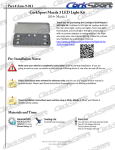
Thank you for purchasing the CorkSport Mazda 6 LED Light Kit. CorkSport's LED light kit replaces the incandescent bulbs for the dome lights, map light, trunk, front doors and license plate. The lights simply plug in with no custom adapters or wiring required. We hope you enjoy your new interior lighting. Please let us know your feedback by submitting a review at http://www.corksport.com/corksport-led-lightkit-for-2014-mazda-6.html Make sure your vehicle is completely cooled down prior to starting installation. If you are going to work on your car within an hour or two of having driven it, use a fan to cool off the car. These instructions were written for reference only and the use of a factory service manual is recommended. Please read these instructions thoroughly prior to starting installation How our instructions work: To best cover all of our customers experience levels, we have included an overview checklist for the more technically advanced users along with step-by-step instructions for customers that require additional detail. These installation instructions were written using a 2014+ Mazda 6. 2014+ Mazda 6 models will be similar. General Info. Tooling List Parts List Part #: Ati-9-011 Time Est: 0.5 hours Wrench Rating: 1/5 Small flat head screwdriver Four (4) 31mm LED bulbs Four (5) T10 Wedge LED bulbs Two (2) 28mm LED bulbs One (1) T5 Wedge LED bulb Need Help With Your Installation? Call (360) 260-CORK This is an overview of each step in the build. You can use this as a reference and a checklist as you button up the work on your car LED bulbs will only work when installed in one direction. Test each bulb in the socket during installation. If it does not work, simply remove it, turn it around, and reinstall it. Be careful when prying the covers off the factory bulb locations. They should come off easily. If they are hard to come off make sure you are prying in the correct orientation. Remove the front overhead interior light cover (shown in Figure 1a). Pull the bulb out of the socket (circled in Figure 1b). Install one of the supplied LED’s in the bulbs place (shown in Figure 1c). Replace the cover that was removed in step 1a (shown in Figure 1d). Repeat steps 1a-1d for the bulb on the other side. Sport Models do not have the Vanity lights. All other models will have these lights in the vanity mirrors. Locate the Vanity light in the sun visor. (Shown in Figure 2a) Remove the cover of the light using a small flat head screw driver. Figure 2b Replace the factory bulb with the 28mm LED bulb. Repeat Steps 2a-2c for the other vanity light . Locate the Door lights at the rear of the front doors. (Shown in Figure 3a) Remove the cover of the light using a small flat head screw driver. This on similar to the vanity Lights. Replace the factory bulb with the T10 LED bulb. Repeat Steps 3a-3c for the other vanity light . Start by removing the light cover the same way that was recommended on the front overhead interior light in step 1a. (shown in Figure 4a). Pull the bulb out of the socket (circled in Figure 4b). Install one of the supplied LED’s in the bulbs place (shown in Figure 4c). Face the LED bulbs straight down for maximum brightness or angle them slightly to diffuse the light a little.. Replace the cover that was removed in step 4a. Need Help With Your Installation? Call (360) 260-CORK Repeat steps 4a-4d to replace the bulb on the other side. Start by finding the cargo light in the trunk area. (pictured in Figure 5a). Again with a small flat head, pry the light out. (shown in Figure 5b on next page). Once the light has been removed, pull the bulb out of the socket. Again install one of the supplied LEDs in the bulbs place. Replace the cover that was removed in step 5a. Start by locating the license plate bulb covers (pictured in Figure 6a). With a small flat head, pry the cover off. Shown with a red arrow in Figure 6a. Pull the bulb out (shown in Figure 6b). Install one of the supplied round LEDs in the bulbs place (shown in Figure 6d). Replace the cover that was removed in step 6a. Repeat steps 6a-6e for the second license plate light bulb. Start by opening the glove box and letting it fully open. Push in the sides of the glove box. Figure 7a On the right side there is a lever that connects to the damper. Figure 7b Now the glove box will be free to pull from the dash. Removing the light fixture using a #2 phillips screwdriver, remove the 1 screw. Replacing the bulb with a round T10 style LED. . Re-install the parts in the reverse order as described above. Need Help With Your Installation? Call (360) 260-CORK These instructions were written using a 2014 Mazda 6, Mazda 6 models are similar. LED Bulbs will only work when installed in one direction. Test each bulb in the socket during installation. If it does not work, simply remove it, turn it around, and reinstall it. Be careful when prying the covers off the factory bulb locations. They should come off easily. If they are hard to come off make sure you are prying in the correct orientation. a. Start by removing the light cover. Use a small flat head screwdriver to pry the front side of the cover. It will not take much effort. The cover will then come right off (shown in Figure 1a). b. Pull the bulb out of the socket (circled in Figure 1b). If you need to use something to remove the bulb make sure it is non metallic or you may short out a fuse. Figure 1a Figure 1b c. Install one of the supplied 31mm LED’s in the bulbs place, (circled in Figure 1c). Check to see that it illuminates. If it does not, turn it around and reinstall it. Face the LED bulbs straight down for maximum brightness or angle them slightly to diffuse the light a little.. Figure 1c d. Replace the cover that was removed in step 1a. Slide the back of the cover in first and then push the cover into place (shown in Figure 1d). It will snap into place easily. e. Repeat steps 1a-1d for the bulb on the other side. Need Help With Your Installation? Call (360) 260-CORK Figure 1d 1 of 6 Sport Models do not have the Vanity lights. All other models will have these lights in the vanity mirrors. a. Locate the Vanity light in the sun visor. (Shown in Figure 2a) To keep the light from coming on don’t open the slide all the way. b. Remove the cover of the light using a small flat head screw driver. Figure 2b shows how the assembly will look once the cover has been removed. Notice the light is off with the slide partially open. Figure 2a Figure 2b c. Replace the factory bulb with the 28mm LED bulb. d. Repeat Steps 2a-2c for the other vanity light . a. Locate the Door lights at the rear of the front doors. (Shown in Figure 3a) To keep the light from coming on hold the switch at the door or tape the switch off with painters tape. b. Remove the cover of the light using a small flat head screw driver. This on similar to the vanity Lights. c. Replace the factory bulb with the T10 LED bulb. d. Repeat Steps 3a-3c for the other vanity light . Need Help With Your Installation? Call (360) 260-CORK Figure 3a 2 of 6 a. Start by removing the light cover the same way that was recommended on the front overhead interior light in step 1a. Use a small flat head screwdriver to pry the front side of the cover. It will not take much effort. The cover will then come right off (shown in Figure 4a). b. Pull the bulb out of the socket (circled in Figure 4b). If you need to use something to remove the bulb make sure it is non metallic or you may short out a fuse. Figure 4a Figure 4b c. Install one of the supplied LED’s in the bulbs place (shown in Figure 4c). Check to see that it illuminates. If it does not, turn it around and reinstall it. Face the LED bulbs straight down for maximum brightness or angle them slightly to diffuse the light a little.. Figure 4c d. Replace the cover that was removed in step 4a. Slide the back of the cover in first and then push the cover into place. It will snap into place easily. e. Repeat steps 4a-4d to replace the bulb on the other side. a. Start by finding the cargo light in the trunk area. (pictured in Figure 5a). b. Again with a small flat head, pry the light out. (shown in Figure 5b on next page). Need Help With Your Installation? Call (360) 260-CORK Figure 5a 3 of 6 c. Once the light has been removed, pull the bulb out of the socket. Again, if you need to use something to remove the bulb make sure it is non metallic or you may short out a fuse. d. Again install one of the T5 LEDs in the bulbs place. Check to see that it illuminates. If it does not, turn it around and reinstall it. e. Replace the cover that was removed in step 5a. Slide the non switch side of the cover in first and then push the cover into place. It will snap into place easily. Figure 5b a. Start by locating the license plate bulb covers (pictured in Figure 6a or Figure 6c depending on trim package). b. Again with a small flat head, pry the cover off. Start with the clip on the side (shown with a red arrow in Figure 6a and Figure 6c) then the cover should come off easily. Figure 6a Or Figure 6b c. Once the cover is off, pull the bulb out (shown in Figure 6b). It should be snug in the socket but it will come out by hand. Figure 6c Need Help With Your Installation? Call (360) 260-CORK 4 of 6 d. Install one of the supplied round T10 LEDs in the bulbs place (shown in Figure 6d). Check to see that it illuminates. e. Replace the cover that was removed in step 6b. Slide one side in first and then the other will snap into place as you press down. f. Repeat steps 6a-6e for the second license plate light bulb. Figure 6d a. Open the glove box and push the sides in at the red arrows in Figure 7a while gently pulling down. Figure 7a b. Disconnect the lever by pulling it in the direction of the red arrow (Figure 7b). Then rotate the glove box downward while pulling it towards the rear of the car. It should slide off the pivot point in the dash. Figure 7b Need Help With Your Installation? Call (360) 260-CORK 5 of 6 c. Removing the light bulb fixture. Looking up under the dash where the top of the glove box would be, you will find the light bulb and it’s fixture. Remove the 1 screw using a #2 phillips screwdriver then pull the whole fixture downward and towards the front of the car. It is a snap fitting so it should pop out with a tug. (Figure 7c) d. Firmly grasp the OEM bulb and pull it strait out of the socket. Figure 7c e. Insert the new round T10 style LED into the socket. If not working, remove and rotate 180 degrees then re-install. f. Re-attached the light fixture to the dash with the screw and a #2 phillips screwdriver. (Figure 7d) g. Re-install the glove in the reverse order it was removed. Figure 7d CORKSPORT 2014+ Mazda 6 SkyActiv Short Ram Intake One of the easiest and most beneficial performance enhancements you can do for your vehicle, the CorkSport Power Series Short Ram Intake replaces your factory airbox with an open intake system allowing more air into the intake chamber. Engineered with exacting tolerances, the CorkSport SkyActiv Short Ram Intake includes our precision machined MAF housing made from billet aluminum, a durable dry flow air filter and custom reinforced silicone connector. Need Help With Your Installation? Call (360) 260-CORK 6 of 6