1
TROUBLESHOOTING ERROR/STATUS CODES FROM THE TERMINAL
The Cash Dispenser internal self-diagnostics performs a status check before the first transaction is
allowed and after each transaction to make sure, the next transaction is possible. Additionally, if there
is no activity at the terminal for about forty seconds a status check is completed to verify terminal
readiness to perform a transaction. When an error is detected, the terminal is set to an “Out of Service”
condition. In the “Out of Service” condition user cannot select any action on the terminal. The terminal
must be restarted by turning off the power for about ten seconds and then turned back ON. After the
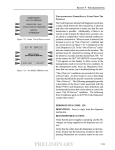
restart, the OUT OF SERVICE screen appears on the display to allow access to the management mode
or to reset the error condition. In the management mode, there are Diagnostics functions that can assists
you in troubleshooting the unit.
“Out of Service” conditions are presented to the user as Error Code or Status Codes. An Error/Status
Code is a two or three digit number that identified the specific reason the terminal is “Out of Service”.
ERROR CODES GENERATED BY THE TRITON ATMS
The following paragraphs provide a list of the error codes associated with all Triton ATMs. The information provides the error (decimal and hexadecimal) code numbers, the error definitions and some
recommended actions that may be taken to correct the cause of a “out of service” condition.
Error Code: 32 (20h)
Description: Good operation
Recommended Action: No action required.
Error Code: 33 (21h)
Description: Feed Failure.
Recommended Action:
This error is usually associated with an empty note cassette or currency that is in “unfit” condition.
1. Refill the cassette as needed.
2. Inspect the cassette and feed path for currency that is stuck together or jammed.
3. If no jam is located, remove the first note from the cassette. Purge the dispenser. Do several test
dispense operations. If the test dispenses are completed normally, and the return code are correct,
clear all errors and place the cash dispenser in operation.
4. If the currency is in “fit “ condition and the error persists, consider replacing the cassette or the
dispenser
Error Code: 34 (22h)
Description: Mistracked note at feed
Recommended Action:
This is a double detect fault.
1. Inspect the feed path for jammed currency. Remove jammed currency.
2. Inspected both the feed sensor and the double detect sensor to ensure they are not blocked and
operating correctly. Clean the sensors a needed.
3. Turn the AC power OFF for a few seconds and then back ON to power cycle and reset the cash
2