1
4 Operating Your Thermostat
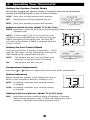
Setting the System Control Mode
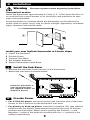
The System Control has several modes of operation that can be selected by
moving the SYSTEM switch to one of three positions.
COOL Only your cooling system will operate
OFF Heating and cooling systems are off.
HEAT Only your heating system will operate.
Additional Switch Position (Model TT-N-421 Only):
EMER Operates a backup heat source (Emergency Heat) for heat pump systems only.
NOTE: If your model TT-N-421 was set to a conventional system (NORM) then you will not have the
EMER (emergency heat) option and “NO AUX SET”
will flash in the display if EMER is selected with the
system switch.
Setting the Fan Control Mode
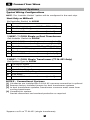
The Fan Control has 2 modes of operation – AUTO
and ON. The mode can be selected by moving the
FAN switch to the appropriate position.
AUTO The system fan will run only when your heating or cooling system is running.
ON
The system fan will stay on.
Temperature Adjustment
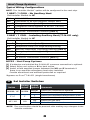
Press the or button to adjust the current set point temperature.
Status Indicators
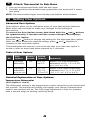
Status indicators appear in the display to let you
know if your system is heating, cooling or off.
HEAT If flashing, indicates your heating system
is running.
COOL If flashing, indicates your cooling system
is running.
Additional Status Indicators (Model TT-N-421 Only):
AUX Indicates that the auxiliary stage of heating is running (Multi-Stage Systems only), or that the emergency heat
system is running (heat pump systems only).
5