1
Dell™ Latitude™ XT2 XFR Setup and Features Information
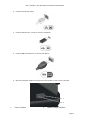
The pen is stored by pushing the pen into the pen garage until it clicks into its locked position.
The pen is removed by first pushing in on the pen until it clicks and is released. The pen can then be
removed from the pen garage.
Hot Swappable Modules
Either an optional Camera or GPS device can be inserted into the hot swappable module device area
over the display.
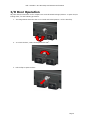
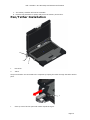
To install a hot swappable module Camera or GPS device, use the following procedure.
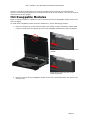
1. Place the computer on a flat surface and open the display in either notebook or tablet mode.
Locate the area above the display where the hot swappable module device will be installed.
Image above shows the lock in the locked
position
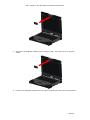
Image above shows the lock in the
unlocked position
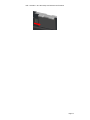
2. Move the lock for the hot swappable module device to the unlocked position and remove the
dummy cover.
Page 15