1
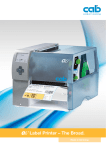
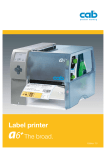
4+M Label Printer With Centered Material Guide. Made in Germany. Technical details. › No adjustment of the print head for different widths of material. ›The print speed for difficult printable materials is reduced to 30 – 125 mm/sec. › Printing on very narrow or very thick continuous materials. ›The gap height at the material sensor for flat tubes and synthetic › Operation and software are compatible with the A+ series. tapes is up to 4 mm. 2 7 1 3 4 8 5 6 Label printer A4+M with centred material guide 1 2 3 Big graphic display 5 ensures constant tension during feeding, White backlight for optimum readability. Add-on modules such as cutters, Ribbon holder external rewinders, present sensors Three-part tightening axles enable quick and applicators are easy to connect via The three-part tightening axles ensure the and easy ribbon exchange. the USB peripheral interface. All peri easy rewinding and removing of labels or Straightforward adjustment pherals are connected to the printer in The printhead is pressed down with two seconds using two pins and fixed in thus ensuring a highly precise imprint. 8 Internal rewinder liners with or without paper core. 9 Only one tool for all maintenance tasks place with a screw. For exchanging wear parts and Solid metal housing connecting peripherals, the Allen key is the right label margin. Made of die-cast aluminum. located ready to hand at the printer. Peel-off option All components are mounted on it. sliding toggles. One is mounted to the left label margin, the other one is pushed to 4 Peripheral connection The label is removed from its liner via a 6 7 Roll holder peel-off plate. A high printing and Available for core diameters from 38 mm. dispensing accuracy can be achieved (We provide adapters for core diamters with the additionally powered rewind wider than 76 mm for improved label assist roller and the pinch roller. winding). The spring-mounted margin stop cab | 2 All required interfaces. 1 RS232C interface. 2 USB 2.0 slave interface. 3 Ethernet 10/100 Base T interface with TCP/IP. 4 Slot for wireless LAN card. 5 Two USB Master interfaces for connecting an external operation 4 panel, keyboard, scanner or service key. 6 Slot for CompactFlash Type I memory card. Options 6 › Centronics bi-directional interface acc. to IEEE 1284. RS422/RS485 interface 1,200 up to 230,400 Baud/8 Bit. The interfaces are plugged into the PC. 3 Connection to the printer via mini USB connection cable. 5 2 › Label selection – I / O box. Up to 16 different labels can be loaded via PLC from a 1 memory card. Operation of four inputs/outputs via Basic Interpreter. › cab WLAN card 802.11 b / g. Stand-alone operation. Accessories for stand-alone operation Printing with a cab printer without a PC. Memory card The layout of the labels is created either using label software or CompactFlash Type I formats, fonts and graphic data, serial data and database contents Compact keyboard are saved or imported on the CF memory cardUSB flash drive or the Connection: USB, number of keys: 86 internal IFFS printer memory. L x W mm: 282 x 132 Cherry G84-4100 through direct programming via a text editor on the PC. Label Only variable data is sent to the printer via keyboard or host computer before being printed out. Data from a barcode scanner or a balance Device functionality and compliance with CE standards can also be received by the printer. are only warranted by using the accessories provided or recommended by cab. cab | 3 Software tools. Direct programming with J-Script The printer language is easy to understand and simple to integrate into your host system. Variable data is linked with host applications. Label design, graphic data and fonts are recorded on the CompactFlash card. The host computer sends only variable data to the printer. J H 100 OR S l1;0,0,68,70,100 T 10, 10,0,5,pt20;sample B 10,20,0,EAN-13,SC2,401234512345 G 8,3.5,0;R:30,9,0.3;0.3 A1 Job start Speed (100 mm / s) Orientation rotated by 180° Size of label (100x68 mm, gap 2 mm) Text object/font: Swiss bold, 20 pt Barcode EAN 13, size SC 2 Graphic, box 30 x 9 mm, Line strength 0.3 mm Number of labels (in this example 1) Integration into SAP R/3 * In cooperation with SAP, cab developed the “replace method” for controlling cab printers quickly and easily from SAP R/3 using SAPScript. As a Silver Level partner in SAP‘s Printer Vendor Program, cab has access to the SAP development area for optimum printer support in SAP environments. * SAP and R/3 are registered trademarks of SAP AG. abc – Basic Compiler As an integrated element of the firmware, the Basic Compiler enables the printer to process data via BASIC programming before it is sent for print editing. This makes it possible for external printer languages to be replaced or data from other systems, e. g. a PLC or balance, to be transferred so information can be printed in different label formats. Example of use: Connection to a balance Database Connector In stand-alone mode with additional network connection, the Database Connector enables stand-alone printers to access data directly from a central SQL-compatible database and to print it as a label. Data can also be written back to the database or changed during the printing process. Printer monitoring with Intranet and Internet Using standard programs such as the web browser or FTP clients, the integrated HTTP and FTP server enables print monitoring, configuration, firmware updates and memory card administration. Status, warning and error messages are sent to administrators or users as e-mails or SNMP datagrams via SNMP and SMTP clients. A time server is used to synchronize the time and date. Administration Network Manager The cab Network Manager enables the user to control multiple printers across a network simultaneously. It supports monitoring, configuration, firmware updates, memory card administration, file synchroniza tion and PIN administration centrally. cab | 4 Create Transfer labels with replace file software into SAPScript Exchange of variable data with SAPScript and printout Upload method SAP R/3 note no. 137431 WHQL-certified Windows printer driver for Windows 2000 Windows Server 2003 Windows XP Windows Server 2008 Windows Vista Windows Server 2008 R2 Windows 7 Our printer drivers are officially certified and signed by Microsoft. They ensure optimum stability on your Windows operating system. The programs Word, Excel, Access, Corel Draw, etc. can be used to design and print labels. Apple-Mac OS X® driver Alternatively, cab offers a CUPS-based printer driver for Mac OS X. Linux driver Alternatively, cab offers a CUPS-based printer driver for Linux. Microsoft® is a registered trademark of Microsoft Corporation. Mac OS® is a registered trademark of Apple Computer, Inc Label software. cablabel R2+ A powerful label software that is available free of charge and specially designed for cab printers and print & apply systems. Different fonts, barcodes and graphics in variable heights, widths and printing directions can be used to produce the best possible label design. In addition to the loadable TrueType fonts available with MS Windows, cab printers also offer a large number of internal bitmap and vector fonts. Thanks to the support of the most commonly used codepages, cablabel R2+ is available in 24 different languages for country-specific special characters can also be printed. the following operating systems: Windows XP Windows Server 2003 * High-performance functions make it possible to design and print even complex labels in just a few minutes. cablabel R2+ supports Windows Vista Windows Server 2008 * Windows 7 * Terminalserver / Citrix are not supported. special functions of the cab printers, such as real-time clock, printer counter, stand-alone operation without PC, circular fonts or the Additional label software printout of the printer data stream in a file. The MDI technology makes Highest possible variability – other commercially available label soft- it possible to open several labels at the same time and to move ware solutions, such as Codesoft, Nicelabel, Easylabel, Bartender, objects from one label to another. Label Matrix or Labelview, support the cab label printers and labeling systems. More information is available on our website. cab | 5 Technical data. Standard Label printer Printhead Material Ribbon Printer dimensions Label sensor Electronics Interfaces Operation data 1) 2) Print methodThermal transfer Thermal direct Print resolution dpi Print speed up to mm / s Print width mm Labels, continuous rolls or fan-folded Thickness mm / weight g / m2 Label width1) mm Width of liner or continuous material mm Heat shrink tube mm Label height1) without back-feed from mm up to mm Media roll Total diameter up to mm Core diameter mm Winding direction Ink Roll diameter up to mm Core diameter mm Ribbon length variable up to m Width2) up to mm Height x Depth mm Width mm Weight kg Gap sensor Reflective sensor from the bottom / from the top Distance to locating edge mm Processor high speed 32 Bit ColdFire / clock rate MHz RAM MB Memory IFFS MB Flash Slot for CompactFlash Type I memory card Slot for wireless LAN card Battery buffer for Warning signal Centronics bi-directional acc. to IEEE 1284 RS232 C 1,200 up to 230,400 Baud / 8 Bit USB 2.0 high speed slave for PC connection Ethernet 10 / 100 Base T, LPD, RawIP printing, ftp printing, DHCP, HTTP, FTP, SMTP, SNMP, TIME, Zeroconf, mDNS, SOAP RS422, RS485 1,200 up to 230,400 Baud / 8 Bit Peripheral connection WLAN card 802.11 b / g WEP / WPA PSK (TKIP) 2x USB master for Power supply Power consumption Temperature / humidity: Operation Storage Transport Approvals A4+M – 300 600 30, 40, 50, 75, 100, 125 30, 40, 50, 75, 100 105.6 105.6 Paper, cardboard, textiles, plastics such as PET, PE, PP, PVC, PU, acrylate, PI 0.05 – 0.8 / 60 – 300 4 – 106 10 – 110 3.5 – 110 5 5 4000 1000 205 38 – 100 Outside or inside Outside or inside 80 25 500 50 – 114 274 x 446 242 9 For leading edge of the label or punching marks and end of material For printing marks 0 – 53 266 64 8 Real-time clock, printout of time and date, data storage on shut-down Acoustic signal in case of error External operation panel, keyboard, scanner, service key, USB flash drive 100 – 240 V ~ 50 / 60 Hz, PFC Max. 300 W +5 – 40°C / 10 – 85% not condensing +0 – 60°C / 20 – 85% not condensing -25 – 60°C / 20 – 85% not condensing CE, FCC class A, CB, CCC, UL Limitations may apply to small labels, thin materials or strong adhesives. Critical materials or applications must be tested and approved. The ribbon should be roughly the same width as the label in order to avoid folding. With innovative technology for better climate protection Energy saving – Environmentally friendly cab | 6 Option Standard Label printer Operation panel Buttons / LED display LCD graphic display Settings Monitoring Stop printing if: On the display Test routines System diagnosis Short status, status print Status reports Fonts Font types Character sets Bitmap fonts Vector / TrueType fonts Graphics Barcodes Font formats Font width Graphic elements Graphic formats Linear barcodes 2D codes Software Programming System diagnosis / administration Label software Windows driver certified Mac driver Linux driver Stand-alone operation Option Authorized distribution by resellers A4+M Pause, Feed, Cancel, Menu, Enter, 4 x Cursor Width 60 mm, height 40 mm, text 4 lines, ca. 20 characters per line Time, date, digital or analog clock 25 language settings System settings, print parameters, interfaces, security End of ribbon End of labels Printhead open Data reception Used memory Clock Input buffer WLAN field intensity Temperature of printhead Date sheet Remaining quantity of ribbon Ethernet status Access to memory card abc Debug When switched on, incl. printhead testing Font list, device list, WLAN status, label profile, test grid, monitor mode, PPP status Extensive status printout with information about settings, e. g. print length counter, runtime counter, etc. Request of machine status via software commands. Detailed status messages on the display, e. g. network error – no link, barcode error, etc. 5 Bitmap fonts incl. OCR-A, OCR-B and 3 Vector fonts Swiss 721, Swiss 721 Bold and Monospace 821 available internally, loadable TrueType fonts. Thai and Chinese (simplified Chinese) available as options. Windows 1250 up to 1257, DOS 437, 737, 775, 850, 852, 857, 862, 864, 866, 869, EBC DIC 500, ISO 8859-1 to -10 and -13 up to -16, WinOEM 720, UTF-8, Macintosh Roman, DEC MCS, K0I8-R. All West and East European Latin, Cyrillic, Greek, Hebrew and Arabic characters are supported. Thai and Chinese available as options. Size of width and height 1 – 3 mm Zoom 2 – 10 Orientation 0°, 90°, 180°, 270° Size of width and height 0.9 – 128 mm Variable zoom, Orientation 360° in steps of 1° Bold, italic, underlined, outline, negative, gray, vertical, depending on character fonts Variable Line, arrow, box, circle, ellipse, filled and filled with fading PCX, IMG, BMP, TIF, MAC, GIF, PNG Code 39, Code 93 Interleaved 2 / 5 Code 39 Full ASCII Ident- and lead code of Deutsche Post AG Code 128 A, B, C Codabar EAN 8, 13 JAN 8, 13 EAN / UCC 128 MSI EAN / UPC Appendix 2 Plessey EAN / UPC Appendix 5 Postnet FIM RSS 14 HIBC UPC A, E, E0 Aztec, Codablock F, Data Matrix, PDF 417, Micro PDF 417, UPS Maxicode, QR-Code, RSS 14 truncated, limited, stacked and stacked omnidirectional, EAN-Datamatrix, GS1 Data Bar All codes variable in height, module width and ratio. Orientation 0°, 90°, 180°, 270°. Optionally with check digit, printed characters and start/stop code, depending on code type. J-Script direct programming abc – Basic Compiler Database Connector Printer monitoring Network Manager cablabel R2+ Codesoft, NiceLabel, Easylabel Bartender, Label Matrix, Labelview 32 / 64 bit for Windows 2000 Server 2003 Windows XP Server 2008 Windows Vista Server 2008 R2 Windows 7 OS X printer driver from version 10.4 Tested with Suse 9.0, CUPS-based For current data, please go to www.cab.de cab | 7 Accessories for basic devices. Cutter The cutter is used to cut paper, pressure sensitive labels, cardboard, textiles, synthetics or heat shrink tubes. Perforation cutter and cutter The perforation cutter also permits the perforation of the material in order to separate it manually. Cutter tray The cutter tray can pile up up to 50 labels. Stacker with cutter The printed materials are cut and piled up with the stacker. The print job stops when the height of the pile is reached. There might be restrictions at the use of stiff or curved materials. We recommend the testing of such materials at cab. Adapter 100 mm Ø To keep the bending of the material during piling as small as possible cab recommends a broad core diameter. Storage table label width x height The storage table and the protective cover are adjusted to the label size and have to be ordered separately. Base frame A4+M With the base frame the devices can be arranged on the table in any order. Material width up to mm Weight of material gr / m2 / cardboard Material thickness mm Cutting length mm Gap height up to mm Cuts / min. Stop print job if: cab | 8 Cutter CU4 110 Perforation cutter and cutter PCU4 110 Stacker with cutter ST4 / M 20 – 100 60 – 500 60 – 300 60 – 300 0.05 – 0.8 >5 2.5 120 0.05 – 0.8 >5 4.5 Cutting 120 / Perforating 150 0.05 – 0.8 20 – 150 1.2 120 Final position not reached Final position not reached Cutter tray 4 For material width up to mm 120 material height up to mm 100 Perforating Web width mm 0.5 Web distances mm 2.5 or 10 Final position not reached, cover open, height of pile is reached Piling up reached Height of pile up to mm 140 Accessories for basic devices. External rewinder ER 4 / 6 / 8 with built-in power supply The rewinder can be attached to almost every other printer. All other technical data are according to the rewinder. Tesster for linear barcodes The built-in scanner tests the barcodes directly after printing. If the barcode is not readable the printing process can be stopped at once so the faulty labels can be removed. It is primarily intended to be used with the external rewinder ER4 – ER8. External rewinder Material width up to mm Roll Ø max. mm Core Ø mm Operating voltage Label winding ER4 / 210 120 205 40 / 76 ER4 / 300 120 205 40 / 76 100 – 240 V ~ 50 / 60 Hz Outside or inside cab | 9 Delivery program for accessories. Part No. Hardware 5954552 5954554 Label printer A4+M 300 Label printer A4+M 600 59545xx.101 595xxxx dpi Core Part No. Accessories 5959622 Adapter 100 55xxxxx Storage table ST4/M, label W x H 5958932 Base frame A4 5570820 Barcode tester hl40-4 5948100 5946090 External rewinder ER4 / 210 External rewinder ER4 / 300 5954380.001 External operation panel 5901630 Compact keyboard USB Cherry G84-4100 5561043 Memory card CompactFlash Type I Part No. Interfaces 5954200 5954201 Centronics interface RS422 / RS485 interface 5954191 Label selection – I / O-Box 5561041 WLAN-card 802.11 b / g Part No. Connecting cable 5550818 Cable RS232 C 9 / 9-pin, length 3 m 5918008 Patch cable KAT 5e, 3 m gray Part No. Software DL 40100 Database Connector license 5580215 Administration Network Manager In Scope of delivery Label software cablabel R2+ on request Codesoft, Nice Label, Easylabel 9008486 Programming manual English, printed copy 38 38 Printer with metal cover for A4+M Label printer for thermal direct printing on request Scope of delivery: Label printer, Power cable Type E+F, length 1.8 m Connecting cable USB, length 1.8 m Operation manual de / en DVD: Operating manual in 21 languages, Configuration manual de / en / fr, Service manual de / en, Spare part list de / en, Programming manual en, Windows printer driver 32 / 64 bit in 19 languages for Windows 2000 Server 2003 Windows XP Server 2008 Windows Vista Server 2008 R2 Windows 7 MAC OS X driver de / en / fr, Linux driver de / en / fr, Label software cablabel R2+ in 24 languages, Database Connector en cab | 10 Part No. Consumables 5954072.001 Printhead 4 / 300 5954180.001 5954183.001 Print roller DR4 Rewind assist roller RR4 Part No. Zubehör 5954018.001 Metal cover for A4+M 5948000 Cutter CU4 5960050.351 5960050.352 Perforation cutter PCU 4/2,5 Perforation cutter PCU 4/10 5946995.001 Cutter tray 4 5541313 Stacker with cutter ST4/M The cab delivery program. EOS 1/4 label printer MACH4 label printer A+ series label printers XD4 label printer XC series label printer Hermes+ Print and Apply PX series print module FL series laser marking systems Laser safety housing Label software VS 120 label dispenser Labels / ribbons cab | 11 Edition 8.0 Headquarters in Germany cab subsidiaries 350 distribution partners in more than 80 countries. cab is represented in every active commercial center - worldwide. www.cab.de Germany France USA Asia cab Produkttechnik cab technologies s.a.r.l. cab Technology Inc. cab Technology Co, Ltd. GmbH & Co KG 67350 Niedermodern Tyngsboro MA, 01879 Postfach 1904 Téléphone +33 388 722 501 Phone +1 978 649 0293 Junghe, Taipei, Taiwan 76007 Karlsruhe www.cab.de/fr www.cab.de/us Phone +886 2 8227 3966 Wilhelm-Schickard-Str. 14 [email protected] [email protected] www.cab.de/tw 76131 Karlsruhe [email protected] Telefon +49 721 6626-0 Telefax +49 721 6626-249 Spain South Africa China www.cab.de cab España S.L. cab Technology (Pty.) Ltd. cab (Shanghai) Trading Co., Ltd [email protected] 08304 Mataró (Barcelona) 2125 Randburg Teléfono +34 937 414 605 Phone +27 11-886-3580 Phone +86 21 6236-3161 www.cab.de/es www.cab.de/za www.cab.de/cn [email protected] [email protected] [email protected] Representatives in other countries on request. This documentation and any translations hereof are the property of cab GmbH & Co KG. The replication, processing, reproduction or distribution in whole or in parts requires our prior written consent. © Copyright by cab All delivery, design and technical specifications are compiled to the best of our current knowledge and are subject to change without prior notice.