1
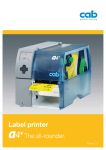
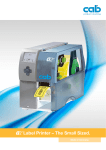
Label printer 6 + The broad. Edition 7.0 Technical details 2 Precise printing: elaborate – made easy Label printer A6+ with dispense function 1 2 7 3 8 4 5 6 9 1 Big graphic display 5 2 Ribbon retainer The threepart tightening axles allow a fast and easy ribbon exchange. 3 4 Easy adjustment The print head is pressed down with two sliding toggles. One is mounted to the left label margin, the other one is pushed to the right label margin. 6 Peel-off option 7 The label is removed via peel-off-plate. A high printing and applying accuracy can be achieved with the additionally powered rewind assistant roller and the pinch roller. Peripheral connection Add-on modules like cutter, external rewinder, present sensor, peel-off 8 adapter and applicators can be easily connected via USB peripheral interface. All peripheral devices are put onto the printer with two gudgeons and fixed with a bolt. White backlight guarantees optimal legibility. Solid, buckling resistant metal chassis 9 It is made of dye-cast aluminium. All devices are assembled to it. Roll holder Applicable for core diameters as of 38 mm. (we include adapters for core diamters from 76 mm for a better winding of the labels). The spring mounted margin stop ensures constant tension while feeding and therefore a highly precise imprint. Internal rewinder The threepart tightening axles allow the easy rewinding and removing of labels or backing paper with or without paper core. Only one tool for all maintenance tasks The Allen key is located ready to hand directly at the printer. Interfaces 3 All required interfaces 4 6 3 5 2 1 1 RS232C interface. 2 USB 2.0 Slave interface. 3 Ethernet 10/100 Base T-interface with TCP/IP. 4 Slot for Wireless LAN-Wifi-card. 5 Two USB-Master-interfaces to connect an external operation panel, keyboard, scanner or Service Key. 6 Slot for memory card CompactFlash Type I. Options Centronics interface bi-directional acc. IEEE 1284. Interface RS422/RS485 1.200 bis 230.400 Baud/8 Bit. The interfaces are plugged onto the PC. Connection to the printer via mini USB connection cable. Label selection box – I/O box. Up to 16 different labels can be loaded via SPS from a memory card. Operation of four in-/outputs via Basic Interpreter. cab WLAN card 802.11 b/g. Stand-alone operation Printing with a cab printer without PC. Accessories for the stand-alone operation Memory card CompactFlash Type I The layout of the labels is created either with the label software or direct programming via text editor directly on the PC. Label formats, fonts and graphic data, serial data and data base contents are saved or imported on the CF memory card or the internal IFFS printer memory. Only variable data is sent to the printer via keyboard or host computer before being printed out. Data of a barcode scanner or a scale can be fed additionally. Compact keyboard Connection: USB Number of keys: 86 L x W mm: 282 x 132, Cherry Classic Line G84-4100 LCM Standard keyboard Connection: USB Number of keys: 115 L x W mm: 460 x 192, Cherry G83-6504 LAD The functions of the devices and conformity to CE-standards are only warranted by using the accessories made by cab or recommended by cab. Software tools 4 J H 100 O R S I1;0,0,68,70,100 T 10,10,0,5,pt20;sample B 10,20,0,EAN-13,SC2;401234512345 G 8,3.5,0;R:30,9,0.3,0.3 A 1 Job Start Speed (100 mm/s) Orientation rotated by 180° Size of label (100x68 mm, gap 2 mm) Text object/font: Swiss bold, 20 pt Barcode EAN 13, size SC 2 Graphic, box 30 x 9 mm, Line strength 0.3 mm Number of labels (in this example 1) Direct programming with J-Script The printer language is easy to understand and integrate into your host system. Linkage of variable data with host application. Label design, graphics and fonts are recorded on the compact flash card. The host computer sends only the variable data to the printer. Integration into SAP R/3 Create labels with software Transfer replace file into SAPScript Upload-Method SAP R/3 note no. 137431 Exchange of variable data with SAPScript and printout In collaboration with SAP cab developed the so-called “Replace method” in order to control the cab printers with SAPScript from SAP/R3. As Silver Level-partner in SAP´s Printer Vendor Program cab has access to the SAP development area for optimal printer support in an SAP environment. SAP and R/3 are registered trademarks of SAP AG. abc - Basic Compiler As an integrated element of the firmware it enables the printer to process data via BASIC programming before being transmitted to print editing. Thereby external printer languages can be replaced or data from other systems, e.g. SPS or a scale, can be transferred to be printed on different label sizes. Example of use: Connection to a scale Database Connector In the stand-alone mode with additional network connection the Database connector enables stand-alone printers to link up data from a SQL-compatible database and to print. Data can be rewritten and modified simultaneously with the printing process. Printer monitoring with Intra- and Internet The integrated HTTP- and FTP-Server enables, with standard programs like web browser or FTP-clients, the print monitoring, configuration, the firmware-update and the administration of the memory card. Status signals, warning or error signals are sent to users or administrators either as email or SNMP-datagram via SNMP- and SMTP-clients. Synchronization of time and date with a time server. Administration Network Manager The cab network manager enables the user to govern several printers within the network at the same time. It supports monitoring, configuration, firmware updates, memory card, datasynchronization and PIN-administration centrally. Printer driver 5 Windows® driver Our drivers are officially certified by Microsoft and ensure the direct creation and printing of labels from Windows-based programs like Word, Excel, Access, Works, Corel Draw etc. Apple-Mac OS X® driver* Alternatively cab offers a CUPS-based printer driver for MAC OS. Linux driver* Alternatively cab offers a CUPS-based printer driver for Linus. *not for XD4M Microsoft® is a registered trademark of Microsoft Corporation. MAC OS® is a registered trademark of Apple Computer, Inc. Label software The ideal design of a label is realizable by using different fonts, heights, widths and arrangements. cab offers a large number of internal bitmap and vector fonts. Most of the countryspecific codepages are supported, which means that countryspecific special characters can be printed – in 25 languages. cablabel R2 Lite Extensive standard label software. You get it - free of charge included in delivery. cablabel R2 Pro cablabel R2 Lite Windows 2000 SP4, XP Prof. SP2, Server 2003 SP2, Vista / 32 bit Languages 25 Label samples Undo-function Import of graphics Graphic barcodes 9 Native printer barcodes Support Windows driver Number of printers 1 Database Manager (Access, DBF, ASCII, OLEDB, ODBC) cab Database Connector Stand-alone operation Support printer real-time clock Internal printer counter Text alignment User input (formular) Formula editor UCC/EAN 128 and Maxicode wizard Pro 19 37 99 Maximum flexibility – whether simple texts, barcodes, graphics or the connection of databases. A wizard supports the creation of a UCC/EAN 128 barcode. It helps to open and handle several labels at the same time. Objects can be copied, moved and inserted into another label. It provides its own internal printer drivers which can communicate with the printer functions individually via J-Script. Additional label software Optimum variability – the label printers and the print & apply systems from cab can be easily controlled with other merchantable software like Codesoft, Easylabel, Bartender, NiceLabel or Labelview. Technical data label printer 6 1. Printhead A6+ Print method Thermal transfer / Thermal direkt Print resolution dpi 203 300 Print speed up to mm/s30, 40, 50, 75, 100, 125, 150, 175, 200 Print width mm 168 162.6 2. Material Labels, continuous rolls or fan-folded Paper, cardboard, textiles, synthetics like PET, PE, PP, PVC, PU, Acrylat, P Material thickness mm / weight g/m2 0.055 - 1.2 / 60 - 300 Width Label1) mm 50 - 176 Liner or of continuous material mm 50 - 180 Label height1) without back feed from mm 6 when dispensing1) from mm 25 up to mm 4000 3000 Media roll: Total diameter up to mm 205 Core diameter mm 38 - 100 Winding direction outside or inside 3. Ribbon Ink outside or inside Roll diameter up to mm 80 Core diameter mm 25 Ribbon length variable up to m 500 Width up to mm 165 4. Internal rewinder (only peel-off version) Total diameter up to bis mm 142 Core diameter mm 38.1 Winding direction only outside 5. Dimensions of the printer Height x Depth mm 274 x 446 Width mm 302 Weight kg 13 6. Label sensor See-through sensor for leading edge of the label or punching marks and end of material Reflective sensor from the bottom / from the top for printing marks Distance to locating edge mm 5 - 53 7. Electronics Processor high speed 32 Bit ColdFire/Clock rate MHz 266 (RAM) MB 64 Memory IFFS MB Flash 8 Slot for memory CompactFlash-card Type I Slot for Wireless LAN-card Battery cache for Real-time clock, printout of time and date Storage of data with shut-down Warning signal Acoustic signal when error 8. Interfaces Centronics bi-directional acc. IEEE 1284 RS232 C 1.200 up to 230.400 Baud/8 Bit USB 2.0 High Speed Slave for PC-connection Ethernet 10/100 Base T, LPD, RawIP-Printing, ftp-Printing, DHCP, HTTP, FTP, SMTP, SNMP, TIME, Zeroconf, mDNS, SOAP RS422, RS485 1.200 up to 230.400 Baud/8 Bit Peripheral connection WLAN card 802.11b/g WEP/WPA PSK (TKIP) 2 x USB Master for external operation panel, keyboard, scanner, service key 9. Operation data Power supply 100 - 240 V ~ 50/60 Hz, PFC Power consumption max. 300 W Temperature / Humidity 10 - 35°C / 30 - 85% not condensing Approvals CE, FCC class A, CB, CCC, UL 1) Depending on label size, material and adhesive limitations are possible. Critical material or applications have to be tested and cleared. Technical data label printer 7 10. Operation panel Buttons/LED display LCD graphic display Width x Height mm 11. Settings 12. Monitoring Stop printing if On the display 13. Test routines System diagnosis Short Status, Status print Status reports 14. Fonts Font types Character sets Bitmap-Fonts Vector-/TrueType fonts Font formats Font width Pause, Feed, Cancel, Menue, Enter, 4 x Cursor Text 4 lines, ca. 20 digits per line 60 x 40 digital or analog clock system settings print parameters 25 language settings time date interfaces security End of ribbon End of labels Printhead open Data reception Clock WLAN field intensity Date sheet Ethernet state abc Debug Used memory Input buffer Temperature printhead Access to memory card Remaining quantity of ribbon When switched on with testing of printhead font list, device list, WLAN state, profile of label, test grid, monitor mode, PPP state Extensive status print with information about setting, e.g. print length counter, runtime counter etc. Request of machine state via software command. Detailed status messages on the display, e.g. network error-no link, barcode error etc. 5 Bitmap fonts incl. OCR-A, OCR-B and 3 Vector fonts Swiss 721, Swiss 721 Bold and Monospace 821 available internally, loadable TrueType fonts. Optional Chinese (simplified Chinese) Optional Thai Windows 1250 up to 1257, DOS 437, 737, 775, 850, 852, 857, 862, 864, 866, 869, EBCDIC 500, ISO 8859-1 up to -10 and -13 up to -16, WinOEM 720, UTF-8, Macintosh Roman, DEC MCS, K0I8-R. All West and East European latin, cyrillic, greek, hebrew and arabic caracters are supported. Optional Thai and Chinese Size of width and height 1 - 3 mm zoom 2-10. Orientation 0°, 90°, 180°, 270° Size of width and height 0.9 - 128 mm variable zoom, Orientation 360° in steps of 1° Bold, italic, underlined, outline, negative, grey, vertical, depending on character fonts Variable 15. Graphics Graphic elements Line, arrow, box, circle, ellipse, filled and filled with fading Graphic formats PCX, IMG, BMP, TIF, MAC, GIF, PNG 16. Codes Linear Barcodes Code 39, Code 93 Interleaved 2/5 Code 39 Full ASCII Ident- and leader Code 128 A, B, C code of Deut Codabar sche Post AG EAN 8, 13 JAN 8, 13 EAN/UCC 128 MSI EAN/UPC Appendix 2 Plessey EAN/UPC Appendix 5 Postnet FIM RSS 14 HIBC UPC A, E, E0 2D-Codes Aztec, Codablock F, Data Matrix, PDF 417, Micro PDF 417, UPS Maxicode, QR-Code, RSS 14 truncated, limited, stacked and stacked omnidirectional, EAN-Datamatrix, GS1 Data Bar All codes variable in height, module width and ratio. Orientation 0°, 90°, 180°, 270°. Optionally with check digit, printed cha- racters and Start/Stop code depending on code type. 17. Software Programming J-Script direct programming abc-Basic Compiler Database Connector System diagnosis/ printer monitoring Administration Network Manager cab Label software cablabel R2 Lite* cablabel R2 Pro Easylabel, Codesoft Additional Nicelabel, Bartender l Label software Label Matrix, Labelview Windows driver 32/64 bit for Windows 2000 / XP / Server 2003 / Vista / Windows 7 / Server 2008 Mac driver* OS X printer driver from version 10.3 Linux driver* Testet with Suse 9.0, CUPS based Stand-alone operation *not for XD4M Standard Option Authorised distribution by resellers. l Innovative technology for a better climate protection. Eenergy-saving. Environmentally conscious. The specifications are according to our current technical knowledge. They are subject to change. Accessories for basic devices 8 Cutting, winding and unwinding of material / Barcode control Cutter The cutter is used to cut paper, pressure sensitive labels, cardboard, textiles, synthetics or heat shrink tubes. Cutter CU6 Material width up to mm 180 Weight of material gr/m2/cardboard 60 - 500 Material thickness mm 0.05 - 1.2 <5 Cutting length mm Gap height up to mm 2.5 Cuts/min. 110 Stop print job if Final position not reached Rewind guide for internal rewinding The internal rewinding is operated by the dispense printer. The peel-off-plate is replaced by the rewind guide plate (for devices A2+ and A4+). External rewinder ER 1/2/3 for direct connection of the printer The rewinder is screwed directly onto the printer. The label winding is optional inside or outside. A smooth and tight winding is due to the electronic control of the swing arm. External rewinder ER 4/6/8 with built-in power supply The rewinder can be attached to almost every other printer. All other technical data are according to the rewinder ER 1/2/3. External unwinder EU 4/6/8 It enables a smooth feeding of labels for heavy rolls. The unwinder works both with inside and outside wound labels. Tester for linear barcodes The built-in scanner tests the barcodes directly after printing. If the barcode is not readable the printing process can be stopped at once so the faulty labels can be removed. It is primarily intended to be used with the external rewinder ER4 - ER8 or with dispense mode. For 2D-Codes on request. All examples for accessories are pictured with the thermal transfer printer A4+. Material width up to mm Roll Ø max. mm Core Ø mm Operating voltage Label winding External rewinder ER2/210 ER6/300 180 180 205 300 40 / 76 40 / 76 from label printer 100 - 240 V~ 50/60 Hz outside or inside External unwinder EU6/300 180 300 40 / 76 – Accessories for dispensing devices 9 For dispensing of labels – automatically or on demand 1 Present sensor or pause adapter Dispensing labels requires an additional present sensor or peel-off adapter. cab offers devices both for manual operation and automatic operation. Extended present sensor If labels are difficult to remove from the liner a peel-off plate with rewind guide plate, extended by 10 mm, is used. 1 Present sensor PS8 for manual operation The photo cell detects the label in peel position and pauses the labelling process. After removing the label manually the next one is printed instantly. Printing and dispensing on demand The user can attach a present trigger or foot switch onto the present sensor PS6 and the pause adapter PS7 to start the print job. Present sensor PS 5 for automatic operation Printing and dispensing of the label is started with an external signal. The removal can be made by a robot or an applicator. Inputs: Start, label removed, external error Outputs: No print job, printer not ready, label in dispensing position. Present trigger Starts printing and dispensing. Present sensor PS 6 for manual or automatic operation Foot switch Starts printing and dispensing. 1. As with PS8 after removing the label the next one is printed automatically. 2. Dispensing on demand with present trigger, foot switch or an external signal (according PS5). Sub-D plug Connection of the external control signals for automatic operation. Sub D plug 15-pole with screw clamps. Extended present sensor PS 9 for manual or automatic operation For dispensing labels where the front edge is not detected by the present sensor PS6. The extension is made on customer-specific. Pause adapter PS7 for basic and dispense devices The print job is stopped with the pause signal. The activ label is finished, e.g. by using a label loop. Inputs: Pause, external error Outputs: No print job, printer not ready, print job active External panel If the panel is not accessible anymore, e.g. after installation within a facility, it is possible to install an external panel. Additionally there is a slot for a CF memory card Type I and a USB Master interface. Applicator A1000 10 Real-time application The applicator A1000 represents, in combination with the thermal printers A2+, A4+ and A6+, a moderatelypriced solution for both semi-automatic labelling and the integration into automated production lines. 1 Long economic life-time The ball-bearing guide bars are low-wear. 2 Variable product heights The lift cylinder allows labelling in different heights. It is available in different stroke-lengths. 3 1 2 Easy adjustment The tamp pad is adjustable to the peel-off plate with four screws. The processing control is optimized during testing with the operation panel. 4 Pre-dispense button Tests the labelling function. By pushing the button the first time the label is printed and held by the pad. By pushing the button again, the application is started. 5 Air-pressure regulation unit The microfilters prevent contamination and the compressed air regulator ensures the labelling quality. 6 High process reliability 3 4 5 6 7 The supporting air jet streaming, the induction air and the lifting speed are adjustable. The pressure can be reduced down to less than 1 kg for highly sensitive products and packaging. To avoid contamination of the vacuum holes they are cleaned with air pressure after each application. 7 Real-time application Labels with a height of 25-200 mm and a width of 25-176 mm can be applied. Label transfer Tamp Label width mm 25 - 176 Label height mm 25 - 200 Cylinder strokemm Tamp stroke below the device mm Compressed air bar Product surface Product height variable fixed – Product in rest in motion – Roll-on 25 - 176 80 - 200 220 / 300 70 / 150 4-5 flat – – Blow 25 - 176 25 - 100 – Accessories for applicators 11 Tamp pad The product remains fixed during application. The vacuum holes of the universal tamp pads are covered by a foil which is pierced according to the label size. The tamp pads are adjusted to the external dimensions of the labels. Blow pad The label can be blown on for pressure-sensitive products. The labels can be applied optionally onto the fixed or moving product. The blow pad moves up to a fixed height approx. 10 mm above the product. Roll-on pad The label is moved under the roll of the pad during application. The pad moves onto the product. During transport the label is rolled on. Printing and dispensing on demand The user can attach a present trigger or foot switch onto the present sensor PS6 and PS9 and the pause adapter PS7 to start the print job. Digital I/O-Interface Present trigger The master (e.g. PLC) starts or stops the labelling process. The status and error messages are issued at the same time. Starts printing and dispensing. Foot switch Starts printing and dispensing. Input / Output • • • • • • • • • Start Stop Print first label Printer not ready No print job Combined alarm Basic position reached Labelling position reached Labelling error Product sensor For automatic product detection on the conveyor belt. Sub-D plug Connection of the external control signals for automatic operation. Sub D plug 15-pole with screw clamps. External panel If the external panel is not accessible anymore, e.g. after installation within a facility, it is possible to install an external panel. Additionally there is a slot for a CF memory card Type I and a USB Master interface. Accessories for applicators 12 Base frame Stand Printer holder for A4+ and A6+, A2+ on request The base frame is customized according to the special requirements regarding width and height. The print and apply system is fixed with two pins. The exact position is adjusted on the crossbar. The stand enables the fast and flexible application of the printer in every manufacturing line. The labelling position is easy to adjust in height and width. Four guide rollers at the chassis provide its mobility. The stand is adjusted at the place of installation with adjustable feet. Stand Total height mm 1.600 Height of appliance mm 1.400 Reach until middle of label mm 230 - 500 Chassis W x D x H mm 600 x 860 x 140 Delivery program label printers 13 Part No. Hardware dpi Part No. 5954587 5954588 Label printer A6+/ Label printer A6+/ 200 200P 5954013.001 Metal cover A6+ 5954513 5954514 Label printer A6+/ Label printer A6+/ 300 300P Accessories 5948001 Cutter CU6 5959622 Adapter 100 59545xx.102 Printer with RFID Read/Write unit 13,56 MHz 5946414.001 Tear-off plate TP6 59545xx.101 Printer with metal cover for A6+ 5570825 Barcode tester hl40-6 5943251 External rewinder ER2/210 59545xx.103 Printer with metal cover and RFID Read/Write unit 13,56 MHz for A6+ 595xxxx Label printer for thermal direct printing on request 5946420 External rewinder ER6/300 Content of delivery: Label printer, Power cable Type E+F, length 1,8 m Connecting cable USB, lenght 1,8 m Operation manual de/en, 5946421 External unwinder EU6/300 CD-ROM: Operating manual in 21 languages, Configuration manual de/en/fr, Service manual de/en, Spare part list de/en, 5948170 Connection set for ER/EU Programming manual en, Windows printer driver 32/64 bit in 19 languages for Windows 2000 / XP / Server 2003 / Vista / Windows 7 / Server 2008 MAC OS X driver de/en/fr, Linux driver de/en/fr, Database Connector en, cablabel R2 lite in 25 languages Part No. Consumables 5954217.001 Printhead 6/200 5954106.001 Printhead 6/300 5954245.001 Print roller DR6 5954246.001 Rewind assist roller RR6 5946120.001 Peel-off apter PS5 automatic operation 5942353.001 Present sensor PS6 manual/automatic operation 5946146.001 Pause adapter PS7 5946900.001 Present sensor PS8 manual operation on request Present sensor PS9 5948830 Extended operation panel 5954380.001 External operation panel 5901630 Compact keyboard USB, Cherry Classic Line G84-4100 LCM 5901626 Standard keyboard USB Cherry G83-6504 LAD 5561043 Memory card CompactFlash Typ I Delivery program accessories 14 Part No. 5949002 Applicators with accessories Part No. Interfaces 5954200 5954201 Centronics interface RS422/RS485 interface 5954191 Label selection - I/O-Box 5561041 WLAN-card 802.11 b/g Part No. Connecting cable 5550818 Cable RS232 C 9/9-pin, length 3 m 5918008 Patch cable KAT 5e, 3 m grey Part No. Software DL 40100 Database Connector Licence 5580215 Administration Network Manager 5580221 on request Label software cablabel R2 Pro Easylabel, Codesoft 9008486 Programming manual English, printed copy Applicator A1000-300 5949072 Universal tamp pad A1021 70 x 60 5949075 Universal tamp pad A1021 90 x 90 5xxxxxx Tamp pad A1021 B x H 5949076 Universal tamp pad A1321 116 x 102 5949077 Universal tamp pad A1321 116 x 152 5xxxxxx Tamp pad A1321 B x H 5xxxxxx Blow pad A2021 B x H 5xxxxxx Roll-on pad Part No. Accessories applicators 5533240 Testbox 2 Automatic operation 5942345 Present trigger TR1 5535901 Foot switch 5941526 Photo cell to start 5917652 Interface connector SUB-D-plug 15 pole Phoenix Contact 2761606 5949093 5xxxxxx Base frame 340 x 160 Base frame B x H 5947400 Stand1600 8913693 Printer holder The specifications are according to our current technical knowledge. They are subject to change. 15 The cab delivery program Label printer A+-series Label printer XD4 Label printer e4 Label dispenser HS 150 Label software Print and Apply Hermes Labels Laser marking systems FL-series Label printer MACH4 Print module PX-series Ribbons Laser safety housing 16 Headquarter in Germany cab subsidiaries 350 distribution partners in more than 80 countries. cab is represented in every active commercial centre worldwide. Four your efficient process: you can count on us in your day-to-day operations. Welcome to our website – www.cab.de Customer proximity worldwide with perfect service and short reaction time. Germany cab Produkttechnik GmbH & Co KG Postfach 1904 D-76007 Karlsruhe Wilhelm-Schickard-Str. 14 D-76131 Karlsruhe Telefon +49 721 6626-0 Telefax +49 721 6626-249 www.cab.de [email protected] © Copyright bei cab France cab technologies s.a.r.l. F-67350 Niedermodern Téléphone +33 388 722 501 www.cab.de [email protected] USA cab Technology Inc. Tyngsboro MA, 01879 Phone +1 978 649 0293 www.cabtechn.com [email protected] España cab España S.L. E-08304 Mataró (Barcelona) Teléfono +34 937 414 605 www.cab.de [email protected] South Africa cab Technology (Pty.) Ltd. 2125 Randburg Phone +27 11-886-3580 www.cab.de [email protected] Asia cab Technology Co, Ltd. Junghe 23552, Taipei, Taiwan Phone +886 2 8227 3966 www.cabasia.net [email protected] cab (Shanghai) Trading Co.,Ltd 2299 11C60 Phone +86 21 6236-3161 [email protected] Representatives in other countries on request. This documentation as well as the translations hereof are properties of cab GmbH & Co KG. The replication, the processing, the reproduction or the propagation on the whole or in parts requires our prior written agreement.